
When you get a smart lock notification, stay calm and verify the activity details before reacting. Check if the alert aligns with known routines or authorized users, and review the activity logs to confirm if it’s an expected action or something suspicious. Keep in mind that some alerts are routine security measures, not threats. Understanding your device’s features and normal behavior helps you react appropriately. If you want to gain confidence in managing these alerts, there’s more to learn.
Key Takeaways
- Verify if the activity aligns with usual routines before reacting to notifications.
- Check user permissions and access logs to confirm authorized actions.
- Understand your device’s security features to interpret alerts accurately.
- Stay calm and assess details carefully instead of reacting impulsively.
- Keep device firmware updated and monitor logs regularly for better security awareness.
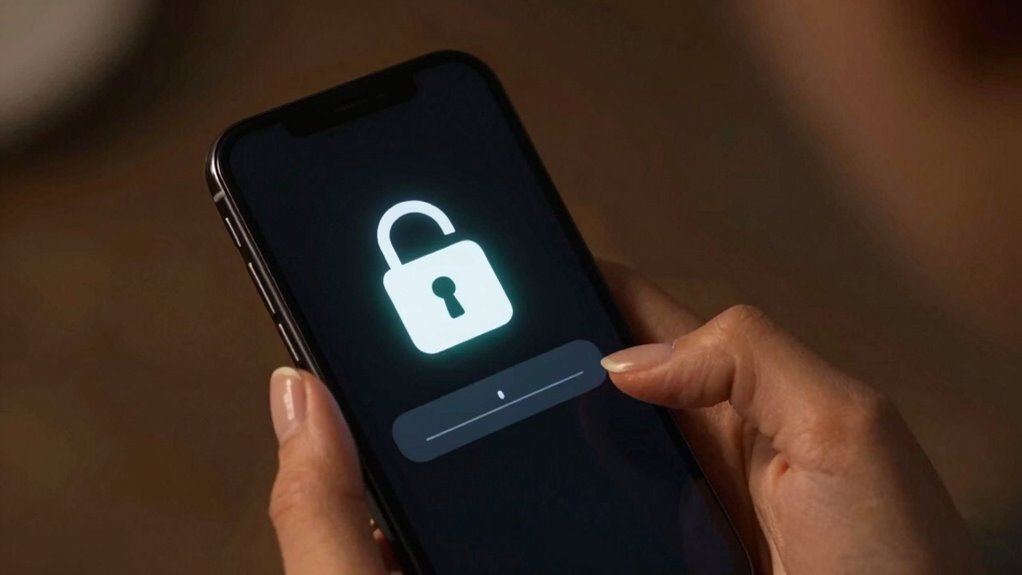
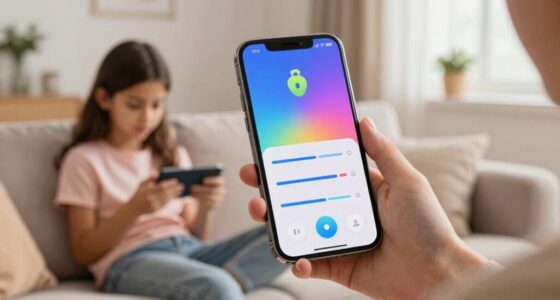
Smart lock notifications can sometimes trigger unnecessary worry, especially when you see alerts for unfamiliar activity. It’s natural to feel concerned when your device reports an unexpected entry or exit, but it’s important to approach these alerts calmly and rationally. Your first step should be to understand that not every notification indicates a security breach. Sometimes, these alerts are part of the device’s security protocols, designed to keep you informed about your lock’s activity. Before jumping to conclusions, take a moment to verify whether the activity was authorized or accidental. Often, notifications come from routine actions like family members entering the house or delivery personnel accessing your door, which you might not immediately recognize.
When reviewing notifications, always consider the context. Check the timestamp and see if it aligns with your schedule or known activities. For instance, if you see an unfamiliar entry at a time you’re asleep or away, it warrants attention. However, if the activity matches your typical routines, it’s likely a false alarm or a normal part of your security protocols. Your smart lock system may also include features that specify user permissions, allowing you to see which authorized users are responsible for certain actions. By reviewing user permissions, you can quickly determine if someone authorized accessed your lock, reducing unnecessary worry. If the alert involves an unknown user or an unrecognized device, then it’s time to investigate further. Additionally, understanding the security features of your device can help you interpret notifications more accurately. Being aware of device capabilities can further inform your response to alerts, so you’re not reacting blindly. Regularly reviewing your device’s activity logs and understanding how to interpret them can also empower you to distinguish between routine and suspicious activity more effectively.
The key to reviewing smart lock notifications without overreacting is to stay informed and maintain control. Regularly update your device’s firmware and security settings to ensure you’re protected against vulnerabilities. If you’re unsure about certain activity, consider changing your access codes or adjusting user permissions to restrict or monitor who can unlock the door. Remember, not every alert is a sign of trouble—sometimes, it’s just a reminder that your smart lock is functioning as intended. Keeping a record of recent activity logs, along with understanding your device’s security protocols, can help you build familiarity with your device’s normal behavior, making it easier to spot genuine issues when they arise.
In the end, staying calm, verifying details, and understanding your security protocols and user permissions help you review smart lock notifications objectively. This approach prevents unnecessary anxiety and keeps your home secure without overreacting to every alert.

Philips Wi-Fi Door Lock, WiFi Smart Lock Keyless Entry Deadbolt for Front Door, Compatible with Alexa & Google Assistant, Remote Control, Built-in WiFi, APP Fingerprint Passcode Unlock, Auto Locking
- Multiple Unlock Methods: App, passcode, fingerprint, key, voice
- Remote Access: Control lock remotely via Wi-Fi
- Voice Control Compatibility: Works with Alexa and Google Assistant
As an affiliate, we earn on qualifying purchases.
As an affiliate, we earn on qualifying purchases.
Frequently Asked Questions
Can Smart Lock Notifications Be Disabled Entirely?
Yes, you can disable smart lock notifications entirely to protect your notification privacy and maintain lock security. Most devices allow you to turn off notifications through the settings menu, giving you control over what alerts you receive. Disabling notifications ensures you’re not overreacting to unnecessary alerts, while still keeping your lock security intact. Just navigate to your device’s notification settings and toggle off smart lock alerts to preserve your privacy and security.
Do Notifications Drain My Phone’s Battery Significantly?
Notifications from your smart lock generally don’t drain your phone’s battery considerably if your device’s battery optimization settings are properly configured. However, frequent notifications can contribute to slight battery drain over time, especially if your phone constantly processes them. To minimize impact, reduce notification frequency or disable unnecessary alerts. Adjust your notification settings and enable battery optimization features to guarantee your phone conserves power while still receiving essential smart lock updates.
Are Smart Lock Alerts Secure From Hacking?
Smart lock alerts are generally secure, thanks to robust encryption protocols that protect your data. However, no system is entirely invulnerable; hacking vulnerabilities can exist if security updates are ignored or if weak passwords are used. You can stay safer by regularly updating your device’s firmware, enabling two-factor authentication, and using strong, unique passwords. This proactive approach helps minimize hacking risks and keeps your smart lock alerts secure.
How Often Should I Review Lock Notifications?
You should review lock notifications at least once a day—it’s your fortress’s heartbeat! Frequent checks help you stay on top of your user privacy and catch any suspicious activity early. However, avoid obsessing; too many alerts can cause unnecessary stress. Strike a balance by setting notification frequency to fit your lifestyle, ensuring you’re informed without feeling overwhelmed. Regular review keeps your smart lock secure and your peace of mind intact.
Can I Customize Notification Alerts for Different Events?
Yes, you can customize notification alerts for different events to suit your preferences. Most smart lock apps offer notification customization options, allowing you to select which alerts you receive. This helps you maintain user privacy by filtering out unnecessary notifications. By adjusting these settings, you prevent overreacting to minor alerts and focus on important events, ensuring your smart lock notifications are both relevant and manageable.
As an affiliate, we earn on qualifying purchases.
Conclusion
Remember, smart lock notifications are like whispers from your digital guardian—not alarms from a looming disaster. Stay calm, assess the message with a clear mind, and trust your security measures. Overreacting can turn a small pebble into a landslide, so keep your reactions steady and measured. By doing so, you’ll navigate your smart lock alerts with the steady hand of a captain steering through calm waters, confident and in control of your home’s safety.

eufy Security Smart Lock C30, Keyless Entry Door Lock, Built-in WiFi Keypad Deadbolt for Front Door, No Bridge Required, Easy Installation, App Remote Control, Reliable Power, BHMA Grade 3
- Packaging Update: Same product, different packaging
- Remote Control: Control lock remotely via Wi-Fi
- Easy Setup: Quick installation and access management
As an affiliate, we earn on qualifying purchases.
As an affiliate, we earn on qualifying purchases.

eLinkSmart Fingerprint Gym Locker Lock, Keyless Biometric Padlock, Weatherproof Electronic Digital Bluetooth App Smart Combination Pad Lock for Outdoor Fence Gate Storage Unit Pool Shed – Black
- Fast Fingerprint Unlock: Unlocks in 0.2 seconds with biometric tech
- App Control & Management: Bluetooth app for remote unlocking and sharing
- Durable & Secure Construction: Made of alloy steel with hardened shackle
As an affiliate, we earn on qualifying purchases.
As an affiliate, we earn on qualifying purchases.