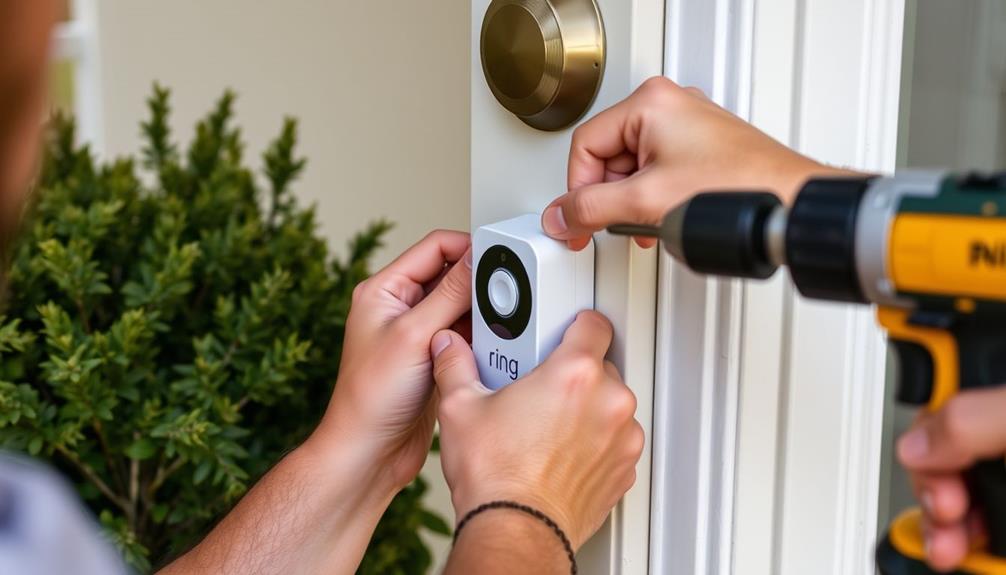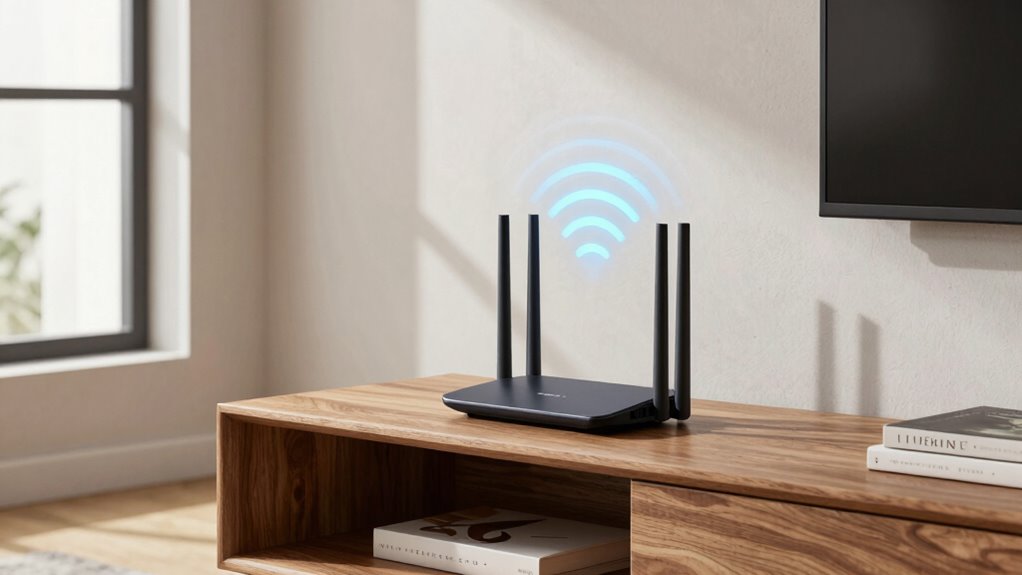

To improve your Ring Wi-Fi signal without moving your router, optimize its placement by elevating it and keeping it away from thick walls or metal objects. Reduce interference from household devices like microwaves and cordless phones by keeping them distant from the router. Update your router’s firmware regularly and switch to less crowded Wi-Fi channels. Use extenders or signal boosters effectively and enable dual-band networks for better coverage. For more detailed tips, continue exploring ways to boost your Wi-Fi performance.
Key Takeaways
- Place Wi-Fi extenders or mesh nodes midway between the router and Ring devices for better coverage.
- Switch to a less crowded Wi-Fi channel and enable dual-band or band steering to optimize signal flow.
- Elevate your router on high, open shelves away from obstructions and interference sources.
- Reduce physical barriers like thick walls and large furniture near the router and Ring devices.
- Regularly update your router’s firmware to improve performance and security, ensuring a stable connection.
Start by Positioning Your Router for Better Wi-Fi Coverage

To improve your Wi-Fi coverage, start by placing your router in a central location away from obstructions. Proper router placement is essential for ideal signal distribution across your space. Avoid hiding the router behind furniture or inside cabinets, as these barriers weaken the signal. Instead, position it on a high shelf or a flat surface where it’s unobstructed. Keep it away from electronic devices like cordless phones and microwaves that can interfere with the signal. Additionally, adjusting the antenna orientation can significantly enhance signal strength and coverage. By ensuring the router is centrally located, you enhance signal distribution, reducing dead zones and improving overall connectivity. A well-placed router helps your Wi-Fi reach every corner of your home efficiently, giving you a stronger, more reliable connection. Also, considering interference sources and minimizing their impact can further improve your Wi-Fi performance. Regularly updating your router’s firmware and choosing the optimal channel frequency can also reduce interference and boost signal quality. Incorporating local automation techniques to monitor and manage network congestion can help maintain optimal performance throughout your home. Additionally, being aware of environmental factors such as thick walls or metal objects can further prevent signal degradation.

TP-Link Tri-Band BE9700 WiFi 7 Router (Archer BE600) – 10G Port, 2.5G Port, 3× 2.5G LAN, 320MHz Channel, Covers up to 2,600 sq. ft., 120 Devices, VPN, HomeShield Security
- Next-Gen WiFi 7: Optimized for latest WiFi 7 devices
- Tri-Band WiFi Speeds: Up to 5,765 Mbps on 6 GHz band
- Wide Coverage Area: Up to 2,600 sq. ft. for 120 devices
As an affiliate, we earn on qualifying purchases.
Identify and Eliminate Wi-Fi Interference From Household Devices

Many household devices, like microwaves and cordless phones, can interfere with your Wi-Fi signal. To improve performance, consider where you place these devices and how close they are to your router. Adjusting their placement can make a noticeable difference in reducing interference. Additionally, understanding Wi-Fi interference sources can help you better optimize your home network. Recognizing electromagnetic interference and its effects can further assist in creating a more stable connection. Being aware of radio frequency interference sources in your environment can also help you take targeted steps to minimize disruptions, especially when considering home energy considerations that may influence wireless performance. Being mindful of electromagnetic compatibility can contribute to a more reliable Wi-Fi experience.
Common Household Interferences
Household devices like cordless phones, microwave ovens, and baby monitors often interfere with your Wi-Fi signal because they operate on similar frequency bands. This interference can cause slower speeds or dropped connections, impacting your Ring device’s performance. To minimize this, check your wireless security settings and ensure your network name (SSID) is unique, reducing confusion and interference from nearby networks. Keep devices that emit strong signals away from your router and Wi-Fi-enabled gadgets. Turning off unused devices when not in use can also help. Remember, maintaining a clear, interference-free environment boosts your Wi-Fi stability. Additionally, staying informed about European cloud innovation can help you understand how modern infrastructure supports reliable connectivity. Identifying and eliminating household sources of interference guarantees your network runs smoothly, providing a stronger, more reliable connection for your Ring and other smart devices.
Device Placement Tips
Since household devices like cordless phones, microwave ovens, and baby monitors can disrupt your Wi-Fi signal, strategically placing your router away from these sources is essential. Proper device placement helps prevent interference and boosts signal enhancement. Keep your router in a central, open location, elevated, and away from thick walls or metal objects. Avoid placing it near cordless phones or microwaves, which emit signals that can cause disruptions. Use the table below to identify common household devices and their potential interference levels:
| Device | Interference Level | Placement Tip |
|---|---|---|
| Cordless Phones | High | Keep away from router |
| Microwave Ovens | Moderate | Place farther during use |
| Baby Monitors | Low | Avoid direct line of sight |
| Bluetooth Devices | Low to Moderate | Position away from router |
Additionally, ensuring your router is placed away from interference sources can significantly improve your Wi-Fi performance and provide a more reliable connection. Being aware of Wi-Fi interference can help you make better placement decisions and optimize your network’s performance. Recognizing common household sources of interference allows for more effective router placement and better overall signal quality. For example, understanding how electromagnetic interference impacts Wi-Fi can help you choose optimal locations for your router.

Alarm System for Home Security,24Pcs WiFi+GSM/4G No Monthly Fee Wireless Security System, Phone App Control,Real-Time Alert,Auto Alarm Dial,Compatible with Alexa & Google,No Monthly Fee
- Remote App Control: Manage system remotely via app
- Dual Network Connectivity: Supports Wi-Fi and 4G networks
- Voice Control Integration: Compatible with Alexa and Google Assistant
As an affiliate, we earn on qualifying purchases.
Update Your Router’s Firmware to Boost Performance

Updating your router’s firmware is a simple yet effective way to improve your Wi-Fi performance. Firmware updates often include bug fixes, performance enhancements, and security patches that can stabilize your connection. Keeping your router’s firmware current also boosts router security, helping protect your network from vulnerabilities. Regularly maintaining your router, including firmware updates, is essential for optimal performance. A well-maintained router ensures your network remains reliable and secure. Staying informed about router update procedures can help you quickly address any issues that arise. Investing a few minutes in updating your firmware can lead to a more reliable, faster Ring Wi-Fi signal without the need to move your router. Additionally, understanding essential oil benefits can help you find natural remedies for common health issues.

Ring Alarm 14-Piece Kit (newest model), Wireless smart home or business security system, expandable, easy setup, Mobile App Control, 24/7 Professional Monitoring, Alexa Compatible
- Complete 14-Piece Security Kit: Includes base station, sensors, keypads, and extender
- Easy-to-Use Keypad: Arm and disarm system effortlessly
- Expandable System: Add sensors and accessories anytime
As an affiliate, we earn on qualifying purchases.
Change Wi-Fi Channels to Reduce Congestion

Switching your Wi-Fi to a less crowded channel can improve your signal quality. By choosing the right frequency and avoiding busy channels, you’ll reduce interference. This simple step can make a noticeable difference in your Ring’s connection. Additionally, reducing digital distractions can help you write more clearly and concisely. Optimizing your Wi-Fi setup by selecting the best channel is a straightforward way to enhance overall network performance. Using a top-rated vacuum can also help keep your space cleaner, reducing dust and debris that may affect your Wi-Fi equipment.
Optimizing Wi-Fi Frequencies
Wi-Fi congestion often occurs when multiple networks operate on the same or overlapping channels, leading to slower speeds and dropped connections. To improve your signal, consider optimizing your Wi-Fi frequencies. Modern wireless standards use different frequency bands, mainly 2.4 GHz and 5 GHz, each with distinct advantages. The 2.4 GHz band offers broader coverage but is more prone to interference, while 5 GHz provides faster speeds but less range. By selecting the right frequency band and adjusting your router’s settings, you can reduce interference and boost performance. Here’s a quick comparison:
| Band | Range | Interference | Speed |
|---|---|---|---|
| 2.4 GHz | Long | High | Moderate |
| 5 GHz | Short | Low | Fast |
| Dual-band | Both | Varies | Versatile |
| 802.11ax | Optimized | Reduced | Very fast |
Optimizing frequencies helps ensure your Ring device stays connected smoothly.
Choosing Less Congested Channels
Since multiple networks often compete for the same channels, choosing less congested ones can substantially improve your signal. Effective channel selection helps reduce network congestion, leading to a more stable and faster Wi-Fi connection. Use your router’s settings or a Wi-Fi analyzer app to identify channels with the least traffic in your area. For 2.4 GHz networks, channels 1, 6, and 11 are typically best choices because they don’t overlap. For 5 GHz networks, select channels that are less crowded, which vary depending on your environment. Switching to a less congested channel minimizes interference from neighboring networks, boosting your Wi-Fi signal quality. Regularly checking and adjusting your channel selection guarantees your Wi-Fi remains optimized as network congestion patterns change.
Use Wi-Fi Extenders or Signal Boosters Effectively

To maximize the effectiveness of your Wi-Fi extender or signal booster, placement is key. Position it halfway between your router and the area with weak coverage, ideally in a spot with minimal obstructions. This helps guarantee a strong, stable connection, which is essential for your smart home devices to function seamlessly. Keep the extender away from devices that can cause interference, like microwaves or cordless phones. Proper placement not only boosts your Wi-Fi signal but also enhances network security by reducing dead zones where unauthorized access might occur. Regularly update the extender’s firmware to maintain security standards. By optimizing your extender’s location, you’ll enjoy better coverage, more reliable connections, and a safer, smarter home environment.
Enable Dual-Band Networks and Band Steering for Better Coverage

Enabling dual-band networks and band steering can substantially improve your Wi-Fi coverage and performance. Dual-band networks allow your router to broadcast on both 2.4 GHz and 5 GHz frequencies, reducing congestion and interference. This setup guarantees devices connect to the most suitable band for speed and stability. Band steering automatically guides compatible devices to the less congested 5 GHz band, freeing up bandwidth on the 2.4 GHz network. This coordination results in fewer dropped connections and faster speeds across your home. To activate these features, access your router’s settings and enable dual-band functionality and band steering if available. Doing so enhances your network, providing more reliable coverage and better performance for your Ring devices and other smart home tools.
Minimize Physical Obstructions Inside Your Home

Reducing physical obstacles inside your home can substantially boost your Wi-Fi signal. Proper furniture placement and window positioning help minimize interference. First, move large furniture away from your router to prevent signal blockage. Second, avoid placing your router near windows or glass surfaces, which can reflect signals and weaken coverage. Third, position your router centrally in open spaces, avoiding enclosed areas or corners. Fourth, keep pathways clear of clutter and avoid placing objects directly on or around the router. By optimizing furniture placement and minimizing barriers, you improve signal strength and coverage. Adjusting these factors allows your Wi-Fi to travel more efficiently throughout your home, ensuring better connectivity for your Ring devices.
Manage Your Network With Ring’s Tools to Improve Wi-Fi Stability

Managing your Wi-Fi network with Ring’s built-in tools can substantially enhance your connection stability. These tools help you monitor device compatibility and guarantee your network remains secure, reducing interruptions. By regularly checking your network status, you can identify weak spots and optimize settings for better performance. Ring’s network security features protect your devices from threats, giving you peace of mind. Use the following table to understand how these tools impact your experience:
| Benefit | Impact | Feelings |
|---|---|---|
| Improved stability | Fewer disconnections | Confidence in your Wi-Fi |
| Enhanced security | Protected devices | Peace of mind |
| Device compatibility checks | Seamless device integration | Satisfaction and control |
| Easy management | Simplified network oversight | Relief and empowerment |
Frequently Asked Questions
Can I Improve Wi-Fi Signal Strength Without Changing My Router’s Location?
Yes, you can improve your Wi-Fi signal strength without moving your router by using mesh networks or powerline adapters. Mesh networks extend coverage seamlessly, ensuring your Ring devices stay connected. Powerline adapters use your home’s electrical wiring to boost signal strength to hard-to-reach areas. Both options are effective, simple to set up, and allow you to enhance your Wi-Fi without the hassle of relocating your router.
Are There Specific Household Devices That Most Commonly Interfere With Wi-Fi Signals?
You might find your Wi-Fi struggling when your microwave or cordless phone is in use. These household devices often cause interference, disrupting your signal like unexpected interruptions in a heartfelt conversation. Microwave interference is particularly tricky, as it operates on similar frequencies. Cordless phones can also weaken your connection if they’re nearby. Keep these devices away from your router or switch to newer models to restore your Wi-Fi strength without moving your router.
How Often Should I Update My Router’s Firmware for Optimal Performance?
You should update your router’s firmware at least once a quarter to guarantee peak performance and enhance router security. Firmware updates fix bugs, improve speed, and patch vulnerabilities that could be exploited. Regular updates help your Ring device maintain a strong Wi-Fi signal by keeping your network secure and running smoothly. Set a reminder to check for updates, so you don’t miss out on important improvements that keep your entire network protected.
Which Wi-Fi Channels Are Typically Less Congested in Residential Areas?
Did you know that in many residential areas, 5 GHz channels tend to be less congested than 2.4 GHz? To improve your Ring Wi-Fi signal, choose channels with minimal congestion by selecting less crowded frequencies. Use a Wi-Fi analyzer app to identify ideal channels and switch to those with the least interference. Proper frequency selection helps boost your signal strength without moving your router, ensuring smoother streaming and better device connectivity.
How Do Wi-Fi Extenders Differ From Signal Boosters in Effectiveness?
Wi-Fi extenders and signal boosters differ mainly in effectiveness, depending on device placement and frequency selection. Extenders relay your existing signal to expand coverage, but poor placement can limit their benefit. Signal boosters amplify the existing Wi-Fi signal directly, often providing a stronger connection. To improve your Ring Wi-Fi, place devices strategically and choose the best frequency (2.4 GHz or 5 GHz) based on your home’s layout and interference levels for ideal performance.
Conclusion
Think of your Wi-Fi as a garden that needs tending. By positioning your router wisely, clearing interference, and using extenders, you’re nurturing a lush, strong signal. Keep firmware updated, choose the right channels, and minimize barriers to let your network flourish. With these simple steps, you’ll turn patchy Wi-Fi into a steady stream, like a well-tended river flowing smoothly through your home. Your connection will thrive, no moving required.