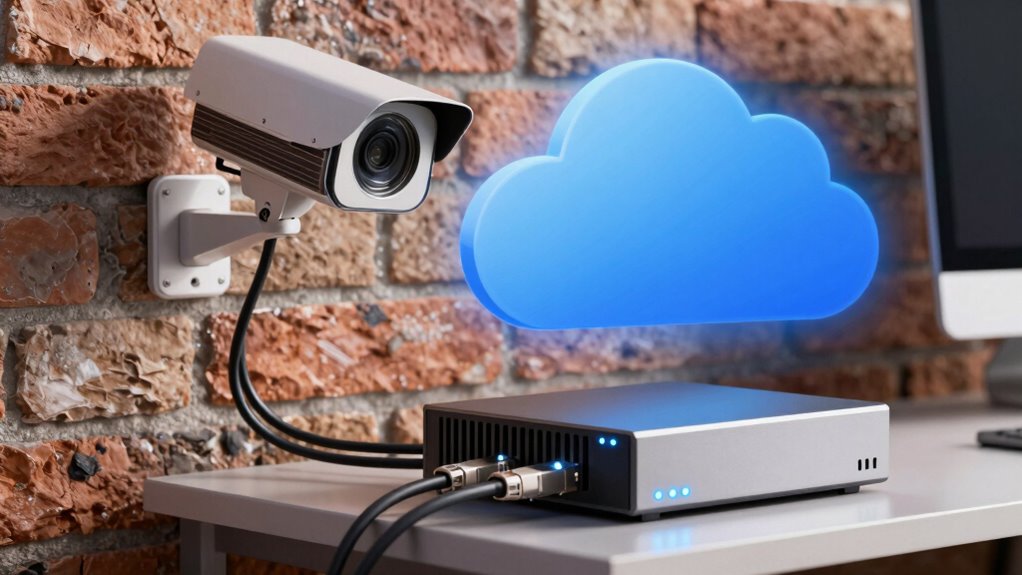

When choosing between local and cloud storage for your security cameras, consider security, accessibility, and costs. Local storage keeps footage on physical devices like DVRs or NVRs, offering quick access but risking physical theft or damage. Cloud storage uploads footage online, making it easy to access remotely but involves ongoing subscription fees and internet reliance. To make the best choice for your needs, you’ll want to weigh these factors carefully—more details are ahead.
Key Takeaways
- Local storage offers quick access and high resolution but risks physical theft and device damage.
- Cloud storage provides remote, scalable access with automatic backups, reducing hardware failure concerns.
- Security depends on encryption and provider policies; local storage relies on device encryption, cloud on provider practices.
- Cloud storage requires ongoing subscription fees, while local storage involves upfront hardware costs.
- Hybrid solutions combine both benefits, balancing security, accessibility, and cost-effectiveness.
What Are Local and Cloud Storage for Security Cameras?

When it comes to security cameras, understanding the difference between local and cloud storage is essential. Local storage saves footage directly onto a device like a DVR, NVR, or external hard drive, giving you quick access and control. It often supports high video resolution, capturing clearer images, but you need physical space for storage. Cloud storage uploads footage to remote servers, accessible from anywhere with an internet connection. It offers added security through storage encryption, protecting your videos from physical damage or theft. With local storage, you’re responsible for managing backups and security, while cloud providers handle encryption and maintenance behind the scenes. Additionally, understanding how storage encryption protects your data is key to making an informed decision. Knowing the thermal behavior of your storage options can also help in managing data integrity and performance over time, especially in varying environmental conditions. Proper cooling and ventilation can prevent overheating that might compromise data integrity or device lifespan. Furthermore, considering energy efficiency in your storage solutions can contribute to more sustainable and cost-effective operations. Both options have their advantages, but knowing how they handle video resolution and storage encryption helps you choose what fits your security needs best. Being aware of how environmental factors influence storage reliability can also help in selecting the right setup for your specific needs.
How Do Local Storage and Cloud Storage Differ?

Local storage and cloud storage differ primarily in how they store and access your security footage. With local storage, your footage is saved directly on devices like DVRs, NVRs, or SD cards, giving you immediate access without relying on internet connectivity. Cloud storage, however, uploads footage to remote servers managed by a service provider, accessible from anywhere. Security measures vary: local storage often uses encryption methods to protect data on physical devices, while cloud providers use data transfer protocols like SSL/TLS to secure footage during upload and download. These protocols ensure your footage remains private during transmission. The main difference lies in accessibility and security: local storage keeps data on-site, whereas cloud storage relies on remote servers with encryption and transfer protocols to safeguard your footage. Additionally, refresh rates in projectors can influence how smoothly fast-moving images appear, which is especially important for live security footage review. It’s also important to consider the cost and maintenance associated with each storage option, as these factors can impact long-term security and usability. Proper planning for storage capacity can help prevent issues with footage retention and retrieval over time, and understanding the security protocols used by providers can further enhance your data protection. Moreover, evaluating the scalability of storage solutions can ensure your system adapts to future security needs.
What Are the Benefits and Drawbacks of Each Option?

Both local storage and cloud storage offer distinct advantages that can suit different security needs. Local storage provides high video resolution quality without relying on internet speed, and data encryption is under your control, ensuring privacy. However, it can be vulnerable to physical damage or theft. Cloud storage offers automatic backups, remote access, and scalable options, making it easy to monitor footage from anywhere. Plus, cloud providers typically use strong data encryption to protect your videos. On the downside, cloud storage depends on reliable internet, and subscription fees can add up over time. Additionally, understanding storage capacity requirements can help you choose the best setup for your needs. Considering data security practices, including encryption methods, is essential to ensure your footage remains protected regardless of the storage method, especially when evaluating the security of your data. Incorporating local and cloud hybrid solutions can also provide a balanced approach to security and accessibility.
How Do You Choose the Best Storage for Your Security Needs?
Choosing the right storage option for your security cameras depends on your specific needs and priorities. Consider how important encryption protocols are to you; if security is your top concern, opt for storage solutions that offer strong encryption to protect your footage. User accessibility also matters—if you want quick, easy access from multiple devices, cloud storage provides convenience, often with remote viewing capabilities. On the other hand, if you prefer local control and minimal ongoing costs, local storage might suit you better. Think about your environment, budget, and how you plan to access footage regularly. Balancing security features like encryption with ease of use will help you select the best storage option for your security needs. For those interested in eco-friendly options, exploring sustainable travel experiences can inspire environmentally conscious choices in your setup. Additionally, understanding the cost implications of each option can help you make a more informed decision that aligns with your long-term budget. Regularly reviewing security protocols and potential regulatory compliance requirements can further ensure your footage remains protected and compliant with local laws. Moreover, staying informed about emerging cybersecurity threats can help you adapt your storage strategy proactively. Keeping up with technology updates ensures your security system remains resilient against evolving vulnerabilities.
Key Factors to Consider Before Picking Security Camera Storage

Before selecting a storage option for your security cameras, it’s essential to evaluate several key factors that can impact your overall security and convenience. First, consider encryption standards to guarantee your footage remains protected from unauthorized access. Second, look into data redundancy—a system that keeps multiple copies of your recordings reduces the risk of data loss. Third, assess your bandwidth and internet stability if opting for cloud storage; unreliable connections can hinder access. Also, think about storage capacity and costs, balancing affordability with your security needs. Additionally, selecting a storage method that aligns with your home energy management and health considerations can support overall well-being, especially if you prefer natural and stress-reducing solutions. It’s also important to be aware of security risks associated with different storage options, so you can choose a solution that offers robust security, reliable data protection, and peace of mind.
Frequently Asked Questions
How Secure Is Cloud Storage Against Hacking Attempts?
Cloud storage’s security against hacking attempts depends on the provider’s encryption protocols and security measures. While most use advanced encryption to protect your footage, vulnerabilities can still exist if weak passwords or outdated software are involved. You should choose a reputable service with strong encryption and multi-factor authentication, and regularly update your credentials to reduce hacking risks. Staying informed about their security practices helps guarantee your footage stays protected.
Can Local Storage Be Easily Upgraded or Expanded?
Think of your local storage as a toolbox—you can easily add more tools as needed. Upgrading or expanding storage capacity is straightforward; you just swap out or add larger hard drives or SSDs. Hardware upgrades, like increasing storage, are simple tasks, much like replacing a worn-out part. So, you can grow your local storage with minimal hassle, ensuring you always have enough space for your security footage.
What Are the Ongoing Costs Associated With Each Storage Option?
You’ll find that cloud storage often involves ongoing costs like subscription fees, which cover data storage and access. Local storage, on the other hand, typically requires a one-time investment in hardware upgrades or additional drives. While cloud storage can get pricey over time, local storage may have upfront costs but fewer recurring expenses. Consider your budget and needs to choose the best option for ongoing costs.
How Does Data Recovery Differ Between Local and Cloud Storage?
You’ll find data retrieval differs markedly between local and cloud storage. With local storage, disaster recovery is quick—you access footage directly from your devices, ensuring fast data retrieval even during outages. Cloud storage, however, relies on internet access; recovery may take longer if connectivity issues occur. Cloud backups protect against physical damage, but local storage offers immediate access for efficient disaster recovery, making both options valuable depending on your security needs.
Are There Privacy Concerns With Storing Footage in the Cloud?
They say “trust, but verify,” and that’s key with cloud storage. Yes, there are privacy implications, as your footage is stored on remote servers, potentially exposing data to breaches or unauthorized access. Data sovereignty matters too; your footage might be subject to foreign laws. Before choosing cloud storage, weigh these privacy concerns carefully, and guarantee the provider has strong security measures to protect your footage’s confidentiality.
Conclusion
Choosing between local and cloud storage is like journeying a river’s twists and turns—you need to know your current, your destination, and the risks along the way. Both options have their own magic and pitfalls, but with the right knowledge, you can steer your security setup confidently. Remember, the best storage solution is the one that fits your needs like a perfectly tailored map—guiding you safely through any threat that comes your way.