
Wi-Fi 6E offers strong security enhancements that protect your smart home from cyber threats. It uses advanced encryption protocols like WPA3, making it harder for hackers to access your data. Network segmentation allows you to isolate devices and prevent breaches from spreading. Built-in features like guest networks simplify this process. By adopting Wi-Fi 6E, you gain better privacy and security for your connected devices. For a clearer understanding, you’ll discover more about these powerful security features below.
Key Takeaways
- Wi-Fi 6E introduces advanced encryption protocols like WPA3, strengthening password protection and reducing vulnerability to hacking.
- Built-in security features such as guest networks and multiple SSIDs allow easy network segmentation for smart home device isolation.
- Device encryption scrambles data transmissions, safeguarding sensitive information from interception and unauthorized access.
- Network segmentation minimizes the risk of malware spreading across devices by isolating smart devices from personal computers and smartphones.
- Upgrading to Wi-Fi 6E enhances overall network security with improved handshake processes and better management of connected devices.
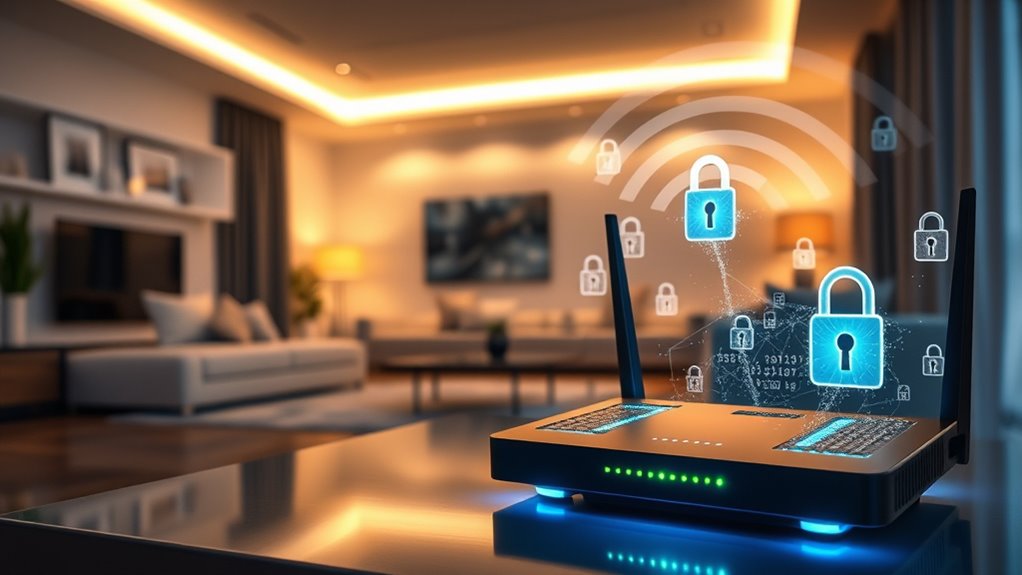
As smart homes become more connected, guaranteeing the security of your Wi-Fi network is more important than ever. Wi-Fi 6E offers significant improvements in speed and capacity, but it also brings enhanced security features that help protect your devices and data. One of the key measures you should focus on is device encryption, which ensures that the data transmitted between your devices and your router is scrambled and unreadable to outsiders. Modern Wi-Fi 6E routers support advanced encryption protocols, making it harder for hackers to intercept sensitive information like passwords, financial details, or personal messages. By enabling strong device encryption, you create a secure tunnel that safeguards your digital footprint from potential eavesdroppers.
In addition to encryption, network segmentation plays an essential role in maintaining your home’s cybersecurity. Instead of having all your devices on a single, flat network, you can create separate segments or virtual networks for different purposes. For example, you might isolate your smart home devices—cameras, thermostats, and locks—on a dedicated network segment separate from your personal computers and smartphones. This way, if one device gets compromised, the attacker’s access remains limited to that specific segment, preventing them from reaching your more sensitive devices or data. Network segmentation effectively minimizes the risk of a breach cascading through your entire home network, offering an extra layer of protection.
Wi-Fi 6E routers often come with built-in security features that facilitate network segmentation, such as guest networks and multiple SSIDs. These allow you to easily separate your smart home devices from your main devices without complicated technical setups. Additionally, taking advantage of features like WPA3 encryption, which is supported by many Wi-Fi 6E devices, further enhances security with stronger password protections and improved handshake processes that make it more difficult for hackers to crack your Wi-Fi password. According to recent resources, leveraging these security enhancements is crucial in the context of the rising number of connected devices in modern homes.

TP-Link AXE5400 Tri-Band WiFi 6E Router (Archer AXE75), 2025 PCMag Editors' Choice, 2.5Gbps WAN Port for Gaming & Streaming, 6GHz Band, 160MHz, OneMesh, Dual-Core CPU, VPN & WPA3 Security
- Tri-Band WiFi 6E Router: Up to 5400 Mbps speeds for multiple devices
- 6 GHz Band for Faster Speeds: Enhanced bandwidth and near-zero latency
- Connect More Devices: OFDMA technology increases capacity fourfold
As an affiliate, we earn on qualifying purchases.
As an affiliate, we earn on qualifying purchases.
Frequently Asked Questions
How Does Wi‑Fi 6E Improve Encryption Methods?
Wi-Fi 6E improves encryption methods by utilizing advanced security protocols like WPA3, which offers stronger wireless encryption. You benefit from enhanced protection because WPA3 provides individualized data encryption, making it harder for unauthorized users to access your network. This upgrade ensures your smart home devices stay secure, reducing the risk of hacking or data breaches. Overall, Wi-Fi 6E‘s improved security protocols give you a safer, more reliable wireless connection.
Are There Specific Security Features Unique to Wi‑Fi 6E?
Wi-Fi 6E introduces unique security features like improved device compatibility and adherence to stricter regulatory standards. You benefit from enhanced encryption protocols, such as WPA3, which make your network more secure. The new technology also supports better device authentication, reducing vulnerabilities. These features help guarantee your smart home devices stay protected against emerging threats, giving you peace of mind while enjoying faster, more reliable Wi-Fi connectivity.
Can Existing Smart Home Devices Upgrade to Wi‑Fi 6E Securely?
Did you know over 60% of smart home devices are incompatible with Wi-Fi 6E? You can upgrade existing devices securely if they support device compatibility with Wi-Fi 6E standards and receive firmware updates. Check your device specifications and verify manufacturers provide updates to enhance security. Upgrading might require new hardware, but firmware updates alone can improve security, making your smart home safer without replacing all your devices.
What Are Common Vulnerabilities in Wi‑Fi 6E Networks?
In Wi-Fi 6E networks, common vulnerabilities include issues with device authentication, which can allow unauthorized access if not properly secured. Network congestion might worsen security by slowing response times, making it easier for attackers to exploit. To protect yourself, guarantee strong passwords, enable device authentication, and use updated firmware. These steps reduce risks, safeguard your smart home, and keep your Wi-Fi 6E network more secure against potential threats.
How Does Wi‑Fi 6E Handle Interference to Maintain Security?
Wi-Fi 6E handles interference through advanced interference mitigation techniques, ensuring your signal remains stable even in crowded environments. It uses OFDMA and BSS coloring to reduce overlapping channels, minimizing interference from other devices. These enhancements help maintain signal stability, which in turn strengthens security by preventing disruptions that could be exploited. As a result, your smart home network stays reliable and secure, even amidst multiple competing signals.

TP-Link AC1900 Smart WiFi Router (Archer A8) -High Speed MU-MIMO Wireless Router, Dual Band Router for Wireless Internet, Gigabit, Supports Guest WiFi
- Wireless Speed: Up to 600 Mbps on 2.4GHz, 1300 Mbps on 5GHz
- Dual Band WiFi: Supports 2.4GHz and 5GHz bands
- OneMesh Compatibility: Seamless WiFi with TP-Link Extenders
As an affiliate, we earn on qualifying purchases.
As an affiliate, we earn on qualifying purchases.
Conclusion
By embracing Wi‑Fi 6E’s security strides, you enhance your home’s safe sanctuary. Staying savvy with these smart security solutions shields your smart home from sneaky cyber threats. With stronger encryption, better privacy, and seamless connectivity, you’re setting a secure stage for your smart space. So, stay vigilant, upgrade wisely, and enjoy worry-free Wi‑Fi wonder—because a secure smart home is simply smarter!
TP-Link AXE5400 Tri-Band WiFi 6E Router (Archer AXE75), 2025 PCMag Editors' Choice, 2.5Gbps WAN Port for Gaming & Streaming, 6GHz Band, 160MHz, OneMesh, Dual-Core CPU, VPN & WPA3 Security
- Tri-Band WiFi 6E Router: Up to 5400 Mbps speeds for multiple devices
- 6 GHz Band for Faster Speeds: Enhanced bandwidth and near-zero latency
- Connect More Devices: OFDMA technology increases capacity fourfold
As an affiliate, we earn on qualifying purchases.
As an affiliate, we earn on qualifying purchases.

TP-Link AX1800 WiFi 6 Router (Archer AX21 V5) – Dual Band Wireless Internet, Gigabit, Easy Mesh, Works with Alexa – A Certified for Humans Device, Free Expert Support
- Dual-Band WiFi 6: Faster speeds and reduced congestion
- AX1800 Speed: Up to 1.8 Gbps total bandwidth
- Connect More Devices: Supports multiple devices simultaneously
As an affiliate, we earn on qualifying purchases.
As an affiliate, we earn on qualifying purchases.