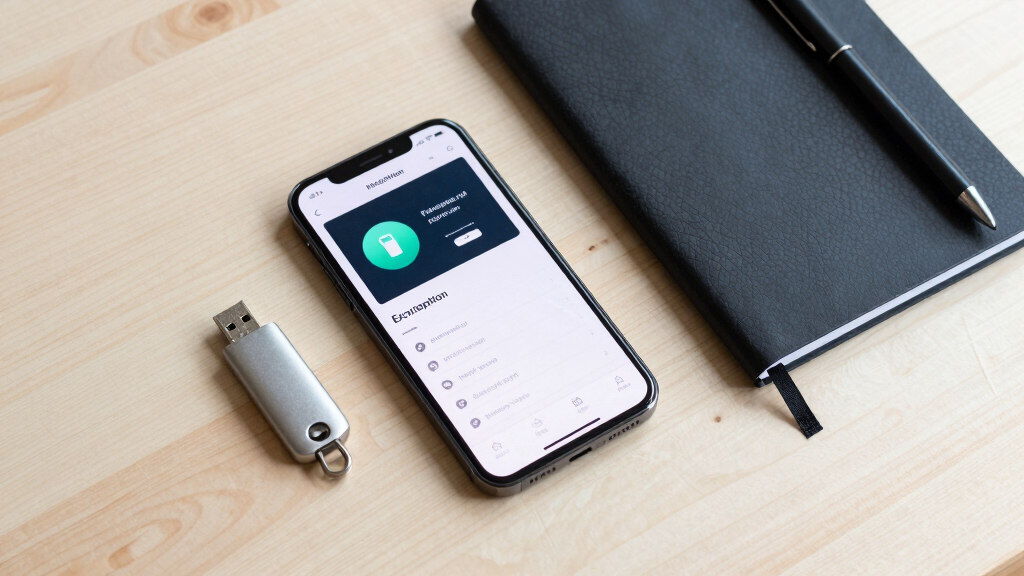

Choosing a secure messaging app is not only about seeing the words encrypted or private in a product description. Buyers also need to know whether protection applies to calls as well as messages, which devices are supported, and whether the app provides enough detail to judge its security. In this comparison, Private Chat is the clearest fit for everyday confidential conversations, while Bubble stands out for international calls and messaging without a subscription. PhoneX may suit people seeking both calls and texts, but its sparse feature information makes it harder to evaluate than the other named options.

Get privacy and security gear delivered free with Prime
- Fast, free delivery on millions of items
- Prime Video, Amazon Music and more included
- Member-only deals all year
The tradeoff is between what each listing claims and what it lets a buyer verify. Some options describe end-to-end encryption and specific communication features; others provide little beyond a product name. I rank the apps by the usefulness of their stated security and communication details, not by unverified claims about technical implementation. A product with limited information may still appeal to a particular buyer, but it should not be treated as equally well-documented.
Key Takeaways
- Private Chat has the most clearly described fit for private messages, file sharing, and everyday use across iOS, Android, and web, though full functionality may require a subscription.
- Bubble is the clearest choice here for people who want end-to-end encrypted international messaging plus HD voice and video calls without subscription fees.
- PhoneX states that it supports encrypted calls and messages, but its listing does not explain compatibility, features, or how its protections work.
- CCS Secure Messenger and ECT Encrypted Calls & Text have too little supplied product information to compare their security claims or day-to-day usefulness confidently.
- A product description alone cannot establish an app’s full security model; check current platform support, account recovery, encryption scope, and privacy documentation before relying on any option.
| Private Chat – Secure & Private Messaging |  | Best Overall for Clearly Described Private Messaging | Communication: Text messaging; the description also mentions private conversations. | Encryption claim: End-to-end encryption between users, as stated in the supplied description. | Shared content: Images and documents, in addition to text. | VIEW ON AMAZON | See Our Full Breakdown |
| Bubble – Free Secure International HD Messaging and Calling |  | Best for International Calls and Messaging | Communication: Messaging, voice calls, and video calls, as described. | Encryption claim: End-to-end encrypted communications, as stated in the supplied description. | Call quality claim: High-definition voice and video. | VIEW ON AMAZON | See Our Full Breakdown |
| PhoneX – Secure Communication |  | Best for Buyers Seeking Calls and Texts in One App | Communication: Calls and messages, as stated in the supplied description. | Security claim: Encrypted and private communication. | Encryption scope: Not specified; end-to-end protection is not established by the supplied description. | VIEW ON AMAZON | See Our Full Breakdown |
| CCS Secure Messenger |  | Best for Buyers Willing to Verify an Undocumented Option | Product category: Messenger, based on the product name. | Encryption claim: Not documented in the supplied product information. | Messaging features: Not specified. | VIEW ON AMAZON | See Our Full Breakdown |
| ECT Encrypted Calls & Text Mobile Security Solution |  | Best for Buyers Researching a Calls-and-Text Security Tool | Product category: Mobile security solution, according to the title. | Apparent communication scope: Calls and text, as implied by the title only. | Encryption claim: Not described beyond the product title. | VIEW ON AMAZON | See Our Full Breakdown |
| secure encrypted messaging app | Encryption claim | Communication | Technical documentation | Supported platforms |
|---|---|---|---|---|
| Private Chat | End-to-end encryption between users, as stated in the supplied description. | Text messaging; the description also mentions private conversations. | Protocol, audit, metadata, and backup details are not supplied. | — |
| Bubble | End-to-end encrypted communications, as stated in the supplied description. | Messaging, voice calls, and video calls, as described. | — | — |
| PhoneX | — | Calls and messages, as stated in the supplied description. | Protocol, audit, metadata, and recovery details are not supplied. | Not provided. |
| CCS Secure Messenger | Not documented in the supplied product information. | — | — | Not specified. |
| ECT Encrypted Calls & Text Mob | Not described beyond the product title. | — | Not supplied. | Not specified. |
More Details on Our Top Picks
Private Chat – Secure & Private Messaging
Private Chat takes the top position because its description gives the most useful picture of everyday encrypted messaging in this group. It states that conversations between users are end-to-end encrypted and names support for text, images, and documents. That makes it easier to assess whether it fits ordinary private exchanges or lightweight collaboration than CCS Secure Messenger or ECT, whose supplied details do not describe their capabilities.
Its stated iOS, Android, and web availability is another practical advantage: people communicating across different device types may have a clearer path to staying in the same conversation. The interface is described as intuitive, which could lower friction for someone introducing a private messenger to a small group. Bubble has the stronger stated calling story, including HD voice and video, but Private Chat’s listing is more focused on messages and shared files.
The limits matter. The description says advanced features are limited compared with enterprise solutions and that a subscription may be needed for full functionality. It does not specify which features are free, explain its encryption implementation, or establish what protections apply to files, backups, or metadata. I would choose it for straightforward private messaging only after checking those details, and skip it if a team needs documented administrative controls or a highly specified security model.
Pros:- The description explicitly states end-to-end encrypted communication between users.
- Supports text, images, and documents, giving it a broader stated messaging scope than a text-only tool.
- Named iOS, Android, and web availability helps mixed-device groups assess fit.
- An interface described as intuitive may make it easier to introduce to less technical contacts.
Cons:- Full functionality may require a subscription, but the supplied details do not identify which features are restricted.
- Advanced features are described as limited compared with enterprise solutions.
- No encryption protocol, audit, metadata, or backup details are supplied.
Best for: Individuals and small teams who want a plainly described encrypted messaging app with text, image, and document sharing across named mobile and web platforms.
Not ideal for: Organizations needing advanced enterprise controls, buyers who require clearly stated subscription terms, or anyone who needs independently documented encryption details before adoption.
- Communication:Text messaging; the description also mentions private conversations.
- Encryption claim:End-to-end encryption between users, as stated in the supplied description.
- Shared content:Images and documents, in addition to text.
- Platforms:iOS, Android, and web, as stated in the supplied description.
- Intended audience:Individuals and small teams.
- Advanced features:Described as limited compared with enterprise solutions.
- Subscription:A subscription may be required for full functionality; exact terms are not supplied.
- Technical documentation:Protocol, audit, metadata, and backup details are not supplied.
Our verdict“I rank Private Chat first for its clear everyday messaging scope and stated platform support, while advising buyers to verify its paid features and technical security details.”
Bubble – Free Secure International HD Messaging and Calling
Bubble earns its place near the top by covering a different need from Private Chat: communication across borders that includes calls, not just messages. Its description states end-to-end encryption and highlights HD voice and video, giving it the clearest stated calling focus in this lineup. For people who routinely contact family, colleagues, or friends internationally, that combination may be more useful than Private Chat’s stated file-sharing features.
The no-subscription claim also gives Bubble a distinct appeal for buyers who want to avoid a recurring service fee. It works over Wi-Fi or cellular data, so it can connect users without relying on conventional calling minutes, provided both parties have suitable internet access. That same requirement is its main practical drawback: it is not a substitute for calls or messages that work when a data connection is unavailable. Private Chat also describes internet-based messaging, but Bubble makes the connection requirement explicit.
There is still a gap between the promotional claim and the information needed for a security decision. The supplied description does not name supported platforms, explain how encryption applies to video calls, or provide protocol or audit details. I would shortlist it for internet-connected international communication, then verify current compatibility and privacy documentation before using it for sensitive discussions. Buyers wanting document sharing or clearly named cross-platform support have a stronger stated case for Private Chat.
Pros:- The description states end-to-end encrypted communications.
- Includes HD voice and video calling alongside messaging.
- Designed for international communication over Wi-Fi or cellular data.
- Described as free to use with no subscription fees.
Cons:- All calls and messages require an internet connection.
- The supplied details do not name supported platforms or device requirements.
- No encryption protocol, independent audit, or specific video-call security details are provided.
Best for: People who want stated end-to-end encrypted messaging and HD voice or video for international contacts, and who can rely on Wi-Fi or cellular data.
Not ideal for: People who need communication without internet access, want named platform compatibility before downloading, or require technical security documentation beyond the supplied claim.
- Communication:Messaging, voice calls, and video calls, as described.
- Encryption claim:End-to-end encrypted communications, as stated in the supplied description.
- Call quality claim:High-definition voice and video.
- Connection:Wi-Fi or cellular data.
- Internet requirement:Required for all calls and messages.
- Subscription:Described as free to use without subscription fees.
- International use:Promoted for communication across international borders.
- Platforms:Not specified in the supplied description.
Our verdict“I recommend Bubble for internet-connected international calls and messaging, but its connection dependence and missing technical details keep it behind Private Chat as an all-purpose pick.”
PhoneX – Secure Communication
PhoneX is the most difficult option to rank with confidence: its description says it offers encrypted calls and messages and is suitable for personal and business use, but it provides little else to evaluate. That stated combination gives it a wider communication scope than a messaging-only description, yet Bubble is more specific about HD voice and video and its internet-based international use. Private Chat, by comparison, spells out file sharing and named platforms.
For a buyer who wants one app for calls and texts, PhoneX may be worth investigating. Its claimed personal and business audience could appeal to someone who does not want a consumer-only framing. But the listing does not identify compatibility, message types, call features, pricing, or whether encryption is end-to-end. Without those facts, the product name and broad privacy language cannot tell a reader how it will work in practice or how its security claims compare.
I place PhoneX in the middle rather than near the bottom because it does at least identify both calls and messages as encrypted communication. That is more concrete than the supplied information for CCS and ECT, though less informative than the feature descriptions for Bubble and Private Chat. I would not choose it for sensitive business communications until the developer provides clear details on supported devices, encryption scope, account recovery, and security review.
Pros:- The description states that calls and messages are encrypted.
- Presented for both personal and business communication.
- A combined calls-and-messages focus may suit buyers seeking one communication app.
- Its stated scope is more specific than the supplied descriptions for CCS Secure Messenger and ECT.
Cons:- Compatibility and supported platforms are not provided.
- The description does not explain encryption scope or whether it is end-to-end.
- There is no supplied information about calling features, file sharing, or other functions.
Best for: Individuals or small businesses willing to investigate an app that claims to protect both calls and messages before relying on it.
Not ideal for: Buyers who need confirmed device compatibility, transparent feature details, or a clearly specified end-to-end encryption model before choosing.
- Communication:Calls and messages, as stated in the supplied description.
- Security claim:Encrypted and private communication.
- Encryption scope:Not specified; end-to-end protection is not established by the supplied description.
- Intended audience:Individuals and businesses.
- Supported platforms:Not provided.
- Calling features:Details not provided.
- Messaging features:Details beyond encrypted messages are not provided.
- Technical documentation:Protocol, audit, metadata, and recovery details are not supplied.
Our verdict“PhoneX is a possible calls-and-texts candidate, but I would place it below Bubble and Private Chat until its compatibility and security details are clear.”
CCS Secure Messenger
CCS Secure Messenger ranks fourth because the supplied information gives only its name. That name signals a secure-messaging purpose, but it does not establish that the app uses end-to-end encryption, which platforms it supports, or whether it handles calls, files, groups, or backups. I cannot responsibly give it the same recommendation as Private Chat, whose description names message types and platforms, or Bubble, which specifies calls and its internet requirement.
This is not proof that CCS lacks useful privacy protections. It means the information available here is too thin to compare those protections or match the app to a particular communication routine. A buyer curious about it should look for current developer documentation and a complete app listing that explains the encryption model, device support, account setup, and data practices. Those checks are especially relevant if the intended conversations involve sensitive personal or work material.
Its potential role is therefore narrow: a candidate for someone who has found additional trustworthy documentation elsewhere and wants to assess a dedicated messenger. Without that outside verification, the buyer is choosing on a label rather than on a described security model. Compared with PhoneX, even the communication scope is less clear; compared with ECT, there is no supplied description to distinguish its intended use.
Pros:- The product is presented as a secure messenger by name.
- Could merit further research if fuller current documentation is available elsewhere.
- Its dedicated messenger framing may appeal to buyers seeking a focused communication app.
Cons:- No product description or specifications were supplied for this comparison.
- Encryption type and scope are not established.
- Platforms, supported communication features, and practical limitations are unknown.
Best for: A buyer who can locate and review current, reliable product documentation before deciding whether this messenger fits their privacy needs.
Not ideal for: Anyone who needs documented encryption, confirmed device compatibility, or a clear account of features before installing a security-focused app.
- Product category:Messenger, based on the product name.
- Encryption claim:Not documented in the supplied product information.
- Messaging features:Not specified.
- Calling:Not specified.
- Supported platforms:Not specified.
- File or media sharing:Not specified.
- Pricing or subscription:Not specified.
- Security documentation:Not supplied.
Our verdict“I would not recommend CCS Secure Messenger for sensitive use based on the supplied information alone; verify its security model and compatibility first.”
ECT Encrypted Calls & Text Mobile Security Solution
ECT Encrypted Calls & Text Mobile Security Solution has a more suggestive name than CCS Secure Messenger: it points toward calls and text on mobile. That gives a reader a rough idea of the intended category, but no description or specifications were supplied to confirm what those features do or how the security works. I therefore rank it fifth, below PhoneX, whose supplied description at least states that it provides encrypted calls and messages.
The product title alone cannot confirm end-to-end encryption, supported mobile operating systems, calling quality, message types, or whether the app is intended for individuals or organizations. Nor does it explain setup, ongoing requirements, or how a user’s keys and account data are handled. These are not minor details for a security product: they determine whether the app fits a buyer’s devices and whether its privacy claim addresses the conversations the buyer wants to protect.
ECT may still be worth researching if a buyer finds current product documentation that fills these gaps. Until then, I would treat it as an unverified candidate rather than a recommendation for confidential use. Bubble is a better-described option for internet-based calls and messaging; Private Chat gives a clearer account of file sharing and platforms. ECT’s potential advantage is only the calls-and-text focus implied by its title, not a confirmed feature set.
Pros:- The title identifies calls and text as its apparent focus.
- It is presented as a mobile security solution.
- Could be a research candidate if complete current documentation is available.
Cons:- No product description or specifications were supplied.
- The title does not establish encryption type or whether protection is end-to-end.
- Compatibility, pricing, and the actual calling and messaging feature set are unknown.
Best for: A buyer researching a mobile calls-and-text security product who can independently confirm its current features and security documentation.
Not ideal for: People who need a verified end-to-end encryption claim, known platform support, or described features before selecting an app for private communication.
- Product category:Mobile security solution, according to the title.
- Apparent communication scope:Calls and text, as implied by the title only.
- Encryption claim:Not described beyond the product title.
- Encryption scope:Not specified.
- Supported platforms:Not specified.
- Calling features:Not specified.
- Messaging features:Not specified.
- Technical documentation:Not supplied.
Our verdict“ECT’s title suggests a calls-and-text use case, but I would rank it last until a buyer can verify its security claims, platform support, and actual features.”

How We Picked
I ranked these five options by how clearly their supplied descriptions answer a buyer’s main questions about encrypted communication: what kinds of communication are covered, who the app appears to serve, and what practical limitations are disclosed. This method puts Private Chat and Bubble ahead because their descriptions state specific capabilities and tradeoffs. PhoneX follows because it names both calls and messages, yet leaves compatibility and functionality unclear. CCS Secure Messenger and ECT Encrypted Calls & Text are placed lower because no supporting description or specifications were provided.
I did not infer features from product names, fill in missing technical specifications, or treat marketing language as independent verification. The supplied material does not establish encryption protocols, key management, metadata handling, independent security audits, backup protections, or the current status of each app. I therefore distinguish what the listing says from what a buyer would still need to verify. A product’s position reflects the strength and usefulness of its available information, not a guarantee that one app is technically more secure than another.
For this particular roundup, useful differentiation matters as much as a security claim. A caller may prioritize encrypted voice and video; a small team may need simple file sharing; a cautious buyer may prefer an option whose supported platforms and features are spelled out. I also weigh disclosed limits such as internet dependence, possible subscription requirements, and thin product details. Before installation, I recommend checking the current app-store listing and the developer’s privacy and security documentation, since features and support can change.
| secure encrypted messaging app | Communication | Encryption claim | Technical documentation | Supported platforms |
|---|---|---|---|---|
| Private Chat | Text messaging; the description also mentions private conversations. | End-to-end encryption between users, as stated in the supplied description. | Protocol, audit, metadata, and backup details are not supplied. | — |
| Bubble | Messaging, voice calls, and video calls, as described. | End-to-end encrypted communications, as stated in the supplied description. | — | — |
| PhoneX | Calls and messages, as stated in the supplied description. | — | Protocol, audit, metadata, and recovery details are not supplied. | Not provided. |
| CCS Secure Messenger | — | Not documented in the supplied product information. | — | Not specified. |
| ECT Encrypted Calls & Text Mob | — | Not described beyond the product title. | Not supplied. | Not specified. |
Factors to Consider When Choosing 5 Best Secure Encrypted Messaging Apps
Before choosing among these five, I would separate a stated privacy claim from information that lets me judge how the app works. The listings vary widely: Private Chat and Bubble describe specific functions, PhoneX gives a broad calls-and-messages claim, and CCS and ECT lack supplied product descriptions. The right choice depends on both your communication needs and how much detail you require before trusting an app.
Check what encryption covers
Look for a clear statement about whether messages, voice calls, video calls, and shared files are protected end-to-end. In this lineup, Private Chat and Bubble explicitly describe end-to-end encryption, while PhoneX says calls and messages are encrypted without specifying the scope. CCS and ECT have no supplied security explanation beyond their names. None of the provided descriptions identifies a protocol, audit, or key-management method, so I would consult the developer’s documentation before treating any claim as independently verified.
Match the app to your communication habits
If your priority is text and document sharing, Private Chat has the clearest stated fit. For international voice and video, Bubble is the standout, with the tradeoff that every call and message requires internet access. PhoneX may cover both calls and messages, but its listing does not explain the features well enough to compare with Bubble. Do not assume CCS or ECT supports any particular call, group, or file function based only on the product name.
Confirm devices and access
Compatibility can decide whether a secure app is useful to your group. Private Chat names iOS, Android, and web; the other descriptions do not provide comparable platform detail. Before installing, check current operating-system requirements and whether everyone you need to contact can use the app. Also look for how account recovery works. A recovery process can affect both convenience and the privacy model, but none of the supplied product descriptions explains it.
Read the limits as carefully as the claims
Bubble’s internet requirement is explicit, while Private Chat warns that full functionality may require a subscription and that its advanced features are limited compared with enterprise tools. PhoneX, CCS, and ECT leave key practical details unstated. If the listing does not explain a feature, treat it as unknown rather than assuming it is included. Check the current app listing and developer privacy materials for subscription terms, data handling, backups, and any security review.
Frequently Asked Questions
Which app is the strongest all-around choice in this comparison?
I rank Private Chat first because its description gives the clearest account of end-to-end encrypted messaging, shared images and documents, and named iOS, Android, and web support. That makes its intended use easier to judge than the less-documented alternatives. It is not a universal winner: Bubble has a more explicit focus on HD international calls, and Private Chat may require a subscription for full functionality. I would verify its technical security details before using it for highly sensitive conversations.
Which option is best for international calls?
Bubble is the clearest match for international calling because its description covers HD voice and video as well as messaging, with communication over Wi-Fi or cellular data. The tradeoff is direct: all calls and messages require an internet connection. Its supplied details do not identify supported platforms or explain the encryption implementation for calls, so check compatibility and the developer’s privacy documentation before relying on it.
Are all five apps confirmed to use end-to-end encryption?
No. The supplied descriptions explicitly state end-to-end encryption for Private Chat and Bubble. PhoneX claims encrypted calls and messages but does not specify whether that protection is end-to-end. CCS Secure Messenger and ECT Encrypted Calls & Text have no supplied description that confirms an encryption model. Even where end-to-end encryption is claimed, the material here does not provide a protocol, audit, or technical explanation, so buyers should check current documentation.
Can I use Bubble without Wi-Fi or cellular data?
The supplied description says Bubble requires an internet connection for all calls and messages, so it should not be treated as an offline messenger or calling service. It can use either Wi-Fi or cellular data, but the listing does not describe other communication methods. If you regularly need to reach contacts where data access is unavailable, that dependence may rule it out, regardless of its international and HD calling focus.
What should I verify before using an app for sensitive conversations?
I would confirm which communication types are encrypted, which devices are supported, how account recovery and backups work, and whether the developer provides current security and privacy documentation. Check how the app handles metadata and whether a security audit is available; those details are not included in the supplied product descriptions. For CCS and ECT in particular, I would seek a full feature and encryption explanation before installing, since their information here is too limited to judge their protections.
Conclusion
For everyday private messages and file sharing, I would start with Private Chat, then check its subscription terms and security documentation. For international voice and video, Bubble is the more focused choice if all participants have internet access. PhoneX is worth researching if a buyer wants calls and texts in one app, but its missing compatibility and encryption details call for caution. I would treat CCS Secure Messenger and ECT as research leads, not established recommendations, until their developers provide fuller information. The best fit depends on the communication you need, the devices your contacts use, and how much security detail you can verify before trusting an app.