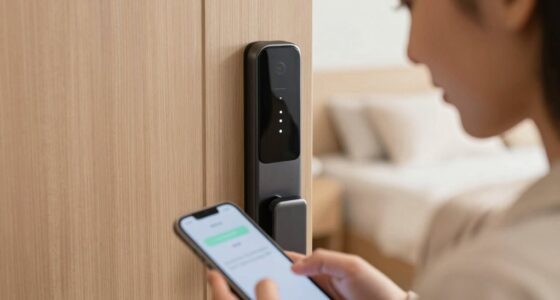
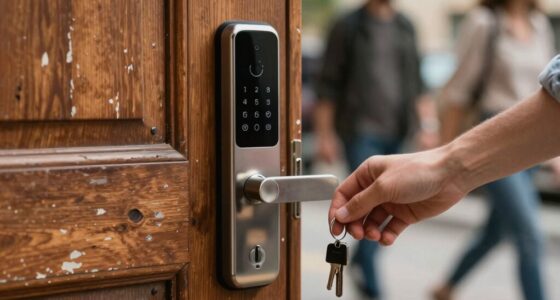
If you find a lost phone that controls your front door, first check if it’s still connected to your access system. Revoke or disable its access remotely to prevent unauthorized entry. Try to find the owner by contacting them directly or through messages. You can also review security footage for clues and remind staff to stay vigilant. For more effective ways to safeguard your property in these situations, keep exploring further options and best practices.
Key Takeaways
- Immediately revoke or disable the phone’s access remotely via the security system.
- Identify and contact the owner to confirm if access is still needed.
- Use security cameras to monitor device retrieval and verify the person handling it.
- Educate staff and visitors on security risks of unattended phones with access credentials.
- Implement multi-layer security measures and quick remote control options for access systems.
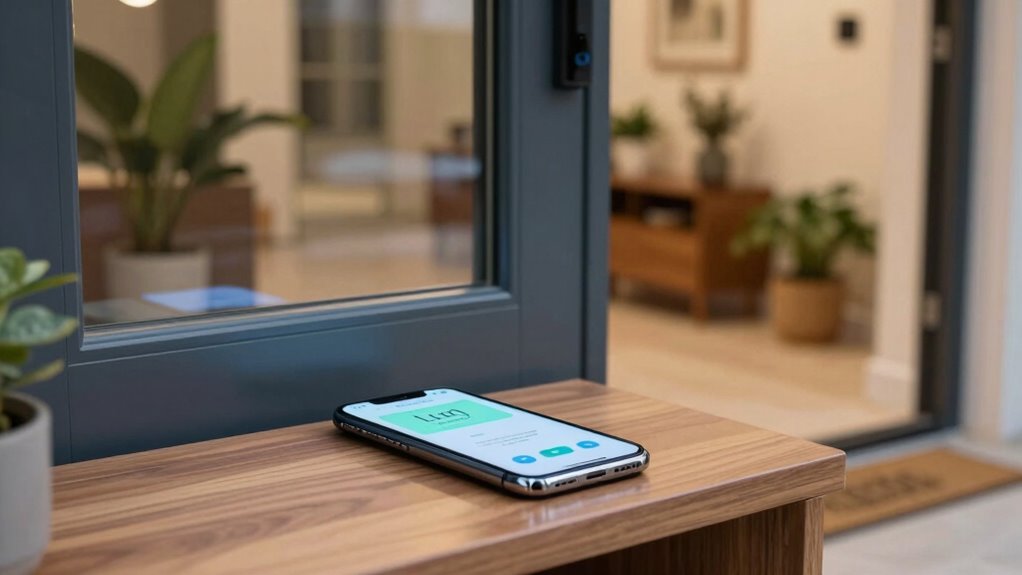
When someone leaves their phone at the front door, handling the situation promptly and professionally is essential. This gesture often signals trust, but it also poses security concerns, especially if that phone has access to your home’s entry system. Smartphone security is fundamental here—if the device controls access via Bluetooth, Wi-Fi, or an app, you must act swiftly to prevent unauthorized entry. First, assess whether the phone is still connected to your access control systems. Many modern doors use smart locks linked to smartphones through dedicated apps, which can be remotely disabled or reset. If you notice the phone is actively connected, immediately revoke its access to prevent any potential breach.
Promptly revoke access if a phone connected to your smart lock remains at the door to prevent security breaches.
Next, you should identify who the phone belongs to. If the person is still nearby, politely ask for their contact information or for them to return promptly. If it’s a visitor or delivery person, remind them that leaving their phone unattended at the door can compromise security, especially if their device has access credentials. In instances where the owner isn’t present, consider calling or messaging them directly, if possible, to inform them that their device was left behind and to confirm whether they still need access. This quick communication helps prevent misunderstandings and reinforces security protocols. Effective communication is crucial in these situations to maintain trust and security.
In terms of safeguarding your property, access control systems play a key role. These systems often feature multiple layers of security—such as passcodes, biometric fingerprint scans, or key cards—that are separate from smartphone control. Make sure your access control system is configured to allow manual overrides or temporary access restrictions until you verify the situation. If your system supports it, disable the phone’s access remotely, guaranteeing that no one can exploit the device’s connection to unlock your door without authorization. Additionally, having a comprehensive security plan helps you respond more effectively to various security incidents, including lost devices.
Furthermore, staying informed about smartphone security best practices can help you respond more effectively to such situations. Lastly, consider updating your security practices to reduce future risks. Educate visitors or staff about the importance of not leaving their phones at the doorstep, especially if those phones are linked to access systems. Install security cameras to monitor the entry point, providing visual confirmation of who leaves or picks up devices. Regularly review your access logs to identify any suspicious activity. By combining proper smartphone security awareness with robust access control systems, you create a safer environment where lost devices won’t compromise your home or business security. Remaining vigilant and proactive assures that even when a phone is misplaced, your property remains protected.

Key Fob 2.4Ghz 15m Transmission Distance Smooth Control Keyless Entry Remote Control with Smart Door Lock Remote Control
- Easy to Operate: User-friendly design for all ages
- Seamless Compatibility: Designed for TTLOCK smart locks
- Universal Compatibility: Works with all TTLOCK products
As an affiliate, we earn on qualifying purchases.
As an affiliate, we earn on qualifying purchases.
Frequently Asked Questions
Can a Lost Phone Be Used to Unlock the Front Door Remotely?
A lost phone might be used to unlock your smart lock remotely, especially if vulnerabilities exist or if the phone isn’t properly secured. Smart lock vulnerabilities can be exploited if security flaws are present, and weak phone encryption makes hacking easier. You should immediately disable remote access, change passwords, and alert your security provider. Always enable multi-factor authentication and keep your phone’s encryption updated to protect your smart lock.
What Legal Steps Should I Take if My Phone Is Stolen?
If your phone is stolen, you should immediately report it to your carrier and local authorities to prevent unauthorized access. Enable data encryption if possible to protect your information. Be aware of potential legal ramifications if stolen data is misused. Changing passwords for your accounts and remotely locking or erasing your device can also safeguard your data. Taking swift action helps minimize risks and legal issues related to your stolen phone.
How Can I Prevent Future Access to My Home via Lost Phones?
Imagine your front door as a fortress, and a lost phone as a sneaky intruder. To block future access, set up strong phone encryption and update passwords regularly. Also, review your home insurance to cover potential damages or theft. Enable remote wipe features, and consider replacing lost phones promptly. These steps make your home less vulnerable, turning your fortress into an unbreakable stronghold.
Are There Specific Apps to Track or Disable Lost Phones at the Front Door?
Yes, there are apps like Find My iPhone and Find My Device that help track or disable lost phones, enhancing your mobile security. These apps allow you to locate, lock, or erase your device remotely, preventing unauthorized access. However, be mindful of privacy concerns, as sharing location data can raise security issues. Always use trusted apps and keep your device’s security settings updated to balance safety and privacy effectively.
What Immediate Actions Should I Take if I Suspect a Security Breach?
Immediately, you should follow your security protocols—lock doors, disable access, and change passwords. Contact your emergency contacts to inform them of the breach. Review surveillance footage, alert security personnel, and document any suspicious activity. Act swiftly to contain the threat, prevent further access, and assess the situation thoroughly. Staying calm and organized guarantees you handle the breach effectively, protecting your property and everyone’s safety.

Philips Wi-Fi Door Lock, WiFi Smart Lock Keyless Entry Deadbolt for Front Door, Compatible with Alexa & Google Assistant, Remote Control, Built-in WiFi, APP Fingerprint Passcode Unlock, Auto Locking
- Multiple Unlock Methods: App, passcode, fingerprint, key, voice
- Remote Access: Control lock remotely via Wi-Fi
- Voice Control Compatibility: Works with Alexa and Google Assistant
As an affiliate, we earn on qualifying purchases.
As an affiliate, we earn on qualifying purchases.
Conclusion
So, stay vigilant and swift when securing your space. By calmly confirming, communicating, and controlling the situation, you prevent potential problems and protect your property. Remember, a prepared homeowner is a peaceful homeowner. Don’t let a lost phone lead to a lapse in security. Stay sharp, stay secure, and swiftly safeguard your space—because a small step today can save you from a stressful situation tomorrow.

Orbitell 1080p Wireless Wi-Fi Video Doorbell Camera with Two Way Audio, Night Vision, Cloud Storage, Smart AI Motion Detection, Support 2.4GHz Wi-Fi only
- AI-Powered Detection: Identifies people, filters vehicles and animals
- Secure Cloud Storage: AES-128 encrypted video recordings
- Pre-Capture Recording: Records from motion start for complete footage
As an affiliate, we earn on qualifying purchases.
As an affiliate, we earn on qualifying purchases.

UHPPOTE Keyed Electric Drop Bolt Lock with Manual Key Override Fail-Secure
- Security Mode: Fail-secure when power is off
- Material: Solid stainless steel bolt and body
- Status Indicator: Built-in LED shows lock status
As an affiliate, we earn on qualifying purchases.
As an affiliate, we earn on qualifying purchases.