
Grouping your devices into zones makes management and security much easier. It allows you to control traffic, restrict access, and protect sensitive information by creating clear boundaries based on device functions or security needs. This segmentation reduces risks, limits malware spread, and improves network performance. By organizing devices into zones, you can enforce targeted policies and quickly identify issues. Keep exploring to discover how to effectively implement zone management for a more secure and efficient network.
Key Takeaways
- Organize devices based on function, security needs, or user access to create manageable and secure zones.
- Implement clear boundaries to isolate critical systems and prevent unauthorized access or interference.
- Assign tailored security policies and rules to each zone for targeted control and protection.
- Use network management tools to monitor device activity and quickly detect anomalies within zones.
- Regularly review and adjust zones to adapt to network changes, enhancing overall security and performance.
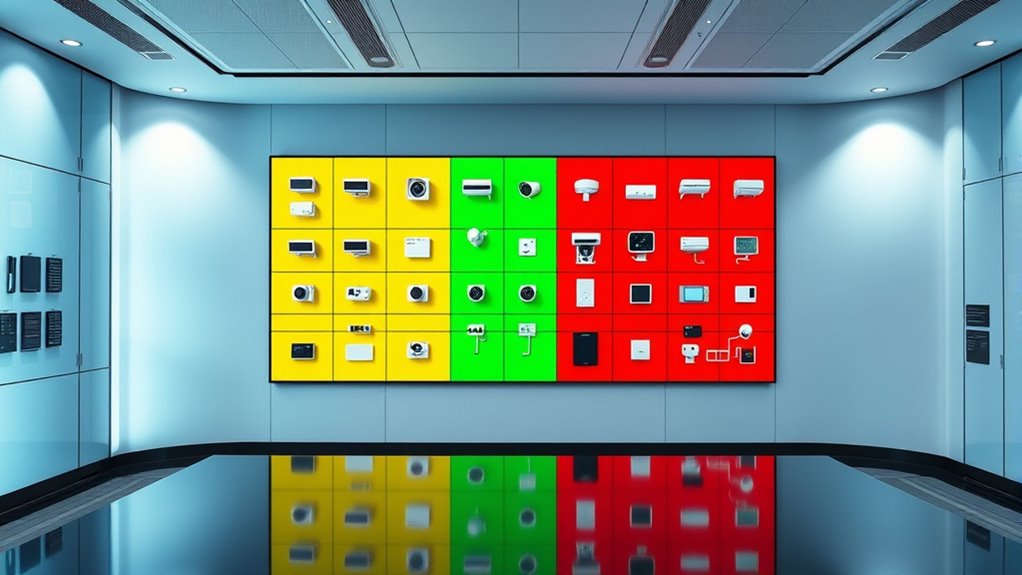
Have you ever struggled to manage multiple devices across your network? If so, you’re not alone. Handling a variety of gadgets—computers, smartphones, IoT devices, printers—can quickly become overwhelming. The key to simplifying this chaos lies in effective device segmentation and zone management. By dividing your network into specific zones, you create clear boundaries that make it easier to control traffic, enforce security policies, and troubleshoot issues. Think of zone management as organizing your home into rooms; each has a purpose, and access is carefully controlled. This approach ensures that sensitive information stays protected, and non-essential devices don’t interfere with critical systems. Implementing security best practices enhances the effectiveness of your segmentation efforts. Device segmentation is at the heart of this strategy. Instead of treating your entire network as a single, flat environment, you categorize devices based on their function, security needs, or user access. For example, you might create one zone for your work devices, another for guest access, and a separate one for smart home gadgets. This segmentation minimizes security risks because even if a device in one zone gets compromised, it doesn’t automatically threaten the rest of your network. It confines potential breaches and prevents malware from spreading unchecked. Additionally, segmentation enhances performance by reducing unnecessary traffic between unrelated devices, leading to a more responsive and stable network.
Managing multiple devices can be overwhelming; effective zone management and segmentation simplify control, security, and troubleshooting.
Zone management simplifies the process of monitoring and controlling these segmented networks. With a well-structured zone layout, you can set specific rules for each area. For instance, you might restrict internet access for guest zones or limit device communication within sensitive zones like your business servers. This targeted control means you don’t have to apply blanket policies across the entire network, saving you time and reducing errors. Plus, zone management tools often come with dashboards that give you a clear view of device activity, making it easier to identify unusual behavior or unauthorized access attempts.
Implementing device segmentation and zone management requires some planning but offers significant benefits. Start by mapping out your devices and their functions. Determine which devices need to communicate freely and which should be isolated. Use your router’s or network management system’s features to create separate zones, assigning rules that align with your security priorities. Regularly review and adjust these zones as your network evolves to ensure continued protection and efficiency. By doing so, you’re not just organizing your devices—you’re actively strengthening your network’s security posture and making management simpler.
In essence, effective zone management and device segmentation give you control and peace of mind. They help you prevent security breaches, optimize network performance, and simplify ongoing management. When you treat your network as a series of well-defined zones, you gain a clearer understanding of how your devices interact and how to protect them. It’s a smart, proactive way to keep your digital environment secure and running smoothly.

Network Cable Untwist Tool, Engineer Wire Straightener for CAT5/CAT5e/CAT6/CAT7 Wires Pair Separator Tools Quickly & Easily Untwists (3)
- Fast Pair Untwisting: Quickly untwists and separates network cable pairs
- Time-Saving Design: Reduces effort and speeds up large jobs
- Portable and Easy to Use: Compact tool for convenient handling
As an affiliate, we earn on qualifying purchases.
As an affiliate, we earn on qualifying purchases.
Frequently Asked Questions
How Do I Assign Devices to Specific Zones?
To assign devices to specific zones, you start by accessing your network’s device management interface. Use device grouping features to select the devices you want to include, then assign them to the desired zone within zone management settings. This helps streamline control and enhances security. Make certain to review your device list regularly to keep your zones organized and ensure each device is correctly categorized.
Can Devices Belong to Multiple Zones Simultaneously?
Yes, devices can belong to multiple zones simultaneously, allowing for device overlap. This setup offers zone flexibility, enabling you to control and secure devices across different areas effectively. By assigning devices to multiple zones, you ensure seamless access and management, especially for devices that need to operate in various environments. Just make certain your system supports multi-zone assignments to maximize the benefits of device overlap and zone flexibility.
What Are the Best Practices for Zone Naming Conventions?
You should use clear, consistent zone naming conventions that follow zone naming consistency and zone description standards. Start with a logical structure, like building or department names, followed by function or security level. Avoid abbreviations that aren’t universally understood. Regularly review your naming conventions to guarantee they remain relevant. This approach helps you quickly identify zones, streamlines management, and enhances security by reducing confusion.
How Does Zone Grouping Impact Network Performance?
You’ll notice that zone grouping reduces network congestion by localizing traffic, which improves overall performance. This setup allows you to manage bandwidth more effectively, preventing any single zone from overwhelming the network. By segmenting devices, you optimize data flow, reduce latency, and ensure smoother operations. Overall, proper zone grouping enhances network efficiency and security, making it easier for you to maintain steady, reliable connectivity across your entire system.
Are There Limitations on the Number of Devices per Zone?
Yes, there are limitations on the number of devices per zone, mainly due to device capacity and zone scalability. Typically, vendors set a maximum device count to prevent performance issues and guarantee effective management. As your network grows, you can increase zone scalability by creating additional zones. However, always check your specific device or system’s documentation to understand these limits and avoid overloading a single zone, which could hinder performance.

TP-Link Dual-Band AX3000 Wi-Fi 6 Router Archer AX55 | Wireless Gigabit Internet Router for Home | EasyMesh Compatible | VPN Clients & Server | HomeShield, OFDMA, MU-MIMO | USB 3.0 | Secure by Design
- Wi-Fi 6 Speeds: Up to 2402 Mbps on 5 GHz, 574 Mbps on 2.4 GHz
- Enhanced Responsiveness: Supports gaming, streaming, live feeds
- OFDMA Technology: Reduces latency and jitter for multiple devices
As an affiliate, we earn on qualifying purchases.
As an affiliate, we earn on qualifying purchases.
Conclusion
By thoughtfully grouping your devices into zones, you create a harmonious landscape where control feels natural and security becomes a gentle breeze rather than a heavy weight. Imagine your home as a well-tended garden, each area blooming with ease and confidence. When your devices are organized into clear zones, you’ll find peace of mind flowing effortlessly, like sunlight filtering softly through leaves. Embrace this approach, and let your digital environment flourish with calm and clarity.

Industrial Network Security: Securing Critical Infrastructure Networks for Smart Grid, SCADA, and Other Industrial Control Systems
As an affiliate, we earn on qualifying purchases.
As an affiliate, we earn on qualifying purchases.

TP-Link WiFi 7 Bundle: Archer BE600 BE9700 Tri-Band Router + Archer TBE400U BE6500 USB 3.0 WiFi Adapter | 10G Router with USB-C & A Desktop Upgrade, 6GHz, 320MHz Channel, MLO, WPA3, Plug and Play
- Next-Gen WiFi 7: Optimized for latest WiFi 7 devices
- Tri-Band WiFi Speeds: Up to 5,765 Mbps on 6 GHz band
- Wide Coverage Area: Up to 2,600 sq. ft. for 120 devices
As an affiliate, we earn on qualifying purchases.
As an affiliate, we earn on qualifying purchases.