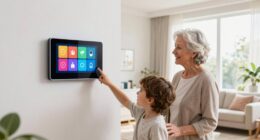

To make devices from different brands work together smoothly, you need cross-vendor scene management. This involves choosing a platform that supports multiple protocols like Zigbee, Z-Wave, or Wi-Fi, and uses protocol translation to connect devices. A central hub or smart home controller can streamline communication, allowing you to create scenes that activate multiple devices simultaneously. If you explore further, you’ll discover how to set up a truly integrated and reliable smart system.
Key Takeaways
- Protocol integration enables devices from different brands to communicate seamlessly within unified automation scenes.
- Centralized platforms with built-in protocol translation simplify cross-vendor device management.
- Using hubs and bridges allows diverse devices to coordinate and respond collectively.
- Proper setup of interoperable systems enhances automation reliability and user control.
- Device interoperability creates cohesive smart environments, improving overall user experience.
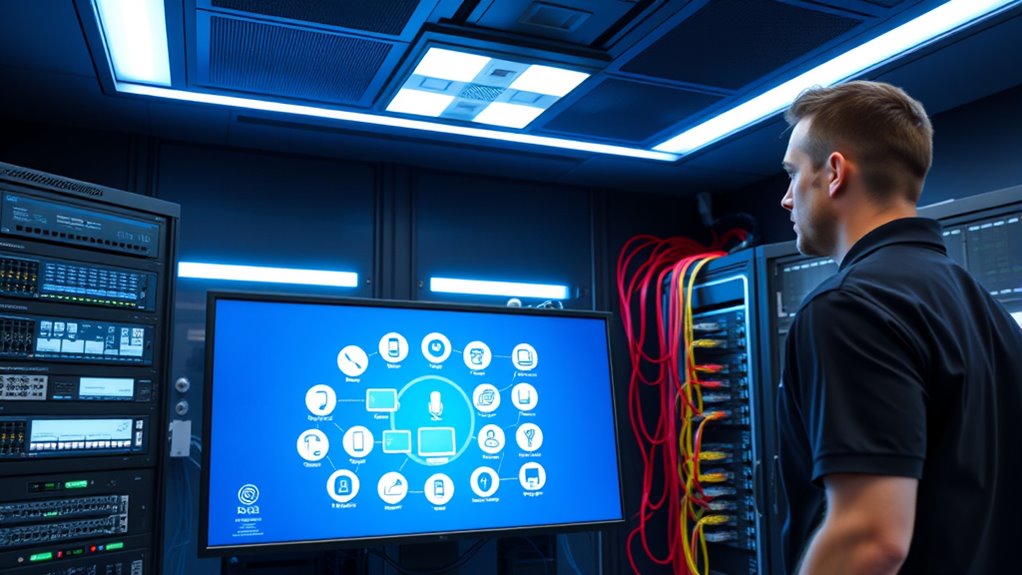
Managing scenes across multiple vendors can be challenging because each platform often uses different protocols and interfaces. When you try to coordinate devices from various brands, you might find that they don’t communicate seamlessly, making it tough to create a unified experience. This is where device interoperability and protocol integration become essential. Device interoperability refers to the ability of different devices to work together smoothly, regardless of their manufacturer. Protocol integration involves bridging the communication gaps between different systems, ensuring that commands and data transfer seamlessly across platforms.
Without proper device interoperability, your smart home or automation system can feel fragmented. For example, a lighting system from one vendor might not respond to commands from a scene you’ve programmed on another platform. This disconnect can lead to frustration, forcing you to manually adjust devices instead of relying on automated scenes. To overcome this, you need a solution that supports protocol integration—an overarching platform or middleware that translates commands and data between disparate systems. This allows you to create complex, synchronized scenes that control all your devices in unison, regardless of their original protocols.
Without protocol integration, smart devices remain disconnected, making seamless automation difficult.
Think of protocol integration as a translator that facilitates communication between different languages. If your smart devices use various protocols like Zigbee, Z-Wave, Wi-Fi, or proprietary standards, protocol integration ensures they can understand and respond to commands from a common controller. By doing this, you eliminate the need to manage each device individually, enabling you to set scenes that activate multiple devices simultaneously, regardless of their underlying technology. This makes managing complex scenes much more straightforward and reliable.
To implement effective cross-vendor scene management, you’ll want to choose a platform that supports a broad range of protocols and emphasizes device interoperability. Look for solutions that offer built-in protocol translation or compatibility with third-party hubs and bridges. These tools act as a central hub, streamlining communication and reducing the complexity of managing multiple devices. With the right setup, you’ll find that creating and controlling scenes becomes more intuitive, and your devices work together as if they were built to be interconnected from the start.
A crucial aspect of ensuring smooth scene management is understanding and leveraging device interoperability, which can greatly enhance your automation system’s reliability and flexibility. When your devices can communicate effectively, you gain more control, flexibility, and reliability in automating your environment. This not only simplifies daily routines but also enhances your overall smart home experience, making all your devices seem like parts of a cohesive, intelligent system.

Aeotec Smart Home Hub, Works as a SmartThings Hub, Z-Wave, Zigbee, Matter Gateway, Compatible with Alexa, Google Assistant, WiFi
- Device Compatibility: Supports Z-Wave, Zigbee, Matter, WiFi
- Smart Home Control: Connects and manages multiple devices
- Automation Creation: Builds custom routines and automations
As an affiliate, we earn on qualifying purchases.
As an affiliate, we earn on qualifying purchases.
Frequently Asked Questions
How Does Cross-Vendor Scene Management Ensure Device Security?
Cross-vendor scene management guarantees your device security by using strong device authentication methods, verifying each device before they join the scene. It also employs encryption protocols to protect data transmitted between devices, preventing unauthorized access. By enforcing these measures, it keeps your devices secure, maintains privacy, and ensures only trusted devices participate in the scene, giving you peace of mind knowing your smart environment stays protected.
Can Existing Devices Be Integrated Without Replacing Hardware?
Yes, existing devices can often be integrated without replacing hardware, thanks to legacy support and flexible protocols. You can customize user settings to connect older devices seamlessly with new systems, ensuring compatibility. Many cross-vendor scene management solutions enable this integration through software updates or adapters, allowing you to maintain your current devices while expanding or upgrading your overall setup. This approach saves money and preserves your existing investments.
What Are the Common Challenges Faced During Cross-Vendor Integration?
You often face challenges like vendor compatibility issues and inconsistent interoperability standards. Devices from different vendors may not communicate seamlessly, leading to integration delays or failures. You might encounter proprietary protocols that hinder interoperability, requiring additional middleware or customization. Ensuring all devices adhere to common standards can be tough, but it’s essential for smooth cross-vendor scene management. Overcoming these hurdles involves thorough testing and choosing vendors committed to open standards.
How Does Scene Management Handle Device Firmware Updates?
Imagine your devices performing a perfect symphony—scene management handles firmware updates seamlessly. It uses firmware synchronization to guarantee all devices are on the same version, avoiding chaos. With smart update scheduling, it prevents devices from updating simultaneously, eliminating disruptions. You won’t have to worry about compatibility issues or manual updates; scene management automates everything, keeping your devices perfectly in tune, all without you lifting a finger.
Is There a Standard Protocol for Cross-Vendor Communication?
There isn’t a universal standard protocol for cross-vendor communication yet. However, ongoing standardization efforts aim to improve interoperability protocols, enabling devices from different vendors to work seamlessly together. These initiatives focus on creating common languages and frameworks, which help guarantee smoother integration. As a result, you’ll see more consistent device interactions, making scene management more reliable across various brands and systems.

TOPGREENER Smart Light Switch Wi-Fi Scene Controller, 8-Button Programmable Home Automation, Neutral Wire Required, 2.4GHz Network, UL Listed, FCC Compliant, TGWFSC8, White
- Scene Storage: Save multiple scenes in one switch
- Custom Scenes: Create up to 14 personalized scenes
- Wide Compatibility: Works with TOPGREENER and Smart Life
As an affiliate, we earn on qualifying purchases.
As an affiliate, we earn on qualifying purchases.
Conclusion
By embracing cross-vendor scene management, you turn chaos into harmony, like a conductor uniting diverse instruments into a symphony. Imagine a seamless environment where devices communicate effortlessly, creating an immersive experience that feels almost alive. This interconnected approach isn’t just a dream — it’s the future you can shape today. As each device works together, you’ll see a world where technology responds intuitively, transforming your space into a fluid, intelligent ecosystem.

Homey Bridge | Smart Home Hub for Home Automation. Features Z-Wave Plus, Zigbee, Wi-Fi, BLE & Infrared. Compatible with Amazon Alexa & Google Home.
- Smart Home Hub Compatibility: Supports Z-Wave Plus, Zigbee, Wi-Fi, BLE, Infrared
- Voice Control Integration: Works with Amazon Alexa, Google Home, Siri Shortcuts
- Automate Your Home: Create Flows and automate devices via app
As an affiliate, we earn on qualifying purchases.
As an affiliate, we earn on qualifying purchases.

FlowShield HomeGuard 1": 3 Leak Detectors, Hub, 1" NSF Certified FlowSmart All-in-One Ultrasonic Water Meter with Auto Shutoff, Real-Time Leak Detection, App-Enabled, 10-Year Battery
- Certification: NSF Certified All-in-One Water Meter
- Size Options: Multiple Pipe Size Compatibility
- Leak Detection: Real-Time Leak Monitoring
As an affiliate, we earn on qualifying purchases.
As an affiliate, we earn on qualifying purchases.