To securely share smart-home access with guests, use your home’s smart lock app to generate time-limited, unique codes that automatically deactivate after their stay. You can control or revoke access remotely at any time, monitor entry logs, and set permission restrictions for specific areas. This approach keeps your home safe while providing guests temporary entry. Keep exploring to discover more smart access management tips for peace of mind.
Key Takeaways
- Use advanced guest access management systems to generate temporary, time-limited codes for guests.
- Set specific permissions and access areas to control guest movement within your home.
- Monitor real-time activity logs and notifications for guest entry and exit events.
- Revise or revoke access remotely, ensuring control over guest permissions at any time.
- Eliminate physical key concerns by using secure, expiring digital codes for safe, convenient sharing.
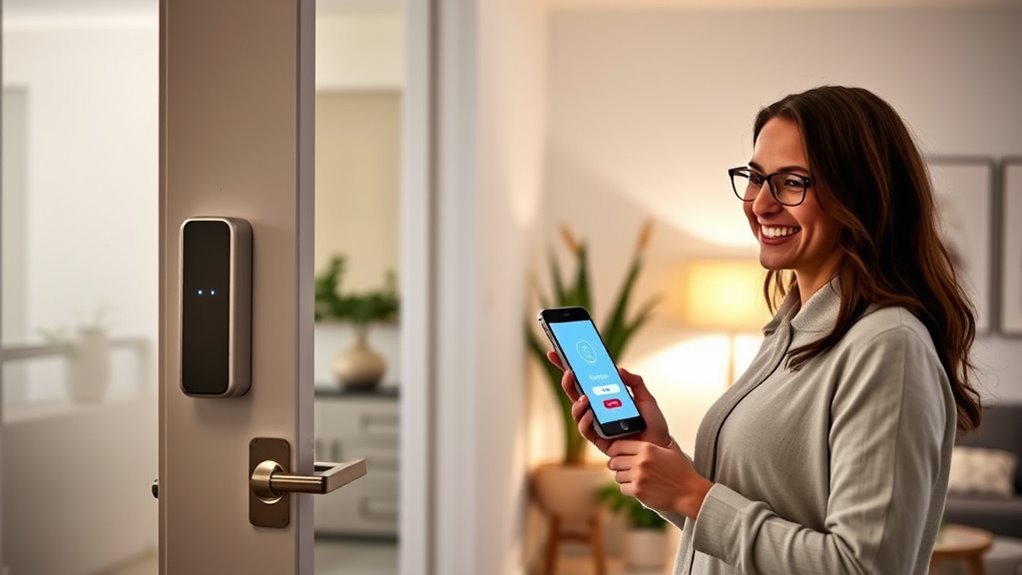
Sharing your smart-home access with guests has become easier and more secure than ever, allowing you to grant temporary entry without giving out your main keys or personal codes. This is made possible through advanced guest access management systems that let you control who enters your home, when they do so, and for how long. Whether you’re hosting friends, family members, or service providers, these tools help you maintain peace of mind while offering convenience. Instead of handing over physical keys or sharing static codes, you can generate temporary codes that expire after a set period, ensuring your home remains secure even after your guests leave. This method, known as temporary code sharing, is a game-changer for managing guest access efficiently.
With smart locks and access management apps, you can easily create unique codes tailored to each guest. For example, if a friend is visiting for a few hours, you can send them a temporary code that works only during that window. Afterward, the code automatically deactivates, eliminating any worries about unauthorized access. This process simplifies access control and reduces the need for physical keys, which can be lost or duplicated. Plus, many smart lock systems allow you to revoke or extend access remotely, giving you full control even if you’re not physically present. This flexibility is especially useful for last-minute changes or unexpected delays.
Guest access management isn’t just about creating temporary codes; it also involves monitoring and tracking who enters your home and when. Many systems provide real-time notifications and activity logs, so you can see exactly when your guest used their code. This transparency helps you stay on top of home security and quickly address any issues. Additionally, you can set permissions for different users, restricting access to certain areas if needed. For example, if you only want your guest to enter the living room and guest bathroom, you can configure your system accordingly. These features give you peace of mind knowing your home is protected, while still being welcoming. Moreover, understanding contrast ratio and image quality is crucial when setting up home cinema projectors to ensure a clear and immersive viewing experience, which parallels the importance of security features in access management systems.

Philips WiFi Keypad Door Lock with Handle, Built-in WiFi, APP Remote Control, Voice & Fingerprint Unlock, Smart Locks for Front Door with Auto Lock, Digital Front Door Lock Set, Keyless Entry Deadbolt
- WiFi Connectivity: Connects directly to 2.4GHz WiFi without hub
- Remote App Control: Manage lock remotely via Philips Home Access App
- Real-Time Access Monitoring: Check lock status and access history anytime
As an affiliate, we earn on qualifying purchases.
As an affiliate, we earn on qualifying purchases.
Frequently Asked Questions
How Do I Revoke Guest Access Remotely?
To revoke guest access remotely, you should open your smart home app and navigate to the guest management section. From there, select the guest’s profile and disable or remove their access. You’ll receive a guest notification confirming the revocation. Check the access logs to verify they no longer have entry. This process keeps your home secure while allowing you to control access easily and efficiently.
Can I Set Time-Limited Access for Guests?
Did you know that over 60% of smart home users prefer time-limited access for guests? Yes, you can set time-limited access for guests by configuring guest authentication with access expiration. This way, your visitors get temporary access that automatically revokes after a specified period, enhancing security. You just need to adjust the settings in your smart home app, ensuring your guests can enjoy your home without compromising safety once their access expires.
What Security Measures Protect Shared Access?
You protect shared access by using robust security measures like encryption protocols and authentication methods. Encryption guarantees that data transmitted between your devices and smart locks stays private and secure from hackers. Authentication methods, such as two-factor authentication or unique access codes, verify your guests’ identities and prevent unauthorized entry. Always keep your firmware updated, and consider setting temporary or limited access permissions to minimize risks when sharing your smart home.
Are There Compatibility Issues With Different Smart Devices?
You might face some compatibility issues with different smart devices, but many systems now focus on device interoperability and cross-platform compatibility. These features allow you to connect and control various brands and models seamlessly, reducing frustration. To avoid problems, check device specifications and choose smart home hubs or ecosystems that support broad compatibility. This way, you guarantee a smoother experience when sharing access with guests or managing your smart home.
How Do I Monitor Guest Activity Remotely?
Imagine you’re stepping into the future—like Marty McFly—and want to monitor guest activity remotely. You can do this easily with smart home apps that provide guest activity logs and remote monitoring tools. These features let you track access times and device usage from anywhere, giving you peace of mind. Just make sure your devices are compatible, and you set up alerts for unusual activity, so you’re always in control.

Ritammi, Remote Control Electronic Intelligent Door Lock, Smart Wireless Anti-Theft Home Security Keyless Deadbolt Access Control System with 4 Remote Control
- Remote Control Unlocking: Unlocks within 0-10m range
- Automatic Locking: Closes and locks door after 3 seconds
- Durable Material: Rust-proof battery box and stainless steel parts
As an affiliate, we earn on qualifying purchases.
As an affiliate, we earn on qualifying purchases.
Conclusion
Sharing your smart home access with guests doesn’t have to be risky if you set it up wisely. Use temporary codes, restrict access times, and revoke permissions when needed. Isn’t it reassuring to know you can welcome guests without compromising your security? By taking these simple steps, you maintain control while making your guests feel at home. After all, isn’t peace of mind the ultimate goal when sharing your smart space?

WeHere 10-Key Key Lock Box with Self-Service Key Dispenser – Aotumatic Drop Key, Key Management System, Remote Sharing Access Code, Secure Key Cabinet for Airbnb, Hotel, Property Managers & Car Rental
- Automatic Key Drop System: Secure key release with access code
- Remote Access Code Sharing: Send temporary codes instantly
- Time-Limited & Dynamic Codes: Set expiration and prevent reuse
As an affiliate, we earn on qualifying purchases.
As an affiliate, we earn on qualifying purchases.

Philips Wi-Fi Smart Front Door Lock Set, Keyless Entry Door Lock with Handle, App Remote Control, Electronic Keypad Deadbolt, Auto Lock, Supports Alexa & Google, Anti-Peeping Password, Easy Install
- Multiple Unlock Methods: Voice, password, key, or app
- Remote Access: Control lock remotely via Wi-Fi
- Custom Passwords: Create up to 100 user passwords
As an affiliate, we earn on qualifying purchases.
As an affiliate, we earn on qualifying purchases.