To simulate occupancy when you’re away, use smart plugs to control your lights with programmed schedules that mimic normal evening patterns. Set them to turn on and off at different times, creating a natural, unpredictable lighting routine. Choose compatible smart plugs that work seamlessly with your smart home ecosystem for reliable operation. Properly setting these routines enhances security by making your home look lived-in, and if you continue, you’ll discover how to optimize these setups further.
Key Takeaways
- Program smart plugs to turn lights on and off at different times to mimic natural occupancy patterns.
- Ensure smart plugs are compatible with your existing smart home system and voice assistants for seamless automation.
- Use scheduling features in companion apps to create varied and realistic lighting routines, including randomization.
- Synchronize smart plugs with other devices like blinds or thermostats for comprehensive home occupancy simulation.
- Regularly review and adjust lighting schedules to prevent predictability and enhance home security when away.

When you’re away from home, leaving your lights on consistently can signal that no one’s there, increasing the risk of break-ins. To avoid this, many homeowners turn to smart plugs, which can be programmed to turn lights on and off at specific times, mimicking the natural lighting patterns of someone living in the house. Setting up effective timing schedules is vital because inconsistent or predictable patterns can alert potential intruders that the house is unoccupied. You want your lighting to turn on in the evening and turn off at a reasonable hour, just as if someone was home. This not only enhances security but also helps conserve energy.
When choosing smart plugs, device compatibility becomes an important consideration. Not all smart plugs work with every smart home ecosystem or app, so you’ll need to ensure your chosen device is compatible with your existing setup. For example, if you use Alexa, Google Assistant, or Apple HomeKit, select a smart plug that integrates seamlessly with your preferred voice assistant. Compatibility extends beyond just the app or voice control; it also involves compatibility with your home Wi-Fi network, the electrical outlets in your house, and any automation routines you plan to set up. This guarantees your scheduled lighting changes work reliably and without hiccups. Additionally, understanding the role of wireless connectivity in smart device performance can help you choose a more reliable setup.
Once you’ve selected the right smart plugs, you can set up custom timing schedules that suit your daily routine and security needs. Many smart plugs come with companion apps that allow you to easily configure on and off times, even creating complex schedules for different days of the week. This flexibility makes it easy to keep your home appearing lived-in while you’re away. Some apps also let you set randomization features, which add variability to your lighting patterns, making it even less predictable for anyone trying to gauge your presence.
In addition to timing schedules, device compatibility ensures your setup remains streamlined and trouble-free. When your smart plugs work perfectly with your existing smart home system, managing your occupancy simulation becomes effortless. You can create routines that turn lights on when it gets dark, turn them off at bedtime, or even sync with other devices like smart blinds or thermostats for a more convincing occupancy simulation. Guaranteeing compatibility means fewer technical issues and more reliable security, giving you peace of mind when you’re not home.
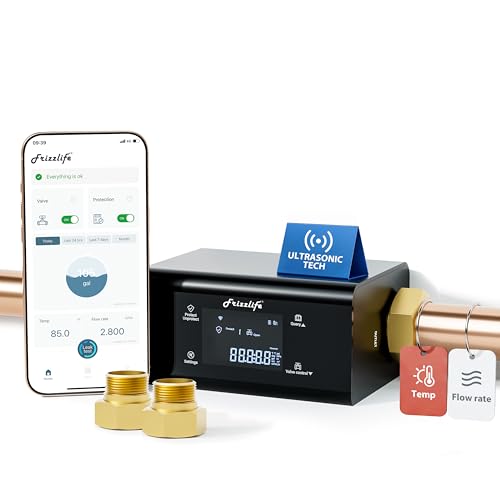
Frizzlife LP365 Smart Water Monitor and Automatic Shutoff Valve - 0.01GPM Ultrasonic Micro Leak Detection, APP Wi-Fi Remote Control, Real-Time Flow/Temp Alarm, 24/7 Water Usage Reports, 3/4" and 1"
【LP365】--Supports viewing Temp and Flow Rate,【LP365-P】--Supports viewing Water pressure and Flow Rate (All other functions are identical)⭐NSF/ANSI 61...
As an affiliate, we earn on qualifying purchases.
Frequently Asked Questions
Can Smart Plugs Be Integrated With Home Security Systems?
Yes, smart plugs can be integrated with your home security system. You can use voice commands to control compatible devices, making it easy to turn lights on or off remotely. Just guarantee your smart plug is compatible with your security system or smart home hub. This integration helps you simulate occupancy, enhancing security while providing convenient control over your devices whenever you’re away.
What Are the Energy Consumption Implications of Using Smart Plugs?
Think of smart plugs as your home’s heartbeat, reflecting energy efficiency and power monitoring. When you use them, they can increase your energy consumption if left on unnecessarily, but with proper management, they help you save power. By monitoring usage, you can identify devices that drain too much energy and turn them off when not needed. This way, smart plugs become tools for smarter, greener living, reducing waste and optimizing energy use.
Are There Safety Concerns When Using Smart Plugs Remotely?
Yes, there are safety concerns when using smart plugs remotely. A fire hazard exists if the smart plug isn’t compatible with your device or if it becomes overloaded. Always check device compatibility before installation and avoid plugging in high-wattage appliances. Regularly inspect your smart plugs for signs of damage or overheating, and use models with safety certifications to minimize risks. Proper precautions help guarantee safe, remote operation.
Do Smart Plugs Work During Power Outages?
Smart plugs typically don’t work during a power outage because they rely on your home’s electrical power to operate. If your power goes out, the smart plug and connected device won’t function until power is restored. Make certain your smart plug is compatible with your devices and check if it has a backup power option or offline mode. This ensures you understand device compatibility and how a power outage affects operation.
Can Multiple Devices Be Controlled Simultaneously With One Smart Plug?
You can’t control multiple devices with one smart plug directly, but you can set up scheduling automation for each device individually. This way, you synchronize their on/off times, creating a seamless experience. Confirm device compatibility before purchasing, so all your devices work smoothly with your smart home system. By linking schedules and checking compatibility, you create a unified, automated environment that feels effortless and responsive.

LaView Security Cameras 4pcs, Home Security Camera Indoor 1080P, Wi-Fi Cameras Wired for Pet, Motion Detection, Two-Way Audio, Night Vision, Phone App, Works with Alexa, iOS & Android & Web Access
Stay Connected Anywhere: This wired Wi-Fi Camera access 24/7 live streams via LaView app on mobile or web...
As an affiliate, we earn on qualifying purchases.
Conclusion
So, smart plugs serve as simple, smart solutions to simulate your presence, preventing burglars from poking around. By blending basic bulbs and timers, you create a convincing, consistent curtain of coverage, warding off unwanted visitors. With a few flicks and flickers, you’ll foster a fearless, fuss-free fortress. In short, smart plugs seamlessly simulate, secure, and safeguard your space, giving you peace of mind while you’re away.

Moen Flo 3/4-inch Smart Water Shut Off Valve, Smart Home Water Monitor Leak Detector, Wifi Connected, App Enabled Flow Meter and Shutoff, 900-001
AUTOMATIC SHUTOFF: Learns your home’s water usage patterns to identify abnormalities like running water or small leaks and...
As an affiliate, we earn on qualifying purchases.

GoveeLife Upgraded Smart Water Leak Detector 1s with 1804 ft Ultra-Long Range, WiFi Water Sensor with SMS/Email/APP Push and Sound Alarm,5-Year Battery Life, 5 Pack, Suit for Home, Basement, Kitchen
Breakthrough 1804 ft Connectivity: Engineered with advanced Sub-1G long-range wireless tech, our leak detector maintains robust signals over...
As an affiliate, we earn on qualifying purchases.