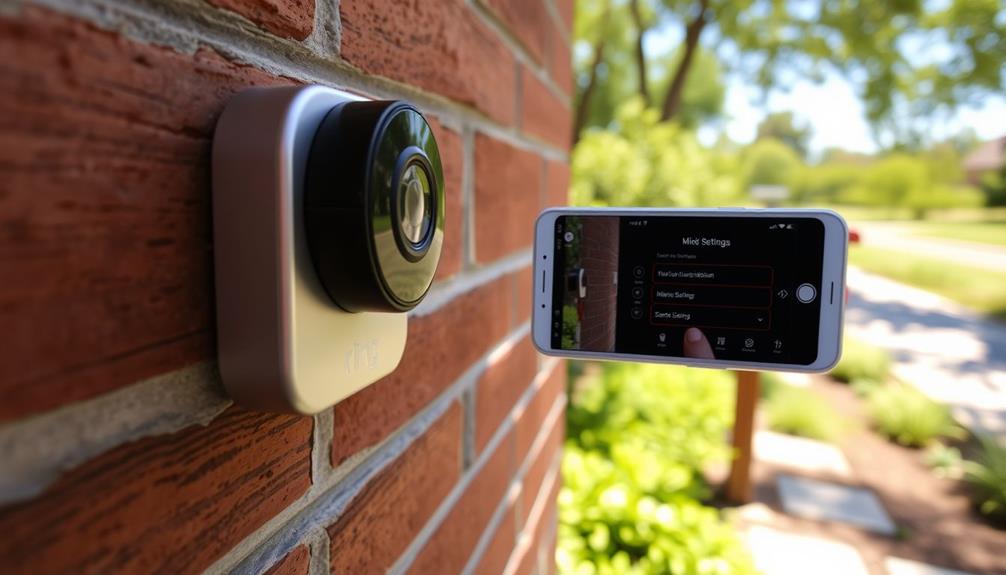
To make your Ring system more effective, combine it with physical security measures like sturdy locks, reinforced doors, and window sensors. Consider adding professional monitoring services that work seamlessly with your devices, offering faster responses during emergencies. Keep your devices secure by using strong passwords, enabling two-factor authentication, and updating firmware regularly. Building a layered approach with digital and physical security creates a more resilient home. Keep exploring for strategies to enhance your security even further.
Key Takeaways
- Integrate Ring with professional monitoring services for faster threat verification and emergency response.
- Reinforce physical security with sturdy locks, window sensors, and physical barriers alongside Ring devices.
- Use strong, unique passwords and enable two-factor authentication to secure Ring accounts and devices.
- Regularly update device firmware and review privacy settings to minimize vulnerabilities.
- Customize security strategies based on household needs, combining digital and physical measures for comprehensive protection.

While Ring devices offer convenient home security, relying solely on them can leave gaps in your protection. These smart home gadgets are excellent for real-time monitoring and quick alerts, but they shouldn’t be your only line of defense. To strengthen your security setup, you need to integrate other layers that complement Ring’s capabilities. This approach not only enhances safety but also addresses common privacy concerns associated with connected devices. When you add multiple security layers, you create a more resilient system that’s harder to bypass or disable.
Start by thinking about physical security measures like sturdy locks, reinforced doors, and window sensors. These traditional tactics provide a solid foundation that can deter intruders before they even approach your home. Pairing these with your Ring cameras and doorbells ensures that you’re covering both physical and digital vulnerabilities. For example, if an intruder tries to tamper with your Ring device, a physical barrier or an alarm triggered by a sensor can alert you instantly, preventing further intrusion. This layered approach makes it difficult for someone to get past your defenses without triggering multiple alerts.
Combine sturdy locks and sensors with Ring devices for a comprehensive, layered home security approach.
Next, consider integrating a holistic security system that includes professional monitoring services. These systems can be programmed to work seamlessly with your Ring devices, providing an extra layer of assurance. When an alarm goes off, a monitoring team can verify the threat and notify authorities if needed. This way, you’re not solely relying on app notifications or sirens but have trained professionals ready to respond in emergencies. Such integration reduces response times and increases the chances of preventing a break-in altogether.
It’s also essential to address privacy concerns, especially with a smart home setup. You want your devices to enhance security without compromising your personal privacy. Make sure you configure your Ring devices with strong, unique passwords and enable two-factor authentication. Regularly review your privacy settings to control who has access to your video feeds and data. Using a secure Wi-Fi network and keeping your firmware updated minimizes vulnerabilities. Additionally, understanding security layers and how they work together can help you make more informed decisions about your overall security strategy. When you combine these digital safeguards with physical security layers, you create a balanced system that respects your privacy while keeping your home protected. Recognizing the importance of personalized security strategies can help you adapt your setup to better fit your household’s specific needs and behaviors. Also, staying informed about emerging security threats can help you anticipate and address potential vulnerabilities proactively.

Philips WiFi Keypad Door Lock with Handle, Built-in WiFi, APP Remote Control, Voice & Fingerprint Unlock, Smart Locks for Front Door with Auto Lock, Digital Front Door Lock Set, Keyless Entry Deadbolt
Connect to 2.4GHz WiFi, No Hub Needed:Connect your Philips 4200 Series Wifi Door Lock Deadbolt directly to your…
As an affiliate, we earn on qualifying purchases.
As an affiliate, we earn on qualifying purchases.
Frequently Asked Questions
Can Ring Integrate With Existing Security Systems?
Yes, Ring can integrate with your existing security systems. You can enhance this setup by using video analytics to monitor activity and identify threats more effectively. Additionally, managing battery life is vital, so you’ll want to optimize battery management settings to guarantee your Ring devices stay powered without interruption. This integration creates a seamless security network, giving you better control and awareness over your entire security environment.
What Privacy Concerns Exist With Ring and Other Layers?
You might worry about data privacy and surveillance concerns with Ring and other layers. It’s true that sharing footage and data can expose you to potential breaches or unauthorized access. While Ring offers security, it also raises questions about how your data is stored and used, especially when integrated with other systems. Staying informed about privacy policies and adjusting settings can help you protect your personal information better.
How Does Ring Handle False Alarms With Multiple Layers?
Ring manages false alarms effectively by utilizing false alarm mitigation techniques within its layered security protocols. When multiple sensors are triggered, Ring’s system evaluates data to reduce false alerts, ensuring you’re notified only of genuine threats. By integrating with other security layers, such as motion detectors and door/window sensors, Ring enhances accuracy, minimizing unnecessary alerts. This layered approach helps you maintain reliable security without frequent false alarms disrupting your peace of mind.
Are There Compatibility Issues Between Ring and Third-Party Devices?
Think of your security system as a symphony—every device must harmonize. You might encounter compatibility troubleshooting issues with third-party devices, leading to occasional glitches. Typically, there are some compatibility challenges due to device interoperability differences, but most problems can be resolved with firmware updates or custom settings. Staying updated on device compatibility and performing troubleshooting guarantees your Ring system integrates smoothly, providing reliable, unified security.
What Is the Best Way to Update Ring Security Settings?
To update your Ring security settings effectively, start by accessing the Ring app and browsing to the device settings. Follow security best practices by enabling two-factor authentication and updating your passwords regularly. Customize user permissions to control access for family members or neighbors. Keep your app and device firmware current, and periodically review and adjust your settings to enhance your overall security. This proactive approach helps guarantee your system remains secure and reliable.
window sensors for security system
As an affiliate, we earn on qualifying purchases.
As an affiliate, we earn on qualifying purchases.
Conclusion
By integrating Ring with other security layers, you create a fortress that’s as strong as a lion’s den. Keep your devices updated, enable alerts, and use smart routines to guarantee seamless protection. Think of it as tuning a symphony—you want every instrument working in harmony. With these steps, your security setup becomes a well-oiled machine, giving you peace of mind like a calm lake. The more layers you add, the safer your home feels, just like a cozy fortress.

GALAYOU 2K Indoor Cameras for Home Security-Baby Monitor with Phone APP, Wi-Fi Camera with 360° PTZ, Wired Plug, Two-Way Talk Nanny Cam, Easy Set Up, 24/7 TF Card&Cloud Storage, G2 4Pack
2K Resolution and Wide-Angle Coverage Make Views Clearly: GALAYOU indoor camera gives you peace of mind with ultra-clear…
As an affiliate, we earn on qualifying purchases.
As an affiliate, we earn on qualifying purchases.
reinforced door security
As an affiliate, we earn on qualifying purchases.
As an affiliate, we earn on qualifying purchases.