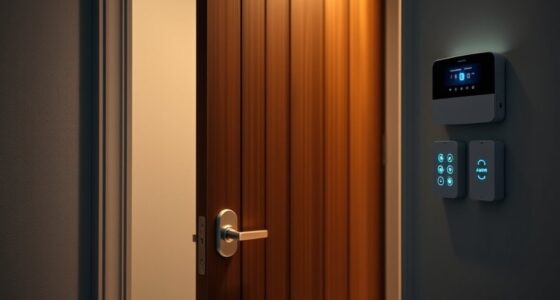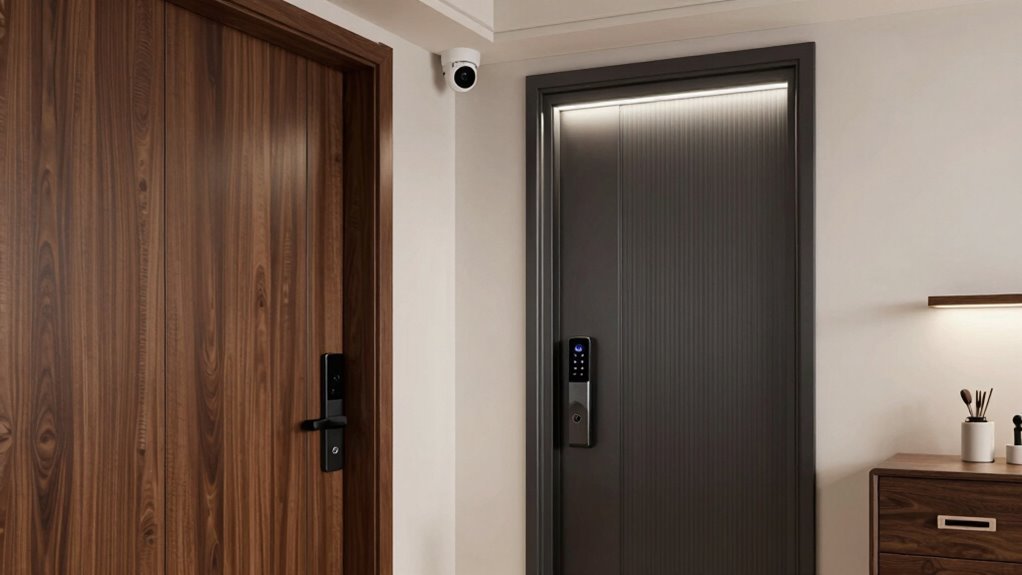

To design better security zones inside your home, combine physical barriers like reinforced doors and secure windows with smart technology such as cameras, smart locks, and access controls. Position surveillance cameras at key entry points and vulnerable spots to monitor activity and deter intruders. Secure sensitive areas with biometric scanners or keypad locks, and connect everything into a smart system for remote control and alerts. Keep updating your setup to stay ahead of threats—you’ll find plenty of ideas below.

Get privacy and security gear delivered free — and shop member deals
- Fast, free delivery on millions of items
- Access to Prime Big Deal Days deals on October 6–7
- Prime Video, Amazon Music and more included
Key Takeaways
- Identify and secure vulnerable entry points with cameras, smart locks, and physical barriers.
- Establish protected zones with access controls like biometric scanners or keypad locks.
- Integrate surveillance systems with real-time monitoring and alerts for prompt response.
- Use layered security strategies combining physical barriers and smart technology for comprehensive protection.
- Regularly review and update security zones to adapt to evolving threats and lifestyle changes.

Creating effective security zones at home is essential for protecting your family and belongings. When you carefully design these zones, you create layers of defense that deter intruders and provide peace of mind. One of the most straightforward ways to enhance security is by installing a smart lock on your front door. Unlike traditional locks, a smart lock allows you to control access remotely, track who enters and exits, and even set temporary codes for visitors or service providers. This flexibility means you don’t have to hide keys or worry about lockouts. Pairing the smart lock with a surveillance camera at the entrance further boosts security, giving you real-time footage of anyone approaching your door. When you have a clear view of your entryway, you can verify visitors before opening the door and quickly identify any suspicious activity.
Smart locks and cameras at your front door enhance security and give you remote control and real-time monitoring.
In designing your security zones, it’s crucial to think about visibility and control. Position surveillance cameras strategically to cover all vulnerable points, such as entryways, windows, and blind spots. Modern cameras often come with features like night vision, motion detection, and two-way audio, so you can monitor your home from anywhere and respond promptly if something seems off. When you integrate these cameras into your security zones, you create an interconnected system that provides constant surveillance and alerts you to potential issues. This proactive approach acts as a strong deterrent, as intruders are less likely to target a home that appears well-monitored. Incorporating security technology into your home design enhances your ability to respond quickly and effectively to any threat. Regularly updating your security systems also ensures they stay up-to-date with the latest advancements, providing better protection. Additionally, understanding the importance of layered security helps you develop comprehensive strategies that secure multiple points of entry and sensitive areas.
Inside your home, consider establishing protected zones around valuable items and sensitive areas. Use access controls, like keypad locks or biometric scanners, to restrict entry to certain rooms. For example, a home office or safe room should have enhanced security measures that only trusted family members can access. This layered approach ensures that even if an intruder breaches the outer defenses, they’ll still face additional hurdles trying to reach your valuables or family members. Incorporating physical barriers such as reinforced doors or secure windows can further strengthen these zones and add an extra layer of security. Additionally, smart home systems can tie these zones together, allowing you to activate or deactivate security features remotely or automatically based on your schedule.
Ultimately, designing security zones isn’t just about installing equipment; it’s about creating a thoughtful strategy that combines physical barriers with technology. By deploying smart locks and surveillance cameras thoughtfully, you establish a dynamic security system that adapts to your lifestyle. Regularly reviewing and updating your security zones keeps them effective against evolving threats. When you invest in these measures, you’re taking concrete steps to safeguard your home, giving yourself confidence that your loved ones and belongings are protected at all times.
As an affiliate, we earn on qualifying purchases.
Frequently Asked Questions
How Do I Balance Security and Accessibility for Family Members?
You balance security and accessibility by establishing clear zones based on emergency protocols and privacy considerations. Keep common areas easily accessible for family members while securing sensitive spaces like bedrooms or home offices. Use smart locks or access controls to restrict entry where needed, and guarantee everyone knows emergency procedures. Regularly review and adjust these zones to maintain a safe, private environment that still allows quick access during emergencies, respecting everyone’s privacy.
What Are the Best Materials for Secure Zone Barriers?
For secure zone barriers, opt for materials with high durability, like reinforced steel or solid wood, to withstand tampering and wear. Consider barrier aesthetics by choosing finishes that blend seamlessly with your home decor, such as painted surfaces or decorative metalwork. These materials balance strength with visual appeal, ensuring your security zones are both effective and attractive. Prioritize durability and aesthetics to create a secure, welcoming environment inside your home.
How Can I Monitor Security Zones Remotely?
You can monitor security zones remotely by setting up a thorough system with remote monitoring capabilities and security integration. Use smart cameras, door/window sensors, and alarms connected to a centralized app or security platform. This allows you to keep an eye on your zones from anywhere via your smartphone or computer. Regularly update your software and guarantee your network is secure to maintain effective remote monitoring and prevent unauthorized access.
What Are Cost-Effective Ways to Enhance Home Security Zones?
To enhance your home security zones cost-effectively, invest in smart locks, motion sensors, and security lighting. These solutions deter intruders, alert you to suspicious activity, and improve safety without breaking the bank. Install smart locks to control access remotely, set motion sensors to detect movement, and use security lighting to illuminate dark areas. Together, these affordable measures create layered security, giving you peace of mind without expensive upgrades.
How Often Should Security Zones Be Reassessed and Updated?
You should reassess and update your security zones at least once a year or whenever there’s a significant change in your home’s layout, security policies, or technology. Regularly reviewing your zone mapping helps identify vulnerabilities and adapt to new threats. Stay proactive by checking your security policies, ensuring your zones align with current security needs, and updating access controls accordingly to maintain maximum safety inside your home.
home security surveillance camera
As an affiliate, we earn on qualifying purchases.
As an affiliate, we earn on qualifying purchases.
Conclusion
By thoughtfully designing security zones in your home, you create a layered defense that keeps you and your loved ones safe. Remember, each zone acts as a barrier, making it harder for intruders to breach your sanctuary. Are you ready to take control of your home’s security and guarantee peace of mind? Implementing these strategies might just be the best decision you make for your safety today. After all, isn’t your peace of mind worth it?
As an affiliate, we earn on qualifying purchases.
As an affiliate, we earn on qualifying purchases.
Fall Picks
fall essentials
As an affiliate, we earn on qualifying purchases.