USB data blocker adapters let a compatible USB connection supply power while blocking data transfer, making them useful when charging from unfamiliar ports. My best overall pick is the JSAUX USB-A and USB-C 4-pack for its mix of connector types and practical pack size; the Plugable 1A adapter is a simpler choice for basic USB-A charging, while the 240W USB-C kit suits buyers prioritizing modern USB-C charging. The main tradeoffs are connector compatibility, charging speed, and whether you want one adapter or a multipack. Some models cover only USB-A, while others add USB-C or higher-power claims. Read on for the full comparison and guidance on choosing a blocker that fits your devices.

Get privacy and security gear delivered free with Prime
- Fast, free delivery on millions of items
- Prime Video, Amazon Music and more included
- Member-only deals all year
Key Takeaways
- Connector coverage separates the most versatile picks: the JSAUX 4-pack combines USB-A and USB-C blockers, while several options in the lineup cover only one connector family.
- USB-C power claims need careful matching: the 240W USB-C kit and 240W two-pack stand apart for high-power charging, but the charger, cable, and device also need to support the intended power level.
- Pack size changes the use case: the HZNSQNIC 8-pack and Ansumg 5-pack suit buyers who want spares for multiple bags or users; a smaller pack is easier to keep track of.
- The simplest adapters can be limiting: Plugable’s 1A charge-only model favors basic charging, but its stated current makes it a poor fit for buyers seeking faster charging.
- Special connector formats deserve extra scrutiny: USB-A-to-A and multiway designs can solve specific connection problems, but they are less universal than a straightforward matching-port blocker.
| Duttek USB Data Blocker, USB 3.0 Male to Female Adapter, 2-Pack |  | Best for Simple USB-A Protection | Connector: USB Type-A male to female | Package quantity: 2 | Maximum current: 2.4 A | VIEW LATEST PRICE | See Our Full Breakdown |
| HZNSQNIC USB-A and USB-C Data Blocker Adapters, 8-Pack |  | Best Multi-Connector Travel Set | Connector types: USB Type-A and USB Type-C | Package quantity: 8 | Number of ports: 4 | VIEW LATEST PRICE | See Our Full Breakdown |
| Rixmie USB-A to USB-A Data Blocker, 2-Pack |  | Best for Existing USB-A Cables | Connector: USB Type-A male to USB Type-A female | Package quantity: 2 | Brand: Rixmie | VIEW LATEST PRICE | See Our Full Breakdown |
| Plugable USB Data Blocker, USB-MC1, 1A Charge-Only Adapter |  | Best Single-Adapter Pick | Model: USB-MC1 | Connector: USB | Package quantity: 1 | VIEW LATEST PRICE | See Our Full Breakdown |
| Ansumg USB-A Data Blocker for Charge-Only USB Connections, 5-Pack, Red |  | Best for Distributing Across Multiple Bags | Connector: USB-A to USB-C data blocker, as listed | Number of items: 5 | Package quantity: 1, as listed | VIEW LATEST PRICE | See Our Full Breakdown |
| JSAUX USB-A Charge-Only Data Blocker, 4-Pack, Red |  | Best USB-A Multipack | Connector: USB Type-A | Function: Charge-only; blocks data transmission | Maximum current: 2.4 A | VIEW LATEST PRICE | See Our Full Breakdown |
| JSAUX USB and USB-C Data Blockers, Charge-Only, 4-Pack, Black |  | Best Mixed-Connector Pick | Pack contents: 2 USB data blockers and 2 USB-C data blockers | USB charging: Up to 2.4A | USB-C charging: Up to 100W (20V/5A) | VIEW LATEST PRICE | See Our Full Breakdown |
| BUISAMG USB-C and USB-A Data Blocker Set, 6 Pieces |  | Best for a Shared Travel Kit | Connector types: USB Type-A and USB Type-C | Number of items: 6 | Maximum current: 2.4A | VIEW LATEST PRICE | See Our Full Breakdown |
| SIGNALFI USB Data Blocker 2-Pack, USB-A to USB-A and USB-C to USB-C |  | Best for Matching Cable Types | Included connectors: USB-A to USB-A and USB-C to USB-C | Maximum current: 5A | Maximum stated voltage: 50V | VIEW LATEST PRICE | See Our Full Breakdown |
| Fidioto 4-Piece USB Data Blocker Adapter Set |  | Best Connector Versatility | Package quantity: 4 | Connector types: USB Type-A and USB Type-C | Adapter configurations: A to A, A to C, C to C, C to A | VIEW LATEST PRICE | See Our Full Breakdown |
| USB-C Data Blocker Kit, 240W PD & USB-A Charge-Only Adapters, Case |  | Best Privacy Accessory Kit | Brand: Rixmie | Model: RPK01 | Connector types: USB Type-A and USB Type-C | VIEW LATEST PRICE | See Our Full Breakdown |
| AreMe 4-Way USB Type A & Type C Data Blocker Adapter – Blue Grey |  | Best for Connector Flexibility | Connector pairings: A-to-A, A-to-C, C-to-C, and C-to-A | Charging function: Charge-only; data pins disconnected | Maximum C-to-C charging: Up to 140W (28V/5A) | VIEW LATEST PRICE | See Our Full Breakdown |
| USB-C to USB-C Data Blocker, Charge-Only, 240W Charging (2-Pack) |  | Best for High-Power USB-C Charging | Connector type: USB Type-C | Connection: USB-C to USB-C | Maximum nominal power: 240W | VIEW LATEST PRICE | See Our Full Breakdown |
| 3-in-1 USB Data Blocker, 2-Pack |  | Best for Everyday Mixed Connections | Connector types: USB-A to USB-C, USB-A to USB-A, and USB-C to USB-C | Number of connection formats: 3 | Single-device charging: Up to 3A | VIEW LATEST PRICE | See Our Full Breakdown |
| USB-A and USB-C Data Blocker for Charging |  | Best Simple Dual-Standard Pick | Function: Charging only; blocks data transfer and syncing | USB-A-to-USB-C output: Up to 2.4A | USB-C-to-USB-C output: Up to 240W PD | VIEW LATEST PRICE | See Our Full Breakdown |
| USB data blocker adapter | Warranty | Function | Package quantity |
|---|---|---|---|
| Duttek USB Data Blocker | — | Charge-only; blocks data transmission | 2 |
| HZNSQNIC USB-A and USB-C Data | — | Charging while blocking data transmission | 8 |
| Rixmie USB-A to USB-A Data Blo | — | Charge-only; blocks data signals | 2 |
| Plugable USB Data Blocker | 2-year limited parts and labor | — | 1 |
| Ansumg USB-A Data Blocker for | — | Charging only; blocks data transfer and syncing | 1, as listed |
| JSAUX USB-A Charge-Only Data B | 18 months | Charge-only; blocks data transmission | 4 |
| JSAUX USB and USB-C Data Block | — | Charging only; blocks data transfer and syncing | — |
| BUISAMG USB-C and USB-A Data B | 12 months | Allows charging while blocking data transfer | — |
| SIGNALFI USB Data Blocker 2-Pa | 1 year | — | — |
| Fidioto 4-Piece USB Data Block | Six months | Disconnects data pins while allowing power through | 4 |
| USB-C Data Blocker Kit | 1-year limited manufacturer warranty | — | — |
| AreMe 4-Way USB Type A & Type | 1 year | — | — |
| USB-C to USB-C Data Blocker | 1 year | — | 2 |
| 3-in-1 USB Data Blocker | 12 months | — | — |
| USB-A and USB-C Data Blocker f | 12 months | Charging only; blocks data transfer and syncing | — |
More Details on Our Top Picks
Duttek USB Data Blocker, USB 3.0 Male to Female Adapter, 2-Pack
The Duttek two-pack is a straightforward choice for travelers who want a charge-only barrier for public USB-A ports without carrying a larger adapter kit. Its USB-A male-to-female format sits between the charging port and your cable, physically blocking data while allowing power through. Duttek lists a 2.4 A maximum current, which is a useful fit for everyday phone charging, though it is not a promise of modern USB-C fast charging. Compared with the HZNSQNIC 8-pack, Duttek gives you fewer adapters and no stated USB-C option, but its stated current limit and simple two-piece setup are easy to understand. The tradeoff is narrow connector flexibility: buyers who rotate between USB-A and USB-C charging ports should choose a mixed-connector set instead.
Pros:- Blocks data pins while allowing charging through USB-A.
- Two adapters provide a spare for a second bag or charging location.
- Listed maximum current of 2.4 A suits routine phone charging.
- Plug-and-play operation requires no software or configuration.
Cons:- USB-A format does not directly cover USB-C charging ports.
- No data transfer or syncing is possible while connected.
- The listed 2.4 A limit does not establish support for modern USB-C fast-charging protocols.
Best for: Travelers who mainly charge phones or tablets from USB-A public ports and want a simple two-adapter kit.
Not ideal for: People whose chargers and devices use USB-C ports, or anyone who needs data transfer, syncing, or a confirmed modern fast-charging standard.
- Connector:USB Type-A male to female
- Package quantity:2
- Maximum current:2.4 A
- Input voltage:5 V DC
- Function:Charge-only; blocks data transmission
- Compatible devices:Samsung Galaxy, Sony, OnePlus, and other USB devices
- Color:Grey (listed title); silver (listed product details)
Our verdict“Choose Duttek for uncomplicated USB-A public charging, but pick the HZNSQNIC set if USB-C compatibility matters more.”
HZNSQNIC USB-A and USB-C Data Blocker Adapters, 8-Pack
The HZNSQNIC 8-pack stands out for households or frequent travelers who need blockers for more than one kind of charging port. Its stated USB-A and USB-C connectors make it more flexible than the USB-A-only Duttek and Rixmie options, while the eight-piece count makes it easier to leave adapters in different bags or share them. The product is described as compatible with multiple fast-charging protocols, but the listing does not name those protocols or provide a power ceiling, so I would not choose it on that claim alone. Like the other blockers here, it stops data transfer, which rules out syncing through the adapter. It also does not include a wall charger; this is a connector accessory, not a complete charging setup.
Pros:- Includes both USB-A and USB-C connector types.
- Eight adapters can cover multiple bags, devices, or users.
- Compact and lightweight at a listed 46 g.
- Described as compatible with multiple fast-charging protocols.
Cons:- Charging-only design prevents data transfer and syncing.
- No power plug is included.
- The fast-charging protocol compatibility is not specified by name or power rating.
Best for: Families, work teams, and frequent travelers carrying a mix of USB-A and USB-C devices who want blockers distributed across several kits.
Not ideal for: Buyers seeking a single, clearly specified high-power USB-C blocker or an all-in-one charger with a power plug.
- Connector types:USB Type-A and USB Type-C
- Package quantity:8
- Number of ports:4
- Item weight:46 g
- Model number:26-A
- Function:Charging while blocking data transmission
- Compatible devices:iPhone 15, 16, and 17; Samsung Galaxy; USB-C iPad; MacBooks; and other listed USB devices
- Charging protocols:Described as compatible with multiple fast-charging protocols; protocols not specified
Our verdict“Pick HZNSQNIC when connector variety and a larger shared supply matter more than precise charging specifications.”
Rixmie USB-A to USB-A Data Blocker, 2-Pack
The Rixmie USB-A to USB-A pair makes the most sense for someone who already owns cables for different phones and wants the blocker at the port end. Its male-to-female USB-A layout can sit between a public USB-A outlet and a USB-A cable, so the cable can still serve a USB-C, Lightning, or Micro USB device at its other end. That placement gives it broader cable-side usefulness than the Duttek adapter, though both are limited to USB-A charging sources. Rixmie lists a compact aluminum shell, but its own description flags a practical compromise: fast-charging protocols such as Quick Charge may be blocked, slowing replenishment. Data-dependent features such as file transfer, CarPlay, and Android Auto will not work through it, so this is for charging stops, not everyday cable use.
Pros:- USB-A male-to-female design works with existing USB-A cables.
- Can serve devices using USB-C, Lightning, or Micro USB cables on the device end.
- Compact aluminum shell is suited to travel bags and car consoles.
- Two-pack offers a spare or a second charging setup.
Cons:- Only connects directly to USB-A ports.
- Fast-charging protocols such as Quick Charge may not work.
- Blocks file transfer and data-dependent functions such as CarPlay and Android Auto.
Best for: Travelers with several existing USB-A charging cables who want one blocker format to use with different phone connectors.
Not ideal for: People charging from USB-C ports, relying on Quick Charge, or using a cable for CarPlay, Android Auto, or file transfers.
- Connector:USB Type-A male to USB Type-A female
- Package quantity:2
- Brand:Rixmie
- Part number:DB001
- Material:Aluminum shell
- Color:Black
- Function:Charge-only; blocks data signals
- Compatible devices:Smartphones using USB-A charging cables, including iPhone, Samsung, and Google Pixel devices
Our verdict“Choose Rixmie if you want to reuse USB-A cables across device types, but skip it if fast charging or in-car data features are priorities.”
Plugable USB Data Blocker, USB-MC1, 1A Charge-Only Adapter
The Plugable USB-MC1 is the most restrained option in this group: one compact blocker, a defined 5 V and 5 W rating, and a two-year limited parts-and-labor warranty. That makes it a sensible pick for someone who needs one clearly specified adapter rather than the multi-packs offered by Duttek, Rixmie, or HZNSQNIC. Plugable describes charging at 1 A or more, but its listed nominal power is 5 W, so buyers should expect basic charging rather than assume support for faster protocols. The small 14 g body suits a laptop bag or desk drawer, but the single-port format offers no extras for a second device or travel bag. As with every charge-only blocker here, it cannot pass data or support syncing.
Pros:- Small 14 g design is easy to carry.
- Lists 5 V input and 5 W nominal power for a clearer basic-charging expectation.
- Two-year limited parts-and-labor warranty is specified.
- Compatible with smartphones, tablets, and desktop devices.
Cons:- Only one adapter is included.
- Listed 5 W nominal power is modest compared with products claiming higher current or fast-protocol support.
- Charge-only operation blocks data transfer and syncing.
Best for: A buyer who wants one compact, warranty-backed blocker for basic charging from USB ports at work, home, or while traveling.
Not ideal for: People who need several adapters, USB-C connector coverage, or faster charging than the listed 5 W nominal power suggests.
- Model:USB-MC1
- Connector:USB
- Package quantity:1
- Input voltage:5 V
- Nominal power:5 W
- Dimensions:1.75 × 0.5 × 0.75 in
- Weight:14 g
- Warranty:2-year limited parts and labor
Our verdict“Choose Plugable for one small, clearly specified blocker with a stated warranty, not for a multi-device kit or higher-power charging.”
Ansumg USB-A Data Blocker for Charge-Only USB Connections, 5-Pack, Red
The Ansumg five-pack is aimed at buyers who want blockers stationed in several places, such as a work bag, carry-on, car, and home kit. Its USB-A-to-USB-C description and up to 2.4 A charging claim make it a more specific fit than the mixed USB-A/USB-C HZNSQNIC pack: Ansumg is for USB-A charging connections with USB-C-oriented use, not a universal set of connector combinations. The compact aluminum-alloy body is listed at 1.6 inches long, and the red finish may make the adapters easier to spot in a bag. The main drawback is a confusing quantity record: the title says five-pack, while the product fields list a package quantity of one and five items. It also blocks syncing, so it cannot replace a normal adapter.
Pros:- Listed maximum charging current of 2.4 A.
- Compact aluminum-alloy construction measures 1.6 × 0.6 × 0.3 inches.
- Five items are stated in the product information, useful for distributing across locations.
- Red metallic finish can make small adapters easier to identify.
Cons:- USB-A-to-USB-C listing does not cover every connector combination.
- Charge-only design prevents syncing and data transfer.
- Quantity details conflict: the title says five-pack, while the package field lists one and the item count lists five.
Best for: People who use USB-A charging ports with USB-C devices and want charge-only blockers placed in multiple bags or locations.
Not ideal for: Buyers who need USB-C-to-USB-C blocking, mixed connector coverage, or dependable data access through the same adapter.
- Connector:USB-A to USB-C data blocker, as listed
- Number of items:5
- Package quantity:1, as listed
- Maximum current:2.4 A
- Material:Aluminum alloy
- Color and finish:Red, metallic
- Dimensions:1.6 × 0.6 × 0.3 in
- Function:Charging only; blocks data transfer and syncing
Our verdict“Choose Ansumg for a set of compact USB-A-to-USB-C charge-only blockers, but confirm the pack contents if quantity is a deciding factor.”
JSAUX USB-A Charge-Only Data Blocker, 4-Pack, Red
I’d choose this set for travelers who want several straightforward USB-A charge-only adapters rather than a mixed-connector kit. Each blocker passes charging current up to 2.4A while blocking data transmission, and the aluminum shell with a non-slip surface should make the small adapters easier to handle at a charging station. Compared with the JSAUX USB and USB-C Data Blockers, this four-pack gives you four of the same USB-A format instead of a mix of USB-A and USB-C. That’s useful if your cables and charging points are mostly USB-A, but less flexible as newer USB-C gear enters the mix. These cannot sync data, and they require a compatible USB-A cable. I’d skip them if you need USB-C charging or higher-power laptop charging.
Pros:- Blocks data transmission while allowing charge-only use
- Four matching adapters suit multiple bags or devices
- Aluminum shell and non-slip design aid handling
- Compact 1.18-inch length is easy to pack
Cons:- USB-A only, unlike the mixed-connector JSAUX set
- Does not support data syncing
- Charging is limited to a stated maximum of 2.4A
Best for: Travelers who regularly charge several USB-A devices and want a small, matching set to keep in different bags.
Not ideal for: People whose devices use USB-C-only cables, or anyone who needs data syncing or charging beyond the stated 2.4A limit.
- Connector:USB Type-A
- Function:Charge-only; blocks data transmission
- Maximum current:2.4 A
- Package quantity:4
- Shell material:Aluminum
- Color:Red
- Dimensions:1.18 x 0.39 x 0.39 inches
- Warranty:18 months
Our verdict“Choose this set if you need several compact USB-A data blockers, but pick a mixed USB-A/USB-C kit for broader cable compatibility.”
JSAUX USB and USB-C Data Blockers, Charge-Only, 4-Pack, Black
This is my pick for households or travelers juggling both older USB-A charging points and newer USB-C devices. The pack contains two USB and two USB-C blockers, so you can match the adapter to the connection instead of carrying only one format. The USB-C units are rated for up to 100W and support PD 2.0/3.0, while the USB units are limited to 2.4A; actual speed still depends on the charger and device. Compared with the all-USB-A JSAUX 4-Pack in Red, this set is more adaptable, but provides fewer blockers for any one connector type. It blocks data transfer and syncing, so it won’t suit someone who wants a single adapter for charging and wired data use. I’d also avoid assuming every USB-C setup will reach the stated maximum.
Pros:- Includes two USB-A and two USB-C blockers
- USB-C units support charging up to 100W
- USB-C compatibility includes PD 2.0 and 3.0
- Compact format suits travel and everyday carry
Cons:- USB-A units are limited to up to 2.4A
- Actual charging speed depends on the charger and connected device
- No data transfer or syncing while the blockers are in use
Best for: People carrying a mix of USB-A accessories and USB-C phones, tablets, or laptops who want charge-only protection in both formats.
Not ideal for: Buyers who need four adapters of one connector type, data syncing, or a guaranteed 100W charging rate across devices.
- Pack contents:2 USB data blockers and 2 USB-C data blockers
- USB charging:Up to 2.4A
- USB-C charging:Up to 100W (20V/5A)
- USB-C compatibility:PD 3.0/2.0
- Function:Charging only; blocks data transfer and syncing
- Color:Black
- Model number:DC0008DC0010
- Unit count:4
Our verdict“Pick this mixed set if you need charge-only protection across USB-A and USB-C, and choose a single-format pack if you need more of one connector.”
BUISAMG USB-C and USB-A Data Blocker Set, 6 Pieces
With six blockers, this set is aimed at people who want spares for a family, team, or several travel bags—not at someone seeking a high-power USB-C solution. It includes USB-C-to-USB-C and USB-A-to-USB-C options, and its metal shell is described as supporting heat dissipation and fire safety. The stated charging limit is 2.4A, so I’d treat it as a practical charge-only kit for compatible everyday devices rather than a choice for fast-charging a laptop. Compared with the JSAUX USB and USB-C 4-Pack, BUISAMG supplies two extra pieces, but the JSAUX set lists a much higher USB-C power ceiling. The product data describes the connector options, though it doesn’t spell out every adapter configuration as clearly as Fidioto’s four-format kit. Each blocker serves one connection at a time.
Pros:- Six pieces provide spares for multiple bags or users
- Includes USB-C-to-USB-C and USB-A-to-USB-C options
- Allows charging while blocking data transfer
- Metal shell is designed for heat dissipation and fire safety
Cons:- Stated maximum current is 2.4A, below the 100W USB-C rating of the JSAUX mixed set
- Each blocker handles one connection at a time
- Adapter configurations are less fully detailed than Fidioto’s set
Best for: Families or shared travel groups who want multiple USB-C and USB-A-to-USB-C charge-only adapters for everyday devices.
Not ideal for: Laptop users seeking high-wattage USB-C charging, or buyers who need a clearly specified range of adapter directions and configurations.
- Connector types:USB Type-A and USB Type-C
- Number of items:6
- Maximum current:2.4A
- Function:Allows charging while blocking data transfer
- Shell material:Metal
- Compatible devices:USB-C phones, tablets, and computers, including iPhone, Samsung Galaxy, MacBook, and iPad models
- Item weight:0.03 kg
- Warranty:12 months
Our verdict“Choose BUISAMG when having six everyday charge-only adapters matters more than high-wattage USB-C charging or extensive configuration detail.”
SIGNALFI USB Data Blocker 2-Pack, USB-A to USB-A and USB-C to USB-C
SIGNALFI keeps the choice narrow: the box has one USB-A-to-USB-A adapter and one USB-C-to-USB-C adapter. That pairing makes sense if your charging cables already match those formats and you want stated support for several fast-charging protocols, including PD 2.0/3.0, QC 2.0/3.0, and Samsung AFC. The listed maximum is 100W, with a maximum current of 5A. Compared with Fidioto’s four-piece set, SIGNALFI provides fewer connector arrangements, so it won’t cover USB-A-to-USB-C charging. Its limitations are especially specific: no Lightning iPhone support, data transfer, CarPlay, or Android Auto. The aluminum-alloy housings are compact, but this two-adapter set is a poor match if your devices need mixed-end cables or wired vehicle connections.
Pros:- Includes USB-A-to-USB-A and USB-C-to-USB-C adapters
- Lists support for PD, QC, Samsung AFC, and Huawei charging protocols
- Rated for up to 100W and 5A
- Compact aluminum-alloy housings suit travel
Cons:- Does not support USB-A-to-USB-C connections, unlike the Fidioto set
- Not compatible with Lightning iPhones
- Cannot be used for data transfer, CarPlay, or Android Auto
Best for: USB-C phone, tablet, or laptop owners who also use USB-A-to-USB-A cables and want blockers with stated fast-charge protocol support.
Not ideal for: Lightning iPhone owners, people using USB-A-to-USB-C cables, or drivers who rely on CarPlay or Android Auto.
- Included connectors:USB-A to USB-A and USB-C to USB-C
- Maximum current:5A
- Maximum stated voltage:50V
- Nominal power:100W
- Supported charging protocols:Apple PD18W, Samsung AFC, QC 2.0/3.0, PD 2.0/3.0, Huawei FCP/SCP
- Material:Aluminum alloy
- Dimensions:1.18 x 0.39 x 0.2 inches
- Warranty:1 year
Our verdict“Choose SIGNALFI if your cables match its two connector formats and fast charging matters; choose Fidioto for more connection directions.”
Fidioto 4-Piece USB Data Blocker Adapter Set
Fidioto earns its place for people who want four adapter directions in one kit: A-to-A, A-to-C, C-to-C, and C-to-A. That coverage is the clearest advantage over SIGNALFI’s two-adapter set, which omits mixed USB-A/USB-C connections. The adapters physically disconnect data lines while passing power, with stated support for up to 100W and multiple fast-charging protocols. That makes the set more flexible across phones, tablets, and power banks, though the listed compatible-device examples don’t establish that every device will charge at the maximum rate. It remains charge-only, so data transfer is unavailable while connected. The six-month warranty is shorter than the 12-month BUISAMG warranty, and the stated 2.2 g weight applies only to the lightest model. I’d choose it for connector range, not warranty length.
Pros:- Four configurations cover A-to-A, A-to-C, C-to-C, and C-to-A
- Supports charging up to 100W and multiple fast-charging protocols
- Physical data-line disconnect allows charge-only use
- Lightweight, plug-and-play design needs no apps or drivers
Cons:- Data transfer is unavailable while using the adapters
- Six-month warranty is shorter than BUISAMG’s 12-month warranty
- The stated 2.2 g weight applies only to the lightest model
Best for: Travelers with both USB-A and USB-C chargers and devices who want one kit to cover mixed-end as well as matching-end connections.
Not ideal for: Buyers who need data transfer through the adapter, prioritize a longer warranty, or want a published weight for every piece.
- Package quantity:4
- Connector types:USB Type-A and USB Type-C
- Adapter configurations:A to A, A to C, C to C, C to A
- Maximum charging power:100W
- Function:Disconnects data pins while allowing power through
- Compatible devices:Smartphones, iPads, tablets, Bluetooth headsets, and power banks
- Weight:As light as 2.2 g
- Warranty:Six months
Our verdict“Pick Fidioto if you need the broadest mix of USB-A and USB-C adapter directions in this group, and skip it if data access or a longer warranty matters more.”
USB-C Data Blocker Kit, 240W PD & USB-A Charge-Only Adapters, Case
I’d choose the Rixmie kit when a data blocker is only one part of a travel privacy setup. It includes both USB-A and USB-C charge-only adapters, plus a webcam cover and audio-jack cover in a compact case. That makes it more useful for someone who wants to keep several small protections together than the Afterplug 2-Pack, which focuses on USB-C charging alone. Its USB-C adapter supports up to 240W PD 3.1 EPR, while the USB-A adapter supports QC 2.0 and QC 3.0, so it can suit newer high-power gear and older USB-A chargers. The tradeoff is that the full USB-C rate depends on a compatible charger, cable, and device. The webcam cover also needs enough bezel clearance, and the extra accessories may be unnecessary for buyers who only want a charging adapter.
Pros:- Includes both USB-A and USB-C charge-only adapters.
- USB-C adapter supports up to 240W PD 3.1 EPR.
- Adds webcam and audio-jack covers beyond USB data protection.
- Compact 55 × 55 × 17 mm case keeps the pieces together.
Cons:- Full 240W charging requires a compatible charger, cable, and device.
- Webcam cover may not fit laptops with limited or unusual bezel clearance.
Best for: Travelers who use both USB-A and USB-C charging ports and want webcam and audio-jack covers stored alongside their data blockers.
Not ideal for: Buyers seeking only a minimal USB-C blocker, or laptop owners whose display bezel cannot accommodate the included webcam cover.
- Brand:Rixmie
- Model:RPK01
- Connector types:USB Type-A and USB Type-C
- Maximum USB-C PD power:240W (48V × 5A, PD 3.1 EPR)
- USB-A charging standards:QC 2.0 and QC 3.0
- Case dimensions:55 × 55 × 17 mm
- Included accessories:Sliding webcam cover and 3.5 mm audio-jack cover
- Warranty:1-year limited manufacturer warranty
Our verdict“Choose Rixmie if you want a compact, mixed-connector privacy kit rather than a USB data blocker alone.”
AreMe 4-Way USB Type A & Type C Data Blocker Adapter – Blue Grey
The AreMe four-adapter set is the most adaptable choice here for people who encounter different USB port combinations. Its A-to-A, A-to-C, C-to-C, and C-to-A adapters cover more connection scenarios than the Rixmie kit, which adds privacy accessories but offers fewer stated adapter configurations. Each AreMe adapter blocks data pins while allowing power, and the C-to-C version supports up to 140W charging. That makes this set a practical fit for mixed-device households or travel bags where the available charger is unpredictable. The compromise is a sharp split in charging capability: the USB-A adapters are limited to 2A, so they are less suited to fast-charging newer devices. It is also charge-only by design, not an adapter set for syncing or transferring files.
Pros:- Four connector pairings cover USB-A and USB-C charging setups.
- C-to-C adapter supports charging up to 140W.
- Aluminum shell provides a durable, portable construction.
- Physically disconnects data pins for charge-only use.
Cons:- USB-A adapters are limited to 2A charging.
- Adapters cannot be used for data transfer or syncing.
Best for: People who regularly switch between USB-A and USB-C chargers and devices and want one set covering all four connector pairings.
Not ideal for: Buyers who rely on fast charging through USB-A or need an adapter that can pass data for syncing.
- Connector pairings:A-to-A, A-to-C, C-to-C, and C-to-A
- Charging function:Charge-only; data pins disconnected
- Maximum C-to-C charging:Up to 140W (28V/5A)
- Other-adapter charging:Up to 2A
- Shell:Metallic aluminum
- Color:Blue-grey
- Compatible devices:Chargers, power banks, and smartphones
- Warranty:1 year
Our verdict“Pick AreMe when connector coverage matters more than fast USB-A charging or data functionality.”
USB-C to USB-C Data Blocker, Charge-Only, 240W Charging (2-Pack)
For buyers whose charging gear is already USB-C to USB-C, the Afterplug 2-Pack keeps the job focused: it blocks data pins and supports charging up to 240W. That capacity gives it a higher stated ceiling than the AreMe set’s 140W C-to-C adapter, making Afterplug the stronger match on paper for compatible high-power laptops and other USB-C devices. Its small metallic adapters are also easy to carry without adding much bulk. The narrow connector choice is the main catch: these are for full USB-C-to-USB-C connections, not USB-A-to-USB-C cables, and they do not supply power themselves. You still need an external charger, and the listed two-unit quantity is useful for keeping blockers in separate bags but does not add the connector flexibility offered by AreMe.
Pros:- Supports USB-C charging up to 240W.
- Blocks data pins for charge-only connections.
- Compact metallic design weighs 6 g per listed item.
- Two units can be kept with separate chargers or in different bags.
Cons:- Works only with USB-C-to-USB-C connections; USB-A-to-USB-C cables may not charge.
- Requires an external charger and does not provide power on its own.
- Offers no USB-A connector option.
Best for: USB-C laptop and phone owners who use USB-C-to-USB-C charging cables and want a compact blocker with a high stated power ceiling.
Not ideal for: Travelers relying on USB-A chargers or anyone who wants one adapter set for several connector combinations.
- Connector type:USB Type-C
- Connection:USB-C to USB-C
- Maximum nominal power:240W
- Input voltage:48V
- Package quantity:2
- Dimensions:0.9 × 0.44 × 0.24 inches
- Weight:6 g
- Warranty:1 year
Our verdict“Choose Afterplug for compact, high-capacity USB-C-to-USB-C protection if you do not need USB-A compatibility.”
3-in-1 USB Data Blocker, 2-Pack
The 3-in-1 blocker suits buyers who want common USB-A and USB-C combinations without the four-way coverage of the AreMe set. Its stated formats are USB-A to USB-C, USB-A to USB-A, and USB-C to USB-C, and the metal-shell design is aimed at charging phones, tablets, and other USB devices while blocking data. The C-to-C connection is listed at up to 20V/4A, which can be useful for compatible equipment, though it is below the 240W ceiling claimed by the Afterplug. I would also treat its power specifications cautiously: the description lists both up to 3A for a single device and a separate C-to-C limit of 20V/4A, leaving the exact charging limits across configurations unclear. It is not the best pick for buyers who need a plainly defined high-power rating.
Pros:- Covers USB-A-to-C, USB-A-to-A, and USB-C-to-C connections.
- USB-C-to-C charging is listed up to 20V/4A.
- Metal shell is described as supporting heat dissipation and fire safety.
- Two items provide a pair of blockers for different charging setups.
Cons:- The description lists different charging limits, making configuration-specific performance unclear.
- Single-device charging is listed as up to 3A, which may limit some charging setups.
Best for: People who charge a mix of USB-A and USB-C devices and want the three listed connection formats in a two-item set.
Not ideal for: Buyers who need a clearly stated charging limit for every connection or require the higher stated USB-C power capacity of Afterplug.
- Connector types:USB-A to USB-C, USB-A to USB-A, and USB-C to USB-C
- Number of connection formats:3
- Single-device charging:Up to 3A
- USB-C-to-USB-C charging:Up to 20V/4A
- Material:Metal shell
- Quantity:2 items
- Compatible devices:Phones, tablets, MacBooks, and other USB devices
- Warranty:12 months
Our verdict“Choose this set for everyday coverage of three common connector pairings, but not when you need an unambiguous high-power specification.”
USB-A and USB-C Data Blocker for Charging
This USB-A and USB-C blocker offers a straightforward middle ground for buyers who want both connector standards without a large accessory set. Its stated limits—2.4A over USB-A to USB-C and up to 240W PD over USB-C to USB-C—make the difference between older and newer charging setups clear. Compared with the Rixmie kit, it skips the case and privacy covers, so it is less of a travel bundle but a simpler choice for someone focused on charge-only adapters. It also avoids the three-configuration ambiguity in the 3-in-1 blocker description. The tradeoff is that USB-A charging is limited to 2.4A, and blocking data means it cannot sync devices. The product data does not specify the number of adapters included, so buyers should check package contents before relying on it for multiple locations.
Pros:- Supports USB-A-to-C charging up to 2.4A.
- USB-C-to-C output is listed up to 240W PD.
- Blocks data transfer and syncing while allowing charging.
- Works with devices that use USB-A or USB-C interfaces.
Cons:- USB-A-to-C charging is limited to 2.4A.
- Cannot transfer data or sync connected devices.
- The supplied product data does not state adapter quantity.
Best for: Phone and tablet owners who use both USB-A and USB-C charging and want stated charging limits for each connection type.
Not ideal for: Buyers who need data syncing, faster USB-A charging, or a confirmed multi-adapter quantity for separate bags.
- Function:Charging only; blocks data transfer and syncing
- USB-A-to-USB-C output:Up to 2.4A
- USB-C-to-USB-C output:Up to 240W PD
- Compatibility:Devices with USB-A or USB-C interfaces
- Warranty:12 months
Our verdict“Pick this option for a simple USB-A and USB-C charge-only solution, provided its package quantity meets your needs.”
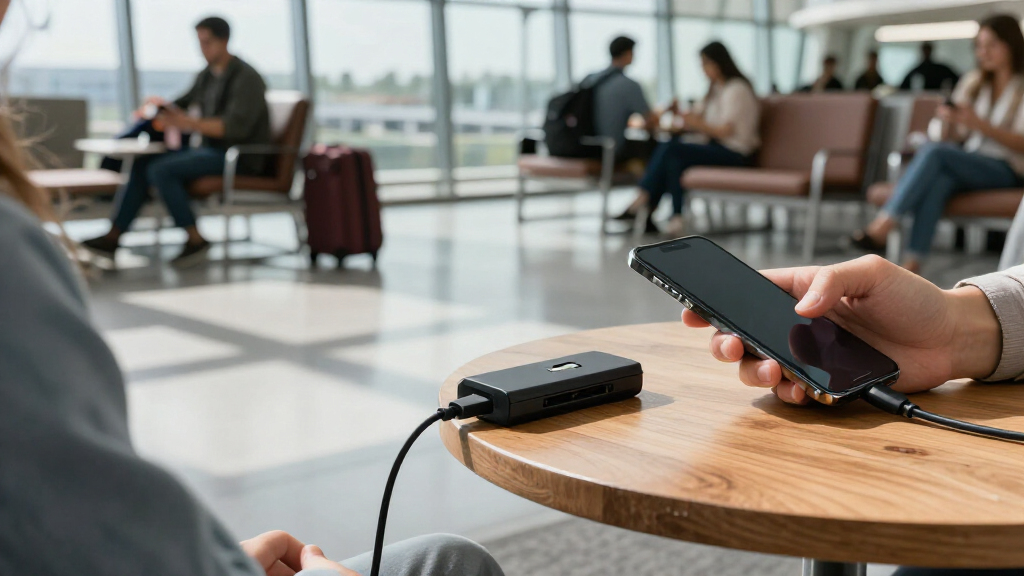
How We Picked
I compared these 15 USB data blocker adapters on the details that affect everyday charging: connector type, stated charging capability, pack size, and how clearly the product format fits common devices and cables. I gave more weight to useful compatibility and understandable specifications than to a large piece count alone. I also treated higher-power claims as relevant only when they are stated, not as proof that every phone, charger, or cable will reach that rate.
The ranking favors options with a clear purpose and practical coverage, then places narrower or less clearly specified designs lower. A mixed USB-A/USB-C set can serve more situations than a single-format option, while a compact single-purpose adapter may suit someone who values simplicity. Specialized formats such as USB-A-to-A and multiway adapters remain useful for particular setups, but their narrower fit keeps them from leading a general-purpose roundup.
| USB data blocker adapter | Function |
|---|---|
| Duttek USB Data Blocker | Charge-only; blocks data transmission |
| HZNSQNIC USB-A and USB-C Data | Charging while blocking data transmission |
| Rixmie USB-A to USB-A Data Blo | Charge-only; blocks data signals |
| Plugable USB Data Blocker | — |
| Ansumg USB-A Data Blocker for | Charging only; blocks data transfer and syncing |
| JSAUX USB-A Charge-Only Data B | Charge-only; blocks data transmission |
| JSAUX USB and USB-C Data Block | Charging only; blocks data transfer and syncing |
| BUISAMG USB-C and USB-A Data B | Allows charging while blocking data transfer |
| SIGNALFI USB Data Blocker 2-Pa | — |
| Fidioto 4-Piece USB Data Block | Disconnects data pins while allowing power through |
| USB-C Data Blocker Kit | — |
| AreMe 4-Way USB Type A & Type | — |
| USB-C to USB-C Data Blocker | — |
| 3-in-1 USB Data Blocker | — |
| USB-A and USB-C Data Blocker f | Charging only; blocks data transfer and syncing |
Factors to Consider When Choosing USB Data Blocker Adapters
Before choosing a USB data blocker, match its connector and charging role to the exact port-to-cable connection you use. A blocker is not a universal speed booster or a replacement for a suitable charger; it changes whether data pins connect. These broader checks help prevent the most common buying mistakes.
Match Both Ends of the Connection
Start by identifying the port you will plug into and the connector your cable needs at the other end. USB-A and USB-C blockers are not interchangeable, and a product listing that names both formats may describe separate adapters rather than one adapter with both ends. Check whether your intended setup is port-to-cable, cable-to-device, or a less common connection such as USB-A-to-A. Avoid buying based on the phone’s charging port alone; the public charging port may be a different shape. If you travel with multiple devices, a mixed-format set can reduce the chance of carrying the wrong blocker. For a single dedicated setup, one matching format may be easier to manage.
Treat Charging-Speed Claims as One Part of the Chain
A blocker’s stated power capability does not set the charging speed by itself. The power source, cable, device, and any charging protocol support all affect the result. A 240W USB-C claim may be useful for a compatible high-power setup, but it does not mean a phone will draw 240W or that every USB-C charger will deliver its maximum rate. At the other end, a 1A-limited model is better suited to modest charging than to users expecting modern fast charging. Match specifications across the whole chain rather than choosing by the largest number on the adapter. When a listing leaves current or power details unclear, avoid assuming it supports fast charging.
Decide Whether Data Blocking Fits the Device
A charge-only blocker prevents data connections through the adapter, so features that rely on USB data will not work through it. That can include file transfer, computer synchronization, USB accessories, or some device-management functions. This is the intended tradeoff, not a defect, but it can surprise buyers who want one adapter for both charging and data use. Keep a regular cable available for trusted computers and accessories. For devices that need data to complete setup or perform an update, connect directly to a trusted source instead. Choose the blocker for charging situations where data access is unnecessary.
Choose Pack Size for Where You Will Keep It
Multipacks make sense when blockers will live in different places, such as a travel pouch, work bag, and home charging area. A large pack is less useful if the adapters are easy to misplace or you only need one connector type. Check whether every item in the set has the same connector and function; piece count alone does not tell you how much practical coverage you get. A smaller pack can be the better choice for a first purchase because it limits clutter while you confirm compatibility. If several people will share them, label or store each adapter with its intended cable. This turns pack size into a convenience decision rather than a reason to buy extra pieces without a plan.
Understand Specialized Shapes Before Buying
Most buyers should favor a straightforward adapter that matches the port and cable they already use. USB-A-to-A designs and multiway formats address less common arrangements, but they may not fit the standard charging setup you have in mind. Read the connector direction carefully: “male to female” and “A to A” describe physical interfaces, not a promise of universal compatibility. A compact or multiway design can be handy for a specific travel kit, yet each added configuration can make it less obvious which connection is supported. If your use case is ordinary phone charging, a conventional USB-A or USB-C blocker is usually easier to match. Choose an unusual format only after checking it against your actual port and cable.
Check What the Product Listing Actually Specifies
Listings vary in how clearly they state charging limits, connector layout, and whether a package contains one format or several. Do not infer USB-C fast-charging support from the connector shape alone, and do not treat “charge-only” as proof of a particular wattage. Look for a clear statement of the adapter’s supported current or power and compare it with your charging needs. If a listing gives little detail, choose a more clearly specified alternative rather than filling in gaps with assumptions. Also check the physical arrangement: a blocker adds length between the port and cable, which can matter in crowded outlets or tight cases. Clear specifications and a suitable fit are more useful than a broad feature list.
Frequently Asked Questions
Will a USB data blocker slow down my charging?
It can, depending on the blocker’s stated limits and the charging setup around it. The Plugable option in this roundup is rated at 1A, making it less suited to buyers who want faster charging than the higher-power USB-C options. Even a blocker with a high power claim cannot make an incompatible charger, cable, or device charge faster. Check the specifications for the blocker and compare them with the rest of your charging chain. If the listing does not state a limit, do not assume it supports your fastest charging mode.
Can I use one blocker for both USB-A and USB-C devices?
Only if the set includes the connector formats your setup needs, or if the individual adapter is explicitly designed for those connections. A USB-A blocker will not directly serve a USB-C port just because a USB-C device is involved. The JSAUX mixed-format set and several other multi-format options in this roundup offer broader coverage than single-format models. Check whether a product includes separate USB-A and USB-C adapters and which direction each one connects. For a single device, buying the matching format is often simpler than carrying extra pieces.
Will a data blocker work with a laptop or tablet that needs USB data?
It will block data through the connection, so it is not suitable when the device needs file transfer, synchronization, or a USB accessory connection at the same time. A charge-only adapter is meant for power-only use. Some devices may also need a data connection for setup or updates, so use a trusted data-capable connection for those tasks. Keep a regular cable for trusted computers and peripherals, and use the blocker only when charging without data is the goal. The key choice is whether you need power alone or power plus communication.
Is a 240W USB-C data blocker worth choosing?
It can be a sensible fit if you use a USB-C charging setup where the cable, power source, and device support high-power delivery. The 240W figure describes a claimed capability, not the amount every connected device will receive. For basic phone charging, that headroom may not offer a practical benefit over a simpler, clearly compatible adapter. Check the product’s stated charging standard and connector layout rather than relying on wattage alone. Buyers with mixed or older equipment may get more value from a set that includes both USB-A and USB-C formats.
Should I choose a large multipack or a two-piece set?
Choose a larger set if you expect to keep blockers in several bags, rooms, or shared charging areas and will use the included connector types. HZNSQNIC’s 8-pack and Ansumg’s 5-pack are aimed at broader distribution, while two-piece options are easier to keep together and may suit a single traveler. A high piece count does not help if the adapters do not match your cables or remain unused. Check the format mix before comparing pack sizes, especially when you need both USB-A and USB-C. For a first purchase, a smaller set can be a practical way to confirm fit before adding more.
Conclusion
For most buyers, I would start with the JSAUX USB-A and USB-C 4-pack as the best overall balance of connector coverage and manageable pack size. For value through quantity, the HZNSQNIC 8-pack is the better fit when you have several places or people to supply, while the 240W USB-C kit is my premium pick for a compatible high-power USB-C setup. Beginners who want a straightforward USB-A option can choose the Plugable 1A adapter, provided its charging limit suits their needs. For specific setups, look at the USB-A-to-A or multiway designs only after checking the connector direction against your equipment. Match the blocker to your actual port, cable, and charging speed needs, and you can narrow this lineup without paying attention to features your devices cannot use.