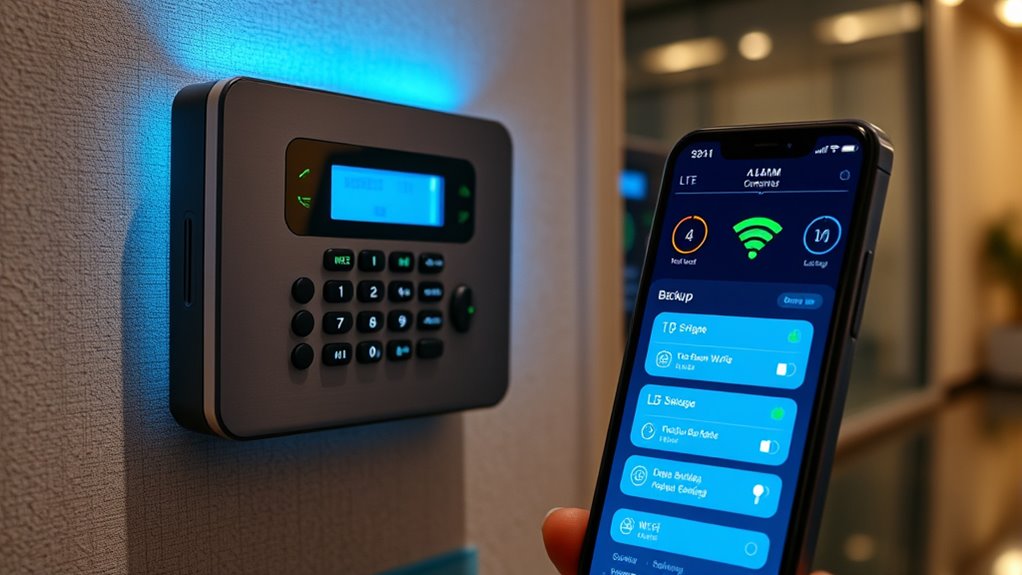

When your alarm system goes offline due to internet or landline issues, cellular backup options keep your security connected. You can opt for systems with built-in cellular modules that automatically switch to cellular networks when primary connections fail. Some providers also offer external cellular modules you can add later. These backups make certain your alarm continues communicating with monitoring centers, maintaining safety. To learn more about configuring your system for seamless cell backup, keep exploring your options.
Key Takeaways
- Many alarm systems include built-in cellular modules that automatically switch to cellular networks when offline.
- Use a dedicated cellular backup device or SIM card to ensure continuous connectivity during primary network failures.
- Ensure your alarm system has a battery backup to maintain cellular communication during power outages.
- Configure your system to automatically detect and switch to cellular backup without manual intervention.
- Regularly test and monitor your cellular backup to confirm reliable operation during outages.

In today’s connected world, having reliable backup options for your data is more important than ever. When your alarm system goes offline unexpectedly, it’s essential to have a cellular backup to guarantee continuous security and peace of mind. Wireless connectivity plays a critical role here, offering a seamless way to keep your alarm connected even if your primary internet or landline fails. This means that if your Wi-Fi drops or your traditional phone line is cut, your alarm can still communicate with monitoring services through cellular networks. Relying solely on internet-based connections isn’t enough anymore; cellular backup provides a resilient, independent pathway that keeps your security system operational at all times.
Cellular backup ensures your alarm stays connected even if Wi-Fi or landlines fail.
You might wonder how backup power factors into this. Even if your alarm system is equipped with wireless connectivity, it’s only as dependable as its power source. Power outages can disable your entire security setup, leaving you vulnerable. That’s why a good cellular backup solution includes backup power capabilities, such as a secondary battery or uninterruptible power supply (UPS). When the main power goes out, this backup power kicks in, guaranteeing your alarm remains connected via cellular networks. It’s a failsafe that prevents downtime during storms, outages, or electrical failures. With backup power and wireless connectivity working together, your alarm system can function continuously, sending alerts and maintaining communication regardless of external disruptions.
Implementing cellular backup options is straightforward and worth the investment. Many alarm systems now come with built-in cellular modules that automatically switch to cellular networks if traditional connections fail. You don’t need to do much; once installed, these systems monitor their connectivity status and switch over seamlessly. This automatic switching is essential because it guarantees your alarm’s operation without manual intervention. Additionally, modern systems often allow you to customize how and when these backups activate, giving you control over your security priorities.
Having a cellular backup isn’t just about avoiding false alarms or system failures; it’s about guaranteeing your home or business remains protected at all times. When your primary communication method is compromised, cellular connectivity, coupled with backup power, guarantees your alarm stays online. This resilience means you won’t miss critical alerts or leave your property exposed. By investing in these backup options, you’re safeguarding your security system against a variety of potential failures, from power outages to connectivity issues. Ultimately, it’s about creating a reliable, continuous line of communication that keeps you informed and your property protected, no matter what unforeseen circumstances may arise. Moreover, choosing systems with reliable connectivity ensures consistent performance and peace of mind.
As an affiliate, we earn on qualifying purchases.
Frequently Asked Questions
How Does Cellular Backup Affect Overall Alarm System Security?
Cellular backup enhances your alarm system’s security by providing wireless communication that stays active even if your internet goes down. It creates signal redundancy, ensuring your alarm can still send alerts to authorities or monitoring centers. This backup prevents disruptions, keeping your system reliable. By choosing cellular backup, you reduce vulnerability and ensure continuous protection, giving you peace of mind knowing your home stays secure regardless of network issues.
What Are the Costs Associated With Cellular Backup Services?
While the investment varies, you’ll find that cellular backup services generally come with a modest fee, which many consider worthwhile for enhanced security. You should compare costs among different service providers to find the best value, as prices can differ considerably. Some providers offer packages that include installation and ongoing support, so it’s wise to weigh the cost comparison carefully to guarantee you’re getting the most thorough protection within your budget.
Can Cellular Backup Be Integrated With Existing Alarm Systems?
Yes, cellular backup can be integrated with your existing alarm system. You’ll benefit from wireless integration, making setup seamless and less invasive. This integration enhances signal reliability, ensuring your alarm communicates effectively even if your main connection fails. Just check if your current alarm system supports cellular modules or contact your provider for compatible options. With this setup, you gain extra security and peace of mind, knowing your system stays connected no matter what.
What Is the Typical Battery Life for Cellular Backup Devices?
You can expect a typical battery lifespan for cellular backup devices to range from 24 to 72 hours, depending on usage and power management. Regularly maintaining and optimizing power management settings can extend this lifespan, ensuring your system stays connected during outages. Keep an eye on the battery status through your alarm’s interface, and consider replacing or charging the backup device promptly to maintain reliable protection.
Are There Any Compatibility Issues With Different Alarm Brands?
Alarm compatibility can cause compatibility concerns, but most cellular backup devices are designed for device interoperability. You won’t face friction if your alarm system supports standard protocols like Z-Wave or Wi-Fi. Double-check your alarm’s specifications to guarantee seamless synchronization, and consider consulting your provider for precise pairing advice. With the right match, you enjoy uninterrupted security, ensuring your system stays synchronized, simple, and secure—no matter the make or model.
external cellular module for alarm
As an affiliate, we earn on qualifying purchases.
As an affiliate, we earn on qualifying purchases.
Conclusion
When your alarm goes offline, cellular backup options are your lifeline, ensuring your safety never takes a hit. With reliable cellular backups, you can rest easy knowing you’re protected against even the worst tech failures—like having a superhero on standby. Don’t let a dead connection leave you vulnerable; choose the right backup and stay safe no matter what. After all, your peace of mind is priceless—and worth more than any device failure.
alarm system with cellular backup
As an affiliate, we earn on qualifying purchases.
As an affiliate, we earn on qualifying purchases.
battery backup for security alarm
As an affiliate, we earn on qualifying purchases.
As an affiliate, we earn on qualifying purchases.