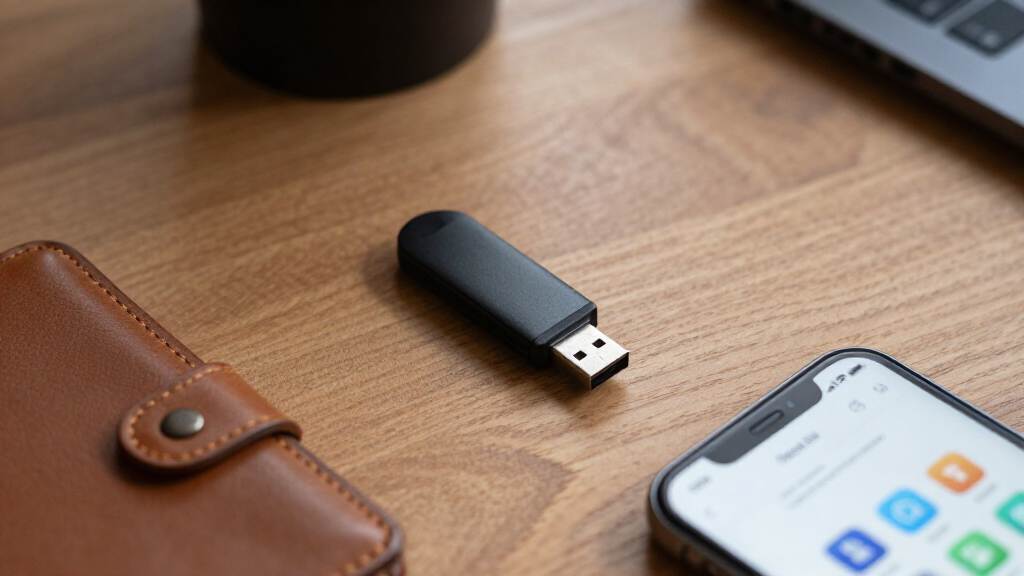

Encrypted USB flash drives are essential for safeguarding sensitive data on the go, combining portability with robust security features. The Integral 32GB Secure 360 stands out as the best overall pick for its balance of performance and affordability, while the Kingston IronKey Locker+ 50 offers reliable hardware encryption ideal for business use. However, choosing the right drive involves tradeoffs between security level, speed, storage capacity, and price. Continue reading for a detailed comparison that helps clarify which drive fits your specific needs and budget.
Open a free Amazon Business account
Business pricing, bulk buying and tax-exempt orders.
Create a free accountAs an affiliate, we earn on qualifying purchases.
Key Takeaways
- The top drives combine hardware-based encryption with user-friendly features, but they vary widely in storage capacity and price.
- Hardware encryption is generally more secure than software-based solutions, but it often comes at a premium cost.
- Speed differences are notable; some drives prioritize quick data transfer, while others focus on maximum security.
- Build quality and physical durability are key considerations, especially for portable drives used in rough environments.
- Choosing the right capacity depends on your data needs—smaller drives are more portable, larger ones offer more storage but may be bulkier.
| Integral 32GB Secure 360 Encrypted USB 3.0 Flash Drive |  | Best Overall for Versatile, No-Fuss Security | Capacity: 32GB | Encryption: 256-bit AES | Interface: USB 3.0 | VIEW LATEST PRICE | See Our Full Breakdown |
| Kingston IronKey Locker+ 50 32GB Encrypted USB Flash Drive, USB 3.2 Gen 1, Silver |  | Best for High-Level Security with Cloud Backup | Capacity: 32GB | Encryption: Hardware AES 256-bit | Interface: USB 3.2 Gen 1 | VIEW LATEST PRICE | See Our Full Breakdown |
| Kingston Ironkey Locker+ 50 G2 32GB Encrypted USB Drive |  | Best for Certified Hardware Security and Multi-Password Protection | Capacity: 32GB | Encryption: XTS-AES 256-bit hardware | Certification: FIPS 197 | VIEW LATEST PRICE | See Our Full Breakdown |
| Apricorn Aegis Secure Key 3 NX 4GB USB 3.0 Flash Drive |  | Best for Maximum Security in Very Limited Storage | Capacity: 4GB | Encryption: 256-bit | Validation: FIPS 140-2 Level 3 (pending) | VIEW LATEST PRICE | See Our Full Breakdown |
| Kingston Ironkey Keypad 200 16GB Encrypted USB |  | Best for Multi-PIN Physical Security & Military-Grade Encryption | Capacity: 16GB | Encryption: XTS-AES 256-bit | Certification: FIPS 140-3 (Pending) | VIEW LATEST PRICE | See Our Full Breakdown |
| Kingston IronKey Vault Privacy 50 16GB Encrypted USB |  | Best for Government and High-Security Business Use | Memory Storage Capacity: 16 GB | Hardware Interface: USB 3.2 Gen 1 | Additional Features: Encrypted, Write Speed 180 MB/s, Read Speed 250 MB/s | VIEW LATEST PRICE | See Our Full Breakdown |
| Kingston Ironkey Locker+ 50 G2 64GB Encrypted USB Drive |  | Best for Secure Storage of Larger Files | Memory Storage Capacity: 64 GB | Hardware Interface: USB 3.2 Gen 1 | Write Speed: 115 MB/s | VIEW LATEST PRICE | See Our Full Breakdown |
| Integral 16GB Crypto-197 256-Bit Hardware Encrypted USB 3.0 Secure Flash Drive |  | Best for Rugged and High-Standard Security in Compact Form | Storage Capacity: 16GB | Encryption: AES 256-bit hardware encryption | Security Standard: FIPS 197 | VIEW LATEST PRICE | See Our Full Breakdown |
| encrypted USB flash drife | Encryption | Capacity |
|---|---|---|
| Integral 32GB Secure 360 Encry | 256-bit AES | 32GB |
| Kingston IronKey Locker+ 50 32 | Hardware AES 256-bit | 32GB |
| Kingston Ironkey Locker+ 50 G2 | XTS-AES 256-bit hardware | 32GB |
| Apricorn Aegis Secure Key 3 NX | 256-bit | 4GB |
| Kingston Ironkey Keypad 200 16 | XTS-AES 256-bit | 16GB |
| Kingston IronKey Vault Privacy | — | — |
| Kingston Ironkey Locker+ 50 G2 | — | — |
| Integral 16GB Crypto-197 256-B | AES 256-bit hardware encryption | — |
More Details on Our Top Picks
Integral 32GB Secure 360 Encrypted USB 3.0 Flash Drive
This drive stands out for its dual partitioning system, allowing users to separate encrypted and unencrypted files without additional software. Its 256-bit AES encryption delivers robust security, comparable to the Kingston Ironkey Locker+ 50 G2, but with the advantage of no installation requirements. The maximum transfer speed of 5Gbps makes it suitable for quick data movement, though the limited 32GB capacity may be a constraint for users with larger storage needs. The automatic data wipe feature enhances security but could become inconvenient if triggered accidentally. Overall, this pick is ideal for users who want strong encryption with straightforward operation, but those needing more storage should explore larger-capacity options.
Pros:- High-level 256-bit AES encryption for data security
- Fast transfer speeds up to 5Gbps with USB 3.0
- No software installation required for use
Cons:- Limited to 32GB storage capacity, restricting large data transfers
- Automatic data wipe may be triggered unintentionally, risking data loss
Best for: Individuals needing simple, high-speed encryption for small to moderate data sets without software installation.
Not ideal for: Users requiring high-capacity storage or extensive file management, as it caps at 32GB and features automatic wiping.
- Capacity:32GB
- Encryption:256-bit AES
- Interface:USB 3.0
- Transfer Speed:up to 5Gbps
- Security Features:Dual partition, password protection, automatic data wipe
- Compatibility:Windows and macOS
Our verdict“A strong choice for users who prioritize quick, secure transfers in a compact form, but not for those with large storage needs.”
Kingston IronKey Locker+ 50 32GB Encrypted USB Flash Drive, USB 3.2 Gen 1, Silver
This drive offers robust hardware encryption and advanced security features like a virtual keyboard to thwart keylogging, making it well-suited for highly sensitive data. Compared with the Integral Secure 360, it provides faster read/write speeds—up to 145MB/s and 115MB/s respectively—and includes automatic cloud backup, which adds an extra layer of protection. Its 32GB capacity might fall short for users with large files, but for those handling critical data, the enhanced attack protection and cloud options justify the higher cost. The virtual keyboard and anti-Brute Force features make it especially appealing for professionals managing confidential information. However, it requires specific USB ports for optimal performance, and the higher price tag may be a barrier for budget-conscious buyers.
Pros:- Hardware encryption with attack protection (Brute Force, BadUSB)
- Includes virtual keyboard to prevent keylogging
- Fast read/write speeds for efficient data handling
- Automatic cloud backup enhances data security
Cons:- Limited to 32GB storage capacity, not suitable for large files
- Requires compatible USB ports for top performance
- Higher price compared to simpler encrypted drives
Best for: Security-conscious professionals needing fast, highly protected storage with cloud backup options.
Not ideal for: Users with large data volumes or budget constraints, as the device’s security features come at a premium and storage is limited.
- Capacity:32GB
- Encryption:Hardware AES 256-bit
- Interface:USB 3.2 Gen 1
- Read Speed:145MB/s
- Write Speed:115MB/s
- Additional Features:Virtual keyboard, cloud backup
Our verdict“Best suited for users prioritizing security and speed, especially with sensitive data requiring cloud backup.”
Kingston Ironkey Locker+ 50 G2 32GB Encrypted USB Drive
This model emphasizes security through FIPS 197 certification and hardware encryption, similar to the IronKey Locker+ 50 but with added assurance of compliance. Its 32GB capacity and fast speeds—up to 145MB/s read and 115MB/s write—make it a solid choice for secure data storage. Multi-password security adds flexibility, especially for organizations managing multiple users. Compared to the IronKey Keypad 200, it offers slightly less advanced access options but remains highly secure. The lack of specific software compatibility details might concern some users, and the price could be a deterrent for those with less sensitive needs. Overall, it’s well-suited for businesses or individuals needing certified security and multi-user management.
Pros:- FIPS 197 certified hardware encryption
- Fast data transfer speeds
- Multi-password security for multiple users
Cons:- Limited to 32GB, not ideal for large datasets
- No detailed info on software compatibility
- Potentially higher cost compared to non-certified drives
Best for: Organizations and security professionals needing certified, hardware-encrypted drives with multi-user access controls.
Not ideal for: Those seeking large capacity storage or casual, everyday encryption, given the 32GB limit and potentially higher cost.
- Capacity:32GB
- Encryption:XTS-AES 256-bit hardware
- Certification:FIPS 197
- Read Speed:145MB/s
- Write Speed:115MB/s
- Security:Multi-Password
Our verdict“Ideal for users who require certified, multi-user encryption with fast performance in a compact form.”
Apricorn Aegis Secure Key 3 NX 4GB USB 3.0 Flash Drive
The Apricorn Aegis Secure Key 3 NX is tailored for extreme security with 256-bit encryption and FIPS 140-2 Level 3 validation pending. Its small 4GB capacity makes it suitable for highly sensitive data, especially when combined with features like separate admin and user modes, read-only options, and data recovery pins. Compared to larger drives like the Kingston IronKey Locker+ 50, it sacrifices storage for security, which may suit governmental or military environments. The pending certification status suggests that it might not meet full compliance standards yet, but its security features are impressive. It’s less practical for everyday use or large files, but perfect for encrypted, portable sensitive data.
Pros:- 256-bit encryption for strong data protection
- Multiple security modes including admin and user
- Read-only mode prevents accidental data modification
- Data recovery pins add security assurance
Cons:- Validation is still pending, not fully certified
- Limited to 4GB storage, restricting usability
- No specific hardware durability features mentioned
Best for: Security-critical users needing portable, high-assurance encryption for small but sensitive data sets.
Not ideal for: Users needing large storage capacity or expecting to transfer big files regularly.
- Capacity:4GB
- Encryption:256-bit
- Validation:FIPS 140-2 Level 3 (pending)
- Connectivity:USB 3.0
- Security Modes:Admin, User, Read-only
- Color:Black
Our verdict“Best for security-focused users who need portable, encrypted storage for small data volumes with maximum protection.”
Kingston Ironkey Keypad 200 16GB Encrypted USB
This drive emphasizes multi-PIN access via an alphanumeric keypad, offering a layer of physical security that appeals to military-grade standards. Its 16GB capacity and XTS-AES 256-bit encryption provide solid protection, comparable to the IronKey Keypad 200 but with the added benefit of multi-PIN options for multi-user scenarios. It also defends against brute-force and BadUSB attacks, making it a suitable choice for highly sensitive environments. The pending FIPS 140-3 Level 3 certification could delay full compliance, and the limited 16GB capacity may not suit users with larger storage needs. Overall, this device is best for security professionals who need physical PIN protection alongside encryption.
Pros:- Multi-PIN access for multiple users
- Military-grade encryption (XTS-AES 256-bit)
- Protection against brute-force and BadUSB attacks
- Physical keypad enhances security
Cons:- Limited to 16GB capacity, not suitable for large files
- Pending FIPS 140-3 certification may affect compliance timelines
- Higher cost due to advanced security features
Best for: Security-conscious users managing highly sensitive data who prefer multi-PIN access and physical security measures.
Not ideal for: Those needing large storage capacity or simple, everyday encryption, given its limited 16GB capacity and pending certification.
- Capacity:16GB
- Encryption:XTS-AES 256-bit
- Certification:FIPS 140-3 (Pending)
- Security Features:Multi-PIN, alphanumeric keypad
- Protection:Brute force & BadUSB
Our verdict“Ideal for users requiring multi-user PIN protection and military-grade encryption for small but sensitive data.”
Kingston IronKey Vault Privacy 50 16GB Encrypted USB
The Kingston IronKey Vault Privacy 50 stands out for its hardware-based AES 256-bit encryption, which guarantees robust protection against unauthorized access, making it ideal for sensitive government or corporate data. Compared with the larger capacity Ironkey Locker+ 50 G2, this model offers faster read/write speeds and multiple security options, but its limited 16GB storage may be restrictive for users handling larger files. The drive is TAA compliant, adding a layer of assurance for regulated environments, yet it carries a higher cost relative to storage size. Its speed of up to 250 MB/s read and 180 MB/s write ensures quick data transfer, but optimal performance requires a USB 3.2 port. Overall, this pick makes the most sense for security-conscious professionals needing top-tier encryption, not for those requiring large storage or budget-friendly options.
Pros:- High-level hardware AES 256-bit encryption ensures data security
- Multiple password and write-protection options enhance control
- TAA compliance suits government and regulated industries
- Fast transfer speeds support quick data handling
Cons:- Limited to only 16GB storage capacity, which may be insufficient for large files
- Requiring a USB 3.2 port for optimal performance could limit compatibility
- Higher cost per gigabyte compared to larger-capacity drives
Best for: Government agencies, military personnel, or corporate users needing maximum security for sensitive data
Not ideal for: Users who require large storage capacities or budget-friendly options for everyday use
- Memory Storage Capacity:16 GB
- Hardware Interface:USB 3.2 Gen 1
- Additional Features:Encrypted, Write Speed 180 MB/s, Read Speed 250 MB/s
- Connectivity Technology:USB
- Memory Type:USB Flash Memory
- Color:Blue
Our verdict“This drive is best suited for security-focused users who prioritize data protection over storage volume.”
Kingston Ironkey Locker+ 50 G2 64GB Encrypted USB Drive
The Kingston Ironkey Locker+ 50 G2 offers a significant 64GB of storage, making it more suitable for users who need to store larger files securely than the Vault Privacy 50. It features hardware encryption and multi-password protection, comparable in security standards to the Vault Privacy but with more space for everyday secure data. Its read speeds of 145 MB/s and write speeds of 115 MB/s are solid, yet slightly slower than the Vault Privacy 50, which might impact workflows needing rapid data transfer. Unlike the Integral Crypto-197, which emphasizes ruggedness, this drive’s main advantage is security combined with higher capacity. It’s a good fit for professionals who balance security with larger storage needs, but it may be overkill for those with minimal data or simpler security requirements.
Pros:- High-level hardware encryption with multi-password protection
- Larger 64GB capacity supports more extensive secure data storage
- Fast read/write speeds suitable for most workflows
- FIPS 197 certification guarantees compliance with security standards
Cons:- Lacks rugged or waterproof features for extreme environments
- No additional security features like auto-lock or waterproofing
- Limited to USB 3.2 Gen 1, which might limit future compatibility
Best for: Business users and security professionals needing more storage without sacrificing encryption standards
Not ideal for: Individuals with minimal data requirements or those seeking the most portable, rugged options
- Memory Storage Capacity:64 GB
- Hardware Interface:USB 3.2 Gen 1
- Write Speed:115 MB/s
- Read Speed:145 MB/s
- Connectivity Technology:USB
- Device Compatibility:Devices with USB port
Our verdict“This drive balances security with increased storage capacity, ideal for professionals managing larger volumes of sensitive data.”
Integral 16GB Crypto-197 256-Bit Hardware Encrypted USB 3.0 Secure Flash Drive
The Integral Crypto-197 256-bit encrypted USB drive offers a rugged, waterproof, and drop-resistant design, making it perfect for users in harsh environments who need high security with FIPS 197 certification. Its auto-lock feature provides convenience, automatically securing data after inactivity. Compared to the Kingston Vault Privacy 50, this drive emphasizes durability and ease of use without software installation, which is beneficial for fieldwork. However, its limited 16GB capacity can be a drawback, especially for users with larger data needs. While the drive’s AES 256-bit encryption offers top-tier security, the absence of additional features like multi-user access or cloud integration limits its versatility. This model suits those prioritizing rugged durability and straightforward security over storage size.
Pros:- Rugged waterproof and drop-resistant design withstands tough conditions
- High-level AES 256-bit hardware encryption with FIPS 197 compliance
- Automatic lock functionality enhances convenience and security
- No software needed, compatible with PC and Mac
Cons:- Limited to just 16GB storage, restricting large data transfers
- Potentially forgettable password could lock out access
- No additional features like cloud backup or multi-user support
Best for: Field workers, military personnel, or anyone needing a tough, secure drive for small but sensitive data sets
Not ideal for: Users requiring larger storage or seamless integration with cloud services
- Storage Capacity:16GB
- Encryption:AES 256-bit hardware encryption
- Security Standard:FIPS 197
- Connection:USB 3.0
- Waterproof:Yes
- Protection Features:Auto-lock, rugged double-layer waterproof design
Our verdict“This drive is best for users who need a secure, durable device in challenging environments, accepting smaller storage capacity as a tradeoff.”
How We Picked
I evaluated these encrypted USB drives based on several key criteria: security features (hardware encryption, PIN protection, tamper resistance), performance metrics (read/write speeds), build quality and durability, ease of use (compatibility and setup), and value for the price. I prioritized drives with proven encryption standards and reliable performance across different scenarios. The ranking reflects a balance between security strength, usability, and cost, aiming to recommend options suitable for different user needs—from casual users to enterprise environments.Factors to Consider When Choosing Encrypted USB Flash Drives
Selecting the right encrypted USB flash drive requires considering several factors beyond basic security features. Understanding these can help you avoid common pitfalls like underestimating storage needs or choosing a drive with inadequate encryption. The following factors will guide you in making an informed choice that aligns with your security, performance, and budget requirements.Security Features
Look for drives that utilize hardware-based encryption standards such as AES 256-bit, which offer robust protection against tampering and hacking. Features like PIN protection, biometric access, and tamper-evident designs add layers of security, but also consider how the drive manages data recovery and reset options. Beware of drives relying solely on software encryption, which can be less secure if the device’s firmware is compromised.
Performance and Speed
Data transfer speeds vary significantly among encrypted drives. While some prioritize maximum security, they may compromise on speed, making large file transfers time-consuming. Conversely, drives with faster read/write speeds are better suited for frequent data exchanges, but ensure that security features do not significantly hinder performance. Check for USB 3.0 or newer standards for optimal transfer rates, especially if you handle large files regularly.
Build Quality and Durability
Since portable drives are often used outside controlled environments, durability matters. Look for models with rugged casings, water resistance, and shockproof features. Cheaper models might save money initially but can fail under physical stress, risking data loss. Consider how often and where you’ll carry the drive to determine if investing in a more rugged model is worthwhile.
Capacity and Size
Matching capacity to your needs prevents overpaying or running out of space. Smaller drives (like 16GB or 32GB) offer portability and are sufficient for documents and small files, but large backups or media collections require 64GB or more. Keep in mind that larger drives tend to be bulkier and may consume more power, which can influence portability and battery life if used with laptops or portable devices.
Ease of Use and Compatibility
Ensure the drive is compatible with your operating systems and that its security setup is straightforward. Some drives come with companion apps or management software, which can add convenience but also complexity. Consider whether the drive supports features like automatic locking or easy reset options, especially if multiple users or quick deployment are involved. Compatibility issues can cause delays or data access problems when you need secure access fast.
Frequently Asked Questions
Can I use an encrypted USB drive with any computer?
Most encrypted USB drives are compatible with Windows, macOS, and Linux systems, but some require specific software or drivers for full functionality. Hardware encryption often works transparently, meaning you just plug it in and enter a PIN, regardless of the operating system. However, if you plan to access the drive on different platforms, verify compatibility and whether additional software installation is necessary for certain features.
Is hardware encryption better than software encryption?
Hardware encryption generally offers stronger security because it’s built into the device’s firmware, making it harder to bypass or hack. It also tends to be faster and more reliable over time. Software encryption, while more flexible and often less expensive, can be vulnerable if the computer or software is compromised. For sensitive data, a hardware-encrypted drive provides a greater peace of mind and resilience against attacks.
What happens if I forget the PIN or password on my encrypted drive?
Many drives have a reset or recovery process, but it often involves erasing all stored data for security reasons. Some drives include a recovery key or management app that allows data restoration if you forget your PIN. Always check the manufacturer’s policy on data recovery before purchase, and consider backing up critical information separately to avoid permanent data loss if you forget your access credentials.
Are there risks in using encrypted USB drives with public or shared computers?
Using encrypted drives on public or shared computers can be secure if the drive’s encryption and login features are robust. However, there is always a risk of malware or keyloggers capturing passwords or PINs. It’s advisable to run security scans on the host machine and avoid saving passwords or credentials on the device. Always disconnect after use to minimize exposure to malicious attacks.
How should I store my encrypted USB drive when not in use?
Proper storage minimizes physical damage and unauthorized access. Keep the drive in a secure, cool, and dry place, ideally in a lockable drawer or safe. Avoid leaving it in environments with extreme temperatures or high humidity, which can damage the hardware. If the drive contains highly sensitive data, consider using a tamper-evident container and ensuring only trusted individuals have access.
Conclusion
For general users seeking a balance of security and affordability, the Integral 32GB Secure 360 makes an excellent choice. Those with higher security needs, especially in corporate environments, should consider the Kingston IronKey Locker+ 50 for its proven hardware encryption and durability. Beginners or infrequent users may prefer drives with simple interfaces and straightforward setup, like some of the smaller Kingston options. For users with large data needs or advanced security requirements, investing in premium models with rugged features and faster speeds will pay off. Ultimately, the best drive depends on your specific use case—prioritize security features for sensitive data, and storage capacity or speed for frequent file transfers.
Fall Picks
fall essentials
As an affiliate, we earn on qualifying purchases.