To protect your family’s privacy, set clear rules for indoor camera use, avoiding private spaces like bedrooms and bathrooms. Inform everyone about when and why cameras are active, and limit features like motion detection to specific hours. Make sure footage is stored securely and deleted automatically after a set time. By establishing these boundaries, you balance security and privacy. To discover more tips on responsible surveillance, keep exploring this important topic.
Key Takeaways
- Clearly specify private areas where cameras are not allowed, such as bedrooms and bathrooms.
- Limit camera usage to designated hours to protect family members’ privacy.
- Inform all household members about camera placement, purpose, and data policies upfront.
- Enable automatic footage deletion after a set period to prevent unnecessary data retention.
- Use features like motion detection responsibly to minimize constant monitoring and privacy intrusion.
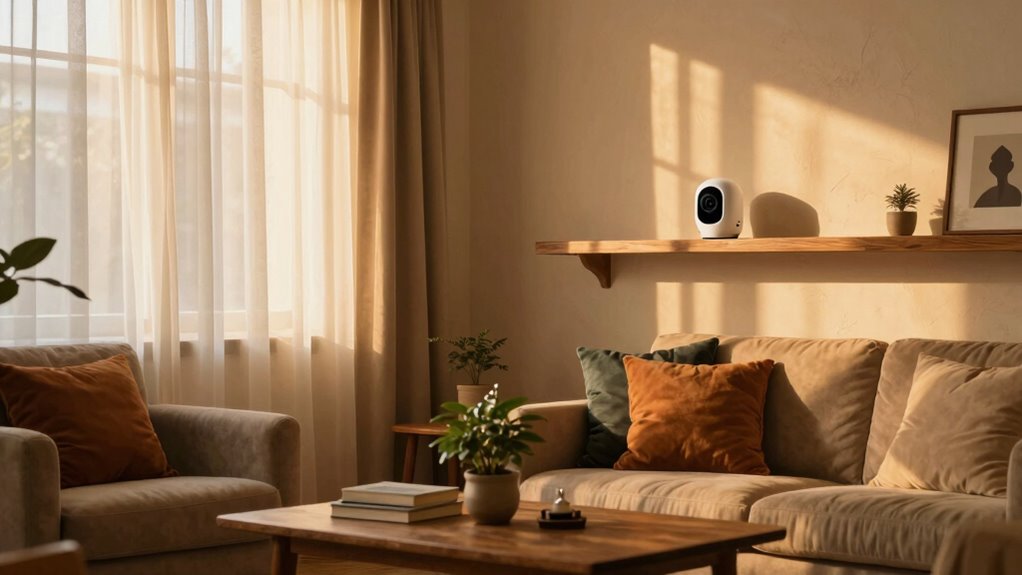
Have you ever wondered whether placing indoor cameras is legally allowed in your home or business? It’s a question many people ask as they seek ways to protect their loved ones and property. While indoor cameras can be invaluable for monitoring your space, they also raise important privacy concerns. You need to be aware of how these devices impact the privacy of everyone in your household or office. Setting clear rules about where cameras are placed and who can access the footage can help you strike a balance between security and privacy. It’s crucial to inform family members or employees about the cameras, making sure they understand the purpose and scope of the surveillance. This transparency not only fosters trust but also helps you avoid potential legal issues.
As technology continues to evolve, integrating cameras seamlessly into your home or business becomes easier, but it also makes privacy considerations more complex. Today’s cameras come with features like remote access, motion detection, and even AI-powered analytics. While these advancements make surveillance more effective, they also mean that your private moments could be recorded and stored without your explicit awareness. That’s why establishing an indoor camera rule is more essential than ever. You should decide which areas are appropriate for camera placement—avoiding private spaces like bedrooms and bathrooms—and set boundaries for data storage and access. Limiting footage to essential areas helps prevent overreach and reduces privacy concerns. Additionally, understanding privacy laws and regulations related to surveillance can help ensure your practices are compliant. Recognizing the importance of privacy rights can guide your decisions and help you implement responsible surveillance policies. Being aware of legal boundaries ensures your surveillance practices remain within the scope of the law.
The technological integration of cameras into daily life should be accompanied by a clear policy that everyone understands. When everyone knows the rules, it minimizes misunderstandings and ensures that the cameras serve their intended purpose—enhancing safety without infringing on personal privacy. For example, you might set a rule that cameras are only active during certain hours or when no one is home, or that footage is automatically deleted after a specific period. These measures foster responsible use of technology and respect individual privacy rights. Including clear communication as part of your policy can further strengthen trust and accountability. Establishing consistent rules helps set expectations and ensures everyone feels comfortable with surveillance practices.
Implementing an indoor camera rule isn’t just about legal compliance; it’s about creating a safe, respectful environment. It encourages you to think carefully about where and how you use these devices, keeping privacy concerns at the forefront. As your home or business becomes more connected through technological integration, establishing clear, consistent rules helps you harness the benefits of surveillance while safeguarding personal privacy. Ultimately, a well-thought-out indoor camera rule protects everyone involved and promotes responsible use of technology in your space.

Tapo 1080p Pan/Tilt Security Camera for Baby Monitor, Pet Camera, C201
- Pan/Tilt Range: 360° horizontal, 114° vertical view
- Motion & Sound Alerts: Instant notifications for motion, person, crying
- Storage Options: Local microSD or optional cloud storage
As an affiliate, we earn on qualifying purchases.
As an affiliate, we earn on qualifying purchases.
Frequently Asked Questions
Are Indoor Cameras Legal in All States?
Indoor cameras are not legal in all states due to varying privacy regulations. You need to check your state’s laws, as some places have strict rules about recording inside private spaces. Legal variations can affect what kind of surveillance is permitted, especially if it invades someone’s privacy. Always guarantee you follow local regulations and respect privacy rights when installing indoor cameras, so you stay compliant and avoid legal issues.
How Do I Choose the Best Indoor Camera?
Choosing the best indoor camera is like finding a lighthouse in a foggy night. Focus on camera placement—aim for a clear, unobstructed view that covers your key spaces. Prioritize video quality; crisp footage helps you spot details easily. Look for user-friendly features like two-way audio and motion alerts. A reliable camera with good resolution and easy setup becomes your home’s watchtower, keeping your loved ones safe and your mind at ease.
What Are Common Privacy Concerns With Indoor Cameras?
You might worry about privacy concerns with indoor cameras, especially around camera placement and privacy zones. If placed poorly, they could invade your personal space or capture sensitive moments. To protect your privacy, set clear privacy zones in the camera’s settings, minimizing what’s visible during private times. Be mindful of where you position cameras, avoiding areas like bedrooms or bathrooms, to maintain your family’s privacy while keeping security intact.
Can Indoor Cameras Record Audio Without Consent?
Indoor cameras can record audio without your consent, but laws vary by location. Many regions require explicit consent for audio recording, especially if it captures private conversations. You should always check local consent requirements before enabling audio recording, as doing so without permission can violate privacy laws. To protect everyone’s privacy, consider informing family members and visitors if your camera records audio, and make sure you comply with applicable regulations.
How Do I Ensure My Camera Footage Is Secure?
To keep your camera footage secure, make sure your device uses strong camera encryption to protect data during transmission and storage. Regularly update your camera’s firmware to patch security vulnerabilities. Limit user access by setting strong, unique passwords and enabling multi-factor authentication. Review and revoke any unnecessary user permissions, ensuring only trusted individuals can view your footage. These steps help safeguard your privacy and prevent unauthorized access.

Security Camera 2K, blurams Baby Monitor Dog Camera 360-degree for Home Security w/Smart Motion Tracking, Phone App, IR Night Vision, Siren, Works with Alexa & Google Assistant & IFTTT, 2-Way Audio
- 360-Degree Coverage with 2K Resolution: Automatic motion tracking and IR night vision
- AI Detection & Instant Alerts: Real-time alerts with 12s cloud recordings
- Smart Voice Integration: Compatible with Alexa, Google Assistant, and IFTTT
As an affiliate, we earn on qualifying purchases.
As an affiliate, we earn on qualifying purchases.
Conclusion
Think of setting an indoor camera like planting a seed of trust and protection. Just as a lighthouse guides ships safely home through stormy seas, your camera becomes a beacon for your family’s safety and peace of mind. Don’t wait for the storm to hit—be proactive. Embrace this simple rule and let it stand as a silent guardian, ensuring your loved ones are watched over, no matter where you are.

TP-Link Tapo 1080P Indoor Security Camera for Baby Monitor, Dog Camera w/Motion Detection, 2-Way Audio Siren, Night Vision, Cloud & SD Card Storage, Works w/Alexa & Google Home (Tapo C100)
- Motion Detection & Alerts: Instant notifications for motion or sound
- 2-Way Audio with Siren: Communicate and deter intruders remotely
- Night Vision: Clear footage up to 30 feet in darkness
As an affiliate, we earn on qualifying purchases.
As an affiliate, we earn on qualifying purchases.
Tapo 1080p Pan/Tilt Security Camera for Baby Monitor, Pet Camera, C201
- Pan/Tilt Range: 360° horizontal, 114° vertical view
- Motion & Sound Alerts: Instant notifications for motion, person, crying
- Storage Options: Local microSD or optional cloud storage
As an affiliate, we earn on qualifying purchases.
As an affiliate, we earn on qualifying purchases.