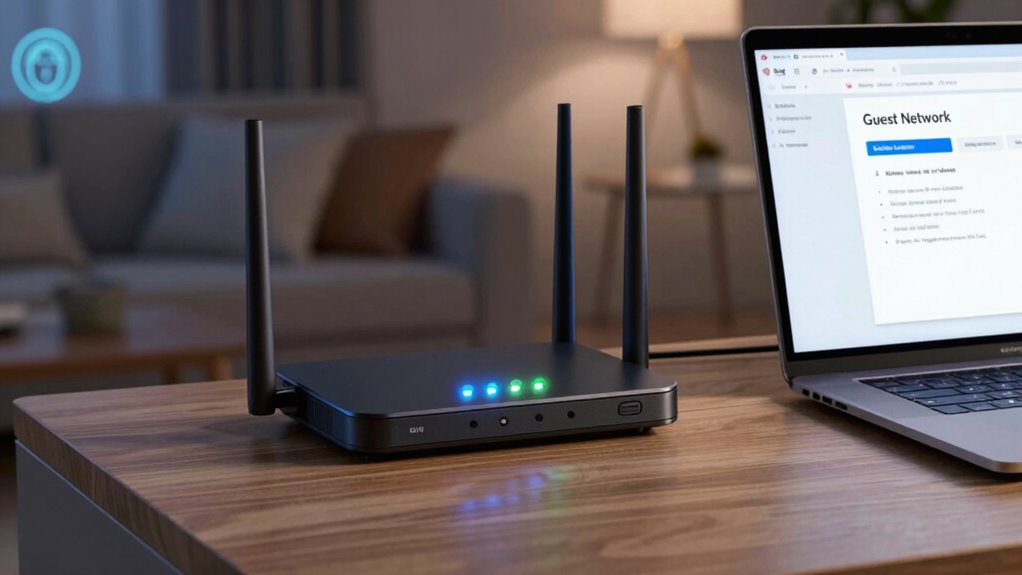

Your router’s guest network can seem secure, but it isn’t foolproof. If you don’t properly configure network isolation, update firmware, or use strong encryption like WPA3, hackers could access your devices or intercept data. Default passwords and open networks increase risks even more. To truly protect your main network and your guests, you need to take specific security steps. Keep going to discover proven ways to tighten your Wi-Fi security.
Key Takeaways
- Guest networks often have misconfigured settings that can allow unauthorized device access or data leaks.
- Inadequate network isolation can enable guests to access your main devices or shared files.
- Outdated firmware or weak encryption protocols like WPA2 can be exploited by hackers.
- Default passwords and insecure configurations increase vulnerability despite using a guest network.
- Proper security measures, such as WPA3, strong passwords, and network isolation, are essential for guest network safety.

TP-Link AXE5400 Tri-Band WiFi 6E Router (Archer AXE75), 2025 PCMag Editors' Choice, 2.5Gbps WAN Port for Gaming & Streaming, 6GHz Band, 160MHz, OneMesh, Dual-Core CPU, VPN & WPA3 Security
- Tri-Band WiFi 6E Router: Up to 5400 Mbps speeds for multiple devices
- 6 GHz Band for Faster Speeds: Enhanced bandwidth and near-zero latency
- Connect More Devices: OFDMA technology increases capacity fourfold
As an affiliate, we earn on qualifying purchases.
As an affiliate, we earn on qualifying purchases.
Are Guest Networks Really Secure? Common Myths Debunked

Many people believe that setting up a guest network automatically keeps their main devices safe, but this isn’t always true. Guest network vulnerabilities can still be exploited if the network isn’t properly isolated. Network segmentation aims to separate guest devices from your primary devices, but flawed configurations can leave gaps. For example, poorly set permissions might allow guests to access shared files or even interfere with your main network. Relying solely on a guest network for security is risky, especially if it’s not properly secured. Remember, a guest network can reduce risks, but it doesn’t eliminate them entirely. To truly protect your devices, you need to implement proper segmentation and stay vigilant against potential vulnerabilities. Network isolation ensures that guest users cannot access your primary devices, but only if it’s correctly configured. Additionally, understanding how proper configuration impacts network security can help prevent these issues. Employing regular firmware updates is crucial to patch known vulnerabilities and strengthen your network defenses. Being aware of security best practices can further strengthen your network defenses and prevent unintended access.

TwoWin Router Tool, 110V-120V 800W Compact Wood Router Tool for Woodworking
- Powerful Motor: 800W, 30000RPM for efficient routing
- Includes Carbide Bits: Storage case for easy organization
- Versatile Woodworking: Edging, trimming, veining, grooving
As an affiliate, we earn on qualifying purchases.
As an affiliate, we earn on qualifying purchases.
What Mistakes Make Your Guest Network Less Safe? Typical Misconfigurations

One of the most common mistakes that makes your guest network less safe is misconfiguring network isolation settings. Without proper isolation, guests could access your main devices or network segmentation could be compromised. To avoid this, guarantee that:
- You enable network segmentation so guest traffic stays separate from your primary network.
- You regularly update your router’s firmware to patch security vulnerabilities that could be exploited.
- You verify that guest network settings are correctly configured, including disabling device-to-device communication if unnecessary.
Failing to do these can leave gaps for hackers to exploit. Properly isolating your guest network and maintaining up-to-date firmware are key to minimizing risks and keeping your main network secure.

AmpliFi Ubiquiti Alien Tri-Band WiFi 6 Scalable Mesh System Router WiFi 6 AX Gaming Mesh Networking System
- WiFi 6 Speed: Up to 4800 Mbps
- Device Efficiency: MU-MIMO and OFDMA
- Touchscreen Display: 4.7-inch intuitive control
As an affiliate, we earn on qualifying purchases.
As an affiliate, we earn on qualifying purchases.
How Hackers Can Break Into Your Guest Network: and What You Can Do About It

Even when you’ve properly configured your guest network, hackers can still find ways to break in if you’re not vigilant. Weak Wi Fi encryption, such as outdated protocols, makes it easier for hackers to intercept data and access your network. They might exploit vulnerabilities in network segmentation, bypassing barriers meant to isolate guest devices from your main network. Attackers can use tools to scan for open or poorly secured networks nearby, or attempt to guess default passwords. Sometimes, they target known flaws in router firmware or insecure configurations. To prevent this, ensure you use strong Wi Fi encryption like WPA3, update your router’s firmware regularly, and properly segment your network. These steps make it considerably harder for hackers to gain entry through your guest network.

Adalov Wireless Bridge, 3KM 5.8G Point to Point Outdoor CPE, Long Range WiFi Bridges for PtP/PtMP with 14DBi High Gain Antenna for Network Sharing,Network Extend,Starlink Network Extend (CPE660)
- Wireless Point-to-Point Bridge: Replaces Ethernet with wireless link
- Supports Multiple Modes: CPE, client bridge, PTP, PTMP modes
- Long-Range Connectivity: Up to 3KM outdoor range
As an affiliate, we earn on qualifying purchases.
As an affiliate, we earn on qualifying purchases.
Easy Steps to Lock Down Your Guest Network and Improve Security

Securing your guest network doesn’t have to be complicated; taking a few straightforward steps can greatly enhance its safety. First, enable network encryption, such as WPA3 or WPA2, to protect data transmitted over your guest network. Second, set a strong password with high complexity—combine uppercase, lowercase, numbers, and symbols—to prevent unauthorized access. Third, change your guest network password regularly to reduce risks if it’s compromised. Additionally, disable WPS, which can be vulnerable, and hide your network name (SSID) if possible. Implementing security best practices can further strengthen your network defenses. For example, choosing a robust password significantly reduces the chance of unauthorized access. These simple actions significantly improve your network’s security, making it harder for hackers to break in or eavesdrop on your guests’ activity. Prioritize these steps for peace of mind during your guests’ stay.
Is There a Better Way to Offer Internet Access to Guests? Alternatives to Consider

While setting up a guest network on your router is convenient, there are alternative solutions to provide internet access that can enhance security and control. Public Wi-Fi hotspots are one option, offering access without risking your main network. However, they can be insecure, so using a portable Wi-Fi hotspot device guarantees you control who connects. Another alternative is deploying a dedicated device, like a separate access point or mesh network node, specifically for guest use. These solutions keep guest traffic isolated from your main network, reducing security risks. Additionally, some services allow temporary, password-protected Wi-Fi access, giving you flexibility without compromising your primary network. Exploring these alternative solutions enables you to offer internet access to guests while maintaining better security and management. Using smart‑home device features of smart‑home devices can also help monitor and manage guest network activity more effectively.
Frequently Asked Questions
Can I Use a Separate Router for Guest Networks?
Yes, you can use a separate router for guest networks. Doing so enhances network segmentation and device isolation, keeping your main network protected. By setting up a dedicated router, you prevent guest devices from accessing your primary devices and data, reducing security risks. This setup also allows you to customize security settings specifically for guests, ensuring a safer browsing environment without compromising your main network’s integrity.
How Often Should I Update My Router’s Firmware?
You should update your router’s firmware at least once a quarter, as it’s easy to overlook until a security patch becomes urgent. Regular firmware updates fix vulnerabilities, improve performance, and guarantee your network stays protected. Coincidentally, most manufacturers release security patches along with firmware updates, so staying current helps prevent hackers from exploiting known weaknesses. Make it a habit to check for updates regularly—it’s a simple step to keep your network safe.
Are There Specific Encryption Protocols Recommended for Guest Networks?
For ideal guest network security, you should use WPA3 or WPA2 with AES encryption, as these provide stronger Wi-Fi encryption. Avoid outdated protocols like WEP or WPA, which are vulnerable. Enabling WPA3 offers the best protection, but if unavailable, WPA2 with AES still secures your guest network effectively. Always keep your router’s firmware updated to guarantee your Wi-Fi encryption remains robust against new threats.
What Are the Signs of a Compromised Guest Network?
If you notice unusual device behavior or increased network activity, your guest network might be compromised. For example, a small business found unauthorized access after their guest Wi-Fi started connecting to unfamiliar devices. Signs include suspicious activity like unknown devices appearing, slow internet speeds, or unexpected data transfer. Stay vigilant and regularly monitor your network for these signs, as they indicate potential security breaches needing immediate attention.
How Do I Restrict Access to Internal Devices on My Guest Network?
To restrict access to internal devices on your guest network, enable network segmentation and device isolation features in your router settings. This separates your main network from the guest network, preventing unauthorized access. Use VLANs or guest network options that block communication with internal devices. Regularly update your router firmware and disable device discovery to enhance security, ensuring your internal devices stay protected while guests connect.
Conclusion
Remember, your guest network isn’t a castle with unbreakable walls—it’s more like a house with open windows. Don’t assume it’s automatically safe; take proactive steps to lock it down. By avoiding common mistakes and following simple security tips, you can keep intruders at bay. Think of it as locking the front door before leaving—peace of mind comes from knowing you’ve done what it takes to protect your digital home.