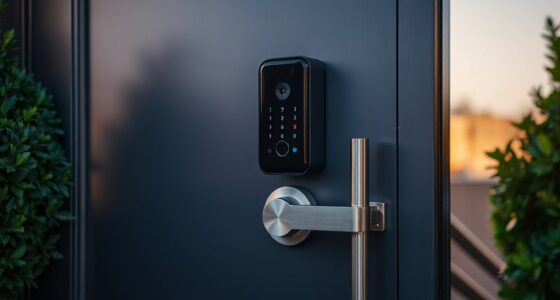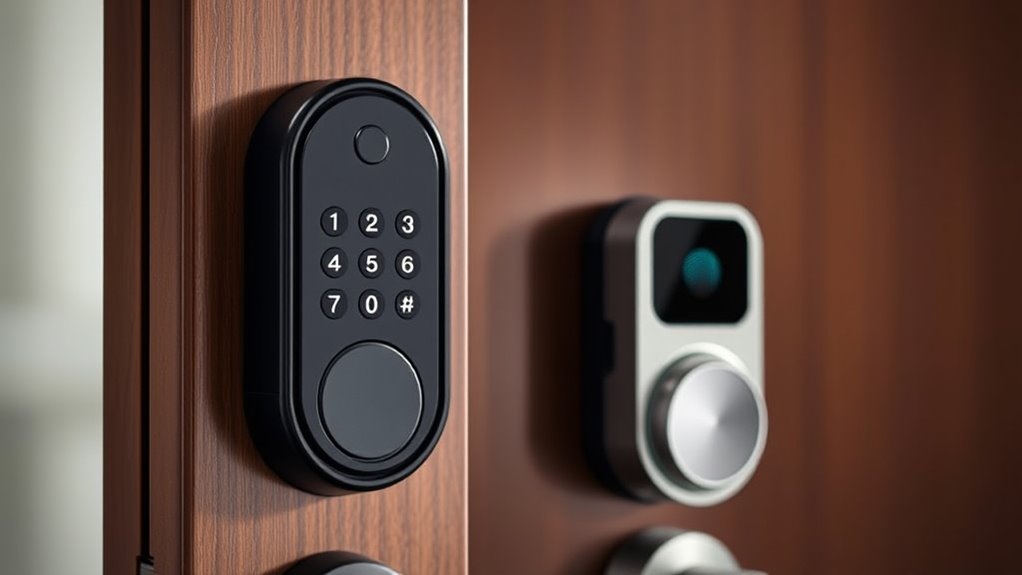

For budget smart locks under $100, I’d start with the ULTRALOQ U-Bolt Pro WiFi for its mix of access options and connected features, while the Wyze Lock Bolt v2 stands out for fingerprint entry and the DESLOC C100 for straightforward keyless use. The main tradeoff is that built-in Wi-Fi, fingerprint access, and smart-home features do not always come together in one lock at this budget. Fit also matters: a deadbolt, knob, or lever set may not match your door or the way you use it. I compare all 14 picks by access methods, connectivity, installation fit, and everyday usability. Read on for the full breakdown and help choosing the right style for your home.

Get privacy and security gear delivered free with Prime
- Fast, free delivery on millions of items
- Prime Video, Amazon Music and more included
- Member-only deals all year
Key Takeaways
- The ULTRALOQ U-Bolt Pro WiFi and U-Bolt WiFi stand out for connected access: both include Wi-Fi and a door sensor, while the Pro adds a broader set of entry methods.
- Fingerprint access appears across several distinct lock styles: the Wyze Lock Bolt v2 is a deadbolt option, while Evanshow and Ulecoce U68W pair fingerprint entry with a handle or knob set.
- A keypad does not automatically mean remote control: compare each model’s connection details before expecting app access away from home.
- Door format is a major divider in this lineup: deadbolts, a lever handle, and a knob lock serve different hardware setups and may not be interchangeable.
- Specialized features bring setup tradeoffs: Apple Home Key and Android NFC on the ULTRALOQ Bolt NFC, or a visual display on the DESLOC C100, may matter more to some buyers than having the broadest access mix.
| Veise VE017 Fingerprint Smart Door Lock with App Control, Matte Black |  | Best Overall | Model: VE017 | Entry methods: Fingerprint, app, authorized access, fob card, keypad code, shared code, voice assistant with optional G1 Gateway, mechanical key | Password modes: One-time, duration, permanent, recurring | VIEW ON AMAZON | See Our Full Breakdown |
| Ulecoce Y58 Keyless Entry Deadbolt with Fingerprint, Matte Black |  | Best for Large Households | Model: Y58 | Entry methods: Fingerprint, app, keypad, physical key, one-time password | Fingerprint capacity: Up to 100 fingerprints | VIEW ON AMAZON | See Our Full Breakdown |
| DESLOC B200 Fingerprint Smart Door Lock |  | Best for Multiple Backup Entry Options | Model: B200 | Lock type: Deadbolt | Entry methods: Fingerprint, PIN, app, eKey, key fob, physical key, voice control | VIEW ON AMAZON | See Our Full Breakdown |
| Evanshow Smart Fingerprint Door Lock with App Control, Keypad, and Lever Handle |  | Best for Lever-Handle Replacement | Model: 190BT | Entry methods: Fingerprint, keypad passcode, NFC card, mechanical key | Unlock time: 0.5 seconds | VIEW ON AMAZON | See Our Full Breakdown |
| Philips 4200 Series WiFi Keypad Deadbolt with Handle |  | Best for Built-In Remote Access | Model: DDL242X-1HW-L | Connectivity: 2.4 GHz Wi-Fi; no hub required | Access methods: App, PIN code, fingerprint, Alexa, Google Assistant | VIEW ON AMAZON | See Our Full Breakdown |
| DESLOC C100 Keyless Entry Door Lock with Visual Display and Auto-Lock |  | Best for High-Capacity Offline Access | Lock type: Keypad deadbolt | User PIN capacity: Up to 100 | One-time codes: 4 | VIEW ON AMAZON | See Our Full Breakdown |
| ULTRALOQ U-Bolt WiFi Smart Lock with Door Sensor |  | Best for Connected Security on a Standard Deadbolt | Connectivity: 2.4 GHz Wi-Fi | Access methods: Passcode, app, auto unlock, shared eKey, voice assistant, web portal, mechanical key | Passcode capacity: Up to 50 | VIEW ON AMAZON | See Our Full Breakdown |
| Yamiry Keyless Entry Smart Door Knob Lock with Handle | 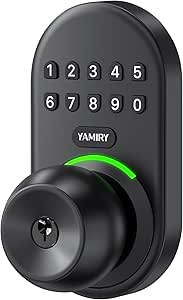 | Best for Simple Keypad Knob Replacement | Model: YR04 | Lock format: Keyless entry door knob with handle | Material: Aluminum alloy | VIEW ON AMAZON | See Our Full Breakdown |
| ULTRALOQ U-Bolt Pro WiFi Smart Lock with Door Sensor |  | Best for Fingerprint Entry and Remote Monitoring | Connectivity: 2.4 GHz Wi-Fi (802.11 b/g/n) | Access methods: Fingerprint, passcode, app, auto unlock, eKey sharing, voice control, physical keys | Fingerprint capacity: Up to 100 | VIEW ON AMAZON | See Our Full Breakdown |
| DESLOC K120 Fingerprint WiFi Smart Lock |  | Best for Long Rechargeable-Battery Runtime | Lock type: Fingerprint keypad deadbolt | Connectivity: Wi-Fi with app control | Battery: 15,000mAh rechargeable Li-ion | VIEW ON AMAZON | See Our Full Breakdown |
| Wyze Lock Bolt v2 Fingerprint Smart Deadbolt |  | Best Overall for Multi-Method Entry | Brand and model: Wyze WLCKB2 | Lock type: Biometric deadbolt with keypad | Connectivity: Wi-Fi | VIEW ON AMAZON | See Our Full Breakdown |
| AIMNAPS Keyless Entry Fingerprint Deadbolt with Keypad |  | Best for High User Capacity | Brand and model: AIMNAPS DS07-B-HK | Unlock methods: Fingerprint, passcode, mechanical key | User capacity: Up to 100 fingerprints and 100 passcodes | VIEW ON AMAZON | See Our Full Breakdown |
| ULTRALOQ Bolt NFC Wi-Fi Smart Deadbolt with Apple Home Key and Android NFC |  | Best for Phone-Tap Smart Home Access | Brand and model: ULTRALOQ BOLT-N-W-NK | Unlock methods: NFC, passcodes, app, voice assistant, auto-unlock, key fobs, mechanical keys | Wi-Fi: 2.4 GHz | VIEW ON AMAZON | See Our Full Breakdown |
| Ulecoce U68W WiFi Fingerprint Smart Door Lock with Knob Set, Matte Black |  | Best for a Complete Knob-Set Upgrade | Brand and model: Ulecoce U68W (Ming-U68W-Black) | Unlock methods: App/remote, fingerprint, passcode, backup keys | Code capacity: Up to 100 user codes, plus one-time codes | VIEW ON AMAZON | See Our Full Breakdown |
| budget smart locks under 100 | Weather resistance | Connectivity |
|---|---|---|
| Veise VE017 Fingerprint Smart | — | — |
| Ulecoce Y58 Keyless Entry Dead | — | — |
| DESLOC B200 Fingerprint Smart | — | Bluetooth; G2 Gateway required for gateway-dependent features |
| Evanshow Smart Fingerprint Doo | — | App control; Wi-Fi and voice control require a separate gateway |
| Philips 4200 Series WiFi Keypa | — | 2.4 GHz Wi-Fi; no hub required |
| DESLOC C100 Keyless Entry Door | IP54 | — |
| ULTRALOQ U-Bolt WiFi Smart Loc | IP65 | 2.4 GHz Wi-Fi |
| Yamiry Keyless Entry Smart Doo | IP54 | — |
| ULTRALOQ U-Bolt Pro WiFi Smart | IP65 | 2.4 GHz Wi-Fi (802.11 b/g/n) |
| DESLOC K120 Fingerprint WiFi S | IP65 | Wi-Fi with app control |
| Wyze Lock Bolt v2 Fingerprint | IP53 | Wi-Fi |
| AIMNAPS Keyless Entry Fingerpr | IP54 front panel | — |
| ULTRALOQ Bolt NFC Wi-Fi Smart | IP65 | — |
| Ulecoce U68W WiFi Fingerprint | IP54 | — |
More Details on Our Top Picks
Veise VE017 Fingerprint Smart Door Lock with App Control, Matte Black
The Veise VE017 is my most balanced pick for buyers who want several ways to get in without paying extra attention to a single access method. Fingerprint, keypad, fob card, app, and mechanical-key entry give household members and guests alternatives, while one-time, scheduled, recurring, and permanent codes make access easier to manage. Its app also provides user permissions, logs, and alerts, and stored data is encrypted on the device. Compared with the DESLOC B200, the VE017 offers more password scheduling choices and a stated longer battery-life estimate, though both need a separately sold gateway for voice-assistant features. The tradeoff is the added gateway cost for remote smart-home integration, plus batteries that are not included. I’d choose it for flexible everyday access, not for a setup that must work with voice assistants out of the box.
Pros:- Five listed entry options, including fingerprint, fob card, keypad, app, and mechanical key
- Supports one-time, duration, permanent, and recurring passwords
- On-device access data uses AES-128 encryption
- DIY installation and automatic door-hand detection simplify fitting
Cons:- G1 Gateway is sold separately for voice-assistant features
- Four AA batteries are not included, and battery life varies with use
Best for: Households that need multiple entry methods and flexible temporary or recurring access codes.
Not ideal for: Buyers who want Alexa or Google Assistant control without purchasing a separate gateway, or who prefer batteries included.
- Model:VE017
- Entry methods:Fingerprint, app, authorized access, fob card, keypad code, shared code, voice assistant with optional G1 Gateway, mechanical key
- Password modes:One-time, duration, permanent, recurring
- Fingerprint recognition:Under 0.2 seconds; 99.99% accuracy claimed by manufacturer
- Power:Four AA/LR6 alkaline batteries, not included
- Battery life:About 12 months; varies with use
- Water resistance:IP55
- Installation:DIY; about 15 minutes; screwdriver required
- Smart-home compatibility:Alexa and Google voice assistants with separately sold G1 Gateway
Our verdict“Choose the VE017 if flexible access codes and varied entry methods matter more than built-in voice-assistant connectivity.”
Ulecoce Y58 Keyless Entry Deadbolt with Fingerprint, Matte Black
The Ulecoce Y58 earns its place for households with many users: capacity for 100 fingerprints and 100 passcodes gives it more room for family members, regular visitors, or staff than the DESLOC B200, which supports up to 50 fingerprints. It keeps the basics approachable with fingerprint, app, keypad, one-time-password, and physical-key entry, plus adjustable auto-lock and access alerts. Its listed fit covers common US door thicknesses and backsets, and the IPX5 rating adds a useful layer of weather protection. The compromise is that remote app functions and Alexa or Google Assistant integration depend on a separately sold gateway, much like the Veise VE017. The Y58 is a capacity-first choice rather than the most self-contained smart lock in this group; buyers with only a few users may not benefit from its larger registration limits.
Pros:- Capacity for up to 100 fingerprints and 100 passcodes
- Supports fingerprint, app, keypad, one-time password, and physical-key entry
- Adjustable auto-lock and access alerts support routine security management
- IPX5 rating and compatibility with common US door dimensions
Cons:- A separately sold gateway is needed for remote app features and voice-assistant compatibility
- Auto-lock adjustment is limited to a 5–60 second range
Best for: Larger households, shared homes, or small properties that need many fingerprint and passcode slots.
Not ideal for: Buyers who want remote app functions or voice control without adding a gateway, or who need extensive code-scheduling options specified up front.
- Model:Y58
- Entry methods:Fingerprint, app, keypad, physical key, one-time password
- Fingerprint capacity:Up to 100 fingerprints
- Passcode capacity:Up to 100 passcodes
- Fingerprint recognition:0.3 seconds; 99.99% accuracy stated in product data
- Auto-lock:Adjustable from 5 to 60 seconds
- Door compatibility:1-3/8 to 1-3/4 inches thick; 2-3/8 or 2-3/4-inch backset
- Water resistance:IPX5
- Warranty:2 years
Our verdict“Pick the Y58 when a large number of people need their own entry credentials and gateway-based remote control is acceptable.”
DESLOC B200 Fingerprint Smart Door Lock
The DESLOC B200 is a strong fit for buyers who want a range of fallback methods as well as fingerprint entry. Alongside PIN and app control, it accepts eKeys, key fobs, a physical key, and voice control when paired with its separately sold G2 Gateway. That variety beats the Philips 4200 Series on physical alternatives, while the Philips is simpler for remote access because it connects directly to Wi-Fi. The B200’s Bluetooth app control is limited to close range without the gateway, so it is better viewed as a local smart lock first, not a remote-access solution out of the box. It supports up to 50 fingerprints, includes USB-C emergency power, and has an IP54 rating. Four AA batteries are not included, and its 12-month warranty is shorter than the Ulecoce Y58’s two-year coverage.
Pros:- Multiple entry choices include fingerprint, PIN, eKey, key fob, and physical key
- Supports up to 50 fingerprints with stated unlocking under 0.3 seconds
- USB-C emergency power helps when the batteries are depleted
- IP54 rating and a specified broad operating-temperature range
Cons:- G2 Gateway is sold separately for gateway-dependent features and voice control
- Bluetooth app control is limited to close range without the gateway
- Four AA batteries are not included
Best for: Buyers who want fingerprint access plus several backup options, including a key fob and physical key.
Not ideal for: People who need remote locking and monitoring without buying a gateway, or who want a longer stated warranty.
- Model:B200
- Lock type:Deadbolt
- Entry methods:Fingerprint, PIN, app, eKey, key fob, physical key, voice control
- Fingerprint capacity:Up to 50 fingerprints
- Connectivity:Bluetooth; G2 Gateway required for gateway-dependent features
- Power:Four AA batteries, not included
- Battery life:Up to 12 months
- Certification and warranty:BHMA Grade 3; 12 months
Our verdict“Choose the B200 if varied local entry and emergency power matter more than built-in remote connectivity.”
Evanshow Smart Fingerprint Door Lock with App Control, Keypad, and Lever Handle
The Evanshow 190BT stands apart from the deadbolts in this group by combining its smart lock with a reversible lever handle. That makes it the most relevant pick here for a compatible wooden door where a lever-style setup is preferred; the Philips 4200 Series also includes handles, but offers direct Wi-Fi rather than gateway-dependent remote and voice features. Evanshow covers fingerprint, keypad, NFC card, and mechanical-key access, with app tools for access management and entry logs. Its no-drill, no-wiring installation can appeal to renters or DIY buyers, provided the door falls within its stated thickness range. There is a notable setup caveat: until an administrator fingerprint is registered, any fingerprint can unlock it. Wi-Fi and voice control also require a separate gateway, and the USB port provides emergency power rather than charging the batteries.
Pros:- Lever-handle format with reversible handing
- Fingerprint, keypad, NFC card, and mechanical-key entry
- App supports access management and entry logs
- Auto-lock and emergency USB power are included
Cons:- Wi-Fi and voice control require a separately purchased gateway
- Any fingerprint can unlock the lock until an administrator fingerprint is registered
- USB emergency power does not recharge the internal batteries
Best for: DIY buyers replacing a compatible wooden-door lever setup who want fingerprint and keypad access without drilling or wiring.
Not ideal for: Anyone who needs direct Wi-Fi or voice control, or who cannot register the administrator fingerprint promptly during setup.
- Model:190BT
- Entry methods:Fingerprint, keypad passcode, NFC card, mechanical key
- Unlock time:0.5 seconds
- Door thickness compatibility:1.18–1.97 inches
- Handle and handing:Lever; reversible
- Installation:No drilling or wiring
- Connectivity:App control; Wi-Fi and voice control require a separate gateway
- Emergency power:USB port for an external power bank; does not charge internal batteries
- Weight and finish:1.2 pounds; matte black metal
Our verdict“Choose the Evanshow if you need a smart lever-handle replacement and are comfortable with gateway-dependent connectivity.”
Philips 4200 Series WiFi Keypad Deadbolt with Handle
The Philips 4200 Series is the clearest choice for buyers who want remote app control without purchasing a separate hub: it connects directly to 2.4 GHz Wi-Fi and reports lock status and access history through the Philips Home Access app. Alexa and Google Assistant support add convenience, while the included matching handle set makes it a fuller door-hardware package than the deadbolt-only DESLOC B200. It also accepts PINs and fingerprints, with adjustable auto-lock, but that feature is off by default, so buyers must enable it themselves. The main tradeoff is a shorter stated battery-life estimate—up to six months—than the year claimed for the Veise VE017 and DESLOC B200. Batteries are not included, and the lock needs to remain within the stated distance of the router. I’d favor it for connected access, not maximum battery longevity.
Pros:- Connects directly to 2.4 GHz Wi-Fi with no hub required
- App provides remote control, lock status, access history, PIN codes, and fingerprints
- Works with Alexa and Google Assistant
- Includes two matching door levers and installation hardware
Cons:- Battery life is listed as up to six months, shorter than the year stated for some alternatives
- Batteries are not included
- Auto-lock is off by default, and Wi-Fi range is limited by the stated router-distance requirement
Best for: Buyers who want remote lock status, access history, and app control without adding a separate gateway.
Not ideal for: People with weak or distant 2.4 GHz Wi-Fi at the door, or buyers prioritizing longer stated battery life.
- Model:DDL242X-1HW-L
- Connectivity:2.4 GHz Wi-Fi; no hub required
- Access methods:App, PIN code, fingerprint, Alexa, Google Assistant
- Fingerprint unlock speed:0.3 seconds
- Auto-lock:Adjustable from 0 to 180 seconds; off by default
- Battery:1.5V alkaline batteries, not included; up to six months stated battery life
- Door compatibility:1-3/8 to 1-3/4 inches thick
- Included hardware:Two door levers, latch assembly, mounting screws, installation hardware, smart lock, and manual
- Door handing:Right-opening by default; can be reset for left-opening doors
Our verdict“Choose the Philips 4200 Series if hub-free remote access matters more than longer stated battery life.”
DESLOC C100 Keyless Entry Door Lock with Visual Display and Auto-Lock
The DESLOC C100 suits households or small rental properties that need many individual codes without adding an app, Wi-Fi, or hub. Its capacity of up to 100 PINs is higher than the ULTRALOQ U-Bolt WiFi’s 50 passcodes, while four one-time codes give visitors temporary entry. Local access data also keeps setup and daily use independent of a network. The tradeoff is that remote control, app alerts, and access logs are absent, so it is less connected than either ULTRALOQ model in this lineup. Adjustable auto-lock timing helps reduce the chance of leaving the door unsecured, and a Type-C emergency power port offers a fallback when the AA batteries run down. This is a practical keypad deadbolt, not a remote-managed smart lock.
Pros:- Supports up to 100 user PINs and four one-time codes
- Stores access data locally without Wi-Fi or an app
- Adjustable auto-lock timing from 5 to 120 seconds
- Type-C emergency power port and low-battery alerts
Cons:- No remote access, app control, or phone notifications
- Requires four AA batteries, which are not included
- BHMA Grade 3 rating is below the Grade 1 rating of both ULTRALOQ Wi-Fi models
Best for: Households, landlords, or small teams that need many separate PINs and temporary guest codes but prefer not to rely on Wi-Fi or an app.
Not ideal for: People who want remote locking, app-based activity logs, or phone alerts; the C100 stores access locally and has no connectivity.
- Lock type:Keypad deadbolt
- User PIN capacity:Up to 100
- One-time codes:4
- Auto-lock timing:5–120 seconds
- Emergency power:Type-C port
- Weather resistance:IP54
- Security grade:BHMA Grade 3
- Power:4 AA batteries, not included
Our verdict“Choose the C100 if you want extensive keypad access without connected features, but choose an ULTRALOQ model if remote management matters more.”
ULTRALOQ U-Bolt WiFi Smart Lock with Door Sensor
Among these picks, the ULTRALOQ U-Bolt WiFi is the better fit for buyers who want phone-based access and door-status alerts without a separate bridge. Built-in 2.4 GHz Wi-Fi supports remote management, while the included sensor can report whether the door is open or closed—a useful distinction from the offline DESLOC C100, which offers more PIN capacity but no remote visibility. The U-Bolt also supports scheduled or one-time passcodes, voice assistants, and mechanical keys. Its Grade 1 rating and IP65 protection give it a stronger listed security and weather-resistance profile than the C100’s Grade 3 and IP54 ratings. The compromise is a smaller 50-code capacity, dependence on 2.4 GHz Wi-Fi for connected features, and stated battery life of up to eight months.
Pros:- Built-in Wi-Fi enables remote access without a separate bridge
- Included door sensor provides door-status alerts
- Supports up to 50 passcodes, including scheduled or one-time access
- Grade 1 rating, IP65 weather resistance, and mechanical backup keys
Cons:- Connects over 2.4 GHz Wi-Fi only
- Listed battery life is up to eight months
- Passcode capacity is lower than the DESLOC C100’s 100 PINs
Best for: Connected households that want remote lock control, door-status alerts, and shared access on a standard US deadbolt.
Not ideal for: Buyers who need a high number of individual codes, use only 5 GHz Wi-Fi, or prefer a lock that operates without network features.
- Connectivity:2.4 GHz Wi-Fi
- Access methods:Passcode, app, auto unlock, shared eKey, voice assistant, web portal, mechanical key
- Passcode capacity:Up to 50
- Smart home compatibility:Amazon Alexa, Google Assistant, SmartThings, IFTTT
- Security grade:ANSI/BHMA Grade 1
- Weather resistance:IP65
- Battery life:Up to 8 months
- Door thickness:1-3/8 to 1-3/4 inches
Our verdict“Pick the U-Bolt WiFi if remote access and door-status alerts matter more to you than maximum code capacity or offline simplicity.”
Yamiry Keyless Entry Smart Door Knob Lock with Handle
The Yamiry YR04 is the straightforward choice here for buyers replacing a knob-style lock who want keypad entry without a connected app. Its backlit keypad, 20 user codes, one-time guest codes, and two physical keys cover everyday household access with fewer setup demands than the Wi-Fi-enabled ULTRALOQ U-Bolt models. The auto-lock timer can be set from five to 99 seconds, giving users some control over how quickly the knob relocks. Yamiry lists installation at under 15 minutes, though fit still depends on the existing door and lock preparation. Compared with the DESLOC C100 deadbolt, this is a knob-format option with fewer user codes and no listed emergency power port or battery-life figure. It also lacks remote control and app alerts, so its appeal is simplicity rather than connected oversight.
Pros:- Backlit keypad supports up to 20 user codes and one-time guest codes
- Includes two physical backup keys
- Adjustable auto-lock timer ranges from 5 to 99 seconds
- Aluminum alloy construction with IP54 weather resistance
Cons:- No Wi-Fi or app-based remote control is listed
- Requires battery replacement, with no battery-life estimate provided
- Offers fewer user codes than the DESLOC C100
Best for: Renters or homeowners replacing a compatible knob lock who want keypad and guest-code access without Wi-Fi or app setup.
Not ideal for: Buyers seeking a deadbolt, remote access, a documented battery-life estimate, or the larger code capacity offered by the DESLOC C100.
- Model:YR04
- Lock format:Keyless entry door knob with handle
- Material:Aluminum alloy
- User code capacity:20
- Backup keys:2
- Auto-lock timer:5–99 seconds
- Weather resistance:IP54
- Dimensions:5.62 x 2.7 x 3 inches
Our verdict“Choose the Yamiry if you want a basic keypad knob with guest codes and physical keys, not a remotely managed deadbolt.”
ULTRALOQ U-Bolt Pro WiFi Smart Lock with Door Sensor
The ULTRALOQ U-Bolt Pro WiFi earns its place for buyers who want several ways into the home, particularly fingerprint entry alongside passcodes, app control, voice access, and physical keys. Its built-in 2.4 GHz Wi-Fi supports remote sharing and activity logs without a hub, and the door sensor adds status alerts. Compared with the standard ULTRALOQ U-Bolt WiFi, the Pro adds fingerprint access, which can make routine entry quicker for people who do not want to enter a code each time. The shared downsides remain: both models depend on 2.4 GHz Wi-Fi for connected functions and offer up to 50 passcodes. The Pro is also listed as unsuitable for metal doors, so check the door material and fit before choosing it.
Pros:- Offers fingerprint, passcode, app, voice, and physical-key access
- Built-in 2.4 GHz Wi-Fi enables remote access without a hub
- Supports up to 100 fingerprints and 50 passcodes
- Includes door-status alerts, activity logs, and IP65 weather resistance
Cons:- Supports 2.4 GHz Wi-Fi only
- Not recommended for metal doors
- The standard ULTRALOQ U-Bolt WiFi may suit buyers who do not need fingerprint access
Best for: Households that want fingerprint convenience plus remote access, activity logs, and multiple backup entry methods on a compatible standard door.
Not ideal for: People with metal doors, 5 GHz-only networks, or no need for app-based management and fingerprint entry.
- Connectivity:2.4 GHz Wi-Fi (802.11 b/g/n)
- Access methods:Fingerprint, passcode, app, auto unlock, eKey sharing, voice control, physical keys
- Fingerprint capacity:Up to 100
- Passcode capacity:Up to 50
- Smart home compatibility:Amazon Alexa, Google Home, SmartThings, IFTTT
- Weather resistance:IP65
- Backup keys:2
- Warranty:Lifetime mechanical; 18 months electronic
Our verdict“Choose the Pro over the standard U-Bolt WiFi if fingerprint entry is worth adding to its connected access and monitoring features.”
DESLOC K120 Fingerprint WiFi Smart Lock
The DESLOC K120 stands out for pairing fingerprint entry with app features and a 15,000mAh rechargeable battery rated for up to 16 months of use. That runtime is a different proposition from the AA-powered ULTRALOQ U-Bolt Pro WiFi, whose listed battery life is up to eight months, though actual use can vary. App access adds notifications, activity logs, and shareable digital keys or temporary codes, while USB-C emergency charging and two physical keys provide backup options. The K120 has an IP65 rating and a BHMA Grade 3 standard, while the ULTRALOQ Pro carries an ANSI Grade 1 rating and includes a door sensor. Buyers should weigh longer stated battery life against that difference in listed security grade and sensor features. Remote app functions also depend on Wi-Fi.
Pros:- Fingerprint entry works alongside keypad and app-based access
- 15,000mAh rechargeable battery is rated for up to 16 months
- USB-C emergency charging and two physical backup keys
- App supports notifications, access logs, and shareable codes
Cons:- Remote app features require Wi-Fi
- BHMA Grade 3 rating is below the ANSI Grade 1 rating listed for the ULTRALOQ U-Bolt Pro WiFi
- Charging guidance specifies a 5V/2A charger
Best for: Buyers who want fingerprint entry and app-based access sharing, with a rechargeable battery and less frequent planned charging.
Not ideal for: People who want to avoid Wi-Fi, need a door sensor, or prioritize a listed Grade 1 rating over the K120’s Grade 3 standard.
- Lock type:Fingerprint keypad deadbolt
- Connectivity:Wi-Fi with app control
- Battery:15,000mAh rechargeable Li-ion
- Battery life:Up to 16 months
- Emergency charging:USB-C
- Weather resistance:IP65
- Security standard:BHMA Grade 3
- Tested cycles:100,000
- Warranty:24 months
Our verdict“Choose the K120 if rechargeable-battery runtime and fingerprint access are your priorities, but favor the ULTRALOQ Pro if Grade 1 certification and a door sensor matter more.”
Wyze Lock Bolt v2 Fingerprint Smart Deadbolt
The Wyze Lock Bolt v2 balances fast everyday access with several backups: a fingerprint reader, keypad, app, and physical key. Its scanner is specified to unlock in about half a second and learn over time, which makes it a stronger fit for households that want quick entry without sharing a code for every arrival. Compared with the AIMNAPS deadbolt, Wyze adds Wi-Fi app control and tamper alarms, while AIMNAPS offers larger fingerprint and passcode capacity and uses four rather than eight AA batteries. The Wyze’s 50-user capacity is ample for many homes, but its battery supply is more demanding. Remote control and live-feed unlocking also rely on the Wyze app and a compatible Wyze doorbell, so this is less appealing if you want a fully independent smart-home setup.
Pros:- Fingerprint, keypad, app, and physical-key entry give household members several ways to get inside
- Fingerprint unlocking is specified at about 0.5 seconds, reducing waits at the door
- Auto-lock and tamper alarms add practical security features
- USB-C emergency power and backup keys provide alternatives if the batteries run down
Cons:- Eight AA batteries mean more cells to replace than the four-battery AIMNAPS and Ulecoce options
- Remote control and live-feed unlocking depend on the Wyze app and a compatible Wyze doorbell
Best for: Households wanting quick fingerprint entry, keypad access, and app features in one deadbolt, with a physical key as backup
Not ideal for: Buyers who want to minimize battery changes or need remote unlocking without depending on Wyze app-compatible devices
- Brand and model:Wyze WLCKB2
- Lock type:Biometric deadbolt with keypad
- Connectivity:Wi-Fi
- Unlock methods:Fingerprint, app, keypad code, physical key
- Fingerprint and code capacity:Up to 50
- Power:8 AA batteries; up to 8 months of battery life
- Emergency power:USB-C
- Weather resistance:IP53
Our verdict“Choose the Wyze if you want a versatile fingerprint deadbolt with app access and multiple backups, and can live with its larger battery load and Wyze-dependent remote features.”
AIMNAPS Keyless Entry Fingerprint Deadbolt with Keypad
The AIMNAPS makes a straightforward case for homes with many people who need separate access: it stores up to 100 fingerprints and 100 passcodes, while the Wyze Lock Bolt v2 lists a combined capacity of up to 50. Anti-peeping code entry lets users add digits around their passcode, and a one-minute lockout after ten invalid attempts adds a clear response to repeated guessing. Unlike Wyze and Ulecoce, this model’s listed access methods are local fingerprint, passcode, and mechanical key rather than app-based remote management. That keeps the feature set focused, but it will not suit buyers who want to grant access from afar. Its four AA batteries are not specified as included; the Type-C port supplies temporary operating power, not battery charging. Check the door thickness and latch backset before ordering.
Pros:- Stores up to 100 fingerprints and 100 passcodes for a large group of users
- Anti-peeping entry allows extra digits around the correct passcode
- Locks for one minute after ten invalid attempts
- One-touch locking and Type-C emergency power provide useful everyday and backup functions
Cons:- No app or remote access control is listed, unlike the Wyze and Ulecoce models
- Four AA batteries are required but are not specified as included
- Type-C provides temporary operating power and cannot recharge the batteries
Best for: Shared homes, rentals, or extended families that need many individual fingerprint and passcode credentials without app-based remote management
Not ideal for: Buyers who need remote access sharing or want a lock with batteries included
- Brand and model:AIMNAPS DS07-B-HK
- Unlock methods:Fingerprint, passcode, mechanical key
- User capacity:Up to 100 fingerprints and 100 passcodes
- Compatible door thickness:1.38–2.17 in (35–55 mm)
- Latch backset:2.36 or 2.76 in (60 or 70 mm)
- Weather resistance:IP54 front panel
- Power:4 AA alkaline batteries
- Emergency power:5V Type-C port
- Invalid-attempt lockout:1 minute after 10 invalid attempts
Our verdict“Pick the AIMNAPS if you need unusually high local user capacity and code privacy features, but skip it if remote management is a priority.”
ULTRALOQ Bolt NFC Wi-Fi Smart Deadbolt with Apple Home Key and Android NFC
This ULTRALOQ is the most connected option here for buyers who want to tap a phone or watch to enter. It adds Apple Home Key and Android NFC to passcodes, key fobs, voice assistants, app control, and mechanical keys—a broader access mix than the Wyze Lock Bolt v2’s fingerprint-led approach. Remote sharing, activity history, notifications, and compatibility with Apple Home, Alexa, Google Home, SmartThings, and IFTTT make it better suited to a connected household than the local-access AIMNAPS. Its BHMA Grade 1 rating and IP65 weather resistance also stand out among these four. The tradeoff is setup dependence: Wi-Fi must be 2.4 GHz, and auto-unlock or some smart-home functions need compatible devices and configuration. Eight AA batteries are required, though the listing gives up to a year of regular use and includes the batteries.
Pros:- NFC tap-to-unlock supports iPhone, Apple Watch, and Android phones
- Remote sharing, activity history, and notifications provide more access oversight than the AIMNAPS
- BHMA Grade 1 security rating and IP65 weather resistance
- Includes two key fobs, two emergency keys, eight AA batteries, and a door sensor
Cons:- Requires a 2.4 GHz Wi-Fi network
- Auto-unlock and some smart-home functions depend on compatible devices and setup
- Uses eight AA batteries, a larger battery load than the AIMNAPS and Ulecoce
Best for: Smart-home users with compatible iPhone, Apple Watch, or Android NFC devices who want remote access sharing and entry activity updates
Not ideal for: Buyers without 2.4 GHz Wi-Fi or those seeking a simple, locally operated fingerprint lock with fewer setup dependencies
- Brand and model:ULTRALOQ BOLT-N-W-NK
- Unlock methods:NFC, passcodes, app, voice assistant, auto-unlock, key fobs, mechanical keys
- Wi-Fi:2.4 GHz
- Smart-home compatibility:Apple Home, Alexa, Google Home, SmartThings, IFTTT
- Access capacity:Up to 50 access codes and 50 NFC devices
- Battery:8 AA batteries; up to 1 year of regular use
- Security certification:BHMA Grade 1
- Weather resistance:IP65
- Included access and sensor items:2 emergency keys, 2 key fobs, door sensor
Our verdict“Choose this ULTRALOQ if phone-tap access and connected-home features matter more than simple setup and a smaller battery supply.”
Ulecoce U68W WiFi Fingerprint Smart Door Lock with Knob Set, Matte Black
The Ulecoce U68W stands apart from the other three by including a knob set, making it a practical pick for buyers replacing more than just the deadbolt. It combines fingerprint and passcode entry with app-based remote management, plus up to 100 user codes and one-time codes for guests or short-term access. That gives it more code flexibility than the Wyze Lock Bolt v2, though Wyze’s listed fingerprint, keypad, app, and physical-key mix is a more balanced set of entry methods. Ulecoce adds adjustable auto-lock from five to 60 seconds, one-touch locking, IP54 protection, and USB-C emergency power. Its ANSI/BHMA Grade 3 rating is below the ULTRALOQ’s Grade 1 rating, and the app features rely on Wi-Fi and the app. Four AA batteries are not included.
Pros:- Includes a knob set along with the smart lock hardware
- Supports up to 100 user codes plus one-time codes for limited access
- Adjustable auto-lock from 5 to 60 seconds and one-touch locking
- IP54-rated zinc-alloy body, five backup keys, and USB-C emergency power
Cons:- ANSI/BHMA Grade 3 rating is below the ULTRALOQ Bolt’s Grade 1 rating
- Four AA batteries are required and not included
- Remote app features depend on Wi-Fi and the app
Best for: Homeowners replacing a lock and knob together who want fingerprint entry, remote code management, and temporary guest codes
Not ideal for: Buyers prioritizing a higher listed security grade, included batteries, or smart access that does not depend on Wi-Fi and an app
- Brand and model:Ulecoce U68W (Ming-U68W-Black)
- Unlock methods:App/remote, fingerprint, passcode, backup keys
- Code capacity:Up to 100 user codes, plus one-time codes
- Auto-lock:Adjustable from 5 to 60 seconds
- Security grade:ANSI/BHMA Grade 3
- Weather resistance:IP54
- Material:Zinc alloy
- Power:4 AA batteries; 6+ months of battery life
- Emergency power and warranty:USB-C emergency power; 3-year warranty
Our verdict“Choose the Ulecoce if you want a coordinated knob-and-lock replacement with flexible guest codes, but favor the ULTRALOQ if its higher listed security grade matters more.”

How We Picked
I ranked these locks around the decisions that matter most to someone shopping below the stated budget: door compatibility, access methods, connectivity, and day-to-day ease. I gave more weight to options that pair practical entry choices with useful connected features, while separating basic keypad locks from models with Wi-Fi, fingerprint access, or a door sensor. A feature only counts as an advantage when it addresses a real need; remote access, for example, is less useful to a buyer who only wants a keypad for family members.
The order also reflects the tradeoffs between versatility and simplicity. Locks with several access routes or a distinctive feature set rank ahead when those capabilities can serve a wider range of households, while simpler models can still be better picks for buyers who prefer fewer setup demands. I considered hardware format and installation fit throughout, since a capable deadbolt is not a suitable choice for someone replacing a knob or lever. Before buying, verify current availability and whether the listing falls within your budget, since prices can change.
| budget smart locks under 100 | Weather resistance |
|---|---|
| Veise VE017 Fingerprint Smart | — |
| Ulecoce Y58 Keyless Entry Dead | — |
| DESLOC B200 Fingerprint Smart | — |
| Evanshow Smart Fingerprint Doo | — |
| Philips 4200 Series WiFi Keypa | — |
| DESLOC C100 Keyless Entry Door | IP54 |
| ULTRALOQ U-Bolt WiFi Smart Loc | IP65 |
| Yamiry Keyless Entry Smart Doo | IP54 |
| ULTRALOQ U-Bolt Pro WiFi Smart | IP65 |
| DESLOC K120 Fingerprint WiFi S | IP65 |
| Wyze Lock Bolt v2 Fingerprint | IP53 |
| AIMNAPS Keyless Entry Fingerpr | IP54 front panel |
| ULTRALOQ Bolt NFC Wi-Fi Smart | IP65 |
| Ulecoce U68W WiFi Fingerprint | IP54 |
Factors to Consider When Choosing Budget Smart Locks Under 100
Specs alone cannot tell you whether a lock will suit your door or household. I’d start with the hardware you have, then decide which access methods and connected features solve an actual problem. These checks can prevent a common budget-shopping mistake: paying for features that do not work with your setup or that you will rarely use.
Match the Lock to Your Door Hardware
Identify whether you need a deadbolt, knob, or lever handle before comparing apps or biometrics. These formats are not interchangeable, and a smart knob may not replace a separate deadbolt that provides your main security. Check your door’s thickness, backset, bore hole, and existing hardware against the manufacturer’s fit requirements. Also note whether the lock replaces exterior hardware only or includes an interior piece. A mismatch can turn a seemingly simple installation into a return or a call to a locksmith. If you rent, confirm that changing the hardware is allowed and that you can restore the original lock.
Choose Access Methods Around the People Who Use the Door
Fingerprint entry can make daily arrivals quicker, but it may be less dependable for users whose fingerprints are hard for a sensor to read. Keypads are easier to share with guests or service workers, while physical keys provide a fallback if the electronics fail. App access can help when managing codes remotely, but a lock with an app does not necessarily provide remote control without Wi-Fi or a separate hub. Think through the least tech-comfortable person in the household, not just the primary user. Paying for several entry methods makes sense when different people need different options; otherwise, a simpler keypad lock may be easier to manage.
Check What Wi-Fi and Smart-Home Features Actually Require
“Wi-Fi smart lock” can describe different levels of connection, so check whether the lock connects directly to your home network or needs a bridge. Remote locking, notifications, voice control, and integrations may depend on a particular app, network band, subscription, or smart-home platform. A door sensor adds information about whether the door is open, but it does not replace the lock’s ability to secure the deadbolt. NFC features such as Apple Home Key or Android NFC are only useful if your phone and home setup support them. Avoid paying for connectivity you will not use, and confirm the features available without an extra device before ordering.
Treat Power and Backup Access as Part of the Purchase
Battery-powered locks need occasional maintenance, and a low-battery warning is only helpful if you notice it and have replacement batteries ready. Check the product instructions for battery type, expected alerts, and the method for entering if power runs out. A physical key, emergency power connection, or another backup route can reduce the risk of being locked out, but the available fallback differs by model. If the door is used heavily or serves as the main entrance, backup access deserves more weight than a feature you might use rarely. Include battery replacement and access-code upkeep in your household routine rather than treating the lock as maintenance-free.
Compare Installation Effort, Not Just the Feature List
Budget locks can still require careful alignment, and a bolt that binds against the strike plate may cause unreliable locking or drain batteries faster. Measure your existing hardware and check whether the package includes the pieces needed for your door. Some installations are easier when the door and frame are already aligned; older doors may need adjustment before a smart lock works smoothly. If you are not comfortable modifying a door, favor a model that fits the existing preparation and has clear installation instructions. Spending less on the lock can lose its appeal if installation adds time, tools, or professional labor.
Decide Which Extras Earn Their Place
Features such as a visual display, door sensor, NFC entry, or a combined knob set can improve convenience, but each addresses a different need. A display may help users who want a visible interface, while a sensor can answer whether the door is shut rather than merely locked. NFC is a strong fit for supported phones, but it should not be the only access method for a household with varied devices. Before choosing, rank your needs as daily essentials, useful backups, and optional extras. That list helps distinguish real value from a longer feature list and keeps a strict budget focused on the functions you will use.
Frequently Asked Questions
Can I get remote access from a budget smart lock, or does Wi-Fi need an extra hub?
It depends on the specific model: some locks include Wi-Fi, while others may require a separate bridge or offer only local app control. Check the product’s connection requirements and confirm which functions work away from home. Remote code changes and alerts may also depend on the manufacturer’s app and network setup. If you only need keyless entry at the door, a keypad model without remote features may be simpler. If remote control is a must, treat direct connectivity and supported app functions as purchase requirements rather than assumptions.
Will a smart deadbolt fit where I currently have a doorknob lock?
Not necessarily: a deadbolt and a knob lock use different door openings and serve different roles. Compare the lock format with your existing hardware, then check the manufacturer’s measurements for the bore hole, backset, and door thickness. A deadbolt replacement may leave the existing knob in place, while a knob or lever set is designed for a different part of the door. Do not assume that a lock’s included handle will replace every piece of your current hardware. If the opening or latch arrangement does not match, choose a compatible format or plan for door modification.
Is fingerprint entry reliable enough to use as my only way in?
I would not rely on fingerprint access as the only entry method. Sensor recognition can vary with finger position, moisture, wear, or the user, and battery or electronic problems can also interrupt access. A keypad or physical key gives the household another route into the home. Before buying, check which backups the model supports and whether they are practical for every person who uses the door. Fingerprint access works best as a convenience feature alongside a dependable fallback.
Do Apple Home Key or Android NFC features work with every phone?
No. NFC entry depends on the lock’s supported feature, a compatible phone or device, and the relevant software or home setup. The ULTRALOQ Bolt NFC is the option in this group that specifically lists Apple Home Key and Android NFC, but buyers should still verify compatibility for their exact devices. NFC can be convenient for supported users, yet it does not help household members with incompatible phones. Keep a keypad, key, or other supported method available for guests and as a backup.
What should I prioritize if I want the simplest smart-lock setup?
Start with a lock that matches your current door preparation and offers an entry method your household already understands, such as a keypad. Avoid paying extra for remote features, NFC, or several biometrics if you do not expect to use them. Check installation requirements and the backup-entry plan before ordering; a simple interface is not much help if the lock does not fit or leaves you without access when batteries run down. For app features, confirm whether the lock needs a hub and how accounts or access codes are managed. The easiest choice is usually the one that fits the door and solves one clear daily problem with minimal setup.
Conclusion
For the broadest mix of connected features and entry choices, I’d choose the ULTRALOQ U-Bolt Pro WiFi as the best overall, with the standard U-Bolt WiFi a sensible alternative if you do not need the Pro’s wider access mix. The DESLOC C100 is my best value-style pick for buyers drawn to keypad access, auto-lock, and a visual display, while the Wyze Lock Bolt v2 suits shoppers who want a fingerprint deadbolt. For beginners, I’d favor a keypad model that matches the existing door and keeps connectivity needs simple rather than starting with NFC or several app-dependent features. Choose the ULTRALOQ Bolt NFC for supported Apple Home Key or Android NFC use, and consider the Evanshow or Ulecoce U68W if your priority is a fingerprint lock paired with handle-style hardware. Before deciding, confirm the lock format, door measurements, connectivity requirements, and current price so your shortlist stays under your budget.
Halloween Picks

10 ft Halloween Inflatable Archway with Built-in LEDs

JOYIN 5-Foot Halloween Animatronic Drinking Skeleton

Gemmy Bluey Family Halloween Inflatable Scene, 5.5 ft Lighted Yard Decoration
As an affiliate, we earn on qualifying purchases.