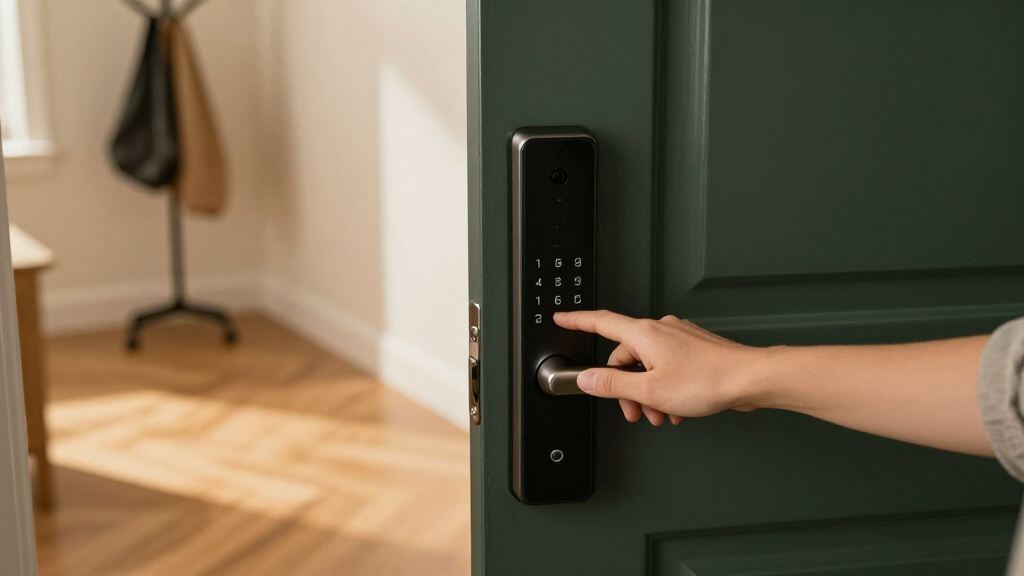
The best smart locks make everyday entry easier while matching your door, preferred access method, and smart home setup. My best overall pick is the Schlage Encode Smart WiFi Deadbolt, which combines built-in Wi-Fi, keypad access, and a familiar deadbolt format. The eufy Security Smart Lock C220 stands out for fingerprint entry, while the Yale Assure Lock 2 WiFi suits buyers who want keypad access with a well-known smart lock platform. The main tradeoffs are how you want to unlock the door, whether you need a separate hub, and whether your door needs a deadbolt alone or a handle set. Read on for the full comparison, buying advice, and picks by household need.

Get privacy and security gear delivered free with Prime
- Fast, free delivery on millions of items
- Prime Video, Amazon Music and more included
- Member-only deals all year
Key Takeaways
- Schlage Encode ranks first for buyers who want a keypad deadbolt with built-in Wi-Fi and no separate smart home hub in the basic setup.
- eufy C220 adds fingerprint entry to a conventional deadbolt format, while the Tapo DL110 offers a similar biometric route for buyers comparing app ecosystems.
- Philips 4200 Series and Philips keypad handle sets combine the lock and handle hardware, making door compatibility and included trim a bigger part of the decision.
- ULTRALOQ Bolt SE and Aqara U400 make more sense for buyers who prioritize Matter over Thread or Apple Home Key features and already use compatible smart home gear.
- Palm recognition and video features on the Wyze Palm Lock and eufy FamiLock S3 Max add specialized entry options, but buyers should weigh those extras against simpler keypad or fingerprint locks.
| Philips 4200 Series WiFi Keypad Door Lock with Handle, Satin Nickel |  | Best for Fast Fingerprint Entry | Series: Philips 4200 Series | Connectivity: 2.4GHz Wi-Fi; no hub required | Unlock methods: Fingerprint, PIN code, app, voice | VIEW LATEST PRICE | See Our Full Breakdown |
| Philips Wi-Fi Smart Deadbolt Lock with Keyless Entry |  | Best for Flexible Entry Methods | Connectivity: Built-in 2.4GHz Wi-Fi | Unlock methods: App, passcode, fingerprint, physical key, voice | Passcode capacity: Up to 100 custom codes | VIEW LATEST PRICE | See Our Full Breakdown |
| Yale Assure Lock 2 WiFi Smart Lock Deadbolt with Keypad, Keyless Entry, Black Suede |  | Best for Scheduled Access | Connectivity: 2.4GHz or 5GHz Wi-Fi; no hub required | Entry methods: Keypad, smartphone or Apple Watch app, auto-unlock, backup key | Entry codes: Unlimited, with schedules and expiration | VIEW LATEST PRICE | See Our Full Breakdown |
| Schlage Encode Smart WiFi Deadbolt Lock with Century Trim, Satin Nickel |  | Best for Security-Focused Buyers | Connectivity: Built-in Wi-Fi | Access codes: Up to 100 | Voice assistants: Alexa, Google Home | VIEW LATEST PRICE | See Our Full Breakdown |
| Philips 4200 Series WiFi Keypad Deadbolt with Handle |  | Best for a Complete Door Upgrade | Connectivity: Built-in 2.4GHz Wi-Fi; no hub required | Router range: Within 33 feet recommended | Fingerprint unlock speed: 0.3 seconds | VIEW LATEST PRICE | See Our Full Breakdown |
| Tapo DL110 Smart Wi-Fi Deadbolt Door Lock with Fingerprint Recognition |  | Best for Fingerprint Access | Lock type: Deadbolt | Access methods: Fingerprint, keypad passcode, Wi-Fi, Bluetooth, smart home assistant, backup key | Fingerprint recognition time: 0.42 seconds | VIEW LATEST PRICE | See Our Full Breakdown |
| ULTRALOQ Bolt SE Wi-Fi Smart Lock with Matter over Thread | 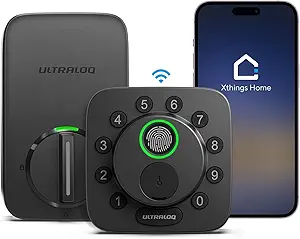 | Best for Smart Home Integration | Access methods: Fingerprint, passcodes, app, web portal, eKey/code sharing, voice control, mechanical keys | Fingerprint and passcode capacity: Up to 50 fingerprints and 50 passcodes | Connectivity: Built-in 2.4 GHz Wi-Fi; Matter over Thread | VIEW LATEST PRICE | See Our Full Breakdown |
| Schlage Encode Smart WiFi Deadbolt Lock with Century Trim, Matte Black |  | Best for Certified Security | Connectivity: Built-in Wi-Fi | Compatible apps: Schlage Home app, Key by Amazon app | Voice assistants: Alexa, Google Home | VIEW LATEST PRICE | See Our Full Breakdown |
| Philips Wi-Fi Smart Deadbolt Lock Set with Keypad and Handles |  | Best Complete Lock-and-Handle Set | Model: DDL240X-1HW-H2 | Connectivity: Wi-Fi | Unlock methods: App, fingerprint, PIN code, key, voice | VIEW LATEST PRICE | See Our Full Breakdown |
| Philips WiFi Keypad Door Lock with Handle, App-Controlled Smart Deadbolt |  | Best for Harsh Weather | Model: DDL242X-15HW-L | Connectivity: Built-in Wi-Fi | Unlock methods: Voice, passcode, key, mobile app | VIEW LATEST PRICE | See Our Full Breakdown |
| Wyze Palm Lock Smart Door Lock with Palm Vein Recognition and Keypad |  | Best for Contactless Entry | Unlock methods: Palm vein recognition, keypad, mechanical key | Guest access: Up to 50 unique or one-time codes | Main battery life: Up to 6 months | VIEW LATEST PRICE | See Our Full Breakdown |
| eufy Security Smart Lock C220, Fingerprint Keyless Entry Door Lock |  | Best for Flexible Everyday Access | Model: T8506 | Unlock methods: Fingerprint, app, keypad, physical key, Apple Watch, voice assistant | Battery: 8 AA batteries; approximately 8 months | VIEW LATEST PRICE | See Our Full Breakdown |
| eufy Security FamiLock S3 Max Video Smart Lock with Palm Vein Recognition |  | Best All-in-One Door Monitor | Unlock method: Palm vein recognition | Camera: 2K HD; f/1.8 lens | Field of view: 150° head-to-toe | VIEW LATEST PRICE | See Our Full Breakdown |
| Wyze Auto-Lock Bolt v2 Fingerprint Keyless Entry Smart Lock |  | Best for Fast Fingerprint Entry | Model: WLCKB2 | Unlock methods: Fingerprint, app, keypad code, physical key | Fingerprint unlock speed: 0.5 seconds | VIEW LATEST PRICE | See Our Full Breakdown |
| Aqara UWB Smart Lock U400 with Apple Home Key and Fingerprint, Black |  | Best for Apple Home Hands-Free Entry | Unlock methods: UWB, Apple Home Key, fingerprint, touchscreen passcode, voice assistant, app, NFC card, physical key | Connectivity: Matter over Thread | Battery: Removable rechargeable lithium battery; up to 6 months per charge | VIEW LATEST PRICE | See Our Full Breakdown |
| smart lock | Connectivity | Unlock methods |
|---|---|---|
| Philips 4200 Series WiFi Keypa | 2.4GHz Wi-Fi; no hub required | Fingerprint, PIN code, app, voice |
| Philips Wi-Fi Smart Deadbolt L | Built-in 2.4GHz Wi-Fi | App, passcode, fingerprint, physical key, voice |
| Yale Assure Lock 2 WiFi Smart | 2.4GHz or 5GHz Wi-Fi; no hub required | — |
| Schlage Encode Smart WiFi Dead | Built-in Wi-Fi | — |
| Philips 4200 Series WiFi Keypa | Built-in 2.4GHz Wi-Fi; no hub required | — |
| Tapo DL110 Smart Wi-Fi Deadbol | — | — |
| ULTRALOQ Bolt SE Wi-Fi Smart L | Built-in 2.4 GHz Wi-Fi; Matter over Thread | — |
| Schlage Encode Smart WiFi Dead | Built-in Wi-Fi | — |
| Philips Wi-Fi Smart Deadbolt L | Wi-Fi | App, fingerprint, PIN code, key, voice |
| Philips WiFi Keypad Door Lock | Built-in Wi-Fi | Voice, passcode, key, mobile app |
| Wyze Palm Lock Smart Door Lock | Wi-Fi | Palm vein recognition, keypad, mechanical key |
| eufy Security Smart Lock C220 | Built-in Wi-Fi; no bridge required | Fingerprint, app, keypad, physical key, Apple Watch, voice assistant |
| eufy Security FamiLock S3 Max | — | — |
| Wyze Auto-Lock Bolt v2 Fingerp | Built-in Wi-Fi | Fingerprint, app, keypad code, physical key |
| Aqara UWB Smart Lock U400 with | Matter over Thread | UWB, Apple Home Key, fingerprint, touchscreen passcode, voice assistant, app, NFC card, physical key |
More Details on Our Top Picks
Philips 4200 Series WiFi Keypad Door Lock with Handle, Satin Nickel
The Philips 4200 Series suits households that want fingerprint access and a matching handle in one door upgrade. Its 0.3-second fingerprint unlock can make daily entry quicker than reaching for a phone or entering a code, while permanent, one-time, periodic, and recurring PIN options cover different guest needs. Like the Philips Wi-Fi Smart Deadbolt, it connects directly to 2.4GHz Wi-Fi for remote control without a hub. This model’s standout distinction is the included handle set; the Philips deadbolt offers a physical-key option in its listed unlock methods, which this product does not specify. The tradeoffs are eight AA batteries that are not included and 2.4GHz-only Wi-Fi. It makes the most sense when fingerprint access and a coordinated handle matter more than a backup key.
Pros:- Fingerprint unlock is listed at 0.3 seconds
- Includes a matching handle set
- Supports permanent, one-time, periodic, and recurring PIN codes
- Direct Wi-Fi connection enables app control without a hub
Cons:- Eight AA alkaline batteries are not included
- Works with 2.4GHz Wi-Fi only
- A physical-key backup is not listed
Best for: Households upgrading a door set who want quick fingerprint access and recurring or temporary guest codes.
Not ideal for: Buyers who need a physical-key backup or have only 5GHz Wi-Fi available.
- Series:Philips 4200 Series
- Connectivity:2.4GHz Wi-Fi; no hub required
- Unlock methods:Fingerprint, PIN code, app, voice
- Fingerprint unlock speed:0.3 seconds
- Voice assistants:Alexa, Google Assistant
- Auto-lock timer:0–180 seconds
- Door thickness:1-3/8 to 1-3/4 inches
- Batteries:8 AA alkaline; not included
- Finish and app:Satin Nickel; Philips Home Access
Our verdict“Choose this Philips if you want fast fingerprint entry and a matching handle set with flexible guest codes.”
Philips Wi-Fi Smart Deadbolt Lock with Keyless Entry
Among these five, the Philips Wi-Fi Smart Deadbolt offers the broadest listed set of entry methods: app, passcode, fingerprint, physical key, and voice. That range gives a household alternatives when someone cannot or does not want to use a phone or keypad. It also supports up to 100 custom codes, including one-time and scheduled options, making it more adaptable for recurring visitors than a basic keypad lock. Compared with the Philips 4200 Series, this model explicitly lists a physical-key backup, while the 4200 emphasizes a matching handle set and fast fingerprint response. Direct Wi-Fi and remote notifications need no hub, but the 2.4GHz-only connection has a stated router range limit of about 65 feet. Its door sensor is not included, so buyers seeking that extra status input should look elsewhere.
Pros:- Five listed entry methods, including a physical key
- Supports up to 100 custom codes
- Remote app control and notifications without a hub
- Auto-lock timer can be set from 10 to 180 seconds
Cons:- Supports 2.4GHz Wi-Fi only, with a stated router range of about 65 feet
- Door sensor is not included
- AA alkaline batteries are not included
Best for: Households that want several backup entry options and separate codes for guests, cleaners, or service providers.
Not ideal for: Buyers who need a door sensor in the box or whose lock location is beyond the recommended router range.
- Connectivity:Built-in 2.4GHz Wi-Fi
- Unlock methods:App, passcode, fingerprint, physical key, voice
- Passcode capacity:Up to 100 custom codes
- Auto-lock timer:10–180 seconds
- Door thickness:1-3/8 to 2 inches
- Batteries:AA alkaline (LR6); not included
- Router range note:Keep router within about 65 feet of the lock
- Voice assistants:Amazon Alexa, Google Assistant
- Door sensor:Not included
Our verdict“Pick this Philips for varied entry choices and plentiful guest codes, provided its Wi-Fi range suits your door.”
Yale Assure Lock 2 WiFi Smart Lock Deadbolt with Keypad, Keyless Entry, Black Suede
The Yale Assure Lock 2 is the strongest fit here for managing a changing list of people: it supports unlimited entry codes with schedules and expiration, while the Schlage Encode caps codes at 100. Its keypad, app, auto-unlock, and backup key give household members several ways to get inside, and DoorSense adds a check on whether the door is closed before auto-locking. Direct dual-band Wi-Fi also gives it a broader network fit than the 2.4GHz-only Philips models. The tradeoff is that Yale’s app is limited to the US and Canada, and buyers need to confirm the listed door dimensions before purchase. BHMA Grade 2 certification and a wide operating temperature range add useful context for durability, but do not remove the need to check fit.
Pros:- Unlimited entry codes with schedules and expiration
- Connects to 2.4GHz or 5GHz Wi-Fi without a hub
- DoorSense supports door-aware auto-locking
- Includes auto-unlock and a backup key
Cons:- Yale Access app functionality is limited to the US and Canada
- Requires periodic battery replacement
- Door fit requires a 1-3/4 to 2-1/4 inch thick door and specified bore and spacing
Best for: Property owners and busy households who issue scheduled, expiring access codes to many visitors.
Not ideal for: Buyers outside the US or Canada, or those whose door falls outside the listed fit measurements.
- Connectivity:2.4GHz or 5GHz Wi-Fi; no hub required
- Entry methods:Keypad, smartphone or Apple Watch app, auto-unlock, backup key
- Entry codes:Unlimited, with schedules and expiration
- Certification:BHMA Grade 2
- Operating temperature:-22°F to 140°F
- Door thickness:1-3/4 to 2-1/4 inches
- Bore and spacing:2-1/8-inch bore; 4-inch minimum center-to-center spacing
- App availability:Yale Access; US and Canada only
- Finish:Black Suede
Our verdict“Choose the Yale if you manage many scheduled users and its door fit and regional app limits work for you.”
Schlage Encode Smart WiFi Deadbolt Lock with Century Trim, Satin Nickel
The Schlage Encode puts its emphasis on a sturdy, familiar deadbolt setup with built-in Wi-Fi, a touchscreen, and an alarm for forced entry. Its BHMA top residential rating for security, durability, and finish gives buyers a clear reason to favor it when those credentials matter more than fingerprint access. Like the Yale Assure Lock 2, it connects to Wi-Fi without a hub and supports up to 100 codes; Yale pulls ahead for households needing more than that, with unlimited codes and DoorSense. Schlage instead includes four AA batteries and a backup key, while its fingerprint-resistant touchscreen aims to keep keypad marks less visible. The listed battery life is up to six months, so replacement is part of ownership. It suits buyers who value the alarm and certification, though full remote features depend on the Schlage Home app and Wi-Fi.
Pros:- Built-in alarm can alert to forced entry
- BHMA highest residential rating for security, durability, and finish
- Supports up to 100 access codes
- Includes four AA batteries and a backup key
Cons:- Listed battery life is up to six months
- Remote feature set depends on the Schlage Home app and Wi-Fi
- Does not list fingerprint entry or auto-unlock
Best for: Homeowners prioritizing a rated residential deadbolt, forced-entry alarm, and keypad codes for family or visitors.
Not ideal for: Buyers who want fingerprint or hands-free auto-unlock entry, or who prefer not to rely on an app and Wi-Fi for remote features.
- Connectivity:Built-in Wi-Fi
- Access codes:Up to 100
- Voice assistants:Alexa, Google Home
- Battery type and life:4 AA batteries included; up to 6 months
- Backup key:1 included
- Door thickness:1-3/8 to 1-3/4 inches
- Backset:2-3/8 or 2-3/4 inches
- Certification:BHMA highest residential Security, Durability, and Finish rating
- Finish and trim:Satin Nickel; Century trim
Our verdict“Choose the Schlage Encode if its alarm and residential rating matter more to you than fingerprint or hands-free entry.”
Philips 4200 Series WiFi Keypad Deadbolt with Handle
This Philips 4200 Series bundle is aimed at buyers replacing both the deadbolt and handle at once. Its matching handle set and 0.3-second fingerprint unlock give it a clear daily-use angle, while one-time, periodic, and recurring codes help manage guests without handing out a permanent PIN. Compared with the Philips Wi-Fi Smart Deadbolt, this listing highlights a matching handle and reversible door orientation; the other model explicitly lists a physical key and up to 100 codes. Remote control runs over 2.4GHz Wi-Fi, with the router recommended within 33 feet, a tighter placement constraint than the other Philips deadbolt’s stated 65-foot range. Battery life is listed as up to six months, but batteries are not included, and auto-lock is off by default. Buyers should plan for setup and check their router location.
Pros:- Matching handle set is included
- Fingerprint unlocking is listed at 0.3 seconds
- Supports one-time, periodic, and recurring passcodes
- Door orientation can be reversed for left-opening doors
Cons:- 2.4GHz Wi-Fi is required, with router proximity within 33 feet recommended
- Batteries are not included and lithium or rechargeable batteries are unsupported
- Auto-lock is off by default and must be enabled manually
Best for: Homeowners replacing a deadbolt and handle together who want fingerprint access and temporary or recurring guest codes.
Not ideal for: Buyers with a distant router, a 5GHz-only network, or a preference for auto-lock enabled out of the box.
- Connectivity:Built-in 2.4GHz Wi-Fi; no hub required
- Router range:Within 33 feet recommended
- Fingerprint unlock speed:0.3 seconds
- Voice assistants:Alexa, Google Assistant
- Auto-lock timer:0–180 seconds; off by default
- Battery life:Up to 6 months
- Batteries:1.5V alkaline recommended; not included; rechargeable and lithium unsupported
- Door thickness:1-3/8 to 1-3/4 inches
- Door orientation and app:Right-opening by default, reversible for left-opening; Philips Home Access
Our verdict“Pick this Philips bundle for a coordinated handle-and-deadbolt replacement with quick fingerprint entry, if your Wi-Fi reaches the door.”
Tapo DL110 Smart Wi-Fi Deadbolt Door Lock with Fingerprint Recognition
The Tapo DL110 is a strong fit for households that want quick entry without relying on a phone or remembering a code. Its fingerprint reader recognizes a print in a stated 0.42 seconds, and it can store up to 100 fingerprints, giving families and regular visitors room to use their own access. Compared with the Schlage Encode, the Tapo adds fingerprint entry and a rechargeable USB-C battery, while Schlage centers on keypad codes and a security certification. The Tapo also supports Wi-Fi, Bluetooth, voice assistants, and backup keys, but its battery-life estimates are lab-based and fingerprint performance can vary with conditions. Choose it for flexible, biometric entry; skip it if you prefer a simpler keypad lock with fewer access methods to manage.
Pros:- Fast fingerprint unlocking with capacity for up to 100 registered fingerprints
- Six access methods, including Wi-Fi, Bluetooth, keypad, and backup key
- Rechargeable USB-C battery with stated life of up to one year in Wi-Fi mode
- Works with Alexa, Google Home, and SmartThings
Cons:- Fingerprint recognition may be less consistent depending on conditions and registered prints
- Actual battery life may differ from the lab estimate
Best for: Households that want each family member or regular visitor to enter by fingerprint, with codes and remote access as backups.
Not ideal for: Buyers who want a keypad-only setup or do not want to depend on fingerprint recognition working consistently.
- Lock type:Deadbolt
- Access methods:Fingerprint, keypad passcode, Wi-Fi, Bluetooth, smart home assistant, backup key
- Fingerprint recognition time:0.42 seconds
- Fingerprint capacity:Up to 100
- Battery life:Up to 1 year in Wi-Fi mode; up to 2 years in Bluetooth mode
- Charging:USB-C
- Smart home compatibility:Amazon Alexa, Google Home, Samsung SmartThings
- Access code types:Permanent, one-time, scheduled
Our verdict“Choose the Tapo DL110 if fingerprint entry and multiple ways to get in matter more than a keypad-focused setup.”
ULTRALOQ Bolt SE Wi-Fi Smart Lock with Matter over Thread
The ULTRALOQ Bolt SE suits buyers who want a lock that can serve both as a standalone remote-access device and as part of a broader smart home. Built-in Wi-Fi avoids a separate hub for remote access, while Matter over Thread adds another integration path if you already have a compatible Thread Border Router. Compared with the fingerprint-focused Tapo DL110, ULTRALOQ offers a longer stated battery life of up to 18 months and adds a web portal, but it stores up to 50 fingerprints rather than 100. Its IP65 rating and ANSI BHMA certification also make it a sturdier fit for exposed doors. The tradeoff is that Matter over Thread needs compatible equipment, and the lock uses 2.4 GHz Wi-Fi. Pick it when integration and durability outrank maximum fingerprint capacity.
Pros:- Built-in Wi-Fi provides remote access without a separate hub
- Matter over Thread support for compatible smart home systems
- IP65 weather resistance and ANSI BHMA certification
- Stated battery life of up to 18 months
Cons:- Matter over Thread requires a compatible Thread Border Router
- Supports only 2.4 GHz Wi-Fi
- Door sensor is not included
Best for: Smart home owners with a Thread Border Router who want remote access, multiple entry methods, and a weather-resistant deadbolt.
Not ideal for: Buyers without a Thread Border Router who want Matter features immediately, or households needing capacity for more than 50 fingerprints.
- Access methods:Fingerprint, passcodes, app, web portal, eKey/code sharing, voice control, mechanical keys
- Fingerprint and passcode capacity:Up to 50 fingerprints and 50 passcodes
- Connectivity:Built-in 2.4 GHz Wi-Fi; Matter over Thread
- Voice assistants:Siri, Alexa, Google Assistant
- Battery life:Up to 18 months
- Weather resistance:IP65
- Certification:ANSI BHMA certified
- Installation:DIY, approximately 10 minutes
Our verdict“Choose the ULTRALOQ Bolt SE if smart home integration and weather resistance matter more than storing a large number of fingerprints.”
Schlage Encode Smart WiFi Deadbolt Lock with Century Trim, Matte Black
The Schlage Encode is the clearest choice here for buyers who put certified deadbolt performance and straightforward remote code management first. Its built-in Wi-Fi supports app control without an extra hub, and it can hold up to 100 access codes for family, guests, or recurring access. Schlage states that this model has the highest residential BHMA ratings for Security, Durability, and Finish. Compared with the Tapo DL110, it skips fingerprint entry and uses replaceable AA batteries, but its code-focused setup may be easier to manage for homes that do not want biometric access. The tradeoff is a stated typical battery life of about six months, plus dependence on app and Wi-Fi connectivity for advanced features. This is a practical pick for keypad users who value certification over a longer list of entry methods.
Pros:- Built-in Wi-Fi enables remote control without an extra hub
- Stores up to 100 access codes
- BHMA highest residential ratings for Security, Durability, and Finish
- Installs with a screwdriver and includes a backup key
Cons:- Typical battery life is stated as up to six months
- Advanced features depend on the app and Wi-Fi connection
- No fingerprint access method
Best for: Homeowners who want a BHMA-certified deadbolt with remote access and space for many household and guest codes.
Not ideal for: Buyers who want fingerprint entry, a rechargeable battery, or longer stated battery life between changes.
- Connectivity:Built-in Wi-Fi
- Compatible apps:Schlage Home app, Key by Amazon app
- Voice assistants:Alexa, Google Home
- Access code capacity:Up to 100
- Power:4 AA batteries, included
- Battery life:Up to 6 months typical use
- Door thickness:1-3/8 in to 1-3/4 in
- Certification:BHMA highest residential Security, Durability, and Finish rating
Our verdict“Choose the Schlage Encode if certified deadbolt performance and extensive keypad code management matter more than biometric entry.”
Philips Wi-Fi Smart Deadbolt Lock Set with Keypad and Handles
The Philips DDL240X-1HW-H2 is a useful fit when you need a deadbolt and matching handle in the same package. Its five entry methods include fingerprint, app, PIN, key, and voice commands, so household members can choose what suits them while visitors use temporary or recurring codes. The stated capacity of up to 100 user codes makes it more flexible for guest access than the ULTRALOQ Bolt SE, which lists up to 50 passcodes. Philips also includes an auto-lock timer adjustable from 30 to 180 seconds, helping reduce the chance of leaving the door unsecured. Unlike the Schlage Encode, this set adds fingerprint access and a handle, but it requires checking door thickness before purchase. Choose it when the paired hardware and varied entry options solve a real door upgrade need.
Pros:- Includes a handle set alongside the smart deadbolt
- Five entry methods, including fingerprint and voice control
- Supports up to 100 user PIN codes and unlimited one-time PINs
- Adjustable auto-lock timer from 30 to 180 seconds
Cons:- Door thickness must be checked against the 35–50 mm compatibility range
- Phone support is limited to weekdays and Saturdays
Best for: Buyers replacing both a deadbolt and handle who want fingerprint entry and flexible guest PINs on a standard door.
Not ideal for: Shoppers who only need a deadbolt or whose door falls outside the supported 35–50 mm thickness range.
- Model:DDL240X-1HW-H2
- Connectivity:Wi-Fi
- Unlock methods:App, fingerprint, PIN code, key, voice
- Voice assistants:Alexa, Google Assistant
- User PIN codes:Up to 100
- Auto-lock timer:30–180 seconds
- Door thickness compatibility:35–50 mm
- Included components:Door lock, handle set, 4 batteries
Our verdict“Choose this Philips set if you are replacing the handle as well as the deadbolt and want fingerprint plus guest-code access.”
Philips WiFi Keypad Door Lock with Handle, App-Controlled Smart Deadbolt
The Philips DDL242X-15HW-L is aimed at buyers who need remote access and keypad sharing on a door exposed to a wide range of temperatures. Its stated operating range runs from -31°F to 150°F, and IP54 water resistance adds protection against weather exposure. Built-in Wi-Fi allows app control without a separate hub, while up to 100 custom passwords support permanent, one-time, and timed entry. Compared with the Philips DDL240X-1HW-H2, this model trades fingerprint unlocking for a keypad, app, key, and voice options; it also uses eight AA batteries with a stated life of up to six months. Those batteries are not included, so plan for that before installation. Pick this version for weather tolerance and code management, not biometric convenience.
Pros:- Operating temperature range from -31°F to 150°F
- IP54 water resistance
- Built-in Wi-Fi for remote app control without a separate hub
- Supports up to 100 permanent, one-time, or timed passwords
Cons:- Eight AA batteries are required and are not included
- Stated battery life is up to six months
- No fingerprint entry
Best for: Homeowners with an exposed exterior door who want remote Wi-Fi control and a large set of timed or permanent passcodes.
Not ideal for: Buyers who prefer fingerprint unlocking, want a rechargeable battery, or do not want to supply eight AA batteries.
- Model:DDL242X-15HW-L
- Connectivity:Built-in Wi-Fi
- Unlock methods:Voice, passcode, key, mobile app
- Password capacity:Up to 100 custom passwords
- Auto-lock timer:10–180 seconds
- Power:8 AA batteries, not included
- Battery life:Up to 6 months
Our verdict“Choose this Philips model for a weather-exposed door and flexible passcodes if keypad entry suits you better than fingerprints.”
Wyze Palm Lock Smart Door Lock with Palm Vein Recognition and Keypad
The Wyze Palm Lock suits households that want to enter without a key, PIN, or fingerprint. Its contactless palm vein reader gives it a distinct role beside the fingerprint-based Wyze Auto-Lock Bolt v2, while a keypad and mechanical key offer alternatives when palm recognition is inconvenient. Up to 50 guest codes, including one-time codes, make it more flexible for visitors than a lock focused mainly on individual household members. The dual-battery setup and USB-C emergency charging can help reduce lockout risk, though emergency charging requires a separate power bank. Wi-Fi and the Wyze app support remote control, but they also tie some features to connectivity. Choose it for varied access needs; skip it if you want a simpler fingerprint lock.
Pros:- Contactless palm vein recognition avoids touching a reader
- Keypad and mechanical key provide alternate entry methods
- Supports up to 50 unique or one-time guest codes with anti-peep PIN protection
- Dual batteries and USB-C emergency charging provide backup options
Cons:- Emergency charging requires a separate power bank
- Remote and smart home features depend on Wi-Fi and the Wyze app
- Palm recognition may be less reliable for some users in extreme weather
Best for: Households with frequent guests who want contactless entry and a large set of temporary or recurring PIN codes
Not ideal for: Buyers who want dependable palm recognition in extreme weather or prefer a smart lock that does not rely on Wi-Fi and the Wyze app
- Unlock methods:Palm vein recognition, keypad, mechanical key
- Guest access:Up to 50 unique or one-time codes
- Main battery life:Up to 6 months
- Secondary battery life:Up to 2 weeks
- Connectivity:Wi-Fi
- Emergency charging:USB-C port; power bank compatible
- Weather resistance:IP53
- Certification:BHMA Grade 3
Our verdict“Choose the Wyze Palm Lock if contactless entry and flexible guest codes matter more to you than a simpler fingerprint-based lock.”
eufy Security Smart Lock C220, Fingerprint Keyless Entry Door Lock
The eufy Security Smart Lock C220 is a practical choice for households that want several ways to get inside without adding a separate bridge. Its built-in Wi-Fi enables remote control directly, while fingerprint, keypad, physical key, Apple Watch, app, and voice assistant access let family members use whichever method suits them. Compared with the Wyze Auto-Lock Bolt v2, the C220 offers more stated unlocking options; the Wyze model, in turn, specifies a faster 0.5-second fingerprint unlock. The C220’s tool-free installation is designed for most standard deadbolts, but buyers should check their door dimensions before ordering. Its fingerprint recognition may take repeated attempts while the system learns, and battery life varies with use. It makes sense for buyers prioritizing access choice and straightforward setup.
Pros:- Six listed unlocking methods accommodate different household routines
- Built-in Wi-Fi supports remote control without a separate bridge
- Designed for tool-free installation on most standard deadbolts
- Eight AA batteries are rated for approximately eight months of use
Cons:- Fingerprint recognition may need several attempts while its self-learning system trains
- Actual battery life can vary with usage
- Compatibility depends on the existing deadbolt dimensions
Best for: Households with mixed device preferences that want fingerprint, keypad, key, watch, app, and voice access in one lock
Not ideal for: Buyers who need consistently fast fingerprint recognition from the first use or whose deadbolt does not fit the stated dimensions
- Model:T8506
- Unlock methods:Fingerprint, app, keypad, physical key, Apple Watch, voice assistant
- Battery:8 AA batteries; approximately 8 months
- Connectivity:Built-in Wi-Fi; no bridge required
- Certification:BHMA Grade 3
- Operating temperature:-22°F to 158°F (-30°C to 70°C)
- Deadbolt compatibility:Most standard deadbolts with bores under 54 mm
- Installation:Approximately 15 minutes; no drilling required
Our verdict“Pick the C220 if your household wants multiple everyday entry methods and direct Wi-Fi control without a bridge.”
eufy Security FamiLock S3 Max Video Smart Lock with Palm Vein Recognition
The eufy FamiLock S3 Max combines a smart lock with a 2K camera, video doorbell, and indoor screen, making it the lineup’s clearest pick for buyers who want to check visitors as well as control entry. The screen lets someone inside view the front door without opening a phone app, a useful distinction from the Wyze Palm Lock, which focuses on entry methods and guest codes. Palm vein recognition and local data storage add a contactless access option, while compatibility spans Matter and several smart home platforms. That breadth comes with dependencies: full features require the eufy app, camera streams are not supported via Matter, and it does not work with HomeBase 2. Its rechargeable battery is rated for up to four months, with AAA batteries as backup, so it needs more frequent power attention than the C220.
Pros:- Combines a lock, 2K camera, and video doorbell
- 150° field of view is designed to show visitors from head to toe
- Indoor video screen lets household members check the door without a phone
- Palm vein data is stored locally, and AAA batteries provide a backup power option
Cons:- Camera streams are not supported through Matter
- Full feature access requires the eufy app
- Not compatible with HomeBase 2 and has a shorter stated battery interval than the eufy C220
Best for: Families who want a door camera, video doorbell, indoor visitor screen, and smart lock in one system
Not ideal for: Buyers who need camera streams through Matter, rely on HomeBase 2, or want a longer interval between battery recharges
- Unlock method:Palm vein recognition
- Camera:2K HD; f/1.8 lens
- Field of view:150° head-to-toe
- Battery:Rechargeable battery rated up to 4 months, plus 4 AAA backup batteries for an extra month
- Data storage:Local
- Indoor display:Rear lock video screen
- Smart home compatibility:eufy HomeBase 3, Matter, Apple Home, Google Home, Alexa, SmartThings
- Recognition speed:Palm vein recognition in 0.6 seconds
Our verdict“Choose the FamiLock S3 Max if seeing and speaking with visitors from the lock system matters as much as keyless entry.”
Wyze Auto-Lock Bolt v2 Fingerprint Keyless Entry Smart Lock
The Wyze Auto-Lock Bolt v2 is the focused fingerprint pick for buyers who want quick entry without a camera built into the lock. Its 0.5-second fingerprint unlock and self-learning scanner set it apart from the eufy Security Smart Lock C220, which offers more listed access methods but may need several attempts as its recognition system trains. The Bolt v2 also accepts app commands, keypad codes, and a physical key, with capacity for up to 50 codes or fingerprints. Built-in Wi-Fi supports remote control, while auto-lock and tamper alarms add useful household controls. Eight AA batteries are rated for up to eight months, and USB-C offers emergency power. Its feature set depends on Wi-Fi and the Wyze app, and buyers must keep spare AA batteries in mind.
Pros:- Fingerprint unlocking is specified at 0.5 seconds
- Fingerprint, app, keypad, and physical key provide alternate entry methods
- Supports up to 50 keypad codes or fingerprints
- Eight AA batteries are rated for up to eight months, with USB-C emergency power
Cons:- Uses replaceable AA batteries rather than a rechargeable built-in battery
- Remote features depend on Wi-Fi and the Wyze app
- Does not include the visitor camera and indoor screen offered by the eufy FamiLock S3 Max
Best for: Households that prioritize quick fingerprint entry, keypad access, and remote control through the Wyze app
Not ideal for: Buyers who want a rechargeable built-in battery or a lock with a camera and visitor screen
- Model:WLCKB2
- Unlock methods:Fingerprint, app, keypad code, physical key
- Fingerprint unlock speed:0.5 seconds
- Code or fingerprint capacity:Up to 50
- Battery:8 AA batteries; up to 8 months
- Emergency power:USB-C port
- Connectivity:Built-in Wi-Fi
- Weather resistance:IP53
Our verdict“Choose the Bolt v2 if fast fingerprint access and a keypad matter more than a camera or built-in rechargeable battery.”
Aqara UWB Smart Lock U400 with Apple Home Key and Fingerprint, Black
The Aqara UWB Smart Lock U400 is aimed at buyers who want a phone or watch to unlock the door as they approach. Its UWB hands-free entry, Apple Home Key, fingerprint reader, passcode, app, voice control, NFC card, and physical key give it more variety than the fingerprint-focused Wyze Auto-Lock Bolt v2. Matter over Thread extends its smart home reach, and the removable rechargeable battery is rated for up to six months per charge. The main catch is that UWB and Apple Home Key require compatible Apple devices and a Thread-enabled Apple Home hub, so not every household can use the defining hands-free feature. The NFC card is also sold separately. With an IP65-rated exterior and rekeyable design, it suits buyers who already meet those ecosystem requirements.
Pros:- UWB supports hands-free unlocking with compatible Apple devices
- Offers Apple Home Key, fingerprint, passcode, app, voice, NFC, and physical key access
- Matter over Thread supports smart home integration
- Rechargeable battery is rated for up to six months, and the exterior is IP65-rated
Cons:- UWB and Apple Home Key depend on compatible Apple hardware and a Thread-enabled Apple Home hub
- NFC card is sold separately
- Requires USB-C charging when its removable battery needs power
Best for: Apple households with a compatible iPhone or Apple Watch and Thread-enabled Apple Home hub that want hands-free approach unlocking
Not ideal for: Buyers without compatible Apple devices and a Thread-enabled hub, or anyone expecting an NFC card to be included
- Unlock methods:UWB, Apple Home Key, fingerprint, touchscreen passcode, voice assistant, app, NFC card, physical key
- Connectivity:Matter over Thread
- Battery:Removable rechargeable lithium battery; up to 6 months per charge
- Charging:USB-C
- Security certification:BHMA-certified
- Weather resistance:IP65-rated exterior
- UWB requirements:Thread-enabled Apple Home hub and supported Apple Watch or iPhone with specified operating system versions
- Additional features:Auto Lock, Night Latch Mode, Do Not Disturb Mode, rekeyable design
Our verdict“Choose the U400 if your Apple Home setup supports UWB and you want hands-free entry alongside several backup methods.”

How We Picked
I compared these 15 locks around the decisions that shape daily use: available entry methods, connectivity, smart home compatibility, hardware format, and the effort required to fit the lock to a door. I gave more weight to practical access choices and straightforward connectivity than to feature counts alone. A built-in keypad or Wi-Fi can reduce setup friction for some households, while fingerprint, palm recognition, or video may suit buyers with a clear need for those features.
The ranking favors locks that pair useful access options with broad everyday appeal. The Schlage Encode leads because it offers a familiar deadbolt format, keypad access, and built-in Wi-Fi; the Yale Assure Lock 2 and eufy C220 follow for distinct entry and platform priorities. Specialized models rank lower for general use when their standout features matter most to narrower buyer groups. Handle sets and connected ecosystem locks are judged on fit and compatibility as much as on their lock features.
Factors to Consider When Choosing Best Smart Locks
Before choosing a model, match the lock to the door and the way people actually enter your home. A feature that sounds convenient can add setup steps or depend on hardware and services elsewhere in your home. These factors help narrow the field beyond comparing product names.
Check Your Door Before Choosing a Lock Format
Start by checking whether you need a deadbolt replacement or a complete lock and handle set. Many smart locks replace the deadbolt while leaving the existing knob or lever in place; handle bundles are meant for a different hardware arrangement. Measure the door thickness and backset, and check the manufacturer’s fit guide before ordering. Also check whether the door closes and latches cleanly, since a misaligned bolt can make any powered lock struggle. Renters should confirm whether they can replace the hardware and whether they need to keep an original cylinder or key. This step can prevent a feature-rich lock from becoming the wrong physical fit.
Choose Entry Methods Around Your Household
A keypad is useful when several people need access without carrying a key, and it can make temporary codes easier to manage. Fingerprint readers can speed up entry for regular household members, but they rely on reliable recognition and may be less convenient for guests. Palm recognition offers a hands-free alternative, while video locks bundle entry with monitoring features that may require more setup and attention. Keep a backup method in mind for children, visitors, or anyone whose preferred biometric method may not work consistently. Avoid paying for multiple entry methods if your household will use only one or two. Decide first who needs access and how they will get it on an ordinary day.
Match Connectivity to Your Smart Home
Built-in Wi-Fi lets some locks connect directly to a home network for remote app access, but it can increase battery demand compared with low-power connections. Thread and Matter can fit a connected home well, though they may depend on compatible hubs, border routers, or controllers. Apple Home Key is most useful when the people using the lock have compatible Apple devices and want a phone or watch based entry option. Check what remote features work without extra equipment before treating a lock as ready for your setup. A lock that works with one assistant or platform may not offer the same controls in another. Choose around the devices you already own, especially if you want one app to manage the household.
Think Through Power, Keys, and Getting Locked Out
Smart locks need a plan for low batteries and connectivity trouble. Check the specified battery type, expected alerts, and whether the model has a physical keyway or another local backup. A physical key can help when electronics fail, but it also means keeping a key available. Remote app access depends on both the lock’s connection and your network, so it should not be the only way into the house. Consider who can help if the primary phone is lost or a user forgets a code. The right backup depends on your household: a spare key, shared access, or a second approved entry method can reduce lockout stress.
Decide Which Features Justify More Setup
Extra features earn their place when they solve a real household problem. Fingerprint recognition can reduce code entry, and video can add a view of the doorway, but both introduce more functions to configure and maintain. Smart home routines are useful only if the lock integrates with the systems you use and supports the actions you want. For a simple entry upgrade, a keypad deadbolt may be easier to live with than a lock with several sensors and modes. Consider who will manage codes, app permissions, and software updates after installation. Paying for more capabilities makes sense when they replace separate devices or improve a routine you use often.
Compare Installation and Ongoing Ownership
Installation can involve more than swapping a lock: handle sets may require alignment across multiple holes, and some doors need adjustments before a bolt moves smoothly. Look for clear fit requirements and decide whether you can make those adjustments yourself. Then consider app account setup, household sharing, and how easy it is to remove access when a guest or former resident no longer needs it. Locks with more connected features can bring more maintenance, including battery checks and occasional troubleshooting. If you want a low-effort choice, prioritize a common deadbolt format and the access method your household already understands. A little planning can matter more to long-term satisfaction than another feature on the spec sheet.
Frequently Asked Questions
Do I need a smart home hub for a smart lock?
Not always. Some models connect to Wi-Fi directly, while Thread or other smart home connections may require a compatible hub or border router for remote access and integrations. A hub-free setup can be simpler, but it may not offer the same cross-device routines as a connected home platform. Check which features work locally and which require additional equipment. If you already own a compatible hub, an ecosystem-focused lock may fit well; if not, include the extra setup in your decision.
Should I choose fingerprint entry or a keypad?
A keypad works for a broad mix of household members and guests because access depends on remembering or receiving a code. Fingerprint entry can be faster for regular users, but every person who needs it must be enrolled and comfortable relying on the reader. A keypad is often more flexible for temporary access, while fingerprints can reduce code sharing. Either way, confirm there is a useful backup method for low batteries or recognition problems. Choose based on who uses the door most often rather than the method that sounds newest.
Can I install a smart lock on my existing door?
Many smart deadbolts are designed to replace an existing deadbolt, but compatibility depends on the door’s thickness, bore hole, backset, and condition. Handle sets can require a different hole pattern or coordinated hardware, so they need closer measurement. A sticky or misaligned door should be adjusted before installation because a powered bolt still has to move freely. Review the manufacturer’s dimensions and installation guide against your door before buying. If the door is unusual or the fit is uncertain, a locksmith or installer can confirm the hardware requirements.
Will the lock still work if my internet goes down?
Usually, local entry methods such as a keypad, fingerprint reader, or physical key can work without an internet connection, but remote app controls and notifications may not. Exact behavior depends on the model and how it connects to your home network. Check whether codes are stored on the lock or depend on a live service, and confirm what the manufacturer says about offline operation. Keep a backup entry method available even if you expect your network to be reliable. This distinction matters most if you use remote unlocking for family or guests.
Is a video or palm recognition lock worth choosing over a simpler deadbolt?
It can be a good fit when you specifically want hands-free entry or a built-in view of the doorway, but those features add functions to set up and maintain. A simpler keypad or fingerprint deadbolt is likely easier to manage if your main goal is keyless entry. Think about whether video monitoring replaces a separate device or whether palm recognition solves a frequent access problem in your home. Also check connectivity, household compatibility, and the lock’s backup entry options. The added complexity is easier to justify when the extra feature will see regular use.
Conclusion
For most households, I recommend the Schlage Encode Smart WiFi Deadbolt as the best overall pick for its keypad access and direct Wi-Fi connection in a familiar deadbolt format. The eufy Security Smart Lock C220 is my value oriented choice for buyers who want fingerprint access alongside keyless entry, while the Yale Assure Lock 2 WiFi is a strong starting point for beginners who prefer a keypad and a mainstream smart lock setup. For a premium feature set, look at the eufy FamiLock S3 Max if its video and palm recognition features fit your routine. Choose the ULTRALOQ Bolt SE for Matter over Thread priorities or the Aqara U400 if Apple Home Key is central to your household. Buyers who need a coordinated lock and handle set should compare the Philips 4200 Series options against their door measurements before choosing.