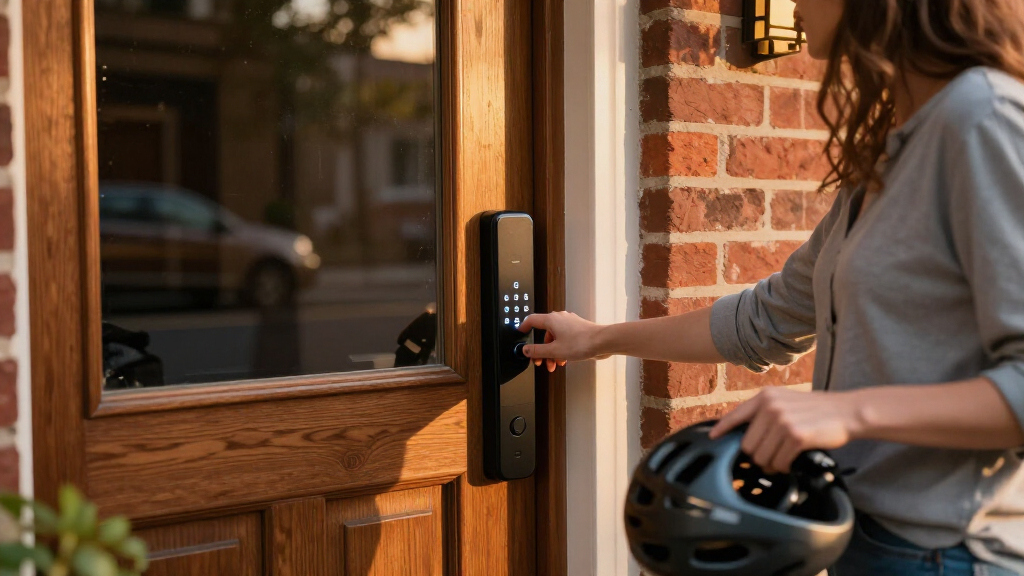

The eufy Security FamiLock S3 Max takes the top spot among the best smart locks for 2026 thanks to its palm vein recognition, which works regardless of wet, dirty, or gloved hands — a level of reliability fingerprint sensors can’t match. Close behind, the Aqara UWB Smart Lock U400 stands out for Apple households with native Home Key support, while the Wyze Auto-Lock Bolt v2 proves you don’t need to spend much for dependable fingerprint entry and auto-locking. The main tradeoffs in this category come down to biometric convenience versus price, built-in Wi-Fi versus hub-dependent connectivity, and whether you want a deadbolt-only design or a full handle set. Continue reading for the full breakdown of all 15 locks and which one fits your door, budget, and smart home ecosystem.

Get privacy and security gear delivered free — and shop member deals
- Fast, free delivery on millions of items
- Access to Prime Big Deal Days deals on October 6–7
- Prime Video, Amazon Music and more included
Key Takeaways
- Palm vein recognition (eufy FamiLock S3 Max, Wyze Palm Lock) outperformed fingerprint sensors in reliability terms, reading through gloves, moisture, and wear — but carries a clear price premium over fingerprint-only models.
- Apple Home Key support is still rare: only the Aqara U400 offers tap-to-unlock with an iPhone or Apple Watch, making it the default pick for Apple-centric homes among these 15 locks.
- The Philips lineup dominates the handle-set category with four entries, but the 4200 Series models pull ahead of the standard Wi-Fi deadbolt thanks to a tougher metal construction and a more responsive keypad.
- Matter over Thread remains a differentiator rather than a standard — the Ultraloq Bolt SE is the only lock here with it, meaning most buyers should still prioritize native Wi-Fi and their preferred voice assistant.
- Schlage‘s Encode twins (Satin Nickel and Matte Black) are functionally identical; the choice between them is purely aesthetic, so buyers should decide on finish first and skip the higher expectations that come with brand recognition.
| eufy Security FamiLock S3 Max Video Smart Lock with Palm Vein Recognition |  | Best All-in-One Video Lock | Unlock method: Palm vein recognition; 0.6-second recognition claim | Camera: 2K HD, f/1.8 lens | Field of view: 150° head-to-toe view | VIEW LATEST PRICE | See Our Full Breakdown |
| eufy Security Smart Lock C220, Fingerprint Keyless Entry Door Lock |  | Best for Straightforward Fingerprint Entry | Model: T8506 | Unlock methods: Fingerprint, app, keypad, physical key, Apple Watch, voice assistant | Battery: 8 AA batteries; approximately 8 months | VIEW LATEST PRICE | See Our Full Breakdown |
| Aqara UWB Smart Lock U400 with Apple Home Key and Fingerprint, Black |  | Best for Apple Home Key and Hands-Free Entry | Unlock methods: UWB, Apple Home Key, fingerprint, touchscreen passcode, voice assistant, app, NFC card, physical key | Connectivity: Matter over Thread | Battery: Removable rechargeable lithium battery; up to 6 months per charge | VIEW LATEST PRICE | See Our Full Breakdown |
| Wyze Palm Lock Smart Door Lock with Palm Vein Recognition and Keypad |  | Best for Palm Vein Entry and Guest Codes | Unlock methods: Palm vein recognition, keypad, mechanical key | Guest codes: Up to 50 unique or one-time codes | Battery: Main battery rated for 6 months; secondary battery rated for 2 weeks | VIEW LATEST PRICE | See Our Full Breakdown |
| ULTRALOQ Bolt SE Wi-Fi Smart Lock with Matter over Thread |  | Best for Long Battery Life and Broad Access Options | Access methods: Fingerprint, passcodes, app, web portal, eKey/code sharing, voice control, 2 mechanical keys | Fingerprint and passcode capacity: Up to 50 fingerprints and up to 50 passcodes | Connectivity: Built-in 2.4 GHz Wi-Fi; Matter over Thread | VIEW LATEST PRICE | See Our Full Breakdown |
| Philips WiFi Keypad Door Lock with Handle, App-Controlled Smart Deadbolt |  | Best for High-Turnover Guest Access | Model: DDL242X-15HW-L | Connectivity: Built-in Wi-Fi | Unlock methods: Voice, passcode, key, mobile app | VIEW LATEST PRICE | See Our Full Breakdown |
| Philips Wi-Fi Smart Deadbolt Lock with Keyless Entry |  | Best for Multiple Keyless Entry Choices | Connectivity: Built-in 2.4 GHz Wi-Fi | Unlock methods: App, passcode, fingerprint, physical key, voice | Passcode capacity: Up to 100 custom codes | VIEW LATEST PRICE | See Our Full Breakdown |
| Yale Assure Lock 2 WiFi Smart Lock Deadbolt with Keypad, Keyless Entry, Black Suede |  | Best for Scheduled Access Management | Connectivity: Wi-Fi, 2.4 or 5 GHz; no hub required | Entry methods: Keypad, smartphone or Apple Watch app, Auto-Unlock, backup key | Entry codes: Unlimited, with schedules and expiration | VIEW LATEST PRICE | See Our Full Breakdown |
| Wyze Auto-Lock Bolt v2 Fingerprint Keyless Entry Smart Lock |  | Best for Fingerprint-First Entry | Model: WLCKB2 | Connectivity: Built-in Wi-Fi | Unlock methods: Fingerprint, app, keypad code, physical key | VIEW LATEST PRICE | See Our Full Breakdown |
| Schlage Encode Smart WiFi Deadbolt Lock with Century Trim, Satin Nickel |  | Best for Built-In Entry Alerts | Connectivity: Built-in Wi-Fi | Voice assistants: Alexa, Google Home | Access-code capacity: Up to 100 | VIEW LATEST PRICE | See Our Full Breakdown |
| Schlage Encode Smart WiFi Deadbolt Lock with Century Trim, Matte Black |  | Best Trusted Brand Pick | Connectivity: Built-in WiFi | Access Codes: Up to 100 | Voice Assistants: Alexa, Google Home | VIEW LATEST PRICE | See Our Full Breakdown |
| Philips 4200 Series WiFi Keypad Door Lock with Handle, Satin Nickel |  | Best for Fast Fingerprint Entry | Connectivity: 2.4GHz WiFi (no hub required) | Unlock Methods: Fingerprint, PIN code, App, Voice | Fingerprint Unlock Speed: 0.3 seconds | VIEW LATEST PRICE | See Our Full Breakdown |
| Tapo DL110 Smart Wi-Fi Deadbolt Door Lock with Fingerprint Recognition |  | Best Battery Life | Access Methods: Fingerprint, keypad, Wi-Fi, Bluetooth, voice assistant, backup key | Fingerprint Recognition Time: 0.42 seconds | Max Registered Fingerprints: 100 | VIEW LATEST PRICE | See Our Full Breakdown |
| Philips Wi-Fi Smart Deadbolt Lock Set with Keypad and Handles |  | Best for Guest Code Management | Model: DDL240X-1HW-H2 | Connectivity: Wi-Fi | Unlock Methods: App, Fingerprint, PIN Code, Key, Voice (Alexa/Google Assistant) | VIEW LATEST PRICE | See Our Full Breakdown |
| Philips 4200 Series WiFi Keypad Deadbolt with Handle |  | Best Budget-Friendly Full Set | Connectivity: Built-in 2.4GHz WiFi (no hub) | Router Range: Within 33 ft (10 m) recommended | Fingerprint Unlock Speed: 0.3 seconds | VIEW LATEST PRICE | See Our Full Breakdown |
| smart lock | Connectivity | Unlock methods |
|---|---|---|
| eufy Security FamiLock S3 Max | — | — |
| eufy Security Smart Lock C220 | Built-in Wi-Fi; no bridge required | Fingerprint, app, keypad, physical key, Apple Watch, voice assistant |
| Aqara UWB Smart Lock U400 with | Matter over Thread | UWB, Apple Home Key, fingerprint, touchscreen passcode, voice assistant, app, NFC card, physical key |
| Wyze Palm Lock Smart Door Lock | Wi-Fi | Palm vein recognition, keypad, mechanical key |
| ULTRALOQ Bolt SE Wi-Fi Smart L | Built-in 2.4 GHz Wi-Fi; Matter over Thread | — |
| Philips WiFi Keypad Door Lock | Built-in Wi-Fi | Voice, passcode, key, mobile app |
| Philips Wi-Fi Smart Deadbolt L | Built-in 2.4 GHz Wi-Fi | App, passcode, fingerprint, physical key, voice |
| Yale Assure Lock 2 WiFi Smart | Wi-Fi, 2.4 or 5 GHz; no hub required | — |
| Wyze Auto-Lock Bolt v2 Fingerp | Built-in Wi-Fi | Fingerprint, app, keypad code, physical key |
| Schlage Encode Smart WiFi Dead | Built-in Wi-Fi | — |
| Schlage Encode Smart WiFi Dead | Built-in WiFi | — |
| Philips 4200 Series WiFi Keypa | 2.4GHz WiFi (no hub required) | Fingerprint, PIN code, App, Voice |
| Tapo DL110 Smart Wi-Fi Deadbol | — | — |
| Philips Wi-Fi Smart Deadbolt L | Wi-Fi | App, Fingerprint, PIN Code, Key, Voice (Alexa/Google Assistant) |
| Philips 4200 Series WiFi Keypa | Built-in 2.4GHz WiFi (no hub) | — |
More Details on Our Top Picks
eufy Security FamiLock S3 Max Video Smart Lock with Palm Vein Recognition
The FamiLock S3 Max is the clearest pick here for households that want a lock and a way to check visitors in one unit. Its 2K camera, 150° view, and indoor video screen let family members see who is at the door without reaching for a phone. Palm vein entry adds a quick, contactless option, with biometric data stored locally. Compared with the eufy C220, this model gives up the simpler deadbolt setup in favor of a camera and screen; compared with the Wyze Palm Lock, it offers a more integrated video-checking experience. The tradeoff is reliance on eufy’s app for the full feature set, and camera streams do not travel through Matter. It also cannot connect to HomeBase 2, so existing eufy owners should check their hub setup.
Pros:- Combines a smart lock, 2K camera, and video doorbell in one unit
- Palm vein access is contactless, fast, and stores biometric data locally
- Indoor screen allows a door check without opening a phone app
- Rechargeable battery has AAA backup power
Cons:- Camera streams are not supported through Matter
- Full features require the eufy app
- Not compatible with HomeBase 2
Best for: Families who want to see and speak with visitors from the lock’s indoor screen, including children or older adults who do not use a smartphone app.
Not ideal for: Smart-home owners who need camera streams inside Matter or rely on HomeBase 2; key features depend on the eufy app and HomeBase 2 is unsupported.
- Unlock method:Palm vein recognition; 0.6-second recognition claim
- Camera:2K HD, f/1.8 lens
- Field of view:150° head-to-toe view
- Battery:Rechargeable; up to 4 months, plus 4 AAA backup batteries for up to 1 additional month
- Smart home compatibility:Matter, Apple Home, Google Home, Alexa, SmartThings
- Hub compatibility:eufy HomeBase 3; not compatible with HomeBase 2
- Data storage:Local
- Indoor display:Rear lock video screen for app-free viewing
Our verdict“Choose the FamiLock S3 Max if you want a door camera and app-free indoor viewing built into your smart lock.”
eufy Security Smart Lock C220, Fingerprint Keyless Entry Door Lock
The eufy C220 makes sense for buyers who want convenient fingerprint access without adding a camera or replacing the whole entry setup. It offers six unlocking methods, built-in Wi-Fi for remote control, and installation on most standard deadbolts without drilling. That makes it a more approachable retrofit than the camera-equipped FamiLock S3 Max, while the ULTRALOQ Bolt SE offers a longer stated battery life and Matter over Thread support. The C220’s eight AA batteries are rated for about eight months, though usage affects that figure. Its self-learning fingerprint reader may also need repeated attempts while it adapts. Buyers should check their door’s bore size before ordering, and those seeking palm vein entry or video monitoring should look at other options in this roundup.
Pros:- Six ways to unlock, including fingerprint, keypad, key, and Apple Watch
- Built-in Wi-Fi enables remote control without a separate bridge
- Rated for approximately eight months on 8 AA batteries
- Installs on many standard deadbolts without drilling
Cons:- Fingerprint recognition may take several attempts while the reader adapts
- Battery life varies with usage
- Compatibility is limited to standard deadbolts with bores under 54 mm
Best for: Renters or homeowners with a compatible standard deadbolt who want fingerprint entry and remote access without installing a bridge.
Not ideal for: Buyers seeking a built-in camera, palm vein recognition, or Matter support; fingerprint setup may take patience as the reader learns.
- Model:T8506
- Unlock methods:Fingerprint, app, keypad, physical key, Apple Watch, voice assistant
- Battery:8 AA batteries; approximately 8 months
- Connectivity:Built-in Wi-Fi; no bridge required
- Certification:BHMA Grade 3; stated for 100,000+ lock/unlock cycles
- Operating temperature:-22°F to 158°F (-30°C to 70°C)
- Compatibility:Most standard deadbolts with bores under 54 mm
- Installation:Approximately 15 minutes; no drilling required
Our verdict“Pick the C220 for a simple fingerprint retrofit with remote access and several backup entry methods.”
Aqara UWB Smart Lock U400 with Apple Home Key and Fingerprint, Black
For an Apple household, the Aqara U400 stands out because UWB hands-free unlocking and Apple Home Key sit alongside fingerprint, passcode, and key access. That gives it more ways to enter than the fingerprint-focused eufy C220, while Matter over Thread suits buyers building a connected home across platforms. Its rechargeable battery is rated for up to six months, and the IP65 exterior rating gives it a sturdier weather-resistance claim than the C220’s listed specs. The catch is that the most distinctive Apple features depend on compatible devices, operating-system versions, and a Thread-enabled Apple Home hub. NFC cards are sold separately, too. If you want a simpler Wi-Fi retrofit without a hub requirement, the C220 may be easier to live with.
Pros:- Offers UWB hands-free unlocking and Apple Home Key
- Fingerprint, passcode, app, physical key, and other access options provide alternatives
- Matter over Thread supports smart home integration
- Rechargeable battery is rated for up to six months and exterior is IP65-rated
Cons:- UWB and Apple Home Key require compatible Apple devices and a Thread-enabled hub
- NFC card is sold separately
- Rechargeable battery requires periodic USB-C charging
Best for: Apple Home users with a compatible iPhone or Apple Watch and Thread-enabled hub who want hands-free entry plus several backup methods.
Not ideal for: Households without compatible Apple devices or a Thread-enabled Apple Home hub; UWB and Home Key features depend on that setup.
- Unlock methods:UWB, Apple Home Key, fingerprint, touchscreen passcode, voice assistant, app, NFC card, physical key
- Connectivity:Matter over Thread
- Battery:Removable rechargeable lithium battery; up to 6 months per charge
- Charging:USB-C
- Security certification:BHMA-certified
- Weather resistance:IP65-rated exterior
- UWB requirements:Thread-enabled Apple Home hub, supported Apple Watch or iPhone, and specified operating-system versions
- Additional features:Auto Lock, Night Latch Mode, Do Not Disturb Mode, rekeyable design
Our verdict“Choose the U400 if your Apple Home setup supports its hands-free features and you want more entry options than fingerprint alone.”
Wyze Palm Lock Smart Door Lock with Palm Vein Recognition and Keypad
The Wyze Palm Lock pairs contactless palm vein recognition with a keypad, mechanical key, and room for up to 50 guest codes. That makes it a practical fit for households that regularly share access with visitors or service providers. Like the eufy FamiLock S3 Max, it uses palm vein entry, but Wyze focuses on codes and lock control rather than an integrated camera and indoor video screen. Its gyroscope-based auto-lock and door-ajar alarm add useful awareness at the entry. The dual-battery arrangement and USB-C emergency charging offer a fallback if the main battery runs down, though emergency power requires a separate power bank. Wi-Fi and the Wyze app underpin the full feature set, so buyers wanting a more platform-independent setup may prefer the Thread support in the ULTRALOQ Bolt SE.
Pros:- Contactless palm vein recognition plus keypad and mechanical key backup
- Supports up to 50 unique or one-time guest codes with anti-peep PIN protection
- Dual-battery system and USB-C emergency charging provide backup options
- Gyroscope-based auto-lock and door-ajar alarm add entry awareness
Cons:- Emergency charging requires a separate power bank
- Full feature set depends on Wi-Fi and the Wyze app
- Palm vein recognition may not work for all users in extreme weather conditions
Best for: Busy households, hosts, and small property managers who want contactless entry and many temporary or recurring guest codes.
Not ideal for: Buyers who want integrated video monitoring or need features that work independently of Wi-Fi and the Wyze app.
- Unlock methods:Palm vein recognition, keypad, mechanical key
- Guest codes:Up to 50 unique or one-time codes
- Battery:Main battery rated for 6 months; secondary battery rated for 2 weeks
- Emergency charging:USB-C port; power bank compatible
- Connectivity:Wi-Fi
- Voice assistants:Alexa and Google Assistant
- Weather resistance:IP53
- Certification and sensors:BHMA Grade 3; millimeter wave radar and gyroscope
Our verdict“Pick the Wyze Palm Lock if guest-code flexibility and contactless palm entry matter more than built-in video.”
ULTRALOQ Bolt SE Wi-Fi Smart Lock with Matter over Thread
The ULTRALOQ Bolt SE is a strong fit for households that want a broad set of entry choices with less frequent battery changes. Its up to 18-month battery rating is longer than the C220’s approximately eight months and the U400’s up to six months per charge. Fingerprints, passcodes, app control, web access, shared eKeys, voice control, and mechanical keys give household members different ways in. Built-in Wi-Fi handles remote access without a hub, while Matter over Thread adds another integration route if a Thread Border Router is available. Compared with the Wyze Palm Lock, the Bolt SE emphasizes fingerprint and Thread integration rather than palm vein access and guest-code capacity. Buyers should account for its 2.4 GHz Wi-Fi requirement, 70-foot router guidance, and the absence of a door sensor.
Pros:- Fingerprint, passcodes, app, web portal, sharing, voice control, and keys cover varied access needs
- Built-in Wi-Fi enables remote access without a hub
- Battery life is rated for up to 18 months
- IP65 weather resistance and ANSI BHMA certification
Cons:- Matter over Thread requires a compatible Thread Border Router
- Wi-Fi is limited to 2.4 GHz and the router should be within 70 feet
- Door sensor is not included
Best for: Households that want fingerprint and code access, remote management without a hub, and a long stated battery interval.
Not ideal for: Homes without 2.4 GHz Wi-Fi or a Thread Border Router when Matter over Thread is needed; buyers seeking an included door sensor should look elsewhere.
- Access methods:Fingerprint, passcodes, app, web portal, eKey/code sharing, voice control, 2 mechanical keys
- Fingerprint and passcode capacity:Up to 50 fingerprints and up to 50 passcodes
- Connectivity:Built-in 2.4 GHz Wi-Fi; Matter over Thread
- Thread requirement:Thread Border Router required for Matter over Thread
- Voice assistants:Siri, Alexa, Google Assistant
- Battery:Up to 18 months
- Weather resistance and certification:IP65 waterproof; ANSI BHMA certified
- Installation:DIY installation; approximately 10 minutes
Our verdict“Choose the Bolt SE for varied access methods and a long stated battery life, provided your Wi-Fi and Thread setup meet its requirements.”
Philips WiFi Keypad Door Lock with Handle, App-Controlled Smart Deadbolt
The Philips DDL242X-15HW-L pairs a keypad deadbolt with two lever handles, making it a practical choice when replacing both lock hardware and handles. Its 100 custom passwords, including one-time and timed codes, suit households that regularly grant temporary access. Built-in Wi-Fi adds remote control without a separate hub, while Alexa and Google Assistant provide another way to operate it. Compared with the fingerprint-equipped Philips Wi-Fi Smart Deadbolt Lock with Keyless Entry, this model gives up biometric entry but keeps access straightforward for visitors who may not want to use an app or register a fingerprint. The tradeoffs are its eight AA batteries, which are not included, and stated battery life of up to six months. Check the included door-fit dimensions before ordering.
Pros:- Built-in Wi-Fi enables remote access without a separate hub
- Supports up to 100 permanent, one-time, or timed passwords
- Includes two lever handles alongside the deadbolt
- Offers keypad, key, app, and Alexa or Google Assistant access
Cons:- Eight AA batteries are required and are not included
- Battery life is listed at up to six months
- No fingerprint entry method is listed
Best for: Households and hosts who need scheduled or one-time keypad codes and are replacing a deadbolt with lever handles
Not ideal for: Buyers who want fingerprint entry or longer intervals between battery changes
- Model:DDL242X-15HW-L
- Connectivity:Built-in Wi-Fi
- Unlock methods:Voice, passcode, key, mobile app
- Password capacity:Up to 100 custom passwords
- Auto-lock timer:10–180 seconds
- Power:8 AA batteries, not included
- Battery life:Up to 6 months
- Door fit:1-3/8–2 in thick; 1-1/2 or 2-1/8 in cross bore
- Water resistance:IP54
Our verdict“Choose this Philips if timed guest codes and included lever handles matter more than fingerprint access or longer battery life.”
Philips Wi-Fi Smart Deadbolt Lock with Keyless Entry
With five entry methods, this Philips gives residents a choice between fingerprint, keypad, app, key, and voice access. Fingerprint entry can make everyday arrivals quicker, while the keypad and physical key remain useful for guests or when a phone is unavailable. Built-in Wi-Fi supports remote control without a hub, and the lock accepts up to 100 custom codes, including scheduled and one-time options. Compared with the Wyze Auto-Lock Bolt v2, which emphasizes a self-learning fingerprint scanner and a listed battery life of up to eight months, Philips offers more code capacity but specifies AA alkaline batteries and a router range limit. Its 2.4 GHz-only connection and roughly 65-foot router guidance may constrain placement, and it has no included door sensor. Choose it for entry flexibility, provided your Wi-Fi reaches the door.
Pros:- Five entry methods include fingerprint and physical key
- Built-in Wi-Fi enables remote locking and unlocking without a hub
- Up to 100 custom codes support guest and scheduled access
- Auto-lock timer can be set from 10 to 180 seconds
Cons:- Supports 2.4 GHz Wi-Fi only, with a stated router range guidance of about 65 feet
- AA alkaline batteries are required and not included
- Door sensor is not included
Best for: Households that want fingerprint access plus temporary keypad codes and remote control from a 2.4 GHz Wi-Fi network
Not ideal for: Homes with a distant router, buyers who need a door sensor, or anyone wanting support for 5 GHz Wi-Fi
- Connectivity:Built-in 2.4 GHz Wi-Fi
- Unlock methods:App, passcode, fingerprint, physical key, voice
- Passcode capacity:Up to 100 custom codes
- Auto-lock timer:10–180 seconds
- Door thickness:1-3/8–2 in
- Batteries:AA alkaline (LR6), not included
- Router range guidance:Keep router within 65 ft of lock
- Door sensor:Not included
Our verdict“Pick this Philips if fingerprint access and a broad choice of entry methods outweigh Wi-Fi range and battery constraints.”
Yale Assure Lock 2 WiFi Smart Lock Deadbolt with Keypad, Keyless Entry, Black Suede
The Yale Assure Lock 2 is the strongest fit here for owners managing many people’s access over time: it supports unlimited entry codes with schedules and expiration. That removes the need to recycle a small code list when household help, guests, or contractors change. Its keypad is joined by app access, Auto-Unlock, DoorSense auto-lock, and a backup key, so it covers both hands-free arrivals and a conventional fallback. Compared with the Schlage Encode Smart WiFi Deadbolt, Yale offers unlimited codes and DoorSense, while Schlage lists a built-in forced-entry alarm and includes batteries. Yale’s Wi-Fi supports both 2.4 and 5 GHz, but app availability is limited to the US and Canada. Its specified door fit is also narrower than some locks in this roundup, so measure before choosing it.
Pros:- Unlimited entry codes can have schedules and expiration dates
- Wi-Fi connects directly on 2.4 or 5 GHz without a hub
- Auto-Unlock and DoorSense support hands-free arrival and auto-locking
- BHMA Grade 2 certification and backup key
Cons:- Yale Access app is listed for the US and Canada only
- Door fit requires a 1-3/4–2-1/4 in thick door and specified bore and spacing
- Battery replacements are still required
Best for: US or Canadian households that issue and expire access codes for changing groups of guests or service providers
Not ideal for: Buyers outside the US and Canada, or owners whose doors fall outside the specified fit dimensions
- Connectivity:Wi-Fi, 2.4 or 5 GHz; no hub required
- Entry methods:Keypad, smartphone or Apple Watch app, Auto-Unlock, backup key
- Entry codes:Unlimited, with schedules and expiration
- Certification:BHMA Grade 2
- Operating temperature:-22°F to 140°F
- Door thickness:1-3/4–2-1/4 in
- Bore and spacing:2-1/8 in bore; 4 in minimum center-to-center spacing
- App availability:Yale Access, US and Canada only
Our verdict“Choose Yale if you manage many changing access codes and your location and door dimensions match its requirements.”
Wyze Auto-Lock Bolt v2 Fingerprint Keyless Entry Smart Lock
The Wyze Auto-Lock Bolt v2 centers everyday entry on its fingerprint reader, with a listed unlock speed of 0.5 seconds and a scanner that learns over time. That makes it a more fingerprint-focused choice than the Schlage Encode Smart WiFi Deadbolt, which uses a touchscreen keypad and offers an alarm but no fingerprint entry in the supplied specifications. Wyze also includes app, code, and physical-key access, plus USB-C emergency power if the AA batteries run down. Its capacity is 50 codes or fingerprints, half the 100-code limit listed for the Philips and Schlage options here, so it suits a smaller access group better. Built-in Wi-Fi enables remote control through the Wyze app, but that convenience depends on a working connection. The listed IP53 rating offers some weather resistance, not a reason to ignore door exposure.
Pros:- Fingerprint reader is listed to unlock in 0.5 seconds
- Supports fingerprint, app, keypad code, and physical key entry
- USB-C emergency power provides an option if batteries run out
- Includes eight AA batteries with stated life of up to eight months
Cons:- Capacity is limited to 50 codes or fingerprints
- Remote features depend on Wi-Fi and the Wyze app
- Uses replaceable AA batteries rather than a rechargeable built-in battery
Best for: Households that want fingerprint-led daily entry, a physical key backup, and remote access in the Wyze app
Not ideal for: Large households or property managers needing more than 50 stored codes or fingerprints
- Model:WLCKB2
- Connectivity:Built-in Wi-Fi
- Unlock methods:Fingerprint, app, keypad code, physical key
- Fingerprint unlock speed:0.5 seconds
- Code/fingerprint capacity:50
- Power:8 AA batteries included
- Battery life:Up to 8 months
- Emergency power:USB-C port
- Weather resistance:IP53
Our verdict“Choose Wyze if quick fingerprint entry and USB-C emergency power matter more than a larger code capacity.”
Schlage Encode Smart WiFi Deadbolt Lock with Century Trim, Satin Nickel
The Schlage Encode is a good fit for buyers who want remote deadbolt control alongside a built-in alarm that can alert them to forced entry. Its fingerprint-resistant touchscreen keeps keypad entry central, and capacity for up to 100 access codes covers a household with recurring guests or service providers. Compared with the Wyze Auto-Lock Bolt v2, Schlage gives up fingerprint entry and Wyze’s USB-C emergency power option, but adds the listed forced-entry alarm and includes four AA batteries. Built-in Wi-Fi enables remote access without a hub, while Alexa and Google Home support voice control. The listed battery life is up to six months, shorter than Wyze’s stated eight months, and remote features rely on the Schlage Home app and a Wi-Fi connection. Check the door-thickness range: it is narrower than Yale’s specified fit.
Pros:- Built-in Wi-Fi supports remote control without a hub
- Fingerprint-resistant touchscreen and built-in forced-entry alarm
- Stores up to 100 access codes
- Includes four AA batteries and a backup key
Cons:- Listed battery life is up to six months
- Remote features require the Schlage Home app and Wi-Fi
- Specified door thickness is limited to 1-3/8–1-3/4 in
Best for: Homeowners who want a keypad deadbolt with a built-in forced-entry alarm, remote access, and up to 100 codes
Not ideal for: Buyers who prioritize fingerprint entry, longer listed battery life, or a door thicker than 1-3/4 inches
- Connectivity:Built-in Wi-Fi
- Voice assistants:Alexa, Google Home
- Access-code capacity:Up to 100
- Battery type:4 AA batteries, included
- Battery life:Up to 6 months
- Backup key:Included
- Door thickness:1-3/8–1-3/4 in
- Backset:2-3/8 or 2-3/4 in
- Certification:BHMA highest residential Security, Durability and Finish rating
Our verdict“Choose Schlage if a built-in forced-entry alarm and keypad access matter more than fingerprint entry or longer battery life.”
Schlage Encode Smart WiFi Deadbolt Lock with Century Trim, Matte Black
Schlage’s Encode stands out for buyers who prioritize proven hardware over flashy features. Unlike the fingerprint-first Philips 4200 Series or Tapo DL110, this model leans on keypad access and remote control, backed by the highest BHMA residential certification for security, durability, and finish—a credential most budget rivals can’t match. The built-in WiFi means no hub, and support for up to 100 access codes makes it viable for rental hosts. What you give up is biometric speed: compared with the 0.3-second fingerprint readers on the Philips locks, entering a code feels slower and less convenient with full hands. The matte black Century trim also gives it a more traditional deadbolt look, which suits classic exteriors better than the tech-forward styling of the eufy or Aqara options.
Pros:- Built-in WiFi with no hub required
- Highest BHMA residential Security, Durability and Finish rating
- Supports up to 100 access codes for family and guests
- Screwdriver-only installation in minutes
Cons:- No fingerprint or biometric unlock option
- Roughly six-month battery life requires periodic replacement
- Advanced features depend entirely on app and WiFi connectivity
Best for: Buyers who want a lock from an established lockmaker with top-tier build certification and simple keypad-plus-app access
Not ideal for: Anyone wanting fingerprint or palm-based entry — this is keypad and app only, so it lags the Philips 4200 and Tapo DL110 on convenience
- Connectivity:Built-in WiFi
- Access Codes:Up to 100
- Voice Assistants:Alexa, Google Home
- Door Thickness:1-3/8 in to 1-3/4 in
- Power:4 AA batteries (included)
- Battery Life:Up to 6 months typical use
- Backup Key:Included (1)
- Certification:BHMA highest residential Security, Durability and Finish rating
Our verdict“This pick makes the most sense for buyers who value certified durability and a trusted brand over biometric bells and whistles.”
Philips 4200 Series WiFi Keypad Door Lock with Handle, Satin Nickel
Among the three Philips locks in this roundup, the 4200 Series with handle is the speed-focused choice. Its 0.3-second fingerprint unlock beats the Tapo DL110’s 0.42 seconds, making it the quicker option for anyone who comes and goes with groceries in hand. Compared with the nearly identical B0F61WG9F2 model, this version ships with a matching handle set for a complete front-door refresh in one purchase. The flexible PIN system—permanent, one-time, periodic, and recurring codes—makes it a strong fit for Airbnb hosts, though hosts should note it demands 8 AA batteries that aren’t included, a steeper power requirement than the Schlage Encode’s four. It also needs a 2.4GHz network, so mesh-router owners on 5GHz-only bands will hit a wall during setup.
Pros:- 0.3-second fingerprint unlock with multiple fingerprint storage
- Direct 2.4GHz WiFi with no hub or bridge needed
- Flexible passcode types ideal for guests and Airbnb use
- Complete set includes matching handle set with screwdriver-only install
Cons:- Requires 8 AA batteries that are not included
- Only compatible with 2.4GHz WiFi networks
Best for: Homeowners and short-term rental hosts who want the fastest fingerprint unlock plus a coordinated handle-and-deadbolt set
Not ideal for: Homes with only 5GHz WiFi — the lock requires a 2.4GHz network to connect at all
- Connectivity:2.4GHz WiFi (no hub required)
- Unlock Methods:Fingerprint, PIN code, App, Voice
- Fingerprint Unlock Speed:0.3 seconds
- Voice Assistants:Alexa, Google Assistant
- Auto-Lock Timer:0-180 seconds
- Door Thickness:1-3/8 in to 1-3/4 in (38-50mm)
- Batteries:8 AA alkaline (not included)
- Finish:Satin Nickel
Our verdict“This model is better suited to buyers who rank fingerprint speed first and want a full handle-and-lock set out of one box.”
Tapo DL110 Smart Wi-Fi Deadbolt Door Lock with Fingerprint Recognition
The Tapo DL110 solves the most annoying smart-lock chore: buying batteries. Its rechargeable USB-C battery lasts up to a year in WiFi mode—or two years in Bluetooth mode—while the Schlage Encode needs fresh AAs every six months and the Philips 4200 devours eight at a time. With six access methods, including Bluetooth and a physical key alongside fingerprint, keypad, and voice, it offers more entry paths than any Philips model here. Integration with SmartThings also gives it broader smart-home reach than the Alexa-and-Google-only Philips locks, though it still trails the Aqara U400 and Ultraloq Bolt SE on Matter and Apple Home support. Real-world caveats: the advertised battery figures come from lab testing, and fingerprint recognition can slow as you register more of the supported 100 prints.
Pros:- Six access methods including Bluetooth and backup key
- Rechargeable USB-C battery lasting up to 1 year per charge
- Supports up to 100 fingerprints and flexible guest codes
- Works with Alexa, Google Home, and SmartThings
Cons:- Battery life estimates based on lab conditions and may vary in real use
- Fingerprint speed and accuracy can degrade with many registered prints or poor conditions
Best for: Smart-home users who hate battery swaps and want a rechargeable lock that fits Alexa, Google, or SmartThings setups
Not ideal for: Apple Home users — there’s no HomeKit or Matter support, so the Aqara U400 is the better ecosystem fit
- Access Methods:Fingerprint, keypad, Wi-Fi, Bluetooth, voice assistant, backup key
- Fingerprint Recognition Time:0.42 seconds
- Max Registered Fingerprints:100
- Battery Life:Up to 1 year (Wi-Fi), up to 2 years (Bluetooth)
- Charging:USB-C
- Smart Home Compatibility:Alexa, Google Home, Samsung SmartThings
- Access Code Types:Permanent, one-time, scheduled
Our verdict“This option stands out for buyers who want maximum entry flexibility and a year between charges instead of constant AA replacements.”
Philips Wi-Fi Smart Deadbolt Lock Set with Keypad and Handles
Where this Philips set distinguishes itself is code capacity: up to 100 user PINs plus unlimited one-time codes, a combination that makes it the strongest pick here for property managers juggling cleaners, delivery drivers, and back-to-back guests. Compared with the Philips 4200 Series, it adds a physical key backup among its five unlock methods, giving you a fallback the fingerprint-only mindset of other models undersells. Auto-lock engages after 30-180 seconds, tighter defaults than the 4200, which ships with auto-lock off entirely. The tradeoff is thinner smart-home reach—Alexa and Google only, with no SmartThings support like the Tapo DL110—and phone support is limited to weekdays and Saturdays, so Sunday-installation problems wait until Monday.
Pros:- Up to 100 user PINs plus unlimited one-time codes
- Five unlock methods including physical key backup
- Auto-lock from 30 to 180 seconds after closing the door
- Includes matching handle set with quick screwdriver installation
Cons:- Requires confirming 35-50mm door thickness before buying
- Phone customer support limited to weekdays and Saturdays
Best for: Landlords and vacation-rental operators who issue large volumes of temporary codes to rotating guests and staff
Not ideal for: Buyers with doors outside the 35-50mm thickness range — compatibility must be confirmed before purchase or it won’t fit
- Model:DDL240X-1HW-H2
- Connectivity:Wi-Fi
- Unlock Methods:App, Fingerprint, PIN Code, Key, Voice (Alexa/Google Assistant)
- User PIN Codes:Up to 100
- Auto-Lock Timer:30-180 seconds
- Door Thickness:35-50mm
- Batteries:4 (included)
- Includes:Door lock, handle set, 4 batteries
Our verdict“This pick makes the most sense for anyone managing frequent visitor access who needs one-time codes on demand plus a key backup.”
Philips 4200 Series WiFi Keypad Deadbolt with Handle
This version of the Philips 4200 Series delivers the same core experience as its satin-nickel sibling—the 0.3-second fingerprint reader, hub-free 2.4GHz WiFi, and guest-friendly code types—at a friendlier position on the lineup for anyone outfitting a door completely, handle included. Compared with the Tapo DL110, it trades the rechargeable USB-C battery for disposable cells with about six months of life, which means ongoing battery costs. Two quirks matter: the lock must sit within roughly 33 feet of your router, so far-from-the-router doors or thick walls may need a network rethink, and auto-lock ships disabled, so forgetful households should switch it on during setup. Lithium and rechargeable AAs aren’t supported, which narrows your battery choices further.
Pros:- No hub needed with direct 2.4GHz WiFi connection
- Fast 0.3-second fingerprint unlocking
- One-time, periodic, and recurring codes for guests and deliveries
- Complete set with matching handle and easy DIY install
Cons:- Recommended router proximity of 33 ft limits placement flexibility
- Batteries not included and rechargeable/lithium cells not supported
- Auto-lock is off by default and must be enabled manually
Best for: Budget-conscious homeowners wanting fingerprint speed and a matching handle set without paying for premium biometric features like palm recognition
Not ideal for: Doors located far from the router — the recommended 33 ft range makes distant or obstructed installations unreliable
- Connectivity:Built-in 2.4GHz WiFi (no hub)
- Router Range:Within 33 ft (10 m) recommended
- Fingerprint Unlock Speed:0.3 seconds
- Voice Assistants:Alexa, Google Assistant
- Auto-Lock Timer:0-180 seconds (off by default)
- Battery Life:Up to 6 months
- Door Thickness:1-3/8 in to 1-3/4 in (38-50mm)
- Door Orientation:Right-opening default, reversible for left
Our verdict“This option stands out for value-focused buyers who want fingerprint entry and a full handle set while accepting a shorter leash to their router.”

How We Picked
I ranked these 15 smart locks on four factors that actually shape daily ownership. Unlocking reliability came first: a smart lock that hesitates on fingerprints, pads, or app commands is worse than a key, so palm vein recognition, fingerprint sensor quality, and keypad responsiveness were weighted heavily. Connectivity and ecosystem fit came second — built-in Wi-Fi versus bridge-dependent designs, Matter over Thread support, Apple Home Key, and Alexa or Google Assistant compatibility all affect whether a lock feels integrated or bolted-on.
Build quality and door compatibility formed the third criterion, favoring all-metal deadbolts, ANSI/BHMA-grade hardware where offered, and handle sets that suit homes wanting a complete exterior look rather than a deadbolt-only retrofit. Finally, value relative to features separated closely matched models — the Philips quartet, for example, was ranked internally by construction and keypad quality rather than treated as interchangeable. The final order reflects a simple logic: locks that solve real frustrations (wet fingers, dead batteries, fiddly apps) rank above those that merely add features.
Factors to Consider When Choosing Best Smart Locks
Before committing to any of the 15 locks above, it helps to understand the category-level decisions that shape long-term satisfaction. These are the factors I’d weigh before clicking buy — several of them matter more than the spec sheets suggest.Biometric Type: Fingerprint vs. Palm Vein
The single biggest usability gap in this category is between fingerprint sensors and palm vein recognition. Fingerprint readers, like those on the eufy C220, Wyze Auto-Lock Bolt v2, and Tapo DL110, are affordable and fast, but they degrade in real-world conditions: wet fingers after rain, dry skin in winter, and worn fingertips on older adults all cause failed reads. Palm vein systems on the eufy FamiLock S3 Max and Wyze Palm Lock read patterns inside the hand rather than the surface, so gloves, moisture, and dirt rarely interfere. The common mistake is buying a fingerprint lock for a household with elderly parents, gardeners, or kids who wash hands constantly — those users end up falling back on codes. If your household has anyone whose fingerprints read poorly, the palm vein premium pays for itself in daily frustration saved.
Connectivity: Wi-Fi, Thread, or Hub-Dependent
Every lock in this roundup connects differently, and the difference determines whether you can check your door from work or only from the couch. Built-in Wi-Fi models (the Philips lineup, Schlage Encode, Yale Assure Lock 2) connect directly to your router with no extra hardware, which is why they suit beginners. Matter over Thread, found on the Ultraloq Bolt SE, requires a Thread border router but gives you platform-agnostic control and faster local response. The mistake I see most often: buyers assume every “smart” lock works with every assistant out of the box. Apple users should verify Home Key or Matter support before anything else — only the Aqara U400 offers tap-to-unlock with an iPhone here. Alexa and Google households have far wider options, but remote access and voice control still vary by model, so check compatibility for your specific assistant, not just “smart home compatible.”
Deadbolt-Only vs. Full Handle Set
Most smart locks replace only the deadbolt, leaving your existing lever or knob in place. That’s fine for a retrofit, but it creates a mismatched look and — on some doors — a functional problem if the old handle is the weak point a burglar would target anyway. Handle set models like the Philips 4200 Series and the Philips Wi-Fi set with keypad and handles replace the entire exterior assembly, which matters for rental properties, new builds, and anyone refreshing a facade. The tradeoff: full sets cost more, involve a longer installation, and lock you into one brand’s finish if a piece later needs replacing. If your current handle is solid and matching finishes aren’t a concern, a deadbolt-only lock like the Yale Assure Lock 2 or Schlage Encode is the smarter spend — put the savings toward a better lock mechanism instead.
Power and Battery Reality
Battery life is the unglamorous factor that decides whether a smart lock stays smart after month six. Most locks here run on AA batteries for four to twelve months, but power drain spikes with Wi-Fi locks that maintain a constant cloud connection, video-equipped models like the FamiLock S3 Max, and keypad backlighting. The practical questions to ask: does the lock take standard AAs or a proprietary pack (proprietary means a dead lock if the pack is discontinued), and is there a physical key override or emergency terminals for when power dies completely? Auto-locking models like the Wyze Bolt v2 add convenience but also add motor cycles that consume charge. A lock without any backup entry method is a lockout waiting to happen — treat a keyway or 9V terminal contact as non-negotiable.
Security Grade and Physical Build
A smart lock is still a lock first, and app features can’t compensate for a flimsy bolt. Look for ANSI/BHMA Grade 2 certification (Schlage and Yale lean on this heritage), all-metal construction on the bolt and interior escutcheon, and anti-peep keypad design that lets you add random digits before your real code. The Philips lineup illustrates the spread within one brand: the 4200 Series uses a more robust metal chassis than the standard Wi-Fi deadbolt, which is why it ranks higher despite similar software. Also worth checking: whether the lock hides its screws on the exterior face, and how tamper alerts behave — some models send notifications on impact, others only report failed code attempts. For exterior doors on a main entrance, I’d treat build grade as a gate criterion before comparing convenience features at all.
Who Actually Needs the Smart Features
The most common buying error in this category is paying for access features nobody in the household will use. Remote locking, geofenced auto-lock, and per-user codes are genuinely valuable for rental hosts, families with kids, and households with dog walkers or cleaners — a unique code for each person means you can revoke access without rekeying. But a single occupant who comes home with hands free and a phone in pocket may find a fingerprint lock’s speed is the only feature that matters day to day. Video-equipped models like the FamiLock S3 Max justify their cost mainly when you want to see who’s at the door, not just log entries. Match the feature set to your real routine: guest codes, scheduling, and activity logs are the features that separate a smart lock from an expensive keypad, and only you know which ones your household will touch.
Frequently Asked Questions
Is palm vein recognition actually better than a fingerprint sensor?
For most households, yes — the difference shows up in failure rates rather than marketing specs. Palm vein systems on the eufy FamiLock S3 Max and Wyze Palm Lock read vein patterns beneath the skin’s surface, so wet hands, gloves, dirt, and age-related fingerprint wear don’t cause failed reads. Fingerprint sensors on the eufy C220, Wyze Bolt v2, and Tapo DL110 are faster to trigger and cheaper, but they struggle predictably in rain, after washing dishes, or with older users. If your household includes kids, gardeners, or anyone whose prints read inconsistently, palm vein is worth the premium. If you’re a single user with reliable prints, a fingerprint lock delivers 90% of the experience at a lower price.
Do I need Matter over Thread, or is built-in Wi-Fi enough?
Built-in Wi-Fi is enough for the majority of buyers, and it’s the simpler path — locks like the Schlage Encode, Yale Assure Lock 2, and Philips models connect straight to your router with no extra hardware. Matter over Thread, which only the Ultraloq Bolt SE offers in this lineup, becomes valuable if you run a multi-assistant household (say, Apple and Alexa), want faster local response without cloud round-trips, or already own a Thread border router in a smart hub. The honest tradeoff: Matter support across brands is still uneven, and features like custom auto-lock timing sometimes work only in the manufacturer’s app anyway. Choose Thread for future-proofing and mixed ecosystems; choose Wi-Fi for plug-and-play simplicity today.
Which lock should I pick if I’m fully in the Apple ecosystem?
The Aqara UWB Smart Lock U400 is the clear answer because it’s the only lock in this lineup with native Apple Home Key, letting you tap your iPhone or Apple Watch to open the door — even with a dead phone battery via Express Mode. It layers fingerprint backup on top, so guests and family without Apple devices aren’t locked out. The Ultraloq Bolt SE is the runner-up thanks to Matter support, which Apple Home recognizes, though setup and response feel less seamless than Home Key. Every Wi-Fi-native lock here (Schlage, Philips, Yale) technically works with Apple Home through their apps or Alexa bridges, but that path involves third-party apps and voice assistant workarounds. For tap-to-unlock simplicity, the Aqara has no real competitor in this group.
Are the two Schlage Encode locks different, and how do the Philips models compare to each other?
The two Schlage Encode locks are identical in every function — same deadbolt, same built-in Wi-Fi, same keypad, same app. The only difference is finish: Satin Nickel for lighter exteriors and Matte Black for modern or dark-toned doors, so pick by aesthetics and price, not features. The Philips lineup is more complicated because the models genuinely differ: the 4200 Series handle sets use a more durable metal construction and a crisper keypad than the standard Philips Wi-Fi deadbolt, and the full set with keypad and handles adds complete exterior replacement. If you’re choosing within Philips, the 4200 Series justifies its step up; the standard deadbolt makes sense only when budget is the deciding factor. Within-brand differences matter more here than the badge on the box.
What happens if the battery dies or the lock loses Wi-Fi?
Every lock here has physical redundancy, but the type varies and it’s worth knowing before an emergency. Most models, including the Yale Assure Lock 2 and Schlage Encode, keep a traditional keyway so a physical key always works regardless of power. Fingerprint models like the Wyze Bolt v2 and eufy C220 use hidden battery terminals — touching a 9V battery to the contacts powers the lock long enough to enter a code. Critically, a Wi-Fi outage never locks you out: fingerprint, code, and key entry are all local functions that work offline, and the lock simply queues activity logs until the connection returns. What you lose offline is remote control, notifications, and voice assistant commands. The one scenario to plan for is a fully dead battery while away from home — set low-battery alerts in the app and replace cells when the first warning fires, not the last.
Conclusion
After comparing all 15 locks, the right choice depends less on specs and more on who’s using the door. For best overall, the eufy Security FamiLock S3 Max earns the top spot because palm vein recognition solves the single most common smart lock frustration — failed biometric reads — while adding a camera for verification. For best premium, the Aqara U400 stands apart with Apple Home Key and UWB precision that nothing else in this lineup matches. Best value goes to the Wyze Auto-Lock Bolt v2, which delivers dependable fingerprint entry and auto-locking at the accessible end of the market, with the eufy C220 as a close runner-up for buyers who want a bigger brand behind the same core feature set.
For beginners, the Schlage Encode is the safest on-ramp — dead-simple installation, built-in Wi-Fi with no hub, and a keyway backup, in whichever finish matches your door. Rental hosts and multi-user households should lean toward the Yale Assure Lock 2 for its flexible code management, while anyone wanting a complete exterior refresh — handle and deadbolt together — should pick the Philips 4200 Series over the brand’s standard deadbolt. Whatever you choose, match the biometric type to your household’s hands, confirm ecosystem compatibility before buying, and treat a physical backup entry as non-negotiable. The best smart lock is the one everyone in your home can open on the first try, every time.
Fall Picks
fall essentials
As an affiliate, we earn on qualifying purchases.