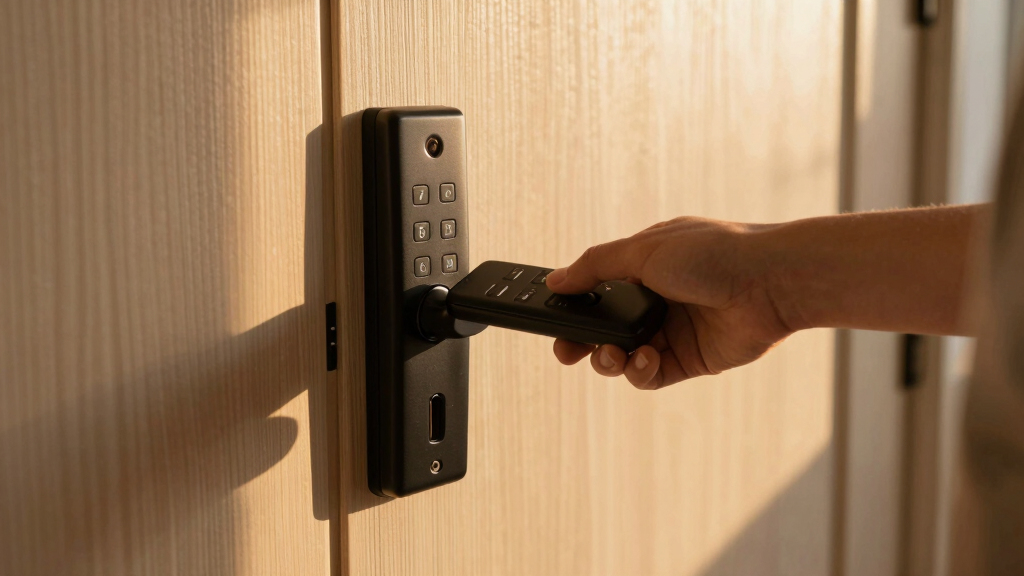

Finding the best keyless entry door lock with remote unlock means balancing convenience, security, and compatibility. The top overall pick, the Philips WiFi Smart Lock with App Control, combines seamless remote access with robust features, making it ideal for most users. The eufy Security Smart Lock C210 stands out for its simple setup and compatibility with popular smart home systems, while the Schlage FE595 offers a straightforward keypad solution for those prioritizing durability. These options highlight the main tradeoffs: advanced features versus ease of use, and price versus security. Continue reading for a detailed breakdown of each lock to find the best fit for your needs.
Key Takeaways
- The top picks balance remote unlocking capabilities with ease of installation and user-friendly interfaces.
- More advanced features like fingerprint access and voice control often come with higher costs and complexity.
- Compatibility with smart home ecosystems varies, so buyers should prioritize integrations relevant to their setup.
- Build quality and security standards differ significantly; higher-grade locks tend to be more durable and resistant to tampering.
- Price ranges reflect feature sets, with premium models offering more advanced remote and biometric options.




More Details on Our Top Picks
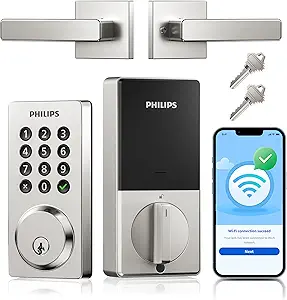
Philips Built-in WiFi Smart Lock with App Control, Touchscreen, Fingerprint, and Voice Compatibility
This Philips model stands out for combining multiple access options—fingerprint, PIN, app, and voice—making it highly versatile. Its 0.3-second fingerprint recognition offers quick, secure entry, surpassing some competitors like the eufy C210, which lacks biometric options. The remote management via app is seamless, but reliance on Wi-Fi means it’s vulnerable to connectivity issues and requires batteries, which need regular replacement. Setup can be complex for less tech-savvy users, and the absence of a backup physical key might be inconvenient. This option makes the most sense for homeowners who want a secure, all-in-one solution with remote control and biometric access.
Pros:- Fast 0.3-second fingerprint recognition for quick access
- Multiple unlocking methods including app, voice, and fingerprint
- Remote control and management via smartphone app
- Auto-lock feature enhances security
Cons:- Requires batteries which need periodic replacement
- Setup may be complex for some users
- Limited to Wi-Fi connectivity, risking connection issues
Best for: Tech-savvy homeowners seeking a high-security, multi-modal access lock with remote management
Not ideal for: Users who prefer simple, battery-free locks or have unreliable Wi-Fi connections
- Connectivity:Wi-Fi
- Fingerprint Recognition:0.3 seconds
- Auto-Lock Timer:30–180 seconds
- Batteries:Includes 8 batteries
- Compatibility:Alexa & Google Assistant
- Warranty:24 months
- Design:Splash-proof
Bottom line: This is ideal for users who want a highly flexible, remote-controlled smart lock with biometric options and are comfortable with more complex installation.
Schlage FE595 CAM 622 Flex Electronic Keypad Lock – Matte Black
The Schlage FE595 CAM 622 is suitable for those who want a straightforward keypad lock with flexible locking options—switching between automatic relock and unlocked modes. Compared to the more advanced Philips models, it prioritizes simplicity over remote control, lacking app compatibility or voice commands. Its key benefit is the Flex-Lock feature, which provides reliable, physical keypad access without needing batteries for biometric components. However, the lack of detailed tech specifications and connectivity options means it’s less adaptable for smart home setups. This lock is best suited for users who value basic security with manual control over lock modes and don’t require remote unlocking.
Pros:- Flexible locking options with Flex-Lock feature
- Secure keypad access eliminates need for spare keys
- Stylish matte black finish
Cons:- Limited details on compatibility and features
- No information on battery life or installation
Best for: Homeowners seeking a reliable, keypad-only lock with flexible locking modes
Not ideal for: Smart home enthusiasts wanting remote access or app control
Bottom line: This lock appeals to users who need a simple, durable keypad lock with flexible relock settings but don’t require remote control features.
eufy Security Smart Lock C210, Keyless Entry Door Lock with WiFi, Touchscreen Keypad, App Control, No Bridge Needed
The eufy C210 offers a compelling balance of ease of use and smart features, especially compared to more complex locks like the Philips WiFi Smart Lock with Handle. Its 15-minute installation process requires no drilling, making it accessible for most homeowners, and the built-in WiFi allows remote control directly from the app. Unlike the Philips models with external handles or more elaborate setups, the C210’s straightforward design simplifies deployment. It supports multiple unlocking methods—keypad, app, voice, and physical key—so users aren’t locked into one method. The main tradeoff is its reliance on four AA batteries, which will need replacement over time, and some users may find app setup less intuitive. Overall, a smart choice for those wanting quick installation and reliable remote access.
Pros:- Easy 15-minute installation without drilling
- Built-in WiFi enables remote control without external bridge
- Multiple unlocking options including keypad, app, voice, and key
- Compatible with other eufy smart home devices
Cons:- Requires 4 AA batteries which need replacement
- App setup may be complex for some users
- Limited to US standard deadbolts
Best for: Homeowners wanting a DIY installation with comprehensive app control and multiple unlocking methods
Not ideal for: People seeking a lock with a physical key backup only or with longer-term battery life
- Model Number:T8502
- Dimensions:8.66 x 3.15 x 7.09 inches
- Weight:671.5 grams
- Batteries:4 AA batteries included
- Connectivity:WiFi (built-in), App control
- Compatibility:Most standard US deadbolts
- Certification:BHMA Certified
Bottom line: This pick suits homeowners looking for a straightforward, easy-to-install smart lock with versatile remote and local control options.
Philips WiFi Smart Door Lock with Handle, Keyless Entry, Alexa & Google Support, IP54 Waterproof, Satin Nickel
This Philips model extends the brand’s smart lock lineup with added durability and a handle for easier operation. It provides remote access via app, voice commands with Alexa and Google, and multiple unlocking options—similar to the WiFi Smart Lock with App Control but with added robustness. Its IP54 waterproof rating ensures reliable operation in adverse weather, making it ideal for exterior doors exposed to the elements. Battery life can be a concern, as it relies on 8 AA batteries, which may need replacement more frequently with heavy use. Compared to the eufy C210, it offers the advantage of weatherproofing, but the complexity of installation and battery requirements are tradeoffs. This model suits users needing a durable, weather-resistant smart lock with remote control.
Pros:- Remote control and real-time notifications via app
- Supports voice unlocking with Alexa and Google Assistant
- IP54 waterproof rating for outdoor durability
- Easy DIY installation compatible with standard US deadbolts
Cons:- Requires 8 AA batteries (not included)
- Battery life may vary with heavy usage
- Larger size may not suit all door designs
Best for: Homeowners seeking a weatherproof, Wi-Fi-enabled smart lock for outdoor use with remote and voice control
Not ideal for: Residents with limited space for large locks or those wanting a minimalist design
- Connectivity:WiFi
- Material:Satin Nickel
- Waterproof Level:IP54
- Battery Life:Up to 6 months
- Battery Type:8 AA batteries (not included)
- Temperature Range:-31°F to 150°F
- Pressure Resistance:2200N
Bottom line: This model is perfect for users needing a weatherproof, remote-access lock that can withstand outdoor conditions and extreme temperatures.
Philips WiFi Smart Lock with Front Door Handle Set, Built-in WiFi, APP Remote & Voice Control, Fingerprint Keyless Entry, Keypad Deadbolt, Matte Black
This Philips model stands out for its comprehensive integration of remote control, fingerprint, passcodes, and voice commands, making it a versatile choice for busy households. Compared to the Philips WiFi Keypad Lock, the added handle set and faster fingerprint access elevate user convenience. Its built-in WiFi eliminates the need for hubs, but reliance on 8 AA batteries means regular replacements are necessary—an ongoing maintenance consideration. The lock’s ability to provide real-time activity alerts and support for Alexa and Google Assistant makes it ideal for tech-savvy owners seeking a fully connected home security system. However, limited to WiFi without a hub could pose connectivity issues if the network is unstable, and installation may require some door compatibility checks.
Pros:- Comprehensive remote management via app and voice control
- Fast fingerprint recognition in 0.3 seconds
- Includes complete handle set for easy installation
- Real-time activity alerts enhance security
Cons:- Requires 8 AA batteries which need regular replacement
- Limited to WiFi connectivity without a hub
- Installation may be complicated for some door types
Best for: Homeowners wanting a fully integrated, remote-managed smart lock with biometric and voice options.
Not ideal for: Renters or those with irregular WiFi connections who prefer simpler, battery-powered solutions without ongoing network dependency.
- Connectivity:WiFi
- Control:APP remote, voice control
- Fingerprint recognition:0.3 seconds
- Passcode options:Permanent, temporary, one-time
- Auto-lock:Yes, customizable timer
- Handle set included:Yes
- Door thickness compatibility:1-3/8″ to 1-3/4″
- Battery type:8 AA alkaline batteries
Bottom line: This pick is best for owners seeking a high-tech, fully integrated smart lock with biometric and voice features, willing to handle regular battery maintenance.
Philips WiFi Keypad Door Lock with Handle, Built-in WiFi, APP Remote Control, Voice & Fingerprint Unlock, Keyless Entry Deadbolt
This Philips keypad lock excels at offering multiple unlocking options—fingerprint, passcode, app, voice, and key—making it suitable for households with varied user preferences. Compared with the Philips WiFi Smart Lock with Front Door Handle Set, this model’s inclusion of a touchscreen keypad adds a layer of convenience for guests or family members who prefer PIN codes. Its support for customizable passcodes and auto-lock timers offers flexible security management, but the need for 8 AA batteries that are not included could be a minor inconvenience. Installation is straightforward, yet door compatibility checks are advisable. The reliance on WiFi without a hub might be a concern if your network is unreliable, but overall, it offers a balanced mix of security and convenience.
Pros:- Supports multiple unlocking methods including fingerprint, PIN, app, voice, and key
- Supports various passcode types for flexible access
- Auto-lock timer adds security without manual intervention
- Built-in WiFi for remote control
Cons:- Batteries are sold separately
- Requires WiFi connection for remote features
- Door compatibility should be confirmed for proper fit
Best for: Families who want multiple access options and flexible security features without complicated setup.
Not ideal for: Users with limited WiFi stability or those seeking a purely mechanical backup without battery dependency.
- WiFi Connectivity:2.4GHz, no hub required
- Fingerprint Speed:0.3 seconds
- Passcode Options:Permanent, one-time, periodic, recurring
- Auto Lock Timer:0-180 seconds
- Door Thickness Compatibility:1-3/8″ to 1-3/4″
- Power Source:8 AA alkaline batteries (not included)
Bottom line: This lock suits households needing versatile, multi-method access with remote management, provided WiFi stability is reliable.
Philips Wi-Fi Smart Door Lock with Handle, Keyless Entry, Fingerprint, App Control, Touchscreen Keypad
The Philips Wi-Fi Smart Door Lock with handle brings biometric, keypad, app, and voice control into a single device, making it suitable for security-conscious users who want multiple, customizable entry methods. Its fast fingerprint recognition (0.3 seconds) and touchscreen keypad offer quick, contactless access, while the app provides real-time monitoring and remote control. Compared with the Philips WiFi Smart Lock with Front Door Handle, this model emphasizes security with auto-lock modes and detailed user management. The need for 8 AA batteries not included is a consideration, and setup complexity might challenge less tech-savvy owners. Its comprehensive feature set makes it a good choice for those prioritizing security and convenience, though some may find the installation process less straightforward.
Pros:- Fast fingerprint recognition in 0.3 seconds
- Multiple unlocking methods including app, fingerprint, PIN, voice, and key
- Real-time monitoring via app enhances security
- Auto-lock and customizable modes improve safety
Cons:- Requires 8 AA batteries not included
- Setup can be complex for some users
- Limited to WiFi networks at 2.4GHz
Best for: Homeowners wanting a secure, feature-rich lock with monitoring and multiple unlocking options.
Not ideal for: Those who prefer simple, mechanical locks or have limited ability to handle complex setups.
- Brand:Philips
- Model Number:DDL220X-1HW-H
- Warranty:2 Year
- Batteries Required:8 AA alkaline batteries
- Included Components:Mechanical keys, screws, user manual
Bottom line: Ideal for users seeking detailed security features and multi-method access with real-time control, willing to manage installation complexity.
eufy Security Smart Lock C220, Keyless Entry with Fingerprint, Wi-Fi, App Control, Deadbolt, IP53 Waterproof, BHMA Grade 3
The eufy Security Smart Lock C220 prioritizes durability and ease of installation, with an IP53 waterproof rating and a battery life lasting up to 8 months, making it a reliable choice for diverse weather conditions. Its support for fingerprint, app, keypad, physical key, and voice assistant offers flexible access methods, similar to higher-grade options like the Philips models. Compared to the Philips WiFi Smart Lock, the C220’s longer battery life reduces maintenance frequency, but its Grade 3 security rating offers less protection than Grade 1 or 2 models, which might concern those needing maximum security. The straightforward 15-minute installation makes it suitable for DIYers, but battery life may still vary with heavy use, and it requires Wi-Fi for remote functionality.
Pros:- Long-lasting 8-month battery life reduces maintenance
- Easy 15-minute installation without drilling
- Supports multiple unlocking methods including fingerprint and app
- Waterproof IP53 rating withstands outdoor conditions
Cons:- Security grade (BHMA Grade 3) is lower than premium options
- Battery life can vary with heavy usage
- Wi-Fi connection needed for remote access
Best for: Homeowners who prioritize weather resistance and long battery life over the highest security grade.
Not ideal for: Security-focused users requiring Grade 1 or 2 ratings or those with frequent, high-volume access needs.
- Battery Life:8 months
- Battery Type:8 AA batteries
- Connectivity:Wi-Fi
- Waterproof Rating:IP53
- Grade:BHMA Grade 3
- Operating Temperature:-22℉ to 158℉
Bottom line: Best suited for users valuing durability and long-term battery life in an outdoor or weather-prone environment, accepting a slightly lower security grade.
Philips Wi-Fi Smart Lock – Keyless Entry Deadbolt for Front Door
This Philips Wi-Fi Smart Lock offers a comprehensive package with multiple unlocking options—fingerprint, passcode, key, voice, and remote app—making it suitable for users seeking maximum flexibility. Its built-in WiFi facilitates remote access and real-time monitoring, while fast fingerprint recognition (0.3 seconds) supports quick entry. Compared with the other Philips options, this model emphasizes security features like anti-tamper alarms and low-battery alerts, ideal for those who want peace of mind. However, the requirement for WiFi means dependent connectivity, and setup might be more complex for some users. The multiple methods of entry make it versatile, but regular battery checks are necessary to prevent outages.
Pros:- Multiple unlocking options including fingerprint, passcode, key, voice, and app
- Real-time remote control and activity monitoring
- Fast fingerprint recognition in 0.3 seconds
- Security features like anti-tamper alarms
Cons:- Requires WiFi connection for remote features
- Battery life may require frequent monitoring
- Setup complexity for some users
Best for: Homeowners who want an all-in-one, flexible lock system with strong security alerts and remote management.
Not ideal for: Users who prefer mechanical-only solutions or have limited WiFi coverage, risking connectivity issues.
- Unlocking Methods:Fingerprint, Passcode, Key, Voice, Remote App
- Connectivity:Built-in WiFi
- Voice Assistant Compatibility:Alexa, Google Assistant
- Fingerprint Recognition Speed:0.3 seconds
- Auto Lock:Yes
- Security Features:Anti-tamper alarm, Low-battery alert
Bottom line: This lock is excellent for those wanting a feature-rich, remote-controlled lock with strong security alerts, suitable for tech-savvy homeowners.
Philips Smart Lock with Handles, Keyless Entry Door Lock Set, Digital Keypad Deadbolt for Front Door
The Philips Smart Lock with Handles stands out for its versatility, combining multiple unlocking options—fingerprint, PIN, app, and traditional key—within a sleek design. Compared to the Unknown Product, which lacks detailed info, this lock offers a clear advantage in usability and integration. Its Bluetooth connectivity supports remote control within an 8-10 meter range, and auto-locking adds a layer of convenience and security. However, the need to purchase a separate WiFi Gateway for internet access can be a hassle, especially for those wanting full remote capabilities without extra expense. Its compatibility with most standard doors and easy installation make it suitable for homeowners seeking a reliable upgrade, but the battery life depends on prompt replacements after alerts, which could be inconvenient. Overall, this pick makes the most sense for users who want a comprehensive, multi-method keyless system that’s straightforward to install and operate.Pros:- Multiple unlocking methods including fingerprint, PIN, app, and key
- Easy to install on most standard doors
- Bluetooth and app control enable remote access and monitoring
- Auto-lock feature enhances home security
Cons:- Requires a separate WiFi Gateway for internet-based remote control
- No sensor for auto-detection of door closure, relies on user to ensure door is fully closed
- Battery replacement needed after low battery alert, which could cause inconvenience
Best for: Homeowners seeking a flexible, multi-unlock method with straightforward installation and reliable Bluetooth control.
Not ideal for: People wanting built-in WiFi without additional purchases or those who prefer a lock with auto-detection sensors for door closure.
- Model Number:DDL240X-1HB-L
- Included Components:APP Control, Amazon Alexa, Google Assistant, Hand Control
- Compatibility:Most standard doors (1-3/8″ to 1-3/4″ thick)
- Battery Life:Replace batteries promptly after low battery alert
- Number of Fingerprints:Up to 50
- PIN Codes:Unlimited one-time PINs, 100 user PINs
- Auto Lock:Yes
- Bluetooth Range:8-10 meters
Bottom line: This lock is ideal for users who want a flexible, secure, and easy-to-install keyless system with remote access via Bluetooth and app, provided they’re willing to buy the WiFi Gateway separately.

How We Picked
We evaluated these products based on their remote unlocking functionality, ease of installation, build quality, and overall security features. Compatibility with popular voice assistants and smart home systems was also a key factor, as seamless integration enhances convenience. We considered user reviews and expert feedback to identify reliable brands and models that balance performance with value. The ranking reflects a combination of feature set, usability, and durability, ensuring that each pick offers a distinct advantage suited to different types of buyers.Factors to Consider When Choosing Best Keyless Entry Door Lock With Remote Unlock
Choosing the best keyless entry door lock with remote unlock requires considering several important factors. While features like fingerprint access or voice control add convenience, they also influence cost and complexity. It’s essential to match a lock’s capabilities with your specific needs, whether you prioritize ease of use, advanced security, or smart home integration. Understanding these considerations helps avoid common pitfalls like overpaying for unnecessary features or selecting a lock that doesn’t fit your door type.Compatibility and Smart Home Integration
Before purchasing, verify that the lock works with your existing smart home ecosystem, whether that’s Alexa, Google Assistant, or Apple HomeKit. Compatibility ensures you can control the lock remotely via voice commands or apps, offering maximum convenience. Some locks require additional hubs or bridges, which can add to the cost and setup complexity. Choosing a device with native support for your preferred platform simplifies setup and increases reliability.
Security Features and Build Quality
Look for locks with solid construction, such as reinforced deadbolts and tamper-resistant features. Higher security standards, like BHMA Grade 1 or Grade 2, indicate increased durability and resistance to physical attack. Remote unlock features are only valuable if paired with strong encryption and secure wireless protocols, as vulnerabilities can expose your home to risks. Avoid overly cheap models that may compromise security for the sake of affordability.
Ease of Installation and User Interface
An intuitive setup process and a straightforward user interface make daily use simpler. Some models offer DIY installation with minimal tools, while others may require professional help. Consider the app design and whether it offers clear instructions, easy management of access codes, and real-time notifications. A complicated interface can reduce security effectiveness if users misconfigure settings or neglect updates.
Battery Life and Power Options
Reliable battery life is critical; a lock that drains batteries quickly can leave you locked out. Many models use standard batteries, with some offering low-battery alerts or backup power options like external ports. Check how often batteries need replacing and whether the lock offers low-power warnings. Longer-lasting batteries reduce maintenance and ensure continuous operation.
Price and Value Considerations
While premium models offer advanced features like biometric unlocking and full smart home integration, they come at higher prices. Consider your actual needs—if remote unlocking and basic security suffice, a more affordable model may be ideal. Conversely, if you desire seamless integration and maximum convenience, investing in a higher-end lock could be justified. Balance your budget with the features that genuinely enhance your home security and convenience.
Frequently Asked Questions
Can I install a keyless entry lock myself?
Most keyless entry locks with remote unlock are designed for DIY installation, featuring step-by-step instructions and straightforward mounting hardware. However, the complexity varies based on your door type and existing hardware. If you’re comfortable with basic tools and follow the manufacturer’s instructions carefully, you can typically install these locks without professional help. For more complex door setups or if you want to ensure perfect security, hiring a locksmith might be worth considering.
Do these locks work if WiFi or power fails?
Many smart locks include backup power options, such as batteries that maintain operation during power outages. Some models also feature physical key overrides or keypad codes as fallback methods for entry. It’s important to select a lock with reliable battery life and backup options if you prioritize uninterrupted access. Regularly checking battery levels and having spare batteries on hand can prevent lockouts caused by power failure.
Are remote unlocking features secure?
When properly implemented, remote unlocking features use encrypted communication protocols that protect against hacking attempts. Reputable brands prioritize cybersecurity, incorporating features like two-factor authentication and frequent firmware updates. However, any wireless system introduces potential vulnerabilities, so choosing a well-reviewed, security-focused lock is essential. Avoid overly inexpensive models that may lack robust security measures, as these could be more susceptible to breaches.
How do I know if a lock is compatible with my door?
Compatibility depends on your door’s thickness, whether it’s pre-drilled for deadbolts, and the existing lock dimensions. Most smart locks specify supported door types and sizes in their product descriptions. Measure your door’s thickness, the backset (distance from the edge to the center of the hole), and the borehole diameter before purchasing. Ensuring compatibility can save time and prevent the frustration of returning an ill-fitting lock.
Is it worth paying more for a high-end model?
Investing in a premium lock often means enhanced security, more reliable remote access, and better integration with smart home systems. If you prioritize convenience and home security, a higher-end model can be a valuable upgrade. However, if your needs are basic—such as occasional remote access and straightforward keypad entry—a mid-range lock might meet your needs without overspending. Consider your specific security concerns and daily routines when deciding.
Conclusion
If you want the best overall experience with seamless remote control, the Philips WiFi Smart Lock with App Control stands out for its combination of security, ease of use, and smart home compatibility. For those prioritizing affordability and straightforward operation, the Schlage FE595 offers durable, reliable keypad access without advanced features. If you are a tech enthusiast seeking premium integration and biometric options, investing in a high-end model like the Philips WiFi Smart Lock with Fingerprint may be worth the extra cost. Beginners should focus on easy-installation options, while security-conscious buyers should prioritize locks with high-grade certifications. Ultimately, your choice depends on your budget, existing smart home setup, and desired features.