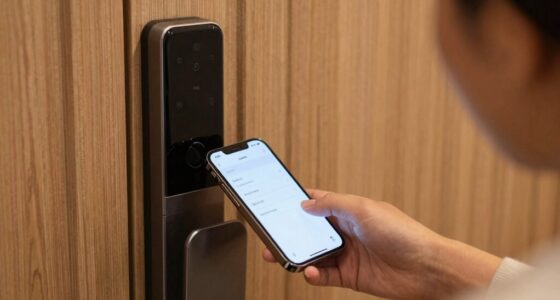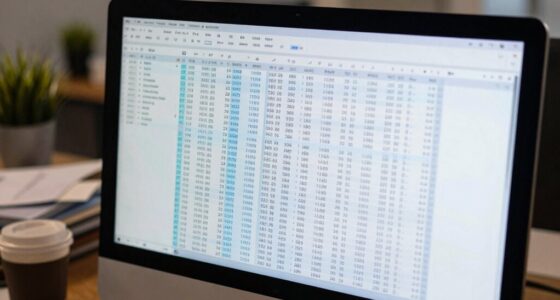
Your smart lock data may be stored locally on your home’s network or in the cloud on third-party servers. Storing data locally gives you more control and privacy, while cloud storage offers convenience but might expose your information to third parties and jurisdictional risks. Encryption protects your data during transmission and storage, but understanding where your data lives and how it’s shared is vital. Keep exploring to learn how to better secure and manage your smart lock information.
Key Takeaways
- Data storage locations include local devices or home networks, and cloud servers, each with different privacy implications.
- Cloud storage involves transmitting data over the internet to third-party servers, which may be in various jurisdictions.
- Data encryption protects information during transmission and storage, but additional security measures are essential.
- Privacy policies disclose third-party sharing practices, influencing where and how your data is stored.
- User control options, such as data deletion and sharing restrictions, help manage and protect your smart lock data.

In today’s digital world, safeguarding your personal information has become more vital than ever. When it comes to your smart lock data, understanding where it’s stored and how it’s protected is essential. Many smart lock manufacturers use encryption protocols to secure your data, ensuring that only authorized devices and users can access it. Encryption transforms your information into a coded format, making it unreadable to anyone without the proper decryption key. This means that even if someone intercepts your data during transmission or gains access to storage servers, they won’t be able to decipher your sensitive information. However, encryption alone isn’t enough. You should also be aware of how your data is handled once it leaves your device. Some companies store your data locally on your home network or device, giving you more control, while others rely on cloud storage solutions. Cloud storage often involves transmitting your data over the internet to third-party servers, which raises concerns about third party sharing. If your smart lock provider shares your data with third parties—such as marketing firms, analytics companies, or other partners—you might unintentionally expose yourself to privacy risks. It’s essential to understand the company’s privacy policy and what kind of third-party sharing occurs. Some providers encrypt data both in transit and at rest, but they may still share information with partners for various reasons. If you’re uncomfortable with third-party sharing, look for brands that prioritize user privacy and limit data sharing practices. Additionally, consider whether the company stores your data in jurisdictions with strong privacy laws. Different countries have varying data protection standards, and storing data in regions with strict regulations can provide an extra layer of security. Furthermore, find out if your smart lock’s data storage is centralized or distributed. Decentralized storage can reduce the risk of large-scale data breaches, whereas centralized servers may become attractive targets for hackers. Always check if the company offers options to delete your data completely or to control what is stored and shared. Your privacy depends on transparency, so don’t hesitate to ask questions about data storage and security measures. Staying informed about networking infrastructure and how data is transmitted can help you better understand potential vulnerabilities. Ultimately, your best defense is to choose a provider that employs robust encryption protocols, limits third-party sharing, and is transparent about their data management practices. By staying informed and attentive, you can enjoy the convenience of your smart lock without compromising your privacy. Remember, your personal data is valuable, and knowing where it’s stored and how it’s protected gives you peace of mind and greater control over your digital security.

Veise VE017 Fingerprint Smart Door Lock, App Control, 8-in-1 Keyless Entry, Auto Lock, Emergency Power Port, Electronic Touchscreen Keypad, Biometric Smart Locks for Front Door, Matte Black
Smart User Management: Our smart user management system empowers you to take full, remote control of your property…
As an affiliate, we earn on qualifying purchases.
As an affiliate, we earn on qualifying purchases.
Frequently Asked Questions
Can I Access My Smart Lock Data Offline?
Yes, you can access your smart lock data offline if it’s stored locally on your device. Many smart locks offer local storage options, allowing you to open or check settings without an internet connection. This offline access means you won’t be dependent on cloud services or Wi-Fi, giving you more control and security. Just make certain your device is within range and the lock’s local storage is enabled for offline use.
Who Has Legal Access to My Smart Lock Data?
You have the right to control who accesses your smart lock data, but privacy laws and data ownership policies vary. Typically, your device manufacturer or service provider may have legal access under the terms you agree to. They might share data with authorities if legally required. Stay informed about privacy policies, and consider setting permissions carefully to guarantee your data’s security and your rights are protected.
How Do I Revoke Data Access From Third Parties?
To revoke third-party permissions, check your smart lock app’s settings and locate the data sharing policies. You can usually find options to disable or remove third-party access directly there. It’s important to review the permissions you’ve granted and revoke any unnecessary data sharing. Doing this guarantees your data stays private, and you maintain control over who can access your smart lock information.
Is My Smart Lock Data Encrypted During Storage?
A stitch in time saves nine, and when it comes to your smart lock data, encryption is key. Yes, your data is encrypted during storage, ensuring it’s protected from unauthorized access. Manufacturers typically use data encryption and storage security measures to safeguard your information. You can rest assured that your smart lock’s data remains secure, thanks to these protective layers, giving you peace of mind and controlling your privacy.
What Are the Risks of Cloud Data Breaches?
Cloud data breaches can expose your smart lock information, risking unauthorized access. Poor cloud security measures increase this risk, especially if the provider lacks robust encryption and access controls. Data sovereignty also matters—your data stored in servers outside your country might face different legal protections. To stay safe, choose providers with strong security practices, understand where your data is stored, and stay informed about potential vulnerabilities in cloud storage.

Wyze Auto-Lock Bolt v2, Fingerprint Keyless Entry Smart Lock, AI Learning Scanner with Wi-Fi Front Door Lock Deadbolt, Auto-Lock, 8 Months Battery, BHMA2, IP53, Anti-Peep Keypad, Backup Keys
Effortless Entry, Lasting Clarity: Unlock in 0.5 seconds with Wyze Lock Bolt v2's fingerprint scanner. Its scratch and…
As an affiliate, we earn on qualifying purchases.
As an affiliate, we earn on qualifying purchases.
Conclusion
Your smart lock data is like a secret message waiting to be uncovered; it’s stored somewhere in the digital ether. By understanding where your information resides, you hold the key to safeguarding your privacy. Think of it as guarding a precious treasure—your personal security. Stay vigilant and ask questions, so your data remains your own, locked away behind digital doors only you control. Protecting your privacy isn’t just smart—it’s essential.
Veise VE017 Fingerprint Smart Door Lock, App Control, 8-in-1 Keyless Entry, Auto Lock, Emergency Power Port, Electronic Touchscreen Keypad, Biometric Smart Locks for Front Door, Matte Black
Smart User Management: Our smart user management system empowers you to take full, remote control of your property…
As an affiliate, we earn on qualifying purchases.
As an affiliate, we earn on qualifying purchases.
Veise VE017 Fingerprint Smart Door Lock, App Control, 8-in-1 Keyless Entry, Auto Lock, Emergency Power Port, Electronic Touchscreen Keypad, Biometric Smart Locks for Front Door, Matte Black
Smart User Management: Our smart user management system empowers you to take full, remote control of your property…
As an affiliate, we earn on qualifying purchases.
As an affiliate, we earn on qualifying purchases.