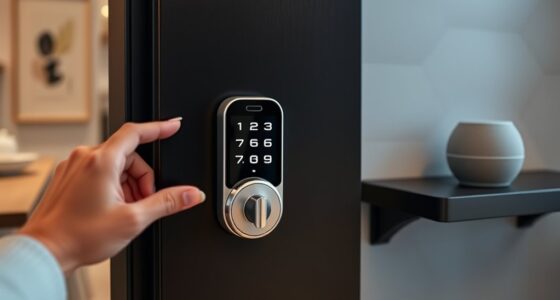
To prevent smart lock lockouts, make it a habit to regularly check and replace your batteries before they die. Many smart locks offer low-battery alerts, so pay attention when they’re notified. Keep spare batteries handy, and test backup options like keys or codes periodically. Consistent maintenance guarantees your lock stays powered and reliable. Staying proactive about battery health can save you from unexpected lockouts and frustration—plus, there’s more you can do to stay ahead of potential issues.
Key Takeaways
- Regularly check and monitor battery levels to ensure they are adequately charged.
- Replace batteries proactively before they reach low power to prevent lockouts.
- Use high-quality batteries to extend lifespan and maintain consistent performance.
- Keep spare batteries on hand for quick replacement during routine maintenance.
- Test backup access methods periodically to ensure they are functional when needed.
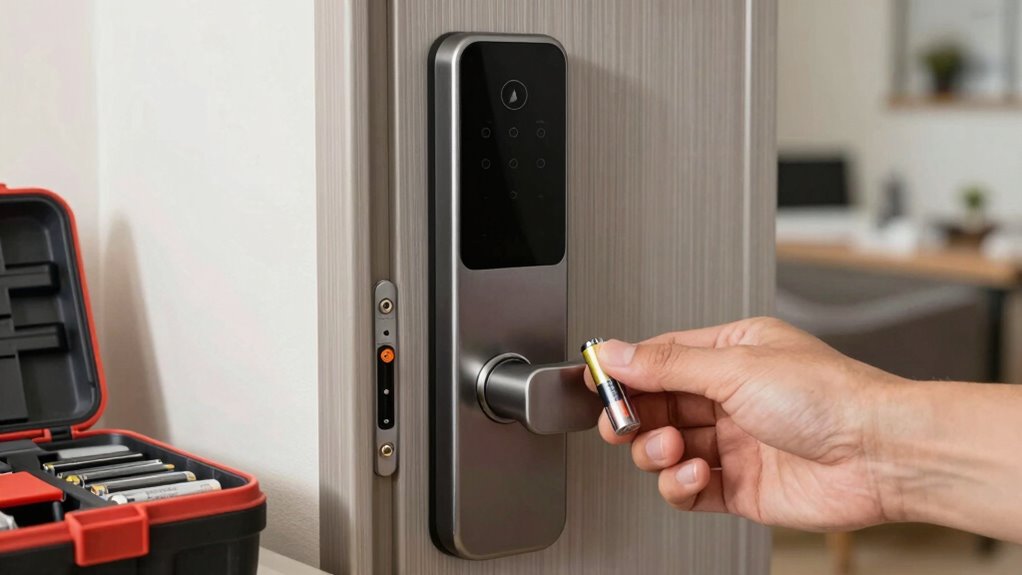
Smart locks offer convenience, but a dead battery can quickly turn that convenience into a lockout. You rely on your smart lock daily, whether you’re coming home from work or just heading out for errands. That’s why maintaining your battery is essential. Battery maintenance means more than just swapping batteries once in a while; it involves regular checks to ensure your lock always has the power it needs. Many smart locks provide low-battery alerts, so pay attention to these warnings. When you get the notification, replace the batteries promptly. Waiting too long can leave you stranded outside your door, especially if you’re caught off guard by a dead battery in bad weather or during an emergency.
Having an emergency backup is equally important. Many smart locks come with alternative access options, like a traditional key or a backup code. Make sure you know how to use these backups before you actually need them. If your lock’s battery dies unexpectedly, you won’t want to scramble for a manual key or remember a code in a panic. Keep your backup keys in a safe, accessible place, and test your emergency access methods periodically. This way, when the battery runs low, you’re prepared and won’t face a lockout.
An effective battery maintenance routine involves checking your lock’s battery status regularly—perhaps once a month. If your lock has a battery indicator, glance at it to confirm it’s full or within safe limits. If not, set a reminder to replace batteries every few months, depending on the manufacturer’s recommendations. Using high-quality batteries can also extend the lifespan and ensure consistent performance. Don’t overlook the importance of keeping spare batteries on hand—this simple step can save you from unexpected lockouts. Regularly inspecting your home security devices can help you stay ahead of potential issues. Additionally, understanding the power source requirements of your smart lock can help you plan for replacements more effectively, especially when considering the battery life expectancy suggested by the manufacturer. Staying informed about these specifications is a good way to prevent unexpected failures, as well as ensure your device’s longevity. Staying proactive with maintenance can also help you avoid power drain caused by environmental factors or improper handling.
Your smart lock is designed to make your life easier, but it’s only reliable if its power source stays active. By staying vigilant about battery maintenance and knowing your emergency backup options, you prevent the inconvenience of being locked out. Regular checks and timely replacements mean you’ll always have access when you need it most. Remember, a little proactive effort now can save you significant frustration later. Keep your backup methods handy, stay on top of battery health, and your smart lock will serve you well, ensuring safety and convenience without interruption.

Perfect Pairz 83581 Top Battery Holder for Kwikset 913, 914, 915, 916, 919, 925, and 953 Series SmartCode Deadbolts Replacement Part, 4 AA Battery Holder, Smart Keypad Deadbolts Battery Pack Holder
【Function】For Kwikset battery holder caused by outdated or damaged batteries—such as insufficient power, unstable voltage, or complete failure—can…
As an affiliate, we earn on qualifying purchases.
As an affiliate, we earn on qualifying purchases.
Frequently Asked Questions
How Long Do Smart Lock Batteries Typically Last?
Smart lock batteries usually last between 6 months to a year, depending on usage and battery quality. You should monitor battery longevity regularly through the lock’s app or indicator. To prevent lockouts, consider power source alternatives like rechargeable batteries or backup power options, so you’re never caught off guard. Keeping an eye on your batteries and exploring these alternatives guarantees your lock stays functional and secure all year round.
Can I Use Rechargeable Batteries in My Smart Lock?
Yes, you can use rechargeable batteries in your smart lock, but make sure they meet voltage compatibility to avoid damage. Always check the manufacturer’s guidelines before switching to rechargeable batteries. Proper battery recycling is essential once they reach the end of their lifespan. Keep in mind that rechargeable batteries may have slightly different voltage levels, so verifying compatibility helps prevent lock malfunctions and prolongs your smart lock’s lifespan.
What Signs Indicate My Lock’s Battery Is Low?
You’ll notice your smart lock’s battery is low when it begins to respond slowly or if you receive a low battery warning. Regular battery maintenance is key to maintaining lock security and preventing lockouts. Keep an eye on the lock’s indicator lights or app alerts, and replace batteries promptly to guarantee your lock stays secure and functions smoothly. Staying proactive helps avoid surprises and keeps your smart lock reliable.
Are There Backup Power Options for Smart Locks?
Imagine a secret passage, ready to be opened in moments—your smart lock can have backup power options. Emergency power, like a portable power bank or external battery pack, can temporarily energize your lock during a low battery or power outage. Regular battery maintenance guarantees smooth operation, and many locks feature external ports or backup keys for added security. Keep these options in mind to avoid lockouts and maintain seamless access.
How Often Should I Replace the Batteries?
You should replace your smart lock batteries every 6 to 12 months, depending on the battery lifespan and usage. Check the lock’s battery indicator regularly, and don’t wait until it’s completely dead. It’s also wise to establish a charging frequency or replacement schedule based on your lock’s power consumption. This routine helps prevent lockouts, ensuring your smart lock functions smoothly and keeps your home secure without interruptions.

Granicell 10-Pack Lithium AA Batteries | 1.5V for Blink Cameras, Smart Locks, Alarms & Tech Devices | 10-Year Life, Leak-Proof, Extreme-Temp Resistant (Non-Rechargeable)
10-Year Ultra-Long Lifespan & High Capacity: Engineered with lithium metal technology, these AA batteries deliver 3x longer power…
As an affiliate, we earn on qualifying purchases.
As an affiliate, we earn on qualifying purchases.
Conclusion
By staying proactive with your smart lock’s battery, you avoid unexpected lockouts. Imagine leaving for work, only to find your lock dead—causing frustration and delays. Instead, check the battery regularly and replace it before it runs out. Just like Sarah, who kept a spare battery handy, you can guarantee smooth access at all times. Make this simple habit part of your routine, and you’ll never have to worry about getting locked out again.

eLinkSmart Fingerprint Padlock with Key Backup, Heavy Duty Weatherproof Bluetooth Biometric Keyless Electronic Digital Smart Pad Lock for Gate Outdoor Fence Storage Locker Pool Shed
🔐【Advanced Fingerprint Reader】: The fingerprint padlock uses self-learn AI biometric technology, touch your finger to unlock within 0.2s,…
As an affiliate, we earn on qualifying purchases.
As an affiliate, we earn on qualifying purchases.

Philips WiFi Keypad Door Lock with Handle, Built-in WiFi, APP Remote Control, Voice & Fingerprint Unlock, Smart Locks for Front Door with Auto Lock, Digital Front Door Lock Set, Keyless Entry Deadbolt
Connect to 2.4GHz WiFi, No Hub Needed:Connect your Philips 4200 Series Wifi Door Lock Deadbolt directly to your…
As an affiliate, we earn on qualifying purchases.
As an affiliate, we earn on qualifying purchases.