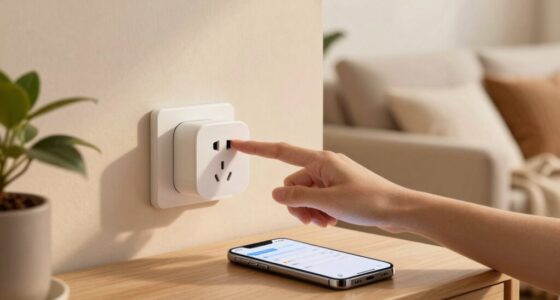
Rule conflicts in your smart home happen when automation routines, voice commands, and device triggers clash or overlap. These overlaps can cause your lights flicker, devices activate unexpectedly, or routines fail to run correctly. Interoperability issues between different brands and protocols make things worse. To fix this, you need to identify and manage these conflicts, ensuring routines don’t interfere with each other. Keep exploring to discover how to prevent and troubleshoot these confusing behaviors effectively.
Key Takeaways
- Overlapping automation rules can trigger devices simultaneously, causing unpredictable or erratic behavior.
- Conflicting voice commands and scheduled routines may activate opposing device actions.
- Devices from different brands or protocols may have incompatible rules, leading to interference.
- Multiple triggers, like motion sensors and timers, can activate routines that conflict with each other.
- Poorly coordinated or unreviewed automation rules contribute to inconsistent or unexpected smart home responses.
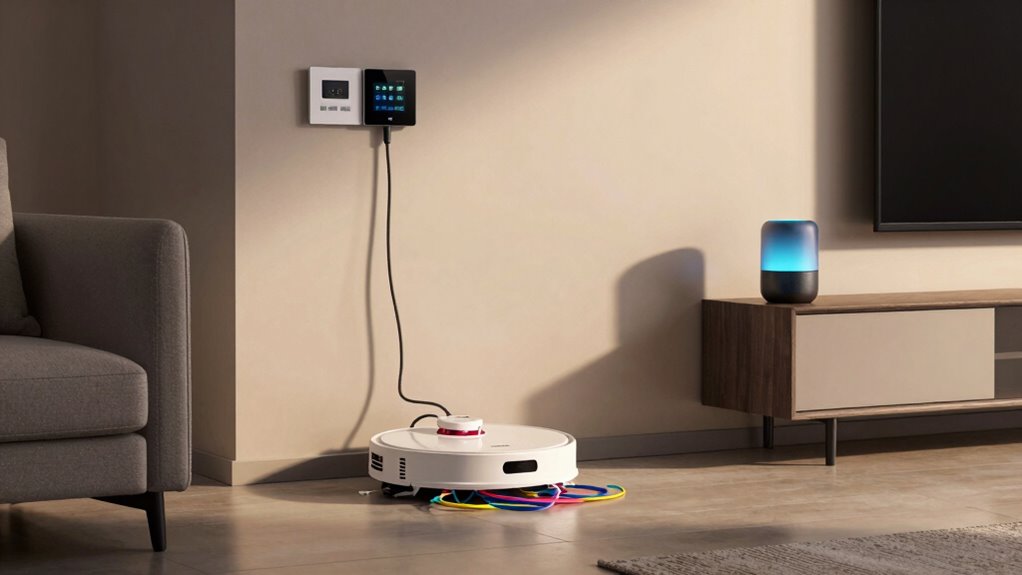
Smart homes are designed to make daily life easier, but sometimes conflicting automation rules can cause unexpected and bizarre behavior. When you rely on voice recognition to control devices, it’s easy to overlook how overlapping commands or routines might interfere with each other. For example, you might have a voice command set to turn on the lights and start the coffee maker in the morning, but if another automation triggers based on a different condition, like a motion sensor, the devices could conflict. This can lead to lights flickering, appliances turning on and off unexpectedly, or routines not executing at all. The core issue often lies in how these rules interact, especially when multiple devices are supposed to work together seamlessly.
Device interoperability is another essential factor in this puzzle. Your smart home ecosystem might include products from different brands or platforms, each with its own set of rules and protocols. If their automation settings aren’t perfectly aligned, they can work against each other. For instance, a smart thermostat might attempt to adjust the temperature based on a scheduled rule, while a voice command overrides that setting temporarily. When these rules clash, your devices might behave unpredictably — the temperature might jump unexpectedly, or your system might ignore certain commands altogether. These conflicts become even more confusing if you’re not aware of all the active rules and routines running in the background. Additionally, understanding the importance of rule conflicts can help you troubleshoot and optimize your smart home setup more effectively. Recognizing how automation rules can interact unexpectedly is crucial to preventing these issues. Regularly reviewing and understanding your rule interactions can help you identify potential conflicts before they cause problems. Moreover, most smart home platforms provide conflict detection tools that can give you insights into overlapping routines.
Device interoperability issues cause conflicting rules, leading to unpredictable smart home behavior and overlooked commands.
In many cases, these issues stem from poorly coordinated automation rules. When you set up voice recognition commands, you might think they’re straightforward, but behind the scenes, the system has multiple routines that can activate based on different triggers. If you say, “Good morning,” and the system is also programmed to turn on the lights when it detects motion, you might find the lights turning on twice or not at all, depending on which rule fires first. The problem escalates when you have a complex network of routines that don’t account for each other’s actions. This can make your smart home seem unpredictable, even if you programmed everything carefully. Understanding rule interactions is essential for creating a coherent automation setup and avoiding these kinds of conflicts.
To avoid these problems, it’s vital to review your automation rules regularly. Check for overlaps, especially those involving voice recognition and device interoperability. Simplify routines where possible, and make certain that commands don’t unintentionally override each other. Many smart home platforms offer tools to detect conflicts, so use those to troubleshoot issues before they turn into bizarre behaviors. Understanding how your devices and rules interact is key to keeping your smart home running smoothly, so you can enjoy the convenience without the strange surprises. Keeping an eye on automation rule conflicts and their interactions can significantly improve your smart home experience.
smart home conflict detection tools
As an affiliate, we earn on qualifying purchases.
As an affiliate, we earn on qualifying purchases.
Frequently Asked Questions
How Can I Prevent Rule Conflicts in My Smart Home Setup?
To prevent rule conflicts in your smart home setup, you should prioritize your rules carefully. Use rule prioritization to determine which rules take precedence when conflicts arise. Regularly review your automation settings and employ conflict resolution strategies, like disabling overlapping rules or setting clear conditions. Keep your system organized, and test new rules individually to guarantee they don’t interfere with existing automations, maintaining smooth and reliable smart home operation.
Are There Specific Devices More Prone to Rule Conflicts?
Some devices are more prone to rule conflicts, especially those with complex automation like smart thermostats or security cameras. You should prioritize devices within your system to prevent conflicts, ensuring critical devices have higher priority. Employ conflict resolution techniques by setting clear priorities and testing automations carefully. This way, you avoid unintended behaviors, and your smart home runs smoothly, keeping everything synchronized without frustrating surprises.
Can Rule Conflicts Damage or Disable My Smart Devices?
Rule conflicts generally won’t damage or disable your smart devices, but they can cause malfunction or unpredictable behavior. This happens when device compatibility issues or conflicting rules clash, leading to confusion in your system. Proper rule prioritization helps prevent these issues, ensuring your devices respond correctly. Keep your rules organized and compatible devices updated to minimize conflicts, so your smart home functions smoothly without risking damage or disablement.
How Do I Identify Which Rule Is Causing the Issue?
Ever wondered which rule is causing your smart home issues? Start by checking your device’s rule prioritization settings; higher-priority rules override others and can create conflicts. Look for overlapping triggers or actions that might be competing. Use conflict resolution features in your smart home app to identify problematic rules. Disabling rules one by one helps pinpoint the culprit, giving you control to fix or adjust conflicting commands efficiently.
Are There Any Tools to Detect Conflicting Rules Automatically?
Yes, there are tools for automatic conflict resolution in smart home systems. These tools analyze your rule overlap and identify conflicts by scanning your automation rules. They help you pinpoint where overlaps occur and suggest adjustments to prevent unintended actions. Using conflict resolution tools streamlines managing complex rules, ensuring your devices work harmoniously without unexpected behavior. Regularly employing these tools keeps your smart home functioning smoothly and avoids frustrating rule conflicts.
interoperable smart home devices
As an affiliate, we earn on qualifying purchases.
As an affiliate, we earn on qualifying purchases.
Conclusion
Imagine walking into your smart home, only to find your lights flickering and your thermostat acting up. Nearly 60% of smart home issues stem from conflicting rules that you or your devices have set. These conflicts create unpredictable behavior, making your home feel less like a haven and more like a puzzle. So, next time your smart home acts strange, remember: a simple rule conflict might be the sneaky culprit behind the chaos.
smart home automation rule manager
As an affiliate, we earn on qualifying purchases.
As an affiliate, we earn on qualifying purchases.
smart home routine troubleshooting kit
As an affiliate, we earn on qualifying purchases.
As an affiliate, we earn on qualifying purchases.