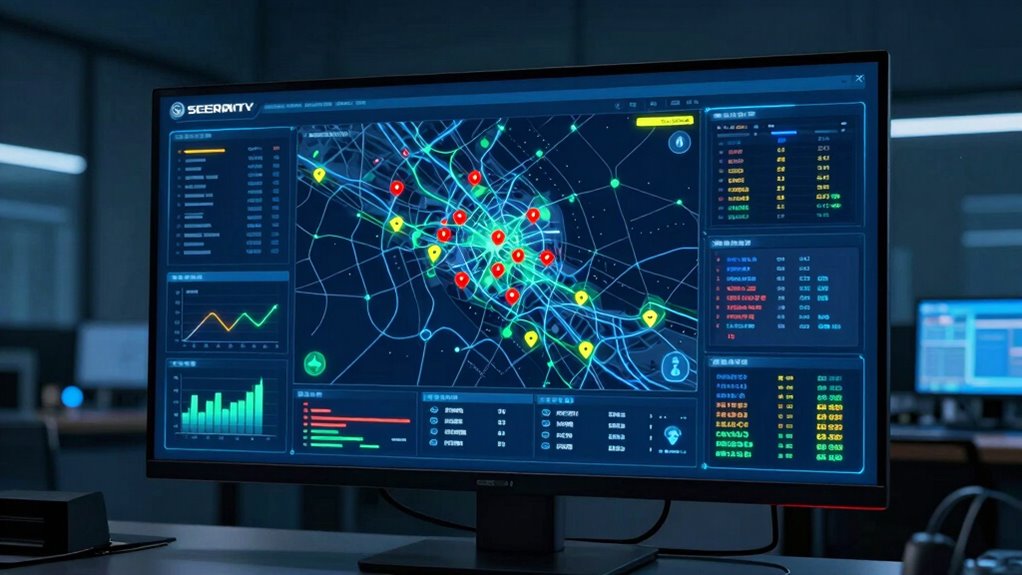

A good security dashboard should immediately highlight the most critical threats and suspicious user activities to help you respond swiftly. Prioritize displaying high-severity alerts, unusual login attempts, and anomalies that need urgent attention. Use clear visuals like colors or icons to emphasize severity, making it easier to allocate resources effectively. Focusing on these areas allows you to act quickly and strengthen your security stance—keep exploring to learn more about optimizing your dashboard’s effectiveness.

Get privacy and security gear delivered free with Prime
- Fast, free delivery on millions of items
- Prime Video, Amazon Music and more included
- Member-only deals all year
Key Takeaways
- Highlight the most critical threats with clear visual cues for immediate attention.
- Display recent user activity focusing on anomalies and suspicious behavior.
- Provide a quick overview of system health and network traffic status.
- Prioritize threat severity and user alerts to facilitate rapid response.
- Allow customization to emphasize relevant security metrics for specific organizational needs.

A security dashboard is your frontline tool for monitoring and managing your organization’s cybersecurity posture, but knowing what to display first can make all the difference. When you first glance at your dashboard, the most critical information should grab your attention immediately—starting with threat prioritization. This feature helps you identify the most urgent security issues so you can respond swiftly. Instead of sifting through a long list of alerts, you want a clear, organized view highlighting threats based on their severity and potential impact. High-priority threats, like active breaches or malware infections, should stand out with distinct colors or icons, making it obvious where your focus needs to be. This quick assessment allows you to allocate resources effectively and act decisively, minimizing damage.
Prioritize threats visually for swift, effective cybersecurity responses.
Alongside threat prioritization, understanding user activity is equally essential. Your dashboard should prominently display recent user actions, especially any anomalies or suspicious behaviors. For example, multiple failed login attempts, access from unusual locations, or sudden changes in permissions can signal an insider threat or compromised account. By monitoring user activity in real-time, you can detect potential security breaches early and prevent escalation. Displaying this information at the top of your dashboard ensures you’re always aware of how users are interacting with your systems, and whether their actions align with normal patterns.
Beyond these primary elements, your security dashboard should also include a snapshot of system health—such as network traffic, endpoint status, and system updates—so you get an all-encompassing view without clutter. However, threat prioritization and user activity should always be the first focus because they directly influence your immediate response capabilities. When these are front and center, you’re empowered to make quick, informed decisions, reducing exposure and preventing serious incidents.
In addition, your dashboard should allow you to customize what’s displayed first based on your organization’s specific needs. Whether you’re in finance, healthcare, or another industry, the types of threats and user behaviors you need to monitor may differ. Having the flexibility to emphasize threat severity and user activity ensures your dashboard remains relevant and effective. Ultimately, a well-structured security dashboard starts by highlighting the most pressing threats and suspicious user actions, so you can act confidently and maintain a strong cybersecurity posture from the moment you look at it.
Products Worth Considering

Ring Floodlight Cam Wired Plus, 1080p HD Outdoor Security Camera with Motion-Activated Floodlights, 4-Pack, White

Ring Floodlight Cam 2K Wired Security Camera, 3-Pack, Black

Dyson Cyclone V10 Origin Cordless Vacuum
As an affiliate, we earn on qualifying purchases.
Frequently Asked Questions
How Often Should a Security Dashboard Be Updated?
You should update your security dashboard in real-time or at least every few minutes. This guarantees you stay on top of risk prioritization and user access issues promptly. Frequent updates help you detect suspicious activity quickly, respond faster, and maintain a strong security posture. Regularly refreshed data enables you to identify vulnerabilities, monitor user access changes, and make informed decisions to protect your organization effectively.
Can Dashboards Integrate Data From Multiple Security Tools?
Think of your security dashboard as the Swiss Army knife of cybersecurity—yes, it can integrate data from multiple security tools. By leveraging data integration and tool interoperability, you get an all-encompassing view of threats and vulnerabilities. This seamless connection allows you to analyze real-time data across platforms, making it easier to identify issues swiftly and respond effectively. It’s like having all your security tools working in perfect harmony.
Is Customization Important for a Security Dashboard?
Yes, customization is essential for a security dashboard because it directly impacts your user interface and overall user experience. By tailoring the dashboard to your specific needs, you can prioritize the most relevant data, simplify complex information, and streamline your security management process. Customization helps you quickly identify threats and respond more effectively, ensuring the dashboard works efficiently for your unique environment and enhances your overall security posture.
What Are Common Mistakes to Avoid in Dashboard Design?
You should avoid cluttering your security dashboard with too much information, which hinders visual hierarchy and overwhelms users. Make certain critical alerts stand out and are easy to find, improving user accessibility. Don’t ignore the importance of clear labels and intuitive navigation. Failing to prioritize these elements can lead to confusion and missed threats. Focus on a clean, organized layout that guides users effortlessly to essential security data.
How Do You Measure the Effectiveness of a Security Dashboard?
You measure your security dashboard’s effectiveness by evaluating how well it supports threat prioritization and user accessibility. If users quickly identify critical threats and respond efficiently, it’s working well. Regularly gather user feedback, track response times, and guarantee the dashboard remains intuitive across roles. A highly effective dashboard balances clear visual cues with easy navigation, empowering your team to stay ahead of security risks without feeling overwhelmed.
Conclusion
Think of your security dashboard as a compass guiding you through a stormy sea; it should point you swiftly toward the most critical threats. By prioritizing real-time alerts, system health, and active incidents, you gain clarity amidst chaos. When you focus on what matters most first, you can steer your organization safely and confidently. Remember, a well-designed dashboard is like a lighthouse—your steady beacon in turbulent times, helping you navigate security with conviction.