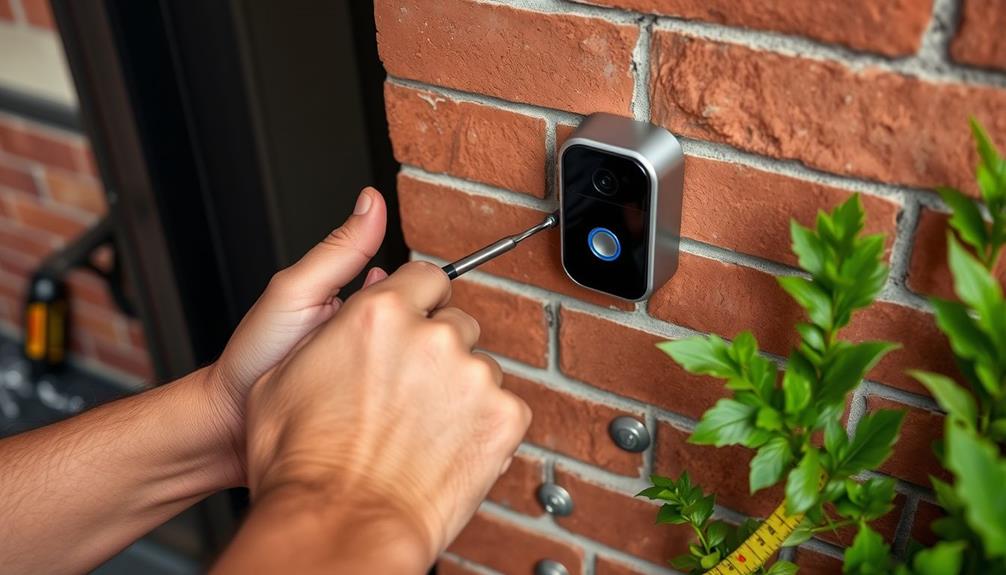
If your Ring video looks worse than expected, start by checking your camera’s placement—make sure it’s at eye level and aimed at the right area, avoiding bright windows or reflections. Clean the lens regularly to prevent smudges and obstructions. Confirm your Wi-Fi signal is strong and the network is stable, as poor connection can cause blurry footage. Also, verify lighting conditions, especially at night, and adjust outdoor lights if needed. To improve your setup further, keep exploring the tips ahead.

Get privacy and security gear delivered free with Prime
- Fast, free delivery on millions of items
- Prime Video, Amazon Music and more included
- Member-only deals all year
Key Takeaways
- Ensure the camera is properly positioned at eye level and aimed directly at the monitored area.
- Regularly clean the lens and check for obstructions or reflective surfaces causing glare.
- Verify adequate lighting, avoiding direct sunlight and utilizing infrared night vision for low-light conditions.
- Confirm a strong Wi-Fi signal and stable network connection; use extenders if needed.
- Review camera angle and environment to prevent overexposure, shadows, or blocked views.

Ever wondered why your Ring video feed isn’t as clear as it used to be? One common reason could be the way your camera is positioned. Camera placement plays a crucial role in the quality of your footage. If your camera is pointed at a busy street, a bright window, or an area with variable lighting, it can cause glare, shadows, or overexposure, which muddles the video. Make sure your Ring device is mounted at an ideal height—usually eye level or slightly above—and aimed directly at the area you want to monitor. Avoid pointing it toward reflective surfaces or windows, as these can distort the image and make details harder to distinguish. Adjusting your camera’s angle might seem simple, but it can greatly improve video clarity.
Lighting conditions are another major factor affecting your video quality. Poor or inconsistent lighting makes it difficult for the camera to capture clear images. During the day, natural sunlight provides the best illumination, but if your camera faces the sun, it can cause overexposure, washing out details. At night, insufficient lighting results in grainy or dark footage. Consider installing outdoor lighting or using Ring’s built-in infrared night vision features to improve visibility after dark. However, infrared can sometimes create a black-and-white image that appears less sharp, especially if the camera’s lens isn’t clean or if the infrared LEDs are obstructed. Ensuring the area remains well-lit during the day and at night can make a big difference in your video quality. Also, lens cleanliness is essential—dust or smudges can significantly reduce image clarity and should be checked regularly. Additionally, ensuring the camera’s placement avoids direct sunlight or reflective surfaces can help maintain optimal image quality. Checking your network performance and ensuring a strong Wi-Fi signal can also help prevent buffering and improve overall video clarity. Position your router closer to the camera or use a Wi-Fi extender to improve connection strength.
As an affiliate, we earn on qualifying purchases.
Frequently Asked Questions
Can Camera Placement Affect Video Quality?
Yes, your camera placement can definitely affect video quality. If you position it in poor lighting conditions, the footage can turn out grainy or dark. Also, an improper camera angle might cause shadows or blurry images, reducing clarity. To improve your video quality, make sure your camera is placed where it gets good lighting and at a suitable angle, avoiding direct sunlight or obstructions that can compromise the footage.
How Does Internet Speed Impact Ring Video Clarity?
Your internet speed substantially impacts Ring video clarity. If your bandwidth is limited due to bandwidth throttling or multiple devices streaming, you may experience streaming interruptions, resulting in blurry or choppy footage. Make certain your connection is strong and stable, preferably with a high-speed plan. Reducing other device usage during recording can help maintain consistent bandwidth, improving your Ring camera’s video quality and providing clearer, more reliable footage.
Does Firmware Update Improve Video Performance?
Yes, a firmware update can dramatically improve your Ring video performance. Outdated firmware often harbors bugs that cause blurry or laggy videos, making your footage resemble a scrambled mess. Updating the firmware fixes these bugs, optimizes camera functions, and enhances overall clarity. Think of it as giving your device a much-needed upgrade so your video quality becomes sharper, smoother, and way more reliable—like watching a high-definition movie instead of a pixelated nightmare.
Can Weather Conditions Cause Video Quality Issues?
Yes, weather effects can cause video quality issues. Rain, snow, fog, or heavy humidity may obscure your camera’s view, making the footage blurry or hazy. Fog, in particular, can create a misty appearance that reduces clarity. Additionally, camera fog from temperature changes can form inside the lens or housing, further degrading image quality. Keeping your camera clean and protected from weather effects helps maintain better video clarity.
Is There a Way to Enhance Video Resolution?
Yes, you can enhance your Ring video resolution by adjusting the resolution settings in the app. Keep in mind that higher resolution increases data usage and might affect video compression, resulting in larger file sizes. To improve clarity, select the highest available resolution setting, but make sure your internet connection can handle the increased bandwidth. Regularly update your device firmware to optimize video quality and prevent compression issues.
Wi-Fi extender for security cameras
As an affiliate, we earn on qualifying purchases.
As an affiliate, we earn on qualifying purchases.
Conclusion
If your Ring video isn’t meeting your expectations, start by checking your camera’s placement, lighting, and Wi-Fi connection. Regularly cleaning the lens can also make a big difference. Remarkably, studies show that over 60% of video quality issues stem from poor Wi-Fi signals or dirty lenses. By addressing these common problems, you can greatly improve your footage. Keep an eye on these factors to guarantee your security camera provides clear, reliable footage when you need it most.
outdoor security camera lighting
As an affiliate, we earn on qualifying purchases.
As an affiliate, we earn on qualifying purchases.
infrared night vision security camera
As an affiliate, we earn on qualifying purchases.
As an affiliate, we earn on qualifying purchases.
Fall Picks
fall essentials
As an affiliate, we earn on qualifying purchases.