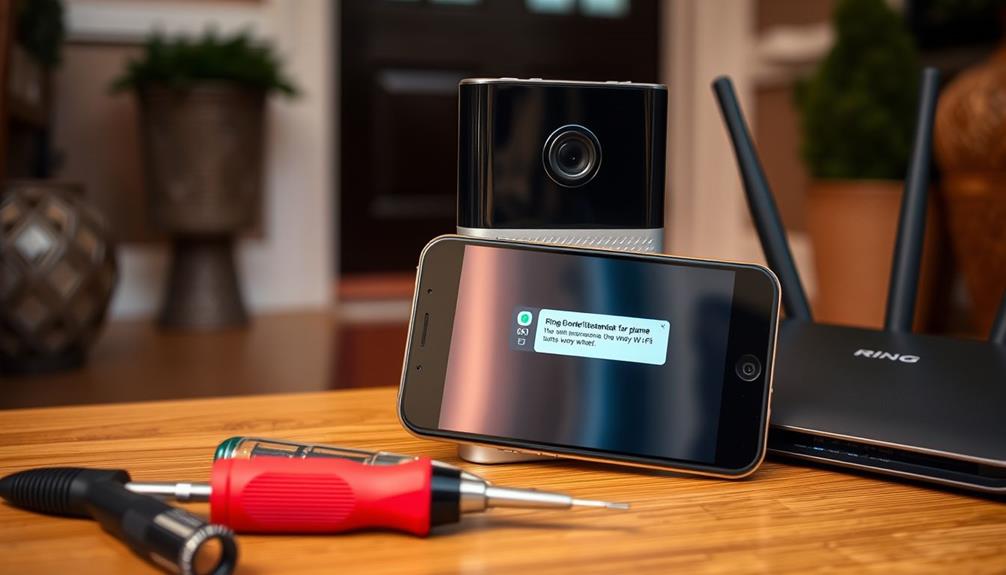
Integrating Ring cameras into a larger security system lets you create a seamless, smart protection network. You can connect them with smart locks, motion sensors, and alarms for centralized control and automation. This setup helps you respond quickly to unusual activity and enhances overall security. Proper configuration and secure connections are essential to protect your footage and privacy. Keep exploring to discover how to optimize your security ecosystem for peace of mind.
Open a free Amazon Business account
Business pricing, bulk buying and tax-exempt orders.
As an affiliate, we earn on qualifying purchases.
Key Takeaways
- Link Ring cameras with smart locks, sensors, and alarms to create an automated and cohesive security network.
- Use the Ring app to centrally monitor and control all devices within the larger security ecosystem.
- Incorporate Ring footage into broader security systems like home automation platforms for enhanced protection.
- Ensure secure network connections and regular firmware updates to protect integrated devices from vulnerabilities.
- Balance camera placement and video resolution to maintain privacy while maximizing security coverage.

Integrating Ring cameras into your smart home system enhances security and provides seamless monitoring. When you add Ring cameras, you gain real-time insights into what’s happening around your property, making it easier to respond quickly to any unusual activity. One of the key benefits is their high video resolution, which guarantees you get clear images and footage. With sharper video quality, you can distinguish faces, license plates, or other critical details more easily, giving you peace of mind that your security system is effective. However, as you contemplate this integration, it’s important to think about privacy concerns. High-resolution footage can capture more than just intended areas, raising questions about who has access to that data and how it’s stored. You’ll want to configure camera placement thoughtfully to balance security coverage with respect for privacy, especially if your cameras face public spaces or neighbors’ property.
Once you’ve installed your Ring cameras, linking them with other devices in your smart home ecosystem is straightforward. You can connect them with your smart locks, motion sensors, and alarms, creating a comprehensive security network. For example, if a camera detects motion, your smart lights can turn on automatically, or your alarm system can be triggered. This level of integration allows for automated responses, reducing the need for manual intervention and increasing your home’s security level. It also simplifies managing your security setup through a single app, giving you control and visibility from anywhere. Additionally, leveraging vetted security solutions ensures that your setup adheres to best practices for cybersecurity and device compatibility, further protecting your home.
Link Ring cameras with other smart devices for seamless, automated home security management.
Another aspect to consider is the security of your camera feeds. Because Ring cameras transmit sensitive footage, you need to guarantee your Wi-Fi network is secure with strong passwords and encryption. Regularly updating your firmware helps protect against vulnerabilities. You should also review your privacy settings within the Ring app, deciding who can access live feeds or recorded videos. This step is vital to prevent unauthorized viewing or data breaches. Additionally, consider setting up user access controls if multiple family members or roommates need to view the footage, ensuring everyone has appropriate permissions.
Involving Ring cameras as part of your larger security ecosystem maximizes their potential while safeguarding your privacy. By being mindful of video resolution and privacy concerns, you can enjoy a robust, intelligent security setup that keeps your home safe without compromising your personal space. Proper configuration, secure connections, and thoughtful camera placement help you strike the right balance between security and privacy, making your smart home truly responsive and protected.
Ring security camera with smart lock bundle
As an affiliate, we earn on qualifying purchases.
As an affiliate, we earn on qualifying purchases.
Frequently Asked Questions
Can Ring Cameras Detect Motion Without Wi-Fi Connection?
Ring cameras need a Wi-Fi connection to perform motion detection and send alerts. Without Wi-Fi, they can’t detect motion or provide live updates. However, some models may record footage locally via offline recording options like a compatible security base station or storage device, but they won’t alert you about motion events until reconnected. So, for real-time motion detection and alerts, a stable Wi-Fi connection is essential.
Are Ring Cameras Compatible With Non-Apple Smart Home Devices?
Ring cameras primarily focus on smart home compatibility with popular platforms like Alexa and Google Assistant, but they might face device integration challenges with non-Apple smart home devices. You may need additional hubs or smart home bridges to connect them seamlessly. Be aware that not all third-party devices will work perfectly, so check compatibility before purchasing or attempting integration. This way, you guarantee your security system functions smoothly across all your smart home devices.
How Secure Is My Data When Integrating Ring With Other Systems?
Your data stays fairly secure when you integrate Ring with other systems, thanks to data encryption and strict privacy policies. Ring encrypts your video streams and data both in transit and at rest, preventing unauthorized access. Additionally, their privacy policies specify how your data is used and shared, giving you control over your information. However, always review your settings and keep your systems updated to maximize security.
Can I Customize Alerts for Specific Ring Camera Zones?
Yes, you can customize alerts for specific Ring camera zones, making your security system as tailored as a bespoke suit. With zone-specific alerts and customized notification settings, you get to decide which areas trigger alerts. Simply access your Ring app, select your camera, and set up alerts for particular zones. This way, you stay informed about what matters most, without being overwhelmed by unnecessary notifications.
What Is the Best Way to Troubleshoot Connectivity Issues?
To troubleshoot connectivity issues, start with network troubleshooting by checking your Wi-Fi signal strength near your Ring camera. Make certain your router isn’t overloaded and restart it if needed. Optimize your signal by reducing interference from other devices and placing your router closer to the camera. Update your Ring app and firmware, and consider using a Wi-Fi extender for better coverage. These steps will help maintain a stable connection.
wireless motion sensors for home security
As an affiliate, we earn on qualifying purchases.
As an affiliate, we earn on qualifying purchases.
Conclusion
By integrating Ring cameras into your security system, you create a seamless, proactive defense that’s always ready. Some worry it might feel overwhelming or invasive, but imagine confidently watching over your home from anywhere, knowing every camera works together to alert you instantly. Instead of feeling watched, you’ll feel empowered and secure, turning your home into a fortress that responds instantly to any threat—peace of mind you can truly rely on.
smart home security alarm system
As an affiliate, we earn on qualifying purchases.
As an affiliate, we earn on qualifying purchases.
As an affiliate, we earn on qualifying purchases.
NFL season / tailgating Picks
team gear
As an affiliate, we earn on qualifying purchases.