
TL;DR

Get privacy and security gear delivered free — and shop member deals
- Fast, free delivery on millions of items
- Access to Prime Big Deal Days deals on October 6–7
- Prime Video, Amazon Music and more included
DEDA is a software toolkit documented on GitHub for extracting and decoding tracking dots in printed documents and helping users mask them before printing. Its documentation describes scanning and masking workflows, but says results depend on the printer, scan quality and document content.
The DEDA project documents software for extracting and decoding printer tracking dots and for masking those marks on documents prepared for printing. The toolkit matters to people handling sensitive printouts because the project says tracking dots in many commercial color laser printers can encode information about the printer or printout, including a device serial number.
DEDA stands for Tracking Dots Extraction, Decoding and Anonymisation. The project describes tracking dots, also called yellow dots, as small systematic marks that can be integrated into color laser printing. Its software offers functions to read tracking data from scanned images, compare prints, extract dots from patterns it does not recognize, and create dot patterns for PDF documents.
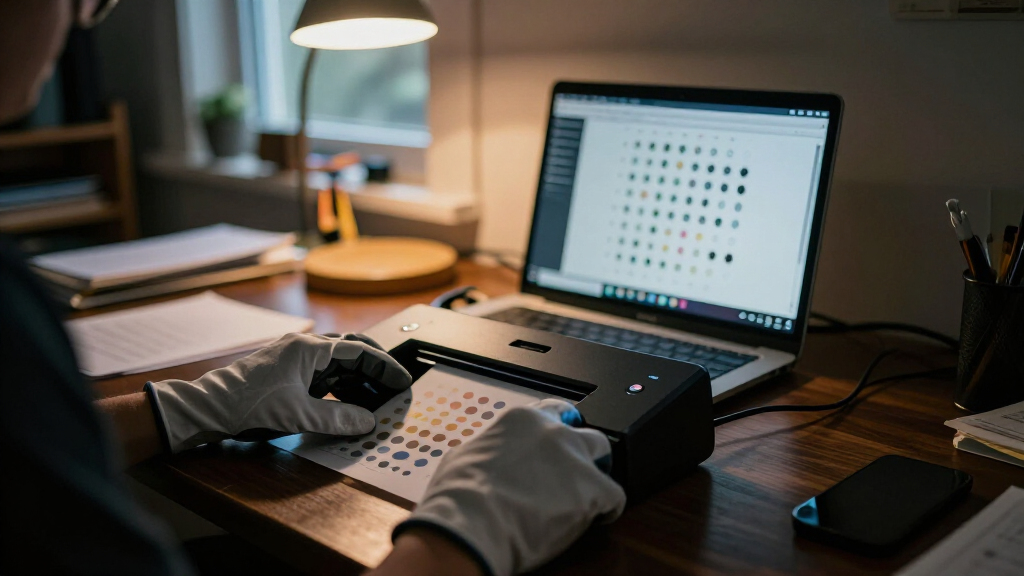
The documentation describes two anonymization routes. For an existing scan, deda_clean_document can mostly remove tracking data from the image. For a document that will be printed, users can make a printer-specific mask: print and scan a calibration page, generate a mask file, and apply it to a PDF. The project advises checking a masked page under a microscope to see whether the mask covers the printer’s dots.
For reading dots, the project recommends a lossless scan, such as PNG, at 300 dpi, with neutral contrast. It cautions that recognition can fail if scanning software removes the paper texture or dots through thresholding. The documentation also says monochrome pages and inkjet prints might not contain tracking dots, and that some image areas may not be maskable unless the optional Wand dependency is installed.
Print Tracking and Privacy
The toolkit addresses a privacy issue that can be easy to miss: a printed page may carry machine-readable marks beyond its visible text and images. If those marks encode printer or printout information, a document could potentially reveal information about the device used to produce it. DEDA gives researchers and users a way to inspect such marks and attempt to obscure them in print-ready documents.
The project’s instructions also make clear that masking is a process requiring printer-specific calibration and a check of the printed result. It does not establish that every printer uses tracking dots, that every pattern can be decoded, or that masking guarantees anonymity. Readers handling sensitive material should treat the software as a means of analysis and mitigation described by its authors, with results dependent on the particular printer and workflow.
high resolution scanner for document analysis
As an affiliate, we earn on qualifying purchases.
As an affiliate, we earn on qualifying purchases.
Research Behind the Toolkit
The GitHub project asks users of the software to cite a 2018 paper by Timo Richter, Stephan Escher, Dagmar Schönfeld and Thorsten Strufe, titled “Forensic Analysis and Anonymisation of Printed Documents.” The paper appeared in the Proceedings of the 6th ACM Workshop on Information Hiding and Multimedia Security, published by ACM. That reference places the toolkit in research on analyzing forensic features in printed documents.
The repository documents installation through Python’s package installer or from a local project directory, alongside a graphical interface and terminal commands. Its listed functions range from reading and comparing prints to creating masks. These instructions describe how the software is intended to be used; they do not by themselves establish how widely it is currently used or whether it supports every printer model.
““almost every printout contains coded information about the source device, such as the serial number.””
— DEDA project documentation on GitHub
As an affiliate, we earn on qualifying purchases.
Limits and Open Questions
The available project description does not establish which printer models or tracking patterns DEDA can reliably identify, how often decoding succeeds, or how effective masking is across different printers and document layouts. It says unfamiliar patterns may not be recognized and that some document graphics need an optional dependency for masking. It also warns that some print types may not contain tracking dots.
The repository material provided does not confirm the toolkit’s present maintenance status, compatibility with current software environments, or whether its instructions have changed since publication. The project’s broad statement about coded information in printouts should be understood as its own claim; the documentation supplied here does not quantify coverage across manufacturers or models.
microscope for document verification
As an affiliate, we earn on qualifying purchases.
As an affiliate, we earn on qualifying purchases.
Verify Before Printing
The next step for anyone evaluating DEDA is to check the project repository for current installation guidance and supported environments, then follow its calibration procedure with the specific printer in use. The documented workflow calls for scanning the calibration page at 300 dpi, creating and applying the mask, and inspecting a printed masked page under a microscope. The supplied materials identify no scheduled release or upcoming milestone, so further development plans are unclear.
As an affiliate, we earn on qualifying purchases.
Key Questions
What does DEDA do?
It provides tools to read, compare and extract printer tracking dots, and to create or apply masks intended to obscure dots on documents prepared for printing.
Do all printed documents contain tracking dots?
The project says the feature is integrated into almost every commercial color laser printer. It also says monochrome pages and inkjet prints might not contain dots. The supplied documentation does not identify coverage by printer model.
Does masking guarantee an anonymous printout?
No such guarantee is stated in the project material. It describes masking as a way to anonymize a document and recommends checking printed results under a microscope to see whether the dots are covered.
What scan settings does the project recommend?
For reading tracking data, it recommends a lossless image, such as PNG, at 300 dpi, with neutral contrast. It also cautions against scan settings that remove the paper structure or dots.
Source: hn
Halloween Picks
halloween
As an affiliate, we earn on qualifying purchases.