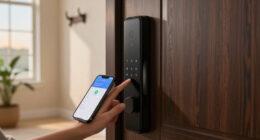

Security is no longer divided neatly between computers, phones, and the physical world. A compromised email account can expose private conversations, a poorly secured router can affect every connected device in a home, and a misconfigured security camera can undermine the privacy it was meant to protect. Effective protection therefore requires a balanced approach: secure your accounts and networks, understand how surveillance technology handles data, and configure physical security devices with privacy in mind.

Get privacy and security gear delivered free — and shop member deals
- Fast, free delivery on millions of items
- Access to Prime Big Deal Days deals on October 6–7
- Prime Video, Amazon Music and more included
This hub provides a practical orientation to cybersecurity, spying risks, personal privacy, and connected-home security. It is designed to help you identify what matters most, prioritize improvements, and find the right deep-dive guides when you need specific advice.
Start With a Realistic Threat Model
A threat model is simply a clear picture of what you want to protect, who or what might threaten it, and how serious the consequences would be. Most people do not need extraordinary counter-surveillance measures. They do need reliable protection against common threats such as password theft, phishing, account takeover, device loss, insecure Wi-Fi, online scams, excessive data collection, and unauthorized access to connected cameras.
Begin by listing your most important assets. These may include your primary email account, financial accounts, personal photos, work documents, identity records, location history, private communications, and footage recorded around your home. Next, consider likely threats. A criminal may want money or reusable credentials, an abusive acquaintance may seek location or account access, and an opportunistic intruder may exploit a device that still uses weak or reused credentials.
Prioritize protections according to both likelihood and impact. Securing your email account is usually more urgent than experimenting with advanced anonymity tools because email often controls password resets for other services. Similarly, securing the router that connects cameras and doorbells may have more practical value than buying another device.
password manager for cybersecurity
As an affiliate, we earn on qualifying purchases.
As an affiliate, we earn on qualifying purchases.
Build a Strong Cybersecurity Foundation
Protect Accounts With Unique Credentials
Password reuse turns one breached service into a risk for many accounts. Use a password manager to create and store a unique password for every important login. The password that unlocks the manager itself should be long, memorable, and unavailable anywhere else.
Enable multi-factor authentication wherever possible, especially for email, cloud storage, banking, social networks, mobile carrier accounts, and security-camera platforms. Authenticator apps, passkeys, and hardware security keys generally provide stronger phishing resistance than text-message codes, although any additional factor is usually better than relying on a password alone.
Save recovery codes in a secure location and review account-recovery options. An outdated phone number or forgotten backup email can create both a security weakness and a lockout risk.
Keep Devices Updated and Deliberately Configured
Operating-system, browser, app, router, and device-firmware updates frequently address known security weaknesses. Turn on automatic updates when they are supported, then periodically verify that critical devices are still receiving them. Retire hardware and software that no longer receives security support when practical.
Remove unused apps, browser extensions, and connected services. Each unnecessary component adds permissions, stored information, and another possible route into your accounts. Review app permissions for access to the camera, microphone, contacts, photos, and precise location. Grant access only when it supports a feature you genuinely use.
Recognize Social Engineering
Many attacks target human urgency rather than technical weaknesses. Treat unexpected requests for passwords, verification codes, payments, remote access, or sensitive documents as suspicious. Do not trust a message merely because it displays a familiar name or logo. Open the relevant service through a saved bookmark or its official app instead of following an unsolicited link.
If a message claims to come from a colleague, relative, bank, or government organization, verify it through a separate communication channel. Attackers often manufacture pressure by claiming that an account will close, a payment is overdue, or immediate secrecy is required.
multi-factor authentication hardware key
As an affiliate, we earn on qualifying purchases.
As an affiliate, we earn on qualifying purchases.
Secure the Home Network
Your router is the central connection point for laptops, phones, smart televisions, cameras, doorbells, and other internet-connected equipment. Change its administrative password, install firmware updates, and use modern Wi-Fi encryption supported by your devices. Disable remote administration unless you have a specific need and understand how it is secured.
Create a separate guest or Internet of Things network for smart-home equipment if your router supports network isolation. Segmentation can reduce the ability of a compromised device to reach personal computers or storage systems. It does not eliminate every risk, but it creates a useful boundary.
Connection quality also affects security devices. A doorbell with an unstable wireless link may deliver delayed alerts, unreliable live video, or inconsistent operation. Owners troubleshooting that part of a Ring installation can learn how signal measurements work in the guide to the best RSSI for a Ring Doorbell. If the router itself is the limiting factor, the comparison of routers for seamless connectivity with a Ring Doorbell offers a more focused starting point.
As an affiliate, we earn on qualifying purchases.
Choose Security Cameras According to the Job
A camera should solve a defined problem rather than merely add another connected device. Decide whether the priority is monitoring a front entrance, checking on an indoor space, documenting activity around a driveway, or receiving alerts while away. The intended location determines the useful field of view, placement, connectivity, power arrangement, audio needs, and privacy controls.
Live viewing can be valuable when you need to check an alert in real time or monitor a location remotely. The guide to home security cameras with live feed explores options centered on that capability. Buyers working within a tighter budget can instead use the overview of home security cameras under $100 to narrow the field without assuming that a higher price automatically fits their needs better.
Audio is another distinct consideration. It may provide context that silent video cannot, but microphone and speaker features also create privacy and legal questions. If sound is important to the intended use, review the guide to home security cameras with sound and consider who may be recorded, where conversations could be captured, and how audio can be disabled when it is unnecessary.
Evaluate Privacy Before Installation
Before choosing a camera, find out where recordings are stored, how long they are retained, which features depend on cloud processing, and whether account access can be protected with multi-factor authentication. Check whether household members can receive separate accounts instead of sharing one password. Shared access should be removable without forcing everyone to change credentials.
Position cameras to cover your property and the security-relevant approach to it while minimizing views into neighboring homes, private rooms, or public areas that are unrelated to the purpose. Indoor cameras deserve particular caution. Avoid placing them in bedrooms, bathrooms, or other spaces where occupants and visitors reasonably expect privacy.
Recording laws differ by location, especially when audio is involved. Learn the rules that apply in your jurisdiction, and use visible notice where appropriate. Technical capability does not by itself establish that recording is lawful, proportionate, or considerate.
As an affiliate, we earn on qualifying purchases.
Configure Doorbells and Cameras for Useful Alerts
Default settings rarely suit every doorway. Motion zones that extend across a road or busy sidewalk can produce constant notifications, while zones that are too narrow may miss useful activity. Review detection areas, sensitivity, recording duration, notification schedules, privacy masks, and modes for when people are home or away.
Ring users can begin with the guide to the best Ring Doorbell settings. Treat suggested settings as a baseline, then test them under the actual conditions at your entrance. Daylight, headlights, shadows, plants, passing traffic, pets, and the distance from the door to the walkway can all affect detection.
Physical alignment matters as much as software configuration. A doorbell mounted flat against the wrong surface may capture too much wall, sky, or passing traffic while missing the most useful approach angle. The overview of Ring Doorbell angle mounts for placement and security can help when installation geometry is causing poor coverage.
After installation, walk through the monitored area at different times of day. Confirm that alerts arrive, faces are captured at a useful angle, night footage covers the intended zone, and the wireless connection remains stable. Repeat the test after changing motion settings, network equipment, or camera placement.
Understand Digital Spying and Stalkerware Risks
Spying is not limited to hidden cameras or sophisticated government tools. It may involve access to a cloud account, shared location settings, browser synchronization, family-management features, message forwarding, an unknown device signed into an account, or monitoring software installed on a phone or computer.
Warning signs can include unfamiliar login notifications, unexplained changes to security settings, location information known by someone who should not have it, unexpected accessibility or device-administrator permissions, and unknown forwarding rules in email. Battery drain or unusual data use can have innocent causes and should not be treated as proof on their own.
Review active sessions and connected devices from a device you believe is safe. Change important passwords, strengthen recovery settings, enable multi-factor authentication, and remove unrecognized access. Check location-sharing arrangements and shared cloud albums, calendars, family groups, browser profiles, and smart-home memberships.
If you suspect monitoring by an abusive partner or someone with physical access to your devices, abrupt changes may alert that person or escalate danger. Use a safer device to seek assistance and consider working with a qualified domestic-abuse or digital-safety organization. Personal safety should determine the order and timing of technical steps.
Reduce Unnecessary Data Exposure
Privacy improves when less information is collected, retained, and shared. Delete accounts you no longer use, limit public profile details, and avoid publishing routines, travel plans, home layouts, or identifiable documents. Review whether social posts reveal addresses through backgrounds, reflections, delivery labels, school logos, or location metadata.
Browser privacy controls, tracker blocking, encrypted connections, and privacy-respecting services can reduce routine exposure, but no single tool makes someone anonymous. Private-browsing modes mainly prevent local history from being stored in the usual way; they do not make activity invisible to websites, employers, network administrators, or internet providers.
Be selective with virtual private network providers. A VPN changes which intermediary can observe some network information; it does not remove the need for secure websites, strong accounts, careful downloads, or skepticism about phishing. Privacy decisions are ultimately about trust, data minimization, and the consequences of exposure.
Create a Sustainable Security Routine
Security works best as maintenance rather than a one-time project. Each month, install pending updates, review important alerts, and check that backups are completing. Every few months, inspect account sessions, app permissions, shared access, camera users, recording settings, and router firmware. Test whether you can restore an important file rather than assuming a backup is usable.
After a move, breakup, job change, device loss, or household membership change, review access immediately. Remove former users, rotate credentials that may have been shared, update recovery contacts, and reconsider who can view cameras, locations, files, and smart-home controls.
The most effective plan is layered and proportionate: unique credentials, multi-factor authentication, updated devices, a secured router, carefully positioned cameras, limited data collection, and a practiced recovery process. Start with the accounts and systems whose compromise would cause the greatest harm, then improve one layer at a time.
Fall Picks
fall essentials
As an affiliate, we earn on qualifying purchases.