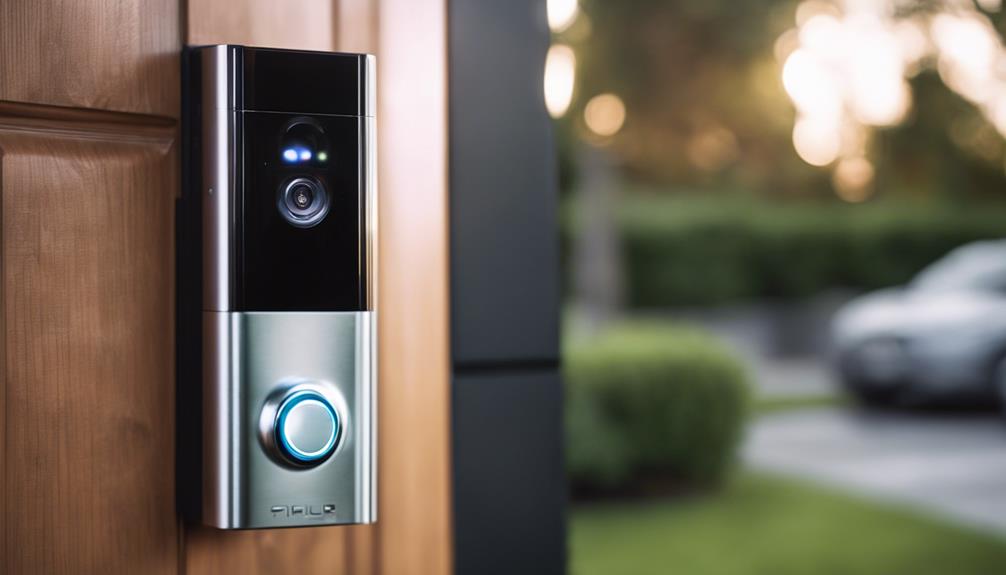

Choosing the right router for your Ring Doorbell can significantly improve video quality and connection stability. The NETGEAR Nighthawk Dual-Band WiFi 7 Router stands out as the overall best due to its fast speeds and reliable performance with smart home devices. The TP-Link Archer AX1450 WiFi 6 Router offers excellent value with solid coverage for smaller homes, while the Ring Alarm Pro with built-in Wi-Fi 6 Router integrates security and networking seamlessly. The main tradeoffs in this category often involve balancing speed, coverage, ease of setup, and cost. Keep reading for a detailed breakdown to find the best fit for your setup.
Key Takeaways
- Dual-band and Wi-Fi 6/7 support are key for minimizing lag and buffering with Ring devices.
- Coverage area and mesh compatibility matter if your home is large or has multiple floors.
- Prioritizing security features can help safeguard your smart home ecosystem.
- Ease of setup and compatibility with existing networks influence overall user experience.
- Higher-priced options tend to offer faster speeds and better future-proofing, but budget-friendly models can still work well for smaller setups.
| TP-Link AC1200 WiFi Router (Archer A54) – Dual Band Wireless Internet Router |  | Best for Reliable Home Coverage at an Affordable Price | Wi-Fi Bands: Dual-band (2.4 GHz and 5 GHz) | Max Speed: 1200 Mbps | Ethernet Ports: 4 x 10/100 Mbps | VIEW ON AMAZON | See Our Full Breakdown |
| NETGEAR Nighthawk Dual-Band WiFi 7 Router (RS90) |  | Best for High-Performance Gaming and Streaming | WiFi Speed: up to 3.6 Gbps | Bands: Dual-Band 2.4 GHz + 5 GHz | Coverage: Up to 2,000 sq. ft. | VIEW ON AMAZON | See Our Full Breakdown |
| TP-Link Archer AX1450 WiFi 6 Dual-Band Wireless Router (Renewed) |  | Best for Budget-Conscious Users Wanting Wi-Fi 6 Performance | Wi-Fi Technology: Wi-Fi 6 | Maximum Speed: 1.45 Gbps | Frequency Bands: Dual-Band | VIEW ON AMAZON | See Our Full Breakdown |
| TP-Link WiFi 6 AX1500 Smart WiFi Router (Archer AX10) – Dual Band, MU-MIMO, Beamforming, Parental Controls, Alexa Compatible (Renewed) |  | Best for Smart Home Integration and Basic Wi-Fi 6 Needs | Wi-Fi Standard: Wi-Fi 6 (802.11ax) | Max Speed: 1201 Mbps | Bands: Dual-Band | VIEW ON AMAZON | See Our Full Breakdown |
| TP-Link AX1800 WiFi 6 Router (Archer AX21 V5) – Dual Band Wireless Internet, Gigabit, Easy Mesh, Works with Alexa |  | Best for Extensive Coverage and Smart Home Compatibility | Technology: Wi-Fi 6 (802.11ax) | Total Bandwidth: 1.8 Gbps | Coverage: Large homes with multiple rooms | VIEW ON AMAZON | See Our Full Breakdown |
| NETGEAR WiFi 6 Router (R6700AX) – AX1800 Wireless Speed, Dual-Band, Covers Up to 1500 sq ft, Supports 20 Devices |  | Best Overall | Wireless Speed: Up to 1.8 Gbps | Bands: Dual-Band (2.4 GHz and 5 GHz) | Coverage: Up to 1500 sq ft | VIEW ON AMAZON | See Our Full Breakdown |
| TP-Link AC1200 Gigabit WiFi Router (Archer A6) – Dual Band MU-MIMO Wireless Internet Router with 4 Antennas and Long Range Coverage |  | Best Value | WiFi Speed: 1200 Mbps | Bands: Dual Band (2.4GHz and 5GHz) | Antennas: 4 external antennas | VIEW ON AMAZON | See Our Full Breakdown |
| TP-Link Smart WiFi 6 Router (Archer AX10) with 4 Gigabit LAN Ports |  | Best for Beginners | Wi-Fi Technology: Wi-Fi 6 (802.11ax) | Bands: Dual Band (2.4 GHz and 5 GHz) | Maximum Speed: 300 Mbps on 2.4 GHz, 1201 Mbps on 5 GHz | VIEW ON AMAZON | See Our Full Breakdown |
| NETGEAR Nighthawk WiFi 6 Router (RAX30) – Dual-Band, AX2400, 5-Stream, Gigabit, Up to 2,000 sq.ft., 20 Devices |  | Best for Larger Homes | Coverage: Up to 2,000 sq.ft. | Device Support: Up to 20 devices | Speed: AX2400 | VIEW ON AMAZON | See Our Full Breakdown |
| Ring Battery Doorbell (Newest Model) — Retinal 2K with Wide-Angle Video, 6x Zoom, Two-Way Talk, Built-In Battery |  | Best for Ring Integration | Video Resolution: Retinal 2K | Zoom: 6x | Battery: Built-in, rechargeable via USB-C | VIEW ON AMAZON | See Our Full Breakdown |
| Ring Alarm Pro 14-Piece Kit with Built-in eero Wi-Fi 6 Router |  | Best Overall for Integrated Security and Networking | Includes: Alarm Pro Base Station, 2 Keypads, 8 Contact Sensors, 2 Motion Detectors, Alarm Range Extender | Wi-Fi: Built-in eero Wi-Fi 6 router | Wi-Fi Speed: up to 900 Mbps | VIEW ON AMAZON | See Our Full Breakdown |
| router to use with ring doorbell | Coverage |
|---|---|
| TP-Link AC1200 WiFi Router | Up to 1,000 sq. ft. |
| NETGEAR Nighthawk Dual-Band Wi | Up to 2,000 sq. ft. |
| TP-Link Archer AX1450 WiFi 6 D | — |
| TP-Link WiFi 6 AX1500 Smart Wi | — |
| TP-Link AX1800 WiFi 6 Router | Large homes with multiple rooms |
| NETGEAR WiFi 6 Router | Up to 1500 sq ft |
| TP-Link AC1200 Gigabit WiFi Ro | Long Range |
| TP-Link Smart WiFi 6 Router | — |
| NETGEAR Nighthawk WiFi 6 Route | Up to 2,000 sq.ft. |
| Ring Battery Doorbell | — |
| Ring Alarm Pro 14-Piece Kit wi | — |
More Details on Our Top Picks
TP-Link AC1200 WiFi Router (Archer A54) – Dual Band Wireless Internet Router
This router offers solid dual-band speeds up to 1200 Mbps, making it suitable for streaming and smart home devices. Compared with the TP-Link AX1800, it lacks Wi-Fi 6 technology but provides stable WPA3 security and easy management via the Tether app. Its support for EasyMesh allows seamless coverage in small to medium homes, but with only four Ethernet ports, wired connections are somewhat limited. The Archer A54 is an excellent choice for those prioritizing dependable Wi-Fi coverage without needing the latest wireless standard. However, its performance may dip in environments with many obstacles, and it requires a separate modem to connect to the internet.
Pros:- Reliable dual-band speeds up to 1200 Mbps
- Supports EasyMesh for whole-home coverage
- Includes WPA3 security for enhanced protection
- Easy management through TP-Link Tether app
Cons:- Requires a separate modem for internet connection
- Limited Ethernet ports (only 4) for wired devices
- Performance may vary with obstacles or interference
Best for: Homeowners seeking reliable, straightforward Wi-Fi coverage for a medium-sized residence
Not ideal for: Tech enthusiasts wanting cutting-edge Wi-Fi 6 features or high-speed gaming setups
- Wi-Fi Bands:Dual-band (2.4 GHz and 5 GHz)
- Max Speed:1200 Mbps
- Ethernet Ports:4 x 10/100 Mbps
- Coverage:Up to 1,000 sq. ft.
- Security:WPA3
- Compatibility:EasyMesh, works with all major ISPs
Our verdict“This router suits users seeking dependable Wi-Fi coverage at a budget-friendly price for typical home use.”
NETGEAR Nighthawk Dual-Band WiFi 7 Router (RS90)
The Nighthawk RS90 delivers blazing WiFi 7 speeds up to 3.6 Gbps, outperforming many Wi-Fi 6 routers like the TP-Link AX1450. Its quad-core processor and multiple Ethernet ports support heavy data loads, ideal for gamers and streamers who demand low latency and fast wired connections. However, it requires a separate modem, which adds complexity for setup and cost. Its coverage extends up to 2,000 sq. ft., making it suitable for large homes with multiple smart devices. The tradeoff is that its advanced features come at a higher price, and some setup variations may be needed depending on ISP configurations. This makes it best suited for users who want top-tier Wi-Fi 7 performance and are willing to manage more complex equipment.
Pros:- Outstanding WiFi 7 speeds up to 3.6 Gbps
- Multiple Ethernet ports for wired devices
- Secure network with WPA3 and Armor protection
- Easy setup via app or web interface
Cons:- Requires a separate modem, increasing setup complexity
- Higher cost compared to standard routers
- Coverage may vary depending on home layout
Best for: Power users and gamers needing ultra-fast speeds and extensive wired connectivity
Not ideal for: Casual users or renters without the tech setup experience or large homes to cover
- WiFi Speed:up to 3.6 Gbps
- Bands:Dual-Band 2.4 GHz + 5 GHz
- Coverage:Up to 2,000 sq. ft.
- Ethernet Ports:1x 2.5 Gig WAN, 4x Gigabit LAN
- Security:WPA3, NETGEAR Armor
- Processor:Quad-core 2.0 GHz
Our verdict“This router is best for those seeking elite Wi-Fi 7 performance and extensive wired options for demanding digital activities.”
TP-Link Archer AX1450 WiFi 6 Dual-Band Wireless Router (Renewed)
The Archer AX1450 provides Wi-Fi 6 speeds up to 1.45 Gbps, offering improved efficiency over older Wi-Fi standards. It’s a good choice for small households or those with moderate internet needs, especially compared to the TP-Link AX10, which offers similar speeds but with fewer features. Its Beamforming and OFDMA support help improve coverage and device capacity, but with only one LAN port, it’s less flexible for wired connections. As a renewed product, potential buyers should consider warranty concerns. Overall, it makes sense for budget-minded users who want a reliable Wi-Fi 6 experience without breaking the bank, but those with many wired devices or demanding setups might find it limiting.
Pros:- Supports fast Wi-Fi 6 speeds up to 1.45 Gbps
- Easy setup with TP-Link Tether app
- Enhanced coverage with Beamforming and OFDMA
- Supports multiple devices simultaneously
Cons:- Limited LAN ports (only 1)
- Renewed product may have reduced warranty or durability
- Performance can vary based on environment
Best for: Budget-conscious households needing Wi-Fi 6 for multiple devices without high-speed gaming or large homes
Not ideal for: Heavy gamers or large households needing extensive wired connections or Wi-Fi 6E
- Wi-Fi Technology:Wi-Fi 6
- Maximum Speed:1.45 Gbps
- Frequency Bands:Dual-Band
- Antenna:Multiple Beamforming antennas
- Ports:1 LAN port
- Security Protocol:WPA3
Our verdict“This router fits users seeking affordable Wi-Fi 6 speeds and reliable coverage for small to medium homes on a budget.”
TP-Link WiFi 6 AX1500 Smart WiFi Router (Archer AX10) – Dual Band, MU-MIMO, Beamforming, Parental Controls, Alexa Compatible (Renewed)
The Archer AX10 offers dual-band Wi-Fi 6 with speeds up to 1201 Mbps on 5 GHz, making it suitable for everyday streaming and device multitasking. Its MU-MIMO and Beamforming help optimize coverage and device efficiency, but with only one LAN port, wired device options are limited. Compared with the AX1450, it’s slightly less powerful but often cheaper, especially as a renewed product. Its compatibility with Alexa and parental controls make it appealing for smart homes, but its lack of additional advanced security features may be a concern for security-focused users. It’s a good fit for small households or smart home owners on a budget who don’t need the highest speeds.
Pros:- Supports Wi-Fi 6 speeds up to 1201 Mbps
- Easy setup with the Alexa compatibility
- Beamforming improves coverage and efficiency
- Supports MU-MIMO for multiple devices
Cons:- Limited to one LAN port
- Renewed product may have warranty issues
- Does not include advanced security features
Best for: Smart home owners or small households seeking affordable Wi-Fi 6 with basic management features
Not ideal for: Heavy gaming setups or large households with many wired devices
- Wi-Fi Standard:Wi-Fi 6 (802.11ax)
- Max Speed:1201 Mbps
- Bands:Dual-Band
- Features:MU-MIMO, Beamforming
- Ports:1 LAN port
- Compatibility:Works with Alexa
Our verdict“This router is suitable for small households or smart home users needing reliable Wi-Fi 6 with simple setup at an affordable price.”
TP-Link AX1800 WiFi 6 Router (Archer AX21 V5) – Dual Band Wireless Internet, Gigabit, Easy Mesh, Works with Alexa
The AX1800 Archer AX21 V5 provides dual-band Wi-Fi 6 speeds up to 1.8 Gbps, with four high-gain antennas and Beamforming technology that extend coverage across large homes. It supports EasyMesh, allowing additional compatible routers to expand coverage easily, making it a strong option for large households or those with extensive smart device networks. Its advanced security features and VPN support add to its appeal for security-conscious users. Compared with the TP-Link AX1450, this model offers better coverage and antenna technology, but it doesn’t support the 6 GHz band, which limits future-proofing. It’s a solid all-around choice for those prioritizing coverage and smart home integration.
Pros:- Excellent coverage with four high-gain antennas
- Supports Wi-Fi 6 speeds up to 1.8 Gbps
- EasyMesh compatibility for seamless expansion
- Strong security and VPN support
Cons:- Does not support Wi-Fi 6E or 6 GHz band
- Requires a separate modem for internet connection
- Higher price point compared to simpler routers
Best for: Large households or smart home enthusiasts needing broad Wi-Fi coverage and device support
Not ideal for: Users seeking the latest Wi-Fi 6E technology or minimal setup complexity
- Technology:Wi-Fi 6 (802.11ax)
- Total Bandwidth:1.8 Gbps
- Coverage:Large homes with multiple rooms
- Antennas:4 high-gain antennas
- Security:Advanced security, VPN support
- Support:EasyMesh compatible
Our verdict“This router excels in providing extensive coverage and smart home integration for large or tech-heavy households.”
NETGEAR WiFi 6 Router (R6700AX) – AX1800 Wireless Speed, Dual-Band, Covers Up to 1500 sq ft, Supports 20 Devices
The NETGEAR R6700AX stands out for its combination of high-speed WiFi 6 performance and broad device support, making it ideal for busy households with multiple smart devices like Ring doorbells. Compared with the TP-Link Archer AX10, it offers slightly higher maximum speeds and better security features with WPA3 encryption. However, its coverage is somewhat limited in larger or multi-story homes, requiring additional mesh solutions. Its four Gigabit Ethernet ports support wired connections for stable streaming or smart home hubs. While it doesn’t include a modem, it provides a reliable, secure connection that keeps your Ring device responsive and streaming smoothly. This router is best suited for small to medium homes where device density and security are priorities.
Pros:- Fast WiFi 6 AX1800 speeds support multiple devices simultaneously
- Supports up to 20 devices, ideal for smart home setups
- Includes four Gigabit Ethernet ports for wired connections
- Enhanced security with WPA3 encryption
Cons:- Requires a separate modem or ISP gateway for internet access
- Limited coverage in larger homes without additional mesh
Best for: Families with multiple smart devices, including Ring doorbells, who need fast, secure WiFi coverage in a small to medium home
Not ideal for: Large multi-story homes requiring extensive coverage or mesh systems, as this model’s range may fall short
- Wireless Speed:Up to 1.8 Gbps
- Bands:Dual-Band (2.4 GHz and 5 GHz)
- Coverage:Up to 1500 sq ft
- Number of Devices Supported:Up to 20
- Ethernet Ports:4 Gigabit LAN ports
- Security:WPA3 encryption, automatic updates
Our verdict“This router offers a strong balance of speed, security, and device support for small to medium homes with Ring doorbells.”
TP-Link AC1200 Gigabit WiFi Router (Archer A6) – Dual Band MU-MIMO Wireless Internet Router with 4 Antennas and Long Range Coverage
The TP-Link Archer A6 provides a budget-friendly option with solid dual-band WiFi speeds and extensive coverage, making it suitable for users who want reliable streaming for their Ring doorbell without overspending. Compared to the NETGEAR R6700AX, it offers similar device support but at a more affordable price point. Its four external antennas and MU-MIMO technology deliver good range and reduced lag across multiple devices. Although it lacks the advanced security features of higher-end models, WPA3 support adds a layer of protection. Setup is generally straightforward, but beginners might find configuration a bit challenging without prior experience. This model works well for users seeking reliable coverage and performance on a tight budget.
Pros:- Affordable price point with decent performance
- Supports MU-MIMO and Beamforming for better coverage
- Four gigabit LAN ports for wired connections
- Long-range external antennas improve signal reach
Cons:- Requires a modem for most ISPs; no built-in modem
- Setup may be complex for beginners
Best for: Budget-conscious homeowners who want dependable WiFi for Ring doorbells and streaming in smaller to medium-sized homes
Not ideal for: Large households with many devices or demanding smart home setups needing extensive coverage and advanced security
- WiFi Speed:1200 Mbps
- Bands:Dual Band (2.4GHz and 5GHz)
- Antennas:4 external antennas
- Ports:4 Gigabit LAN ports
- Technology:MU-MIMO, Beamforming
- Coverage:Long Range
Our verdict“This router offers excellent value for users needing reliable WiFi coverage for Ring doorbells on a budget.”
TP-Link Smart WiFi 6 Router (Archer AX10) with 4 Gigabit LAN Ports
The TP-Link Archer AX10 introduces WiFi 6 to those new to mesh and smart home setups, offering faster speeds and improved efficiency. Compared with the NETGEAR Nighthawk RAX30, it supports similar device counts but with a more straightforward setup process, making it ideal for novices. Its dual-core processor handles multiple streams well, and features like OFDMA and MU-MIMO enhance performance. However, it still requires a separate modem, which could be confusing for complete beginners. Its compatibility with all major ISPs and built-in parental controls make it a versatile starter option. This router suits users new to mesh WiFi or smart home integration who want ease of use without sacrificing speed.
Pros:- Supports WiFi 6 for faster, more efficient connectivity
- Dual-band with MU-MIMO and OFDMA for better multi-device handling
- Compatible with Alexa and all major ISPs
- Parental controls included
Cons:- Requires a separate modem for most ISPs
- Setup can be less intuitive for absolute beginners
Best for: First-time smart home users or those upgrading from basic routers seeking simple setup and WiFi 6 benefits
Not ideal for: Power users or large homes needing extensive coverage or advanced security features
- Wi-Fi Technology:Wi-Fi 6 (802.11ax)
- Bands:Dual Band (2.4 GHz and 5 GHz)
- Maximum Speed:300 Mbps on 2.4 GHz, 1201 Mbps on 5 GHz
- LAN Ports:4 Gigabit Ethernet ports
- Processor:Dual-Core 900MHz
- Features:OFDMA, MU-MIMO, Beamforming, Parental Controls
Our verdict“This router offers a user-friendly entry into WiFi 6 for newcomers needing reliable coverage for Ring and smart devices.”
NETGEAR Nighthawk WiFi 6 Router (RAX30) – Dual-Band, AX2400, 5-Stream, Gigabit, Up to 2,000 sq.ft., 20 Devices
The NETGEAR Nighthawk RAX30 combines high-speed WiFi 6 with wider coverage, making it a suitable choice for larger homes supporting multiple Ring doorbells and smart devices. Compared to the TP-Link Archer AX10, it offers higher AX2400 speeds and a more robust 5-Stream setup, which enhances streaming and gaming. Its coverage of up to 2,000 sq.ft. supports multi-story homes better but still relies on existing modems, limiting plug-and-play ease. Designed for demanding households, it provides reliable security features and solid performance across many devices. However, being a renewed product might limit warranty options, so buyers should consider this aspect. This model is ideal for larger homes where coverage and speed are priorities.
Pros:- Fast AX2400 WiFi speeds support multiple streams and devices
- Coverage up to 2,000 sq.ft. for multi-floor homes
- Supports up to 20 devices with reliable performance
- Built-in security features for peace of mind
Cons:- Renewed product may have limited warranty
- Requires existing cable modem for setup
Best for: Homeowners with large properties needing strong coverage and support for numerous smart devices including Ring doorbells
Not ideal for: Small apartments or users with minimal device needs, as the extra coverage might be unnecessary and more costly
- Coverage:Up to 2,000 sq.ft.
- Device Support:Up to 20 devices
- Speed:AX2400
- Streams:5-Stream
- Ethernet Ports:4 x 1G
- Compatibility:Any ISP up to 1Gbps
Our verdict“This router is best suited for larger homes needing extensive coverage and fast WiFi 6 performance for Ring and smart devices.”
Ring Battery Doorbell (Newest Model) — Retinal 2K with Wide-Angle Video, 6x Zoom, Two-Way Talk, Built-In Battery
The Ring Battery Doorbell excels in video quality with its retinal 2K resolution and 6x zoom, making it ideal for detailed viewing of your Ring setup. Its Wi-Fi connectivity demands a stable and fast network, so pairing it with a reliable router like the NETGEAR Nighthawk RAX30 ensures smooth streaming and quick notifications. The battery convenience means no wiring hassles, but it also requires regular recharging, which could be inconvenient for continuous use. Compatibility with Alexa allows seamless smart home integration, yet a Ring Protect subscription is necessary for AI alerts and cloud storage. Overall, this doorbell’s high-res video and zoom make it suitable for detailed surveillance in homes with strong WiFi coverage.
Pros:- Retinal 2K video delivers crisp, detailed footage
- 6x zoom for close-up inspections
- Rechargeable battery with USB-C
- Works seamlessly with Alexa
Cons:- USB-C cable not included, recharging can be less convenient
- Requires a Ring Protect subscription for full AI features
Best for: Homeowners prioritizing high-resolution video and detailed monitoring of their Ring doorbell with a stable WiFi network
Not ideal for: Users with unstable internet or those seeking a wired power source for continuous operation
- Video Resolution:Retinal 2K
- Zoom:6x
- Battery:Built-in, rechargeable via USB-C
- Connectivity:Wi-Fi
- Audio:Two-Way Talk
- Compatibility:Works with Alexa
Our verdict“This doorbell is best for users needing high-quality video and detailed viewing, assuming their WiFi network is reliable enough to support it.”
Ring Alarm Pro 14-Piece Kit with Built-in eero Wi-Fi 6 Router
The Ring Alarm Pro stands out for combining a robust home security system with a built-in Wi-Fi 6 router, making it a strong choice for those seeking a seamless security-networking setup. Compared with standalone routers like the NETGEAR Nighthawk RAX30, this device integrates security sensors and a mesh network, reducing the need for multiple devices. Its Wi-Fi 6 support ensures faster, more reliable internet, especially beneficial for smart home devices like Ring Doorbells. However, the added functionality comes with some tradeoffs: the security subscription is optional but necessary for full features, and additional sensors or extenders cost extra. Installation is straightforward via the app, making it accessible for most homeowners. This pick makes the most sense for users who want a unified security and Wi-Fi solution with reliable coverage.
Pros:- Combines security system with Wi-Fi 6 router for streamlined setup
- Supports mesh network to cover up to 1,500 sq ft
- Easy to install and configure via app
- Supports integration with other Ring devices
Cons:- Requires a subscription for full security features
- Additional sensors and extenders are sold separately
- Professional monitoring incurs extra costs
Best for: Homeowners looking for an all-in-one security and Wi-Fi solution with easy setup
Not ideal for: Users who prefer a dedicated router with high-end Wi-Fi without security features or those on a tight budget due to additional costs
- Includes:Alarm Pro Base Station, 2 Keypads, 8 Contact Sensors, 2 Motion Detectors, Alarm Range Extender
- Wi-Fi:Built-in eero Wi-Fi 6 router
- Wi-Fi Speed:up to 900 Mbps
- Coverage Area:up to 1,500 sq. ft.
- Subscription:Optional Ring Protect Plan
- Smart Home Compatibility:Works with other Ring devices
Our verdict“This device is ideal for homeowners who want a secure, fast, and integrated network that simplifies their smart home setup.”

How We Picked
These products were evaluated based on their wireless performance, coverage, compatibility with Ring devices, ease of setup, build quality, and value for money. We prioritized routers that support the latest Wi-Fi standards (Wi-Fi 6 and 7) for faster, more reliable connections, especially for streaming video from Ring cameras. Mesh compatibility and security features were also key factors, as they improve the overall smart home experience. The ranking reflects a balance of performance, user-friendliness, and affordability, ensuring both tech-savvy and casual users find suitable options.| router to use with ring doorbell | Coverage |
|---|---|
| TP-Link AC1200 WiFi Router | Up to 1,000 sq. ft. |
| NETGEAR Nighthawk Dual-Band Wi | Up to 2,000 sq. ft. |
| TP-Link Archer AX1450 WiFi 6 D | — |
| TP-Link WiFi 6 AX1500 Smart Wi | — |
| TP-Link AX1800 WiFi 6 Router | Large homes with multiple rooms |
| NETGEAR WiFi 6 Router | Up to 1500 sq ft |
| TP-Link AC1200 Gigabit WiFi Ro | Long Range |
| TP-Link Smart WiFi 6 Router | — |
| NETGEAR Nighthawk WiFi 6 Route | Up to 2,000 sq.ft. |
| Ring Battery Doorbell | — |
| Ring Alarm Pro 14-Piece Kit wi | — |
Factors to Consider When Choosing Router To Use With Ring Doorbell
When selecting a router for your Ring Doorbell, several factors can influence your decision. Understanding these will help you avoid common pitfalls and choose a device that offers reliable, secure, and fast connectivity tailored to your home’s needs. From coverage to security, each aspect plays a vital role in ensuring your smart doorbell performs at its best.Wi-Fi Standards and Speed
Opt for routers supporting Wi-Fi 6 or Wi-Fi 7 if you want faster speeds and better handling of multiple devices. These standards reduce lag and buffering, which is crucial for streaming high-quality video from your Ring Doorbell. Choose a model with Gigabit Ethernet ports if you plan to connect other wired devices for added stability. Keep in mind that the latest standards also tend to be more future-proof, meaning your setup will stay relevant longer.
Coverage Area and Mesh Compatibility
Measure your home’s size and layout before buying. Larger homes may require routers with extensive range or a mesh system to eliminate dead spots. Mesh-compatible routers allow you to expand coverage easily without sacrificing performance. If your Ring Doorbell is placed far from the router, ensuring strong signal strength is critical to avoid video dropouts and connectivity issues.
Security Features
Smart home security depends on your network’s integrity. Look for routers with robust security protocols, automatic updates, and features like guest networks. Some models include built-in security services or integrate with security ecosystems, providing added peace of mind. Investing in a router with strong encryption helps protect your smart devices from potential cyber threats.
Ease of Setup and Management
An intuitive app or web interface can make configuring your network straightforward, especially if you’re not a tech expert. Features like parental controls, device prioritization, and guest access can enhance your experience. Compatibility with voice assistants like Alexa or Google Assistant adds convenience. Remember that a complicated setup can lead to frustration and poor network performance.
Price and Future-Proofing
While higher-priced routers often deliver better performance and longer relevance, many budget models work well for small setups. Consider your current and future needs—if you plan to add more smart devices or upgrade your internet plan, investing in a more capable router now can save money later. Balance your budget with the features that matter most for your home’s size and your usage patterns.
Frequently Asked Questions
Will a Wi-Fi 6 router improve my Ring Doorbell’s video quality?
Yes, a Wi-Fi 6 router can significantly enhance your Ring Doorbell’s video quality by providing faster, more stable internet connections. It reduces buffering and lag, especially if you have multiple devices connected at once. This results in smoother live streams and clearer footage, making it easier to monitor your home effectively. Upgrading to Wi-Fi 6 can also future-proof your network as more smart home devices adopt the standard.
Do I need a mesh system to cover a large house with a Ring Doorbell?
For larger homes or properties with multiple floors, a mesh system offers better coverage and eliminates dead zones. Standard routers might struggle to reach all areas, causing video dropouts or weak signals. Mesh networks allow you to add satellite nodes that communicate seamlessly, ensuring your Ring Doorbell maintains a strong connection regardless of placement. This setup provides a more reliable and consistent smart home experience.
Can I use a basic router for my Ring Doorbell if I have a small apartment?
Absolutely, a basic dual-band router with good coverage can suffice in small apartments. Look for models supporting Wi-Fi 5 or Wi-Fi 6, as they provide enough speed and stability for streaming and remote monitoring. Just ensure the placement of your router is optimal—near the doorbell and central to your apartment—to maximize signal strength. Budget-friendly options can work well if your internet plan offers sufficient bandwidth.
Is security a concern when choosing a router for my Ring Doorbell?
Security should be a key factor, as your smart devices are part of your home’s connected ecosystem. Routers with built-in security features, such as automatic updates, WPA3 encryption, and guest networks, help protect your network from cyber threats. Some models also support security services that monitor for vulnerabilities. A secure network ensures your Ring Doorbell and other devices remain safe from unauthorized access.
Should I prioritize speed or range when selecting a router for my Ring setup?
Both are important, but for Ring Doorbells, a stable connection often outweighs raw speed. Prioritize a router that offers strong coverage and supports the latest Wi-Fi standards to handle multiple devices reliably. If your house is large, a router with mesh compatibility or extended range capabilities will prevent dead zones. Ultimately, a balance of speed and coverage ensures your doorbell streams video smoothly without interruptions.
Conclusion
For most users seeking a reliable, high-performance connection, the NETGEAR Nighthawk WiFi 7 Router offers the best overall experience, especially for larger homes or tech enthusiasts. If you’re on a budget or have a small setup, the TP-Link Archer AX1450 WiFi 6 Router provides excellent value with solid coverage and speed. For those prioritizing integrated security and ease of use, the Ring Alarm Pro with built-in Wi-Fi 6 Router makes a compelling choice. Beginners or casual users should opt for straightforward, user-friendly models, while advanced users might prefer high-end options supporting Wi-Fi 7 and mesh extensions to future-proof their setup.