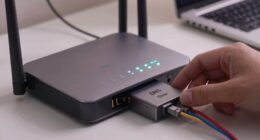

To set up secure remote access without port forwarding, you can use a VPN service or set up a VPN server on your network. This creates an encrypted tunnel between your device and your home network, eliminating the need to open ports or expose vulnerabilities. Simply connect to the VPN, and you’ll have private, secure access from anywhere. Keep exploring further steps, and you’ll discover how to integrate firewalls for added protection.
Listen free for 30 days with Audible
Thousands of audiobooks and originals — cancel anytime.
As an affiliate, we earn on qualifying purchases.
Key Takeaways
- Use a VPN service or set up a VPN server to create an encrypted tunnel for remote access.
- Avoid port forwarding by connecting through the VPN, which bypasses router configuration.
- Configure your firewall to allow VPN connections and restrict access to trusted devices only.
- Choose subscription-based VPN solutions for easy, secure remote connectivity without technical setup.
- Ensure VPN and firewall settings work together to maintain network security and prevent unauthorized access.

Accessing your devices remotely used to require complicated port forwarding setups that can compromise security and be difficult to configure. You’d often need to open specific ports on your router, which creates vulnerabilities that malicious actors can exploit. This process not only risks exposing your network but also demands technical know-how to configure firewall rules correctly. Fortunately, modern solutions like VPNs offer a safer, more straightforward way to access your devices without messing with port forwarding. Setting up a VPN creates a secure, encrypted tunnel between your device and your home network, guaranteeing your data stays private and protected from prying eyes. With VPN security, you don’t have to worry about exposing open ports or leaving your network vulnerable. You simply install a VPN server on your network or subscribe to a reliable VPN service that supports remote access, then connect to it from anywhere. This approach effectively bypasses the need for port forwarding, since your device communicates privately through the VPN tunnel. Additionally, understanding the role of firewall configuration** helps ensure your network remains secure by limiting access to authorized devices only. Firewall configuration plays a vital role in maintaining this setup’s security. Instead of opening wide ports that invite threats, you configure your firewall to accept connections only from the VPN server or trusted devices. This limits access to your network, reducing the risk of unauthorized intrusions. Proper firewall rules ensure that even if someone tries to exploit vulnerabilities, their access remains restricted, and your network stays protected. Many VPN solutions come with built-in security features** that work seamlessly with your existing firewall settings, making the process simpler and more secure. Plus, with most VPNs, you can customize access permissions, so only trusted devices or users can connect remotely, adding an extra layer of security.
As an affiliate, we earn on qualifying purchases.
Frequently Asked Questions
Can I Use a VPN for Secure Remote Access Without Port Forwarding?
Yes, you can use a VPN for secure remote access without port forwarding. With proper VPN configuration, your device initiates a connection to the VPN server, eliminating the need for port forwarding. NAT traversal techniques help establish this connection through routers and firewalls, ensuring seamless access. This setup enhances security and simplifies access, making it a reliable solution for remote work or accessing your network securely from anywhere.
What Are the Risks of Not Using Port Forwarding for Remote Access?
Not using port forwarding can increase security vulnerabilities because your device isn’t directly exposed to the internet, reducing the risk of unauthorized access. However, it also means you might face limitations in remote connectivity, and some security measures could be less effective. You should weigh the balance between minimizing security vulnerabilities and maintaining reliable access, ensuring your remote setup stays protected while still functional.
How Does NAT Traversal Help in Remote Access Setup?
NAT traversal helps you establish remote access by allowing peer-to-peer connections through NAT devices without port forwarding. It enables your devices to communicate directly, bypassing complex network configurations. This simplifies setup and enhances security, as you don’t need to expose your network to external threats. NAT traversal is especially useful for remote access scenarios, making connections more reliable and secure without altering your router’s settings.
Are There Any Hardware Requirements for Remote Access Without Port Forwarding?
You don’t need special hardware for remote access without port forwarding, but hardware constraints and network compatibility matter. Make sure your router supports NAT traversal techniques like UPnP or STUN, which facilitate connections without additional hardware. Your device should have a reliable internet connection and compatible network settings. Keep in mind that some network setups or hardware limitations might hinder seamless access, so verify your equipment supports the necessary protocols for smooth remote connectivity.
What Backup Methods Exist if Remote Access Fails Without Port Forwarding?
If remote access fails without port forwarding, you should have alternative backup options like a VPN or cloud-based management tools for emergency access. These methods guarantee you can still reach your system securely when needed. It’s essential to set up multiple layers of backup to prevent downtime, and regularly test them to confirm they work. This way, you’re prepared for any remote access disruptions, maintaining control and security.
best VPN service for remote access
As an affiliate, we earn on qualifying purchases.
As an affiliate, we earn on qualifying purchases.
Conclusion
So, here you are, thinking you’ve outsmarted the system by avoiding port forwarding. Ironically, the very methods meant to keep your setup simple and secure often introduce new complexities and vulnerabilities. Sometimes, the easiest way isn’t the most secure, and the smartest move is acknowledging when technology needs a little help. After all, a little port forwarding might just be the least risky way to keep your remote access truly safe.
As an affiliate, we earn on qualifying purchases.
As an affiliate, we earn on qualifying purchases.
NFL season / tailgating Picks
team gear
As an affiliate, we earn on qualifying purchases.