

Implementing DNS filtering is a proactive way to block malware before it reaches your devices. It works by intercepting and blocking access to known malicious domains, preventing users from visiting dangerous sites. This creates a barrier that stops threats early and reduces the risk of infections. By filtering DNS requests with up-to-date blacklists, you strengthen your security posture. Keep going to discover how to set up and optimize DNS filtering to maximize malware protection.

Get privacy and security gear delivered free — and shop member deals
- Fast, free delivery on millions of items
- Access to Prime Big Deal Days deals on October 6–7
- Prime Video, Amazon Music and more included
Key Takeaways
- DNS filtering blocks malicious domains before they resolve, preventing malware from reaching devices.
- It acts as a proactive security measure, stopping threats at the DNS request level.
- Implementing DNS filtering with threat intelligence updates ensures real-time malware domain blocking.
- Encrypted DNS prevents attackers from bypassing filters through DNS query interception.
- Combining DNS filtering with layered security enhances overall malware prevention effectiveness.
As an affiliate, we earn on qualifying purchases.
What Is DNS Filtering and How Does It Help Block Malware?

DNS filtering is a security technique that blocks access to malicious websites by preventing your device from resolving harmful domain names. It acts as a first line of defense, stopping threats before they reach you. By filtering DNS requests, it can prevent domain spoofing, where cybercriminals disguise malicious sites as legitimate ones. This also enhances phishing protection, making it harder for attackers to trick you into revealing sensitive information. When a user tries to visit a dangerous site, DNS filtering blocks the request based on predefined rules or blacklists. As a result, it reduces the risk of malware infections and data breaches. This proactive approach helps maintain your network’s security, ensuring you’re less vulnerable to cyberattacks that exploit deceptive or malicious domains. Additionally, DNS filtering can improve overall network performance by reducing unnecessary traffic and blocking unwanted content, which is especially beneficial in a smart home environment where multiple devices rely on a stable connection. Implementing DNS filtering is a key step in creating a secure network that protects your devices and personal information from evolving cyber threats. Utilizing domain name system techniques helps to further enhance your defenses against cyber threats, including highly targeted malware.
As an affiliate, we earn on qualifying purchases.
How DNS Filtering Protects Your Network From Malicious Sites

By actively blocking access to known malicious sites, DNS filtering creates a strong barrier that keeps harmful content away from your network. This protection prevents users from accidentally visiting sites designed for phishing prevention or hosting malware. DNS filtering automatically blocks malicious domains before they load, reducing the risk of infection and data theft. It also supports user education by limiting exposure to dangerous sites, encouraging safer browsing habits. With this proactive approach, you minimize the chances of malware entering your network through compromised websites. By filtering DNS requests, you guarantee that your team stays focused on legitimate, safe sites, strengthening your overall security posture. This method provides continuous, real-time defense against evolving online threats, safeguarding your network without disrupting productivity. Additionally, implementing secure DNS practices helps ensure your network remains resilient against new and emerging cyber threats. Incorporating automated threat detection into your DNS filtering enhances your ability to respond swiftly to new malware campaigns and phishing attempts.
As an affiliate, we earn on qualifying purchases.
Setting Up DNS Filtering for Malware Prevention
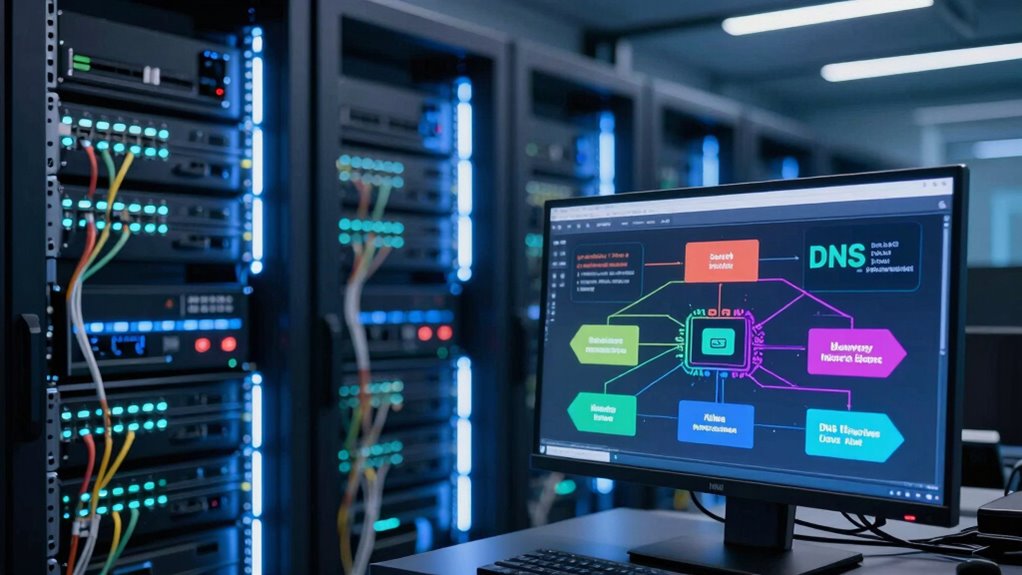
Setting up DNS filtering for malware prevention involves configuring your network to direct DNS requests through a filtering service that blocks malicious domains. This setup helps prevent threats like phishing attacks by stopping users from accessing harmful sites. Make certain your DNS filtering provider uses data encryption to protect your DNS queries from interception. To maximize protection, consider these steps:
- Choose a reliable DNS filtering service with strong threat intelligence
- Configure your network’s DNS settings to route requests through the filter
- Regularly update your filtering policies to block new malicious domains
- Monitor DNS logs for suspicious activity and adjust filtering rules accordingly
- Understanding the “why” behind food can help you better grasp the importance of proactive security measures. Incorporating automated threat detection into your setup can further enhance your defenses by identifying emerging threats in real-time. Additionally, implementing consistent updates ensures your filtering remains effective against evolving malware tactics. Staying informed about cybersecurity best practices empowers you to keep your network resilient. Maintaining a comprehensive security strategy that combines DNS filtering with other protective measures provides a layered defense against cyber threats.
Implementing these measures creates a proactive defense, preventing malware from reaching your devices before it can cause harm. Proper setup is essential for effective malware prevention and safeguarding your network.
As an affiliate, we earn on qualifying purchases.
Benefits and Limitations of Using DNS Filtering for Cybersecurity

Implementing DNS filtering offers significant cybersecurity benefits, such as blocking access to malicious domains before threats reach your network. It enhances phishing prevention by stopping deceptive sites from loading, reducing the risk of credential theft. Additionally, DNS filtering helps protect data privacy by preventing sensitive information from being transmitted to untrusted sources. A thorough understanding of network security is essential to optimize the effectiveness of DNS filtering strategies. Understanding attack vectors can help users better anticipate how cybercriminals might bypass these defenses. Since cybercriminals are constantly evolving their tactics, staying informed about emerging cyber threats is crucial for maintaining an effective security posture. However, it has limitations. Cybercriminals can bypass DNS filters through encrypted DNS or by exploiting other attack vectors. Relying solely on DNS filtering might create a false sense of security, as some threats could slip through. Also, false positives may block legitimate sites, impacting productivity or access. As a result, while DNS filtering is a powerful tool for cybersecurity, it works best when integrated with other security measures for comprehensive protection.
Best Practices for Maximizing Malware Protection With DNS

To maximize malware protection with DNS, adopting a layered approach that combines DNS filtering with other security measures is vital. Implement dns encryption to prevent eavesdropping and tampering, ensuring your DNS queries stay private and secure. Use dns redundancy to maintain continuous protection, even if one DNS server fails or is compromised. Regularly update your DNS filtering policies to adapt to new threats and block malicious domains effectively. Combine DNS security with endpoint defenses and network monitoring for extensive protection. Additionally, educate your team about best practices and potential threats. Implementing security fundamentals and understanding DNS infrastructure are key to a resilient defense strategy. Conducting threat intelligence helps anticipate emerging malware tactics and update defenses accordingly. This multi-layered strategy considerably reduces malware risks, keeping your devices safe from malicious activity before it reaches them.
Frequently Asked Questions
How Does DNS Filtering Compare to Traditional Antivirus Solutions?
DNS filtering offers proactive protection by blocking malicious sites before they reach your devices, unlike traditional antivirus solutions that detect threats after infection. It improves network performance and enhances user experience by preventing malware and phishing attempts at the DNS level. While antivirus software scans and removes threats, DNS filtering stops them early, reducing false positives and minimizing disruptions, making your network safer and more efficient overall.
Can DNS Filtering Block Zero-Day Malware Threats Effectively?
DNS filtering can help block zero-day malware threats by preventing access to malicious domains associated with unknown vulnerabilities. While it isn’t foolproof, it effectively reduces exposure to new threats and minimizes false positives through adaptive algorithms. You benefit from proactive protection, stopping malware before it reaches your devices, especially when combined with other security measures. This layered approach enhances overall security against zero-day vulnerabilities and limits potential damage.
What Are Common Challenges When Implementing DNS Filtering Across Multiple Devices?
You might think DNS filtering is straightforward, but device heterogeneity poses real challenges. Different devices have varying capabilities, making uniform policy enforcement difficult. Ensuring policy consistency across all devices requires careful planning and regular updates. Some devices may not support advanced filtering, leading to gaps. To succeed, you need a flexible approach that adapts to diverse hardware and maintains consistent security standards, preventing malware from slipping through.
How Often Should DNS Filtering Rules Be Updated for Optimal Security?
You should update your DNS filtering rules regularly, ideally every few weeks or monthly, to guarantee maximum security. Timing updates is vital because malware tactics evolve rapidly, and outdated rules can leave gaps. Adjust rule frequency based on emerging threats and your network activity. Staying proactive and reviewing your DNS filtering setup frequently helps block new malware variants before they reach your devices effectively.
Is DNS Filtering Suitable for Small Businesses With Limited IT Resources?
Yes, DNS filtering is suitable for small businesses with limited resources because it’s easy to implement and manage. It helps protect your network from malware and malicious sites without needing extensive IT expertise. You can choose managed solutions or simple tools that require minimal setup. This way, you keep your business secure while saving time and money, making DNS filtering a practical security option for small teams.
Conclusion
By implementing DNS filtering, you’re fundamentally building a digital barrier that acts like a vigilant gatekeeper, blocking malicious sites before they reach your devices. It’s like catching a rogue wave before it crashes onto your shore, safeguarding your network effortlessly. When you stay proactive and follow best practices, you create a safer online space—one where threats are kept at bay, and your digital world remains calm, secure, and protected from unseen dangers.
Fall Picks
fall essentials
As an affiliate, we earn on qualifying purchases.