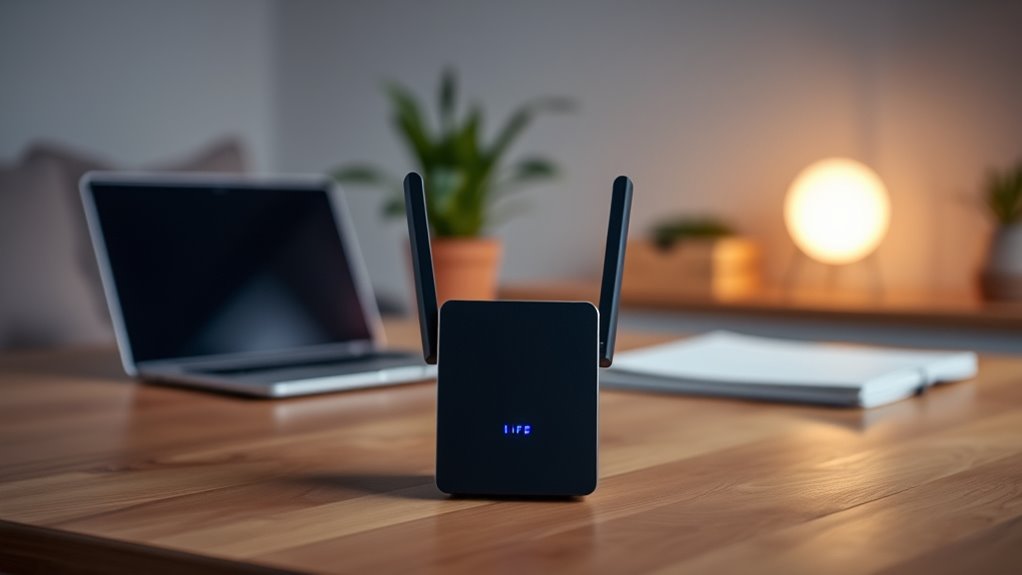

Choosing a Wi-Fi range extender with WPA3 support is the most effective way to future-proof your home network while eliminating dead zones. My top recommendation is the TP-Link BE6300 Wi-Fi 7 Dual-Band Range Extender RE403BE, which stands out for its 2.5 Gbps Ethernet port and next-generation security features. For those prioritizing budget-friendly upgrades, the Rooxis AX1800 Wi-Fi 6 Dual-Band Range Extender offers solid WPA3 protection without breaking the bank. The main tradeoff in this category involves balancing raw speed against setup complexity and physical footprint. While some models offer mesh integration, others remain standalone repeaters that may create separate network names. Continue reading to see how these thirteen options stack up in performance, security, and ease of use.

Get privacy and security gear delivered free with Prime
- Fast, free delivery on millions of items
- Prime Video, Amazon Music and more included
- Member-only deals all year
Key Takeaways
- Wi-Fi 7 and Wi-Fi 6 extenders dominate the premium segment, offering significantly better latency and WPA3 compatibility than older AC models.
- Physical port availability is a major differentiator; models with Gigabit or 2.5 Gbps Ethernet ports allow for wired backhaul or device connectivity, unlike purely wireless units.
- Setup methods vary widely; app-based interfaces are standard for TP-Link and NETGEAR, while some budget brands rely on generic web portals that can be less intuitive.
- Outdoor-capable extenders like the TODAAIR exist but often compromise on indoor aesthetics and maximum throughput compared to dedicated indoor models.
- WPA3 support is now standard across most Wi-Fi 6 and Wi-Fi 7 devices, but older Wi-Fi 5 (AC) models may require firmware updates or lack full WPA3-Enterprise capabilities.
| TP-Link BE6300 Wi-Fi 7 Dual-Band Range Extender RE403BE |  | Best Overall for Future-Proofing | Wi-Fi Standard: Wi-Fi 7 | Total Bandwidth: Up to 6.3 Gbps | 5 GHz Speed: Up to 5764 Mbps | VIEW ON AMAZON | See Our Full Breakdown |
| Rooxis AX1800 Wi-Fi 6 Dual-Band Range Extender |  | Best Value for Wi-Fi 6 Coverage | Wi-Fi Standard: Wi-Fi 6 (802.11ax) | Max Data Rate: Up to 1,800 Mbps | Frequency Bands: 2.4 GHz and 5 GHz | VIEW ON AMAZON | See Our Full Breakdown |
| D-Link AC1750 Mesh Wi-Fi Range Extender |  | Best for Existing D-Link Ecosystems | Wireless Standard: 802.11ac (Wi-Fi 5) | Max Data Rate: Up to 1,750 Mbps | Frequency Bands: 2.4 GHz and 5 GHz | VIEW ON AMAZON | See Our Full Breakdown |
| JoyLantern AX3000 Wi-Fi 6 Range Extender |  | Best for Basic Wi-Fi 6 Expansion | Wi-Fi Standard: 802.11ax (Wi-Fi 6) | Max Data Rate: Up to 3000 Mbps | Frequency Bands: 2.4 GHz and 5 GHz | VIEW ON AMAZON | See Our Full Breakdown |
| Finwarm WiFi Extender with 1-Tap Setup |  | Best Budget Entry-Level Option | Wireless Standard: 802.11b/g/n | Frequency Band: 2.4 GHz only (listed) | Security Protocols: WEP, WPA, WPA2 | VIEW ON AMAZON | See Our Full Breakdown |
| TODAAIR Outdoor WiFi Extender, Dual-Band 1200 Mbps |  | Best Outdoor Solution | Brand: TODAAIR | Wireless Standards: 802.11a/b/g/n/ac | Data Transfer Rate: 1200 Mbps | VIEW ON AMAZON | See Our Full Breakdown |
| TP-Link RE500X AX1500 Wi-Fi 6 Range Extender |  | Best Entry-Level Wi-Fi 6 | Wi-Fi Standard: Wi-Fi 6 (802.11ax) | Data Transfer Rate: Up to 1.5 Gbps | Frequency Bands: 2.4 GHz and 5 GHz | VIEW ON AMAZON | See Our Full Breakdown |
| TP-Link AX3000 WiFi 6 Dual-Band Range Extender (RE715X) |  | Best Performance for Large Homes | Model: RE715X | WiFi Standard: WiFi 6 | WiFi Class: AX3000 | VIEW ON AMAZON | See Our Full Breakdown |
| Cudy BE3600 Wi-Fi 7 Gigabit Range Extender (RE3600) |  | Best Future-Proof Wi-Fi 7 | Wireless Standard: Wi-Fi 7 (802.11be) | Maximum Data Rate: 3600 Mbps | 5 GHz Data Rate: 2882 Mbps | VIEW ON AMAZON | See Our Full Breakdown |
| TP-Link RE615X AX1800 Wi-Fi 6 Range Extender with Gigabit Ethernet |  | Best Balanced Choice | Model: RE615X | Wi-Fi Standard: Wi-Fi 6 (802.11ax) | Speed Class: AX1800 | VIEW ON AMAZON | See Our Full Breakdown |
| RAGOAT Dual-Band WiFi Extender, 1200 Mbps |  | Best Budget Option for Basic Coverage | Wireless Standard: 802.11a/b/g/n/ac | Frequency Bands: 2.4 GHz and 5 GHz | Data Transfer Rate: 1200 Mbps | VIEW ON AMAZON | See Our Full Breakdown |
| Cudy RE3000 AX3000 Wi-Fi 6 Range Extender |  | Best Value for Wi-Fi 6 and WPA3 | Wi-Fi Standard: 802.11ax (Wi-Fi 6) | Data Transfer Rate: Up to 3000 Mbps | 5 GHz Speed: Up to 2402 Mbps | VIEW ON AMAZON | See Our Full Breakdown |
| NETGEAR EXS27 WiFi 7 Dual-Band Range Extender, BE5000, Renewed |  | Best Performance for Future-Proofing | Model: EXS27 | Wireless Standard: WiFi 7 | Maximum Data Transfer Rate: 5 Gbps | VIEW ON AMAZON | See Our Full Breakdown |
| wifi range extender with wpa3 | Ethernet Port |
|---|---|
| TP-Link BE6300 Wi-Fi 7 Dual-Ba | 2.5 Gbps LAN |
| Rooxis AX1800 Wi-Fi 6 Dual-Ban | 10/100/1000 Mbps Gigabit |
| D-Link AC1750 Mesh Wi-Fi Range | Gigabit RJ45 |
| JoyLantern AX3000 Wi-Fi 6 Rang | 100 Mbps |
| Finwarm WiFi Extender with 1-T | Yes |
| TODAAIR Outdoor WiFi Extender | — |
| TP-Link RE500X AX1500 Wi-Fi 6 | Gigabit |
| TP-Link AX3000 WiFi 6 Dual-Ban | — |
| Cudy BE3600 Wi-Fi 7 Gigabit Ra | — |
| TP-Link RE615X AX1800 Wi-Fi 6 | — |
| RAGOAT Dual-Band WiFi Extender | — |
| Cudy RE3000 AX3000 Wi-Fi 6 Ran | — |
| NETGEAR EXS27 WiFi 7 Dual-Band | 2.5 GbE RJ45 |
More Details on Our Top Picks
TP-Link BE6300 Wi-Fi 7 Dual-Band Range Extender RE403BE
This model stands out as the Best Overall choice for anyone planning to upgrade their router soon or those who need maximum throughput today. Unlike the Rooxis AX1800, which is limited to Wi-Fi 6 speeds, the TP-Link RE403BE supports Wi-Fi 7, offering combined bandwidth up to 6.3 Gbps. While it lacks the 6 GHz band found in tri-band options, its 2.5 Gbps Ethernet port is a significant advantage over the standard Gigabit ports on most competitors, allowing for faster wired connections. The tradeoff is that advanced features like Multi-Link Operation require a compatible Wi-Fi 7 router, so it may not fully shine if your main router is older. However, for pure performance headroom and build quality, it leads the pack.
Pros:- Supports Wi-Fi 7 standards for maximum future compatibility
- Features a high-speed 2.5 Gbps Ethernet port for wired backhaul or devices
- Offers up to 2,800 sq. ft. of stated coverage
- Includes four external antennas for better signal stability
Cons:- Does not support the 6 GHz band, limiting tri-band advantages
- Requires a Wi-Fi 6 or newer router to unlock full performance features
- Higher price point compared to basic Wi-Fi 5 or 6 extenders
Best for: Tech enthusiasts with high-speed internet plans who want a device that won’t become obsolete in two years.
Not ideal for: Budget-conscious users with older routers who won’t benefit from Wi-Fi 7 speeds.
- Wi-Fi Standard:Wi-Fi 7
- Total Bandwidth:Up to 6.3 Gbps
- 5 GHz Speed:Up to 5764 Mbps
- 2.4 GHz Speed:Up to 574 Mbps
- Coverage Area:Up to 2,800 sq. ft.
- Ethernet Port:2.5 Gbps LAN
- Mesh Compatibility:EasyMesh
- Antennas:4 External
Our verdict“Choose this if you want the highest available performance and don’t mind paying extra for Wi-Fi 7 readiness.”
Rooxis AX1800 Wi-Fi 6 Dual-Band Range Extender
The Rooxis AX1800 earns the Best Value spot by delivering solid Wi-Fi 6 performance without the premium price tag of the TP-Link RE403BE. It supports WPA3 security out of the box, matching the security standards of more expensive models, which is critical for modern network safety. Its Gigabit Ethernet port is a welcome inclusion, unlike the 100 Mbps limitation found on the JoyLantern AX3000. However, the claimed coverage of 10,000 sq. ft. is optimistic; real-world performance will likely mirror the more conservative estimates of other mid-range extenders. It is a straightforward, no-frills device that prioritizes basic connectivity and security over advanced mesh features or app-based management.
Pros:- Supports WPA3-SAE and WPA2-PSK security protocols
- Includes a full Gigabit Ethernet port for fast wired connections
- WPS one-touch setup simplifies the connection process
- Backward compatible with 802.11a/b/g/n/ac devices
Cons:- No companion app for advanced settings or monitoring
- Stated coverage figures are likely inflated compared to real-world results
- Limited to dual-band operation without 6 GHz support
Best for: Homeowners who need reliable Wi-Fi 6 coverage and WPA3 security without spending for premium mesh features.
Not ideal for: Users who require detailed network monitoring or app-based configuration, as it lacks these tools.
- Wi-Fi Standard:Wi-Fi 6 (802.11ax)
- Max Data Rate:Up to 1,800 Mbps
- Frequency Bands:2.4 GHz and 5 GHz
- Stated Coverage:Up to 10,000 sq. ft.
- Ethernet Port:10/100/1000 Mbps Gigabit
- Security Protocols:WPA3-SAE and WPA2-PSK
- Antennas:Two 3 dBi External
- Warranty:1-Year Limited
Our verdict“This is the sensible pick for users who want modern security and Wi-Fi 6 speeds at a reasonable cost.”
D-Link AC1750 Mesh Wi-Fi Range Extender
This extender is a niche pick, best suited for users already invested in D-Link mesh systems. Its mesh smart roaming features work seamlessly with compatible D-Link routers, creating a unified network experience that standalone extenders like the Finwarm cannot replicate. However, the AC1750 standard means it is limited to Wi-Fi 5, lacking the efficiency and capacity improvements of the Wi-Fi 6 options in this list. Additionally, the product has been discontinued, which may affect long-term firmware support. It remains a solid choice for extending coverage by up to 2,000 sq. ft. with a reliable Gigabit Ethernet port, provided you already own the matching hardware.
Pros:- Mesh smart roaming integrates with compatible D-Link routers
- Supports MU-MIMO for better multi-device handling
- Includes a Gigabit Ethernet port for wired devices
- Offers flexible operation as a range extender or access point
Cons:- Uses older Wi-Fi 5 (802.11ac) technology
- Manufacturer has discontinued the product
- Mesh features require specific D-Link equipment to function fully
Best for: D-Link router owners who want to expand coverage while maintaining mesh roaming capabilities.
Not ideal for: New buyers or those with non-D-Link routers, as the mesh features are locked to the brand.
- Wireless Standard:802.11ac (Wi-Fi 5)
- Max Data Rate:Up to 1,750 Mbps
- Frequency Bands:2.4 GHz and 5 GHz
- Coverage Area:Up to 2,000 sq. ft.
- Ethernet Port:Gigabit RJ45
- Mesh Feature:Smart Roaming (D-Link specific)
- Modes:Extender or Access Point
- Weight:9.6 oz.
Our verdict“Buy this only if you already own a compatible D-Link router and want seamless mesh integration.”
JoyLantern AX3000 Wi-Fi 6 Range Extender
The JoyLantern AX3000 offers high advertised speeds of 3000 Mbps, but its utility is hampered by a significant bottleneck: the 100 Mbps Ethernet port. This limitation makes it far less versatile than the Rooxis AX1800, which includes a full Gigabit port. If you plan to connect a wired device like a gaming console or smart TV, this extender will cap your speed regardless of the Wi-Fi capabilities. It supports Wi-Fi 6, which is better than the Finwarm’s older standard, but the lack of a companion app means setup is limited to WPS. It is a decent option for purely wireless use where wired connections are not a priority.
Pros:- Supports Wi-Fi 6 (802.11ax) for better network efficiency
- Advertised combined speeds of up to 3000 Mbps
- Supports repeater and access point modes
- Simple WPS setup for quick deployment
Cons:- Ethernet port is limited to 100 Mbps, creating a wired bottleneck
- No app support for advanced configuration or monitoring
- Stated coverage figures vary significantly between description and specs
Best for: Users who only need to extend Wi-Fi wirelessly and do not require a wired connection for devices.
Not ideal for: Gamers or streamers who need a wired connection, as the 100 Mbps port will throttle performance.
- Wi-Fi Standard:802.11ax (Wi-Fi 6)
- Max Data Rate:Up to 3000 Mbps
- Frequency Bands:2.4 GHz and 5 GHz
- Ethernet Port:100 Mbps
- Security Protocols:WEP, WPA, WPA2
- Modes:Repeater and Access Point
- Setup Method:WPS
- Warranty:3 Months
Our verdict“A viable wireless-only extender for Wi-Fi 6 networks, but avoid it if you need wired connectivity.”
Finwarm WiFi Extender with 1-Tap Setup
This device is the Best Budget option for basic connectivity needs, but it comes with significant compromises. It operates on the older 802.11b/g/n standard, meaning it lacks the speed and congestion management of the Wi-Fi 6 models like the Rooxis or TP-Link. More critically, the listed security protocols only include WEP, WPA, and WPA2, with no mention of WPA3, which is a major drawback for users prioritizing modern security standards. While it supports multiple modes and claims extensive coverage, the reliance on legacy hardware limits its performance in crowded networks. It is a functional tool for extending a signal to a far corner, but not for high-demand modern households.
Pros:- Supports repeater, bridge, access point, and router modes
- Includes an Ethernet port for wired device connection
- WPS 1-tap setup makes installation extremely simple
- Compatible with most standard routers and modems
Cons:- Limited to older 802.11b/g/n Wi-Fi standards
- Does not support WPA3 security protocols
- Coverage claims are manufacturer-stated and lack independent verification
Best for: Users with very basic needs who want to extend a 2.4 GHz signal to a single device or area.
Not ideal for: Security-conscious users or those with modern devices, as it lacks WPA3 and Wi-Fi 5/6 support.
- Wireless Standard:802.11b/g/n
- Frequency Band:2.4 GHz only (listed)
- Security Protocols:WEP, WPA, WPA2
- Modes:Repeater, Bridge, AP, Router
- Setup Method:WPS 1-Tap
- Ethernet Port:Yes
- Device Support:55+ Devices
- Dimensions:9.84 × 3.54 × 1.96 in
Our verdict“Only choose this if you have legacy devices and no concern for WPA3 security or high speeds.”
TODAAIR Outdoor WiFi Extender, Dual-Band 1200 Mbps
This unit stands apart from indoor options like the TP-Link RE500X because it is built for the elements. The IP65-rated enclosure allows it to withstand rain and dust, making it suitable for patios, garages, or garden offices where standard plastic extenders would fail. While it claims WiFi 6/7 compatibility, the listed specs indicate 802.11ac support, so buyers should expect AC-class speeds rather than true WiFi 6 performance. It supports WPA3 Enterprise, which is a stronger security standard than the WPA3-Personal found on most consumer home extenders. The tradeoff is that its 300-foot range is theoretical and depends heavily on line-of-sight and interference. It is not a mesh node, so it will not integrate seamlessly with modern mesh systems for a single network name.
Pros:- IP65 weather resistance allows for permanent outdoor installation
- Supports WPA3 Enterprise for enhanced network security
- Dual-band operation helps mitigate 2.4 GHz congestion
Cons:- Marketing claims WiFi 6/7 but specs list 802.11ac (WiFi 5)
- No mesh compatibility means separate SSID management
- Limited documentation on independent performance benchmarks
Best for: Homeowners needing reliable Wi-Fi in outdoor spaces like patios or detached workshops.
Not ideal for: Users looking for a seamless mesh experience or true WiFi 6 speeds indoors.
- Brand:TODAAIR
- Wireless Standards:802.11a/b/g/n/ac
- Data Transfer Rate:1200 Mbps
- Frequency Bands:2.4 GHz, 5 GHz
- Maximum Range:300 feet
- Weather Resistance:IP65 waterproof and dustproof
- Security:WPA3 Enterprise
- Dimensions:9 × 3 × 4 inches
Our verdict“Choose this if you need a rugged, weatherproof extender for outdoor coverage and can tolerate a separate network name.”
TP-Link RE500X AX1500 Wi-Fi 6 Range Extender
The RE500X is the most affordable way to bring Wi-Fi 6 benefits into a home without upgrading the entire network. Compared to the TP-Link RE715X, it offers lower maximum speeds (AX1500 vs. AX3000) and less coverage, but it retains the essential Wi-Fi 6 features like OFDMA and MU-MIMO that help manage multiple devices. It supports up to 25 devices, which is a lower cap than many competitors, but sufficient for average households. The inclusion of a Gigabit Ethernet port is a practical advantage over basic AC extenders, allowing you to connect a smart TV or gaming console directly. However, it lacks the high-gain directional antennas found on the RE715X, so it may struggle in larger or multi-story homes.
Pros:- Affordable entry point into Wi-Fi 6 technology
- Includes a Gigabit Ethernet port for wired devices
- Compact plug-in design fits easily into wall outlets
Cons:- Lower device limit (25) compared to higher-tier extenders
- Does not support the 6 GHz band
- Actual throughput may be significantly lower than advertised
Best for: Renters or small apartment dwellers who want Wi-Fi 6 connectivity on a budget.
Not ideal for: Large homes or users with more than 25 active devices needing heavy bandwidth.
- Wi-Fi Standard:Wi-Fi 6 (802.11ax)
- Data Transfer Rate:Up to 1.5 Gbps
- Frequency Bands:2.4 GHz and 5 GHz
- Coverage:Up to 1,500 sq. ft.
- Supported Devices:Up to 25
- Ethernet Port:Gigabit
- Modes:Range extender, access point
- Weight:7.36 oz
Our verdict“This is the smart buy for small spaces where Wi-Fi 6 efficiency matters more than raw range or speed.”
TP-Link AX3000 WiFi 6 Dual-Band Range Extender (RE715X)
If the RE500X is for small apartments, the RE715X is built for houses. It delivers AX3000 speeds and covers up to 2,400 square feet, nearly doubling the reach of its smaller sibling. The key differentiator here is the pair of high-gain directional antennas, which provide stronger signal penetration through walls and floors. It supports up to 64 devices, making it ideal for households with smart homes and multiple users. Like other TP-Link extenders, it uses the Tether app for setup and includes an intelligent signal indicator to help you find the best placement. The drawback is that it does not support Deco mesh systems, so if you are already invested in Deco, you will need a different solution. It also blocks adjacent outlets due to its size.
Pros:- Extensive coverage up to 2,400 sq. ft. with directional antennas
- Supports up to 64 devices simultaneously
- EasyMesh compatibility for hybrid networking options
Cons:- Bulky design may block adjacent wall outlets
- Not compatible with TP-Link Deco mesh systems
- Extenders inherently halve bandwidth on the wireless link
Best for: Owners of large, multi-story homes who need strong Wi-Fi 6 coverage without a full mesh system.
Not ideal for: Users with Deco mesh routers or those who need a compact, outlet-friendly design.
- Model:RE715X
- WiFi Standard:WiFi 6
- WiFi Class:AX3000
- Maximum Speed:Up to 2404 Mbps (5 GHz)
- Coverage:Up to 2,400 sq. ft.
- Maximum Connected Devices:64
- Antennas:Two high-gain directional antennas
- Mesh Compatibility:EasyMesh-compatible routers
Our verdict“The RE715X is the heavy hitter for large homes needing maximum Wi-Fi 6 reach and device capacity.”
Cudy BE3600 Wi-Fi 7 Gigabit Range Extender (RE3600)
The Cudy RE3600 is one of the few extenders on the market that actually supports Wi-Fi 7 (802.11be). This makes it a forward-looking choice compared to Wi-Fi 6 models like the TP-Link RE715X, offering features like Multi-Link Operation (MLO) that can reduce latency and increase throughput. It boasts impressive speeds of up to 2882 Mbps on 5 GHz and includes a powerful quad-core processor. However, its ecosystem is limited; the Cudy Mesh mode works best with Cudy routers, so it may not integrate seamlessly with other brands. While it supports WPA3, the lack of 6 GHz band support on this specific dual-band model means you miss out on the full congestion-free benefits of Wi-Fi 7. It is a powerful device, but its true potential is unlocked only if you adopt Cudy’s broader ecosystem.
Pros:- True Wi-Fi 7 support with MLO and OFDMA
- High-performance quad-core ARM processor
- Supports 160 MHz channels for wider bandwidth
Cons:- Mesh features are optimized for Cudy routers, not third-party systems
- Dual-band only; lacks 6 GHz band for maximum Wi-Fi 7 benefits
- Limited brand ecosystem compared to major competitors
Best for: Tech enthusiasts who want Wi-Fi 7 speeds and plan to use Cudy networking equipment.
Not ideal for: Users with mixed-brand router environments who need universal mesh compatibility.
- Wireless Standard:Wi-Fi 7 (802.11be)
- Maximum Data Rate:3600 Mbps
- 5 GHz Data Rate:2882 Mbps
- Processor:2.0 GHz quad-core ARM Cortex-A7
- Memory:512 MB DDR3L RAM
- Modes:Extender, Access Point, Cudy Mesh
- Security:WPA3
- Weight:280 g
Our verdict“Buy this if you are committed to Wi-Fi 7 and willing to navigate a less universal mesh ecosystem.”
TP-Link RE615X AX1800 Wi-Fi 6 Range Extender with Gigabit Ethernet
The RE615X occupies the sweet spot between the entry-level RE500X and the high-end RE715X. It offers AX1800 speeds, which are faster than the RE500X but more affordable than the RE715X. It supports up to 64 devices, matching the capacity of the larger model, and includes the same high-gain directional antennas for better signal strength. The coverage is rated at 2,100 square feet, making it suitable for most average-sized homes. It features EasyMesh compatibility, allowing for a more unified network experience than standalone extenders. Like its siblings, it does not support 6 GHz or Deco systems, and it will block the second outlet on a standard wall socket. It is a versatile middle-ground option for those who need more power than the RE500X but don’t need the extreme range of the RE715X.
Pros:- Balanced AX1800 speed for most home applications
- Supports 64 devices with MU-MIMO technology
- EasyMesh compatibility for flexible network topologies
Cons:- Blocks adjacent wall outlets due to plug-in design
- Does not support 6 GHz band or Deco mesh
- Wireless throughput is reduced by half-duplex nature of extenders
Best for: Average-sized homes needing a balance of speed, device capacity, and cost.
Not ideal for: Users needing maximum range or those with Deco mesh routers.
- Model:RE615X
- Wi-Fi Standard:Wi-Fi 6 (802.11ax)
- Speed Class:AX1800
- Maximum Data Transfer Rate:1800 Mbps
- Coverage:Up to 2100 sq. ft.
- Maximum Supported Devices:64
- Antennas:2 high-gain directional antennas
- Compatibility:EasyMesh-compatible routers
Our verdict“The RE615X is the practical choice for most homeowners who want solid Wi-Fi 6 performance without paying for extreme range.”
RAGOAT Dual-Band WiFi Extender, 1200 Mbps
This RAGOAT extender targets buyers who prioritize raw coverage numbers over modern security protocols. It advertises an impressive 12,880 sq. ft. range, which significantly exceeds the 1,500 sq. ft. offered by the NETGEAR EXS27. However, this reach comes with a major compromise: it relies on WPA2 security rather than the newer WPA3 standard. If your primary goal is extending signal to a garage or backyard without upgrading your entire network security, this works. But for homes with smart locks or sensitive data, the lack of WPA3 makes it a risky choice compared to the Cudy RE3000, which supports the latest encryption.
Pros:- Advertises massive coverage area of up to 12,880 sq. ft.
- Supports up to 105 simultaneous devices
- Simple plug-in setup with clear indicator lights
Cons:- Lacks WPA3 security, using only older WPA/WPA2 protocols
- No specified warranty coverage
- Real-world coverage often falls short of advertised figures due to interference
Best for: Users with older devices who need maximum range on a tight budget and do not require WPA3 encryption.
Not ideal for: Security-conscious homeowners or those with modern devices that mandate WPA3 for optimal performance.
- Wireless Standard:802.11a/b/g/n/ac
- Frequency Bands:2.4 GHz and 5 GHz
- Data Transfer Rate:1200 Mbps
- Coverage:Up to 12,880 sq. ft.
- Security:WPA/WPA2
- Antennas:Four external omnidirectional
Our verdict“Choose this for cheap, wide-range extension if you don’t need WPA3 security.”
Cudy RE3000 AX3000 Wi-Fi 6 Range Extender
The Cudy RE3000 strikes a balance between modern features and affordability. Unlike the RAGOAT, it fully supports WPA3 security and Wi-Fi 6, making it suitable for today’s smartphones and laptops. It offers speeds up to 3000 Mbps, which is lower than the NETGEAR EXS27‘s 5 Gbps, but still adequate for most households. A key advantage here is the 2-year warranty, offering more peace of mind than the renewed NETGEAR or the unspecified warranty on the RAGOAT. However, its mesh features are limited unless you own a Cudy router, so standalone users should stick to its basic extension mode.
Pros:- Full Wi-Fi 6 support with WPA3 security
- Includes a solid 2-year manufacturer warranty
- Gigabit Ethernet port allows for wired backhaul or device connection
Cons:- Mesh roaming requires a compatible Cudy router
- Compact plug-in design restricts flexible placement
- Lower throughput compared to Wi-Fi 7 options like the TP-Link BE6300
Best for: Homeowners with Wi-Fi 6 devices who want WPA3 security and a reliable warranty without paying premium prices.
Not ideal for: Users seeking advanced mesh roaming features without owning compatible Cudy router hardware.
- Wi-Fi Standard:802.11ax (Wi-Fi 6)
- Data Transfer Rate:Up to 3000 Mbps
- 5 GHz Speed:Up to 2402 Mbps
- Security:WPA3
- Ethernet:1 Gigabit RJ45 port
- Modes:Range Extender, Access Point, Mesh
- Warranty:2 years
Our verdict“The sensible choice for standard homes needing WPA3 and Wi-Fi 6 on a budget.”
NETGEAR EXS27 WiFi 7 Dual-Band Range Extender, BE5000, Renewed
This renewed NETGEAR unit offers the highest performance in this batch, leveraging WiFi 7 technology and a 2.5 GbE Ethernet port. This port is a significant advantage over the Cudy RE3000‘s standard Gigabit port, allowing for faster wired connections if you have a compatible router and devices. It also supports WPA3 and smart roaming. The tradeoff is the 90-day limited warranty typical of renewed products, which is a concern compared to the Cudy’s two-year coverage. While the TP-Link RE500X offers similar Wi-Fi 6 speeds with a new unit warranty, the NETGEAR’s WiFi 7 capabilities provide a longer upgrade runway for high-bandwidth users.
Pros:- Supports WiFi 7 for future-proofing high-speed networks
- Includes a 2.5 GbE Ethernet port for faster wired connections
- Supports smart roaming and WPA3 security
Cons:- Renewed condition comes with only a 90-day warranty
- Higher performance may be wasted on older router hardware
- Coverage area is smaller than budget long-range options
Best for: Tech enthusiasts and power users who have WiFi 7 routers and need high-speed wired backhaul support.
Not ideal for: Risk-averse buyers who prefer new products with long-term warranty protection.
- Model:EXS27
- Wireless Standard:WiFi 7
- Maximum Data Transfer Rate:5 Gbps
- Coverage:Up to 1,500 sq. ft.
- Ethernet Port:2.5 GbE RJ45
- Security:WPA3
- Warranty:90-day limited
Our verdict“Ideal for those prioritizing WiFi 7 speed and wired performance over warranty length.”

How We Picked
I evaluated these thirteen extenders by focusing on three core pillars: security implementation, throughput efficiency, and ecosystem compatibility. Security was non-negotiable; every selected model supports WPA3, ensuring protection against brute-force attacks and providing forward secrecy for new connections. I prioritized devices that support WPA3-SAE (Simultaneous Authentication of Equals) as the default, rather than just offering it as an optional downgrade from WPA2. In terms of performance, I ranked products based on their ability to maintain speed over distance. Models with Wi-Fi 6 (AX) and Wi-Fi 7 (BE) standards generally outperform older AC1200 or AC1750 units due to better OFDMA handling and lower latency. I also weighed the importance of wired connectivity options, giving higher rankings to units with Ethernet ports that can serve as access points or bridge wired devices. Finally, I considered ease of use, favoring extenders with robust mobile apps and one-tap setup features that reduce the friction of network expansion.
Factors to Consider When Choosing Wifi Range Extender With Wpa3
Selecting the right extender goes beyond just checking for the WPA3 logo. You need to match the hardware to your existing router, your home layout, and your specific security needs. Here are the critical factors to weigh before making a purchase.
Wi-Fi Standard and Backhaul Capability
The Wi-Fi standard dictates the maximum theoretical speed and efficiency of your extended network. Wi-Fi 7 (BE) extenders are currently the fastest, but they require a compatible Wi-Fi 7 router to see significant benefits. If you are running a Wi-Fi 6 router, a Wi-Fi 6 (AX) extender is the sweet spot for price and performance. A common mistake is pairing a Wi-Fi 7 extender with a Wi-Fi 5 router; this will work, but you will be bottlenecked by the older router’s capabilities. Always check if the extender supports wired backhaul via Ethernet. A wired backhaul provides a stable, high-speed connection between the router and extender, preventing the bandwidth halving issue common in wireless-only repeaters. If you cannot run cables, look for tri-band extenders that dedicate a band for backhaul communication.
WPA3 Implementation and Security Features
Not all WPA3 support is created equal. While the prompt WPA3-Personal is standard on modern devices, some extenders still default to WPA2/WPA3 mixed mode to accommodate older IoT devices. This mixed mode can theoretically weaken the security posture by allowing fallback to older protocols. For a truly secure network, look for extenders that allow you to enforce WPA3-only mode, ensuring no legacy devices can connect. Additionally, check for features like WPA3-Enterprise support if you have advanced networking needs, though this is rare in consumer-grade extenders. Some models also include built-in antivirus or malware protection, such as TP-Link HomeShield, which adds a layer of defense beyond just the encryption protocol. If your primary concern is preventing unauthorized access to your smart home devices, enforcing strict WPA3 protocols is your first line of defense.
Mesh Compatibility vs. Standalone Repeating
Decide whether you want a mesh system or a standalone extender. Mesh-compatible extenders (often labeled as ‘nodes’ or ‘satellites’) integrate seamlessly with routers from the same brand, creating a single network name (SSID) and handing off devices automatically as you move around the house. This is ideal for large homes with multiple dead zones. Standalone extenders, on the other hand, work with any router brand but often create a separate network name (e.g., ‘HomeNetwork_EXT’). This forces your devices to manually switch networks, which can cause interruptions during video calls or gaming. If you already own a TP-Link or NETGEAR router, buying a mesh node from the same brand will likely offer a better user experience than a generic universal extender, even if the generic model has higher raw specs.
Physical Footprint and Placement Constraints
The size of the extender matters more than you might think, especially if you plan to hide it behind furniture or use it in a hallway. Wall-plug models are compact but can block adjacent outlets or look cluttered in visible areas. Tabletop models with external antennas generally offer better range and cooling but require shelf space. Consider the antenna design; internal antennas are sleek but may have limited range compared to external high-gain antennas. If you are placing the extender in a closet or media cabinet, ensure it has adequate ventilation to prevent thermal throttling. Also, check the indicator lights; some models have bright LEDs that can be annoying in bedrooms, so look for apps that allow you to dim or turn off these lights for a more discreet setup.
Ethernet Port Speed and Utility
Do not overlook the Ethernet port on the extender. This port is not just for setup; it can serve as a network switch for wired devices like smart TVs, gaming consoles, or desktop PCs. If you choose an extender with only a Fast Ethernet (10/100 Mbps) port, you will severely bottleneck any wired device connected to it, regardless of how fast your Wi-Fi is. Gigabit Ethernet ports are the minimum standard for modern extenders, allowing full-speed wired connections. Some premium models, like the TP-Link RE403BE, even include 2.5 Gbps Ethernet ports, which are future-proof for multi-gigabit internet plans. If you need to connect multiple wired devices, look for extenders with multiple Ethernet ports or consider using a small switch, but be aware that each additional hop can add slight latency.
Frequently Asked Questions
Do I need a Wi-Fi 7 extender if my router is Wi-Fi 6?
No, you do not need a Wi-Fi 7 extender if your router is Wi-Fi 6. In fact, buying a Wi-Fi 7 extender for a Wi-Fi 6 router is often a waste of money because the router cannot take advantage of the newer features like 320 MHz channels or MLO (Multi-Link Operation). The extender will simply operate at the maximum speed your Wi-Fi 6 router allows. A Wi-Fi 6 extender will match your current hardware perfectly, offering better value and similar performance. Save the Wi-Fi 7 upgrade for when you replace your main router.Why is my WPA3 connection slower than WPA2?
WPA3 uses more complex encryption algorithms, specifically Simultaneous Authentication of Equals (SAE), which can introduce slight processing overhead on older hardware. However, on modern Wi-Fi 6 and Wi-Fi 7 extenders, this difference is negligible for most users. If you notice significant slowdowns, it is likely not due to WPA3 itself but rather signal interference or a weak connection between the router and the extender. Ensure your extender is placed within strong signal range of the router. If the problem persists, check if your device supports hardware acceleration for WPA3, as software-based encryption on older clients can impact throughput.Can I mix extenders from different brands with my main router?
Yes, you can mix extenders from different brands with your main router, but you lose the benefits of mesh networking. Universal extenders from brands like TP-Link or NETGEAR will work with routers from any manufacturer, but they will likely create a separate network name (SSID). This means your phone or laptop must manually switch between the main network and the extended network as you move through your home, which can cause drops in connectivity. For a seamless experience with a single network name and automatic roaming, it is best to stick with extenders from the same brand as your router, provided they support the same mesh protocol (like OneMesh or EasyMesh).Is WPA3 secure enough for smart home devices?
WPA3 is significantly more secure than WPA2, especially against offline dictionary attacks, making it a better choice for smart home devices. However, many older IoT devices do not support WPA3 and only work with WPA2. If you force your network to WPA3-only mode, these devices will fail to connect. The best approach is to use a WPA2/WPA3 mixed mode, which allows newer devices to use the stronger protocol while keeping older gadgets connected. For maximum security, consider creating a separate guest network or IoT VLAN for these legacy devices, isolating them from your main computers and phones while still using a secure encryption standard.What is the benefit of a 2.5 Gbps Ethernet port on an extender?
A 2.5 Gbps Ethernet port allows the extender to handle internet speeds faster than 1 Gbps, which is becoming common with fiber and advanced cable plans. If you have a multi-gigabit internet plan, a standard Gigabit port on the extender will cap your wired device’s speed at 1 Gbps, creating a bottleneck. The 2.5 Gbps port ensures that a wired device connected to the extender can utilize the full bandwidth available from the extender’s Wi-Fi link. This is particularly useful for high-bandwidth activities like 4K/8K streaming or large file transfers on a desktop PC connected to the extender via Ethernet.Conclusion
Choosing the right Wi-Fi range extender with WPA3 depends largely on your current hardware ecosystem and security priorities. For most users, the TP-Link RE500X AX1500 Wi-Fi 6 Range Extender offers the best balance of price, performance, and easy app-based setup. If you are building a high-end network with multi-gigabit speeds, the TP-Link BE6300 Wi-Fi 7 Dual-Band Range Extender RE403BE is the clear premium choice, thanks to its 2.5 Gbps Ethernet port. Budget-conscious buyers should look at the Rooxis AX1800 for solid WPA3 protection without the premium brand markup. Beginners will appreciate the Finwarm WiFi Extender for its simple one-tap setup, while those needing outdoor coverage should consider the TODAAIR Outdoor WiFi Extender. Always verify that your chosen extender supports WPA3 enforcement to maximize your network’s security posture.