The best indoor security cameras balance clear video, useful coverage, simple setup, and a storage plan that fits how you want to check footage. My best overall pick is the TP-Link Tapo C260, whose 4K resolution and pan-and-tilt coverage make it a flexible choice for a main living space. For wider area coverage, the eufy Security Indoor Cam S350 pairs two lenses with hybrid zoom, while the Google Nest Cam Indoor (Wired, 3rd Gen) is a strong option for buyers already invested in Google Home. The main tradeoffs are resolution versus room coverage, local versus cloud storage, and feature depth versus easy setup. Read on for how all 15 options compare and which camera best matches your home.

Get privacy and security gear delivered free with Prime
- Fast, free delivery on millions of items
- Prime Video, Amazon Music and more included
- Member-only deals all year
Key Takeaways
- Pan-and-tilt coverage can matter more than a resolution jump: the Tapo C260 and Tapo C211 can follow more of a room than fixed-view cameras, reducing the need to buy one camera per corner.
- The S350 takes a different approach to detail: its dual-lens design and hybrid zoom suit buyers who want a broad view plus closer inspection, while single-lens 4K models keep the setup simpler.
- Multi-packs change the value equation: the Tapo C100 four-pack and Anona 4K four-pack can cover several rooms at once, but buyers should weigh app support, storage arrangements, and per-camera setup.
- Brand ecosystems are a real dividing line: Ring cameras make more sense for Ring households, while Nest is a natural fit for Google Home users; mixing ecosystems may mean extra apps and less convenient routines.
- Resolution alone does not settle the choice: a 1080p camera such as the Ring Indoor Cam (2nd Gen) can be a sensible simple-monitoring pick, while higher-resolution models are more useful when digital zoom and fine detail matter.
| TP-Link Tapo C100 1080p Indoor Security Camera, 4-Pack |  | Best Multi-Room Value | Pack size: 4 cameras | Resolution: 1080p | Field of view: 117° | VIEW LATEST PRICE | See Our Full Breakdown |
| TP-Link Tapo C211 2K Pan/Tilt Indoor Security Camera, 2-Pack | 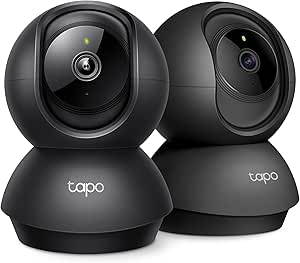 | Best Pan-and-Tilt Coverage | Pack size: 2 cameras | Resolution: 2K | Pan range: 360° horizontal | VIEW LATEST PRICE | See Our Full Breakdown |
| Blink Mini 2K+ Indoor Security Camera |  | Best Compact Camera | Resolution: 2K (2560 × 1440) | Field of view: 138° diagonal | Frame rate: Up to 24/25 FPS | VIEW LATEST PRICE | See Our Full Breakdown |
| Ring Indoor Cam (2nd Gen), 1080p HD Security Camera, White |  | Best for Manual Privacy Control | Generation: 2nd Gen (2023 release) | Video: 1080p HD with Live View | Field of view: 143° diagonal | VIEW LATEST PRICE | See Our Full Breakdown |
| Google Nest Cam Indoor (Wired, 3rd Gen), Snow | 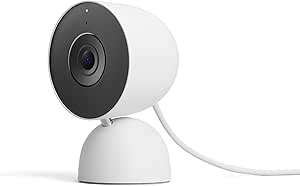 | Best for Google Home Households | Model: GA09973-US | Resolution: 2K HDR | Usage: Indoor | VIEW LATEST PRICE | See Our Full Breakdown |
| Kasa EC71 1080p Indoor Pan/Tilt Security Camera | 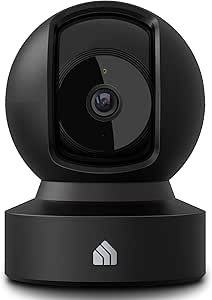 | Best Value for Room-Wide Tracking | Resolution: 1080p Full HD | Pan and tilt: 360° horizontal, 113° vertical | Night vision: Up to 30 feet | VIEW LATEST PRICE | See Our Full Breakdown |
| Ring Pan-Tilt Indoor Cam (1st Gen), White |  | Best for Ring Households | Video: 1080p HD | Pan and tilt: 360° pan, 169° tilt | Night vision: Color Night Vision | VIEW LATEST PRICE | See Our Full Breakdown |
| eufy Security C31 Indoor/Outdoor Cameras, 2-Pack |  | Best Two-Camera Set for Local Continuous Recording | Pack size: 2 cameras | Resolution: 2 MP | Pan and tilt: 360° coverage | VIEW LATEST PRICE | See Our Full Breakdown |
| eufy Security E30 4K Indoor Camera with Pan and Tilt |  | Best for 4K Detail and Smart-Home Flexibility | Resolution: 4K UHD; 8 MP photo sensor | Frame rate: 25 fps | Pan and tilt: 360° panoramic view | VIEW LATEST PRICE | See Our Full Breakdown |
| eufy Security Indoor Cam S350, 4K Dual-Lens Camera with 8× Hybrid Zoom |  | Best Premium Pick for Close-Up Detail | Camera lenses: 4K UHD wide-angle and 2K telephoto | Hybrid zoom: 8× | Field of view: 360° | VIEW LATEST PRICE | See Our Full Breakdown |
| Ring Indoor Cam 4K Security Camera, White |  | Best for Maximum Detail | Video resolution: 4K | Zoom: Up to 10x enhanced zoom | Video features: Auto HDR; color night vision; black-and-white night vision | VIEW LATEST PRICE | See Our Full Breakdown |
| Anona 4K UHD Indoor Security Camera, 4-Pack |  | Best Multi-Room 4K Pack | Pack size: 4 cameras | Resolution: 4K UHD, 8 MP | Pan and tilt: 360° pan; 110° tilt | VIEW LATEST PRICE | See Our Full Breakdown |
| TP-Link Tapo C260 4K Indoor Pan/Tilt Security Camera | 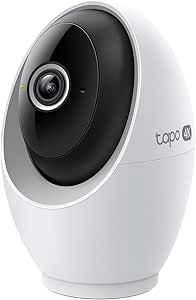 | Best for Zoom and Local Control | Resolution: 4K, 8 MP | Field of view: 360° horizontal; 116° vertical | Mechanical pan and tilt: 340° pan; 220° tilt with Privacy Mode on, 90° tilt with Privacy Mode off | VIEW LATEST PRICE | See Our Full Breakdown |
| REOLINK E1 4MP Indoor Wi-Fi Security Camera | 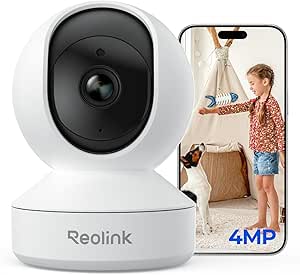 | Best for Local Storage on a Budget | Resolution: 4MP | Pan: 355° | Night vision range: Up to 40 feet | VIEW LATEST PRICE | See Our Full Breakdown |
| Ring Indoor Cam 2K Indoor Security Camera, Black |  | Best Compact Ring Pick | Video: 2K | Zoom: Up to 6x | Field of view: 115° horizontal; 60° vertical | VIEW LATEST PRICE | See Our Full Breakdown |
| indoor security camera | Connectivity | Resolution | Power | Night vision |
|---|---|---|---|---|
| TP-Link Tapo C100 1080p Indoor | 2.4 GHz Wi-Fi | 1080p | Constant power via included DC adapter | Up to 40 ft |
| TP-Link Tapo C211 2K Pan/Tilt | 2.4 GHz Wi-Fi | 2K | — | — |
| Blink Mini 2K+ Indoor Security | 2.4 GHz Wi-Fi | 2K (2560 × 1440) | Plug-in; indoor power adapter included | — |
| Ring Indoor Cam | 2.4 GHz Wi-Fi | — | USB-A adapter and 6.5 ft Micro USB cable | Color Night Vision |
| Google Nest Cam Indoor | Wired; Wi-Fi | 2K HDR | Corded electric | — |
| Kasa EC71 1080p Indoor Pan/Til | 2.4 GHz Wi-Fi | 1080p Full HD | Corded electric | Up to 30 feet |
| Ring Pan-Tilt Indoor Cam | 2.4 GHz Wi-Fi (802.11 b/g/n) | — | USB-A to USB-C cable and power adapter | Color Night Vision |
| eufy Security C31 Indoor/Outdo | — | 2 MP | Corded electric, 5 volts | Full-color; range up to 20 feet |
| eufy Security E30 4K Indoor Ca | — | 4K UHD; 8 MP photo sensor | — | Color and infrared |
| eufy Security Indoor Cam S350 | 2.4 GHz and 5 GHz Wi-Fi | — | — | Infrared, up to 32 feet |
| Ring Indoor Cam 4K Security Ca | — | — | — | — |
| Anona 4K UHD Indoor Security C | 2.4 GHz and 5 GHz Wi-Fi; Wi-Fi 6 | 4K UHD, 8 MP | — | — |
| TP-Link Tapo C260 4K Indoor Pa | Wi-Fi; RTSP/ONVIF support | 4K, 8 MP | — | Up to 30 ft |
| REOLINK E1 4MP Indoor Wi-Fi Se | 2.4 GHz Wi-Fi; no RTSP/ONVIF support | 4MP | Corded electric; 5 volts; 3 watts | — |
| Ring Indoor Cam 2K Indoor Secu | Single-band 2.4 GHz Wi-Fi, Wi-Fi 4 | — | USB-C cable and power adapter; 6.5 ft cable | — |
More Details on Our Top Picks
TP-Link Tapo C100 1080p Indoor Security Camera, 4-Pack
The four-camera bundle makes the Tapo C100 a practical choice for keeping an eye on several rooms without stepping up to a more elaborate pan-and-tilt system. Its 1080p video and night vision reaching up to 40 feet cover everyday monitoring, while person and baby-cry detection can make alerts more relevant than basic motion notices. Local microSD recording and RTSP/ONVIF support also give it flexibility for buyers who prefer local storage or a compatible network setup. Compared with the two-camera Tapo C211, the C100 trades 2K detail and remote room coverage for more fixed cameras in the box. Each unit needs a power outlet, and cards are sold separately; it also relies on 2.4 GHz Wi-Fi.
Pros:- Four cameras let buyers cover multiple indoor locations from one bundle.
- Person and baby-cry detection can make alerts more useful for household monitoring.
- Night vision reaches up to 40 feet.
- Supports microSD recording and RTSP/ONVIF integration.
Cons:- Every camera needs a constant power connection, limiting placement.
- MicroSD cards are not included, adding a separate storage purchase.
- Works on 2.4 GHz Wi-Fi only.
Best for: Households that want fixed camera coverage in several rooms, such as a nursery, entryway, and living room, and are comfortable adding microSD cards.
Not ideal for: Buyers who need to follow movement across a room with one camera, want battery operation, or need 5 GHz Wi-Fi support.
- Pack size:4 cameras
- Resolution:1080p
- Field of view:117°
- Night vision:Up to 40 ft
- Detection:Motion, person, and baby-cry detection
- Local storage:MicroSD up to 512 GB; card sold separately
- Connectivity:2.4 GHz Wi-Fi
- Power:Constant power via included DC adapter
Our verdict“Choose the Tapo C100 if broad coverage across several rooms matters more than 2K detail or pan-and-tilt control.”
TP-Link Tapo C211 2K Pan/Tilt Indoor Security Camera, 2-Pack
The Tapo C211 suits buyers who would rather reposition a camera remotely than install fixed cameras aimed at every corner. Its 360° horizontal pan and 114° tilt let one unit scan a broad room, while 2K video offers more detail than the 1080p Tapo C100. Motion, person, and baby-cry detection, two-way audio, and night vision round out its indoor monitoring tools. The two-camera pack can cover separate rooms, though each camera still needs a suitable outlet. Local microSD recording is available, and RTSP/ONVIF support may appeal to buyers with compatible systems. The tradeoffs are 2.4 GHz-only Wi-Fi and a card that is not included; cloud video history and related features require a Tapo Care subscription.
Pros:- 2K resolution provides more image detail than the 1080p Tapo C100.
- Remote 360° pan and 114° tilt can cover more of a room from one position.
- Detects motion, people, and baby crying.
- Supports local microSD recording and RTSP/ONVIF.
Cons:- Requires 2.4 GHz Wi-Fi and a constant power connection.
- MicroSD storage requires a separately purchased card.
- Cloud history and additional cloud features require a Tapo Care subscription.
Best for: Households that want to monitor larger rooms or change a camera’s viewing direction remotely, with local storage as an option.
Not ideal for: Buyers who prefer fixed, set-and-forget views, need battery-powered placement, or want cloud history without a subscription.
- Pack size:2 cameras
- Resolution:2K
- Pan range:360° horizontal
- Tilt range:114° vertical
- Detection:Motion, person, and baby-cry detection
- Local storage:MicroSD up to 512 GB; card not included
- Connectivity:2.4 GHz Wi-Fi
- Compatibility:Amazon Alexa, Google Assistant, RTSP/ONVIF
Our verdict“Pick the Tapo C211 if adjustable room coverage and 2K video matter more than the C100’s larger fixed-camera bundle.”
Blink Mini 2K+ Indoor Security Camera
At just 2 × 2 × 1.57 inches, the Blink Mini 2K+ is an easy fit for shelves and tight spaces where a larger camera would stand out. Its 2K resolution and 138° field of view give it a wider, more detailed view than the 1080p Ring Indoor Cam (2nd Gen), while two-way audio with noise cancellation helps voices come through more clearly. It can also act as a chime for a Blink Video Doorbell and connect to Alexa, which makes it a natural fit for existing Blink households. The tradeoff is that person and vehicle detection, along with cloud storage, requires a separately sold subscription. Like the Ring and Tapo options here, it needs wired power and 2.4 GHz Wi-Fi.
Pros:- Compact body is suited to tight shelves and discreet indoor placement.
- 2K video and a 138° diagonal field of view provide a broad, detailed image.
- Two-way audio includes noise cancellation.
- Includes a stand, mounting screws, power adapter, and USB-C cable.
Cons:- Requires an outlet and has no battery-powered mode.
- Person and vehicle detection require a Blink Subscription Plan.
- Cloud storage also requires a separately sold subscription.
Best for: Blink or Alexa households seeking a small plug-in camera for a shelf, desk, or compact room, with 2K video and a wide view.
Not ideal for: Buyers who want person detection or cloud storage without a separate plan, or need a battery-powered camera.
- Resolution:2K (2560 × 1440)
- Field of view:138° diagonal
- Frame rate:Up to 24/25 FPS
- Dimensions:2 × 2 × 1.57 in
- Weight:65 g (camera only)
- Connectivity:2.4 GHz Wi-Fi
- Audio:Two-way audio with noise cancellation
- Power:Plug-in; indoor power adapter included
Our verdict“Choose the Blink Mini 2K+ for a small footprint and wide 2K view, provided its subscription-dependent detection and storage fit your needs.”
Ring Indoor Cam (2nd Gen), 1080p HD Security Camera, White
The Ring Indoor Cam (2nd Gen) is a straightforward fit for buyers who want a visible, physical way to stop indoor recording. Its manual privacy cover switches off both the camera and microphone, offering a more direct privacy step than simply muting notifications. The swivel mount supports table placement or wall mounting, and Color Night Vision plus noise-canceling two-way audio cover everyday monitoring needs. Compared with the 2K Blink Mini 2K+, this Ring gives up resolution and a wider 143° diagonal view is actually larger on paper, but it stands out for its integrated privacy cover and customizable motion field. It is a wired, 2.4 GHz camera, and some video storage and alert features require a compatible Ring subscription.
Pros:- Manual privacy cover switches off the camera and microphone.
- Color Night Vision supports nighttime room monitoring.
- Swivel mount allows table placement or wall mounting.
- Customizable motion detection field helps tailor alerts to the monitored area.
Cons:- 1080p resolution is lower than the 2K Tapo C211 and Blink Mini 2K+.
- Requires a wired USB power connection and 2.4 GHz Wi-Fi.
- Some storage and alert features require a compatible Ring subscription.
Best for: Ring households that want a plug-in indoor camera with a physical cover to switch off both video and microphone when privacy is needed.
Not ideal for: Buyers who want 2K video, battery power, 5 GHz Wi-Fi, or video storage and advanced alerts without a subscription.
- Generation:2nd Gen (2023 release)
- Video:1080p HD with Live View
- Field of view:143° diagonal
- Night vision:Color Night Vision
- Audio:Two-way audio with noise cancellation
- Motion detection:Customizable motion detection field
- Connectivity:2.4 GHz Wi-Fi
- Power:USB-A adapter and 6.5 ft Micro USB cable
Our verdict“Choose the Ring Indoor Cam (2nd Gen) if physical privacy control matters more to you than 2K resolution or subscription-free storage.”
Google Nest Cam Indoor (Wired, 3rd Gen), Snow
The Nest Cam Indoor (Wired, 3rd Gen) is the strongest match in this group for buyers already using Google Home and wanting more than basic motion alerts. Its 2K HDR video and wider, taller field of view are designed to capture more of a room than the fixed view of the 1080p Ring Indoor Cam (2nd Gen). Google Home and Gemini add intelligent alerts, video history search, and event summaries, which can make reviewing activity less reliant on manually scanning clips. That ecosystem focus comes with limits: some Gemini features require a Google Home Premium subscription, and the camera must remain connected to wired power. Encrypted video, two-step verification, and a green processing or streaming indicator give privacy-conscious buyers additional visibility and account protections.
Pros:- 2K HDR video captures more image detail than the 1080p Ring Indoor Cam (2nd Gen).
- Wider, taller field of view suits rooms and hallways.
- Google Home and Gemini support intelligent alerts, video search, and event summaries.
- Encrypted video, two-step verification, and a green processing or streaming indicator support privacy.
Cons:- Requires a wired power connection, limiting placement.
- Some Gemini features require a Google Home Premium subscription.
- Designed around Google Home, making it less suitable for households centered on other ecosystems.
Best for: Google Home users who want 2K HDR indoor video, intelligent event tools, and added account and streaming privacy indicators.
Not ideal for: Buyers who need a battery-powered camera, prefer Alexa or Ring integrations, or want every Gemini feature without a subscription.
- Model:GA09973-US
- Resolution:2K HDR
- Usage:Indoor
- Connectivity:Wired; Wi-Fi
- Special features:Night vision, motion detection, two-way audio, intelligent alerts
- Smart home compatibility:Google Home and Google Assistant
- Power:Corded electric
- Included items:Camera, power adapter, charging cable, media cable clip, wall screws, and wall anchors
Our verdict“Choose the Nest Cam Indoor if your home runs on Google Home and you value intelligent video tools alongside 2K HDR footage.”
Kasa EC71 1080p Indoor Pan/Tilt Security Camera
The Kasa EC71 is a practical choice when you want one camera to watch a whole room without stepping up to 4K. Its 360° pan, 113° tilt, and motion tracking can follow activity that a fixed-view camera may miss, while person and baby-crying alerts help distinguish useful events from general movement. Compared with the eufy Security E30, it gives up image detail and broader smart-home support, but it offers a straightforward 1080p setup with local microSD recording and Alexa or Google Home compatibility. The tradeoffs are a required power outlet and 2.4 GHz Wi-Fi, plus the need to buy a microSD card separately; cloud recording also requires a subscription. It suits buyers prioritizing moving coverage and basic alerts over high-resolution identification.
Pros:- 360° horizontal and 113° vertical movement with motion tracking covers more of a room than a fixed camera.
- Person and baby-crying alerts can make notifications more relevant to families.
- MicroSD recording up to 256 GB provides a local storage option.
- Works with Alexa and Google Home and includes two-way audio.
Cons:- Requires corded power and a 2.4 GHz Wi-Fi connection.
- MicroSD card is not included, and cloud storage requires a subscription.
Best for: Households wanting affordable pan-and-tilt coverage, baby-crying alerts, and local recording in a room with a nearby outlet.
Not ideal for: Buyers who need 4K detail, 5 GHz Wi-Fi, or cloud recording without a subscription.
- Resolution:1080p Full HD
- Pan and tilt:360° horizontal, 113° vertical
- Night vision:Up to 30 feet
- Detection:Motion, person, and baby crying
- Storage:MicroSD up to 256 GB (card not included); optional cloud storage
- Audio:Two-way audio
- Connectivity:2.4 GHz Wi-Fi
- Power:Corded electric
Our verdict“Choose the EC71 for flexible 1080p room coverage and local storage, but pick the eufy E30 if sharper video and wider smart-home compatibility matter more.”
Ring Pan-Tilt Indoor Cam (1st Gen), White
For a home already centered on Ring, this camera’s 360° pan and 169° tilt offer broad remote coverage, while Color Night Vision can make dark-room footage easier to interpret than standard infrared-only viewing. Two-way audio with noise cancellation is useful when speaking through the camera, and the included privacy cover provides a simple way to block the lens when monitoring is not wanted. Compared with the Kasa EC71, the Ring gives you a wider tilt range and a more natural-looking night view, but its recording and some alert features depend on a compatible Ring Protect subscription. It also needs a power outlet and 2.4 GHz Wi-Fi, so it is not a cordless placement option. I’d favor it for Ring users who value app integration over subscription-free recording.
Pros:- 360° pan and 169° tilt provide broad control over the camera’s view.
- Color Night Vision offers a color image in low-light conditions.
- Two-way audio includes noise cancellation.
- Privacy cover and wall-mounting hardware are included.
Cons:- A compatible Ring Protect subscription is required for certain recording and alert features.
- Requires an outlet and 2.4 GHz Wi-Fi.
Best for: Ring households that want a pan-and-tilt indoor view, app-based Live View, and two-way communication.
Not ideal for: Buyers seeking local microSD recording or access to all recording and alert features without a Ring Protect subscription.
- Video:1080p HD
- Pan and tilt:360° pan, 169° tilt
- Night vision:Color Night Vision
- Audio:Two-way audio with noise cancellation
- Motion detection:Customizable Motion Detection
- Connectivity:2.4 GHz Wi-Fi (802.11 b/g/n)
- Power:USB-A to USB-C cable and power adapter
- Included privacy feature:Privacy cover
Our verdict“Pick this Ring camera if you want broad pan-and-tilt coverage within a Ring setup and are comfortable with subscription-dependent features.”
eufy Security C31 Indoor/Outdoor Cameras, 2-Pack
This two-camera set stands apart by pairing 24/7 wired recording with local storage, so buyers can cover separate rooms without making cloud service a requirement. The IP66-rated build also gives it more placement flexibility than indoor-only models such as the Kasa EC71, though this roundup’s indoor focus means that weather resistance is a bonus rather than the main draw. Both cameras offer 360° pan-and-tilt coverage, AI tracking, and full-color night vision, making the set useful for monitoring active spaces. The compromise is that continuous recording depends on wired power, and neither microSD cards nor a compatible HomeBase are included. It also lacks HomeKit support and does not work with HomeBase 2, so check your existing eufy setup before choosing it.
Pros:- Two cameras provide coverage for separate rooms in one set.
- Supports 24/7 continuous recording to a microSD card or compatible HomeBase.
- 360° pan-and-tilt coverage with AI tracking can follow activity.
- Full-color night vision and IP66-rated construction add flexibility.
Cons:- Continuous recording requires wired power, and microSD cards are not included.
- Not compatible with HomeKit or HomeBase 2.
Best for: Buyers who want two cameras for separate rooms and subscription-free continuous recording to local storage.
Not ideal for: HomeKit users, owners relying on HomeBase 2, or anyone who needs battery-powered placement or included storage cards.
- Pack size:2 cameras
- Resolution:2 MP
- Pan and tilt:360° coverage
- Night vision:Full-color; range up to 20 feet
- Recording:24/7 continuous recording
- Storage:MicroSD 32–256 GB or HomeBase Mini/HomeBase 3
- Power:Corded electric, 5 volts
- Compatibility:Amazon Alexa; HomeBase Mini and HomeBase 3
Our verdict“Choose the C31 set for two-camera local recording without a required subscription, but skip it if your setup depends on HomeKit or HomeBase 2.”
eufy Security E30 4K Indoor Camera with Pan and Tilt
The eufy Security E30 is the pick for buyers who want high-resolution indoor footage without making a cloud subscription mandatory. Its 4K video and 360° pan-and-tilt view combine fine image detail with room-wide coverage, while AI detection can identify people, pets, audio cues, and crying. Color and infrared night vision give it options for different lighting, and it supports HomeKit, Alexa, and Google Assistant. Compared with the Kasa EC71, the E30 offers substantially more image detail and broader platform compatibility, but both require wired power and a separately purchased memory card for local recording. One notable limitation for Apple households: HomeKit video is capped at 1080p, so the camera’s 4K advantage is not available through that route. Its wired placement can also constrain positioning.
Pros:- 4K recording delivers more image detail than 1080p options such as the Kasa EC71.
- 360° pan-and-tilt coverage combines with AI detection and tracking for people and pets.
- Color and infrared night vision support different low-light situations.
- Local SD card storage is available without a required subscription.
Cons:- SD card is sold separately, and the camera requires wired power.
- HomeKit video resolution is limited to 1080p.
Best for: Buyers who want detailed 4K indoor footage, pan-and-tilt tracking, and compatibility with multiple major smart-home platforms.
Not ideal for: HomeKit users who expect 4K feeds through Apple’s platform, or buyers who need a battery-powered camera or included storage.
- Resolution:4K UHD; 8 MP photo sensor
- Frame rate:25 fps
- Pan and tilt:360° panoramic view
- Detection:AI detection for people, pets, audio cues, and crying
- Night vision:Color and infrared
- Audio:Two-way audio
- Storage:Local SD card (sold separately); optional cloud storage
- Smart-home compatibility:HomeKit, Alexa, Google Assistant
Our verdict“Choose the E30 for 4K detail and broad smart-home support, unless you need cordless placement or expect 4K through HomeKit.”
eufy Security Indoor Cam S350, 4K Dual-Lens Camera with 8× Hybrid Zoom
The Indoor Cam S350 is the most specialized choice here for buyers who want to inspect distant details without giving up a wide room view. Its 4K wide-angle lens, 2K telephoto lens, and 8× hybrid zoom serve different jobs: the wide lens watches the room, while the telephoto lens helps bring activity closer. Add 360° coverage and automatic tracking, and it offers more viewing flexibility than the single-lens eufy Security E30. The S350 also supports local SD recording, physical privacy mode, and infrared night vision up to 32 feet. Its tradeoffs are a card sold separately, indoor-only use, and no HomeKit support. It needs plug-in power as well, so its advanced optics are best suited to a fixed location where zoomed detail matters more than flexible placement.
Pros:- Dual 4K wide-angle and 2K telephoto lenses combine room coverage with closer views.
- 8× hybrid zoom and 360° auto-tracking help follow and inspect activity.
- Infrared night vision reaches up to 32 feet.
- Local SD recording and physical privacy mode are available.
Cons:- SD card is not included.
- Does not support HomeKit and is designed for indoor use only.
- Plug-in power limits placement to locations near an outlet.
Best for: Buyers monitoring a large indoor room who want both a broad overview and the ability to zoom in on people or pets.
Not ideal for: HomeKit users, anyone needing outdoor coverage, or buyers who want cordless placement and included local storage.
- Camera lenses:4K UHD wide-angle and 2K telephoto
- Hybrid zoom:8×
- Field of view:360°
- Frame rate:30 fps
- Night vision:Infrared, up to 32 feet
- Detection:Human, pet, sound, motion, and crying
- Storage:Local SD card recording; card not included
- Connectivity:2.4 GHz and 5 GHz Wi-Fi
Our verdict“Choose the S350 over the single-lens E30 if zoomed detail is a priority, but look elsewhere for HomeKit support or outdoor monitoring.”
Ring Indoor Cam 4K Security Camera, White
4K detail and 10x enhanced zoom make this Ring the strongest fit here for checking what happened in a specific part of a room without relying only on a wide view. Auto HDR can help balance brighter and darker areas, while color night vision gives way to black-and-white imaging in near darkness. Compared with the Ring Indoor Cam 2K, this model offers more resolution and greater zoom, but those gains may matter less in a small room viewed mostly through Live View. Both provide two-way talk and motion alerts, and both involve a microphone setting to check: closing the removable lens cover does not turn the microphone off. Video playback and intelligent alerts require a separate Ring Protect subscription, so this is a better match for buyers already comfortable with Ring’s paid features than for anyone seeking subscription-free recording.
Pros:- 4K video with Auto HDR and up to 10x enhanced zoom
- Color night vision that switches to black-and-white in near darkness
- Live View, two-way talk, and mobile motion alerts
- Removable lens cover, Privacy Zones, and video encryption
Cons:- Video playback and intelligent alerts require a separately sold Ring Protect subscription
- Microphone remains on with the lens cover closed unless disabled in the app
- Video quality may vary with internet bandwidth and device temperature
Best for: Ring users who want high-resolution indoor footage and extra zoom to inspect distant room details.
Not ideal for: Buyers seeking recorded video and intelligent alerts without a subscription, or anyone who expects the lens cover to mute the microphone automatically.
- Video resolution:4K
- Zoom:Up to 10x enhanced zoom
- Video features:Auto HDR; color night vision; black-and-white night vision
- Communication:Live View and two-way talk
- Motion detection:Mobile activity alerts
- Privacy:Removable lens cover, Privacy Zones, and video encryption
- Color:White
- Subscription:Ring Protect subscription sold separately for video playback and intelligent alerts
Our verdict“Choose this Ring for detailed, zoomable footage and accept the subscription and microphone-setting tradeoffs.”
Anona 4K UHD Indoor Security Camera, 4-Pack
Four cameras in one system make this Anona a practical pick for buyers who want several rooms covered without building a setup camera by camera. Each unit adds 4K video, 360° panning, 110° tilting, and motion auto-tracking, so a camera can follow activity rather than watch only one fixed spot. Person, pet, and baby-cry detection gives it a broader household focus than the REOLINK E1, which offers cry alerts but has lower 4MP resolution and a single-camera format. Anona also accepts local microSD storage or encrypted cloud storage, though the card is not included. Its main compromise is 15 frames per second: fast movement may look less fluid than on a higher-frame-rate camera. This corded, tabletop pack suits broad household coverage better than buyers who need discreet, wireless placement.
Pros:- Four cameras provide coverage across multiple rooms
- 4K UHD video with 8x digital zoom
- 360° pan, 110° tilt, and motion auto-tracking
- Person, pet, and baby-cry detection with local microSD or encrypted cloud storage
Cons:- Records at 15 frames per second, which can make fast action look less fluid
- MicroSD cards are not included
- Corded power and tabletop mounting limit placement flexibility
Best for: Households that want to monitor several rooms, including spaces where they need person, pet, or baby-cry alerts.
Not ideal for: Buyers who need smooth-looking footage of fast movement, wireless placement, or included microSD cards.
- Pack size:4 cameras
- Resolution:4K UHD, 8 MP
- Pan and tilt:360° pan; 110° tilt
- Zoom:8x digital
- Detection:Person, pet, and baby crying
- Frame rate:15 frames per second
- Storage:MicroSD up to 512 GB (not included) or cloud
- Connectivity:2.4 GHz and 5 GHz Wi-Fi; Wi-Fi 6
- Power and mount:Corded electric; tabletop
Our verdict“Pick the Anona pack for multi-room 4K coverage and household detection, not for higher-frame-rate footage.”
TP-Link Tapo C260 4K Indoor Pan/Tilt Security Camera
The Tapo C260’s 18x digital zoom is the largest zoom figure in this group, paired with 4K video and automatic motion tracking for inspecting activity across a room. Its 340° pan and 220° tilt range with Privacy Mode on give it broad coverage, while on-device detection for people, motion, and baby cries can identify activity without making cloud storage the only recording route. That local-storage option helps it stand apart from the Ring Indoor Cam 4K, whose video playback and intelligent alerts require a Ring Protect subscription. The C260 also supports RTSP/ONVIF, useful for buyers who want to connect with compatible systems. The tradeoffs are a separately purchased microSD card, wired indoor-only placement, and facial recognition being unavailable in Illinois and Texas. Its digital zoom is useful for inspection, but it is not optical zoom.
Pros:- 4K resolution with up to 18x digital zoom
- Pan, tilt, and automatic motion tracking for broad room coverage
- On-device detection for people, motion, and baby cries
- microSD recording and RTSP/ONVIF support
Cons:- microSD card is sold separately
- Wired design is intended for indoor use only
- Facial recognition is unavailable in Illinois and Texas
Best for: Buyers who want a pan-and-tilt 4K camera with strong digital zoom, local recording, and support for compatible network video systems.
Not ideal for: People needing an outdoor camera, a wireless unit, or facial recognition in Illinois or Texas.
- Resolution:4K, 8 MP
- Field of view:360° horizontal; 116° vertical
- Mechanical pan and tilt:340° pan; 220° tilt with Privacy Mode on, 90° tilt with Privacy Mode off
- Digital zoom:Up to 18x
- Night vision:Up to 30 ft
- Detection:People, motion, and baby cries
- Storage:microSD up to 512 GB (card sold separately) or Tapo Care cloud storage
- Connectivity:Wi-Fi; RTSP/ONVIF support
- Power and use:Wired; indoor use
Our verdict“Choose the C260 for flexible pan-and-tilt coverage, strong digital zoom, and local or network-system recording options.”
REOLINK E1 4MP Indoor Wi-Fi Security Camera
Local recording flexibility is the E1’s clearest advantage: it supports microSD cards as well as compatible Reolink NVR and Home Hub devices. That gives buyers several ways to keep footage on hand, while 355° panning and motion tracking help cover more than a fixed-view camera can. Its 4MP video is a step below the 4K detail of the TP-Link Tapo C260 and the Anona four-camera pack, but the E1 still pairs its resolution with infrared night vision up to 40 feet, cry alerts, and two-way audio. The simpler feature set may suit a single room without paying for higher-resolution coverage. The limitations are meaningful: it needs corded power, works on 2.4 GHz Wi-Fi, and does not support RTSP/ONVIF. It is also indoor-only and not water resistant.
Pros:- Local storage through microSD, compatible Reolink NVR, or Reolink Home Hub devices
- 355° panning with motion tracking
- Infrared night vision up to 40 feet
- Cry alerts, two-way audio, and privacy mode
Cons:- 4MP resolution is below the 4K cameras in this roundup
- Does not support RTSP or ONVIF
- Requires corded power and is not water resistant
Best for: Buyers seeking a single-room pan-and-tilt camera with local storage choices, cry alerts, and a long stated infrared night-vision range.
Not ideal for: People who need 4K video, RTSP/ONVIF integration, outdoor placement, or wireless power.
- Resolution:4MP
- Pan:355°
- Night vision range:Up to 40 feet
- Storage:microSD up to 512 GB, Reolink NVR, or Reolink Home Hub/Home Hub Pro
- Connectivity:2.4 GHz Wi-Fi; no RTSP/ONVIF support
- Audio:Two-way talk
- Special features:Cry alerts, auto tracking, and privacy mode
- Power:Corded electric; 5 volts; 3 watts
- Indoor/outdoor use:Indoor only; not water resistant
Our verdict“The E1 makes sense for buyers who value Reolink-compatible local storage and room tracking more than 4K resolution.”
Ring Indoor Cam 2K Indoor Security Camera, Black
2K video, a sliding lens cover, and a compact footprint make this Ring a straightforward choice for monitoring a desk, entryway, or other single room. It offers up to 6x zoom, customizable motion zones, Live View, and two-way talk with noise cancellation. Compared with the Ring Indoor Cam 4K, it gives up resolution and some zoom range, but keeps the core Ring monitoring features in a smaller, simpler package. Its 2K view should be ample for routine room checks; buyers who need finer detail from farther away have a stronger case for the 4K model. The lens cover adds a visible privacy measure, but it does not mute the microphone, which must be disabled in the app. This camera also needs a power outlet and 2.4 GHz Wi-Fi, so placement depends on both.
Pros:- 2K video with up to 6x zoom
- Low-light color video that switches to black-and-white in darkness
- Two-way talk, Live View, and real-time motion alerts
- Sliding lens cover and customizable motion zones
Cons:- Requires a standard power outlet and single-band 2.4 GHz Wi-Fi
- Microphone remains on when the lens cover is closed unless disabled in the app
- Video quality may vary with internet bandwidth and device temperature
Best for: Ring households wanting a compact wired camera for one room, with a sliding lens cover and customizable motion zones.
Not ideal for: Buyers who need 4K detail, battery-powered placement, or a lens cover that automatically disables audio.
- Video:2K
- Zoom:Up to 6x
- Field of view:115° horizontal; 60° vertical
- Audio:Two-way talk with noise cancellation
- Motion detection:Advanced motion detection with customizable motion zones
- Connectivity:Single-band 2.4 GHz Wi-Fi, Wi-Fi 4
- Power:USB-C cable and power adapter; 6.5 ft cable
- Dimensions:1.97 x 1.97 x 3.80 in
- Included privacy feature:Sliding lens cover
Our verdict“Choose this model for compact, everyday Ring monitoring; step up to the Ring Indoor Cam 4K if maximum image detail matters more.”
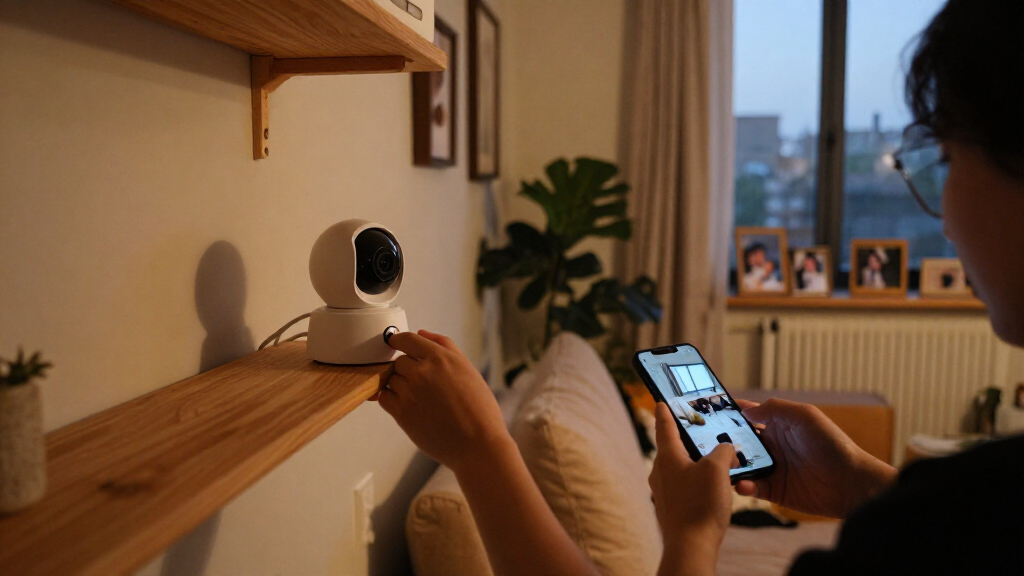
How We Picked
I ranked these cameras by how well they serve the everyday job of indoor monitoring: showing a useful view, alerting the owner to relevant activity, and making clips straightforward to check. I weighed image resolution alongside lens coverage, pan-and-tilt controls, two-lens designs, app usability, storage choices, privacy controls, and compatibility with common smart-home systems. A higher resolution did not automatically earn a higher position; field of view, ease of placing the camera, and the practical cost of storing footage also shape the experience.
The order reflects the breadth of use each model can serve, not a claim that one camera is right for every household. Flexible cameras with a useful mix of detail and room coverage rank ahead of more specialized options, while multi-packs earn consideration for buyers outfitting several rooms. Brand-specific models remain strong when their ecosystem is already part of the home, but may be less convenient for someone starting from scratch. I also considered meaningful drawbacks, including fixed views, subscription or storage limits, and the added setup choices that come with advanced features.
Factors to Consider When Choosing Best Indoor Security Cameras
Before choosing a camera, I would match its design to the job it needs to do. A device for checking a pet across one room has different requirements from one meant to capture detail at an entryway or cover multiple rooms. These decisions can prevent a high-spec camera from becoming an awkward or costly fit.
Choose the View Before Chasing Resolution
Start by deciding what must stay in frame: a crib, a doorway, a pet’s usual area, or most of an open room. A fixed camera can work well when that target has a predictable position, while pan-and-tilt models offer more coverage when activity moves around. A wide view may show the whole room but make distant details harder to identify, even at a high resolution. Digital zoom can help inspect recorded footage, but it cannot restore detail the sensor did not capture. Avoid buying a moving camera just for the feature if it will face one stationary area; a simpler fixed model may be easier to place and manage.
Check What Recording and Storage Actually Require
Live viewing and recorded history are separate capabilities, so check what happens after an alert if you cannot open the app right away. Some cameras rely on a subscription for extended cloud clips or added detection features, while others offer local storage options that require a card, hub, or compatible device. Local recording can reduce reliance on a recurring service, but it does not automatically provide backup if the camera or storage is damaged. Cloud storage may be easier to access remotely, yet it brings account, privacy, and ongoing-service questions. Compare the recording length, event history, and playback access you expect—not just whether a listing says “cloud” or “local.”
Match the Camera to Your Home’s Wi-Fi and Power
Indoor cameras often stay in service for long periods, so outlet access and network coverage matter more than a compact spec sheet suggests. Check where the power cable will run and whether the camera can sit high enough to avoid an obstructed view without being difficult to reach. A camera placed far from the router may drop alerts or load video slowly; test the intended location before mounting or routing cables. Multi-camera bundles can put more devices on the home network, especially when several stream at once. If your router struggles with coverage, improving the network near the camera may help more than upgrading resolution.
Treat Privacy and Account Controls as Buying Criteria
An indoor camera may capture family members, visitors, or private routines, so think through who can view the feed and when recording should pause. Review whether the app supports shared access, activity zones, privacy modes, and account protections that suit your household. A physical shutter or a clear way to disable recording can be useful in rooms where monitoring is not always welcome. Put cameras only where everyone in the household and regular visitors can reasonably expect them, and check local rules before recording other people. Strong features do little good if the camera’s privacy settings are confusing or hard to reach.
Pick an Ecosystem You Will Want to Use Every Day
A camera is easier to live with when it works smoothly with the smart-home system and voice assistant already in use. Staying within one brand may simplify shared access, notifications, and routines, while combining brands can require separate apps and accounts. Compatibility labels do not always mean every feature works across platforms, so check which functions are available through the app you plan to use. Think about who else needs access and whether they will be comfortable managing another service. If the camera is your first smart-home device, favor clear setup and dependable app access over a long list of integrations you may never use.
Decide When a Multi-Pack or Premium Model Is Worth It
Buying several cameras together can make sense when you already know which rooms need coverage, but a bundle is poor value if some units will sit unused. For a new setup, start with the room that matters most and learn whether alerts, placement, and playback work for your routine before expanding. A premium camera is easier to justify when its extra lenses, detail, tracking, or ecosystem features solve a specific monitoring problem. If you only need occasional live checks, a basic fixed camera may cover the task without adding feature complexity. Compare the complete ownership picture—storage needs, app use, and number of cameras—rather than choosing on the bundle size or resolution alone.
Frequently Asked Questions
Do I need a subscription to use an indoor security camera?
Not always, but the answer depends on what you expect the camera to do. Live viewing and basic alerts may be available without a paid plan, while longer clip history, cloud playback, or advanced detection can require one. Some cameras offer local recording, but check whether that needs a memory card or separate hub and how footage can be accessed if the camera goes offline. Before buying, verify the exact recording features included without a subscription for the model and region you plan to use. If you only want occasional live checks, subscription-free use may be enough; if you need a searchable event history, compare the ongoing service requirements.
Is a 4K indoor camera worth choosing over a 1080p model?
4K can preserve more detail, particularly if you need to zoom into a recorded image, but the benefit depends on camera placement, lighting, and the size of the area being watched. A 1080p camera can be adequate for checking whether a pet is in a room or seeing general activity. Higher resolution may also use more network capacity and storage, depending on how the camera records. A pan-and-tilt or dual-lens design can improve coverage in ways that a resolution increase alone cannot. Choose 4K when fine detail is part of the job, not simply because the number is larger.
Should I buy one pan-and-tilt camera or several fixed cameras?
One pan-and-tilt camera can follow movement across a room and may cover more area from a single position. Several fixed cameras can watch separate locations at the same time, which is useful when activity in one area should not take the view away from another. A moving lens may also leave part of a room out of frame while it faces elsewhere. Think about whether you need continuous coverage of multiple spots or the ability to inspect a larger area on demand. For important rooms with separate entrances or blind spots, dedicated fixed views may be more dependable than relying on one camera to turn between them.
Can indoor security cameras work without internet access?
Most Wi-Fi indoor cameras depend on a network connection for remote live viewing, alerts, and cloud recording. Some models may continue recording locally during an outage, but that depends on the camera’s storage design and settings; confirm this before relying on it. Without internet, app access from outside the home may stop even if the camera remains powered. A home network outage and a power outage are different problems, and a standard plug-in camera will not keep running if power is lost. If outage recording matters, look for clearly documented local recording behavior and plan for backup power and network needs separately.
Where should I place an indoor camera for useful coverage and privacy?
Choose a position with a clear view of the area you actually want to monitor, avoiding windows that can cause glare and surfaces that block the lens. A corner or elevated shelf may show more of a room, but placing a camera too high can make faces and details harder to recognize. Keep power access and Wi-Fi signal in mind before settling on a spot, and check the live image at different times of day. Avoid private spaces and let household members know where cameras are active. If a room has times when recording should stop, check for a quick privacy control rather than relying on remembering to unplug the camera.
Conclusion
For the broadest mix of detail and flexible room coverage, I would start with the TP-Link Tapo C260 as my best overall pick. Buyers watching several rooms on a tighter setup should compare the Tapo C100 four-pack for best value, while the eufy Security Indoor Cam S350 is my best premium choice for those who want dual-lens coverage and hybrid zoom. For a straightforward first camera, the Ring Indoor Cam (2nd Gen) is my beginner-friendly pick, particularly in a Ring household. If you need to cover multiple rooms with a bundle, consider the C100 pack or Anona four-pack; if you want a broad view plus closer inspection, look at the S350. The right choice comes down to the room, storage approach, and ecosystem you will actually use—not resolution alone.