A smart home hub compatible with many devices should bridge the protocols and brands already in your home, not just offer a long compatibility claim. My best overall pick is the Aqara Smart Home Hub M3 for its Matter controller role and built-in IR control; Hubitat Elevation C-8 Pro stands out for hands-on automation, while Amazon Echo Hub is a more approachable control panel for Alexa households. The tradeoffs are clear: broad compatibility can mean more setup, while simple displays may depend on a particular ecosystem and cloud services. I compare all 13 options by protocol support, platform fit, automation flexibility, and ease of use. Continue reading for the full breakdown and help matching a hub to your devices and routines.

Get privacy and security gear delivered free with Prime
- Fast, free delivery on millions of items
- Prime Video, Amazon Music and more included
- Member-only deals all year
Key Takeaways
- Aqara Hub M3 leads for mixed-device flexibility: Matter support and an IR blaster give it a different breadth than a hub focused on one protocol or brand.
- Hubitat C-8 Pro favors control over simplicity: its multi-protocol and automation focus suits people willing to configure more, unlike the screen-led Echo Hub.
- Echo Hub is a control panel first: it makes sense for Alexa users who want a visible interface, but a display does not automatically mean deeper device interoperability.
- Several hubs specialize rather than cover everything: Lutron Caseta is aimed at Caseta lighting, while the motorized-blinds bridge and SONOFF Bridge Max have narrower use cases than broad automation platforms.
- Protocol names are not a guarantee of full compatibility: Matter, Zigbee, Z-Wave, Bluetooth, and Wi-Fi support still need to match the device models and features a buyer plans to use.
| Smart Bridge Hub compatible with Alexa, Google Home, Tuya App, Home Automation Controller for Motorized Blinds Shades |  | Best for Motorized Shades | Manufacturer: Hapadif | Model: Hpd-sbh-001 | Compatible platforms: Alexa, Google Home, Tuya App | VIEW ON AMAZON | See Our Full Breakdown |
| Aqara Smart Home Hub M3 with Matter Controller and IR Blaster |  | Best for Multi-Protocol Device Coverage | Protocols: Zigbee, Thread, Wi-Fi, Bluetooth | Connectivity: PoE, USB-C, 2.4/5 GHz Wi-Fi | Device capacity: Up to 127 Zigbee devices and 127 Thread devices | VIEW ON AMAZON | See Our Full Breakdown |
| SONOFF Bridge Max Smart Home Hub (Bridge-M) |  | Best for Local Control and Home Assistant | Connectivity technology: Wi-Fi, Ethernet, Zigbee | Additional device support: BTHome and eWeLink devices | Network type: Hybrid | VIEW ON AMAZON | See Our Full Breakdown |
| Like-New Amazon Echo Hub, 8” Smart Home Control Panel with Alexa, Compatible with Thousands of Devices |  | Best for a Wall-Mounted Alexa Dashboard | Display: 8-inch touchscreen, 1280 x 800 resolution | Protocols: Wi-Fi, Zigbee, Thread, Matter, Bluetooth, Sidewalk | Wi-Fi: 802.11a/b/g/n/ac | VIEW ON AMAZON | See Our Full Breakdown |
| Amazon Echo Hub (newest model), 8″ Smart Home Control Panel with Alexa+ | | Best for a Customizable Alexa Control Panel | Display: 8-inch touchscreen, 1280 x 800 resolution | Smart-home compatibility: Wi-Fi, Bluetooth Low Energy, Zigbee, Thread, Matter | Wi-Fi: Dual-band 802.11a/b/g/n/ac | VIEW ON AMAZON | See Our Full Breakdown |
| Smart Multi-Mode Gateway: ZigBee 3.0 & Bluetooth & Mesh Hub, App Remote Control, Voice Control via Alexa/Google Home |  | Best for Tuya and Bluetooth Mesh Homes | Supported modes: ZigBee 3.0, Bluetooth Mesh | Supported protocols: ZigBee, Bluetooth, Wi-Fi | Device capacity: Up to 128 devices | VIEW ON AMAZON | See Our Full Breakdown |
| ThirdReality Smart Hub Gen2 Plus, ZigBee 3.0, Smart Home Gateway, Mini Size, 2.4GHz WiFi, Compatible with Alexa and Google |  | Best Compact Zigbee Starter Hub | Standard: ZigBee 3.0 | Connectivity: 2.4GHz Wi-Fi | Size: Approximately 3.25 x 1.7 x 0.5 inches | VIEW ON AMAZON | See Our Full Breakdown |
| Google Nest Hub 7” Smart Display with Google Assistant (1st Gen) – Chalk |  | Best for Touchscreen Control and Everyday Use | Model: H1A | Display size: 7 inches | Color: Chalk | VIEW ON AMAZON | See Our Full Breakdown |
| Aeotec Smart Home Hub 2 – V4, Zigbee & Matter Gateway, Compatible with Alexa & Google Assistant, WiFi |  | Best for Matter and Zigbee Compatibility | Model: V4 – Smart Home Hub 2 | Connectivity: Wi-Fi, Ethernet | Supported standards: Matter, Zigbee | VIEW ON AMAZON | See Our Full Breakdown |
| Lutron Caseta Smart Hub Compatible with Alexa, Apple HomeKit, Google Assistant, & More | 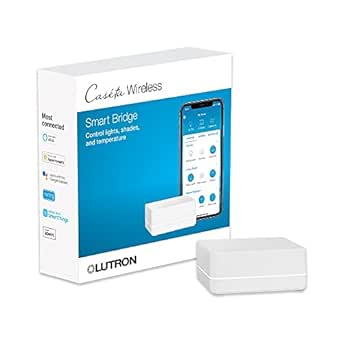 | Best for Lighting and Shade Control | Operation mode: ON-OFF | Operating voltage: 120 volts | Contact type: Normally Closed | VIEW ON AMAZON | See Our Full Breakdown |
| Hubitat Elevation C-8 Pro Smart Home Hub |  | Best for Local Control and Broad Protocol Support | Protocols: Matter 1.5, Z-Wave 800 Series Long Range, Zigbee 3.0, Bluetooth | Device compatibility: Supports 1,000+ devices across 100+ brands | Voice assistant and platform compatibility: Alexa, Google Home, Apple HomeKit, Ring Cameras | VIEW ON AMAZON | See Our Full Breakdown |
| Aeotec Smart Home Hub, Works as a SmartThings Hub |  | Best for SmartThings Households | Model: V3 – Smart Home Hub (2020) | Protocols: Matter, Z-Wave, Zigbee, SmartThings | Connectivity: Ethernet and Wi-Fi | VIEW ON AMAZON | See Our Full Breakdown |
| Home Assistant Green Smart Home Hub |  | Best for Home Assistant Customization | Operating system: Home Assistant OS | RAM: 4 GB | Storage: 32 GB | VIEW ON AMAZON | See Our Full Breakdown |
More Details on Our Top Picks
Smart Bridge Hub compatible with Alexa, Google Home, Tuya App, Home Automation Controller for Motorized Blinds Shades
Hapadif Smart Bridge Hub earns its place for buyers whose main compatibility need is controlling motorized shades, rather than unifying a whole smart home. It connects shade control with Alexa, Google Home, and the Tuya App, adding remote operation, voice commands, and scheduled routines. That focused job makes it simpler than the broader Aqara Smart Home Hub M3, which supports several device protocols and can control some infrared appliances. The tradeoff is equally clear: this is not a general-purpose hub for building a mixed collection of lights, sensors, and locks. Its compact, lightweight form is easy to place, but operation requires the included AA battery. I’d choose it when compatible shades are the priority; buyers seeking wide device coverage should look at a multi-protocol option instead.
Pros:- Integrates shade control with Alexa, Google Home, and the Tuya App
- Enables remote operation and scheduled automation for motorized shades
- Compact and lightweight for flexible placement
- Includes the required AA battery
Cons:- Focused on motorized shades and compatible devices rather than broad smart-home coverage
- Battery operation requires eventual replacement
- The supplied information does not specify support for Zigbee, Thread, or Matter
Best for: Households with compatible motorized shades that want app, voice, and scheduled control through Alexa, Google Home, or Tuya
Not ideal for: Buyers building a broad smart home around Zigbee, Thread, or Matter devices, since this hub is focused on motorized shades and compatible devices
- Manufacturer:Hapadif
- Model:Hpd-sbh-001
- Compatible platforms:Alexa, Google Home, Tuya App
- Primary use:Motorized blinds and shades
- Dimensions:4 x 3.5 x 1.5 inches
- Weight:2.08 ounces
- Color:White
- Battery:1 AA battery, included
Our verdict“Choose the Hapadif if compatible motorized shades are your main goal, but pick the Aqara M3 or another multi-protocol hub for broader device support.”
Aqara Smart Home Hub M3 with Matter Controller and IR Blaster
Aqara Smart Home Hub M3 is the strongest fit here for buyers who want one hub to bridge several kinds of devices and ecosystems. Its Zigbee, Thread, Wi-Fi, and Bluetooth support gives it broader protocol coverage than the shade-focused Hapadif Smart Bridge, while the IR blaster adds control for compatible air conditioners. It can also connect with Apple HomeKit, Alexa, and SmartThings, and its encrypted local storage suits buyers who prefer more processing and data handling at home. That flexibility comes with setup and placement requirements: the hub is specified to sit 6 to 19 feet from the router for optimal connection, and USB-C power requires an adapter that is not included. Some cloud notifications also depend on internet access. I’d favor it for a mixed-protocol home, not for someone seeking the simplest single-device bridge.
Pros:- Supports Zigbee, Thread, Wi-Fi, and Bluetooth
- IR blaster can control compatible air-conditioning units
- Encrypted local storage and local automation capabilities
- Works with Apple HomeKit, Alexa, SmartThings, and Home Assistant
Cons:- USB-C power adapter is not included
- Optimal connection calls for placement 6 to 19 feet from the router
- Some cloud notifications depend on an internet connection
Best for: Smart-home owners combining Zigbee and Thread devices with compatible IR-controlled air conditioning, especially those using Apple HomeKit, Alexa, or SmartThings
Not ideal for: Buyers who want a plug-and-play shade controller or a fully offline system with cloud notifications, or who need a USB-C power adapter in the box
- Protocols:Zigbee, Thread, Wi-Fi, Bluetooth
- Connectivity:PoE, USB-C, 2.4/5 GHz Wi-Fi
- Device capacity:Up to 127 Zigbee devices and 127 Thread devices
- Storage:8GB encrypted local storage
- Compatibility:Apple HomeKit, Alexa, SmartThings, Home Assistant
- IR control:Smart IR blaster with feedback and learning capabilities
- Power:PoE or USB-C; USB-C adapter not included
- Warranty:12 months
Our verdict“Pick the Aqara M3 for broad protocol coverage and IR control, while the Hapadif is a narrower, simpler choice for motorized shades.”
SONOFF Bridge Max Smart Home Hub (Bridge-M)
SONOFF Bridge Max suits buyers who value local control and are comfortable with a more technical setup. It connects Zigbee, BTHome, and eWeLink devices with platforms including Alexa, Google Home, and Apple Home, while its local web console and MQTT integration offer more hands-on control than the screen-first Amazon Echo Hub. Local automations and Zigbee sensor support can also help build a responsive home-security setup without relying on every action passing through a cloud service. Its key limitation matters for a roundup about device compatibility: despite the product description calling it Matter-compatible, the supplied data says it does not provide Matter Hub (Controller) functionality. Its listed connections center on Zigbee and Wi-Fi, with Ethernet also specified, rather than the wider protocol mix of the Aqara M3. I’d choose it for a configurable local system, not for the easiest mainstream setup.
Pros:- Local web console supports hands-on system management
- Supports local automations and Zigbee sensor-based security
- Integrates with Alexa, Google Home, Apple Home, and Home Assistant via MQTT
- Offers Wi-Fi, Ethernet, and Zigbee connectivity
Cons:- Does not support Matter Hub (Controller) functionality
- Advanced integrations can require technical setup
- Protocol coverage is narrower than the Aqara M3’s Zigbee, Thread, Wi-Fi, and Bluetooth mix
Best for: Technically confident users who want local Zigbee automation, MQTT access, and integration with Home Assistant
Not ideal for: Beginners seeking a guided touch-screen controller or buyers who need a Matter controller or support for several radio protocols beyond the listed options
- Connectivity technology:Wi-Fi, Ethernet, Zigbee
- Additional device support:BTHome and eWeLink devices
- Network type:Hybrid
- Wi-Fi standard:IEEE 802.11a/b/g/n/ac/ax
- Zigbee standard:IEEE 802.15.4
- Integration:Alexa, Google Home, Apple Home, Home Assistant via MQTT
- Voltage:5 volts
- Weight and color:2.88 ounces; white
Our verdict“Choose SONOFF Bridge Max for local, configurable Zigbee control; choose the Aqara M3 if Matter controller functionality and broader protocol coverage matter more.”
Like-New Amazon Echo Hub, 8” Smart Home Control Panel with Alexa, Compatible with Thousands of Devices
The Like-New Amazon Echo Hub is a good match for households that want broad device compatibility paired with an always-visible control surface. Its 8-inch touchscreen puts compatible lights, cameras, locks, and routines within reach, while Zigbee, Thread, and Matter support gives it a wider foundation than the shade-only Hapadif Smart Bridge. Compared with the newer Echo Hub listing in this roundup, this version explicitly includes stereo speakers and lists Sidewalk compatibility; both are wall-focused Alexa panels with similar screen resolution and core smart-home protocols. The display and included wall-mount kit make it easier to manage devices without relying only on voice or a phone. The tradeoffs are dependence on internet access and its fixed placement: it is not a portable hub, and some features need extra accessories. Buyers who want local automation depth may prefer SONOFF Bridge Max instead.
Pros:- Supports Wi-Fi, Zigbee, Thread, and Matter devices
- 8-inch touchscreen provides a dedicated control point for devices and cameras
- Includes wall-mount hardware and a power adapter
- Stereo speakers and PIR and ambient-light sensors are specified
Cons:- Requires an internet connection through Wi-Fi or Ethernet
- Not intended for portable or handheld use
- Some features may require additional accessories
Best for: Alexa households that want a dedicated wall-mounted touchscreen for controlling compatible lights, cameras, locks, and routines
Not ideal for: Buyers who need a portable controller, internet-independent operation, or local web-console and MQTT control
- Display:8-inch touchscreen, 1280 x 800 resolution
- Protocols:Wi-Fi, Zigbee, Thread, Matter, Bluetooth, Sidewalk
- Wi-Fi:802.11a/b/g/n/ac
- Bluetooth:A2DP, AVRCP
- Speakers:Stereo full-range speakers
- Sensors:PIR and ambient light sensor
- Included accessories:Power adapter, 6 ft. cord, wall mount, anchors, screws, mounting template, quick start guide
- Materials:27% recycled materials
Our verdict“Choose this Echo Hub for a ready-to-mount Alexa control panel with broad protocol support, but consider SONOFF Bridge Max for local, technical control.”
Amazon Echo Hub (newest model), 8″ Smart Home Control Panel with Alexa+
Amazon Echo Hub (newest model) is aimed at Alexa households that want a wall-mounted dashboard they can tailor around daily routines, devices, and home security. Its 8-inch touchscreen and customizable dashboard make control more direct than using voice alone, and support for Wi-Fi, Bluetooth Low Energy, Zigbee, Thread, and Matter covers more device types than the Hapadif Smart Bridge. Compared with the Like-New Echo Hub listed here, this version’s supplied specifications highlight the customizable dashboard and privacy controls, while the other listing specifies stereo speakers and Sidewalk support. Both include wall-mount hardware and a power adapter. This model still depends on internet connectivity, and PoE requires a separate converter; its fixed panel design also rules out handheld use. I’d pick it for an Alexa-centered home that wants quick visual access, not for buyers prioritizing local control like the SONOFF Bridge Max offers.
Pros:- Customizable dashboard provides quick access to frequently used controls
- Supports Wi-Fi, Bluetooth Low Energy, Zigbee, Thread, and Matter
- Includes a privacy microphone-off button and other privacy controls
- Includes a power adapter and wall-mounting hardware
Cons:- Requires internet access through Wi-Fi or Ethernet
- PoE needs a separately sold converter
- Fixed-panel design is not suited to handheld or portable use
Best for: Alexa users who want to customize a fixed touchscreen dashboard for frequent device control, camera viewing, routines, and home security
Not ideal for: Buyers seeking a portable hub, offline-first automation, or PoE operation without purchasing a separate converter
- Display:8-inch touchscreen, 1280 x 800 resolution
- Smart-home compatibility:Wi-Fi, Bluetooth Low Energy, Zigbee, Thread, Matter
- Wi-Fi:Dual-band 802.11a/b/g/n/ac
- Bluetooth:A2DP, AVRCP; HFP not supported
- Sensors:PIR and ambient light sensor
- Power:USB-C PD compatible; PoE supported with converter
- Included accessories:Power adapter, 6 ft. cord, wall mount, anchors, screws, mounting template, quick start guide
- Materials:27% recycled materials
Our verdict“Pick this Echo Hub for a customizable Alexa touchscreen, while the SONOFF Bridge Max is a better fit for buyers who favor local, technical automation.”
Smart Multi-Mode Gateway: ZigBee 3.0 & Bluetooth & Mesh Hub, App Remote Control, Voice Control via Alexa/Google Home
I’d place this gateway on the shortlist for buyers whose devices already run through Tuya or Smart Life and who need both Zigbee and Bluetooth mesh support. Its mix of Zigbee 3.0, Bluetooth, and Wi-Fi gives it a broader protocol range than the ThirdReality Smart Hub Gen2 Plus, which is Zigbee-focused. Support for up to 128 devices also leaves more room to grow than ThirdReality’s 32-device limit. The tradeoff is that this is not a universal bridge: the listed compatibility is limited to Tuya/Smart Life devices, so protocol support alone does not guarantee every brand will connect. Setup also depends on app and network configuration. I’d choose it for an app-centered Tuya system, not as the foundation for a mixed-brand home that needs broad ecosystem support.
Pros:- Supports Zigbee 3.0, Bluetooth mesh, and Wi-Fi
- Smart Life/Tuya app offers remote control and automation
- Works with Alexa and Google Home voice control
- Supports up to 128 devices
Cons:- Compatibility is limited to Tuya/Smart Life devices
- Requires app setup and network configuration
- The 128-device limit may constrain unusually large installations
Best for: Households building around Tuya or Smart Life devices that want one small gateway for Zigbee and Bluetooth mesh equipment.
Not ideal for: Mixed-brand smart homes seeking broad cross-ecosystem compatibility, or households that want a hub with a higher stated device limit.
- Supported modes:ZigBee 3.0, Bluetooth Mesh
- Supported protocols:ZigBee, Bluetooth, Wi-Fi
- Device capacity:Up to 128 devices
- App compatibility:Smart Life/Tuya App
- Voice assistants:Alexa, Google Home
- Dimensions:1.93 x 1.93 x 0.51 inches
- Weight:1.76 ounces
Our verdict“Choose this gateway if your devices use Tuya or Smart Life and you want Zigbee and Bluetooth mesh in one compact hub.”
ThirdReality Smart Hub Gen2 Plus, ZigBee 3.0, Smart Home Gateway, Mini Size, 2.4GHz WiFi, Compatible with Alexa and Google
The ThirdReality Smart Hub Gen2 Plus is a straightforward pick for a small Zigbee setup, where a compact gateway and simple controls matter more than support for several protocols. It handles up to 32 devices and offers remote control, groups, and timers, making basic routines easier without the broader setup suggested by the Aeotec Smart Home Hub 2’s Matter and Zigbee support. That simplicity comes with a clear ceiling: this hub is Zigbee 3.0 only, so it won’t serve Bluetooth mesh devices, and its Wi-Fi connection is limited to 2.4GHz. Alexa and Google Assistant compatibility helps it fit common voice-control routines, but full functionality requires a third-party app. I’d pick it for a modest Zigbee system; the Smart Multi-Mode Gateway is a better match if Bluetooth mesh or a larger device count matters.
Pros:- Compact size suits small installations
- Supports Zigbee 3.0 devices
- Remote control, groups, and timers support basic automation
- Compatible with Alexa and Google Assistant
Cons:- Supports up to 32 devices
- Uses 2.4GHz Wi-Fi only
- Full functionality requires a third-party app
Best for: New smart-home owners with a modest number of Zigbee devices who want a small hub for basic groups, timers, and voice control.
Not ideal for: People with Bluetooth mesh devices, large device fleets, or a preference for a hub that supports Matter alongside Zigbee.
- Standard:ZigBee 3.0
- Connectivity:2.4GHz Wi-Fi
- Size:Approximately 3.25 x 1.7 x 0.5 inches
- Power:USB-A connector
- Maximum connection distance:50 meters
- Supported devices:Up to 32
- Voice assistant compatibility:Alexa and Google Assistant
Our verdict“Pick this hub for a compact, entry-level Zigbee setup, but choose a broader gateway if your devices use multiple protocols.”
Google Nest Hub 7” Smart Display with Google Assistant (1st Gen) – Chalk
Unlike the Aeotec Smart Home Hub 2, which is designed around hub standards such as Zigbee and Matter, the Google Nest Hub 1st Gen puts a screen and Google Assistant at the center of control. Its 7-inch display gives household members a visual way to manage compatible devices, alongside voice commands and entertainment features. That can make it more approachable than a gateway-only product, but the description does not specify Zigbee, Matter, or a device capacity, so I would not choose it as a dedicated multi-protocol bridge. There is also a practical setup caveat: this unit is listed as a Korean-language version, with English available after setup. I’d consider it for a Google-centered home that values a shared display, while buyers focused on wide device connectivity should look at a dedicated hub instead.
Pros:- 7-inch screen adds touchscreen control alongside voice commands
- Combines smart-home management with entertainment and daily organization
- Compact footprint suits different rooms
- Supports Google Assistant
Cons:- Listed as a Korean-language version, with English changed after setup
- No Zigbee, Matter, or device-capacity details are provided
- The included component listing specifies a cable
Best for: Google Assistant households wanting a shared touchscreen for compatible smart devices, voice control, and entertainment.
Not ideal for: Buyers seeking a dedicated Zigbee or Matter gateway, or anyone who needs an English-language setup from the outset.
- Model:H1A
- Display size:7 inches
- Color:Chalk
- Weight:1.8 pounds
- Dimensions:7 x 2.65 x 4.65 inches
- Language:Korean; can be changed to English
- Included component:Cable
Our verdict“Choose the Nest Hub if you want a Google-focused smart display, not if your priority is a dedicated multi-protocol device hub.”
Aeotec Smart Home Hub 2 – V4, Zigbee & Matter Gateway, Compatible with Alexa & Google Assistant, WiFi
For buyers who want a dedicated hub with Matter and Zigbee, the Aeotec Smart Home Hub 2 offers a stronger standards-based fit than the Tuya-focused Smart Multi-Mode Gateway. It also gives you a choice of Wi-Fi or Ethernet and supports local automation, so listed routines can keep running during an internet outage. Compatibility with SmartThings, Alexa, and Google Assistant makes it a useful center for homes built around those platforms. The main gap is Z-Wave: this hub does not support it, unlike some broader multi-radio options in the roundup. The product information also ties compatibility to specific ecosystems, so standards support should not be read as a promise that every device will work. I’d choose it for a Zigbee-and-Matter household using its supported platforms, but not for a Z-Wave installation.
Pros:- Supports Matter and Zigbee standards
- Local automation can operate during internet outages
- Offers Wi-Fi and Ethernet connectivity
- Compatible with SmartThings, Alexa, and Google Assistant
Cons:- Does not support Z-Wave devices
- Compatibility is limited to specific smart-home ecosystems
- The product description does not state a device-capacity limit
Best for: SmartThings households adding Matter and Zigbee devices who want local automation and a choice of Wi-Fi or Ethernet.
Not ideal for: Homes that rely on Z-Wave devices or need a hub with clearly broad compatibility beyond the listed ecosystems.
- Model:V4 – Smart Home Hub 2
- Connectivity:Wi-Fi, Ethernet
- Supported standards:Matter, Zigbee
- Compatible platforms:Alexa, Google Assistant, SmartThings
- Color:White
- Local automation:Supported; described as operating during internet outages
- Return information:30-Day Return Guarantee
Our verdict“Choose the Aeotec Hub 2 for a supported SmartThings setup using Matter and Zigbee, but skip it if Z-Wave is part of your system.”
Lutron Caseta Smart Hub Compatible with Alexa, Apple HomeKit, Google Assistant, & More
The Lutron Caséta Smart Hub earns a distinct place here by focusing on lighting, shades, and temperature control rather than acting as a general-purpose radio hub. It supports up to 75 devices and connects with Alexa, Apple HomeKit, Google Assistant, Ring, Serena shades, and Sonos, giving it a different kind of breadth from the Aeotec Smart Home Hub 2, which is built around Matter and Zigbee standards. For buyers building a Caséta-based lighting system, that platform reach can make voice and remote control more convenient. The tradeoff is that the hub requires compatible Lutron dimmers or switches purchased separately, and some functions may need extra accessories. The listed 120V operation may also rule it out in some regions. I’d choose it for a focused lighting setup, not as a universal bridge for unrelated smart devices.
Pros:- Works with Alexa, Apple HomeKit, Google Assistant, Ring, Serena shades, and Sonos
- Supports up to 75 devices
- Enables voice and remote control of compatible lights, shades, and temperature devices
- Plugs into an outlet for hub installation
Cons:- Requires separate compatible dimmers or switches
- Listed for 120V operation, which may not suit all regions
- Some features may require additional accessories
Best for: Homeowners planning a Lutron Caséta lighting or shade system who want control through major voice platforms and compatible services.
Not ideal for: Buyers seeking a general-purpose Zigbee, Matter, or Bluetooth gateway, or those who do not want to add compatible Lutron switches or dimmers.
- Operation mode:ON-OFF
- Operating voltage:120 volts
- Contact type:Normally Closed
- Connector type:Plug In
- Temperature range:32 °F to 104 °F
- Control method:Voice, remote
- Compatible devices and platforms:Amazon Alexa, Apple HomeKit, Google Assistant, Ring, Serena shades, Sonos
- Device capacity:Up to 75 devices
Our verdict“Choose Caséta for a Lutron-centered lighting and shade system, not as a general hub for a mixed collection of smart devices.”
Hubitat Elevation C-8 Pro Smart Home Hub
The Hubitat Elevation C-8 Pro suits buyers who want a wide mix of devices under one locally processed automation system. Support for Z-Wave, Zigbee, and Matter, plus compatibility with more than 1,000 devices across 100+ brands, gives it broader protocol coverage than the Home Assistant Green on its own, which needs USB devices for Z-Wave, Zigbee, or Thread. Local processing can keep routines responsive when internet access drops, and the external antennas are intended to extend wireless reach. There is no subscription for full platform use. The tradeoff is a steeper learning curve: its advanced rule engine offers flexibility, but may take more setup than Aeotec’s SmartThings app approach. It also needs constant power and device compatibility can vary by model.
Pros:- Supports Z-Wave, Zigbee, and Matter in one hub.
- Local processing can keep automations responsive without an internet connection.
- No subscription is required for full platform functionality.
- External Z-Wave and Zigbee antennas are designed to extend wireless range.
Cons:- Setup and advanced rules may be difficult for smart home beginners.
- Compatibility can vary across individual devices despite broad protocol support.
- No built-in battery backup; the hub relies on continuous power.
Best for: Experienced smart home owners combining Z-Wave, Zigbee, and Matter devices who want local automations without a recurring subscription.
Not ideal for: Beginners who want guided, app-led setup, or households that need a hub with battery backup.
- Protocols:Matter 1.5, Z-Wave 800 Series Long Range, Zigbee 3.0, Bluetooth
- Device compatibility:Supports 1,000+ devices across 100+ brands
- Voice assistant and platform compatibility:Alexa, Google Home, Apple HomeKit, Ring Cameras
- Automation:AI-assisted routines and advanced rule engine
- Antennas:2 external antennas for Z-Wave and Zigbee
- Subscription:None required
- Dimensions:3.23 x 2.95 x 0.67 inches
- Weight:0.16 lb
Our verdict“Choose the C-8 Pro if you want local, subscription-free automation across several major protocols and are comfortable with a more involved setup.”
Aeotec Smart Home Hub, Works as a SmartThings Hub
The Aeotec Smart Home Hub is the straightforward choice for buyers who want Z-Wave, Zigbee, and Matter support managed through the SmartThings app. Setup over Wi-Fi or Ethernet gives it more placement flexibility than the Ethernet-dependent Home Assistant Green, while SmartThings provides an accessible route to routines and app control. It also works with Alexa and Google Assistant, making it a practical fit for homes already using those voice platforms. Compared with the Hubitat Elevation C-8 Pro, Aeotec leans more on an established app ecosystem than on locally processed, highly configurable rules. That can make everyday management simpler, but buyers seeking extensive automation control may prefer Hubitat. Full functionality depends on a compatible ecosystem, and the listed model is limited to North America.
Pros:- Combines Z-Wave, Zigbee, and Matter support.
- Can connect by Wi-Fi or Ethernet.
- SmartThings app supports device management and routines.
- Compatible with Alexa and Google Assistant.
Cons:- Full functionality depends on using a compatible smart home ecosystem.
- Listed as limited to North America.
- Some users report connectivity issues.
Best for: North American households using SmartThings that want a guided app experience and a hub for Z-Wave, Zigbee, and Matter devices.
Not ideal for: People outside North America or advanced users seeking Hubitat-style local automation control and extensive rule customization.
- Model:V3 – Smart Home Hub (2020)
- Protocols:Matter, Z-Wave, Zigbee, SmartThings
- Connectivity:Ethernet and Wi-Fi
- Control method:App and voice
- Voice assistant compatibility:Alexa and Google Assistant
- Color:White
- Weight:1.1 lb
- Warranty:1 year
Our verdict“Pick Aeotec if SmartThings is your preferred control platform and app-led setup matters more than Hubitat’s emphasis on local, advanced automation.”
Home Assistant Green Smart Home Hub
The Home Assistant Green is a strong fit for buyers who want a local, customizable home control system and are willing to add radios as needed. It arrives with Home Assistant OS installed, 4 GB of RAM, and 32 GB of storage, so the core platform is ready to configure without assembling a computer first. Unlike the Hubitat Elevation C-8 Pro, Green does not include built-in Z-Wave or Zigbee radios; those connections require compatible USB devices. That modular setup gives Home Assistant users room to choose their hardware, but adds purchases and configuration work for a broad device mix. Its fanless compact design is tidy, though it uses Ethernet rather than built-in Wi-Fi. Buyers seeking the simplest ready-made multi-radio hub may find Aeotec easier to set up.
Pros:- Ships with Home Assistant OS pre-installed.
- Local data handling supports a privacy-focused setup.
- Fanless, compact design with 4 GB RAM and 32 GB storage.
- USB ports allow compatible Z-Wave, Zigbee, and Thread devices to be added.
Cons:- Z-Wave, Zigbee, and Thread require compatible USB devices rather than built-in radios.
- No built-in Wi-Fi; Ethernet is the listed network connection.
- Adding radios and configuring integrations can take more work than Aeotec’s app-led setup.
Best for: Home Assistant users who want local control, flexible integrations, and the option to add Z-Wave, Zigbee, or Thread USB hardware.
Not ideal for: Buyers who want built-in Z-Wave and Zigbee radios, Wi-Fi connectivity, or a hub ready to pair with those devices without extra hardware.
- Operating system:Home Assistant OS
- RAM:4 GB
- Storage:32 GB
- Connectivity:Ethernet and USB
- USB ports:2
- Wireless compatibility:Bluetooth
- USB device support:Compatible Z-Wave, Zigbee, and Thread devices
- Dimensions:4.41 x 4.41 x 1.26 inches
Our verdict“Choose Home Assistant Green if you want a compact local platform you can customize and are comfortable adding protocol hardware yourself.”

How We Picked
I ranked these hubs around the promise of working with many devices, weighing protocol range, named ecosystem support, automation depth, setup demands, and the kind of devices each product is designed to control. A hub that supports several standards has an advantage only when that support connects to a practical range of brands and use cases. I also separated general-purpose controllers from specialist bridges and smart displays, since they solve different problems.
The order reflects the balance between breadth and usability rather than feature count alone. Aqara M3 ranks first for its combination of Matter and infrared control; Hubitat C-8 Pro follows for buyers who value detailed automation and multi-protocol control. Echo Hub and Aeotec options offer different paths for mainstream platform users, while Lutron, the blind bridge, and smaller gateways rank lower as their usefulness depends more heavily on a particular product family or compatibility list. Where a product name gives limited detail, I avoid treating an unspecified standard as proof of broad support.
Factors to Consider When Choosing Smart Home Hub Compatible With Many Devices
Compatibility is a system-level question: the hub, device, app, and voice assistant all need to work together for the features you want. I would start with the devices you already own and the automations you expect to add, then weigh convenience against control and maintenance.
Match Protocols to Your Actual Devices
Make a short list of device models and the connection standards they use before choosing a hub. Zigbee and Z-Wave can connect compatible devices without relying on each product’s own cloud, while Wi-Fi devices often connect through their manufacturer’s app or cloud service. Matter can simplify cross-platform control, but support for Matter does not mean every feature from a device’s original app will carry over. Check the exact device model and the functions you need, such as sensor settings or advanced lighting scenes. A hub with many protocol logos is a poor match if it lacks the standard used by your existing gear.
Separate Hub Compatibility From Voice Assistant Support
A product may work with Alexa or Google Home without acting as a universal hub for all devices in those ecosystems. Voice assistant integration often means you can use voice commands for supported functions, not that every device appears in one app or supports every automation. Apple HomeKit support also varies by device and feature, so check whether your must-have products are explicitly listed. Avoid buying based only on a phrase such as “works with” a platform. Confirm where setup happens, which app controls routines, and whether the hub exposes the functions you care about.
Choose Between Local Control and Easier Cloud-Based Setup
Some buyers prefer routines that can keep running if an internet connection drops; others value simple setup and remote access through a cloud service. Local automation can improve resilience and give advanced users more control, but it may require more configuration and ongoing attention. Cloud-connected setups can be easier to manage remotely, though they may depend on a vendor account, internet service, or continued platform support. Ask what happens to basic schedules and sensor-triggered routines during an outage. A hybrid approach can work well, but only if the hub and devices support the routines you plan to rely on.
Account for Setup, Maintenance, and Household Usability
Compatibility is only useful if the household can set up and maintain the system. App-led gateways may be compact and straightforward, while hubs with advanced automation tools can involve more decisions about rules, device naming, and troubleshooting. Smart displays offer a visible way to control devices, but they take more space and can still depend on a particular assistant. Think about who will add devices, update routines, and fix a connection issue if you are away. For a shared home, a clear control interface may matter more than having the most configurable automation engine.
Buy for the Next Devices You Expect to Add
Planning only around today’s devices can lead to another hub purchase when you add a new protocol or platform. Future flexibility matters most if you expect to mix brands, expand into sensors, or move between voice assistants. Still, paying for standards you will not use can add setup overhead without improving your daily routines. Look for a realistic expansion path, including whether new devices can be added directly or require a separate bridge. Keep a small compatibility checklist and verify new purchases against it before adding another ecosystem.
Treat Specialist Bridges as Focused Tools
A bridge designed for one product family can be a better fit than a general hub when that family is the main priority. Specialist gateways such as lighting or motorized-blind bridges may offer a direct route to controlling those devices, but they do not replace a broad controller for unrelated products. Check whether the bridge can coexist with the hub you already own and whether it exposes devices to your preferred assistant. Buying several isolated bridges can create more apps and troubleshooting points. If your home already spans brands and protocols, start with a general-purpose controller and add a specialist bridge only when its unique support is needed.
Frequently Asked Questions
Does Matter support mean a hub will work with every Matter device?
No. Matter can improve interoperability, but the hub and device still need to support compatible versions and the device category you want to use. Some functions may remain available only in the manufacturer’s own app, and a product can require a separate bridge or controller. Check the exact model’s compatibility details before buying. Also confirm that your preferred ecosystem can expose the device features you plan to automate.
Should I replace my existing brand bridges with one multi-protocol hub?
Not automatically. A multi-protocol hub may reduce the number of controllers, but it may not support every feature or device that the original bridge handles. Keep a brand bridge if it provides important functions, reliable updates, or integrations the new hub lacks. Before removing anything, confirm that your devices can be paired to the replacement and that existing scenes and routines can be rebuilt. Many homes work best with one main hub plus a small number of specialist bridges.
Is a smart display a better choice than a dedicated automation hub?
A display is a better fit when household members need a visible, easy-to-reach control surface and already use its voice assistant. A dedicated hub is usually a stronger choice when device protocols, custom rules, or local automation matter more than a screen. The categories overlap, but they are not interchangeable: a display can control supported devices without offering the same automation depth as a specialist controller. Decide whether your main problem is access to controls or coordination among devices. That distinction can prevent buying a screen that does not solve a compatibility gap.
Can one hub control Zigbee, Z-Wave, Wi-Fi, and Bluetooth devices?
Some hubs support several of these standards, but no single compatibility label guarantees direct support for every device in each category. Wi-Fi and Bluetooth devices may depend on their own apps, cloud services, or additional bridges, while Zigbee and Z-Wave support also varies by model. Check whether the hub connects to the device directly or relies on an integration. For a mixed home, compare your actual device list against the hub’s supported devices and functions. Adding standards one at a time is safer than assuming a multi-protocol hub covers everything.
When is a specialist hub better than a general-purpose one?
A specialist hub makes sense when one product family is central to your setup and its dedicated bridge offers functions a general controller cannot provide. Lutron Caseta, for example, is aimed at Caseta lighting, while a motorized-blinds bridge is designed around blind control. A general-purpose hub is a better starting point when you need to connect multiple brands and device types. Check whether the specialist bridge can share its devices with your wider platform before committing. If it cannot, factor in the extra app and automation steps.
Conclusion
For the best balance of device breadth and useful built-in control, I recommend the Aqara Smart Home Hub M3 as best overall. The best for advanced automation is Hubitat Elevation C-8 Pro, especially for buyers ready to configure multi-protocol routines; Echo Hub is my pick for beginners who want an Alexa-centered touchscreen rather than a complex automation setup. For value, I would start with the Aeotec Smart Home Hub if its SmartThings, Zigbee, Z-Wave, and Matter support matches your devices, while Lutron Caseta is best for a Caseta lighting system and the blind bridge suits homes centered on motorized shades. Choose based on your actual devices and preferred platform: broad compatibility is useful only when the hub supports the features you will use.