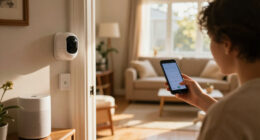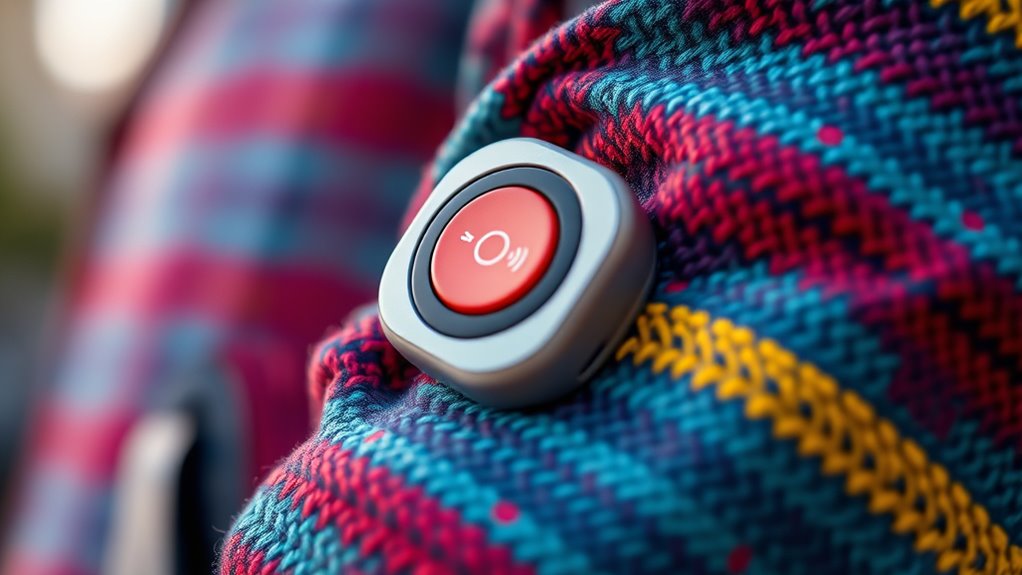

Choosing the right smart panic button wearable depends heavily on whether you need indoor caregiver alerts or outdoor personal safety. My top overall pick is the Ring Panic Button with Amazon Sidewalk Connectivity because it bridges the gap between home security and personal protection without requiring a monthly subscription. For those needing dedicated in-home monitoring, the PILSAMAS Wi-Fi Caregiver Pager offers a reliable, app-based solution that avoids the complexity of traditional medical alert systems. The main tradeoff in this category is between simplicity and connectivity; basic pagers are easy to use but limited by range, while GPS-enabled bands offer freedom but often come with higher costs and maintenance. I have analyzed twelve options to help you determine which device fits your specific safety needs, whether you are caring for a senior relative or protecting yourself on the go.

Get privacy and security gear delivered free with Prime
- Fast, free delivery on millions of items
- Prime Video, Amazon Music and more included
- Member-only deals all year
Key Takeaways
- Wi-Fi connected pagers like PILSAMAS and DAYTECH eliminate monthly fees but require a stable home network, making them ideal for indoor-only scenarios.
- The Ring Panic Button stands out for integrating with existing smart home ecosystems, using Amazon Sidewalk to extend range without additional hardware.
- Dedicated medical alert bands like SecuLife offer superior fall detection but typically involve subscription models that can strain long-term budgets.
- Bluetooth-only devices such as Silent Beacon rely on the wearer’s smartphone proximity, which fails if the phone is lost, dead, or left in another room.
- App-based caregivers prefer systems with multi-user notification support, whereas standalone receivers are better for households without consistent smartphone access.
| PILSAMAS Wi-Fi Caregiver Pager with App Alerts, 2 Call Buttons and Wristband Panic Button |  | Best Overall Hybrid System | Connectivity: 2.4 GHz Wi-Fi | Wireless Range: 230 feet | Included Components: 1 receiver, 1 wristband, 2 call buttons | VIEW ON AMAZON | See Our Full Breakdown |
| Tuya Wi-Fi Smart SOS Caregiver Alert Button |  | Best Minimalist Value | Connectivity: 2.4 GHz Wi-Fi | App Compatibility: Tuya Smart | Monthly Fee: None | VIEW ON AMAZON | See Our Full Breakdown |
| Ring Panic Button with Amazon Sidewalk Connectivity |  | Best Premium Ecosystem Integration | Connectivity: Amazon Sidewalk or Z-Wave | Battery Life: Up to 3 years | Monitoring: Professional monitoring via subscription | VIEW ON AMAZON | See Our Full Breakdown |
| DAYTECH WiFi Caregiver Call Button System with 2 Buttons, Wrist Transmitter, and Receiver |  | Best for Customization | Connectivity: 2.4 GHz Wi-Fi | Ringtone Options: 20 | Volume Levels: 5 | VIEW ON AMAZON | See Our Full Breakdown |
| Smart Caregiver Pager System with Two Call Buttons |  | Best Non-Connected Alternative | Wireless Range: 300 feet | Included Components: 2 call buttons, 1 pager, batteries | Power Source: 2 AAA batteries (included) | VIEW ON AMAZON | See Our Full Breakdown |
| Silent Beacon Bluetooth Personal Safety Panic Button |  | Best Overall for Mobile Personal Safety | Connectivity: Bluetooth | Battery Life: Up to 42 days | Water Resistance: IPX4 | VIEW ON AMAZON | See Our Full Breakdown |
| Seculife Medical Alert Smartband for Seniors with Fall Detection and GPS |  | Best for Seniors Requiring Automatic Monitoring | Water Resistance: IP67 | Battery Life: 1 day | Health Metrics: Heart rate, blood oxygen, body temperature | VIEW ON AMAZON | See Our Full Breakdown |
| Ring Panic Button, 2-Pack |  | Best for Home Security Integration | Connectivity: Amazon Sidewalk or Z-Wave | Battery Life: Up to 3 years | Dimensions: 2.42 x 0.81 in | VIEW ON AMAZON | See Our Full Breakdown |
| CallToU Caregiver Pager with 2 Wireless Call Buttons and 2 Receivers |  | Best Value for Simple Home Alerts | Range: 500+ feet in open areas | Volume: Up to 110 dB | Ringtones: 55 options | VIEW ON AMAZON | See Our Full Breakdown |
| CallToU Wi-Fi Caregiver Call Button Emergency Alert System |  | Best for Remote Family Monitoring | Wireless Technology: 433 MHz RF with Wi-Fi receiver | Wi-Fi Compatibility: 2.4 GHz only | Maximum Range: 328 ft (100 m) | VIEW ON AMAZON | See Our Full Breakdown |
| SINGCALL Tuya Smart SOS Panic Button |  | Best for Homebound Seniors | Connectivity: 2.4 GHz WiFi | Power Source: Rechargeable Battery | Water Resistance: IP55 | VIEW ON AMAZON | See Our Full Breakdown |
| SecuLife Medical Alert Pendant |  | Best Premium Safety Suite | Connectivity: 4G LTE Cellular | Key Features: Fall Detection, GPS, Two-Way Calling | Water Resistance: IP67 | VIEW ON AMAZON | See Our Full Breakdown |
| smart panic button wearable | Connectivity | Power Source |
|---|---|---|
| PILSAMAS Wi-Fi Caregiver Pager | 2.4 GHz Wi-Fi | Battery (12V included) |
| Tuya Wi-Fi Smart SOS Caregiver | 2.4 GHz Wi-Fi | Lithium-ion battery (included) |
| Ring Panic Button with Amazon | Amazon Sidewalk or Z-Wave | 2 CR2032 coin cells |
| DAYTECH WiFi Caregiver Call Bu | 2.4 GHz Wi-Fi | — |
| Smart Caregiver Pager System w | Radio Frequency (RF) | 2 AAA batteries (included) |
| Silent Beacon Bluetooth Person | Bluetooth | — |
| Seculife Medical Alert Smartba | — | — |
| Ring Panic Button | Amazon Sidewalk or Z-Wave | — |
| CallToU Caregiver Pager with 2 | — | Battery powered buttons; plug-in receivers |
| CallToU Wi-Fi Caregiver Call B | — | Battery powered |
| SINGCALL Tuya Smart SOS Panic | 2.4 GHz WiFi | Rechargeable Battery |
| SecuLife Medical Alert Pendant | 4G LTE Cellular | — |
More Details on Our Top Picks
PILSAMAS Wi-Fi Caregiver Pager with App Alerts, 2 Call Buttons and Wristband Panic Button
This system stands out for its versatile alert methods, combining a dedicated receiver with mobile app notifications. Unlike the Smart Caregiver Pager, which relies solely on local audio cues, the PILSAMAS lets caregivers receive alerts on their phones even when away from the device. The inclusion of a wristband panic button is a significant advantage over the Tuya Smart SOS Button, as it ensures the trigger stays with the user rather than being left on a wall. However, the requirement for 2.4 GHz Wi-Fi limits placement flexibility, and the paid subscription for SMS alerts adds ongoing costs that the free app-only tier of the Tuya model avoids.
Pros:- Includes a wearable wristband for portable emergencies
- Free app notifications eliminate monthly fees for basic alerts
- High-volume 95 dB alarm ensures local visibility
Cons:- Depends entirely on 2.4 GHz Wi-Fi connectivity
- SMS and phone call alerts require a paid subscription
Best for: Families needing both local audible alarms and remote smartphone notifications for elderly relatives who move around the house.
Not ideal for: Users without reliable 2.4 GHz Wi-Fi coverage or those unwilling to pay for SMS/text message upgrades.
- Connectivity:2.4 GHz Wi-Fi
- Wireless Range:230 feet
- Included Components:1 receiver, 1 wristband, 2 call buttons
- Alarm Volume:95 dB
- App Fees:None for basic alerts
- Power Source:Battery (12V included)
Our verdict“Choose this if you want a complete package that bridges the gap between a traditional pager and modern smartphone alerts.”
Tuya Wi-Fi Smart SOS Caregiver Alert Button
The Tuya button offers a streamlined, no-subscription experience by leveraging the widespread Tuya Smart ecosystem. It is far more affordable and simpler than the PILSAMAS system, making it ideal for users who only need smartphone notifications and do not require a loud local alarm receiver. While the DAYTECH system offers more customization options, the Tuya device wins on simplicity and cost, avoiding the need for separate receiver hardware. The tradeoff is its single-button limitation; unlike the PILSAMAS or DAYTECH kits, you cannot monitor multiple rooms simultaneously without purchasing additional units, and it lacks the physical volume control of a dedicated pager.
Pros:- No monthly subscription fees for alerts
- Integrates with existing Tuya smart home ecosystems
- Low-battery alerts prevent unexpected failures
Cons:- No local receiver or audible alarm included
- Single-button setup limits coverage area
Best for: Tech-savvy users who already use Tuya-compatible devices and want a low-cost, app-only alert solution.
Not ideal for: Caregivers who need a loud local alarm for hearing-impaired users or multi-room coverage in a single package.
- Connectivity:2.4 GHz Wi-Fi
- App Compatibility:Tuya Smart
- Monthly Fee:None
- Power Source:Lithium-ion battery (included)
- Mounting Options:Neck strap, wall, portable
- Battery Alerts:LED and App notification
Our verdict“This is the smartest choice for budget-conscious buyers who prefer smartphone alerts over traditional pagers.”
Ring Panic Button with Amazon Sidewalk Connectivity
This device is designed for users already invested in the Ring security ecosystem. Its standout feature is Amazon Sidewalk connectivity, which can maintain a connection even if home Wi-Fi fails, a resilience layer the PILSAMAS and Tuya models lack. However, the cost of entry is high when you factor in the required Ring subscription for professional monitoring. Unlike the Smart Caregiver Pager, which works out of the box with no recurring fees, the Ring button is useless without its specific gateway and service plan. It is a polished, premium option, but the dependency on proprietary infrastructure and ongoing costs makes it less flexible than open-standard alternatives.
Pros:- Sidewalk connectivity provides backup network resilience
- Up to 3-year battery life reduces maintenance
- Seamless integration with Ring emergency response services
Cons:- Requires a paid Ring subscription for monitoring
- Needs a compatible Ring base station for Z-Wave use
Best for: Existing Ring Alarm users who want to add a dedicated emergency trigger with professional monitoring support.
Not ideal for: Budget-conscious buyers or those who do not want to commit to a monthly monitoring subscription.
- Connectivity:Amazon Sidewalk or Z-Wave
- Battery Life:Up to 3 years
- Monitoring:Professional monitoring via subscription
- Power Source:2 CR2032 coin cells
- Warranty:1-year limited
- Installation:Place or mount
Our verdict“Best suited for Ring loyalists who prioritize professional monitoring over standalone, fee-free alert systems.”
DAYTECH WiFi Caregiver Call Button System with 2 Buttons, Wrist Transmitter, and Receiver
The DAYTECH system appeals to users who want tactile control over their alert settings. With 20 ringtone options and five volume levels, it offers more personalization than the PILSAMAS, which has fewer tones. The ability to share alerts with family members via the app is comparable to the Tuya model, but DAYTECH adds a physical receiver for local audible confirmation. A key drawback is the plug-in receiver design, which ties the base unit to an outlet, unlike the battery-powered portability of the Smart Caregiver Pager. Additionally, critical SMS alerts require an upgrade, making the free tier less robust than the Tuya’s open notification system.
Pros:- Extensive customization of ringtones and volume
- Includes a wearable wrist transmitter
- Supports shared notifications with multiple family members
Cons:- Receiver requires a wall outlet
- Phone and text alerts are not included in the base package
Best for: Caregivers who want to customize alarm sounds and volumes to suit specific hearing needs or household preferences.
Not ideal for: Users who need a battery-powered receiver that can be moved freely around the house.
- Connectivity:2.4 GHz Wi-Fi
- Ringtone Options:20
- Volume Levels:5
- Included Components:2 call buttons, 1 wrist transmitter, 1 receiver
- Receiver Power:Plug-in outlet
- Alert Sharing:Supported via app
Our verdict“Ideal for households where sound customization is a priority, provided you have a convenient outlet for the receiver.”
Smart Caregiver Pager System with Two Call Buttons
This system is the most reliable offline option in the lineup, avoiding the Wi-Fi dependency that plagues the PILSAMAS and Tuya models. It uses traditional radio frequency to send signals to a portable pager, ensuring alerts work even if your internet goes down. The 300-foot range exceeds the 230-foot limit of the PILSAMAS, offering better coverage for larger homes. However, it lacks any smartphone integration; unlike the DAYTECH or Ring options, you cannot receive alerts on your phone if you are not carrying the pager. It is a dedicated, single-user solution that prioritizes simplicity and reliability over connectivity.
Pros:- No Wi-Fi or app setup required
- Longer 300-foot wireless range
- Portable pager allows alerts to follow the caregiver
Cons:- No smartphone or remote notifications
- Limited 90-day warranty
Best for: Users who need a simple, reliable alert system without Wi-Fi setup or smartphone dependencies.
Not ideal for: Remote caregivers who need to receive alerts on their personal mobile devices when away from the home.
- Wireless Range:300 feet
- Included Components:2 call buttons, 1 pager, batteries
- Power Source:2 AAA batteries (included)
- Warranty:90 days
- Connectivity:Radio Frequency (RF)
- Mounting:Wall or lanyard
Our verdict“Choose this for a fail-safe, plug-and-play experience that works independently of your home network.”
Silent Beacon Bluetooth Personal Safety Panic Button
This device stands out for its exceptional battery life, rated for up to 42 days, which removes the daily charging anxiety common with smartwatches. Unlike the Seculife Medical Alert Smartband, which requires daily charging, the Silent Beacon’s rechargeable cell lasts weeks, making it ideal for users who forget to plug things in. It connects via Bluetooth to a smartphone, leveraging existing cellular networks to share real-time GPS location with chosen contacts. The built-in speaker and microphone allow for two-way communication, offering more context than a simple text alert. However, the reliance on a smartphone means it is useless if the phone is dead or left behind. It also lacks the automatic fall detection found in dedicated senior devices, placing the burden of activation on the user. For active individuals who already carry a phone, this offers a streamlined, low-maintenance safety layer that balances portability with robust connectivity.
Pros:- Up to 42-day battery life reduces charging frequency
- Two-way audio allows for verbal communication during emergencies
- Real-time GPS sharing via text, email, or push notification
- Compact, lightweight design with multiple attachment options
Cons:- Requires a compatible smartphone to operate
- Some advanced features are locked behind a subscription
- No automatic fall detection; requires manual activation
Best for: Active adults and college students who always carry a smartphone and want a discreet, long-lasting safety tool.
Not ideal for: Seniors or individuals who may not carry a phone consistently, as the device requires a paired smartphone to function.
- Connectivity:Bluetooth
- Battery Life:Up to 42 days
- Water Resistance:IPX4
- Weight:19.01 g
- Alert Modes:5
- Dimensions:1.41 x 1.69 x 0.62 inches
Our verdict“This is the strongest choice for phone-carrying users who prioritize battery endurance and discreet portability over automatic medical monitoring.”
Seculife Medical Alert Smartband for Seniors with Fall Detection and GPS
The Seculife Smartband is engineered for users who need automatic emergency response. Its built-in sensors detect falls and trigger alerts without requiring the wearer to press a button, a critical safety net that devices like the CallToU Caregiver Pager cannot provide. The inclusion of health metrics such as heart rate and blood oxygen adds a layer of proactive health tracking, useful for those managing chronic conditions. GPS tracking with geofencing allows caregivers to know if a wearer has wandered into an unsafe area. The tradeoff is significant: the battery lasts only one day, demanding a strict charging routine, and the mandatory subscription cost is higher than standalone pagers. This device is not just a panic button; it is a comprehensive medical monitoring system. It suits those who need constant oversight and are capable of managing daily charging, whereas simpler pagers are better for occasional check-ins.
Pros:- Automatic fall detection triggers alerts without user input
- Comprehensive health monitoring including heart rate and SpO2
- IP67 water resistance allows for showering and bathing
- Two-way calling enables direct conversation with emergency contacts
Cons:- Battery life is limited to approximately one day
- Requires a mandatory monthly subscription for service
- Bulkier design compared to compact pagers
Best for: Seniors with fall risks or cognitive decline who need automatic detection and continuous health monitoring.
Not ideal for: Users who dislike daily charging or want to avoid recurring monthly subscription fees.
- Water Resistance:IP67
- Battery Life:1 day
- Health Metrics:Heart rate, blood oxygen, body temperature
- Display Size:2 inches
- Subscription:Required
- Location History:1 year
Our verdict“Choose this band if automatic fall detection and health vitals are non-negotiable requirements for your safety plan.”
Ring Panic Button, 2-Pack
The Ring Panic Button shines in its ability to leverage Amazon Sidewalk for long-range connectivity without needing a dedicated base station. This makes it far easier to deploy than traditional systems that require complex wiring or central hubs. The two-pack format encourages strategic placement in key areas like the bedroom and entryway, creating a mini-network of safety nodes. Compared to the CallToU Wi-Fi Caregiver Call Button, which relies on local Wi-Fi, Ring’s Sidewalk mesh network can offer more consistent coverage in neighborhoods with dense Ring device adoption. However, its effectiveness is tethered to the broader Ring ecosystem; without a compatible subscription, you lose access to 24/7 professional monitoring. The battery lasts up to three years, eliminating maintenance worries, but the device is stationary by nature. It is best for homeowners seeking a seamless extension of their existing Ring security setup rather than a portable personal guardian.
Pros:- No base station required thanks to Amazon Sidewalk connectivity
- Extremely long battery life rated for up to 3 years
- Two-pack allows for coverage in multiple rooms or zones
- Integrates seamlessly with existing Ring alarm systems
Cons:- Professional monitoring requires a specific Ring subscription
- Sidewalk connectivity depends on nearby neighbor participation
- Not designed for portable, on-the-go personal safety
Best for: Homeowners already using Ring devices who want easy, low-maintenance emergency alerts throughout their living space.
Not ideal for: Renters or users in areas with poor Amazon Sidewalk coverage, as connectivity may be unreliable.
- Connectivity:Amazon Sidewalk or Z-Wave
- Battery Life:Up to 3 years
- Dimensions:2.42 x 0.81 in
- Operating Temperature:32°F to 120°F
- Package Contents:2 Panic Buttons
- Warranty:1-year limited
Our verdict“This is the ideal choice for Ring ecosystem users who want a set-and-forget home safety solution with minimal upkeep.”
CallToU Caregiver Pager with 2 Wireless Call Buttons and 2 Receivers
For those who prioritize reliability and simplicity over smart features, this CallToU system delivers. It operates on a dedicated radio frequency, avoiding the Wi-Fi congestion or internet outages that can plague systems like the CallToU Wi-Fi Caregiver Call Button. The loud 110 dB volume ensures that alerts are heard even in noisy households, while the waterproof buttons allow for use in bathrooms. With no app, no subscription, and no complex setup, it is a true plug-and-play solution. The tradeoff is the lack of remote notification; if the caregiver is not within the 500-foot open-range or inside the house, they will not receive an alert. This makes it strictly a local notification system. It is perfect for caregivers living in the same home who need a robust, low-cost way to be summoned without relying on smartphone technology or monthly fees.
Pros:- No subscription or internet connection required
- Very loud 110 dB volume ensures alerts are not missed
- Waterproof and dustproof design for versatile placement
- Long battery life for the button units
Cons:- No remote notifications to phones or email
- Receivers must be plugged into wall outlets
- Limited range compared to cellular or Wi-Fi systems
Best for: Caregivers and seniors who want a simple, subscription-free alert system within the same household.
Not ideal for: Families with remote caregivers, as this system does not send notifications to smartphones or email.
- Range:500+ feet in open areas
- Volume:Up to 110 dB
- Ringtones:55 options
- Included Components:2 buttons, 2 receivers
- Water Resistance:Waterproof and dustproof
- Power Source:Battery powered buttons; plug-in receivers
Our verdict“This system is the most cost-effective and reliable option for in-home assistance where smartphone connectivity is unnecessary.”
CallToU Wi-Fi Caregiver Call Button Emergency Alert System
This system bridges the gap between local pagers and full medical alert services by adding Wi-Fi connectivity. Unlike the standard CallToU Caregiver Pager, this version sends alerts through the Tuya app, allowing family members in different locations to receive notifications. This is a significant upgrade for adult children caring for parents from afar. The receiver also features flashing lights and audible alarms, ensuring the wearer knows help is on the way. However, the reliance on 2.4 GHz Wi-Fi can be a point of failure if the internet goes down, and phone/text notifications are gated behind a paid subscription. The setup is more complex than RF pagers, requiring network configuration. It is best suited for households with stable Wi-Fi where remote visibility is valued over the absolute simplicity of a standalone radio device.
Pros:- Sends push notifications to smartphones via the Tuya app
- Combines audible alarms with flashing lights for confirmation
- Allows sharing of alerts with multiple family members
- Customizable button names for clear identification
Cons:- Requires 2.4 GHz Wi-Fi for core functionality
- SMS and voice call notifications require a subscription
- Dependent on home internet stability
Best for: Families with remote caregivers who need app-based notifications and visual/audible local alerts.
Not ideal for: Users with poor Wi-Fi coverage or those who want to avoid any subscription costs for mobile alerts.
- Wireless Technology:433 MHz RF with Wi-Fi receiver
- Wi-Fi Compatibility:2.4 GHz only
- Maximum Range:328 ft (100 m)
- Control Method:Tuya App
- Included Items:2 buttons, 1 receiver
- Power Source:Battery powered
Our verdict“This is the right choice if you need to alert family members outside the home via an app, accepting the dependency on Wi-Fi.”
SINGCALL Tuya Smart SOS Panic Button
This device stands out for its flexible mounting options, allowing it to be worn, carried, or fixed to a wall. Unlike the Silent Beacon Bluetooth Personal Safety Panic Button, which relies on proximity to a phone, this unit uses 2.4 GHz WiFi to send alerts directly to smartphones via the Tuya app. This means the user does not need to carry a phone for the alert to work, a significant advantage for those who prefer to leave devices behind. However, it requires a stable home network, making it less suitable for travel. The IP55 rating offers decent protection against splashes but falls short of the SecuLife Medical Alert Pendant’s shower-ready durability. It is a solid choice for indoor safety where cellular coverage is spotty but WiFi is strong.
Pros:- Sends alerts to multiple contacts via the Tuya app
- Rechargeable battery with low-power notifications
- Versatile usage as a wearable or wall-mounted unit
- Lightweight and compact for all-day comfort
Cons:- Dependent on 2.4 GHz WiFi connectivity
- Not suitable for showering or heavy water exposure
- Requires initial app setup and network configuration
Best for: Elderly individuals living in homes with reliable WiFi who want a wearable that does not require carrying a smartphone.
Not ideal for: Active users who spend significant time outdoors or in areas without a 2.4 GHz WiFi network.
- Connectivity:2.4 GHz WiFi
- Power Source:Rechargeable Battery
- Water Resistance:IP55
- Control Method:Touch and App
- Weight:0.04 kg
- Mounting Type:Wearable or Wall Mount
Our verdict“This is the ideal indoor safety companion for seniors who have strong home WiFi but dislike carrying a mobile phone.”
SecuLife Medical Alert Pendant
Positioned as a high-end safety solution, this pendant integrates fall detection and GPS tracking, features absent in simpler pagers like the PILSAMAS Wi-Fi Caregiver Pager. The inclusion of 4G LTE cellular connectivity ensures alerts are sent anywhere, independent of home WiFi or Bluetooth range. This makes it far more reliable for outdoor use compared to the SINGCALL Tuya Smart SOS Panic Button. The two-way calling capability allows emergency contacts to speak directly with the wearer, adding a layer of assessment before dispatching help. The tradeoff is the mandatory monthly subscription, which adds ongoing cost. While the IP67 rating supports showering, the battery life averages five days, requiring frequent charging compared to some longer-lasting alternatives.
Pros:- Automatic fall detection triggers alerts without user input
- GPS tracking with geofence alerts for location monitoring
- Two-way hands-free calling for direct communication
- IP67 rating allows for wearing in the shower
Cons:- Requires a mandatory monthly subscription service
- Battery life is limited to approximately five days
- Heavier and bulkier than simple button-only devices
Best for: Individuals with mobility issues or dementia who need automatic fall alerts and location tracking outside the home.
Not ideal for: Budget-conscious buyers who prefer a one-time purchase without recurring monthly subscription fees.
- Connectivity:4G LTE Cellular
- Key Features:Fall Detection, GPS, Two-Way Calling
- Water Resistance:IP67
- Battery Life:Up to 6 Days
- Subscription:Monthly Fee Required
- Compatibility:Android and iOS
Our verdict“Choose this if you need comprehensive, subscription-backed safety features including fall detection and GPS tracking for active seniors.”

How We Picked
I evaluated these twelve devices by prioritizing three core factors: connectivity reliability, ease of activation, and ongoing cost of ownership. Since the primary function of a panic button is to summon help during a high-stress moment, I looked for designs that minimize the cognitive load required to send an alert. Devices requiring complex pairing or multiple steps were penalized, while those with single-press functionality and clear feedback mechanisms rose to the top. I also assessed how each device handles failure modes, such as Wi-Fi outages or dead batteries, to determine true dependability.
Beyond basic functionality, I compared the ecosystem integration of each option. Some devices operate in isolation, requiring a separate receiver, while others connect directly to smartphones via apps. I ranked products higher if they offered flexible notification methods, such as simultaneous alerts to multiple caregivers or integration with existing smart home hubs. This approach ensures that the recommendations align with different living situations, from independent seniors to those requiring intensive 24/7 monitoring.
Factors to Consider When Choosing Smart Panic Button Wearable
Selecting a safety device is not just about the hardware; it is about matching the technology to the user’s lifestyle and the caregiver’s availability. The following factors will help you navigate the tradeoffs between simplicity, range, and cost.Connectivity Type: Wi-Fi vs. Cellular vs. Bluetooth
The most significant decision is choosing the transmission method. Wi-Fi devices are excellent for indoor use and usually avoid monthly fees, but they stop working if the internet goes down or the user wanders out of range. Cellular-enabled wearables like the SecuLife band offer true mobility and independence but almost always require a subscription service. Bluetooth options are convenient but risky for critical emergencies because they depend on the user having a charged smartphone nearby at all times. For most families, a hybrid approach or a Wi-Fi device with a strong local receiver offers the best balance of reliability and cost. If the user is prone to wandering, cellular is the only safe choice despite the higher recurring cost.
Ease of Activation and Ergonomics
In an emergency, fine motor skills may be compromised, so the physical design matters. Look for large, tactile buttons that are distinct from other controls on the device. Some pagers are small enough to be mistaken for other objects, leading to accidental deactivation or confusion. Wearable bands should be comfortable enough for 24/7 wear, including during sleep, without causing skin irritation. I recommend devices that provide immediate visual or haptic feedback upon pressing, confirming to the user that the signal was sent. This confirmation reduces anxiety and prevents the user from repeatedly pressing the button, which can clog emergency channels.
Notification Delivery and Multi-User Support
How the alert is received is just as important as how it is sent. Standalone receivers are great for households where caregivers do not have smartphones or prefer a dedicated device. However, app-based notifications allow you to send alerts to multiple family members simultaneously, ensuring that at least one person responds. Check if the system allows for priority ordering, such as calling a neighbor first and then a family member. Some advanced systems integrate with smart home hubs to trigger lights or locks, providing a passive layer of security. Avoid systems that only notify one person unless you have a very small, reliable support network.
Battery Life and Charging Infrastructure
A dead device is a useless device. Compare the standby time against the charging frequency. Some devices use replaceable coin-cell batteries that last months but require dexterity to swap, which can be difficult for seniors with arthritis. Others use rechargeable batteries that need weekly or monthly charging, adding a maintenance task that is easily forgotten. Devices with low-battery warnings are critical, but they are only effective if the caregiver or user actually pays attention to the alerts. I advise choosing devices with long battery life and clear, hard-to-miss low-battery indicators to minimize the risk of the device being offline when needed.
Subscription Costs and Long-Term Value
Many users focus on the upfront price of the device but overlook the monthly monitoring fees. Medical alert systems often charge $30 to $50 per month for professional monitoring services. In contrast, Wi-Fi and Bluetooth devices usually have no monthly fees, shifting the responsibility to family members to monitor the app. Calculate the five-year cost of ownership for each option. A cheaper device with a high subscription fee may cost more over time than a more expensive unit with no recurring charges. Ensure the subscription covers what you actually need, such as fall detection, rather than paying for unnecessary features.
Frequently Asked Questions
Do smart panic buttons work if the Wi-Fi goes out?
Most standard Wi-Fi connected pagers will not send an alert if the internet connection fails, as they rely on the router to communicate with the cloud or smartphone app. However, some systems like the Ring Panic Button use Amazon Sidewalk, a low-power network that can still transmit basic alerts to nearby devices even if your home Wi-Fi is down. Dedicated cellular wearables are the only option that remains fully functional during a home internet outage, provided there is cellular coverage in the area. If internet reliability is a concern in your area, prioritize cellular-enabled devices or systems with local backup receivers.
Can caregivers receive alerts if they are not in the same house?
Yes, but it depends on the technology. Devices that connect to a smartphone app via Wi-Fi or cellular, such as the PILSAMAS or Tuya systems, send push notifications to any phone with the app installed, regardless of location. Standalone radio-frequency pagers that use a local receiver will only work within the specific range of that receiver, typically a few hundred feet. For remote caregiving, you must choose a system that explicitly supports app-based notifications or cloud connectivity. Always verify that the app allows multiple users to receive alerts so that if one caregiver is unavailable, another can respond.
Is fall detection necessary, or is a manual button enough?
Manual buttons are sufficient for users who are conscious and able to press the device after a fall. However, if the user is prone to fainting, seizures, or severe falls that render them unconscious, a manual button is ineffective. Automatic fall detection uses accelerometers to sense impact and can trigger an alert without user interaction. This feature is standard on medical alert bands like the SecuLife but rare on simple pagers. Consider the user’s medical history; if they have a high risk of incapacitating falls, fall detection is a worthwhile investment despite the higher cost.
How do I prevent accidental false alarms?
False alarms can desensitize caregivers and waste emergency resources. To prevent this, look for devices with double-press activation or a cover over the button, which requires a deliberate action to trigger. Some apps allow you to set a grace period, giving the user ten to thirty seconds to cancel the alert if it was accidental. Placing the button in a secure pocket rather than loosely on a wristband can also reduce accidental presses. Educate the user on the proper way to activate the device, emphasizing that a single, firm press is all that is needed.
Are these devices waterproof enough for showering?
Most medical alert wearables are water-resistant, but not all are fully waterproof. Check the IP rating: an IP67 rating means the device can withstand immersion in water up to one meter for thirty minutes, which is generally safe for showering. IP68 offers higher protection. Standard pagers often lack this rating and should be removed before bathing. Since many falls happen in the bathroom, a device that can be worn in the shower is a significant safety advantage. If your chosen device is not waterproof, consider a waterproof case or a dedicated shower-friendly pendant.
Conclusion
My recommendation for the best overall smart panic button wearable is the Ring Panic Button with Amazon Sidewalk Connectivity. It offers the most versatile blend of home security integration and personal mobility without the burden of a monthly subscription. For those seeking the best value, the PILSAMAS Wi-Fi Caregiver Pager provides a straightforward, fee-free solution that is easy to set up and reliable for indoor monitoring. If you need a premium option with automatic fall detection and professional monitoring, the SecuLife Medical Alert Smartband is the superior choice, despite its higher long-term costs. Beginners or those with limited technical support should stick to the DAYTECH WiFi Caregiver Call Button System for its simplicity and lack of app complexity. Ultimately, the right device depends on whether you prioritize indoor simplicity or outdoor independence.
Fall Picks

eufy Security Essential 7-Piece Alarm System
As an affiliate, we earn on qualifying purchases.