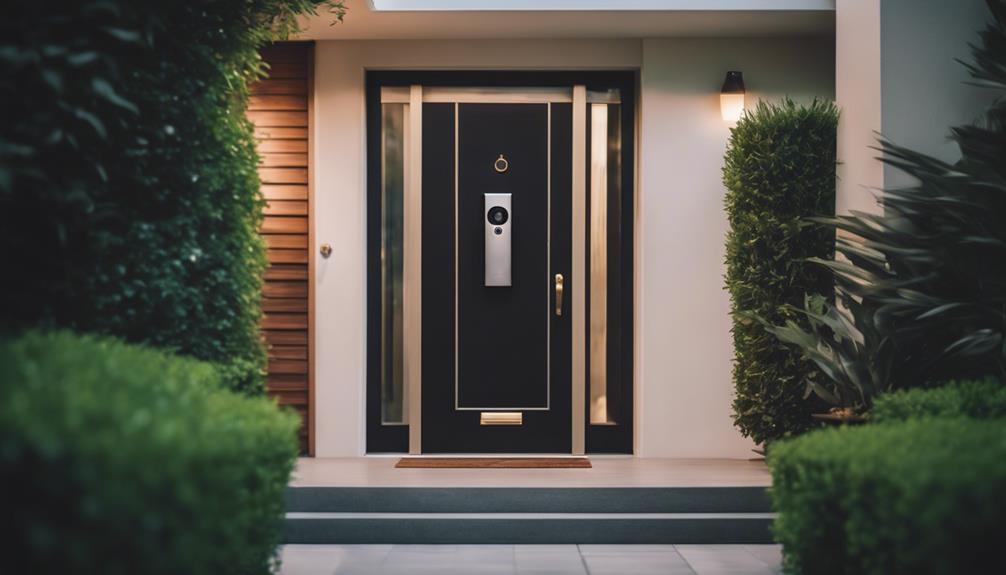
For renters, the best smart lock is usually one that adds convenient entry without requiring permanent changes to the door. I rank the Yale Approach as the best overall because its retrofit design keeps the existing deadbolt, while the August Wi-Fi Smart Lock is another strong fit for preserving the exterior hardware. Renters who want fingerprints or a keypad built into the lock may prefer the eufy Security C220 or one of the handle-and-keypad models, but those options can require replacing more of the existing hardware. The main tradeoff is between renter-friendly installation and built-in entry features, with door compatibility and landlord rules shaping the choice. Read on for how the six options differ and which type of renter each suits best.

Get privacy and security gear delivered free with Prime
- Fast, free delivery on millions of items
- Prime Video, Amazon Music and more included
- Member-only deals all year
Key Takeaways
- Retrofit locks lead for reversibility: Yale Approach and August attach to an existing deadbolt, making them the clearest fits for renters who want to retain the outside hardware.
- Built-in fingerprint entry comes with a fit tradeoff: The eufy C220 and the handle-and-keypad models offer direct biometric or code access, but may call for more extensive hardware replacement.
- Remote control and renter-friendly installation are separate benefits: Wi-Fi features can add access from afar, while retrofit construction is what helps preserve the original lock setup.
- The three handle-and-keypad choices are not interchangeable: The fingerprint model and Bluetooth model emphasize different entry methods, so buyers should verify which credentials and door fit they actually need.
- Door measurements and permission can decide the shortlist: A feature-rich lock is a poor match if the door, deadbolt, or lease rules do not support its installation.
| Fingerprint Smart Door Lock with Handle & Keypad |  | Best for Flexible Guest Access | Brand and model: Sifely S | Material and finish: Zinc, satin nickel | Dimensions: 7 x 3 x 1.12 inches | VIEW ON AMAZON | See Our Full Breakdown |
| eufy Security Smart Lock C220, Fingerprint Keyless Entry Door Lock |  | Best Overall for Renters Who Can Replace a Deadbolt | Unlock methods: Fingerprint, keypad, app, voice, and physical key | Battery: 8 AA batteries; listed battery life up to 8 months | Connectivity: Built-in Wi-Fi; no bridge required | VIEW ON AMAZON | See Our Full Breakdown |
| Bluetooth Fingerprint Smart Lock with Handle & Keypad – Fits Most US Doors, DIY Install, Keyless Entry: Code, FOB, Auto-Lock |  | Best for Multi-User Entry Options | Brand and model: samtechT S | Connectivity: Bluetooth and Wi-Fi | Control methods: App, remote, touch, and voice | VIEW ON AMAZON | See Our Full Breakdown |
| Yale Approach Smart Wi-Fi Deadbolt Retrofit Smart Lock, Unlimited Virtual Keys, App Remote Control, Keyless Entry – Black |  | Best for Keeping Your Existing Deadbolt | Model: YRR10-WF1-BSP | Lock type: Inside-door retrofit smart lock | Access and control: Yale Access app, remote control, and virtual keys | VIEW ON AMAZON | See Our Full Breakdown |
| Philips Wi-Fi Smart Deadbolt Lock, Keyless Entry Door Lock |  | Best for Fingerprint and Passcode Access | Brand and model: PHILIPS DDL242X-1HW | Connectivity: 2.4 GHz Wi-Fi | Unlock methods: App, passcode, fingerprint, voice, and physical key | VIEW ON AMAZON | See Our Full Breakdown |
| August Wi‑Fi Smart Lock (Silver) – Keyless Entry for Existing Deadbolt |  | Best Retrofit for Renters | Brand: August Home | Model: AUG-SL05-M01-S01 | Color: Silver | VIEW ON AMAZON | See Our Full Breakdown |
| smart lock for apartment renter | Connectivity | Unlock methods | Brand and model |
|---|---|---|---|
| Fingerprint Smart Door Lock wi | Bluetooth and Wi-Fi | Fingerprint, passcode, app, fob, physical key, and voice control | Sifely S |
| eufy Security Smart Lock C220 | Built-in Wi-Fi; no bridge required | Fingerprint, keypad, app, voice, and physical key | — |
| Bluetooth Fingerprint Smart Lo | Bluetooth and Wi-Fi | Fingerprint, keypad, fob, app, and physical key | samtechT S |
| Yale Approach Smart Wi-Fi Dead | — | — | — |
| Philips Wi-Fi Smart Deadbolt L | 2.4 GHz Wi-Fi | App, passcode, fingerprint, voice, and physical key | PHILIPS DDL242X-1HW |
| August Wi‑Fi Smart Lock | Wi‑Fi (802.11 b/g/n, 2.4GHz/5GHz) | — | — |
More Details on Our Top Picks
Fingerprint Smart Door Lock with Handle & Keypad
The Sifely S suits renters who want several ways to let family or guests in: fingerprint, keypad, fob, app, or physical key. Its handle-and-deadbolt format replaces more of the existing door hardware than the Yale Approach, which mounts inside the door and keeps the current deadbolt. That broader replacement can be useful when a renter wants fingerprint and keypad entry at the door, but it also makes checking lease rules and door fit more important before installation. Sifely lists DIY installation and supports Alexa and Google Assistant, though remote access requires a separate Wi-Fi gateway. I’d choose it over the simpler Yale retrofit for frequent guest turnover; renters who want to avoid changing exterior hardware should favor Yale instead. Connectivity reports and unspecified battery life add uncertainty.
Pros:- Offers fingerprint, passcode, fob, app, and physical-key entry for different household and guest needs
- DIY installation is designed for most standard doors
- Auto-lock and one-touch locking can reduce the chance of leaving the door unsecured
- Includes two keys and two key cards as backup access options
Cons:- Remote unlocking from anywhere requires a separate Wi-Fi gateway
- Replacing the handle and deadbolt may be less suitable for renters with strict hardware restrictions
- Battery life is not specified, and the supplied product information notes possible connectivity issues
Best for: Renters with landlord permission to replace door hardware who need fingerprint, keypad, and fob access for household members or short-term guests
Not ideal for: Renters who cannot change the exterior lock, do not want to buy a separate Wi-Fi gateway for remote access, or prioritize clearly stated battery life
- Brand and model:Sifely S
- Material and finish:Zinc, satin nickel
- Dimensions:7 x 3 x 1.12 inches
- Connectivity:Bluetooth and Wi-Fi
- Unlock methods:Fingerprint, passcode, app, fob, physical key, and voice control
- Smart features:Auto-lock, one-touch locking, and back-lit keypad
- Included keys and cards:2 keys and 2 key cards
- Weather resistance:Yes
Our verdict“Choose the Sifely S if your lease allows a hardware swap and you want several guest-entry methods, but pick the Yale Approach if preserving the existing lock matters more.”
eufy Security Smart Lock C220, Fingerprint Keyless Entry Door Lock
The eufy Security Smart Lock C220 is the strongest all-around fit here for renters permitted to replace a standard deadbolt: it combines fingerprint, keypad, app, voice, and physical-key entry, with built-in Wi-Fi rather than a separate bridge. That makes remote control less dependent on an extra accessory than the Sifely S, whose remote access needs a gateway. The C220 also lists an eight-month battery life and an installation process designed to take about 15 minutes without drilling, useful when avoiding major door work. Its self-learning fingerprint recognition aims to improve access over time. The tradeoff is that this is still a deadbolt replacement, not a renter-friendly inside-only retrofit like the Yale Approach. Wi-Fi is required for remote control, and battery life can vary with use.
Pros:- Built-in Wi-Fi enables remote control without a separate bridge
- Fingerprint, keypad, app, voice, and physical-key entry cover varied access needs
- Eight AA batteries are listed for up to eight months of battery life
- Designed for installation without drilling and compatible with most standard deadbolts
Cons:- Replacing the deadbolt may not meet lease or building hardware restrictions
- Remote control requires Wi-Fi, so it is not a fully offline smart-access option
- Battery life varies with use, and setup may feel complex to some buyers
Best for: Renters with permission to replace a standard deadbolt who want fingerprint entry, remote control without a separate bridge, and a stated battery-life estimate
Not ideal for: Renters who must keep the existing deadbolt or want remote access without relying on Wi-Fi
- Unlock methods:Fingerprint, keypad, app, voice, and physical key
- Battery:8 AA batteries; listed battery life up to 8 months
- Connectivity:Built-in Wi-Fi; no bridge required
- Fingerprint feature:Self-learning fingerprint recognition
- Compatibility:Most standard deadbolts; bore size under 54 mm
- Installation:About 15 minutes; no drilling
- Certification:BHMA Grade 3
- Operating temperature:-22°F to 158°F (-30°C to 70°C)
Our verdict“Pick the eufy C220 if you can replace your deadbolt and want a broad feature set without a separate Wi-Fi bridge; choose the Yale Approach to preserve existing hardware.”
Bluetooth Fingerprint Smart Lock with Handle & Keypad – Fits Most US Doors, DIY Install, Keyless Entry: Code, FOB, Auto-Lock
The samtechT S is aimed at renters who want a handle-and-deadbolt setup with several ways to share access: fingerprint, code, fob, app, and physical key. That range is comparable to the Sifely S, but the provided specifications give less clarity about construction: material details are not listed, and the supplied components do not specify keys or key cards. Its Bluetooth and Wi-Fi connectivity, auto-lock, and voice-assistant compatibility add convenience for shared homes or guest access, although Alexa and Google Assistant use requires a gateway. Compared with the eufy C220, this model leans more on fob-based entry and less on clearly documented battery and installation details. Its DIY approach may suit standard US doors, but renters should check both fit and landlord approval before replacing the hardware.
Pros:- Offers fingerprint, keypad, fob, app, and physical-key access
- Designed for DIY installation on standard US doors without drilling
- Auto-lock can help secure the door after entry
- Bluetooth and Wi-Fi connectivity support app control
Cons:- A gateway is required for Alexa and Google Assistant integration
- Material and battery-life details are not provided
- Replacing the handle and lock may conflict with lease or building restrictions
Best for: Renters with permission to replace door hardware who want fingerprint, keypad, and fob options for multiple household members or visitors
Not ideal for: Buyers who need clearly documented materials, battery-life information, or voice control without a separate gateway
- Brand and model:samtechT S
- Connectivity:Bluetooth and Wi-Fi
- Control methods:App, remote, touch, and voice
- Unlock methods:Fingerprint, keypad, fob, app, and physical key
- Lock style:Deadbolt with door handle or knob
- Color and shape:Silver, oval
- Included components:Mounting plate, rubber gasket, face plate, back plate, and bolt assembly
- Recommended uses:Front door, apartment, rental property, Airbnb, and other listed home or office entries
Our verdict“Choose the samtechT S if your household benefits from fob and fingerprint access, but favor the eufy C220 for clearer battery and hardware specifications.”
Yale Approach Smart Wi-Fi Deadbolt Retrofit Smart Lock, Unlimited Virtual Keys, App Remote Control, Keyless Entry – Black
The Yale Approach is the clearest renter-focused choice when replacing exterior hardware is off the table: it mounts on the inside and works with an existing deadbolt. That makes it a different proposition from the Sifely S and eufy C220, both of which replace more of the lock assembly. Yale’s app supports remote control, activity tracking, virtual keys, and auto-lock, so a renter can share access without handing out physical copies. The included Wi-Fi bridge supports remote access, while DoorSense adds a sensor to the package. The tradeoff is that Yale relies on app-based entry rather than the fingerprint and keypad methods offered by the Philips Wi-Fi Smart Deadbolt. It also needs four AA batteries, and compatibility with the existing lock and door still needs checking before purchase.
Pros:- Installs on the inside of the door without replacing the existing deadbolt
- App supports remote control, activity tracking, and virtual keys
- Auto-lock and Auto-Unlock add hands-free access options
- Package includes a Wi-Fi bridge and DoorSense sensor
Cons:- Does not list fingerprint or keypad unlocking
- Requires four AA batteries, which need periodic replacement
- Compatibility depends on the renter’s existing deadbolt and door setup
Best for: Renters who want app-based remote access and guest keys while keeping their current deadbolt and exterior door hardware
Not ideal for: Renters seeking fingerprint or keypad entry, or those whose existing deadbolt is incompatible with the retrofit
- Model:YRR10-WF1-BSP
- Lock type:Inside-door retrofit smart lock
- Access and control:Yale Access app, remote control, and virtual keys
- Smart features:Activity tracking, Auto-Unlock, and Auto-Lock
- Included batteries:4 AA batteries
- Included sensor:DoorSense sensor
- Included connectivity accessory:Yale Connect Wi-Fi Bridge
- Included hardware:Lock adapter and mounting hardware
Our verdict“Choose the Yale Approach if preserving your existing deadbolt is the main priority, and choose the Philips if keypad or fingerprint entry matters more.”
Philips Wi-Fi Smart Deadbolt Lock, Keyless Entry Door Lock
The Philips Wi-Fi Smart Deadbolt combines fingerprint and passcode access with app control, physical-key backup, and voice commands, making it a stronger match than the Yale Approach for renters who want to enter without a phone or key. It also lists real-time notifications and an adjustable auto-lock timer, which can help renters keep tabs on entry and set a locking delay that suits their routine. Unlike the Yale retrofit, however, Philips is a deadbolt replacement, so it is less appealing when the lease requires the original hardware to stay in place. Its built-in Wi-Fi works only on 2.4 GHz networks, and the product data does not include a door sensor to report whether the door is open or closed. Batteries are not included, adding a setup task.
Pros:- Fingerprint, passcode, app, voice, and physical-key unlocking provide varied access choices
- Wi-Fi remote access and real-time notifications support entry monitoring
- Auto-lock delay can be set from 10 to 180 seconds
- Designed for DIY installation on doors from 1⅜ to 2 inches thick
Cons:- Requires a 2.4 GHz Wi-Fi network and does not support 5 GHz
- AA alkaline batteries are required but not included
- No door sensor is listed to detect whether the door is open or closed
Best for: Renters allowed to replace their deadbolt who want both fingerprint and passcode entry, plus app notifications and voice control
Not ideal for: Renters who must preserve existing hardware, use only a 5 GHz Wi-Fi network, or need a sensor that reports whether the door is open
- Brand and model:PHILIPS DDL242X-1HW
- Connectivity:2.4 GHz Wi-Fi
- Unlock methods:App, passcode, fingerprint, voice, and physical key
- Voice control:Alexa and Google Assistant
- Battery type:AA alkaline (LR6), not included
- Door thickness compatibility:1⅜ to 2 inches
- Auto-lock timer:10 to 180 seconds
- Additional features:Away Mode and real-time notifications
Our verdict“Choose Philips if you want fingerprint and passcode entry on a replacement deadbolt; choose the Yale Approach if keeping your existing lock is the priority.”
August Wi‑Fi Smart Lock (Silver) – Keyless Entry for Existing Deadbolt
The August Wi‑Fi Smart Lock is the only option in this roundup that leaves your landlord’s key and exterior hardware untouched. While the eufy Security Smart Lock C220 replaces the entire handle assembly, the August mounts over your existing deadbolt’s interior thumb turn, so the outside of your door looks exactly as it did on move‑in day. That makes it the least invasive way to add smart access to a rental. Installation takes about 10 minutes with just a screwdriver, and because it doesn’t require drilling or wiring, you can reverse it before you move out without leaving a trace. The app handles remote locking, guest keys, and auto‑lock, and DoorSense tells you whether the door is actually shut. The tradeoff: if you want keypad entry for guests without smartphones, you’ll need to buy the separate August keypad, which pushes the total cost above the all‑in‑one Yale Approach. It also depends on Wi‑Fi and regular battery swaps, so it’s not for renters who want a fully standalone lock.
Pros:- Installs over your existing deadbolt in about 10 minutes with no drilling, making it fully reversible for move‑out
- Remote locking/unlocking and guest key management through the August app
- Auto‑lock and DoorSense integration with Alexa, Google Assistant, and Apple HomeKit
- Preserves the original exterior look and keeps your landlord’s key functional
Cons:- Keypad is sold separately, so code entry for guests without smartphones costs extra
- Requires a stable Wi‑Fi connection and regular battery replacements — no backup keypad means you’re locked out if the battery dies
- Doesn’t replace the exterior key cylinder, so you still need to carry a key if you don’t use the app
Best for: Apartment renters who want smart lock conveniences without drilling or replacing their existing deadbolt, and who need to preserve the original key for the landlord or building staff.
Not ideal for: Renters who want a built‑in keypad for guests or who prefer a complete handle replacement with fingerprint or code entry — the August’s keypad is an extra purchase and its exterior remains key‑only.
- Brand:August Home
- Model:AUG-SL05-M01-S01
- Color:Silver
- Connectivity:Wi‑Fi (802.11 b/g/n, 2.4GHz/5GHz)
- Installation:Fits over existing single‑cylinder deadbolt, interior mount
- Battery Included:Yes
- Included Components:Smart lock, batteries, mounting hardware
Our verdict“If you want the most landlord‑friendly smart lock that keeps your existing deadbolt and key intact, the August Wi‑Fi Smart Lock is the clear retrofit choice.”

How We Picked
I ranked these locks around the needs that most often shape a renter’s decision: whether installation keeps the existing deadbolt, how much exterior hardware changes, what entry methods are available, and how much door-fit checking the buyer must do. I also weighed everyday usability, remote-access options, and the maintenance burden of adding another connected device. Since renter situations vary, a lock that suits one apartment may be unsuitable for another if the door hardware or lease terms differ.
The Yale Approach leads because its retrofit format pairs renter-friendly hardware preservation with app-based remote access. The August Wi-Fi Smart Lock follows for the same broad retrofit appeal, while the eufy C220 stands out for buyers who put fingerprint entry ahead of minimal exterior change. The remaining picks serve shoppers who want a handle, keypad, or simpler credential mix; they rank lower for renters when installation may involve replacing more hardware or when connectivity and fit details require closer checking.
| smart lock for apartment renter | Brand and model | Unlock methods |
|---|---|---|
| Fingerprint Smart Door Lock wi | Sifely S | Fingerprint, passcode, app, fob, physical key, and voice control |
| eufy Security Smart Lock C220 | — | Fingerprint, keypad, app, voice, and physical key |
| Bluetooth Fingerprint Smart Lo | samtechT S | Fingerprint, keypad, fob, app, and physical key |
| Yale Approach Smart Wi-Fi Dead | — | — |
| Philips Wi-Fi Smart Deadbolt L | PHILIPS DDL242X-1HW | App, passcode, fingerprint, voice, and physical key |
| August Wi‑Fi Smart Lock | — | — |
Factors to Consider When Choosing Smart Lock For Apartment Renters
Before choosing a model, I would treat the apartment door and lease as part of the lock itself. These checks can prevent a return or a disagreement with a landlord, and they help distinguish a reversible upgrade from a more involved replacement.
Check Lease Rules Before Choosing a Lock
Lease language may cover lock changes, duplicate keys, or access for building staff, even when a device appears easy to remove. Ask the landlord or property manager whether a retrofit attachment is allowed and whether you must provide a working key or restore the original setup at move-out. Do not assume that a no-drill installation means no permission is needed. If approval is uncertain, a model that fits over the existing interior deadbolt is often easier to discuss than replacing the lock and handle. Keep the original parts together so restoring the door is practical. Written approval can prevent confusion later.
Measure the Door and Identify the Deadbolt
Smart locks are not universal, even when a listing says they fit most doors. Check the deadbolt type, interior clearance, door thickness, backset, and the space around the thumbturn against the manufacturer’s fit guide. A retrofit lock still needs a compatible interior mechanism and enough room for its housing. Handle-and-keypad products may require more measurements because they replace additional hardware. Measure before ordering rather than relying on a building’s age or appearance as a clue. If the lock is part of a shared entry system, ask a locksmith or property manager before changing components.
Choose the Right Balance of Reversibility and Entry Methods
Think about how you actually enter: phone, PIN, fingerprint, fob, or a physical key. A retrofit lock can preserve the outside key cylinder, which can matter to landlords and anyone who wants the familiar exterior appearance. A lock with a built-in keypad or fingerprint reader can make daily entry more direct, but may involve replacing more of the door hardware. Avoid paying for several access methods if you expect to use only one. On the other hand, a backup method can help when a phone battery dies or a guest needs access. Pick the least invasive design that still covers your household’s real routines.
Separate Local Access From Remote Access
Keyless entry does not always mean you can control the lock from outside the home. Bluetooth-based control generally depends on being near the lock, while Wi-Fi-enabled options can support remote app access when their setup and network requirements are met. Decide whether you need to let in a guest while away or only want to avoid carrying keys. Remote features may rely on a stable home network, app accounts, and ongoing device support, so they add setup and maintenance work. Check whether a bridge or other accessory is needed rather than assuming every feature works out of the box. For a renter who mainly wants convenient entry, local keypad or fingerprint access may be enough.
Plan for Power, Connectivity, and Move-Out
Smart locks need a power plan, and connected features add another point of failure. Check the battery type, low-battery alerts, and the manufacturer’s fallback instructions before relying on app access as your only way in. Wi-Fi trouble should not leave you without a workable entry method, so retain a key or another supported credential. At move-out, you may need to remove the lock, reset shared access, and return the original hardware. Make a note of who can issue virtual keys and how to revoke them. A simpler lock can be the better renter choice if you prefer less account management and fewer connected-device dependencies.
Frequently Asked Questions
Can I install a smart lock in a rental without replacing the whole lock?
Often, yes: retrofit models are designed to attach to the interior side of a compatible existing deadbolt, leaving the exterior cylinder in place. That can reduce changes to the door, but it does not automatically make installation lease-approved. Check the lock’s compatibility guide and ask your landlord or property manager before installing it. Also confirm that the interior thumbturn has the right shape and enough clearance. Keep the original parts and instructions so you can restore the setup when you leave.
Will my landlord or building staff still be able to use a key?
That depends on the lock design and the building’s access policy. Retrofit options such as Yale Approach and August are intended to work with an existing deadbolt, which can preserve the exterior key access, but you should confirm the exact installation and operation for your door. A full replacement may change the key cylinder or affect a building’s master-key arrangement. Ask the property manager how emergency access is handled before changing anything. Never assume an app or keypad is an acceptable substitute for a required physical key.
Should I choose a retrofit lock or a keypad-and-handle replacement?
Choose a retrofit design if keeping the existing exterior hardware and making removal easier matter most. Choose a keypad-and-handle model if you specifically want built-in code or fingerprint access and your lease and door support a broader hardware change. The tradeoff is not just appearance: replacement models usually call for more careful fit checks and may involve more work at move-out. Compare your actual entry habits before prioritizing extra credentials. If you mainly want to lock and unlock remotely while retaining the key, a retrofit option may be the simpler match.
Do I need Wi-Fi for a smart lock to be useful?
No. Wi-Fi is most useful when you want app control or access management while away from home, but many buyers may be satisfied with local entry methods such as a PIN, fingerprint, or nearby phone connection. Remote functions also depend on network setup and the lock’s specific connectivity requirements. Before choosing a Wi-Fi model, check whether it connects directly or needs an additional accessory. If you only want to avoid carrying a key, paying attention to the local access methods and backup entry may matter more than remote control.
What should I do if the smart lock’s battery or internet connection fails?
Plan for both before installation by checking the manufacturer’s low-battery alerts and emergency entry instructions. Keep a physical key or another supported access method available, especially if the lock depends on a phone or network for some features. A Wi-Fi outage may interrupt remote control without necessarily affecting every local lock function, but the exact behavior varies by model. Do not make remote app access your only way to enter. For a rental, confirm with the property manager how to handle a lockout and whether they need a key.
Conclusion
My best overall pick is the Yale Approach for renters who want retrofit installation with app-based remote access while keeping the existing deadbolt. The August Wi-Fi Smart Lock is a strong alternative for someone who also values a retrofit format and wants to compare the available app features and fit. For best value, I would start with the Bluetooth fingerprint lock with handle and keypad if its supported entry methods and door fit meet your needs; check compatibility carefully before choosing it. The eufy Security C220 is my pick for renters who prioritize fingerprint entry, while the Philips Wi-Fi Smart Deadbolt suits shoppers specifically seeking a Wi-Fi deadbolt format. For beginners, the Yale or August retrofit approach is the easier place to start if the existing deadbolt is compatible. Choose a full handle-and-keypad replacement only when those built-in credentials justify the extra hardware change and your landlord approves it.