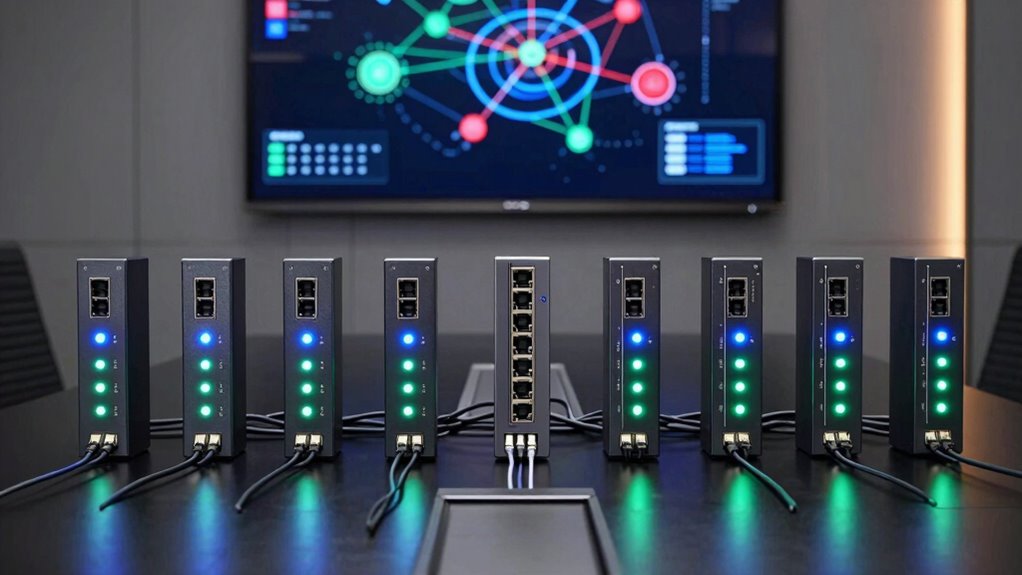

For most buyers seeking a network video recorder compatible with a PoE switch, I’d start with the REOLINK RLN16-410: its 16-channel capacity gives growing systems more room than the 8-channel models. The REOLINK RLN36 suits larger camera installations, while the ANNKE 12MP 8-channel NVR is a more focused option for a smaller system that needs high-resolution camera support. The key tradeoff is between a recorder’s built-in PoE ports and the flexibility of a separate switch, along with channel capacity, camera compatibility, and storage needs. Check the recorder’s supported camera protocols and port limits before mixing brands. Read on for the full comparison and guidance on matching an NVR to your cameras.

Get privacy and security gear delivered free with Prime
- Fast, free delivery on millions of items
- Prime Video, Amazon Music and more included
- Member-only deals all year
Key Takeaways
- The REOLINK RLN16-410 is the most balanced pick in this lineup for buyers who want more capacity than an 8-channel recorder without jumping to the 36-channel RLN36.
- The REOLINK RLN36 is the capacity-led choice, but its 36-channel support does not mean it replaces the need to plan PoE power and switching for the cameras.
- Built-in PoE ports simplify smaller installations: the Hiseeu, Guarding Vision, and SECULINK models list onboard switching, while the REOLINK RLN36 is better suited to a separate-switch layout.
- The ANNKE model stands out for stated 12MP camera support, but buyers should verify which camera features and recording modes work across brands before purchasing.
- Channel count is not the whole system limit: storage, network bandwidth, PoE power budget, and camera-protocol support can each restrict an installation before every channel is occupied.
| REOLINK 36CH PoE Network Video Recorder for Security Camera System RLN36 |  | Best for Large Reolink Systems | Channels: 36 | Camera compatibility: Reolink IP cameras | PoE ports: None; external PoE switches required | VIEW ON AMAZON | See Our Full Breakdown |
| ANNKE 12MP 8-Channel PoE Network Video Recorder for Security IP Cameras, No HDD |  | Best for ANNKE Camera Owners | Channels: 8 | Maximum camera resolution: 12MP | Connectivity: Ethernet | VIEW ON AMAZON | See Our Full Breakdown |
| Hiseeu 4K PoE Network Video Recorder NVR with 8 Ports, 16CH Extendable |  | Best for Growing from 8 to 16 Cameras | Built-in PoE ports: 8 | Maximum channels: 16 with external PoE switch | Supported camera resolution: Up to 4K/8MP | VIEW ON AMAZON | See Our Full Breakdown |
| NVR608-Q1/8P 8-Channel PoE NVR Recorder with Built-in PoE Switch, 4K HDMI Output, Supports 8MP IP Cameras, ONVIF Compatible, Wired Security System (Guarding Vision) |  | Best for ONVIF-Focused Setups | Channels: 8 | Built-in PoE ports: 8 | Camera compatibility: ONVIF-compatible IP cameras | VIEW ON AMAZON | See Our Full Breakdown |
| REOLINK RLN16-410 16CH NVR Network Video Recorder PoE Security System |  | Best All-in-One 16-Channel Pick | Channels: 16 | Camera compatibility: Reolink IP cameras | PoE: Built-in; one Ethernet cable carries camera power and data | VIEW ON AMAZON | See Our Full Breakdown |
| Reolink RLN8-410 8-Channel Network Video Recorder for Home Security System |  | Best for Reolink Camera Systems | Model number: RLN8-410-B-NHD | Channels: 8 | Supported hard drive capacity: Up to 8TB | VIEW ON AMAZON | See Our Full Breakdown |
| SECULINK 4K 8 Channel PoE NVR Recorder with Built-in Switch and Motion Detection |  | Best for Mixed-Brand ONVIF Cameras | Channels: 8 | Maximum supported camera resolution: Up to 8MP (4K) | Listed storage capacity: 6TB | VIEW ON AMAZON | See Our Full Breakdown |
| network video recorder compatible poe switch | Channels | Dimensions | Connectivity |
|---|---|---|---|
| REOLINK 36CH PoE Network Video | 36 | 12.99 × 12.2 × 1.89 inches | — |
| ANNKE 12MP 8-Channel PoE Netwo | 8 | 14.17 × 11.81 × 5.51 inches | Ethernet |
| Hiseeu 4K PoE Network Video Re | — | 10.2 × 9.5 × 1.65 inches | — |
| NVR608-Q1/8P 8-Channel PoE NVR | 8 | — | Ethernet and HDMI |
| REOLINK RLN16-410 16CH NVR Net | 16 | 12.99 × 11.22 × 1.77 inches | — |
| Reolink RLN8-410 8-Channel Net | 8 | — | Ethernet |
| SECULINK 4K 8 Channel PoE NVR | 8 | — | Ethernet |
More Details on Our Top Picks
REOLINK 36CH PoE Network Video Recorder for Security Camera System RLN36
The RLN36 is the lineup’s scale-first choice: it manages up to 36 Reolink cameras and supports three hard drives, with up to 48TB total capacity. Its key difference from the RLN16-410 is that it has no built-in PoE ports; you must supply PoE switches and connect them to the recorder’s LAN ports. That makes it a better fit for a site with an existing switch layout or cameras spread across several areas, rather than a simple plug-in home setup. The extra capacity also means buying and configuring the drives separately, while camera compatibility is limited to Reolink IP models. I’d choose it for a larger Reolink installation where centralized recording matters more than all-in-one convenience.
Pros:- Manages up to 36 Reolink IP cameras
- Three drive bays support up to 48TB total storage
- Can connect up to four external PoE switches
- USB 3.0 supports footage backup to external storage
Cons:- Has no PoE ports, so camera power requires separate PoE switches
- No hard drives are included
- Works with Reolink IP cameras rather than serving as a broadly compatible recorder
Best for: Property owners or small businesses adding many Reolink cameras across multiple areas who can install and configure external PoE switches.
Not ideal for: First-time installers seeking a single-box setup, or anyone who needs an NVR that powers cameras directly or accepts mixed-brand cameras.
- Channels:36
- Camera compatibility:Reolink IP cameras
- PoE ports:None; external PoE switches required
- External switch support:Up to four PoE switches
- Drive bays:3
- Maximum stated storage:48TB total; up to 16TB per bay
- USB:3 ports; includes USB 3.0 for backup
- Dimensions:12.99 × 12.2 × 1.89 inches
Our verdict“Choose the RLN36 when you need a high-capacity Reolink recorder and are prepared to provide the PoE switching and drives separately.”
ANNKE 12MP 8-Channel PoE Network Video Recorder for Security IP Cameras, No HDD
This ANNKE 8-channel NVR suits buyers building around ANNKE cameras who want high-resolution recording without stepping up to a large multi-switch recorder like the REOLINK RLN36. Its listed features include support for 12MP cameras, AI motion detection with compatible cameras, remote viewing, and H.265+ compression to use storage more efficiently. Plug-and-play setup is a practical advantage for a small wired system, but the supplied information does not specify the number of built-in PoE ports or the recorder’s power budget, so I would verify those details before choosing a switch or planning camera placement. It also ships without a hard drive, and the 8TB stated capacity is the maximum supported, not included storage. Its strongest case is an ANNKE-centered setup, not a mixed-brand system.
Pros:- Supports cameras up to 12MP
- H.265+ compression can reduce storage use
- Remote viewing and playback are available through apps
- Plug-and-play setup is aimed at straightforward installation
Cons:- No hard drive is included
- AI features depend on compatible cameras
- The provided specs do not state PoE port count or power budget
Best for: ANNKE camera owners setting up a small wired system who want 12MP camera support, app access, and H.265+ recording.
Not ideal for: Buyers mixing brands, anyone needing more than eight channels, or installers who require confirmed PoE port and power-budget specifications before purchase.
- Channels:8
- Maximum camera resolution:12MP
- Connectivity:Ethernet
- Video format:H.265+
- Maximum stated storage:8TB
- Hard drive included:No
- Audio input:RCA
- Dimensions:14.17 × 11.81 × 5.51 inches
Our verdict“Pick this ANNKE recorder for a compact ANNKE-based system, but confirm its PoE details and budget for a separate hard drive.”
Hiseeu 4K PoE Network Video Recorder NVR with 8 Ports, 16CH Extendable
The Hiseeu NVR bridges the gap between a fixed eight-camera recorder and larger systems: it has eight built-in PoE ports and can expand to 16 channels through an external PoE switch. That makes it more expandable than the 8-channel ANNKE, while still powering an initial group of cameras directly. It supports up to 4K/8MP cameras and H.265+ recording, but the drive is not included, and recording playback requires one. Compatibility needs careful attention: the listing warns that third-party cameras may require Virtual Host settings and manual IP changes, so this is less plug-and-play across brands than the Guarding Vision NVR608-Q1/8P, which lists ONVIF support. I’d favor it when gradual expansion matters and the camera setup can be kept within a tested compatibility path.
Pros:- Eight built-in PoE ports power cameras directly
- Expandable from 8 to 16 channels with an external PoE switch
- Supports cameras up to 4K/8MP
- H.265+ compression helps conserve drive capacity
Cons:- Hard drive is not included, and playback recording requires one
- Third-party camera setup may involve manual IP and Virtual Host configuration
- External PoE switch is needed to use more than eight channels
Best for: Home or small-site installers starting with up to eight PoE cameras who may expand to 16 and are comfortable configuring network settings.
Not ideal for: Buyers who want assured plug-and-play support for mixed-brand cameras or a recorder ready to record without adding a hard drive.
- Built-in PoE ports:8
- Maximum channels:16 with external PoE switch
- Supported camera resolution:Up to 4K/8MP
- Maximum hard-drive capacity:12TB
- Hard drive included:No
- Video compression:H.265+
- USB ports:2
- Dimensions:10.2 × 9.5 × 1.65 inches
Our verdict“Choose the Hiseeu if you want built-in PoE now and a path to 16 cameras, provided you can handle compatibility setup and supply a drive.”
NVR608-Q1/8P 8-Channel PoE NVR Recorder with Built-in PoE Switch, 4K HDMI Output, Supports 8MP IP Cameras, ONVIF Compatible, Wired Security System (Guarding Vision)
The Guarding Vision NVR608-Q1/8P is the most straightforward fit here for buyers prioritizing a built-in switch and stated ONVIF compatibility. Its eight PoE ports power up to eight cameras directly, avoiding the external-switch requirement of the 36-channel REOLINK RLN36 and the expansion setup required by the Hiseeu. It supports up to 8MP cameras, 4K HDMI output, and H.265+ recording; selected channels can also use human and vehicle detection. Those features favor a contained wired installation where local viewing and simpler cabling matter. The tradeoff is its eight-channel ceiling and 8TB stated storage limit, and the listing does not clarify whether a drive is included. ONVIF support can broaden camera options, but I’d still verify specific camera functions before building around advanced detection.
Pros:- Eight built-in PoE ports power cameras without a separate switch
- Lists ONVIF compatibility for third-party camera options
- 4K HDMI output supports detailed local viewing
- H.265+ compression and selected-channel motion detection are supported
Cons:- Limited to eight channels
- Maximum stated storage is 8TB
- Provided product details do not confirm whether a hard drive is included
Best for: Installers creating a wired system of up to eight ONVIF-compatible cameras who want direct PoE connections and 4K local display.
Not ideal for: Large systems, buyers planning more than eight cameras, or anyone who needs confirmed drive-inclusion and camera-specific AI behavior before ordering.
- Channels:8
- Built-in PoE ports:8
- Camera compatibility:ONVIF-compatible IP cameras
- Maximum camera resolution:8MP
- HDMI output:Up to 4K
- Video compression:H.265+
- Maximum stated storage:8TB
- Connectivity:Ethernet and HDMI
Our verdict“Choose this model for a compact ONVIF-oriented system with direct PoE and 4K display, not for a large or expandable installation.”
REOLINK RLN16-410 16CH NVR Network Video Recorder PoE Security System
For buyers who want the recorder to power cameras directly, the REOLINK RLN16-410 is a more convenient 16-channel alternative to the switch-dependent RLN36. Its built-in PoE supports plug-and-play connections over a single Ethernet cable, and a preinstalled 4TB hard drive lets recording start without sourcing storage first. Reolink camera integration adds detection and playback features, while the included capacity can be expanded with an additional drive up to 8TB. The main limitation is brand lock-in: the listing specifies Reolink cameras, unlike the ONVIF-oriented Guarding Vision model. Sixteen channels also leave less room for a large installation than the RLN36’s 36, and the stated built-in drive capacity is modest for continuous recording across many cameras. It fits a mid-sized, Reolink-only system that values simpler wiring over maximum scale.
Pros:- Built-in PoE supports direct camera connections over one Ethernet cable
- Includes a 4TB hard drive for recording without a separate drive purchase
- Supports up to 16 Reolink cameras
- Additional storage can be added, up to 8TB
Cons:- Designed for Reolink IP cameras rather than broad third-party compatibility
- The RLN36 offers substantially more channels and total storage capacity
- Included 4TB storage may be limiting for many cameras recording continuously
Best for: Homeowners or small businesses installing up to 16 Reolink PoE cameras who want built-in camera power and storage included.
Not ideal for: Mixed-brand camera owners or large sites that need more than 16 channels and the multi-drive capacity of the RLN36.
- Channels:16
- Camera compatibility:Reolink IP cameras
- PoE:Built-in; one Ethernet cable carries camera power and data
- Included hard drive:4TB
- Additional storage:Supports an additional drive up to 8TB
- Wattage:15 watts
- USB ports:2
- Dimensions:12.99 × 11.22 × 1.77 inches
Our verdict“Pick the RLN16-410 for a mid-sized Reolink system that needs direct PoE and included storage, but choose the RLN36 for greater scale.”
Reolink RLN8-410 8-Channel Network Video Recorder for Home Security System
The Reolink RLN8-410 is a focused choice for a home system built around Reolink cameras: its 8-channel PoE design lets compatible cameras connect over Ethernet for power and network access, reducing separate wiring. Remote viewing and playback through Reolink’s free mobile and desktop apps add everyday access, while compatible smart cameras can provide advanced detection features. Compared with the SECULINK 4K 8 Channel PoE NVR, this model is the more natural fit for buyers prioritizing Reolink integration; SECULINK instead offers stated ONVIF compatibility with cameras from different brands. The main compromise is that the RLN8-410 is limited to Reolink cameras for full compatibility, and no hard drive is included. Its support for up to 8TB gives room to add storage, but buyers must source and install it separately.
Pros:- Supports up to eight cameras for a multi-area home setup.
- PoE connections simplify camera power and network wiring.
- Free mobile and desktop apps support remote access and playback.
- Compatible Reolink smart cameras can provide advanced detection features.
Cons:- Hard drive is not included, so recording storage requires a separate purchase and setup.
- Full compatibility is limited to Reolink cameras, restricting mixed-brand systems.
Best for: Homeowners building an eight-camera system with Reolink cameras who want PoE connections and remote access through the brand’s apps.
Not ideal for: Buyers mixing camera brands or wanting a recorder ready to store footage without purchasing and installing a separate hard drive.
- Model number:RLN8-410-B-NHD
- Channels:8
- Supported hard drive capacity:Up to 8TB
- Storage included:No
- Connectivity:Ethernet
- Compatible devices:Reolink security cameras
- Warranty:2 years
Our verdict“Choose the RLN8-410 for a Reolink-centered home system with straightforward PoE wiring, but skip it if you need broad camera-brand flexibility or included storage.”
SECULINK 4K 8 Channel PoE NVR Recorder with Built-in Switch and Motion Detection
The SECULINK 4K 8-channel NVR suits buyers who want a PoE recorder with stated ONVIF support for compatible IP cameras from different brands. Its support for cameras up to 8MP gives a clear resolution target when choosing equipment, and plug-and-play installation can reduce setup complexity. Remote access through the XMEYE app adds phone and tablet viewing. Against the Reolink RLN8-410, SECULINK’s stated ONVIF compatibility makes it the more flexible option for a mixed-camera setup; Reolink is a stronger match for buyers who want the Reolink app and smart-camera integration. SECULINK lists 6TB of storage capacity and an HDD, but the supplied product information also says no HDD is included, so buyers should verify storage contents before relying on it. Its warranty information is limited to a 30-day return guarantee.
Pros:- Supports up to eight channels and cameras up to 8MP (4K).
- Stated ONVIF compatibility allows use with compatible cameras from different brands.
- Built-in PoE switch and plug-and-play setup can simplify camera connections.
- XMEYE app supports remote access from mobile devices.
Cons:- Storage details are unclear: the listing states 6TB capacity and an HDD, while product information also says no HDD is included.
- Warranty information is limited to a 30-day return guarantee.
- ONVIF support does not establish that every camera feature will work across brands.
Best for: Home or small-business owners assembling an eight-camera system from compatible ONVIF IP cameras and seeking 4K-class recording support.
Not ideal for: Buyers who need clear long-term warranty coverage, confirmed included storage, or a recorder tied to a specific camera brand’s advanced features.
- Channels:8
- Maximum supported camera resolution:Up to 8MP (4K)
- Listed storage capacity:6TB
- Hard drive:Listing information is inconsistent about whether one is included
- Connectivity:Ethernet
- Compatible devices:Cameras, desktop, smartphone, tablet
- Audio input:RCA
- USB ports:2
- Dimensions and weight:10.24 × 7.48 × 1.69 inches; 1.42 kg
Our verdict“Pick SECULINK when ONVIF flexibility and 4K camera support matter most, but confirm the hard-drive contents and warranty terms before choosing it over the Reolink RLN8-410.”

How We Picked
I ranked these recorders by how well their stated design fits the search: pairing an NVR with a PoE switch for a reliable camera system. I weighed channel capacity, whether PoE switching is built in, listed camera resolution support, stated ONVIF compatibility, and how clearly each model suits a small, expandable, or large installation. I also treated the distinction between an NVR with integrated PoE ports and a recorder designed for a separate switch as a practical buying factor, not a minor spec difference.
The ranking favors useful capacity and a clear deployment fit over the highest channel count alone. That puts the REOLINK RLN16-410 ahead as a balanced starting point, while the RLN36 earns its place for larger systems and the built-in-switch models suit buyers prioritizing simpler wiring. Product listings do not establish every cross-brand compatibility detail, so I do not treat ONVIF or a shared resolution figure as a guarantee that all camera features will work. Buyers should confirm exact camera support, PoE power requirements, and storage configuration for their planned system.
| network video recorder compatible poe switch | Connectivity |
|---|---|
| REOLINK 36CH PoE Network Video | — |
| ANNKE 12MP 8-Channel PoE Netwo | Ethernet |
| Hiseeu 4K PoE Network Video Re | — |
| NVR608-Q1/8P 8-Channel PoE NVR | Ethernet and HDMI |
| REOLINK RLN16-410 16CH NVR Net | — |
| Reolink RLN8-410 8-Channel Net | Ethernet |
| SECULINK 4K 8 Channel PoE NVR | Ethernet |
Factors to Consider When Choosing Network Video Recorder Compatible Poe Switch
Choosing a recorder and switch is a system-matching decision, not just a choice between port counts. I’d work through these factors before buying so the cameras, recorder, network, and storage can handle the installation together.
Match Channel Count to the System You Plan to Build
Count the cameras you intend to connect now, then leave room for likely additions such as a driveway or detached garage camera. A recorder’s channel count describes how many camera streams it can manage; it does not tell you how much PoE power its ports can supply. Choosing an 8-channel model for a fixed small installation can keep the setup straightforward, while a 16- or 36-channel recorder offers more growth headroom. The tradeoff is that unused channels do not automatically justify a larger or more complex system. Avoid buying by maximum channel count alone: confirm that the recorder can handle your camera resolution and recording workload at the same time.
Choose Between Built-In PoE and a Separate Switch
Built-in PoE ports can make a small wired system easier to install because cameras connect directly to the NVR. A separate PoE switch gives more flexibility in camera placement and can simplify expansion, but it adds another device and another power budget to plan. Do not assume that an NVR with several PoE ports can power every supported camera at full load; check the total PoE wattage and each camera’s draw, including infrared illumination. Also verify whether the recorder’s PoE network is isolated from your main LAN or designed to join it. The best arrangement depends on whether simplicity or network flexibility matters more to your site.
Verify Camera Compatibility Beyond ONVIF
ONVIF support can help cameras and recorders from different brands communicate, but it does not promise access to every feature. Motion events, person detection, audio, PTZ controls, and advanced image settings may depend on shared protocols or brand-specific software. Before mixing manufacturers, look for a compatibility list or ask the seller about the exact camera model and firmware. Check supported resolution and encoding formats as well; a camera may connect but record at a reduced resolution or frame rate. For a system that depends on smart alerts, matching the camera and NVR ecosystem can matter more than a broad compatibility label.
Plan Storage Around Retention, Not Just Drive Bays
Decide how many days of footage you need to retain, whether cameras record continuously or only on motion, and how many streams will run at high resolution. Those choices shape storage needs more than channel count on its own. A recorder listed without a hard drive may require a separate drive purchase and installation, so check supported drive capacity and recording-disk requirements before ordering. Higher-resolution cameras and longer retention periods can fill storage quickly, particularly with continuous recording. If footage must remain available for a defined period, estimate the storage workload before choosing a recorder rather than relying on a general claim of camera capacity.
Check Network Bandwidth and Remote Viewing Needs
Every active camera sends video across the network, and simultaneous high-resolution streams can strain links that seem adequate for a few cameras. Check the NVR’s network throughput alongside camera bit rates, especially when remote viewing or several users need access. A recorder can support many channels on paper yet still face limits from aggregate bandwidth or the network connection to a separate switch. For longer cable runs or cameras spread across buildings, plan switch placement and network links before installation. This can prevent a setup where local recording works but remote playback or live views become unreliable.
Compare Total Setup Effort, Not Just Recorder Features
A recorder with integrated PoE can reduce the number of components, but a separate switch may be easier to service or expand as the camera layout changes. Consider where the NVR will sit, whether the cameras can home-run to it, and whether you need to manage network access separately. Check what is included: some listings specify no hard drive, while cables, mounting hardware, or a compatible switch may also be separate purchases. Think through firmware updates and how you will recover footage if the recorder or drive fails. Paying for more capacity makes sense when it solves a real expansion or monitoring need; it adds little value when the installation will remain small and fixed.
Frequently Asked Questions
Can I connect a PoE switch to any of these NVRs?
Not automatically: confirm how the recorder handles cameras connected through an external switch and whether it can discover them on the same network. An NVR with built-in PoE ports may use a separate camera network, while a recorder intended for a LAN-based setup may expect cameras on the main network. Check the manual for camera discovery, IP addressing, and supported connection methods. Also confirm that the switch provides enough PoE power for all connected cameras. A compatible connector or shared network standard alone does not guarantee a straightforward setup.
Will an ONVIF camera work with a recorder from another brand?
It may provide basic video, but compatibility can vary by camera model, recorder, and firmware version. ONVIF does not guarantee that proprietary motion alerts, audio, PTZ features, or smart detection will pass through to the NVR. Check both manufacturers’ compatibility information for the specific models you plan to pair. If you cannot confirm support, test one camera before building the full system. For security features that depend on camera analytics, matching brands or a verified compatibility pairing is the safer route.
Should I buy an 8-, 16-, or 36-channel recorder?
Choose based on the number of cameras you expect to run and the expansion you can realistically foresee. An 8-channel recorder can fit a fixed home setup, while a 16-channel model leaves more room for additions without moving to the largest option here. The 36-channel REOLINK RLN36 is aimed at installations with a much wider camera plan, but it still requires suitable switching, bandwidth, and storage. Do not treat extra channels as extra PoE power or storage capacity. Check each limit separately before choosing a larger recorder.
Is a built-in PoE switch better than buying a separate switch?
A built-in switch can reduce setup steps and equipment for a compact system where cameras can connect directly to the recorder. A separate switch can be more convenient when cameras are spread across a site, when you need more PoE ports, or when you want network equipment placed away from the NVR. The tradeoff is added configuration and a separate power budget. Compare total PoE wattage, network layout, and how you plan to add cameras later. Neither design is universally better; the physical installation should drive the choice.
What should I check before buying an NVR listed without a hard drive?
Confirm which drive types and capacities the recorder supports, and check whether the drive must meet a specific surveillance-use requirement. Estimate retention from your camera count, resolution, frame rate, and recording schedule rather than choosing storage by channel count alone. Continuous recording usually needs more space than motion-triggered recording, though motion settings must suit the site. Check whether installation is user-serviceable and whether the drive is included in the package. A compatible recorder without a suitable drive may not meet your recording needs on arrival.
Conclusion
My best overall pick is the REOLINK RLN16-410 for buyers who want a useful step up from 8 channels without committing to the RLN36’s larger-system focus. For best value in a compact setup, compare the built-in-switch Hiseeu, Guarding Vision, and SECULINK models against your camera compatibility and PoE needs rather than choosing on port count alone. The best premium or large-installation choice is the REOLINK RLN36 when its 36-channel capacity matches a real deployment plan and you are prepared to use appropriate switching. For beginners, a built-in PoE option can make direct camera wiring simpler; I’d favor the model whose camera support and included storage are clearest. For high-resolution camera needs, the ANNKE’s stated 12MP support is a reason to investigate it, while buyers mixing brands should verify specific features and protocols before purchase.