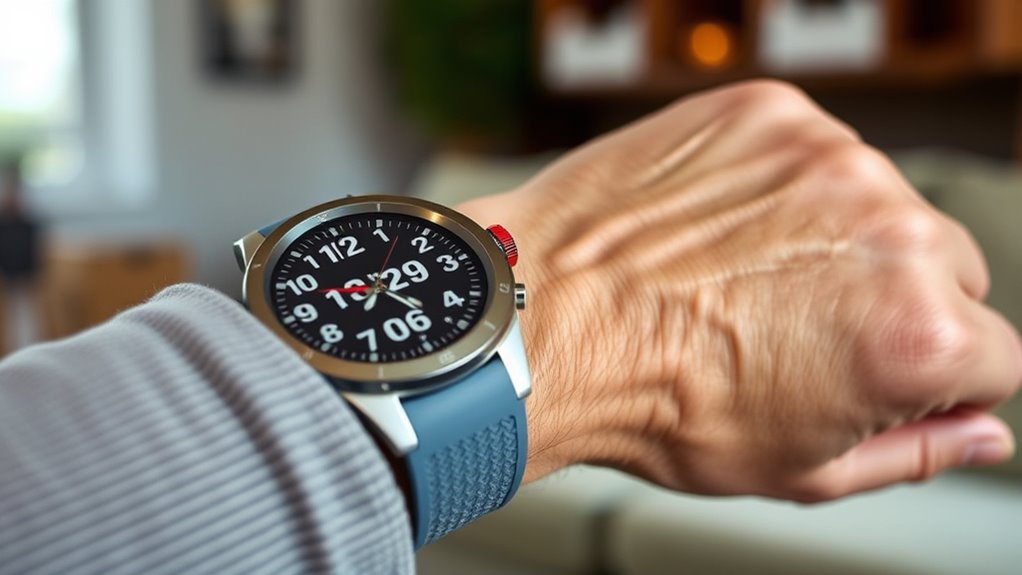

For seniors who may need help after a fall or sudden health concern, an emergency alert watch can connect them with family or emergency support. My best overall pick is the SecuLife SOS Wristband for its combination of GPS tracking, fall detection, and waterproof design; the COCO BT2-X stands out for caregiver-app tools, while the Daytech wrist-pager system suits people who mainly need an alert at home. The main tradeoffs are cellular coverage and ongoing service requirements versus simpler home-based systems, along with ease of use, charging, and how alerts reach caregivers. Features such as GPS, two-way voice, and fall detection matter most when they fit the wearer’s routine and support network. Continue reading for the full comparison, selection criteria, and advice on choosing the right setup.

Get privacy and security gear delivered free with Prime
- Fast, free delivery on millions of items
- Prime Video, Amazon Music and more included
- Member-only deals all year
Key Takeaways
- Mobile coverage separates the watch-style picks from the home systems: GPS and cellular models are designed for wearers who leave home, while Daytech and XUK call-button kits focus on alerting someone nearby or within receiver range.
- SecuLife appears more than once in the lineup, but the models are not interchangeable: compare the medical alert smartband listings with the SOS wristband’s stated waterproofing and tracking details before choosing.
- Caregiver features vary as much as emergency features: the COCO BT2-X lists a caregiver app and medication reminders, while several alternatives center on SOS calling, location, or basic health tracking.
- More health metrics do not automatically mean stronger emergency support: watches listing heart rate, SpO2, sleep, or step tracking still need clear information about who receives an SOS and how that connection works.
- A simpler call-button kit may suit a homebody better than a smartwatch: Daytech and XUK systems avoid some wearable and mobile-service complexity, but they do not offer the same on-the-go location support as GPS-equipped watches.




| emergency alert watch for senior | Water resistance |
|---|---|
| Seculife Medical Alert Smartba | Water resistant; listed depth of 1 meter |
| Fall Detection Smart Watch for | IP67 |
| Audar E2 Senior Smartwatch wit | IP67 |
| Fall Detection Smart Watch for | — |
| Fall Detection Smart Watch for | Waterproof; listed depth of 1 meter |
| Smart Watch for Men Fall Detec | — |
| COCO Emergency Alert Smartwatc | Listed to 5 feet |
| Seculife Medical Alert Smartba | — |
| SecuLife SOS Wristband for Sen | — |
| Fall Detection Watch for Senio | IP67 |
| Fall Detection Watch for Senio | IP67 |
| Daytech Wireless Caregiver Cal | IP55 splash-resistant |
| XUK WiFi SOS Caregiver Pager C | — |
| Cellular Medical Alert Smart W | Water resistant; do not submerge |
| Daytech Caregiver Pager Call B | — |
More Details on Our Top Picks
Seculife Medical Alert Smartband for Seniors with Fall Detection and GPS
I’d choose the Seculife Medical Alert Smartband for someone who needs location sharing, fall alerts, and a direct way to contact help without a long list of setup demands. Its large SOS button and two-way calling make it more focused on emergency communication than the Bluetooth-dependent Joemefit watch, which lacks GPS and standalone cellular connectivity. GPS tracking can help caregivers locate the wearer, while water resistance suits routine daily wear.
The tradeoff is charging: its stated one-day battery life calls for a reliable daily routine, unlike the Audar E2’s stated longer runtime. Premium safety features also require a monthly subscription, so buyers should check the service terms before relying on them. I’d skip this model if the wearer or caregiver cannot keep up with frequent charging or subscription management.
Pros:- Large SOS button and two-way calling support direct emergency communication.
- Automatic fall detection can alert others when the wearer cannot press the button.
- GPS tracking gives caregivers a way to locate the wearer.
- Water-resistant design supports ordinary daily wear.
Cons:- Approximately one day of battery life means frequent charging.
- Premium safety features require a monthly subscription.
- 128 MB storage is limited for users expecting extensive on-device capacity.
Best for: Seniors who want an SOS-focused wrist device with GPS, fall detection, and two-way calling, and whose caregivers can manage daily charging.
Not ideal for: People who need multiple days between charges or do not want ongoing subscription costs for premium safety functions.
- Display:2-inch touchscreen
- Battery capacity:680 mAh
- Battery life:Approximately 1 day
- Fall detection:Yes
- Location:GPS
- Calling:Two-way calling
- Water resistance:Water resistant; listed depth of 1 meter
- Compatibility:Android and iOS
- Storage:128 MB
Our verdict“Choose Seculife for a straightforward GPS-and-calling safety band, but pick the Audar E2 if longer battery life matters more.”
Fall Detection Smart Watch for Seniors with GPS Tracking, SOS Alert & HD Video Call, Waterproof Fitness Tracker for Dementia/Alzheimer’s, 4G Safety
This 4G watch suits families who want more than an emergency signal: its standout feature is HD video calling, which can make routine check-ins more reassuring than the voice-focused Seculife Medical Alert Smartband. It also combines fall detection, GPS tracking, and health monitoring in a large, high-contrast touchscreen. For a senior who can use a screen and a caregiver who can help with setup, that mix may make daily contact easier.
The calling details need careful attention. The included data-only SIM provides data service, but does not support voice calls; buyers should confirm which call functions work and whether a separate voice-capable SIM is needed. The listing also gives no battery-life figure, making it harder to plan charging than with the Audar E2. I’d avoid it for someone who needs a simple, ready-to-use emergency device without app or SIM configuration.
Pros:- HD video calling adds a visual check-in option beyond the voice calling offered by the Seculife band.
- GPS tracking and fall detection address location and emergency-alert needs.
- Large, high-contrast touchscreen can make controls easier to see.
- Includes heart rate, blood pressure, and sleep tracking features.
Cons:- The pre-installed data-only SIM does not support voice calls.
- Battery life and long-term durability are not specified.
- Some functions may require smartphone-app setup and user familiarity.
Best for: Families seeking video check-ins and GPS-based oversight for a senior comfortable with a touchscreen, with caregiver help available for setup.
Not ideal for: Buyers who need straightforward voice calling from the included SIM, a clearly stated battery runtime, or minimal configuration.
- Operating system:Android Wear 1.0
- Connectivity:4G cellular
- SIM:Pre-installed data-only SIM with 1 year of free data
- Location:GPS
- Fall detection:Yes
- Calling:HD video and voice calling features; included SIM does not support voice calls
- Water resistance:IP67
- Storage:1 GB
- Compatibility:Android and iOS
Our verdict“Pick this watch for video communication and GPS oversight, but verify SIM and calling requirements before depending on it for emergencies.”
Audar E2 Senior Smartwatch with Fall Detection & SOS
The Audar E2 stands out for seniors and caregivers who value fewer charging interruptions and health reporting alongside emergency alerts. Its stated runtime—up to 7 days of active use and 30 days on standby—offers a clear advantage over the Seculife band’s approximately one-day battery life. Built-in connectivity in more than 20 countries and the claim that it needs no smartphone or Wi-Fi also make it appealing for wearers who should not have to manage a paired phone.
Its broader health measurements are not a substitute for clinical equipment: blood pressure calibration requires a separate cuff, and ongoing connectivity costs extra after the first year. Compared with the video-call-focused 4G watch, the Audar prioritizes battery endurance and caregiver reports rather than video communication. I’d skip it if live video contact is a priority or if subscription service is unwanted.
Pros:- Stated battery life of up to 7 days active use reduces charging frequency compared with the Seculife band.
- Built-in SIM connectivity is described as working in more than 20 countries without a smartphone or Wi-Fi.
- Fall detection and manual SOS offer both automatic and user-initiated alert options.
- Tracks several vital signs and provides weekly caregiver health reports.
Cons:- Connectivity requires a subscription after the first year.
- Blood pressure calibration needs a separate cuff that is not included.
- Additional reports and alert services may carry extra charges.
Best for: Seniors who need fall alerts and caregiver health reports but may miss daily charging, especially those without a smartphone or home Wi-Fi.
Not ideal for: Buyers who want video calling, no ongoing connectivity fee, or blood-pressure readings without a separate calibration cuff.
- Battery life:Up to 7 days active use; up to 30 days standby
- Connectivity:Built-in SIM in 20+ countries; no smartphone or Wi-Fi needed
- Water resistance:IP67
- Fall detection:Yes
- SOS:Manual SOS alerts
- Health monitoring:Heart rate, blood pressure, blood oxygen, and body temperature
- Strap fit:135–238 mm wrist size
- Subscription:$35 annually after the first year
Our verdict“Choose the Audar E2 when longer stated battery life and caregiver reporting matter more than video calls or avoiding service fees.”
Fall Detection Smart Watch for Seniors with SOS, Heart Rate, Sleep Monitoring, and Pedometer
I’d place this Joemefit-app watch in the Bluetooth-connected safety category, not the standalone medical-alert category. It offers fall detection, SOS, Bluetooth calling, and remote family monitoring, plus a 1.9-inch display and basic activity tracking. Compared with the GPS-equipped Seculife band, its key limitation is also its defining fit: the listing does not provide GPS or cellular connectivity, so it is better for a senior who stays near a paired phone than for someone whose caregivers need location tracking away from home.
The companion app and Bluetooth connection add setup and dependency that the Audar E2 avoids with built-in connectivity. Its health metrics are described as general-reference tracking, not medical measurements. I’d consider it for families seeking everyday wellness data and nearby emergency contact, but not as the sole safety device for wandering risk or situations where a phone may be out of range.
Pros:- Fall detection, SOS, and caregiver alerts combine core wrist-based safety functions.
- Bluetooth calling supports contact when a paired phone is nearby.
- Large 1.9-inch display provides a sizeable touchscreen area.
- Tracks heart rate, sleep, distance, and steps.
Cons:- No GPS geotagging or standalone cellular connection is listed.
- Safety functions depend on companion-app setup and Bluetooth connection.
- Wellness measurements are for general reference rather than medical use.
Best for: Seniors who usually keep a compatible phone nearby and whose families want Bluetooth calling, fall alerts, and basic wellness tracking.
Not ideal for: People with dementia or wandering risk who need GPS location tracking, or seniors who may not keep a paired phone within Bluetooth range.
- Display:1.9-inch digital display
- Fall detection:Yes, with caregiver alerts
- Emergency function:SOS emergency call
- Calling:Bluetooth calling
- Connectivity:Bluetooth; companion app required
- Location:No geotagging
- App compatibility:Joemefit app; Android and iOS
- Tracked metrics:Heart rate, sleep duration, distance, and step count
- Band:Silicone
Our verdict“Choose this watch for phone-connected household monitoring, but select the Seculife band or Audar E2 for GPS-based coverage beyond Bluetooth range.”
Fall Detection Smart Watch for Seniors with GPS Tracking, SOS Alert, Waterproof Fitness Tracker for Dementia/Alzheimer’s, 4G Safety
For caregivers focused on wandering risk, this Fajocru watch pairs GPS tracking with geofencing, so the app can alert contacts when the wearer leaves a set zone. That makes it a more targeted choice than the Bluetooth-based Joemefit watch, which has no geotagging, and it adds automatic fall alerts and SOS. Two-way voice chat, voice messages, and caregiver app access give families several ways to check in without treating the watch as only a fitness tracker.
The SIM arrangement deserves close attention: the included service is data-only and does not support voice calls. The product information also does not state battery life, so caregivers cannot judge charging demands from the listing. Its health readings and location features depend on app and service setup. I’d favor it for families who need geofence alerts, but not for those who require known battery endurance or simple voice calling from the included SIM.
Pros:- GPS tracking and geofencing address wandering concerns more directly than the Joemefit watch.
- Automatic fall detection and SOS provide multiple alert paths.
- Voice chat and voice messaging support caregiver check-ins.
- IP67 rating and magnetic charging cable are designed for everyday wear and simpler charging connection.
Cons:- Pre-installed data-only SIM does not support voice calling.
- Battery life is not specified in the supplied product information.
- GPS, alerts, and monitoring require app and service setup.
Best for: Families supporting a senior with dementia or Alzheimer’s who needs GPS location monitoring and alerts for leaving a caregiver-defined safe zone.
Not ideal for: Buyers who need a specified battery runtime or expect the pre-installed data-only SIM to provide ordinary voice calls.
- Operating system:Android Wear 1.0
- Connectivity:4G cellular
- SIM:Pre-installed data-only SIM with 1 year of free data
- Location features:Built-in GPS and geofencing
- Fall detection:Yes
- Water resistance:Waterproof; listed depth of 1 meter
- Storage:1 GB
- Display:Large, high-contrast touchscreen
- Health features:Heart rate, blood pressure, blood oxygen, and step count
Our verdict“Choose this Fajocru model for GPS geofencing and wandering alerts, after confirming the calling setup and a workable charging routine.”
Smart Watch for Men Fall Detection SOS Call Watch for Seniors Blood Pressure Heart Rate Monitor Fitness Tracker Step Counter Pedometer Watch Sleep Tracker Calories Distance Waterproof Smartwatch
This watch pairs advertised fall detection and SOS alerts with a broad set of fitness tools, making it a better fit for active seniors than a wristband focused mainly on emergency communication. Its listed 10-day battery life is a useful contrast with the Seculife Medical Alert Smartband, which is listed for about one day between charges. The watch also tracks sleep, steps, distance, and several health measures, so it may suit someone who wants everyday activity data as well as an alert feature. The tradeoff is that the listing does not explain whether SOS calling works independently or relies on a paired phone, and its GPS is via smartphone. I would not treat its blood-pressure or body-composition readings as medical measurements; buyers should confirm how alerts work before relying on them.
Pros:- Advertises fall detection with SOS emergency contact alerts.
- Listed battery life of up to 10 days between charges.
- Tracks steps, sleep, distance, calories, and multiple sports activities.
- Compatible with Android and iOS smartphones.
Cons:- GPS functionality is via a smartphone rather than clearly described standalone GPS.
- The listing does not clarify whether emergency calling requires the paired phone or a service plan.
- Health readings such as blood pressure and body composition should not be assumed to be clinically accurate.
Best for: Active seniors who want fitness and sleep tracking alongside fall alerts and can keep a compatible smartphone connected.
Not ideal for: Someone who needs a clearly documented, independent medical alert service or GPS tracking without a smartphone.
- Operating system:Joeme Fit
- Battery life:Up to 10 days
- Battery charge time:2 hours
- Battery capacity:380 mAh
- GPS:Via smartphone
- Water resistance depth:30 meters
- Compatibility:Android and iOS smartphones
- Tracked metrics:Calories, distance, heart rate, sleep duration, and steps
Our verdict“Choose this if fitness tracking and longer listed battery life matter alongside fall alerts, but verify phone and SOS requirements before depending on it for emergencies.”
COCO Emergency Alert Smartwatch for Seniors – Fall Detection, SOS Call, Heart Rate & SpO2 Monitor, Medication Reminder, Bluetooth Calling, Caregiver App, BT2-X (2026) (Black)
The COCO BT2-X stands out for connecting wearer alerts with caregiver routines: the caregiver app can schedule medication reminders, while the watch adds a crown-button or touchscreen SOS and Bluetooth calling. Its 20-second fall-alert countdown gives the wearer a chance to cancel an alert, a different approach from the unspecified trigger timing on the Smart Watch for Men Fall Detection SOS Call Watch. The 1.85-inch display and senior-oriented interface may be easier to read and operate than a compact band. However, GPS is supported via a smartphone, so this is not a self-contained locator, and the listing gives no battery-life figure. I would favor it for a senior who already uses a paired phone and has someone available to manage app settings, rather than for buyers seeking a simple, independently connected emergency device.
Pros:- SOS can be triggered from the crown button or touchscreen.
- Caregiver app supports remote medication reminder scheduling.
- Large 1.85-inch display and Bluetooth calling support everyday communication.
- Tracks heart rate, blood oxygen, sleep, stress, and breathing.
Cons:- GPS depends on a connected smartphone.
- Battery life is not specified in the product data.
- Listed water resistance is limited to 5 feet.
Best for: Seniors with a caregiver who can set medication reminders and help maintain the smartphone connection.
Not ideal for: People who need standalone GPS, a published battery-life expectation, or a device that works without smartphone pairing.
- Operating system:Realtek8763EW
- Display:1.85-inch HD touchscreen
- Fall detection:Automatic alert with 20-second countdown
- SOS:One-touch call via crown button or screen
- Health monitoring:Heart rate, SpO2, sleep, stress, and breathing
- Connectivity:Bluetooth
- GPS:Supported via smartphone
- Water resistance:Listed to 5 feet
- Compatibility:iOS and Android smartphones
Our verdict“Pick the COCO BT2-X when caregiver-managed reminders and a readable smartwatch interface matter more than standalone location tracking.”
Seculife Medical Alert Smartband for Seniors with Fall Detection and GPS
Among these options, the Seculife Medical Alert Smartband puts the emphasis on location and caregiver oversight, with GPS, geofencing, fall alerts, SOS calling, and a caregiver app. That makes its role distinct from the COCO BT2-X, whose listed GPS depends on a smartphone and whose strengths lean more toward reminders and health monitoring. The Seculife’s large, two-inch display and calling functions give it more on-wrist interaction than the screen-free SecuLife SOS Wristband. The main compromise is practical: the listed battery life is about one day, so routine charging becomes part of using it. Premium safety features also require a monthly subscription, and water resistance is specified only to one meter. I would check service coverage, subscription terms, and charging expectations before choosing it as a daily alert device.
Pros:- Includes GPS tracking and geofencing for caregiver location monitoring.
- Offers automatic fall alerts, SOS calling, and two-way calling.
- Two-inch display provides a larger interface than a screen-free wristband.
- Lists heart rate, blood oxygen, and body temperature monitoring.
Cons:- Listed battery life is approximately one day.
- Premium safety features require a monthly subscription.
- Water resistance is listed to only one meter.
Best for: Caregivers who want GPS and geofence monitoring, plus fall alerts and two-way calling in a wrist-worn device.
Not ideal for: Seniors who may forget daily charging, or families unwilling to pay a subscription for premium safety features.
- Display:2-inch screen
- Battery life:Approximately 1 day
- Battery capacity:680 mAh
- GPS:GPS, GPRS, and satellite navigation
- Safety features:Fall alerts, SOS calling, and geofencing
- Health monitoring:Heart rate, blood oxygen, and body temperature
- Water resistance depth:1 meter
- Compatibility:Android and iOS smartphones
- Band material:Silicone
Our verdict“Choose this for GPS, geofencing, and on-wrist calling if daily charging and subscription requirements are acceptable.”
SecuLife SOS Wristband for Seniors with Fall Detection, GPS Tracking, and Waterproof Medical Alert
The SecuLife SOS Wristband is the simpler SecuLife choice in this group: it is described as screen-free with one-button operation, while the Seculife Medical Alert Smartband adds a two-inch display and more listed health measurements. A screen-free design may suit someone who finds menus distracting and mainly needs an accessible way to call for help. GPS tracking, geofencing, fall detection, and two-way calling cover core safety tasks, but the supplied specifications are sparse; they do not state water-resistance depth or supported phone systems. Like the other Seculife band, it lists a 680 mAh battery and about a day of battery life, and full features require a monthly subscription. I would choose it only after confirming service coverage, app compatibility, and what the subscription includes, especially if it will be relied on as a primary alert device.
Pros:- Screen-free design avoids navigating a small watch interface.
- One-button operation and two-way calling support direct communication.
- GPS tracking and geofencing can help caregivers monitor location.
- Includes a one-year warranty according to the product data.
Cons:- Battery life is listed at about one day, requiring frequent charging.
- Full features require a monthly subscription.
- Product data does not specify water-resistance depth or smartphone compatibility.
Best for: Seniors who prefer a lightweight, screen-free device with a simple button for calling and caregiver location features.
Not ideal for: Buyers who need clear technical details, a longer charging interval, or safety features without a monthly subscription.
- Battery capacity:680 mAh
- Battery life:About 1 day
- Enclosure material:Plastic
- Safety features:Fall detection, GPS tracking, and geofencing
- Calling:Two-way calling
- Interface:Screen-free, one-button operation
- Warranty:1 year
- Unit count:1
Our verdict“Consider this wristband for straightforward calling and location features, but confirm compatibility and service details before relying on it.”
Fall Detection Watch for Seniors, GPS Tracker with SOS Button, Real-Time Location, Two-Way Voice, Heart Rate & Step Counter, Waterproof
This watch is the most communication-focused option here, advertising real-time GPS, geofencing, and two-way HD video calling alongside fall detection and SOS. Compared with the COCO BT2-X, which specifies Bluetooth calling and smartphone-supported GPS, this model describes a pre-installed SIM with a year of data service; however, its listing also says voice calling needs the buyer’s own SIM. That mismatch makes the exact calling setup something to verify before purchase. The 1.56-inch display is smaller than the COCO’s 1.85-inch screen, but the supplied IP67 rating gives a clearer water-resistance specification than the SecuLife SOS Wristband provides. Battery life is not stated, and Android Wear 1.0 may limit compatibility. I would shortlist it for families prioritizing location and video contact, not for anyone who needs unambiguous service terms or dependable battery expectations.
Pros:- Advertises fall detection, SOS, real-time GPS, and geofencing.
- Two-way HD video calling adds a visual communication option.
- Includes a stated IP67 water-resistance rating.
- Lists a 600 mAh battery and two-hour charge time.
Cons:- Product details conflict on whether the included data SIM supports calling or a separate SIM is needed.
- Battery life is not specified.
- Android Wear 1.0 may limit compatibility with newer devices.
Best for: Families who want GPS location features and video communication on the wrist and can confirm SIM and network requirements.
Not ideal for: Buyers who need a clearly specified battery life, broad current-device compatibility, or calling that works without arranging a SIM.
- Operating system:Android Wear 1.0
- Display:1.56 inches
- Battery capacity:600 mAh
- Battery charge time:2 hours
- Water resistance:IP67
- GPS:GPS with real-time location and geofencing advertised
- Band dimensions:0.8-inch width; 11-inch length
- Color:Deep red
Our verdict“Choose this for location and video-calling features only after confirming SIM, network, and compatibility requirements with the seller.”
Fall Detection Watch for Seniors with GPS Tracker and SOS Button
This watch is the strongest fit here for caregivers who want GPS location sharing alongside a wrist-worn emergency device. Fall detection, geofencing, and two-way communication give it a broader safety role than the Daytech Wireless Caregiver Call Button System, which alerts someone nearby but does not provide GPS tracking. Its listed health tools, including heart rate and sleep tracking, add context for everyday monitoring, though they should not replace medical equipment. The main caveat is cellular service: the included data-only SIM is described as providing a year of data, but it does not support voice calls, so buyers should confirm what service and call functions are available before relying on it. Battery life is also unspecified, making charging needs harder to plan.
Pros:- Fall detection and SOS features can provide alerts when the wearer cannot easily request help.
- GPS tracking and geofencing support location checks beyond the home.
- Two-way communication and video-call capability offer more contact options than a basic pager.
- IP67 water-resistance rating and an easy-use design are suited to regular wear.
Cons:- The included data-only SIM does not support voice calls; compatible voice service may require a different SIM.
- Battery life is not specified, which complicates charging and emergency-readiness planning.
- Cellular features depend on compatible service and coverage.
Best for: Families who want a senior to wear a GPS-enabled device with fall alerts and who can confirm compatible cellular service and calling options.
Not ideal for: Buyers seeking a simple, locally connected help button or those who need clearly specified battery life and voice service out of the box.
- Operating system:Android Wear 1.0
- Connectivity:4G cellular
- Water resistance:IP67
- Supported phones:Android and iOS
- Memory:1 GB
- Safety features:Fall detection, SOS emergency, GPS, geofencing
- Additional monitoring:Heart rate, blood pressure, blood oxygen, sleep, and step count
- Communication:Two-way communication and video calls listed
Our verdict“Choose this watch if GPS and fall alerts matter more than simple setup, but verify cellular calling and battery details first.”
Daytech Wireless Caregiver Call Button System with Wrist Pager and Receiver
For a senior who mainly needs to summon a caregiver at home, this set prioritizes press-to-call simplicity over smartwatch features. The wrist button and receiver avoid the cellular and subscription questions attached to the Cellular Medical Alert Smart Watch, and the receiver’s adjustable volume can help make an alert noticeable around the home. Its stated range reaches up to 500 feet in the description, while the specifications also list a maximum of 800 feet; actual reach can vary with walls and floors, so I would not plan around the highest figure without checking coverage in the home. This is not a GPS tracker or a 24/7 monitoring service. The IP55 rating means splash resistance rather than safe submersion, and battery replacement remains part of ownership.
Pros:- Simple wrist-button operation reduces the steps needed to request help.
- Receiver offers five volume levels, listed up to 110 dB.
- A stated range of up to 500 feet can suit many home layouts, subject to obstructions.
- IP55 splash resistance can accommodate limited exposure to water around the home.
Cons:- It alerts a paired receiver rather than providing GPS tracking or professional monitoring.
- The IP55 rating is splash-resistant, not fully waterproof.
- Battery-powered operation means batteries need replacement, and range can drop through obstructions.
Best for: Older adults who spend most of their time at home and need a straightforward way to alert a nearby caregiver, including for nighttime assistance.
Not ideal for: Seniors who live alone without a nearby responder, need GPS or monitored emergency response, or want a device safe for bathing or swimming.
- Listed range:Up to 500 feet (description); maximum range listed as 800 feet
- Water resistance:IP55 splash-resistant
- Power:Battery powered
- Batteries:3 AAA batteries included
- Receiver volume:5 adjustable levels, up to 110 dB
- Control method:Touch
- Color:White
Our verdict“Pick this system for a nearby caregiver and a simple home alert, not for independent outdoor safety or monitored response.”
XUK WiFi SOS Caregiver Pager Call Button for Elderly with 2 SOS Watch Pagers and Receiver
This kit stands out when more than one person needs an alert option: it includes a host and two SOS watch pagers, with app and voice control listed for the system. That makes it more flexible for a household than the single wrist-pager arrangement in the Daytech Caregiver Pager Call Button. Its stated 500-foot range may suit a home or care setting, but this remains a caregiver-call system rather than a GPS watch; it does not offer location tracking or cellular emergency calling in the supplied details. The Wi-Fi requirement is the defining tradeoff. App and voice functions depend on a working network, and setup may take more effort than a basic button-and-receiver set. The no-monthly-fee claim can appeal to buyers who want connected alerts without a recurring service charge.
Pros:- Includes two watch SOS pagers and a host for multiple alert points.
- App and voice control are listed, offering more ways to manage alerts than a basic receiver.
- Stated range reaches up to 500 feet.
- No monthly fee is required according to the product information.
Cons:- Wi-Fi is required for operation, so network outages can affect connected features.
- Setup may be more involved than the simpler Daytech button-and-receiver systems.
- It is a caregiver pager system, not a GPS-enabled or cellular medical alert watch.
Best for: Households or small care teams that want two wearable SOS pagers and app or voice-based alerts over an existing Wi-Fi network.
Not ideal for: Seniors who need a standalone cellular alert watch, GPS location tracking, or a system that keeps working without Wi-Fi.
- Model:PW-150
- Package configuration:1 host and 2 watch SOS pagers
- Maximum range:500 feet
- Power source:Battery powered
- Battery type:Lithium-ion
- Compatible devices:Alexa and smartphone
- Control methods:App and voice
- Dimensions:3.34 × 3.34 × 2.55 inches
Our verdict“Choose this kit for multiple household alert wearers and connected controls, provided Wi-Fi is reliable where it will be used.”
Cellular Medical Alert Smart Watch with Emergency Button for Seniors
This is the clearest fit for buyers seeking a cellular smartwatch with two-way communication and an active monitoring subscription. GPS, fall detection, an emergency button, and health sensors place it closer to a mobile alert watch than the XUK WiFi SOS Caregiver Pager, which depends on a local network and caregiver receiver. That broader reach comes with recurring-service and coverage requirements: cellular connectivity and 24/7 monitoring need an active subscription, so buyers should confirm service terms before relying on it. Its water resistance is also limited; the product information specifically says not to submerge it. Fall detection can miss some incidents, so the manual SOS button and a reachable caregiver plan still matter. The listed 2-inch touchscreen may be less appealing to someone who prefers a compact, low-distraction wearable.
Pros:- Cellular connectivity and two-way communication support contact beyond a paired in-home receiver.
- GPS and fall detection add location and automatic-alert functions.
- Heart rate and blood oxygen monitoring provide additional wellness readings.
- Magnetic charging is specified for the watch.
Cons:- An active subscription is required for 24/7 monitoring and cellular connectivity.
- Water resistant does not mean waterproof; the watch should not be submerged.
- Automatic fall detection may not detect every fall.
Best for: Seniors who want a wrist-worn cellular alert device with GPS and two-way assistance, and whose family is prepared to maintain the required subscription.
Not ideal for: Buyers avoiding recurring service, people in areas with weak cellular coverage, or anyone needing a device for swimming or submersion.
- Operating system:watchOS 3
- Display:2-inch touchscreen
- Connectivity:Cellular, 4G
- Water resistance:Water resistant; do not submerge
- Safety features:Fall detection, GPS, emergency button
- Health features:Heart rate, blood oxygen, and blood pressure monitoring listed
- Band and case:Silicone band; plastic or resin case
- Charging:Magnetic charging
- Service requirement:Active subscription for 24/7 monitoring and cellular connectivity
Our verdict“Choose this model when subscription-backed cellular assistance is the priority and its coverage and water limits fit the wearer’s routine.”
Daytech Caregiver Pager Call Button for Elderly, Medical Alert System with Portable Receiver
This Daytech set is a straightforward choice for a senior who needs to call someone within the home rather than reach a monitoring center. The call button and portable watch pager make requesting help simple, but its 30-meter stated range is more limited than the 500-foot range listed for the Daytech Wireless Caregiver Call Button System. That shorter reach may be adequate in a compact home or care room, yet it is a poor match for large or multi-story layouts unless tested in place. The system is battery powered and the listing says batteries are included, so it avoids a complicated installation but still needs battery upkeep. It is also described as water-resistant, not waterproof; the wearer should remove it before bathing. No GPS, cellular connection, or 24/7 monitoring is specified.
Pros:- Press-to-call operation is simple for seniors who need a direct way to alert a caregiver.
- Includes both a call button and portable watch pager.
- The stated 30-meter range can cover smaller home spaces.
- Batteries are included, allowing setup without a separate battery purchase.
Cons:- Its 30-meter range is shorter than the up-to-500-foot claim for the other Daytech system.
- Water-resistant but not waterproof, so it should be removed before bathing.
- Battery-powered alerts do not provide GPS tracking or professional emergency monitoring.
Best for: Seniors in a compact home or care room who need a simple button-to-pager alert for a nearby caregiver.
Not ideal for: People in large or multi-story homes, anyone who needs bathing-safe wear, or buyers seeking GPS, cellular calling, or professional monitoring.
- Maximum range:30 meters
- Power source:Battery powered
- Batteries:4 × 12V alkaline batteries included
- Control method:Touch
- Audible noise:55 dB
- Mounting type:Wall mount
- Compatible devices:Smartphone and tablet
- Water protection:Water-resistant; not waterproof
Our verdict“Choose this for a simple alert link in a small home, but select a longer-range or cellular system for broader coverage.”

How We Picked
I ranked these options around the job implied by emergency alert watch for seniors: getting help to the wearer, whether they are at home or out. I gave more weight to clearly stated SOS calling, two-way voice, GPS or location support, fall detection, and water resistance than to general fitness metrics. I also looked at how much caregiver coordination each product appears to support and whether its design fits an older adult who may prefer a small set of simple functions.
The ranking reflects the breadth of emergency use and the likely fit for different routines, not a claim that every advertised feature performs the same way in every setting. Product listings do not establish service availability, cellular compatibility, fall-detection accuracy, or whether a subscription is needed, so I treat those as buyer checks rather than assume answers. Watches with mobile alerting rank ahead of home-only call-button systems for people who need help away from a receiver; the latter remain useful picks for a more limited, home-based need. I separate products with similar names by their listed features and recommend confirming the exact model before purchase.
| emergency alert watch for senior | Water resistance |
|---|---|
| Seculife Medical Alert Smartba | Water resistant; listed depth of 1 meter |
| Fall Detection Smart Watch for | IP67 |
| Audar E2 Senior Smartwatch wit | IP67 |
| Fall Detection Smart Watch for | — |
| Fall Detection Smart Watch for | Waterproof; listed depth of 1 meter |
| Smart Watch for Men Fall Detec | — |
| COCO Emergency Alert Smartwatc | Listed to 5 feet |
| Seculife Medical Alert Smartba | — |
| SecuLife SOS Wristband for Sen | — |
| Fall Detection Watch for Senio | IP67 |
| Fall Detection Watch for Senio | IP67 |
| Daytech Wireless Caregiver Cal | IP55 splash-resistant |
| XUK WiFi SOS Caregiver Pager C | — |
| Cellular Medical Alert Smart W | Water resistant; do not submerge |
| Daytech Caregiver Pager Call B | — |
Factors to Consider When Choosing Emergency Alert Watch For Seniors
Choosing an alert device starts with the wearer’s daily routine and the path an SOS takes to a real person. A long feature list cannot make up for a device that is uncomfortable, left uncharged, or unable to reach its intended contact. Use these questions to decide whether a connected watch, a simpler call button, or a combination makes sense.
Does the wearer need help at home, away from home, or both?
Start by mapping where the wearer spends time alone: in the house, in the yard, on neighborhood walks, or farther afield. A home call-button receiver can be a simpler fit when a caregiver is nearby and the wearer stays within its working range. For someone who goes out independently, look for clear details about GPS, cellular connection, and two-way voice; a button that only reaches a nearby receiver may not help when they are away. Some families use both types of device, but first decide who will respond to each alert. Ask how location is shared and whether the service depends on a phone, a cellular network, or a base unit. Do not assume a product with GPS listed can contact help without a compatible service.
Who receives the alert, and what happens next?
Before buying, trace the alert route from the wearer’s button press to the person expected to act. Check whether alerts go to selected family members, a caregiver app, a call center, or more than one destination; these arrangements are not equivalent. A family-contact model may work well if someone can reliably answer at all hours, while a staffed response service may suit households that cannot promise that coverage. Confirm whether the wearer can speak through the watch and whether caregivers can call back. Agree on a backup contact and a plan for a missed call, because the device cannot replace a response routine. Test that routine after setup rather than treating a successful activation as proof that every contact will be reached.
Check service, network, and total ownership requirements
A cellular watch may need an active service plan, a compatible network, or account setup before its emergency functions work. Ask the seller or provider about coverage at home and in places the wearer visits, any recurring charges, and whether the device can make calls without a paired smartphone. These details can change the real cost and may rule out a model before its hardware features matter. Wi-Fi or receiver-based systems have different limits: they may depend on the home connection, power, or the receiver’s range. Confirm what continues to work during a power or internet outage. Treat unclear service terms as a reason to pause and verify, not as a small detail to sort out after purchase.
Choose features the wearer can use consistently
For many older adults, simple controls and a comfortable fit matter more than adding health graphs or extra watch functions. Check screen readability, button size, menus, spoken prompts, charging steps, and whether the wristband is easy to fasten with limited dexterity. A feature is useful only if the wearer understands when and how to use it. Consider whether a caregiver can help with setup and routine charging, especially if the device needs frequent attention. If cognitive impairment is a concern, minimize confusing alerts and practice a small number of actions repeatedly. Ask the wearer to try the interface before relying on it for emergencies.
Treat fall detection as a backup, not a guarantee
Automatic fall detection can add a safety net, but it should not replace the wearer’s ability to press SOS or a caregiver’s response plan. Movement, fit, and the type of fall can affect whether a device recognizes an event, and a false alert may also occur. Check how the watch signals an automatic alert, whether the wearer can cancel it, and who is contacted if they cannot respond. If the wearer has a known fall risk, discuss the device’s role with their care team and plan for situations it may not detect. Do not choose a product solely because its listing says “fall detection”; confirm the alert path and any setup or service conditions.
Match water resistance and charging habits to daily life
Water resistance can make a device easier to keep on during ordinary routines, but labels do not all mean the same thing. Verify whether the specific model is rated for rain, handwashing, showering, or swimming rather than assuming “waterproof” covers every activity. Ask how long the battery lasts under the functions the wearer will actually use, such as GPS or frequent calls, and how charging is indicated. A watch left on a charger during the wearer’s most vulnerable hours defeats its purpose. Build charging into an existing routine and choose a clasp and charger the wearer or caregiver can manage. For a home pager, check receiver placement and power needs instead of focusing on wristwatch battery claims.
Frequently Asked Questions
Will an emergency alert watch contact emergency services automatically?
Not necessarily. Some devices route an SOS to designated family members or caregivers, while others may connect to a monitoring service; the product listing alone may not make the distinction clear. Confirm who receives the alert, whether an operator is involved, and whether the wearer can speak with that person through the device. Ask what happens if the first contact does not answer. If direct emergency-service contact is a requirement, get that detail from the provider before buying rather than inferring it from an SOS label.
Can a senior use a GPS alert watch without carrying a smartphone?
Some cellular watches are designed to connect independently, while other devices rely on a paired phone, an app, or a separate base. Check the exact model’s requirements for calls, GPS sharing, and caregiver notifications. Ask whether cellular service must be activated and whether it works on the wearer’s local network. A watch that depends on a phone may be a poor fit for someone who leaves the phone at home or cannot manage it. Confirm the setup with the provider and test calls and location sharing before relying on the watch outside.
Is a home caregiver pager enough, or should I choose a GPS watch?
A home pager can be enough when the wearer stays within the receiver’s range and a caregiver is available to respond. It is a simpler option for calling someone in the home, but it does not offer the same location support when the wearer goes out. A GPS watch is a better match for independent trips if its cellular and alert services work where the wearer lives and travels. Some households may need both: a home alert path and a mobile one. Make the choice around where help is needed, not around which device has the longer feature list.
Should I rely on automatic fall detection if the wearer cannot press the SOS button?
Fall detection can help when a wearer cannot reach or use a button, but it should not be treated as guaranteed detection. Ask how the device handles an alert, whether it gives the wearer time to cancel, and who is contacted if there is no response. Check whether the function requires a subscription or particular setup. For someone with frequent falls or limited ability to communicate, discuss the device’s limits with their clinician or care team and establish a separate response plan. A caregiver should also know how to check the device and respond to missed or accidental alerts.
What should I verify before choosing a watch with health-monitoring features?
First decide whether those measurements will change care or simply add information to an app. Heart rate, SpO2, sleep, and step tracking are distinct from an emergency alert, and their presence does not show that a provider monitors the readings. Ask how measurements are displayed, who can see them, and whether the watch alerts anyone when a reading is outside a set range. Confirm that the wearer can operate the health features without confusing them with SOS controls. If the main need is emergency response, prioritize reliable alert routing and ease of use over a larger set of wellness metrics.
Conclusion
For a broad mix of GPS, fall detection, and waterproof medical-alert functions, I would start with the SecuLife SOS Wristband, while checking its exact service and network requirements. The COCO BT2-X is my caregiver-feature pick for shoppers who value app coordination and medication reminders, but those features do not replace confirming how an SOS reaches help. For a simpler home-based setup, Daytech’s wrist-pager system is the more direct choice; XUK is another option when two SOS watch pagers are useful. Buyers seeking a beginner-friendly device should favor the model with the clearest controls and least complicated alert route after checking the actual interface and setup needs. I cannot name a true best-value or best-premium winner from the listed information alone because subscription terms, service coverage, and verified performance are not established here. Choose the device that matches where the wearer needs help, who can respond, and what the wearer can comfortably use every day.