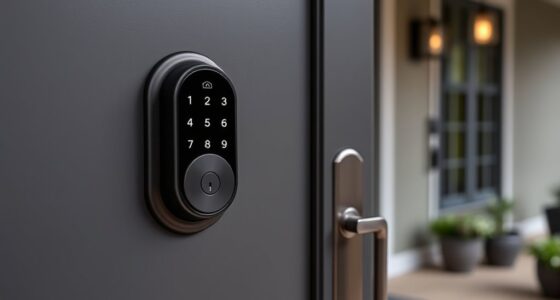
Emergency power options for your smart lock include backup batteries and manual override features. Backup batteries automatically power the lock during outages, so your lock stays functional without interruption. Manual override provides a physical key as a reliable fallback during power failures or system issues. Regularly checking and maintaining these options guarantees you’re prepared when needed. To discover how these features work together for your security and peace of mind, explore the details further.
Key Takeaways
- Battery backup systems provide secondary power, ensuring smart lock operation during outages.
- Manual override features allow unlocking with a physical key when electronic power fails.
- Emergency options like batteries and keys work together for comprehensive security during power disruptions.
- Regular maintenance of batteries and keys is essential for reliable emergency access.
- These features enhance home security and offer peace of mind during unexpected power failures.

Have you ever wondered what happens when your smart lock loses power? It’s a situation that can leave you feeling vulnerable if you’re not prepared. Luckily, many smart locks come equipped with emergency power options to keep your home secure and accessible. One common feature is a battery backup system. This backup acts as a secondary power source, allowing the lock to operate even when the main power source—or the house’s electrical system—is down. Battery backups are typically designed to be easy to replace or recharge, giving you peace of mind that your lock will function during outages or if the primary batteries die unexpectedly. They usually kick in automatically once the main power fails, guaranteeing you won’t be locked out or unable to unlock your door when you need to.
Battery backups ensure your smart lock remains functional during power outages.
Beyond the battery backup, another critical feature is the manual override. This is an essential safety measure that allows you to unlock your door without relying on electronic power. Usually, a key slot hidden discreetly somewhere on the lock provides this fallback option. Using the manual override, you can unlock the door with a physical key—something that’s especially useful during power outages, system malfunctions, or if the electronic components fail. It’s important to keep a physical key in a safe, accessible place, and check periodically that it’s in good condition. Manual override offers a reliable, straightforward way to gain entry when your smart lock’s electronic features aren’t working. Additionally, some smart locks incorporate wall organization systems to help keep keys and emergency tools easily accessible and organized for quick use during emergencies.
Having both a battery backup and a manual override means you’re well-armed against unexpected power issues. They’re designed to work together, guaranteeing your smart lock remains functional regardless of power disruptions. The battery backup provides ongoing power, while the manual override offers an immediate, fail-safe method of entry. Some locks even have indicators to alert you when battery levels are low, so you can replace or recharge them before they run out completely. It’s wise to familiarize yourself with how these emergency options work and to regularly test them, so you’re prepared for any situation.
In essence, these features are crucial for maintaining security and convenience. They give you control and assurance, knowing that even in a power outage, you can still access your home safely. Investing in a smart lock with a reliable battery backup and manual override isn’t just about convenience; it’s about safeguarding your home and your peace of mind. When emergencies happen, these options ensure you’re never left stranded outside or locked out.
Frequently Asked Questions
Can Emergency Power Options Damage My Smart Lock?
Emergency power options won’t damage your smart lock if used properly. Avoid power surges by using a compatible power source and don’t connect unapproved devices. Also, be cautious of battery leakage, which can harm the lock’s electronics. When providing emergency power, follow the manufacturer’s instructions carefully to prevent any damage. Proper use guarantees your smart lock remains functional without risking harm from these common issues.
How Long Do Emergency Power Sources Typically Last?
Emergency power sources usually last between a few hours to a couple of days, depending on the power source type and battery lifespan. If you use a portable battery pack or external power supply, expect it to last around 8-24 hours with moderate use. Always keep spare batteries on hand, and choose reliable power sources to guarantee your smart lock remains accessible during power outages.
Are Emergency Power Solutions Compatible With All Smart Lock Models?
Emergency power solutions aren’t compatible with all smart lock models because battery compatibility varies. Some locks support common power source types like backup batteries or portable power banks, while others require specific accessories. Before using an emergency power source, check your lock’s specifications to confirm the compatibility. You’ll want to verify the supported power source types and battery compatibility to ensure a seamless backup during power outages or lock malfunctions.
Do Emergency Power Options Affect Smart Lock Warranty?
Emergency power options usually won’t void your smart lock’s warranty if you use a compatible battery backup or power source. Think of it as adding a safety net—if you stick to recommended power sources, you’re not sailing into uncharted waters. Always check the manufacturer’s guidelines to guarantee your battery backup matches your lock’s requirements, so you can keep your smart lock protected without risking warranty issues.
What Safety Precautions Should I Take When Using Emergency Power?
When using emergency power, guarantee battery safety by avoiding direct contact with exposed terminals and keeping the power source away from water. Always verify power source compatibility to prevent damage to your smart lock. Use the recommended backup batteries or power adapters provided by the manufacturer. Additionally, disconnect the power source promptly once the lock is operational to prevent overcharging or short circuits, maintaining both safety and device integrity.
Conclusion
Knowing your emergency power options guarantees you’re never locked out when it matters most. Did you know that over 60% of smart lock users have faced battery issues at some point? Being prepared with backup power sources like portable chargers or mechanical keys can save you stress and hassle. Stay proactive, keep backup plans ready, and enjoy peace of mind knowing you’re always in control—even during power outages.