To establish IFTTT for advanced security workflows, start by connecting your smart security devices like cameras, sensors, and locks to the platform. Create custom triggers based on activity, time, or device status, and link them to actions such as notifications, alarms, or lighting adjustments. Use layered workflows to respond swiftly to threats and guarantee seamless device communication. Keep exploring options to build more sophisticated automations that elevate your security system even further.
Key Takeaways
- Identify compatible security devices and connect them with IFTTT for seamless automation integration.
- Create specific triggers based on motion detection, door sensors, or time to activate security protocols.
- Combine multiple triggers and actions to develop layered, complex security workflows.
- Automate alerts, alarms, or device responses instantly to security events for rapid threat mitigation.
- Regularly test and update automation setups to ensure reliability and enhance overall security effectiveness.
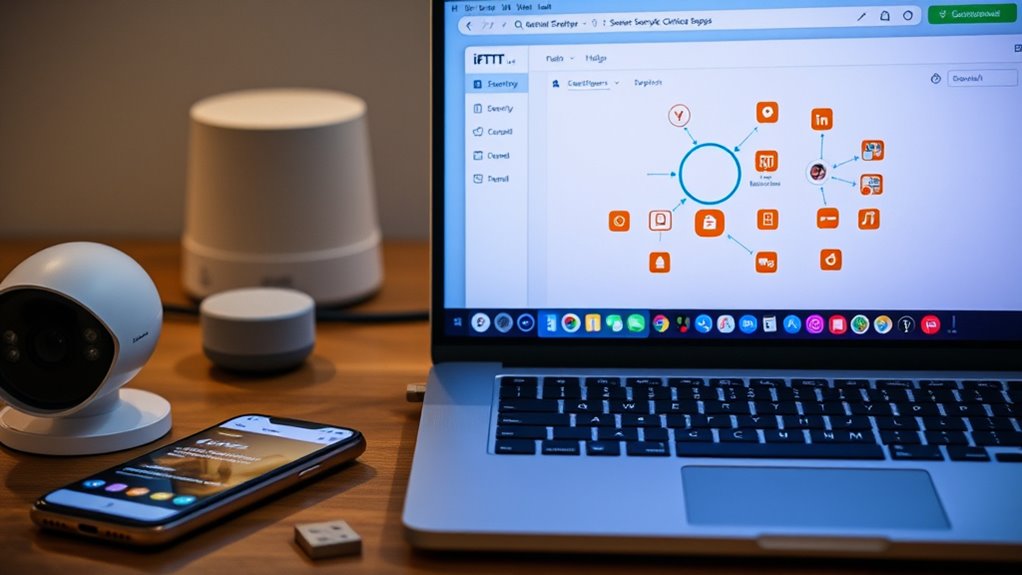
If you’re looking to enhance your security workflows, setting up IFTTT can be a game-changer. IFTTT, or If This Then That, allows you to automate actions across multiple devices and services, creating a seamless security system tailored to your needs. The key to opening its potential lies in understanding how to leverage automation triggers and device integration effectively. When you set up IFTTT, you create specific triggers that respond to security events, such as motion detection, door opening, or unusual activity. These triggers act as the starting point, enabling your devices and apps to communicate and react instantly. To do this, you’ll need to connect your security devices—like cameras, sensors, and smart locks—to IFTTT through compatible integrations. Device integration is vital because it guarantees your hardware and software can work together smoothly. Many smart security devices already support IFTTT, so linking them is straightforward. Once integrated, you can customize automation triggers so that a security breach results in immediate actions, like turning on lights, sending notifications, or activating alarms. For example, if a motion sensor detects movement after hours, IFTTT can trigger your smart lights to turn on and send an alert to your phone. This setup not only increases your security but also provides peace of mind by automating your response to potential threats. You can also create layered workflows, combining multiple triggers and actions for more robust security protocols. For example, if your smart doorbell detects someone at the door and your security cameras notice movement nearby, IFTTT can simultaneously record footage, alert you, and lock the door if it’s unexpectedly opened. The beauty of IFTTT’s automation triggers is their flexibility. You can set them to activate based on time, location, device status, or specific events, giving you control over how your security system responds. Device integration assures these triggers work reliably, creating a unified security network that operates without manual intervention. Additionally, utilizing sound recording techniques can help capture crucial evidence during security incidents, making your system even more effective. As you build out your workflows, keep in mind that testing each automation is essential to confirm it functions as intended. Regularly updating your device integrations and refining triggers will help keep your security system responsive and effective. With the right setup, IFTTT transforms your security devices into a cohesive, automated system that reacts swiftly to threats, reducing your need for constant monitoring. By mastering automation triggers and device integration, you streamline your security workflows, making them smarter, faster, and more reliable. This approach not only enhances your safety but also saves you time and effort, giving you greater confidence in your home or business security.
smart security camera with IFTTT integration
As an affiliate, we earn on qualifying purchases.
As an affiliate, we earn on qualifying purchases.
Frequently Asked Questions
Can I Integrate IFTTT With Legacy Security Systems?
Yes, you can integrate IFTTT with legacy security systems, but it may require additional tools or custom connectors. Since legacy systems often lack modern security protocols, you’ll need to guarantee compatibility and secure data transmission. Use third-party middleware or APIs to bridge the gap. Keep security protocols in mind during setup to avoid vulnerabilities, and test thoroughly to ensure seamless operation without compromising your system’s security.
What Are the Best Security Practices for IFTTT Workflows?
You should prioritize strong access controls, like using unique passwords and two-factor authentication, to secure your IFTTT workflows. Enable device encryption where possible to protect data transmitted between devices. Regularly review and update your applets to eliminate unnecessary ones, reducing potential vulnerabilities. Always keep your devices and apps updated, and avoid sharing sensitive information through IFTTT. These practices help maintain the security and integrity of your automations.
How Do I Troubleshoot IFTTT Security Automation Failures?
When troubleshooting IFTTT security automation failures, start by checking your security logs for errors or unusual activity. Use automation debugging tools to identify where the workflow breaks down. Confirm your applets have the correct permissions and connections. Test each step manually to isolate issues. By reviewing logs and debugging, you can quickly pinpoint problems and restore your security automation to work seamlessly.
Are There Privacy Concerns With IFTTT Security Integrations?
Yes, there are privacy concerns with IFTTT security integrations. You might worry about data sharing, as your personal information and security details are transmitted between services. Always review each applet’s permissions and privacy policies, and limit the data you share. Use two-factor authentication where possible, and regularly update your passwords. Being cautious helps protect your privacy while enjoying the automation benefits IFTTT offers.
Can I Set up Multi-Factor Authentication Within IFTTT?
You can’t directly set up multi-factor authentication within IFTTT itself, but you can enhance your security workflows by integrating apps that support MFA. Use IFTTT to trigger actions based on MFA-enabled apps or services, creating layered security. For example, you can connect your authentication app to automate alerts or lock devices after MFA verification, strengthening your overall security posture. Just guarantee your connected services support MFA for maximum protection.
smart lock compatible with IFTTT
As an affiliate, we earn on qualifying purchases.
As an affiliate, we earn on qualifying purchases.
Conclusion
By setting up IFTTT for your security workflows, you’re building a digital fortress that reacts instantly to threats. Think of it as planting a network of security sensors around your home—each one working together to protect what matters most. With these automated workflows in place, you’re transforming your security system into a vigilant guardian that never sleeps, giving you peace of mind in a world full of surprises.
As an affiliate, we earn on qualifying purchases.
home security alarm system with automation
As an affiliate, we earn on qualifying purchases.
As an affiliate, we earn on qualifying purchases.