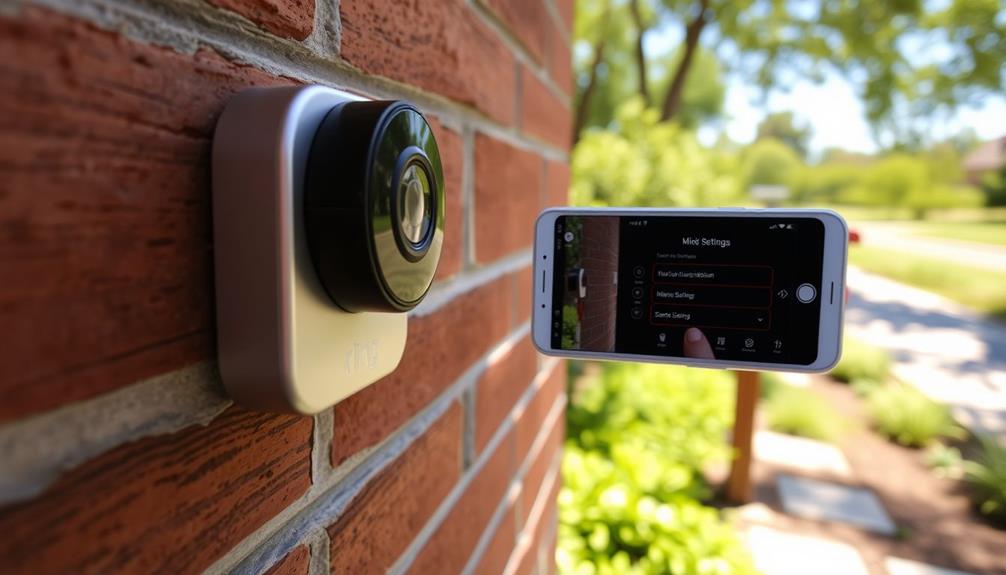
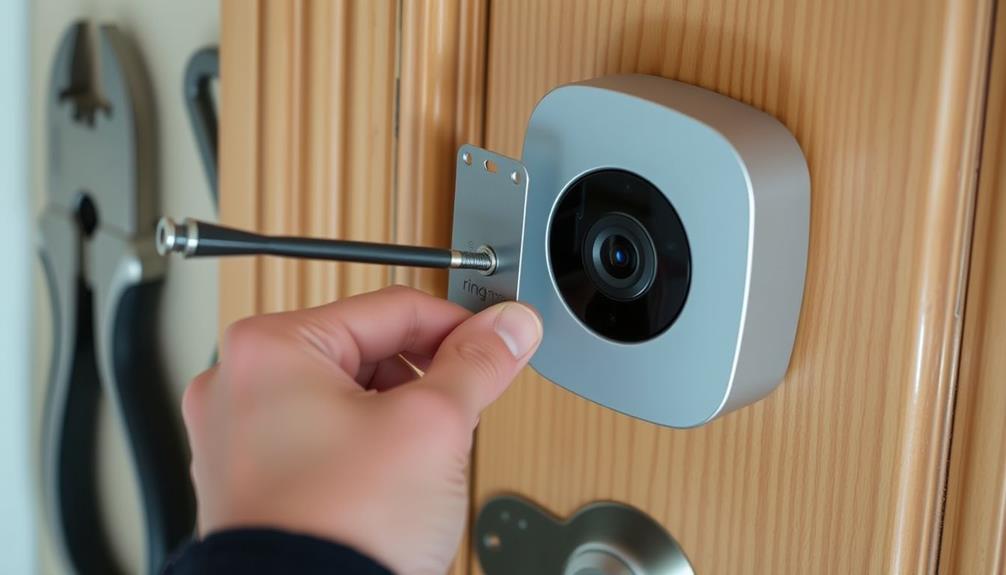
A knock-off Ring doorbell can add alerts, live video, and two-way talk without tying you to Ring’s ecosystem, but features and storage options vary widely. My best overall pick is the TP-Link Tapo D210, which pairs 2K video with a chime; the Tapo D205 is another strong choice for shoppers who want a simpler Tapo option, while the VEVOR 2K stands out for its wide 170° view. The main tradeoffs are video clarity versus battery life, included chimes versus app-only alerts, and cloud features versus local storage. App support and subscription requirements can also matter as much as camera specs. Read on for how all 10 options compare and which one fits your door, network, and priorities.

Get privacy and security gear delivered free with Prime
- Fast, free delivery on millions of items
- Prime Video, Amazon Music and more included
- Member-only deals all year
Key Takeaways
Tapo leads the comparison: The D210 earns the best-overall role for its 2K video and included chime, while the D205 offers a more straightforward alternative in the same product family.
Resolution alone does not settle the choice: Several models offer 2K, so field of view, app controls, storage terms, and power needs can matter more when comparing footage and daily use.
The VEVOR’s 170° view is a distinct advantage: It may suit entrances where a broad view matters more than choosing a model primarily for compactness or a familiar smart-home app.
Chimes make a practical difference: The AUE and SYCAMTC models list a chime, which can help households that do not want to rely only on phone notifications.
Feature detail varies across the lineup: Models with less clearly specified app, storage, or ecosystem details deserve closer checking before purchase, even when their headline video resolution looks competitive.
| Splenssy Wireless WiFi Video Doorbell with Motion Detection and Two-Way Audio |  | Best for a Simple, Battery-Powered Setup | Resolution: 1 million pixels | Viewing angle: 120° horizontal; 150° diagonal | Battery: 3.7 V, 4,000 mAh rechargeable | VIEW ON AMAZON | See Our Full Breakdown |
| AUE Wireless 2K HD Video Doorbell Camera with Chime |  | Best for Adjustable Motion Monitoring | Resolution: 2K HD | Power source: Rechargeable battery | Wi-Fi: 2.4 GHz | VIEW ON AMAZON | See Our Full Breakdown |
| SYCAMTC M9 Wireless Video Doorbell Camera with Chime |  | Best for a Basic Doorbell-and-Chime Bundle | Video resolution: 960p | Model: M9-White | Night vision range: 15 meters | VIEW ON AMAZON | See Our Full Breakdown |
| TP-Link Tapo D210 2K Wireless Smart Video Doorbell with Chime |  | Best Overall for Local Recording and Smart-Home Features | Resolution: 2K | Field of view: 160° diagonal | Battery capacity: 6,400 mAh | VIEW ON AMAZON | See Our Full Breakdown |
| VicoHome DB1 Wireless 2K Video Doorbell Camera with Chime |  | Best for Package Alerts and an Added Deterrent | Video resolution: 2K HD | Detection: AI motion, people, and package detection | Night vision: Infrared | VIEW ON AMAZON | See Our Full Breakdown |
| ieGeek Wireless Video Doorbell Camera, 2K 3MP, White | 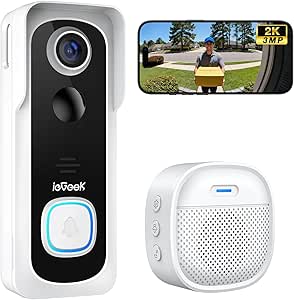 | Best for Flexible Storage | Resolution: 2K, 3MP | Motion detection range: Up to 16 ft | Wi-Fi: 2.4GHz only; no 5GHz support | VIEW ON AMAZON | See Our Full Breakdown |
| Swokely Wireless Video Doorbell Camera with TY App Control |  | Best for Dual-Band Wi-Fi | Video resolution: 1080P | Wi-Fi: 2.4GHz and 5GHz | Apps: TY and Smart Life | VIEW ON AMAZON | See Our Full Breakdown |
| VEVOR 2K Wireless Video Doorbell with 170° View |  | Best for Wide-Angle Coverage | Model: SC162-WCD3 | Video resolution: 1440p | Field of view: 170° | VIEW ON AMAZON | See Our Full Breakdown |
| Tapo D205 2K Wireless Smart Video Doorbell | 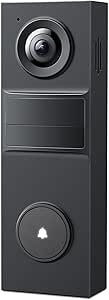 | Best for Activity Filtering | Resolution: 2K (3MP) | Field of view: 160° | Connectivity: 2.4GHz Wi-Fi | VIEW ON AMAZON | See Our Full Breakdown |
| Orbitell 1080p Wireless Video Doorbell Camera |  | Best for Weather Resistance | Model: M52 | Resolution: 1080p | Wi-Fi: 2.4GHz only; not compatible with 5GHz | VIEW ON AMAZON | See Our Full Breakdown |
| knock off ring doorbell | Resolution | Night vision | Wi-Fi | Battery |
|---|---|---|---|---|
| Splenssy Wireless WiFi Video D | 1 million pixels | 850 nm infrared, up to 5 m | — | 3.7 V, 4,000 mAh rechargeable |
| AUE Wireless 2K HD Video Doorb | 2K HD | — | 2.4 GHz | — |
| SYCAMTC M9 Wireless Video Door | — | — | 2.4 GHz only; does not support 5 GHz | — |
| TP-Link Tapo D210 2K Wireless | 2K | Full-color with motion-activated spotlight | — | — |
| VicoHome DB1 Wireless 2K Video | — | Infrared | 2.4 GHz only | — |
| ieGeek Wireless Video Doorbell | 2K, 3MP | — | 2.4GHz only; no 5GHz support | 5200mAh built-in rechargeable, non-removable |
| Swokely Wireless Video Doorbel | — | Infrared with 6 LED lights | 2.4GHz and 5GHz | 3.7V / 2200mAh; rated for up to two months |
| VEVOR 2K Wireless Video Doorbe | — | Full-color; up to 16.4 ft (5 m) | — | 5300mAh; claimed up to 180 days at 5 uses per day |
| Tapo D205 2K Wireless Smart Vi | 2K (3MP) | Infrared | — | Capacity listed as 5,200mAh in item details and 6,400mAh in product description; claimed up to 180 days |
| Orbitell 1080p Wireless Video | 1080p | — | 2.4GHz only; not compatible with 5GHz | — |
More Details on Our Top Picks
Splenssy Wireless WiFi Video Doorbell with Motion Detection and Two-Way Audio
For buyers seeking a straightforward Ring-style alternative, the Splenssy combines app-based video calls, motion alerts, and a separate chime without requiring doorbell wiring. Its 4,000 mAh rechargeable battery is listed for about six months under a specific light-use estimate, so frequent activity could shorten the interval. Infrared night vision reaches up to 5 m, while the 120° horizontal view gives a useful front-door perspective, though it is narrower than the TP-Link Tapo D210’s 160° diagonal coverage. The 38 adjustable-volume chimes and family sharing help households tailor alerts. One setup wrinkle: motion detection is off by default, so buyers need to switch it on in the app. Pick this over more feature-rich options for a simpler package; skip it if broad coverage or stronger detail is the priority.
Pros:- Rechargeable battery supports a wireless installation
- Two-way audio and mobile video calls let residents speak to visitors remotely
- Infrared night vision is specified for darkness up to 5 m
- Includes a USB chime with 38 adjustable-volume settings
Cons:- Motion detection is turned off by default and must be enabled in the app
- The 1-million-pixel resolution and 120° horizontal view are modest beside the 2K TP-Link Tapo D210
- The listed six-month standby estimate assumes only 10 daily activations of 30 seconds each
Best for: Renters or homeowners who want a rechargeable doorbell, app calls, and an included chime without a wired installation
Not ideal for: Buyers who need a wide viewing area, high-resolution video, or motion alerts active immediately after setup
- Resolution:1 million pixels
- Viewing angle:120° horizontal; 150° diagonal
- Battery:3.7 V, 4,000 mAh rechargeable
- Stated standby time:About 6 months at 10 activations per day, 30 seconds each
- Night vision:850 nm infrared, up to 5 m
- App:X Smart Home
- Doorbell dimensions:110 × 55 × 36 mm
- Included:USB chime, Type-C charging cable, English manual, screwdriver
Our verdict“Choose the Splenssy for basic wireless calling and a configurable chime, but choose the TP-Link Tapo D210 if wider coverage and sharper video matter more.”
AUE Wireless 2K HD Video Doorbell Camera with Chime
The AUE is a strong match for households that want 2K video and control over motion coverage without running doorbell wiring. Its PIR sensor and customizable activity zones can help focus alerts on the approach rather than every movement in view, a useful distinction from the simpler Splenssy, whose motion detection must be enabled manually and offers no listed zone controls. The AUE also specifies IP66 weather resistance and infrared night vision up to 33 ft, giving it a sturdier weather rating and longer stated night range than the SYCAMTC M9’s IP65 rating and 15-meter night-vision claim. The tradeoffs are its 2.4 GHz-only Wi-Fi and cloud storage that requires a subscription after the free trial. I’d favor it for monitoring flexibility, but not for buyers who want to avoid cloud fees or need 5 GHz Wi-Fi.
Pros:- 2K HD video provides more detail than the Splenssy’s listed 1-million-pixel resolution
- PIR motion detection and customizable activity zones let users tailor alerts
- IP66 weather resistance is a stronger stated rating than the SYCAMTC M9’s IP65
- Includes two-way audio and infrared night vision specified up to 33 ft
Cons:- Connects to 2.4 GHz Wi-Fi only
- Cloud storage requires a subscription after the 7-day free trial
- Rechargeable battery means the doorbell needs periodic charging
Best for: Households that want 2K video, configurable motion zones, and a weather-resistant wireless doorbell
Not ideal for: Buyers whose router uses only 5 GHz Wi-Fi or who want ongoing cloud recording without a subscription
- Resolution:2K HD
- Power source:Rechargeable battery
- Wi-Fi:2.4 GHz
- Motion detection:PIR sensor with customizable activity zones
- Night vision range:Up to 33 ft
- Weather resistance:IP66
- Audio:Two-way audio
- Cloud storage:AES 128-encrypted; 7-day free trial
Our verdict“Choose the AUE if motion-zone controls and a higher weather-resistance rating matter more than subscription-free cloud recording.”
SYCAMTC M9 Wireless Video Doorbell Camera with Chime
The SYCAMTC M9 keeps its feature set focused: 960p video, app-based live view, two-way audio, night vision, and an included chime. That makes it a basic Ring-style option for buyers who want to see and answer visitors without paying for a more elaborate detection setup. Against the AUE, it gives up 2K resolution, customizable activity zones, and an IP66 rating, but its cloud plan is described as optional rather than a required ongoing storage route. The stated 15-meter night-vision range is useful on paper, though the product data does not specify a video field of view or battery capacity. It connects only to 2.4 GHz Wi-Fi, like the AUE and Splenssy. I’d choose it for basic live communication, not for detailed identification or advanced alert filtering.
Pros:- Includes a chime with the rechargeable doorbell
- Mobile-app live view and two-way audio support remote conversations
- Lists a 15-meter night-vision range
- IP65 water resistance and optional cloud storage are specified
Cons:- 960p video offers less detail than the AUE and TP-Link Tapo D210 2K models
- Supports 2.4 GHz Wi-Fi only
- Cloud recording is sold separately, and battery capacity is not provided in the listed specifications
Best for: Buyers who want a battery-powered doorbell with live view, two-way talk, and an included chime for basic visitor checks
Not ideal for: Shoppers who need 2K detail, activity-zone controls, a 5 GHz connection, or clearly specified battery capacity
- Video resolution:960p
- Model:M9-White
- Night vision range:15 meters
- Wi-Fi:2.4 GHz only; does not support 5 GHz
- Power source:Rechargeable battery
- Water resistance:IP65
- Dimensions:2.08 × 0.94 × 3.35 inches
- Included items:Doorbell, chime, manual, USB cable
Our verdict“Pick the SYCAMTC M9 for a basic wireless doorbell-and-chime setup, but choose the AUE for sharper video and adjustable motion zones.”
TP-Link Tapo D210 2K Wireless Smart Video Doorbell with Chime
The Tapo D210 earns the lead for buyers who want a well-rounded Ring-style replacement with more than basic visitor calls. Its 2K resolution, 160° diagonal view, person detection, and activity zones give it a stronger combination of coverage and alert control than the Splenssy or SYCAMTC M9. Full-color night vision with a motion-activated spotlight can also make nighttime footage easier to interpret than the infrared-only night vision listed for those models. The standout difference is microSD recording up to 512 GB, which gives buyers a local-storage path that the AUE’s cloud-focused description does not offer. That card is not included, and cloud video history still requires a subscription. Battery life also varies with use and conditions. I’d choose this for flexible recording and smart-home integration, not for a no-setup, no-extra-accessory purchase.
Pros:- 2K resolution and 160° diagonal view offer broader coverage than the Splenssy
- Person detection and activity zones help tailor motion alerts
- Supports local microSD storage up to 512 GB
- Full-color night vision, two-way audio, and Alexa and Google Assistant display support
Cons:- microSD card is not included
- Cloud video history requires a Tapo Care subscription
- Battery life varies with usage and environmental conditions; Wi-Fi is 2.4 GHz only
Best for: Smart-home households that want broad 2K coverage, person detection, Alexa or Google Assistant support, and local recording
Not ideal for: Buyers who want an included microSD card, 5 GHz Wi-Fi, or cloud video history without a subscription
- Resolution:2K
- Field of view:160° diagonal
- Battery capacity:6,400 mAh
- Connectivity:2.4 GHz Wi-Fi
- Local storage:microSD card up to 512 GB; card not included
- Night vision:Full-color with motion-activated spotlight
- Audio:Two-way audio
- Smart-home compatibility:Alexa and Google Assistant-supported displays
Our verdict“Choose the Tapo D210 if local recording, wide coverage, and smart-home features are your priorities; skip it if you want all storage accessories included.”
VicoHome DB1 Wireless 2K Video Doorbell Camera with Chime
The VicoHome DB1 stands apart from the more conventional Splenssy and SYCAMTC M9 by combining AI motion, people, and package detection with a built-in siren. That makes it a better fit for buyers who want delivery notifications and a way to respond to activity, not just answer the door. Its 2K video, infrared night vision, included wireless chime, and stated free three-day rolling cloud storage form a capable feature set without making a cloud subscription the only listed recording route; microSD recording is also supported. However, the card is not included, and the product data gives conflicting maximum capacities—128 GB in item details and 256 GB in the description. Like the AUE, it is limited to 2.4 GHz Wi-Fi. I’d pick it for package-focused monitoring, but choose the Tapo D210 for its clearer local-storage capacity and broader stated view.
Pros:- AI detection includes motion, people, and packages
- Built-in siren adds a remote deterrent not listed for the AUE or SYCAMTC M9
- 2K video, infrared night vision, and two-way audio support visitor monitoring
- Includes a wireless chime and lists free three-day rolling cloud storage
Cons:- Supports 2.4 GHz Wi-Fi only
- microSD card is not included, and the listed maximum capacity conflicts between 128 GB and 256 GB
- No field-of-view measurement is provided in the supplied product data
Best for: Households that regularly receive deliveries and want package alerts, two-way talk, and a remotely activated siren
Not ideal for: Buyers who require a confirmed microSD capacity, 5 GHz Wi-Fi, or a listed wide-angle field of view
- Video resolution:2K HD
- Detection:AI motion, people, and package detection
- Night vision:Infrared
- Battery capacity:5,000 mAh
- Weather resistance:IP65
- Wi-Fi:2.4 GHz only
- Local storage:MicroSD supported; listed capacity conflicts between up to 128 GB and up to 256 GB
- Included accessories:Wireless chime, power adapter, USB cable, mounting kit, user manual
Our verdict“Choose the VicoHome DB1 for package detection and a built-in siren, but choose the Tapo D210 if you want a clearly specified local-storage limit and viewing angle.”
ieGeek Wireless Video Doorbell Camera, 2K 3MP, White
The ieGeek makes a strong case for buyers who want a Ring-style camera without making cloud storage the only recording option. Its 2K video, motion alerts, night vision, and two-way audio cover the core doorbell jobs, while free basic cloud storage and support for a separately purchased memory card give you two ways to save clips. Compared with the Swokely, it offers higher stated resolution and more explicit storage flexibility, but Swokely supports both 2.4GHz and 5GHz Wi-Fi; this ieGeek works on 2.4GHz only. The built-in battery is rated for up to 40 days under stated usage, though frequent alerts can change that, and it cannot be swapped out. This is a practical pick for subscription-averse households, not for buyers who need wired power or quick battery replacement.
Pros:- 2K, 3MP video with night vision and motion alerts
- Free basic cloud storage plus support for a memory card up to 128GB
- Two-way audio includes an adjustable voice changer
- Battery is rated for up to 40 days at 20 triggers per day
Cons:- Connects to 2.4GHz Wi-Fi only
- Built-in battery is non-removable and cannot be replaced for a quick recharge
- Memory card must be purchased separately
Best for: Households seeking a Ring-style 2K doorbell with basic cloud storage and the option to save clips to a memory card.
Not ideal for: Homes with only 5GHz Wi-Fi, or buyers who want wired installation or a removable battery.
- Resolution:2K, 3MP
- Motion detection range:Up to 16 ft
- Wi-Fi:2.4GHz only; no 5GHz support
- Storage:Free basic cloud storage; supports memory cards up to 128GB (not included)
- Battery:5200mAh built-in rechargeable, non-removable
- Claimed battery life:Up to 40 days at 20 triggers per day; may vary
- Audio:Two-way audio with adjustable voice changer
- Compatibility and installation:Amazon Alexa and ieGeek Cam app; adhesive or nail door mounting
Our verdict“Choose the ieGeek if storage choice matters more than dual-band Wi-Fi or a replaceable battery.”
Swokely Wireless Video Doorbell Camera with TY App Control
The Swokely is the most connectivity-flexible pick in this group: unlike the ieGeek and Tapo D205, it supports both 2.4GHz and 5GHz Wi-Fi. That can make setup easier in a home where the router uses both bands, though the doorbell still records at 1080P rather than the sharper 2K offered by those two alternatives. PIR motion detection, infrared night vision, app notifications, and two-way audio cover everyday visitor checks, while the stated battery life of up to two months reduces how often charging may be needed. Local recording is available with a separately purchased TF card, but no free cloud option is listed. Its included USB chime and charging cable make it a more ready-to-install package than models that omit a chime, but buyers should confirm the TY or Smart Life app suits their setup.
Pros:- Supports both 2.4GHz and 5GHz Wi-Fi
- Includes a USB chime, charging cable, bracket, and mounting screws
- PIR motion detection, infrared night vision, and two-way audio
- Battery is rated for up to two months
Cons:- 1080P resolution is lower than the 2K ieGeek and Tapo D205
- TF card for local recording is not included
- No free cloud-storage option is specified
Best for: Households with a dual-band router that want a wireless doorbell with an included USB chime and app-based visitor alerts.
Not ideal for: Buyers who prioritize 2K detail or want included local storage media or a stated free cloud-storage option.
- Video resolution:1080P
- Wi-Fi:2.4GHz and 5GHz
- Apps:TY and Smart Life
- Motion detection:PIR; up to 10m (32.8 ft), 110°
- Night vision:Infrared with 6 LED lights
- Battery:3.7V / 2200mAh; rated for up to two months
- Storage:Supports TF cards up to 128GB; card not included
- Included accessories:USB chime, bracket, USB-C charging cable, manual, and installation screws
Our verdict“Pick the Swokely if dual-band Wi-Fi and an included chime matter more to you than 2K video.”
VEVOR 2K Wireless Video Doorbell with 170° View
The VEVOR stands out for its 170° field of view, the broadest stated coverage among these five options. That wider frame can help show more of a porch or entry area than the Tapo D205, which has a 160° view, while 1440p video, human and package detection, and color night vision add useful detail for checking visits after dark. The VEVOR also offers battery or wired power, a flexibility the battery-only ieGeek does not provide. Its battery is rated for up to 180 days at just five uses per day, so that claim may not match busier entrances. Recordings require a separately purchased TF card or TUYA cloud storage, making storage setup less straightforward than ieGeek’s free basic cloud option. Choose it for coverage and power choice, not for included storage.
Pros:- 170° field of view captures a wider area than the Tapo D205’s 160° view
- 1440p video with full-color night vision up to 16.4 ft
- Human and package detection with app alerts and two-way audio
- Supports battery or wired power
Cons:- TF card must be purchased separately, and cloud storage uses TUYA
- Claimed 180-day battery life is based on only five uses per day
- No included chime is listed in the supplied product details
Best for: Homeowners who want a broad view of the doorstep, package detection, and the choice of battery or wired power.
Not ideal for: Buyers who want included local storage media or a clearly specified free cloud-storage plan.
- Model:SC162-WCD3
- Video resolution:1440p
- Field of view:170°
- Night vision:Full-color; up to 16.4 ft (5 m)
- Battery:5300mAh; claimed up to 180 days at 5 uses per day
- Storage:TF card up to 128GB (sold separately) or TUYA cloud storage
- Power:Battery or wired
- Compatibility:Alexa and Google Assistant
Our verdict“Choose the VEVOR if wide porch coverage and battery-or-wired installation outweigh storage add-ons.”
Tapo D205 2K Wireless Smart Video Doorbell
The Tapo D205 is the more tailored choice for households that want to reduce irrelevant alerts: AI person detection and custom activity zones help focus notifications on the areas that matter. Its 2K video and 160° view give it a clearer, more configurable setup than the 1080P Swokely, though the VEVOR sees a wider 170° area and adds color night vision. Tapo instead offers infrared night vision, 2.4GHz Wi-Fi, two-way audio, and local recording to a microSD card up to 512GB. The card and chime are not included, and cloud storage is optional, so the full setup may require extra accessories or a subscription. The supplied battery details also conflict on capacity, listing both 5,200mAh and 6,400mAh; treat the up-to-180-day life claim as usage-dependent.
Pros:- 2K video with a 160° field of view
- AI person detection and custom activity zones can help limit unwanted alerts
- Supports local microSD storage up to 512GB without requiring cloud storage
- Two-way audio and compatibility with Alexa and Google Assistant
Cons:- MicroSD card and chime are sold separately
- Supports 2.4GHz Wi-Fi only
- Battery capacity is listed inconsistently, and actual life varies with use
Best for: People who want person-focused alerts and custom activity zones, with the option to keep recordings on a large-capacity microSD card.
Not ideal for: Buyers who need 5GHz Wi-Fi, an included chime, or color night vision.
- Resolution:2K (3MP)
- Field of view:160°
- Connectivity:2.4GHz Wi-Fi
- Detection and alerts:AI person detection, custom activity zones, and visitor call alerts
- Night vision:Infrared
- Battery:Capacity listed as 5,200mAh in item details and 6,400mAh in product description; claimed up to 180 days
- Storage:microSD up to 512GB (sold separately); optional cloud storage
- Weather resistance and chime:IP54; chime not included
Our verdict“Choose the Tapo D205 if person filtering and configurable alert zones matter more than an included chime or dual-band Wi-Fi.”
Orbitell 1080p Wireless Video Doorbell Camera
The Orbitell M52 takes a simpler route than the 2K models here: it records at 1080p but pairs that resolution with AI person detection, motion alerts, night vision, and two-way audio. Its IP65 weather rating is the strongest stated protection in this five-product group; the Tapo D205, for comparison, is rated IP54. That distinction may matter for a more exposed entry, though the supplied details do not give a battery capacity or battery-life estimate, making upkeep harder to predict than with the Swokely or VEVOR. Orbitell uses 2.4GHz Wi-Fi only, like the ieGeek and Tapo, and its pre-capture recording requires a cloud subscription. AES-128 encrypted cloud storage is specified, but buyers seeking local card storage or 2K footage should favor another option.
Pros:- IP65 weather-resistant design, compared with IP54 on the Tapo D205
- AI person detection helps distinguish people from vehicles and animals
- Two-way audio, motion alerts, and infrared night vision
- AES-128 encrypted cloud storage is specified
Cons:- 1080p resolution is lower than the 2K ieGeek, VEVOR, and Tapo D205
- Works with 2.4GHz Wi-Fi only
- Pre-capture recording requires a cloud subscription; no local storage option is specified
Best for: Buyers installing a wireless doorbell at an exposed entrance who value a stronger stated weather-resistance rating and person alerts.
Not ideal for: People who need 2K video, 5GHz Wi-Fi, local card storage, or pre-capture recording without a cloud subscription.
- Model:M52
- Resolution:1080p
- Wi-Fi:2.4GHz only; not compatible with 5GHz
- Detection:AI person detection and motion alerts
- Audio and night vision:Two-way audio; infrared LEDs
- Cloud storage:AES-128 encrypted; pre-capture recording requires a subscription
- Weather resistance:IP65
- Dimensions and weight:1.77 x 1.34 x 5.4 inches; 6.08 ounces
Our verdict“Choose the Orbitell if weather protection and person alerts matter more than 2K detail or local recording.”

How We Picked
I ranked these doorbells around the choices that most affect day-to-day use: stated video resolution and view, included chime, wireless setup, two-way communication, motion detection, and how clearly the product information describes its app and storage setup. I gave extra weight to a balanced feature set, since a sharp camera is less useful if alerts are inconvenient or the doorbell does not suit the household’s notification habits.
The Tapo D210 takes the top spot for combining 2K video and a chime, while the D205 remains a useful alternative with a simpler product profile. Other picks rank for narrower needs, such as the VEVOR’s 170° view or models that specify a chime. I treated unclear details as a reason for buyers to verify compatibility, storage terms, and power requirements rather than assuming features that are not stated. No model is a direct Ring replacement for every household, so the order reflects the strength of the listed features and the ease of matching them to a buyer’s priorities.
Factors to Consider When Choosing Knock Off Ring Doorbell
Choosing a Ring alternative is less about matching a single spec and more about avoiding a mismatch between the doorbell and your home. I would check the practical details below before choosing a model, especially if you rely on indoor alerts, want to avoid recurring service fees, or have a weak Wi-Fi signal near the entrance.
Decide What You Need the Camera to Show
Resolution and field of view answer different questions: resolution affects detail, while field of view affects how much of the approach appears in frame. A wider view may show packages or visitors standing off to one side, but it can make people look smaller in the image. Think about your entry layout before treating a 2K label as the deciding feature. A narrow porch may benefit more from broad coverage, while a long walkway may make detail at a distance more useful. Check whether the manufacturer states the viewing angle and look for sample footage when available. Do not assume that two cameras with the same resolution will frame your doorway equally well.
Check Storage and Subscription Terms Before Buying
Video doorbells can handle recordings through cloud plans, local storage, or a combination, and the details affect both ongoing costs and access to past events. A camera that sends live alerts may not retain clips in the way you expect. Before choosing, find out what recording features work without a subscription, how long clips remain available, and whether local storage needs a separate card or hub. Also check whether the app makes it easy to download or share an event. A common mistake is to compare camera hardware while overlooking the recording policy. If you want to avoid monthly fees, prioritize clearly documented local recording rather than relying on a vague storage claim.
Match the Power Setup to Your Household
Wireless can describe the network connection rather than a completely wire-free power setup, so confirm whether a model uses a rechargeable battery, existing doorbell wiring, or another arrangement. Battery-powered units can simplify installation, but frequent motion events, live viewing, and cold conditions may affect how often charging is needed. A wired connection can reduce charging interruptions, though installation may take more work and may not fit every doorway. Check the manufacturer’s installation requirements before removing an existing chime or ordering accessories. Households with a busy entrance should think about maintenance access, not just the initial installation. The best fit is the power method you can support without letting the camera go offline.
Test Wi-Fi and App Fit at the Front Door
A strong connection inside the home does not guarantee reliable video at the exterior door. Check signal strength at the mounting point and confirm which Wi-Fi band the doorbell supports before buying. App usability matters too: notification controls, shared access, and the steps needed to view recordings shape how convenient the system feels. If several household members need access, confirm that the app supports the arrangement you want. Do not assume that a non-Ring model will work with every smart display or home platform; check compatibility by exact model. A doorbell with appealing camera specs can still frustrate if alerts arrive late or the app does not suit your routine.
Choose Between a Chime and Phone-Only Alerts
An included chime can make a doorbell easier to hear when phones are on silent, charging, or in another room. Phone alerts are more flexible, but they depend on the network, app permissions, and each person’s notification settings. Check whether the chime plugs into an outlet, connects wirelessly, or needs separate setup, and find out whether its sound or volume can be adjusted. If you already have a compatible indoor chime, verify that the new doorbell can use it before counting it as a benefit. Buyers in larger homes may value a dedicated chime more than people who keep a phone nearby. This choice is about how your household notices visitors, not just which accessories come in the box.
Pay More Only for Features You Will Use
Premium features earn their place when they solve a real problem, such as better coverage, more useful recording controls, or easier integration with devices you already own. A higher resolution is less compelling if your Wi-Fi struggles or you rarely review footage. Likewise, a low-cost model may prove inconvenient if its app, storage rules, or replacement parts are hard to verify. Compare the full ownership setup: power, chime, storage, compatible accessories, and any paid services. For a rental or secondary entrance, a straightforward camera may be enough; for a main entrance, dependable alerts and clear recording terms may matter more. Choose based on the everyday job you need the doorbell to do, not the longest feature list.
Frequently Asked Questions
Will a Ring alternative work with my existing wired doorbell or chime?
Compatibility depends on the exact doorbell model and your existing wiring, so do not assume a wireless camera can connect to a wired chime. Check the manufacturer’s installation guide for supported voltage and chime types before removing your current unit. Some products include a separate wireless chime, which may be easier than adapting existing hardware. If your setup is unusual, take a photo of the wiring and ask the manufacturer or a qualified installer to confirm compatibility. This check can prevent buying a doorbell that needs extra equipment or a different installation plan.
Can I use these doorbells without paying for cloud storage?
That depends on the model’s recording options, and live viewing does not necessarily mean recorded clips are stored without a plan. Look for explicit details about local storage, free event history, and which features require a subscription. Confirm whether local recording needs an added memory card, base station, or other accessory. If avoiding recurring fees is a priority, compare the complete storage setup before choosing rather than relying on the phrase “no subscription” alone. Also check how long recordings remain available and whether you can save important clips outside the app.
Is a 2K doorbell worth choosing over a 1080p model?
2K can provide more image detail, especially when viewing a recording on a larger screen or trying to distinguish details in a well-lit scene. It does not guarantee clearer footage in every situation: lighting, focus, Wi-Fi quality, and the camera’s view all affect what you can make out. A 1080p model may suit a small entryway or a buyer who values a simpler setup over extra resolution. Check sample footage and the camera’s field of view when available. Choose 2K when the added detail serves a specific need, not simply because the number is higher.
What should I check if alerts arrive late or the video keeps disconnecting?
Start by checking Wi-Fi signal at the mounting spot, since exterior walls and distance from the router can weaken the connection. Review the app’s notification permissions and battery status, then check whether the doorbell supports your router’s network settings. If performance remains inconsistent, a better router position or a compatible Wi-Fi extender may help. Avoid assuming that a camera fault is the only cause; the network and phone settings are common sources of missed alerts. Before buying, confirm that your network can reach the doorway and that the product supports it.
Which features matter most if my household cannot rely on phone notifications?
Prioritize a model with a compatible indoor chime, and verify that the chime is included rather than sold separately. Check its setup method, power source, volume controls, and whether it continues to alert if a phone is offline. A dedicated chime is useful for people who leave phones in another room or share responsibility for answering the door. You may still want app alerts for remote access, but they should not be the only way your household hears a visitor. Also consider placing the chime where it can be heard across the rooms you use most.
Conclusion
For most shoppers, I would start with the TP-Link Tapo D210 as the best overall choice: its 2K video and included chime make a balanced starting point among these alternatives. The Tapo D205 is my value-oriented pick for buyers who want a simpler Tapo option, while the AUE or SYCAMTC may suit beginners who want a listed chime alongside wireless setup. For a premium-style feature priority, I would look first at the VEVOR 2K if its 170° view fits the entrance; confirm app, storage, and power details before choosing it. Buyers focused on a compact or less demanding setup can compare the Orbitell 1080p with the higher-resolution models, while those who want motion detection and two-way audio should check the Splenssy listing closely. The right pick depends on whether you value coverage, a chime, recording flexibility, or straightforward daily use most.