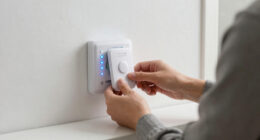
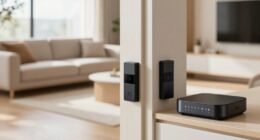
Integrating smart locks with your alarm system lets you instantly arm or disarm your home security with just a tap or voice command. You can set it to automatically lock doors when you leave and open when you arrive, making routines easier and more secure. This integration reduces human error and provides better control over access. Curious about how to set this up? Keep exploring to discover simple steps and extra tips.
Listen free for 30 days with Audible
Thousands of audiobooks and originals — cancel anytime.
As an affiliate, we earn on qualifying purchases.
Key Takeaways
- Automate arming/disarming your alarm system based on smart lock activity or status.
- Use programmable access codes or biometric data for instant secure entry and exit.
- Set schedules or triggers for automatic locking and alarm activation after door closure.
- Enable remote control to arm or disarm your system via smartphone or voice commands.
- Enhance security by integrating alarms with smart lock alerts during unauthorized access.
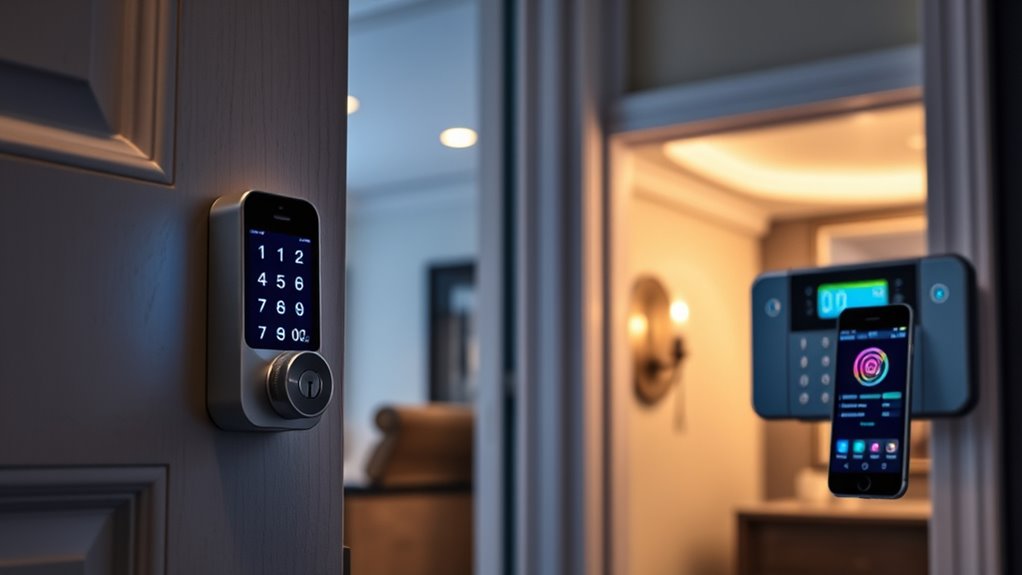
Integrating smart locks with your alarm system can considerably enhance your home’s security by creating a seamless, automated experience. When you connect these devices, you gain better control over who enters your home and when, thanks to advanced access control features. No longer do you need to fumble for keys or worry about lost duplicates. Smart locks enable keyless entry, giving you the convenience to unlock doors via smartphone apps, voice commands, or even biometric data. This integration simplifies your daily routine while boosting your home’s overall security.
With a smart lock integrated into your alarm system, you can program specific access codes for family members, guests, or service providers. These codes can be active only during certain times, providing an extra layer of security. When someone uses their code, the system can automatically arm or disarm based on predefined rules, removing the need for manual intervention. This automation guarantees that your home is always protected, whether you’re at work, on vacation, or sleeping. You don’t have to remember to activate the alarm—your system does it for you once the smart lock detects that the door has been securely closed after entry.
Imagine arriving home after a long day. Instead of fishing for keys or fumbling with locks, you simply use your smartphone or voice command to unlock the door. As soon as the lock disengages, your alarm system knows the house is secure and can automatically disarm, giving you peace of mind. Conversely, when you leave, a single command or a scheduled event can lock your doors and arm the alarm simultaneously. This tight integration reduces the chance of human error, such as forgetting to lock the door or activate the alarm.
Additionally, integrating your smart lock with your alarm system enhances security during emergencies. For example, if a break-in is detected, the system can automatically lock all doors and trigger alarms, deterring intruders or alerting authorities. In case of a fire or other emergencies, you can remotely unlock doors for first responders without exposing your home to unnecessary risk. This level of control and automation guarantees your home responds intelligently to different scenarios, making your security system more effective. Incorporating advanced security features ensures your home is protected against a variety of threats and vulnerabilities.
smart lock with alarm system integration
As an affiliate, we earn on qualifying purchases.
As an affiliate, we earn on qualifying purchases.
Frequently Asked Questions
Can Smart Locks Work Without an Internet Connection?
Yes, smart locks can work without an internet connection through offline functionality and local control. When disconnected from the internet, you can still lock or unlock your door using a physical key or a local app connection via Bluetooth or Z-Wave. This setup guarantees you maintain control over your smart lock even during internet outages, providing peace of mind and consistent security without relying on Wi-Fi or cloud services.
Are There Any Security Risks With Remote Smart Lock Access?
Think of remote smart lock access like leaving your house door slightly ajar; it invites risks. Yes, there are security risks, including remote hacking and unauthorized access. If your connection isn’t secure, hackers could open your door or disable your alarm. Always guarantee your smart lock uses strong encryption, update firmware regularly, and enable two-factor authentication to minimize these dangers and keep your home safe.
How Do I Update Firmware on My Smart Lock and Alarm System?
To update firmware on your smart lock and alarm system, start by opening the app or control panel. Check for firmware updates, and if available, follow prompts to install them. During the process, guarantee your batteries are fresh, replacing them if needed, as low power can hinder updates. Regular firmware updates improve security and performance, so make it a routine to keep your devices current for seamless operation.
What Happens if the Smart Lock’s Battery Dies?
If your smart lock’s battery dies, your home could be trapped in a fortress of frustration! Luckily, most locks have a battery backup and manual override, so you can still get in without a hitch. Just keep a spare battery or a backup key nearby. This way, even in a power outage or dead battery crisis, you won’t be locked out or compromised—peace of mind is just a manual turn away!
Is Professional Installation Required for Integrating Smart Locks?
You don’t necessarily need professional installation for integrating smart locks, but it’s often recommended to avoid compatibility concerns. A professional can ensure the lock works seamlessly with your alarm system, saving you time and avoiding potential issues. If you’re comfortable with DIY projects, you might install it yourself, but for complex setups or compatibility questions, hiring a professional guarantees proper integration and maximum security.
As an affiliate, we earn on qualifying purchases.
Conclusion
By integrating smart locks with your alarm system, you create a seamless security experience that adapts to your daily life. With a simple tap or voice command, you can arm or disarm your system, just like the trusty medieval keys of yore—though now, it’s all digital. This modern twist guarantees you stay protected effortlessly, making your home not just secure but smarter too. Embrace the future of home security, and let technology handle the heavy lifting.
As an affiliate, we earn on qualifying purchases.
As an affiliate, we earn on qualifying purchases.
Fall Picks
fall essentials
As an affiliate, we earn on qualifying purchases.