
TL;DR
Privacy screen filters limit side viewing angles, blocking shoulder surfers from seeing your screen. Modern options balance privacy with display quality and ease of use, making them vital for mobile professionals.
Ever been in a busy coffee shop, working on sensitive documents, and felt that nervous glance from someone nearby? That’s where privacy screen filters step in. They’re like tiny, transparent bouncers, blocking prying eyes from catching a glimpse of what’s on your laptop.
If you carry sensitive data—whether for work, finance, or personal projects—you’ll want to know how these simple tools can save you from accidental leaks and digital eavesdropping. This guide covers everything you need to pick the right filter, from basic types to the latest tech trends, so you can work confidently anywhere.
High-quality privacy filters restrict side views to about 30 degrees, keeping prying eyes at bay.
Choose physical filters for reliable, straightforward privacy or combine with digital tools for extra security.
Proper sizing and compatibility are crucial—measure your screen carefully before buying.
Quality filters can dim your display slightly, so adjusting brightness helps maintain clarity.
Recent innovations include adjustable privacy levels and smart sensors, making privacy more seamless.
What Exactly Are Privacy Screen Filters and How Do They Work?
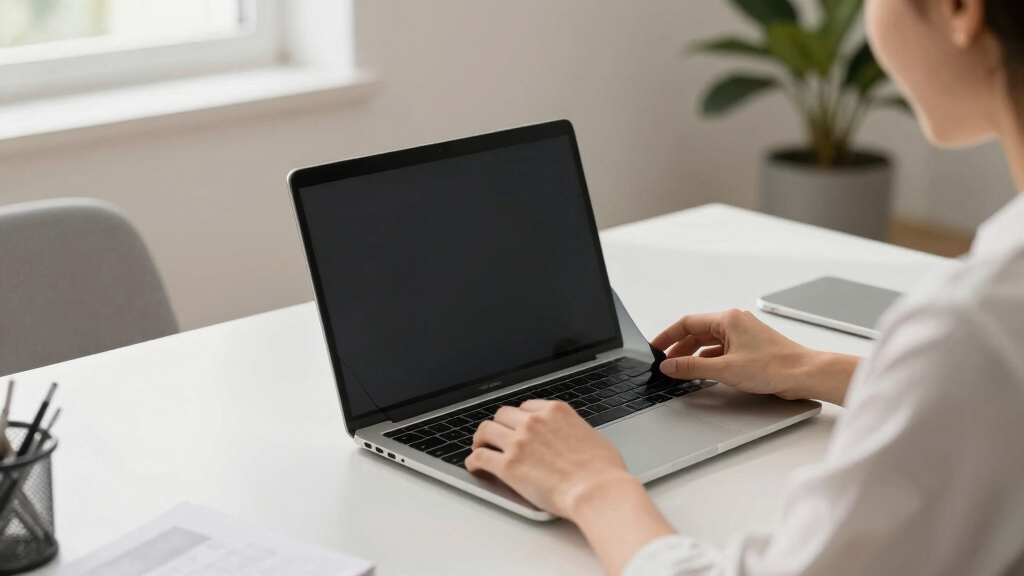
Privacy screen filters are physical or digital barriers that limit the viewing angle of your laptop screen. Imagine looking through a tinted window that only you can see through clearly. Most physical filters attach directly onto your screen with adhesive or magnetic strips, darkening the sides so only someone directly in front can see the content. They work by using micro-louvered or polarized materials that block side views while keeping your display bright and sharp when viewed straight-on.
For example, if you’re reviewing sensitive financial data in a crowded airport lounge, the filter prevents the person sitting beside you from catching even a flicker of your screen.
Understanding how these filters work helps you grasp their limitations and strengths. For instance, micro-louvered filters are designed to restrict side angles effectively at a specific threshold—usually around 30 degrees. Beyond that, some filters may still allow glimpses if someone is very close or at an awkward angle, so knowing their range helps you decide if they meet your security needs. Additionally, the quality of materials impacts how much brightness and color fidelity you lose—cheaper filters might dull your display more, potentially impacting your ability to work accurately or enjoy media. Therefore, choosing a filter isn’t just about privacy; it’s about balancing security with usability and visual clarity.
As an affiliate, we earn on qualifying purchases.
The Main Types of Privacy Screen Filters — Which One Fits Your Style?
Not all privacy filters are created equal. The two main types are:
- Physical Filters: Matte or glossy overlays that sit snugly over your screen. They’re usually removable and come in various sizes to match your device. The choice between matte and glossy impacts not just appearance but usability—matte filters reduce glare and reflections, which can be beneficial in bright environments, but might slightly dull colors. Glossy filters preserve color vibrancy but can reflect ambient light, making them less ideal for outdoor or well-lit settings. The tradeoff here is clarity versus glare reduction, so consider your typical working environment when choosing.
- Digital Privacy Solutions: Software-based tools that blur or obscure parts of the display, often used with physical filters for extra security. These solutions can be toggled on and off, giving flexibility, but they are generally less effective against side-angle viewing unless combined with physical barriers. They also consume system resources and may introduce latency or impact display performance. The key implication is that digital solutions are best for supplementing physical filters in high-security scenarios or when quick privacy toggling is needed, but relying solely on software might leave gaps in protection.
Physical filters are like a tinted car window—simple, reliable, and straightforward, but with some tradeoffs in display brightness or color accuracy. Digital solutions offer flexibility and convenience but may not fully replace the physical barrier’s effectiveness. Combining both can provide a layered approach, enhancing overall privacy without sacrificing usability.
For instance, a journalist working on a confidential report in a public space might combine both: a physical filter for constant privacy and software tools to hide details when needed, ensuring maximum security with minimal compromise.
anti-shoulder surfer laptop screen
As an affiliate, we earn on qualifying purchases.
As an affiliate, we earn on qualifying purchases.
How Modern Privacy Filters Are Getting Smarter and More Convenient
Recent tech advances are making privacy filters more effective and user-friendly. New materials with nano-coatings improve privacy without dulling your display. Some filters now feature adjustable privacy levels, controlled via smartphone apps or physical switches.
Imagine being able to slide a toggle and go from full visibility to near-total privacy in seconds. Plus, some filters integrate ambient light sensors that automatically tweak brightness and privacy settings, preserving your screen clarity in different environments. These features help mitigate the tradeoffs between privacy and display quality, allowing users to customize their experience based on context.
Hybrid digital-physical solutions are emerging, combining physical barriers with AI-driven privacy management. These can detect when sensitive info appears and automatically tighten privacy controls, reducing user effort and increasing security. For example, an AI-enabled filter could recognize confidential information on your screen and activate additional privacy measures, preventing accidental exposure. This convergence of physical and digital tech signifies a move toward smarter, more seamless privacy protection, especially relevant for professionals handling sensitive data regularly.
For example, a government official might use a retractable filter that activates at the push of a button, ensuring data stays secure even during quick stops in a busy street. These innovations reflect the growing importance of adaptable privacy solutions that can respond dynamically to different environments and security requirements.
adjustable privacy screen for laptops
As an affiliate, we earn on qualifying purchases.
As an affiliate, we earn on qualifying purchases.
Picking the Perfect Privacy Filter: What to Consider
Choosing the right filter starts with understanding your needs. Measure your screen size precisely—most filters come in common sizes like 13”, 15”, or 17”. Consider how much privacy you need; some filters block side views at about 30 degrees, while others go further. The level of privacy impacts how much your display is affected; higher privacy angles may dull brightness or reduce clarity more noticeably. Understanding your environment helps determine the optimal balance—indoors, a slightly less restrictive filter might suffice, while in crowded places, a tighter angle provides better security.
Think about your environment: Do you work mostly indoors, or travel often? If portability matters, opt for lightweight, magnetic, or clip-on filters that don’t add bulk. This choice affects convenience and how seamlessly you can incorporate privacy into your daily routine. Keep in mind that higher-quality filters tend to cost more but often last longer and provide clearer visuals, minimizing the need for frequent replacements or adjustments. Compatibility is also critical—ensure the filter matches your laptop’s aspect ratio, screen thickness, and whether it supports touch functionality if necessary.
For instance, a remote worker who frequently visits cafes should prioritize easy-to-attach, portable filters that won’t slow down their routine, but also consider the tradeoff between portability and maximum privacy—sometimes a slightly larger or more robust filter can offer better security without sacrificing convenience.
As an affiliate, we earn on qualifying purchases.
How to Choose a Privacy Filter That Won’t Ruin Your Screen Quality
- Measure your screen size accurately. Use a ruler or check your device specs.
- Determine your privacy level: Do you need just a little or complete side-angle blocking? The more restrictive the filter, the more it may impact display brightness and color vibrancy. Finding the right balance ensures you don’t sacrifice too much visual fidelity for security.
- Compare materials: Matte filters reduce glare but might dull colors; glossy ones keep colors vibrant but can reflect more light. Consider your typical lighting conditions—glare reduction might be more important if you work outdoors, while color fidelity matters for graphic work.
- Check compatibility: Is it for a touch screen? Will it fit your model exactly? A poorly fitting filter can cause issues like ghosting or accidental detachment, which compromises both usability and security.
- Read reviews and test if possible. A good filter shouldn’t make your screen look dull or washed out. When testing, look for minimal impact on color accuracy and brightness, ensuring your workflow remains unaffected.
Remember, a quality filter can reduce brightness by 20-30%, so you may need to adjust your display settings accordingly. Investing in a reputable brand often results in better visual fidelity and longer-lasting protection, making it worth the extra cost.
Frequently Asked Questions
Do privacy screen filters affect screen quality or color accuracy?
Yes, they can slightly dull brightness and shift color perception. However, high-quality filters aim to minimize these effects, with many designed to preserve color accuracy as much as possible.
Are privacy filters compatible with touchscreens?
Many physical privacy filters are compatible with touchscreens, but always check product specs. Some filters may slightly reduce touch sensitivity, so look for ones specifically rated for touch-enabled devices.
How easy are privacy filters to install and remove?
Most are designed for quick, tool-free installation—using adhesives, magnetic strips, or clips. Removal is typically just as simple, making them convenient for frequent use or travel.
Can I use privacy filters with external monitors?
Yes, specific privacy filters are available for external displays. They’re especially useful for security-sensitive work in shared offices or public spaces.
Are digital privacy solutions as effective as physical filters?
Digital solutions can add an extra layer but generally aren’t as reliable for side-view privacy. Physical filters provide the most consistent protection against prying eyes.
Conclusion
Privacy screen filters aren’t just an accessory—they’re a shield for your digital life. In a world where data breaches and privacy breaches happen faster than ever, a simple filter can be your first line of defense.
Pick one that fits your lifestyle, and you’ll work confidently, wherever you are. Think of it as a transparent barrier that lets your focus stay sharp, while the world outside stays in the shadows.