TL;DR

Get privacy and security gear delivered free with Prime
- Fast, free delivery on millions of items
- Prime Video, Amazon Music and more included
- Member-only deals all year
Privacy screen filters block side views of your laptop screen, reducing visibility by up to 90%. They come in physical and digital forms, with recent advances improving clarity and adding eye-care features. Choosing the right filter depends on size, material, and your environment.
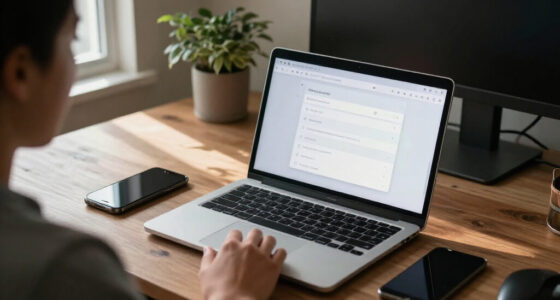
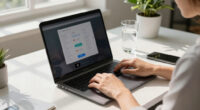
Imagine someone sneaking a glance over your shoulder at your laptop. Frustrating, right? Privacy screen filters are a simple fix—thin overlays or digital solutions that keep your screen visible only to you. Whether you’re handling sensitive work emails or personal info in a crowded coffee shop, these filters put a barrier between prying eyes and your data.
In this guide, you’ll see how these filters work, what recent innovations have improved their performance, and how to pick the best one for your needs. Protecting your info doesn’t have to be complicated—it just takes the right tool and a little know-how.
Choose a filter that precisely matches your screen size and aspect ratio for best privacy and clarity.
High-quality physical filters can block up to 90% of side views without sacrificing display quality.
Look for filters with anti-glare and blue light features to protect your eyes during long work hours.
Installation is usually quick and tool-free—stick or clip on, then remove easily.
Recent innovations improve transparency and durability, making privacy filters more effective and user-friendly.
What exactly are privacy screen filters and how do they work?
Privacy screen filters serve as a physical or digital barrier that restricts your screen’s view to directly in front of it. They work by utilizing micro-louvers or special coatings that direct light in a narrow viewing angle. When viewed from the side, the display appears dark, blurred, or distorted—much like a one-way mirror. This mechanism is crucial because it directly impacts your data security in public or shared spaces.
Understanding why this matters: in environments like cafes, airports, or open offices, shoulder surfing is a common threat—someone can easily glance at your screen and steal sensitive information. A high-quality privacy filter minimizes this risk by controlling the viewing angle, but it also involves tradeoffs. For instance, some filters can slightly reduce screen brightness or alter color accuracy, which might affect tasks requiring precise visuals. Therefore, choosing a filter isn’t just about privacy—it’s about balancing security with usability based on your environment and needs.
Physical overlays are straightforward—they clip or stick onto your screen, offering immediate privacy. Digital solutions, such as software overlays, can dynamically adjust privacy settings but may not be as reliable in preventing side views. Recognizing these differences helps you align your choice with your specific security concerns and daily usage patterns.
laptop privacy screen filter 15.6 inch
As an affiliate, we earn on qualifying purchases.
As an affiliate, we earn on qualifying purchases.
How to pick the perfect privacy filter for your laptop: 4 must-know tips
- Measure your screen precisely. Use a ruler or tape measure to find the diagonal size—common options are 13.3″, 15.6″, or 17″. Accurate measurement ensures your filter fits snugly, preventing gaps that could compromise privacy or cause visual distortions. A poorly fitted filter might shift or allow side views, defeating its purpose.
- Choose the right material. Acrylic filters are budget-friendly and lightweight but may impact clarity, leading to color distortion or reduced brightness. Tempered glass offers superior durability and clarity, which is crucial if you frequently move between environments or need precise visuals. Consider your work environment: outdoor use demands sturdiness and anti-glare features, while indoor use might prioritize clarity and aesthetics.
- Check compatibility with touchscreens. Many filters are designed to work with touch-enabled displays, but incompatibility can cause responsiveness issues or scratches. Double-check product specifications and user reviews. For 2-in-1 or convertible laptops, ensure the filter won’t interfere with pen input or touch sensitivity, as this could hinder productivity or usability.
- Consider additional features. Anti-glare coatings reduce reflections from sunlight or overhead lighting, improving visibility in bright environments—crucial for outdoor work or well-lit offices. Blue light filtering can decrease eye strain during long sessions, helping maintain focus and comfort. Matte finishes also help prevent fingerprints and reflections, making your screen easier to see over extended periods. Prioritize features based on your typical work setting and health needs.
For example, if your job involves working outdoors or in bright spaces, investing in a tempered glass filter with anti-glare and blue light features enhances both privacy and eye comfort. By understanding your environment and needs, you can select a filter that not only protects your data but also improves your overall viewing experience.
anti-glare privacy screen for laptops
As an affiliate, we earn on qualifying purchases.
As an affiliate, we earn on qualifying purchases.
Recent tech improvements making privacy filters better than ever
Innovation is making privacy filters thinner, clearer, and more versatile. High-end filters now offer transparency levels approaching 100%, so you barely notice them—no more dark screens or color distortions. This means you can maintain high visual fidelity while still safeguarding your data, a critical balance for professionals requiring accurate visuals.
Many incorporate blue light filters and anti-glare coatings. These features are not just about comfort—they help maintain your productivity by reducing eye fatigue during long hours, especially in environments with harsh lighting. For example, a new anti-glare filter can significantly diminish reflections from sunlight or overhead lights, allowing you to work outdoors or in bright offices without straining your eyes.
Emerging smart filters are a game-changer—they can automatically adjust privacy settings based on proximity sensors or ambient light conditions. This means your privacy is dynamically managed without manual intervention, reducing the risk of accidental data exposure in crowded spaces. Additionally, eco-friendly materials are increasingly used, making these filters more sustainable and less wasteful—aligning with environmentally conscious values without compromising performance.
By staying informed about these advancements, you can select a filter that offers optimal privacy, clarity, and environmental benefits, ensuring your investment remains future-proof and effective.
blue light filtering privacy screen
As an affiliate, we earn on qualifying purchases.
As an affiliate, we earn on qualifying purchases.
How well do privacy filters actually work? The numbers tell the story
| Feature | Effectiveness | Cost Range |
|---|---|---|
| Side-angle visibility reduction | Up to 90% in high-quality filters | $20–$80 |
| Clarity and color accuracy | Varies; premium filters maintain >95% | Depends on features like anti-glare or blue light filtering |
| Durability | Designed to last 1–3 years with daily use | Generally good for at least 1 year |
In real-world scenarios, a top-tier filter can prevent most side glances, especially in busy offices or public places. Cheaper models might compromise clarity or only block part of the view. Choosing wisely means balancing cost, effectiveness, and your specific environment. Consider that a highly effective filter not only protects your privacy but also preserves your productivity by maintaining visual clarity, which is essential for detailed work like design, coding, or financial analysis. The decision should weigh initial cost against long-term benefits—spending more upfront on a quality filter can save you from frustration and potential data breaches later.
clip-on privacy filter for MacBook
As an affiliate, we earn on qualifying purchases.
As an affiliate, we earn on qualifying purchases.
Your most common questions about privacy filters, answered
Q: Do privacy filters affect screen clarity or color? High-quality filters minimize color distortion and brightness loss, but cheaper models might dull colors slightly. Look for reviews that mention clarity and test the filter in different lighting conditions before purchasing.
Q: Are they compatible with touchscreens? Most are, but double-check before buying, especially for 2-in-1 or convertible models. Compatibility issues can lead to responsiveness problems or scratches, so verify specifications and user feedback.
Q: How tricky is installation and removal? Most are simple—stick or clip on, then peel off when needed. No tools required in most cases. To avoid damage, follow manufacturer instructions carefully, and clean your screen beforehand.
Q: Can I use a privacy filter with any laptop? They need to match your screen size and aspect ratio. Custom options are available for unusual models, but double-check measurements and compatibility to ensure effective coverage.
Q: Are digital privacy solutions reliable? They can help, but physical filters still offer the best side-angle privacy, especially in public spaces. Digital solutions might be more convenient but often lack the robustness needed for high-security environments.
Conclusion
A privacy filter is your front-line defense against prying eyes—especially in today’s open-office and mobile environments. Investing in a high-quality, well-fitting filter can save you countless headaches and protect sensitive info without sacrificing screen clarity. Think of it as a clear barrier—like a window tint for your digital world—keeping your data safe and your focus undisturbed.
In a world where data breaches and shoulder surfing are just part of daily life, don’t leave your privacy to chance. Secure your screen, and breathe easier knowing your info stays yours.
Halloween Picks
halloween
As an affiliate, we earn on qualifying purchases.