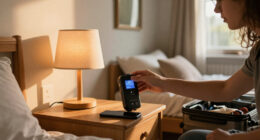
Protecting personal data and maintaining privacy online requires the use of dedicated privacy devices. This guide walks you through selecting, configuring, and correctly using these devices to safeguard your digital identity. Suitable for users with basic technical familiarity, it emphasizes practical steps to ensure your privacy remains intact without complex technical skills.

Get privacy and security gear delivered free with Prime
- Fast, free delivery on millions of items
- Prime Video, Amazon Music and more included
- Member-only deals all year

Hidden Camera Detector RF Bug Finder GPS Tracker Listening Device Personal Privacy Protection
- ✔ Detection Method: Magnetic field and RF signal detection
- ✔ Battery: Rechargeable lithium battery
- ✔ Dimensions: 13.78 x 2.36 x 1.57 inches

AOBOCAM Hidden Camera Detector, GPS Tracker Bug Finder, Travel Privacy Pen
- ✔ Detection Types: Hidden cameras, GPS trackers, microphones, listening devices
- ✔ Power: Rechargeable (Type-C cable included)
- ✔ Features: RF signal scanner, microphone detector, vibration alarm

7-in-1 Hidden Camera and RF Detector, Privacy Pen, Bug and GPS Tracker Scanner
- ✔ Detection Range: 1 MHz – 8 GHz
- ✔ Sensitivity Levels: 6 adjustable levels
- ✔ Power Source: Lithium Polymer battery
Difficulty: Intermediate | Time: 1-2 hours
What You’ll Need
Tools & Materials:
- Privacy VPN device
- Hardware privacy router
- Encrypted USB drive
- Secure password manager
- Wi-Fi enabled device (laptop, smartphone)
Knowledge:
- Basic understanding of internet security
- Familiarity with Wi-Fi networks and device setup
- Ability to follow step-by-step instructions
Hidden Camera Detector RF Bug Finder GPS Tracker Listening Device Personal Privacy Protection
This **multi-functional bug sweeper** stands out for its ability to detect both magnetic fields and RF signals, making it suitable for comprehensive privacy checks. Compared with simpler detectors, it offers a broader detection scope, which is essential for users concerned with a variety of covert devices. However, its lack of water resistance and basic design mean it’s not ideal for outdoor or wet environments. Its performance heavily depends on environmental factors, so it’s a strong choice for indoor security or travel use where detection conditions are controlled.
Pros:
- Effective dual detection of magnetic fields and RF signals
- Portable and rechargeable for on-the-go use
- Simple operation suitable for quick checks
- Indoor and outdoor versatility
Cons:
- Limited water resistance, unsuitable for wet conditions
- Basic design lacks advanced features or alerts
- Detection performance varies with environment
Best for: Travelers and professionals needing versatile, reliable detection in varied environments
Not ideal for: Wet environments or users seeking advanced, feature-rich interfaces
Bottom line: A highly versatile, reliable choice for travel and indoor use, but not suited for wet or rugged outdoor environments.
“A highly versatile, reliable choice for travel and indoor use, but not suited for wet or rugged outdoor environments.”
AOBOCAM Hidden Camera Detector, GPS Tracker Bug Finder, Travel Privacy Pen
The AOBOCAM Privacy Pen is designed for quick, discreet checks, combining RF scanning, microphone detection, and a vibration alarm. Its small, pen-like form factor makes it ideal for travelers and professionals needing a simple tool for everyday privacy. Compared to bulkier detectors, it sacrifices some detection depth but excels in portability and ease of use. Its passive detection may miss well-shielded devices, and battery life can be limited during continuous use. Nevertheless, this device is a practical choice for quick scans and confidential meetings.
Pros:
- Compact, pen-sized design for portability
- All-in-one detection of cameras, trackers, and microphones
- Simple one-button operation with visual and vibration alerts
- No app or WiFi needed for operation
Cons:
- Passive scanner might miss shielded devices
- Limited detection depth compared to larger scanners
- Battery life varies with prolonged use
Best for: Travelers and individuals requiring quick, discreet device checks
Not ideal for: Long-term, in-depth detection needs or environments with high interference
Bottom line: Perfect for quick, discreet checks on the go, but limited for high-stakes or in-depth detection scenarios.
“Perfect for quick, discreet checks on the go, but limited for high-stakes or in-depth detection scenarios.”
7-in-1 Hidden Camera and RF Detector, Privacy Pen, Bug and GPS Tracker Scanner
The 7-in-1 detector offers an extensive suite of detection capabilities, including AI-powered high-speed scanning and multiple alert modes. Its advanced features make it suitable for professionals or serious privacy enthusiasts who need comprehensive protection against diverse covert threats. Its AI-driven scanning provides rapid, high-accuracy detection, but requires manual sensitivity adjustments and may be complex for beginners. Its compact, pocket-sized design ensures portability, yet its feature set demands a learning curve. Overall, this device balances depth and convenience for those with serious privacy concerns.
Pros:
- Multi-function 7-in-1 detection capabilities
- AI-powered high-speed 360° scanning
- Multiple alert modes: sound, vibration, LEDs
- Pocket-sized and portable
Cons:
- Requires manual sensitivity adjustments
- Battery life can vary with intensive use
- Features may be complex for beginners
Best for: Privacy-conscious professionals and security experts needing comprehensive detection
Not ideal for: Casual users or those seeking a simple, plug-and-play device
Bottom line: A top-tier tool for in-depth, versatile privacy detection, ideal for professionals but potentially overwhelming for casual users.
“A top-tier tool for in-depth, versatile privacy detection, ideal for professionals but potentially overwhelming for casual users.”
As an Amazon Associate we earn from qualifying purchases.
Before You Start
Verify that your internet connection is active and stable. Backup important data if needed. Read through the entire guide to familiarize yourself with the sequence of steps. Have all tools and credentials ready before beginning.Step-by-Step Instructions
Step 1: Select appropriate privacy devices
Research and choose a reputable privacy VPN device, hardware privacy router, and encrypted USB drives. Prioritize devices with strong encryption standards and positive user reviews.
Tip: Opt for devices that support the latest security protocols like WPA3, AES-256 encryption, and open-source firmware options for transparency.
Check: You have identified and purchased devices compatible with your existing network and capable of supporting your privacy needs.
Step 2: Set up your privacy router
Connect your privacy router to your modem using an Ethernet cable. Power it on and access its web interface via a connected computer or smartphone.
Tip: Use a wired connection during setup to avoid interference and ensure configuration accuracy. Change default admin passwords immediately to prevent unauthorized access.
Check: Router’s admin interface is accessible, and default passwords are replaced. The router is connected to your modem and ready for configuration.
Step 3: Configure the privacy router with security best practices
Log into the router’s web interface. Enable WPA3 encryption, disable remote management, and set a strong, unique Wi-Fi password. Update firmware if needed.
Tip: Disable features like WPS and UPnP that can introduce vulnerabilities. Enable a guest network if you want to isolate personal devices from visitors.
Check: Your Wi-Fi network is operating with WPA3 encryption, and remote management options are disabled. The firmware is up to date.
Step 4: Install and configure the VPN device
Connect your VPN device to the privacy router or directly to your computer if standalone. Follow the manufacturer’s setup instructions, entering your VPN service credentials and selecting preferred server locations.
Tip: Choose a VPN provider that supports multiple protocols like OpenVPN or WireGuard for flexibility and security. Confirm the VPN connection is active by checking the device’s status dashboard.
Check: The VPN device is connected to your network and shows an active, encrypted connection to the server. Your IP address is masked.
Step 5: Set up encrypted USB drives for data storage
Connect the encrypted USB drive to your computer. Use the device’s management software to initialize and encrypt the drive, following the manufacturer’s instructions.
Tip: Create strong, unique passwords for each encrypted drive. Store recovery keys securely offline to prevent data loss.
Check: The USB drive is encrypted and mounted correctly. You can transfer files securely and verify that data is inaccessible without the password.
Step 6: Configure a secure password manager
Install a reputable password manager app on your devices. Create a master password that is complex and unique. Import or manually add your important account credentials.
Tip: Enable two-factor authentication for your password manager. Regularly update your master password and audit stored passwords for strength.
Check: All your essential passwords are stored securely in the password manager, and you can access them reliably across devices.
Step 7: Test your privacy setup
Connect your devices to the Wi-Fi network protected by the privacy router. Activate the VPN. Visit a site like whatismyip.com to verify your IP address is masked and the connection is encrypted.
Tip: Check for DNS leaks using online tools to confirm your DNS queries are routed through the VPN. Test access to your encrypted USB drives from your devices.
Check: Your IP address is different from your physical location, and DNS leaks are absent. Your data is passing through the VPN securely.
Common Mistakes to Avoid
- Using default passwords on routers or VPN devices. — Change all default passwords immediately during setup to strong, unique passwords.
- Not updating firmware or software. — Update firmware and device software before setup to patch security vulnerabilities.
- Ignoring DNS leaks or IP leaks during testing. — Use online leak testing tools to verify your privacy setup is functioning correctly.
Troubleshooting
Problem: VPN connection does not activate or shows disconnected.
Solution: Double-check VPN credentials, server selection, and ensure your device supports the protocol. Restart the device and verify network settings.
Problem: Wi-Fi network not securing with WPA3 or default password still active.
Solution: Revisit router settings, confirm security options are enabled, and reset the Wi-Fi password if needed.
Problem: Encrypted USB drive not recognized or cannot mount.
Solution: Verify the encryption software is compatible with your operating system, check the drive’s connection, and re-initialize if necessary.
What Success Looks Like
All devices are configured correctly: your Wi-Fi is encrypted with WPA3, the VPN is active and masking your IP, encrypted drives are accessible only with passwords, and DNS/IP leaks are absent. Your online presence shows a different IP address and secure data flow without leaks.
Next Steps
Regularly update device firmware and software. Periodically run leak tests to verify ongoing privacy. Use your privacy devices whenever connected to public or untrusted networks. Consider adding hardware firewalls or privacy-focused browsers for enhanced protection.
Frequently Asked Questions
How often should I update my privacy devices?
Check for firmware and software updates monthly or as soon as security patches are released. Regular updates help protect against new vulnerabilities.
Can I use these devices on multiple networks?
Yes, but reconfigure device settings if your network requires different credentials or security protocols. Always follow manufacturer instructions for each network environment.
Will using a VPN device slow down my internet connection?
Some slowdown is common due to encryption and routing through remote servers. Choose high-quality VPN providers and servers close to your location for better speed.
Are encrypted USB drives foolproof for protecting data?
Encrypted drives significantly improve security, but physical access and weak passwords can still compromise data. Use strong passwords and keep recovery keys secure.