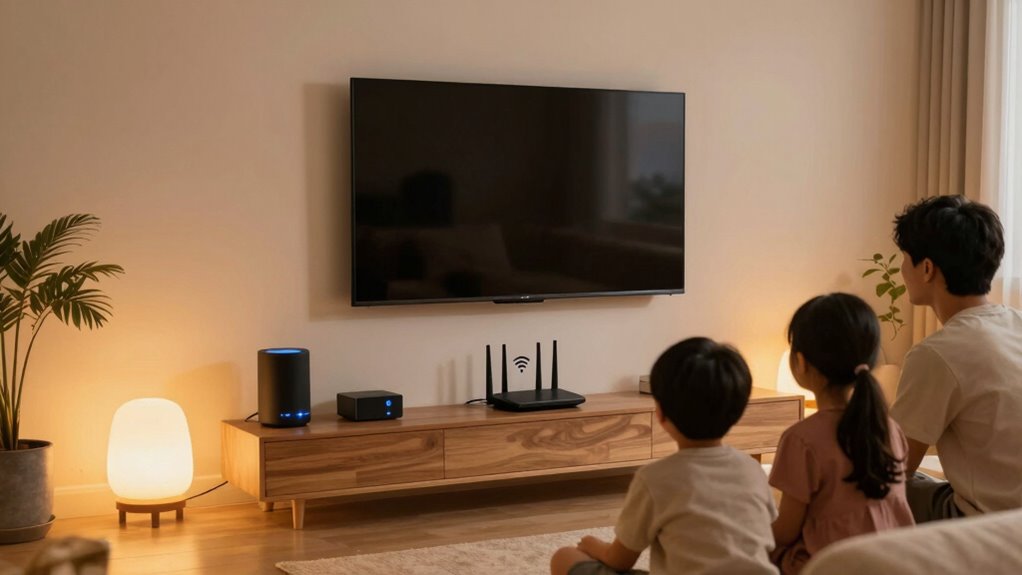
A secure Wi-Fi setup is essential because it acts as the first line of defense against cyber threats and unauthorized access to your smart home devices. Using strong passwords, enabling the latest encryption, and updating firmware regularly make hacking attempts considerably more difficult. Creating separate networks for guests and smart devices further minimizes risks. If you want to learn how to strengthen your network and keep your smart home safe, you’ll find helpful tips that follow.

Get privacy and security gear delivered free — and shop member deals
- Fast, free delivery on millions of items
- Access to Prime Big Deal Days deals on October 6–7
- Prime Video, Amazon Music and more included
Key Takeaways
- A secure Wi-Fi prevents unauthorized access and potential hacking of smart home devices.
- Encrypted networks protect sensitive data transmitted between devices and users.
- Regular firmware updates fix vulnerabilities, reducing the risk of cyber intrusions.
- Network segmentation isolates smart devices from other systems, limiting damage if compromised.
- Strong password practices and hidden SSID enhance overall privacy and security.

Ever wonder how to keep your smart home devices safe from cyber threats? The foundation of any secure smart home starts with your Wi-Fi setup. A strong, secure Wi-Fi network acts as the first line of defense against intruders trying to access your devices. When your Wi-Fi is protected with a robust password and the latest encryption protocols, it becomes considerably harder for hackers to break in. Device encryption plays an essential role here, as it guarantees the data transmitted between your devices and your network is unreadable to outsiders. This way, even if someone manages to intercept your data, they can’t decipher it, keeping your personal information and device commands private.
But securing your Wi-Fi isn’t just about encryption. Firmware updates are equally critical in maintaining a safe environment. Manufacturers regularly release updates that patch security vulnerabilities discovered after the device’s initial release. Ignoring these updates leaves your devices exposed to known threats. When you keep your devices’ firmware current, you close potential loopholes that hackers could exploit. It’s a simple step that provides a substantial boost to your overall security, especially when combined with a secured Wi-Fi network. Regularly monitoring your network’s security settings is also essential to stay ahead of emerging threats. Additionally, enabling automatic updates for your devices can help ensure that your network remains protected against the latest vulnerabilities. Staying informed about modern encryption technologies can further enhance your network’s defenses. Incorporating network segmentation can further isolate your smart devices, reducing the risk if one device becomes compromised.
You also want to make sure your Wi-Fi setup uses the strongest encryption options available, such as WPA3, if your router supports it. This protocol provides enhanced security features over older standards like WPA2, making it even more difficult for unauthorized users to access your network. Changing default passwords on your router is another essential step because many devices come with factory-set credentials that are widely known. Creating unique, complex passwords prevents unauthorized access and helps keep your network safe from brute-force attacks.
Managing your network’s visibility is just as important. Consider hiding your Wi-Fi network name (SSID) or setting up a guest network for visitors. This way, your main network remains private, and your smart home devices stay isolated from other devices that might be less secure. Keep an eye on connected devices through your router’s admin panel, and remove any that you don’t recognize. This prevents potential intruders from lingering unnoticed. Regularly reviewing your network access permissions can also help you identify and block any unauthorized devices more effectively.
In the end, a secure Wi-Fi setup isn’t a one-and-done task. It requires ongoing attention—regularly updating firmware, changing passwords, and staying aware of new security features. When you combine these practices with device encryption, you create a sturdy barrier that keeps your smart home safe from cyber threats. Remember, digital security isn’t just about protecting data; it’s about safeguarding your peace of mind and the integrity of your connected life.
As an affiliate, we earn on qualifying purchases.
Frequently Asked Questions
How Often Should I Change My Wi-Fi Password?
You should change your Wi-Fi password every three to six months to maintain security. Focus on creating a password with high complexity, including a mix of letters, numbers, and symbols. Regular network monitoring helps you spot suspicious activity early. Updating your password periodically reduces the risk of unauthorized access, especially if there’s a data breach or if you’ve shared it with others. Staying proactive keeps your smart home safer.
What Are the Signs of a Compromised Wi-Fi Network?
If your Wi-Fi suddenly slows to a crawl or your devices act wildly unpredictable, you might be dealing with a network intrusion or unauthorized access. Strange device activity, unfamiliar connections, or sudden spikes in data usage are dead giveaways. You could even see unknown devices or persistent login prompts. These signs scream that someone’s sneaking around your network, risking your privacy and smart home security. Stay alert and investigate immediately!
Can I Secure My Wi-Fi Without Changing the Default Settings?
You can’t fully secure your Wi-Fi without changing default settings, as they’re often vulnerable. Updating your router firmware strengthens security by fixing bugs and closing gaps. Change default passwords and disable remote management features, which are common entry points for hackers. These steps improve your network’s safety without entirely relying on default configurations, ensuring better protection for your smart home devices.
How Do I Create a Separate Network for Smart Devices?
Imagine your smart devices are like delicate butterflies needing safe flowers to land on. To create a separate network, set up network segmentation by configuring your router to establish a guest or IoT network. This device isolation keeps your smart devices separate from your main devices, enhancing security. You can usually do this through your router’s settings, providing a safe haven where your smart gadgets can thrive without risking your primary network.
Are There Specific Encryption Types Better for Smart Home Security?
You should prioritize using WPA3 encryption algorithms, as they offer the latest security features, making your smart home devices less vulnerable to hacking. When selecting wireless protocols, opt for WPA3 or at least WPA2 with AES encryption, which provides stronger data protection. These protocols and encryption algorithms work together to secure your network, ensuring your smart devices communicate safely and your personal information stays protected from cyber threats.
As an affiliate, we earn on qualifying purchases.
Conclusion
You see, securing your Wi-Fi isn’t just about protecting your internet; it’s the foundation of your entire smart home safety. Imagine a hacker gaining access to your network and controlling your smart locks or cameras—it’s a nightmare. By enabling strong passwords, updating firmware, and using encryption, you can block such threats. Think of it as locking your front door—simple, essential, and the first step in keeping your smart home truly safe.
Wi-Fi network segmentation device
As an affiliate, we earn on qualifying purchases.
As an affiliate, we earn on qualifying purchases.
automatic firmware update router
As an affiliate, we earn on qualifying purchases.
As an affiliate, we earn on qualifying purchases.
Fall Picks
fall essentials
As an affiliate, we earn on qualifying purchases.