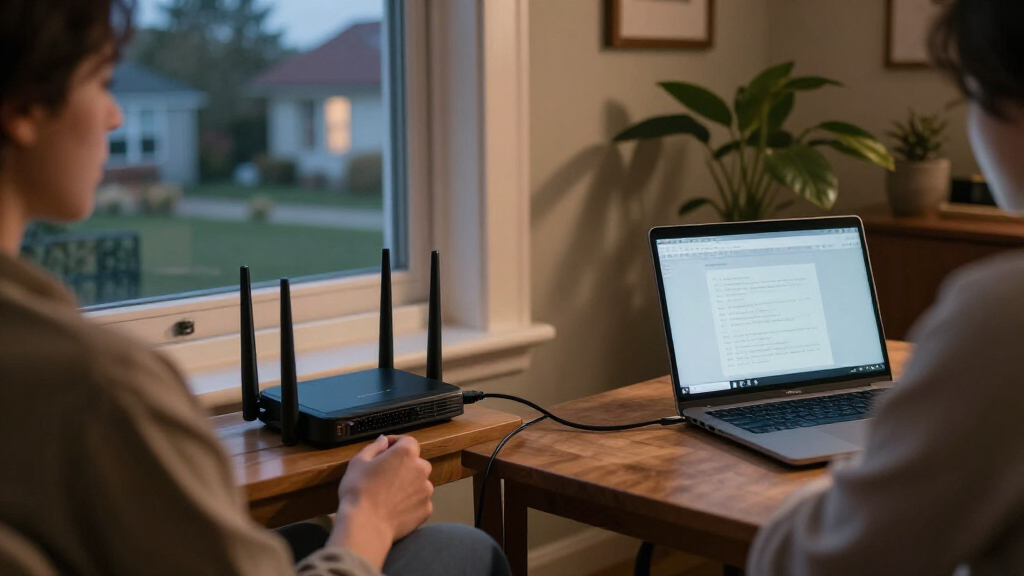

For most homes, I’d choose the GL.iNet Flint 2 as the best overall VPN router: it combines built-in Wi-Fi with flexible VPN features, avoiding the need for a separate access point. The Flint 3 is the premium choice for newer Wi-Fi 7 devices and multi-gig wired connections, while the Brume 3 suits homes that already have Wi-Fi and need a dedicated VPN gateway. The main tradeoff is between an all-in-one router and a wired-only device, with VPN throughput, setup effort, and network needs also shaping the choice. A router’s advertised Wi-Fi speed alone does not tell you how quickly it will handle encrypted VPN traffic. Read on for how these six options compare and which kind of home network each one fits.

Get privacy and security gear delivered free with Prime
- Fast, free delivery on millions of items
- Prime Video, Amazon Music and more included
- Member-only deals all year
Key Takeaways
- The Flint 2 stands out as the balanced all-in-one pick for buyers who want Wi-Fi and VPN features in one device rather than a separate gateway and access point.
- The Flint 3 earns its premium role through Wi-Fi 7 and five 2.5G ports; those advantages matter most when the rest of the home network can use multi-gig connections.
- The Brume 3 and the Omada ER707-M2 are wired VPN gateways, not Wi-Fi routers, so they make more sense alongside existing wireless equipment.
- The ER605 prioritizes a straightforward wired network role, while the ASUS RT-AX1800S offers a familiar Wi-Fi router format; neither is as flexible a VPN-focused choice as the GL.iNet picks.
- Choosing by VPN workload matters more than choosing by Wi-Fi generation alone: a home that routes only selected devices through a VPN has different needs from one that expects all traffic to use it.
| GL.iNet GL-BE9300 Flint 3 Tri-Band Wi-Fi 7 Router with Five 2.5G Ports |  | Best Overall Wi-Fi 7 VPN Router | Wi-Fi standard: Wi-Fi 7 | Frequency bands: Tri-band, including 6 GHz | Maximum wireless speed: Up to 9 Gbps | VIEW LATEST PRICE | See Our Full Breakdown |
| ASUS RT-AX1800S Dual-Band Wi-Fi 6 Router |  | Best for VPN Beginners | Wi-Fi generation: Wi-Fi 6 (802.11ax) | Wireless bands: Dual-band | Maximum data transfer rate: Up to 1,800 Mbps | VIEW LATEST PRICE | See Our Full Breakdown |
| GL.iNet GL-MT5000 Brume 3 Wired VPN Security Gateway |  | Best for High-Throughput VPN | Connectivity: Wired Ethernet | Ports: 3 × 2.5GbE | VPN protocols: WireGuard and OpenVPN | VIEW LATEST PRICE | See Our Full Breakdown |
| GL.iNet Flint 2 Wi-Fi 6 Gaming Router (GL-MT6000) |  | Best Value for VPN Speed | Wi-Fi standard: Wi-Fi 6 (802.11ax) | Frequency band: Dual-band, including 5 GHz | Maximum data rate: Up to 6 Gbps | VIEW LATEST PRICE | See Our Full Breakdown |
| TP-Link Omada ER707-M2 Multi-Gigabit VPN Router |  | Best for Omada Managed Networks | Model: ER707-M2 | Ports: 2 × 2.5 Gbps WAN/WAN-LAN; 4 × Gigabit WAN/LAN; 1 × Gigabit SFP WAN/LAN; 1 × USB 2.0 | Maximum concurrent sessions: 500,000 | VIEW LATEST PRICE | See Our Full Breakdown |
| TP-Link ER605 Wired Gigabit VPN Router |  | Best for Multi-WAN Reliability | Ethernet ports: 5 Gigabit ports: 1 WAN, 2 WAN/LAN, and 2 LAN | WAN connections: Up to 3 Ethernet WAN ports | USB WAN backup: Supports a 4G/3G modem | VIEW LATEST PRICE | See Our Full Breakdown |
| VPN routers for home | Ports | Memory and storage |
|---|---|---|
| GL.iNet GL-BE9300 Flint 3 Tri- | 5 × 2.5G | 1 GB DDR4 RAM; 8 GB eMMC |
| ASUS RT-AX1800S Dual-Band Wi-F | 1 Gigabit WAN; 4 Gigabit LAN | — |
| GL.iNet GL-MT5000 Brume 3 Wire | 3 × 2.5GbE | 1 GB DDR4 RAM; 8 GB eMMC |
| GL.iNet Flint 2 Wi-Fi 6 Gaming | 2 × 2.5G; 4 × 1G | 1 GB DDR4 RAM; 8 GB eMMC |
| TP-Link Omada ER707-M2 Multi-G | 2 × 2.5 Gbps WAN/WAN-LAN; 4 × Gigabit WAN/LAN; 1 × Gigabit SFP WAN/LAN; 1 × USB 2.0 | — |
| TP-Link ER605 Wired Gigabit VP | — | — |
More Details on Our Top Picks
GL.iNet GL-BE9300 Flint 3 Tri-Band Wi-Fi 7 Router with Five 2.5G Ports
I’d pick the Flint 3 for a home that needs modern Wi-Fi and VPN support in one box. Its tri-band Wi-Fi 7 setup includes 6 GHz, while five 2.5G ports give wired devices room to use faster local links than the gigabit ports on the ASUS RT-AX1800S. It supports both WireGuard and OpenVPN, with stated VPN speeds up to 680 Mbps, plus AdGuard Home and parental controls for household-wide filtering. That makes it more flexible for a busy home than a wired-only gateway such as the GL.iNet Brume 3.
The tradeoff is that its VPN throughput is lower on paper than the Flint 2’s stated WireGuard and OpenVPN figures, and Wi-Fi 7 only helps if your devices can use it. I’d also plan on a firmware update during setup. Choose it for broad wireless capability, not as the lineup’s fastest VPN gateway.
Pros:- Tri-band Wi-Fi 7 includes the 6 GHz band for compatible devices.
- Five 2.5G ports provide flexible multi-gigabit wired connections.
- Supports WireGuard and OpenVPN, with AdGuard Home and parental controls.
- Designed for coverage up to 2,000 square feet and more than 100 devices.
Cons:- Stated VPN throughput of up to 680 Mbps is lower than the Flint 2 and Brume 3 figures.
- Wi-Fi and VPN speeds depend on the internet service, network conditions, and client devices.
- A firmware update is recommended during initial setup.
Best for: Households with newer Wi-Fi devices, many connected gadgets, and a preference for built-in VPN and parental-control features.
Not ideal for: Buyers prioritizing the highest stated VPN throughput or those whose devices and internet plan do not benefit from Wi-Fi 7 and multi-gigabit ports.
- Wi-Fi standard:Wi-Fi 7
- Frequency bands:Tri-band, including 6 GHz
- Maximum wireless speed:Up to 9 Gbps
- VPN speed:Up to 680 Mbps for WireGuard and OpenVPN
- Ports:5 × 2.5G
- Coverage:Up to 2,000 square feet
- Memory and storage:1 GB DDR4 RAM; 8 GB eMMC
- Operating system:Linux
Our verdict“Choose the Flint 3 if you want a Wi-Fi 7 home router with built-in VPN support and multi-gigabit ports, rather than the lineup’s highest VPN throughput.”
ASUS RT-AX1800S Dual-Band Wi-Fi 6 Router
The ASUS RT-AX1800S suits buyers who want a familiar Wi-Fi 6 router with VPN access and home security features, without the multi-gigabit hardware of the GL.iNet Flint 3 or Flint 2. Its dual-band connection, MU-MIMO and OFDMA help manage traffic from multiple devices, while four Gigabit LAN ports cover common wired needs such as a desktop, TV, or console. AiProtection Classic and parental controls add household safeguards, and AiMesh compatibility gives buyers a route to expand coverage with compatible ASUS equipment.
Its main limitation for VPN-focused homes is the information gap: the supplied specs list VPN access but do not state a VPN protocol or throughput. The 1,800 Mbps wireless ceiling and gigabit ports also make it a less suitable fit for multi-gigabit service than the Flint 3. I’d choose it for straightforward home networking, not for demanding VPN speed targets.
Pros:- Wi-Fi 6 with MU-MIMO and OFDMA supports traffic from multiple devices.
- Four Gigabit LAN ports allow several wired home devices.
- AiProtection Classic and parental controls add security and household management features.
- AiMesh compatibility supports expansion with compatible ASUS routers.
Cons:- The supplied product data does not identify VPN protocols or VPN throughput.
- Gigabit WAN and LAN ports lack the multi-gigabit capacity of the Flint 3 and Flint 2.
- Dual-band Wi-Fi and the stated 1,800 Mbps maximum are less suited to high-throughput setups.
Best for: Households seeking a mainstream Wi-Fi 6 router with basic VPN access, parental controls, and the option to add compatible AiMesh devices.
Not ideal for: VPN users who need confirmed WireGuard or OpenVPN support and a stated throughput, or homes with multi-gigabit internet and wired equipment.
- Wi-Fi generation:Wi-Fi 6 (802.11ax)
- Wireless bands:Dual-band
- Maximum data transfer rate:Up to 1,800 Mbps
- Ports:1 Gigabit WAN; 4 Gigabit LAN
- Antennas:4 external antennas
- Processor:Dual-core
- Installed RAM:256 MB
- Compatibility:AiMesh, MU-MIMO, OFDMA
Our verdict“Pick the RT-AX1800S if you want an accessible Wi-Fi 6 home router with VPN access and ASUS mesh compatibility, but skip it if you need clearly specified VPN performance.”
GL.iNet GL-MT5000 Brume 3 Wired VPN Security Gateway
The Brume 3 is the specialist pick for a home where VPN performance matters more than having Wi-Fi built into the router. Its stated throughput reaches 1,100 Mbps for hardware-accelerated WireGuard and OpenVPN, higher than the Flint 3’s stated 680 Mbps and the Flint 2’s figures. Three 2.5GbE ports and multi-WAN failover make it a capable wired gateway for a separate access point or an existing home network, while VPN obfuscation adds an option for networks that restrict VPN traffic.
Unlike either Flint model, it cannot provide wireless access on its own, so buyers need a separate Wi-Fi router or access point. OpenWrt, USB 3.0 expansion, and advanced configuration options offer flexibility, but demand more networking know-how than the ASUS RT-AX1800S. I’d choose it when a wired VPN gateway is the goal, not when simple all-in-one setup is the priority.
Pros:- Stated VPN throughput reaches 1,100 Mbps for WireGuard and OpenVPN.
- Three 2.5GbE ports and multi-WAN failover suit more advanced wired networks.
- VPN obfuscation and parental controls add useful network-management options.
- OpenWrt and USB 3.0 support expansion and customization.
Cons:- Wired-only design means a separate Wi-Fi router or access point is required.
- Advanced features may take more setup than the all-in-one Flint 3 or ASUS RT-AX1800S.
- VPN performance depends on network conditions and the VPN service.
Best for: VPN-focused households with a separate Wi-Fi access point, multi-gigabit wired devices, and someone comfortable configuring OpenWrt features.
Not ideal for: Buyers looking for a single device that provides both home Wi-Fi and VPN routing, or those who want minimal configuration.
- Connectivity:Wired Ethernet
- Ports:3 × 2.5GbE
- VPN protocols:WireGuard and OpenVPN
- Maximum VPN throughput:Up to 1,100 Mbps
- Operating system:OpenWrt
- Memory and storage:1 GB DDR4 RAM; 8 GB eMMC
- USB:USB 3.0 Type-C
- Weight:148 g
Our verdict“Choose the Brume 3 if you want a high-throughput wired VPN gateway and already have, or plan to add, separate Wi-Fi equipment.”
GL.iNet Flint 2 Wi-Fi 6 Gaming Router (GL-MT6000)
The Flint 2 makes the strongest case for buyers who want substantial stated VPN throughput without moving to a wired-only gateway. Its dual-band Wi-Fi 6 supports advertised wireless speeds up to 6 Gbps, and its VPN figures—up to 900 Mbps for WireGuard and 880 Mbps for OpenVPN—exceed the Flint 3’s stated 680 Mbps. Two 2.5G ports plus four gigabit ports also give a home more wired flexibility than the ASUS RT-AX1800S, while AdGuard Home, QoS, and guest mode help manage everyday household traffic.
The tradeoff is Wi-Fi generation: it lacks the Flint 3’s tri-band Wi-Fi 7 and 6 GHz band. That makes the Flint 3 a better match for newer compatible devices, while the Flint 2 is the more compelling choice when stated VPN speed takes priority. A firmware update is recommended during initial setup, and actual speeds will vary.
Pros:- Stated VPN speeds reach 900 Mbps for WireGuard and 880 Mbps for OpenVPN.
- Two 2.5G ports and four 1G ports support varied wired home setups.
- Wi-Fi 6, QoS, guest mode, and AdGuard Home support household network management.
- Designed to support more than 100 connected devices.
Cons:- Dual-band Wi-Fi 6 lacks the Flint 3’s Wi-Fi 7 and 6 GHz band.
- A firmware update is recommended during initial setup.
- Advertised wireless and VPN speeds depend on the network and service conditions.
Best for: Households seeking an all-in-one Wi-Fi router with strong stated WireGuard and OpenVPN throughput, multi-gigabit ports, and controls for busy networks.
Not ideal for: Buyers who need Wi-Fi 7, a 6 GHz band, or the Brume 3’s higher stated VPN throughput in a wired gateway.
- Wi-Fi standard:Wi-Fi 6 (802.11ax)
- Frequency band:Dual-band, including 5 GHz
- Maximum data rate:Up to 6 Gbps
- VPN speeds:Up to 900 Mbps WireGuard; up to 880 Mbps OpenVPN
- Ports:2 × 2.5G; 4 × 1G
- Memory and storage:1 GB DDR4 RAM; 8 GB eMMC
- Security protocol:WPA3
- Features:Access point mode, guest mode, QoS, AdGuard Home
Our verdict“Choose the Flint 2 if you want an all-in-one Wi-Fi 6 router with higher stated VPN speeds than the Flint 3, and do not need Wi-Fi 7.”
TP-Link Omada ER707-M2 Multi-Gigabit VPN Router
The Omada ER707-M2 is built for homes that treat routing as part of a managed wired network, rather than expecting one device to provide Wi-Fi. It combines two 2.5 Gbps ports with four Gigabit WAN/LAN ports, an SFP WAN/LAN port, and USB 2.0 for storage or LTE backup. Centralized Omada cloud management can suit owners who already use compatible Omada gear, while its broad VPN protocol support and stated capacity for over 1,000 clients make it more enterprise-oriented than the GL.iNet Brume 3.
That capacity may be more than most households need, and this router has no Wi-Fi capability indicated; a separate access point is required. Its LTE backup also needs a separate LTE dongle. Compared with the Flint 2, it gives up all-in-one wireless convenience in exchange for a larger set of WAN/LAN options and centralized management.
Pros:- Flexible port selection includes two 2.5 Gbps ports, Gigabit WAN/LAN ports, and SFP WAN/LAN.
- Centralized Omada cloud management suits compatible managed networks.
- Supports multiple VPN types and a high stated concurrent-session capacity.
- USB port can support storage or LTE backup with a separate dongle.
Cons:- No Wi-Fi capability is indicated, so wireless access requires a separate device.
- LTE backup requires a separate LTE dongle.
- Its enterprise-oriented capacity and management features may be unnecessary for a typical home.
Best for: Home network managers using Omada equipment who need a wired multi-WAN VPN router, centralized management, and room for many clients or sessions.
Not ideal for: Households wanting a single Wi-Fi router, or buyers who do not need Omada management, multiple WAN options, or high client capacity.
- Model:ER707-M2
- Ports:2 × 2.5 Gbps WAN/WAN-LAN; 4 × Gigabit WAN/LAN; 1 × Gigabit SFP WAN/LAN; 1 × USB 2.0
- Maximum concurrent sessions:500,000
- Maximum clients:1,000+
- VPN connection capacity:Up to 100 IPsec, 66 OpenVPN, 60 L2TP, and 60 PPTP connections
- VPN protocols:SSL, IPSec, GRE, SSH, IKEv1/v2, PPTP, L2TP, OpenVPN
- Data transfer rate:2,500 Mbps
- Dimensions:12.9 × 9.5 × 3.1 in
Our verdict“Choose the ER707-M2 if you run an Omada-based wired home network and need flexible VPN and WAN management, not an all-in-one wireless router.”
TP-Link ER605 Wired Gigabit VPN Router
The ER605 suits homes where keeping the internet connection available matters more than built-in Wi-Fi. It supports up to three Ethernet WAN connections, with load balancing to distribute traffic and a USB port for a compatible 4G/3G modem as backup. That gives it a different role from the ASUS RT-AX1800S and GL.iNet Flint 2, which combine routing with Wi-Fi for a simpler all-in-one setup. Here, five Gigabit Ethernet ports and several VPN protocols make the ER605 a practical wired gateway for a home network with separate access points or Omada-managed equipment. The tradeoff is that it needs another device for wireless coverage, and cellular failover depends on a compatible modem. Choose it for wired flexibility and connection redundancy, not a quick standalone Wi-Fi upgrade.
Pros:- Supports up to three Ethernet WAN connections with load balancing.
- USB port can provide 4G/3G WAN backup with a compatible modem.
- Offers multiple VPN protocols, including IPsec and OpenVPN.
- Integrates with Omada SDN for centralized network management.
Cons:- Has no built-in Wi-Fi, so wireless coverage requires separate access points.
- USB cellular failover requires a compatible 4G/3G modem.
- Gigabit Ethernet ports lack the multi-gigabit capacity of the TP-Link Omada ER707-M2.
Best for: Households with separate access points or Omada equipment that want multi-WAN load balancing and a cellular backup option.
Not ideal for: Anyone replacing a standard home Wi-Fi router with one device, since the ER605 has no built-in wireless access point.
- Ethernet ports:5 Gigabit ports: 1 WAN, 2 WAN/LAN, and 2 LAN
- WAN connections:Up to 3 Ethernet WAN ports
- USB WAN backup:Supports a 4G/3G modem
- VPN connections:Up to 20 IPsec, 16 OpenVPN, 16 L2TP, and 16 PPTP
- LAN port bandwidth:10/100/1000 Mbps
- Omada integration:Omada SDN
- Dimensions:6.22 × 3.98 × 0.98 in
- Weight:12.64 oz
Our verdict“Choose the ER605 if you want a wired VPN gateway with multi-WAN flexibility and can supply Wi-Fi through separate access points.”
How We Picked
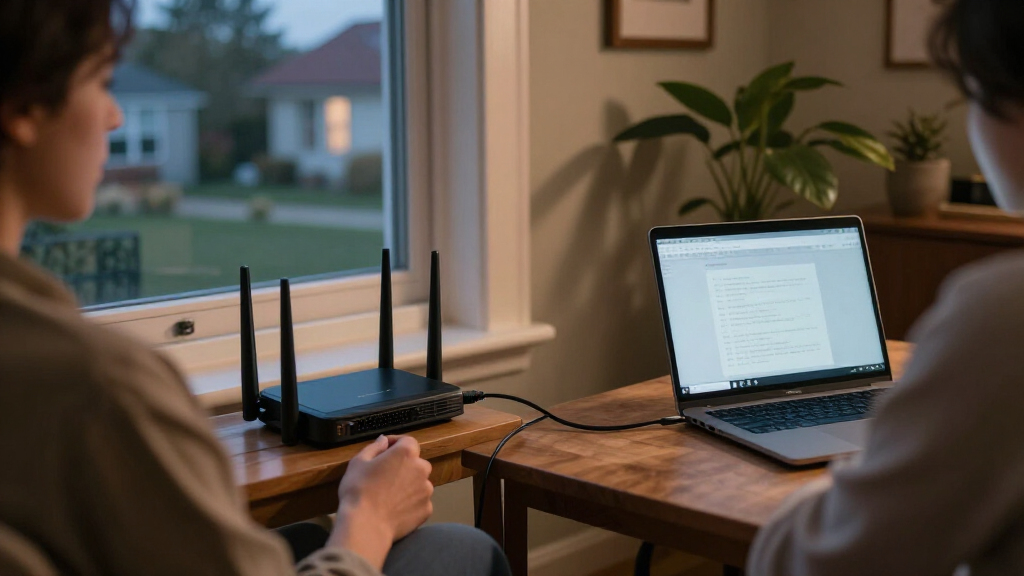
I ranked these routers for home VPN use by looking at how well each option addresses the whole job: handling encrypted traffic, providing Wi-Fi when needed, fitting into an existing network, and remaining manageable after setup. I gave weight to the distinction between a true all-in-one wireless router and a wired gateway, as well as port capability, flexibility, and the amount of extra networking equipment a buyer may need. Wi-Fi generation and multi-gig ports count most when they improve the buyer’s actual network rather than simply adding specifications.
That logic puts the Flint 2 first for its combination of Wi-Fi and VPN-oriented flexibility, with the Flint 3 above it for homes that can use newer wireless and multi-gig connectivity. The Brume 3 and Omada ER707-M2 rank as capable choices for wired gateway roles, but their lack of built-in Wi-Fi narrows their fit as standalone home routers. I placed the ASUS and ER605 lower because they are less compelling as dedicated VPN-focused home picks than the more specialized alternatives here; their simpler or more conventional roles may still suit specific setups.
Factors to Consider When Choosing VPN Routers For Home
Before choosing a model, decide what you want the VPN router to do in your home network. A router that replaces your current Wi-Fi equipment has different requirements from a gateway that sends selected traffic through a VPN while leaving wireless coverage to another device. These choices can prevent common mismatches, such as buying a wired-only product expecting it to provide Wi-Fi or paying for multi-gig ports when every connected device is limited to gigabit speeds.
Choose Between Built-In Wi-Fi and a Wired Gateway
Start by mapping the equipment you already own: modem or fiber terminal, router, wireless access points, and any mesh system. An all-in-one model reduces boxes and setup steps, but a wired gateway can slot into a network whose Wi-Fi coverage already works well. A common mistake is treating “VPN router” as a guarantee of wireless service; the Brume 3 and Omada ER707-M2 are wired options, so they need a separate source of Wi-Fi. Adding a gateway may also mean adjusting the existing router’s mode or network layout to avoid competing routing functions. Choose the simplest topology that meets your needs, especially if other household members will depend on the network staying easy to manage.
Match VPN Use to the Devices and Traffic You Actually Have
Decide whether you want every device routed through a VPN, only selected devices, or a separate network for particular equipment. Whole-home routing is convenient, but it can affect services that rely on your regular internet connection and may complicate troubleshooting. Selective routing offers more control, though it asks you to manage rules and understand which devices follow them. Check the router’s supported VPN protocols and the provider’s setup instructions before buying; compatibility and configuration can matter as much as the router’s label. If you mainly need VPN access for a few devices, a more complex network-wide configuration may add work without much benefit.
Look for VPN Throughput, Not Just Wi-Fi Speed
Wi-Fi ratings describe wireless capability under particular conditions; they do not directly tell you how fast encrypted VPN traffic will move through the router. VPN performance depends on the router’s processing capacity, protocol, connection settings, and the service endpoint, so it can be lower than your usual internet speed. Compare manufacturer specifications for VPN performance where available, and treat unqualified maximum figures with care. If you stream, make calls, or transfer large files through the VPN, leave more headroom than a light browsing household might need. A newer Wi-Fi standard will not fix a VPN bottleneck elsewhere in the connection.
Pay for Multi-Gig Ports Only When Your Network Can Use Them
Multi-gig ports can help when your internet service, switch, storage device, or wired computers support speeds above one gigabit. They do little for a network where the modem connection and all key devices remain gigabit-only. The Flint 3’s five 2.5G ports make it a stronger fit for a multi-gig home network, but buyers should check port roles and count how many wired connections they need before deciding. A separate switch can add ports, though it adds hardware and another point to manage. For many homes, stable VPN operation and suitable Wi-Fi coverage matter more than unused port capacity.
Factor in Setup, Updates, and Ongoing Management
VPN routers vary in how much control they offer, and more control can mean more setup work. Before choosing, check how the interface handles VPN configuration, device selection, firmware updates, and recovery if a setting interrupts connectivity. A technically capable gateway may be a poor fit if the person maintaining the home network does not want to manage routing rules or separate network segments. Also check the manufacturer’s firmware support and the VPN provider’s current setup guidance rather than assuming every feature will remain compatible indefinitely. Favor an interface and update process you can realistically maintain, not just a long list of advanced options.
Decide Whether You Need One Router or a Layered Home Network
A single router is easier to place and maintain, while a gateway plus access points can give more flexibility across a larger or more complicated home. Separate equipment can let you upgrade Wi-Fi without replacing VPN routing, but it can also add setup, cabling, and troubleshooting. Mesh systems may help with coverage, yet their compatibility with a separate VPN gateway depends on how they handle routing and access-point modes. Avoid buying multiple devices before checking whether your current system can be reused in a compatible configuration. Pay more for a layered setup only when it solves a real coverage, segmentation, or capacity problem.
Frequently Asked Questions
Can a wired VPN gateway replace my home Wi-Fi router?
Not by itself if you need wireless access: the Brume 3 and Omada ER707-M2 are wired gateways, so you need a separate router or access point for Wi-Fi. They may replace the routing role of an existing router if that router can be reconfigured to act as an access point, but the exact setup depends on your equipment. Check whether your current mesh or router supports the mode you need before buying. If you want one device to provide both VPN routing and Wi-Fi, choose an all-in-one model such as the Flint 2 or Flint 3 instead.
Should I route every device in my home through the VPN?
Not necessarily. Whole-home routing is simple to explain, but some devices or services may work better outside the VPN, and a problem with the VPN connection can affect everyone on the network. Selective routing can reserve the VPN for chosen devices or activities, though it takes more configuration and ongoing attention. Think about who uses the network, which services must remain accessible, and whether you want a separate network for particular devices. Pick a router whose routing controls match how much management you are prepared to do.
Will a Wi-Fi 7 router make my VPN connection faster?
Not on its own. Wi-Fi 7 can benefit compatible devices communicating over the local wireless network, but VPN speed also depends on the router’s encrypted-traffic processing, VPN protocol, internet plan, and VPN server. If your connection slows mainly when the VPN is active, a newer Wi-Fi standard may not address the limiting factor. Check VPN-specific performance information where available and consider how many devices can actually use the newer Wi-Fi features. The Flint 3’s Wi-Fi 7 and multi-gig ports are most compelling when the rest of the network can take advantage of them.
Can I keep my current router and add one of these VPN routers?
Often, yes, but the cleanest arrangement depends on the devices and features you need to preserve. A wired gateway can sit between the internet connection and your existing wireless equipment, or your current router may be set to access-point mode behind the gateway. Leaving two devices in full router mode can create a double-routing setup that complicates inbound connections, gaming, or troubleshooting. Check the manuals for supported operating modes and draw the intended connection order before changing anything. If you want the least complicated arrangement, replacing the current router with an all-in-one option may be easier.
What should I check before buying a VPN router for my VPN provider?
Confirm that the router supports a VPN protocol your provider currently offers and that the provider supplies setup instructions for that device or firmware family. Check whether the router can apply the connection to all traffic or only selected devices, since those are different needs. Look for guidance on importing configuration files, handling connection drops, and updating credentials; setup details can change over time. Ask the provider about any service-side limits that may affect router connections, too. A compatible protocol is a starting point, not a guarantee that every provider feature will work through the router.
Conclusion
For most buyers who want one device for home Wi-Fi and VPN routing, I recommend the GL.iNet Flint 2 as the best overall. Choose the Flint 3 as the best premium pick if your home can use Wi-Fi 7 and multiple 2.5G wired connections. The ASUS RT-AX1800S is the more familiar beginner-style Wi-Fi option, but buyers who want richer VPN-focused controls should compare it closely with the Flint models before deciding. For a wired gateway in a network with existing Wi-Fi equipment, the Brume 3 is a focused fit, while the Omada ER707-M2 suits buyers building around a managed, multi-gig wired setup. The ER605 is the straightforward wired choice when advanced multi-gig capacity is not the priority. Match the choice to your network layout first, then weigh speed and features against the amount of setup and maintenance you want.
Halloween Picks
halloween
As an affiliate, we earn on qualifying purchases.