
To set up secure remote access without port forwarding, your best option is to use a VPN. A VPN creates a protected, encrypted tunnel between your device and the network, removing the need to open specific ports and reducing security risks. Many routers support built-in VPN features, or you can set up a dedicated VPN server. By using a VPN, you keep your network safer and simplify access management. Continue to explore how to implement this effectively.
Key Takeaways
- Implement a VPN server within your network to create an encrypted connection for remote access.
- Use VPN-enabled routers or dedicated VPN appliances to simplify setup and enhance security.
- Install VPN client software on remote devices to connect securely without port forwarding.
- Enable multi-factor authentication to strengthen user verification and prevent unauthorized access.
- Manage remote access centrally through the VPN, reducing attack surface and eliminating the need for port forwarding.
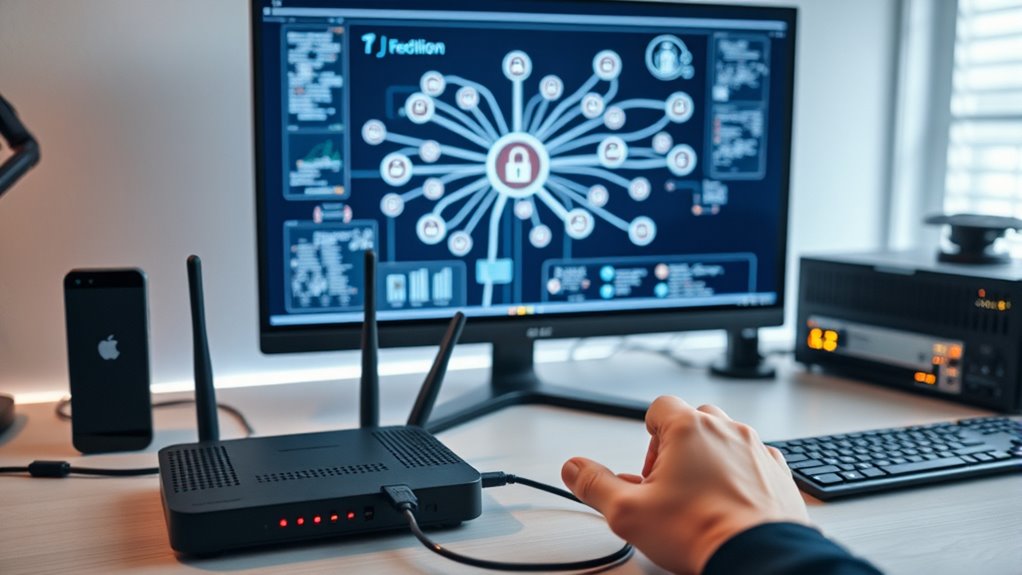
Remote access to your network is essential, but traditional methods like port forwarding can introduce security risks and complicate setup. When you open specific ports on your router, you create potential entry points for cyber threats. Attackers can exploit these vulnerabilities, making your network more susceptible to unauthorized access. To avoid these pitfalls, you should consider alternative solutions that prioritize VPN security and streamline your network topology.
Avoid security risks by replacing port forwarding with VPNs for secure remote network access.
A Virtual Private Network (VPN) provides a secure tunnel between your device and your network, eliminating the need for port forwarding. With a VPN, you connect to a remote server that acts as a gateway, encrypting all data transmitted between your device and your network. This encryption ensures that even if someone intercepts your traffic, they can’t decipher the information. VPN security is robust when you choose reputable providers and implement strong authentication methods, such as multi-factor authentication. Not only does this safeguard your data, but it also prevents unauthorized users from gaining access. Furthermore, VPNs help maintain a clean network topology by centralizing remote connections through a single, secure point. Instead of exposing multiple ports, you manage access via the VPN server, simplifying network management and reducing attack surfaces.
Setting up a VPN involves configuring a dedicated server within your network. You don’t need to open multiple ports or adjust your router’s settings extensively. Instead, you install VPN server software—many routers now come with built-in VPN capabilities—or set up an external server. Once configured, you create user accounts with secure credentials. On your device, you install compatible VPN client software, input your server details, and connect securely. This method ensures that all remote access is consolidated through a single, encrypted channel, preserving the integrity of your network topology. You avoid the chaos of multiple port forwards and maintain better control over who accesses what.
Additionally, this approach promotes scalability. As your needs grow, you can add more users or expand VPN configurations without altering your core network setup. This flexibility makes managing security policies easier while keeping your network resilient. By removing port forwarding from the equation, you reduce the number of potential vulnerabilities. Instead, your network relies on a centralized, encrypted connection that’s much harder for cybercriminals to penetrate. Incorporating network security best practices ensures your setup remains robust and protected against evolving threats. Overall, leveraging VPN security and thoughtful network topology management allows you to access your network remotely with confidence, without sacrificing security or complicating your infrastructure.

Maui MA-B256, Server & 2 Travel Router VPN – Secure Home Network Access from Anywhere, Keep Your Home IP Wherever You are, and Enjoy Private, Full VPN Control
Secure Remote Work for Two : Includes two travel routers, so a colleague or family member can also…
As an affiliate, we earn on qualifying purchases.
As an affiliate, we earn on qualifying purchases.
Frequently Asked Questions
Can I Access Multiple Devices Simultaneously Securely?
Yes, you can access multiple devices simultaneously securely. Using device multiplexing, you can establish multiple concurrent connections to different devices without jeopardizing security. This setup allows you to manage and control several devices at once through a single secure connection, ensuring data privacy and integrity. Just ensure your remote access solution supports simultaneous connections and proper authentication protocols, so your multi-device access remains safe and efficient.
What Are the Costs Involved in Setting up This Method?
The costs involved in setting up secure remote access without port forwarding are generally minimal, but you should consider expense considerations like VPN service subscriptions, secure software licenses, and potential hardware upgrades. A cost analysis shows that investing in reliable security tools and professional setup can prevent costly breaches later. While some solutions are free, premium options offer enhanced security features, making the investment worthwhile for long-term peace of mind.
How Do I Troubleshoot Connection Issues Remotely?
To troubleshoot remote connection issues, start by checking your firewall configuration to guarantee it allows your remote access app or service. Next, verify your DNS setup, making sure your domain resolves correctly and isn’t experiencing delays. Test your internet connection and try reconnecting. If problems persist, review your VPN or remote access settings, and consider restarting your device or router. This helps identify whether the issue lies with configuration, network, or hardware.
Is This Setup Compatible With All Operating Systems?
Did you know over 80% of remote access issues stem from firewall misconfigurations? This setup is compatible with all major operating systems, including Windows, macOS, Linux, iOS, and Android. Just make certain your firewall configuration allows VPN traffic and check VPN compatibility with your OS. Most VPN providers support multiple platforms, so you should have no trouble establishing secure remote access without port forwarding on any OS.
What Are the Best Security Practices to Follow?
To keep your remote access secure, you should use strong encryption protocols like TLS or SSL to protect data in transit. Implement strict access control by using multi-factor authentication and role-based permissions. Regularly update your software, monitor login activities, and disable unused accounts. These practices help prevent unauthorized access and data breaches, ensuring your connection remains safe and private while you work remotely.

GL.iNet GL-MT3000 (Beryl AX) Portable Travel Router, Pocket Wi-Fi 6 Wireless 2.5G Router, Portable VPN Routers WiFi for Travel, Public Computer Routers, Business, Moblie/RV/Cruise/Plane
【DUAL BAND AX TRAVEL ROUTER】Products with US, UK, EU Plug; Dual band network with wireless speed 574Mbps (2.4G)+2402Mbps…
As an affiliate, we earn on qualifying purchases.
As an affiliate, we earn on qualifying purchases.
Conclusion
Imagine your remote access as a secret garden gate, hidden yet accessible to those with the right key. By avoiding port forwarding, you keep unwanted visitors at bay, like a tall, sturdy fence surrounding your sanctuary. Instead, you craft a safe, invisible bridge—secure and reliable—allowing only trusted friends to step through. With these methods, you create a digital oasis of privacy and control, where your connections flourish like a well-guarded, thriving oasis in the vast desert of the internet.

NETGEAR ProSafe FVS318N VPN Appliance
More for the money with this high quality Product
As an affiliate, we earn on qualifying purchases.
As an affiliate, we earn on qualifying purchases.

SonicWall Global VPN Client – License – 5 Licenses (01-SSC-5316) – Secure IPsec VPN Connectivity for Remote Work & Site-to-Site Access
SonicWall Global VPN Client – License (01-SSC-5316)
As an affiliate, we earn on qualifying purchases.
As an affiliate, we earn on qualifying purchases.