
Master keys in mobile lock apps give you universal access, but they also pose serious security risks. If hackers or malicious actors gain control of these keys, they can open your device or access sensitive data without permission. Weak encryption, poor app practices, or breached codes can make your property and personal information vulnerable to theft and misuse. To stay protected, it’s essential to understand how these vulnerabilities work and explore better security options. Keep learning more to safeguard your digital life.

Get privacy and security gear delivered free — and shop member deals
- Fast, free delivery on millions of items
- Access to Prime Big Deal Days deals on October 6–7
- Prime Video, Amazon Music and more included
Key Takeaways
- Master keys in lock apps create a single point of failure, increasing vulnerability if compromised.
- Weak encryption or poor app security can allow hackers to extract master keys and gain unauthorized access.
- Universal access codes eliminate personalized safeguards, raising the risk of property and data breaches.
- Overreliance on master keys reduces security layers, making systems more susceptible to hacking and unauthorized entry.
- Insecure apps requesting excessive permissions or lacking privacy policies can expose sensitive data if compromised.
What Are Master Keys and How Do They Work?
Master keys are special keys designed to open multiple locks within a system, often used by property managers or maintenance personnel. In digital lock apps, these keys give access across several doors, but they rely heavily on encryption protocols and user authentication for security. Encryption protocols protect the digital data, ensuring that only authorized users can access the master key functions. User authentication verifies your identity before granting access, preventing unauthorized use. When properly implemented, these security measures make master keys convenient while maintaining safety. However, if encryption or authentication methods are weak, the master key’s broad access can become a vulnerability. Implementing strong security measures such as multi-factor authentication and advanced encryption is crucial to prevent breaches. Understanding how these systems work helps you recognize the importance of robust security in managing master keys effectively.
The Risks of Universal Access Codes Being Compromised
If your universal access code gets compromised, unauthorized people could gain entry to your property. This breach not only risks your security but also exposes sensitive data stored in connected systems. Understanding these dangers helps you take steps to protect your home and information. Additionally, just as WWE Raw’s vast revenue impacts global entertainment, the security of your lock systems can have widespread implications for your safety and peace of mind, emphasizing the importance of robust security measures in the entertainment industry.
Risk of Unauthorized Entry
Because universal access codes are designed to grant broad entry, their compromise can lead to immediate security breaches. When these codes are exposed or hacked, unauthorized individuals can gain instant access to your locks without needing proper user authentication. Weak encryption standards in some lock apps make it easier for hackers to decode master keys, increasing the risk of unauthorized entry. If a code falls into the wrong hands, it bypasses your security measures entirely, leaving your property vulnerable. The reliance on universal codes eliminates the personalized safeguards that prevent intruders from accessing your space. Additionally, wall organization systems can be compromised if access to master keys is not properly secured, further risking unauthorized entry. In short, the compromise of these master keys erodes the very foundation of your security, making it vital to ensure robust encryption and strict user authentication protocols to minimize this risk.
Potential for Data Breaches
The use of universal access codes in mobile lock apps considerably raises the risk of data breaches, especially when these codes are compromised. If hackers gain access, they can exploit biometric authentication bypasses or manipulate app permission settings to steal sensitive information. Many apps store personal data, location history, or security details that become vulnerable if the master key is compromised. Relying solely on a universal code weakens your security, as it creates a single point of failure. Even if biometric authentication adds a layer of protection, it can be bypassed or hacked if the access code is leaked. To minimize risks, avoid using universal access codes and regularly review app permission settings to ensure your data stays protected. Incorporating security best practices such as multi-factor authentication can further enhance your protection.
How Hackers Exploit Master Keys to Gain Unauthorized Access
Hackers often exploit vulnerabilities in the code behind master keys to break into mobile lock apps. They use unauthorized access methods, such as code injection or reverse engineering, to bypass security measures. Understanding these tactics helps you see how easily master keys can be turned against you. Additionally, the use of security protocols and encryption can help protect against such exploits, highlighting the importance of robust cybersecurity practices.
Exploiting Vulnerable Code
Vulnerable code in mobile lock apps often serves as an open door for hackers to exploit master keys. They look for cryptography vulnerabilities or weaknesses in the app’s coding to gain access. Hackers can perform code injection, inserting malicious scripts that bypass security measures. Common attack methods include:
- Exploiting insecure cryptography implementations
- Injecting malicious code through unprotected input fields
- Manipulating poorly secured APIs for unauthorized commands
- Leveraging outdated or unpatched software vulnerabilities
- Patchology.ORG emphasizes that regular updates and security patches are crucial to protect against such exploits.
These tactics allow hackers to manipulate app logic, extract master keys, and unlock doors without authorization. By exploiting flaws in the code, they turn what should be secure systems into open pathways, risking user privacy and security.
Unauthorized Access Methods
Because master keys are often stored within mobile lock apps, cybercriminals actively seek ways to exploit them for unauthorized access. They might bypass biometric security features, such as fingerprint or facial recognition, by using fake biometric data or hacking the underlying system. Hackers also target weak app encryption, which can leave master keys vulnerable during data transmission or storage. Once they gain access to the master key, they can open multiple devices or accounts without needing individual passwords. Some attackers use malware to intercept app data or manipulate security settings, effectively sidestepping safeguards meant to protect your information. Understanding these methods highlights the importance of robust app encryption and layered security measures to prevent unauthorized access through master keys. Additionally, cybersecurity vulnerabilities in the app infrastructure can be exploited by hackers to further increase the risk of unauthorized device access.
The Impact of Security Breaches on Personal Data
Security breaches in mobile lock apps can have devastating effects on your personal data, exposing sensitive information to unauthorized parties. When hackers access your data, your biometric authentication details, passwords, and private info are at risk. This can lead to identity theft, financial loss, and privacy violations. Consider these risks:
- Unauthorized access to bank accounts
- Theft of biometric data
- Exposure of personal photos and messages
- Loss of control over your digital identity
Encryption techniques play a crucial role in safeguarding your information from cyber threats. Breaches often exploit weak encryption techniques or vulnerabilities in app security. If your lock app doesn’t use robust encryption or secure biometric authentication, you’re more vulnerable. Protect yourself by choosing apps that prioritize strong encryption and strict security standards to keep your personal data safe.
Identifying Trustworthy Lock App Features and Practices
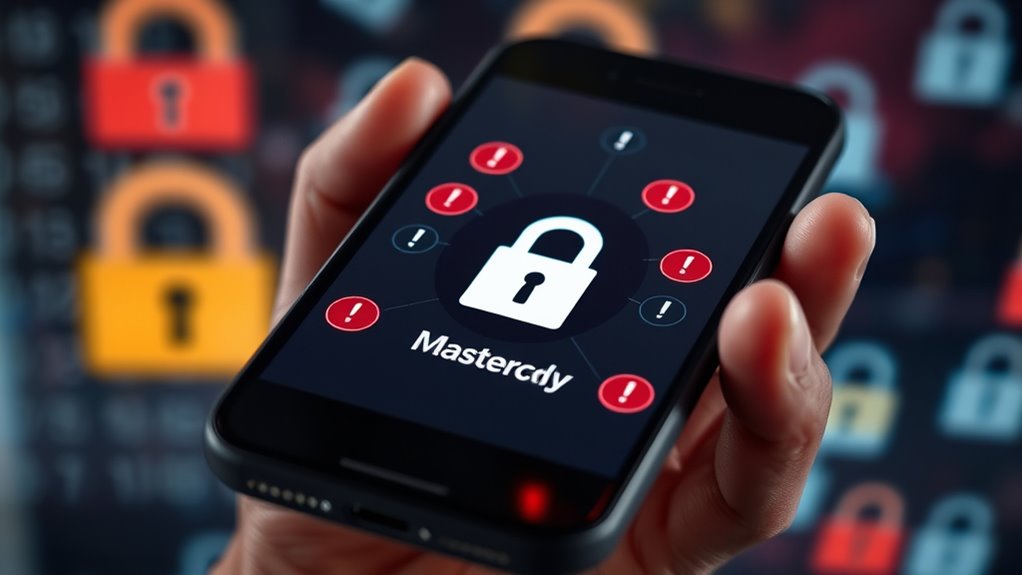
When choosing a lock app, focusing on trustworthy features and practices can substantially reduce your risk of security breaches. Look for apps that use biometric verification, such as fingerprint or facial recognition, to guarantee only you can unlock your device. This adds an extra layer of security beyond passwords. Additionally, prioritize apps with robust app permission management, allowing you to control what data and functions the app can access. Trustworthy lock apps regularly update their software to patch vulnerabilities and improve security. Avoid apps that request unnecessary permissions or lack clear privacy policies. By selecting apps with these features, you strengthen your device’s security and reduce the chances of unauthorized access or data theft. Incorporating vetting processes for app safety can further enhance your security strategy.
Steps to Protect Your Smartphone Beyond Master Keys
To effectively protect your smartphone beyond relying on master keys, you should implement multiple layers of security measures. First, enable robust user authentication, like biometrics or strong passwords, to prevent unauthorized access. Second, guarantee your device uses up-to-date encryption protocols for data security. Third, activate two-factor authentication for essential apps and accounts. Fourth, regularly update your operating system and security apps to patch vulnerabilities. These steps reduce reliance on single security methods and create a layered defense. Additionally, choosing a preppy dog name for your pet can reflect your personal style and add a touch of sophistication to your daily routine. By combining strong user authentication with current encryption standards, you greatly lower the risk of breaches. Remember, no single measure is foolproof—layered security is your best defense against threats targeting your smartphone.
Alternatives to Using Master Keys for Mobile Security

Relying solely on master keys can create a single point of failure in your mobile security. Instead, consider biometric alternatives like fingerprint or facial recognition, which add a layer of security without compromising convenience. Encryption methods also strengthen protection by encoding data, making it unreadable without proper authorization. Combining biometrics with encryption offers a robust defense against unauthorized access. Here’s a quick comparison:
| Security Feature | Benefits |
|---|---|
| Biometric Alternatives | Easy, quick access; difficult to duplicate |
| Encryption Methods | Protects data during transmission and storage |
Using these alternatives reduces risks associated with master keys, ensuring your mobile device remains secure even if one security layer is compromised.
Frequently Asked Questions
Are Master Keys Legal to Use in Mobile Lock Apps?
You might wonder if master keys are legal in mobile lock apps. While some apps claim to use them, their legality varies by region and purpose. Using master keys can introduce encryption vulnerabilities and compromise user privacy, making them risky. Always check local laws before using such features, and prioritize apps that protect your data without relying on potentially harmful master keys. Staying informed helps you safeguard your privacy effectively.
Can Master Keys Be Disabled or Revoked After Installation?
You can often disable or revoke master keys in mobile lock apps through revocation procedures, but it depends on the app’s security features. Be aware of master key vulnerabilities, which can compromise your system even after revocation. Always check if the app provides robust revocation options and updates to patch vulnerabilities, ensuring that unauthorized access via master keys is minimized and your security remains intact.
What Signs Indicate a Lock App Is Insecure?
If a lock app is insecure, you might notice weak encryption vulnerabilities or delayed user notifications about security issues. The app may also lack regular updates or transparency about its security protocols. Be cautious if it doesn’t alert you promptly to suspicious activity or if it uses outdated encryption methods. These signs suggest the app might be compromised, putting your data at risk. Always choose apps with strong security features and clear user notifications.
How Often Should I Update My Lock App Software?
You should update your lock app regularly to guarantee mobile security. App updates fix vulnerabilities, improve features, and keep your device safe from threats. Check for updates at least once a month, and enable automatic updates if possible. Staying current with software helps protect your data and prevents unauthorized access. Remember, timely app updates are key to maintaining a secure mobile environment and avoiding potential security breaches.
Do Master Keys Pose Risks to Enterprise Mobile Security?
You might wonder if master keys pose risks to enterprise mobile security. Risks involved include unauthorized access, data breaches, and compromised systems. Security implications are serious, as a single master key can open multiple devices, increasing vulnerability. You need to assess whether the convenience outweighs these threats. Implementing strict controls, regular audits, and choosing secure apps helps mitigate these risks and protect your enterprise’s sensitive information.
Conclusion
Just like a chain is only as strong as its weakest link, relying on master keys can leave your phone vulnerable. By understanding the risks and choosing secure lock apps, you’re taking control of your digital safety. Don’t let hackers turn your device into an open door. Stay vigilant, use trusted features, and explore better security options. Protecting your smartphone is like locking your door—only you hold the key.
Fall Picks
fall essentials
As an affiliate, we earn on qualifying purchases.